JavaScript SEO - Complete Guide for Modern Web Apps
Complete JavaScript SEO guide for modern web apps. Learn best practices for client-side rendering, crawling issues, and technical SEO solutions.
 Maya Krishnan
Is your JavaScript code hiding your best content from the world? Modern web applications rely on JavaScript to create rich, interactive user experiences. However, if not implemented carefully, these scripts can act as a wall between your content and the search engines trying to rank it. This is where JavaScript SEO becomes a critical competitive advantage.
Leveraging server-side rendering (SSR) and understanding the rendering pipeline can make your site accessible to crawlers, significantly boosting your organic visibility. In this guide, we will explore exactly how JavaScript affects SEO, how Google processes dynamic content, and the specific technical strategies you need to ensure your modern web app ranks as high as it performs. If Google can't render your content, it can't index your website on Google in the first place.
By implementing these strategies, you can prevent traffic loss and ensure your application is ready for the future of search.
What is JavaScript SEO?
JavaScript SEO is the technical practice of optimizing JavaScript-heavy websites to ensure search engines can crawl, render, and index their content effectively. Unlike traditional static HTML sites, JavaScript-powered applications (like SPAs built on React, Vue, or Angular) often load content dynamically.
Without proper optimization, a crawler might land on your page and see nothing but a blank screen or a loading spinner, while your actual users see a fully populated page.
Consider a travel booking site that uses JavaScript to fetch flight prices. A user sees the deals immediately. But if Googlebot visits and cannot execute that JavaScript efficiently, it sees an empty HTML shell. If Google can't see the prices or destinations, it cannot rank the page for those terms. This discrepancy between what users see and what bots see is the "content gap" that JavaScript SEO aims to close.
Furthermore, the rise of AI search engines (like Perplexity or ChatGPT's Search) adds a new layer of complexity. Many AI crawlers do not possess the same rendering capabilities as Googlebot, meaning your content might be invisible to the next generation of search tools if it relies entirely on client-side execution.
JavaScript's Evolution: From Static to Dynamic
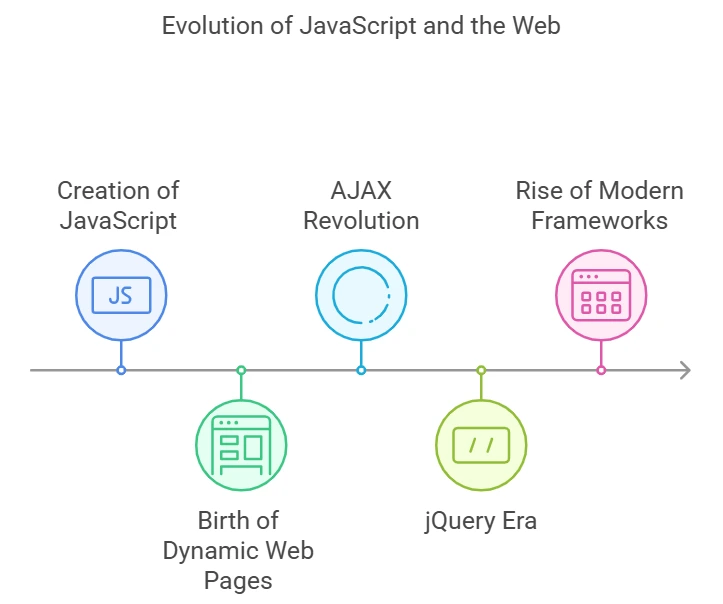
To understand why JavaScript SEO is complex, we have to look at how the web has shifted from simple documents to complex applications.
The Birth of Dynamic Web Pages
In the early days of the web, pages were static HTML files. You clicked a link, and the server sent a completely new document. JavaScript, originally created in 1995 by Brendan Eich, was a lightweight scripting language intended to add small interactions—like a clock or a form validator—to these static pages. It wasn't designed to build entire websites.
The AJAX Revolution (2000-2005)
The introduction of AJAX changed everything. It allowed browsers to fetch data in the background without reloading the entire page. This paved the way for "Web 2.0" applications like Gmail and Google Maps, where the interface felt like a desktop application. For SEO, this was the beginning of the challenge: content was no longer just in the source code; it was being pulled in dynamically.
The jQuery Era (2006-2012)
jQuery standardized how developers interacted with the DOM (Document Object Model), smoothing over browser inconsistencies. While it made development easier, it encouraged a style of coding where more and more content was manipulated client-side, often hiding text from rudimentary crawlers of that era.
Modern JavaScript Frameworks (2010-Present)
Today, frameworks like Angular, React, and Vue.js dominate web development. They introduced the Single Page Application (SPA) architecture. In an SPA, the browser loads one HTML file, and JavaScript handles all subsequent content updates and page transitions.
While this provides a buttery-smooth user experience, it creates significant SEO hurdles. If a crawler cannot execute the JavaScript bundle, the site appears empty. Additionally, heavy client-side processing can degrade performance. If you ignore these mechanics, you risk failing Core Web Vitals, specifically metrics like Interaction to Next Paint (INP), which directly impacts rankings.
How Google Crawls and Indexes JavaScript
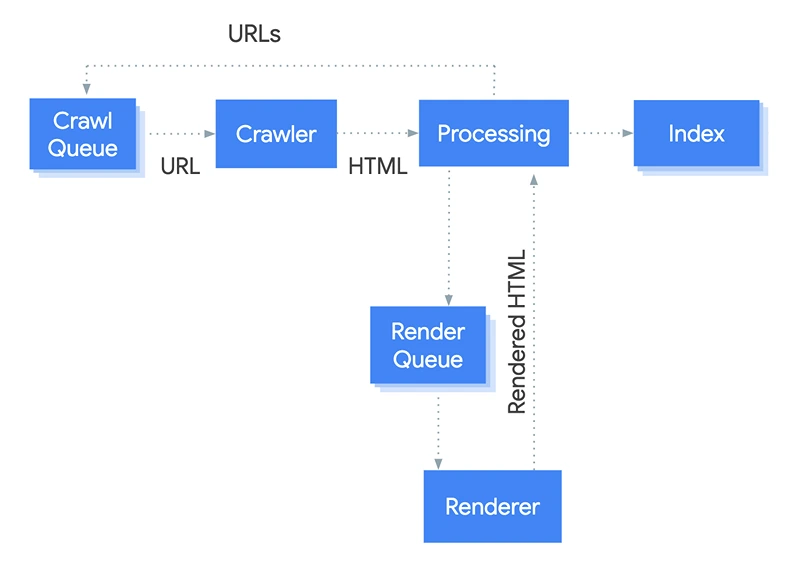
Understanding Google's pipeline is crucial. Google does not process JavaScript pages the same way it processes HTML pages. There is a specific "rendering cost" associated with JavaScript.
The Two-Wave Indexing Process
- Initial Fetch (Wave 1): Googlebot requests a URL. It reads the initial HTML response from the server. If your content is in this HTML (Server-Side Rendered), it gets indexed immediately.
- The Queue: If the content is empty or relies on JavaScript, the page is placed into a "Render Queue."
- Rendering (Wave 2): When resources become available, a headless Chromium browser executes the JavaScript. Google effectively "looks" at the page again to find the content that was loaded dynamically.
- Indexing: The rendered HTML is finally analyzed and added to the index.
The Danger: There is a time gap between Wave 1 and Wave 2. It can range from minutes to days. For time-sensitive content (like news or flash sales), this delay can be disastrous.
Validation Tools for JavaScript SEO
You cannot rely on "View Source" to check your SEO anymore, because "View Source" only shows the initial raw HTML, not the rendered DOM. You need tools that mimic the rendering process.
URL Inspection Tool
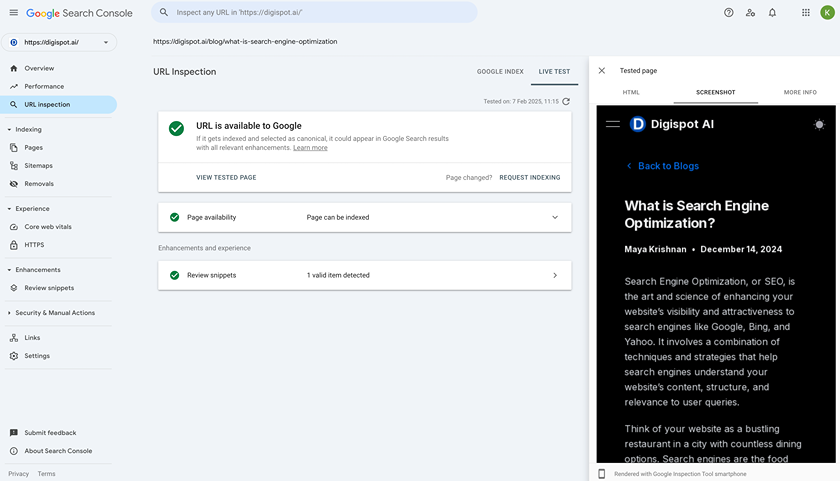
The URL Inspection tool in Google Search Console (GSC) is your primary source of truth. It allows you to:
- View Crawled Page: See exactly what HTML Googlebot indexed.
- Live Test: Force a live render to check if recent code changes fixed a visibility issue.
- Screenshot Analysis: Look at the screenshot provided by GSC. If the main content area is blank, white, or missing elements, Google is failing to render your JavaScript.
Rich Results Test
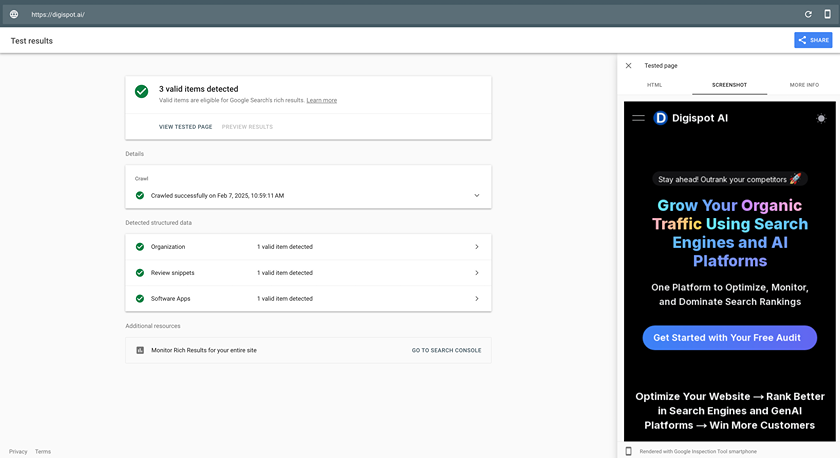
The Google Rich Results Test is excellent for spot-checking. Even if you aren't testing for rich snippets, this tool renders the page and shows you the computed HTML. If your JSON-LD schema is injected via JavaScript, this tool confirms if Google can read it.
Digispot AI: Your JavaScript SEO Lab Test
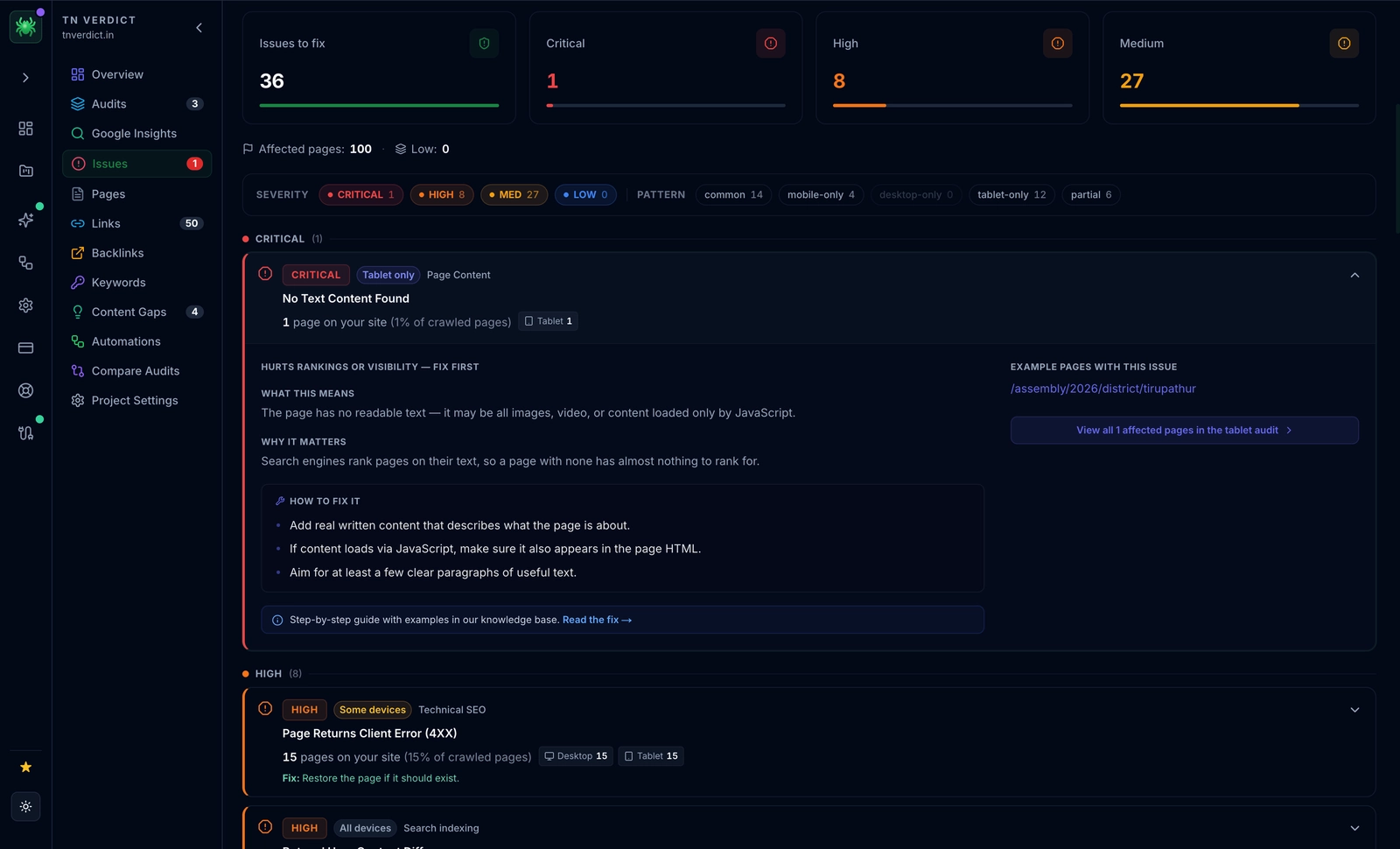
Manual testing in GSC is slow and limits you to one URL at a time. Digispot AI streamlines this process. Our crawler uses a headless browser to render your pages at scale, identifying JavaScript barriers across your entire site structure.
You get clear scores and visual proof of how your content renders. Compare our screenshots with your live site to instantly spot where scripts are failing to load critical text or links.
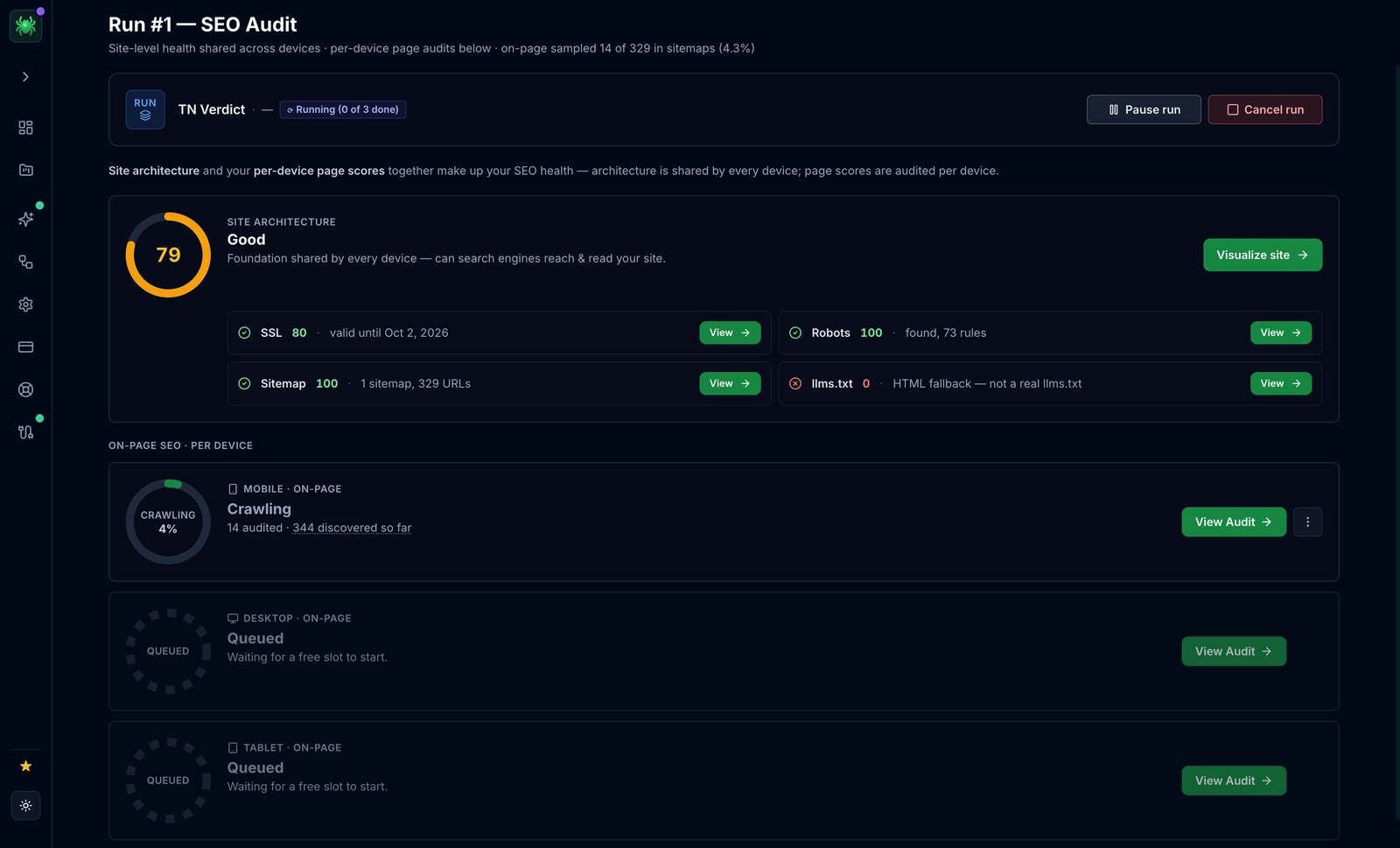
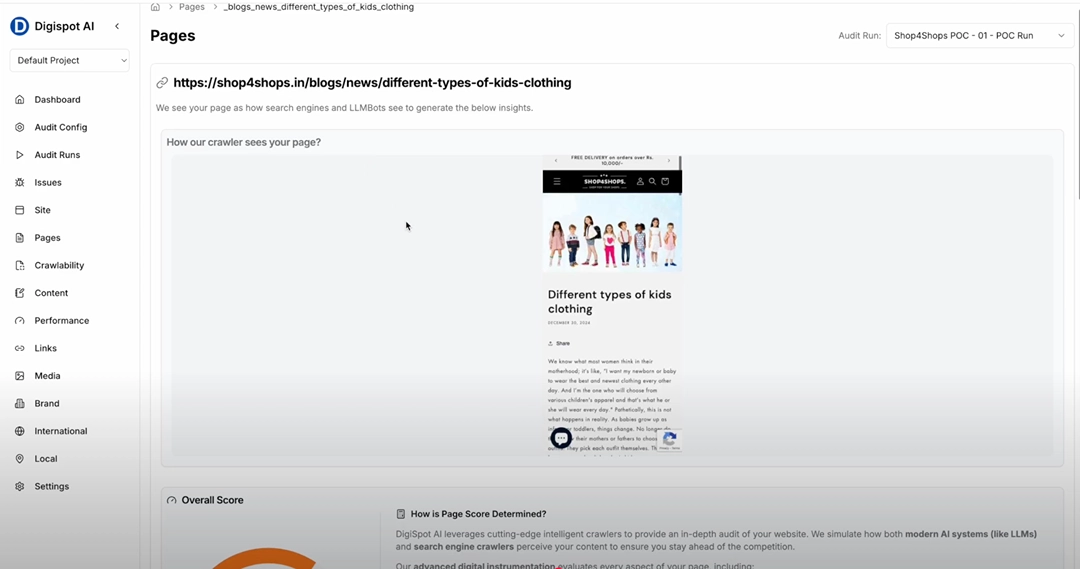
Regular auditing is vital. A simple code deployment can accidentally block a JS resource in robots.txt, turning a high-ranking page into a blank screen overnight.
Challenges in the Rendering Process
- Crawl Budget Waste: Google has limited resources. If your site requires massive CPU power to render, Google may crawl fewer pages on your site.
- Timeouts: If your API is slow and the content takes 5 seconds to load, the renderer might time out and assume the page is empty.
- Googlebot WRS: The Web Rendering Service (WRS) is based on a modern version of Chrome, but it doesn't support features that require user permission (like geolocation) and may struggle with WebGL or complex service workers.
JavaScript SEO: Best Practices for Optimization
Optimizing a JavaScript application requires a shift in how you architect your frontend. Here are the actionable strategies to ensure your code drives traffic rather than blocking it.
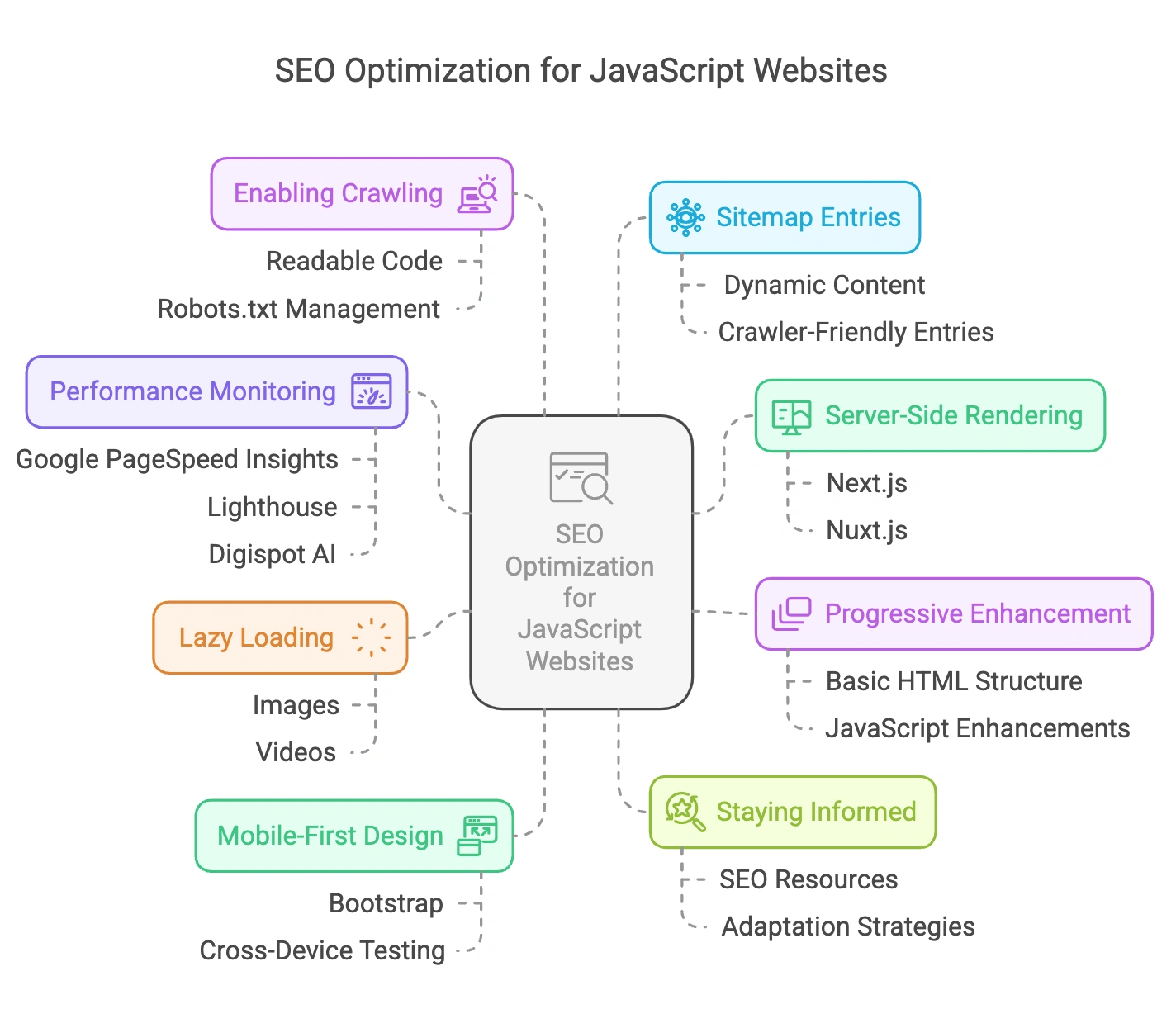
1. Leverage Server-Side Rendering (SSR)
SSR is the gold standard for SEO. Instead of sending an empty HTML shell to the browser, the server executes the JavaScript and sends a fully populated HTML page.
- Why it works: Search engines receive the content in the initial HTTP response (Wave 1). There is no waiting for the render queue.
- How to do it: If using React, utilize Next.js. If using Vue, use Nuxt.js. These meta-frameworks handle SSR out of the box.
2. Static Site Generation (SSG)
For content that doesn't change often (like blog posts or marketing pages), SSG is superior. It builds the HTML files at build time. When a user or bot requests the page, the server simply hands over a pre-made file. This is incredibly fast and 100% SEO-friendly.
3. Progressive Enhancement & Hydration
Build your site in layers. Ensure the core content (text and links) is visible in the initial HTML. Then, let JavaScript "hydrate" the page to add interactivity (like button clicks or form submissions). This ensures that even if the JavaScript fails or is blocked, the semantic value of the page remains accessible to bots.
4. Proper Internal Linking (Crucial)
A common mistake in SPAs is using div or button elements with onClick handlers for navigation.
- Bad:
<div onclick="goToPage('/about')">About</div> - Good:
<a href="/about">About</a>
Googlebot discovers new pages primarily by following <a href> links. If you hide your links inside JavaScript events, crawlers might never find your deeper pages. Learn more about effective internal linking strategies to ensure your site architecture is crawlable.
5. Implement Lazy Loading Correctly
Lazy loading boosts performance, but it can hide content from bots if done wrong.
- Images: Use the native browser attribute
<img loading="lazy" ... />. This is supported by Googlebot. - Content: Avoid "load more" buttons for core content. If you use infinite scroll, ensure there is a paginated structure or a generic fallback so bots can access items deep in the list.
6. Manage Your Metadata Dynamically
In a Single Page Application, the <head> of the document usually stays the same as users navigate. You must programmatically update the title and meta description tags when the route changes.
- React: Use
react-helmetor the built-in<Head>component in Next.js. - Vue: Use
vue-meta. Failure to do this results in every page on your site having the exact same duplicate title, which is a major SEO negative. Review our on-page SEO best practices for crafting effective metadata.
7. Monitor Performance Metrics
Heavy JavaScript bundles increase Total Blocking Time (TBT), which correlates to the Interaction to Next Paint (INP) Core Web Vital. A slow site isn't just a bad user experience; it's a ranking demotion factor. Use tools like Lighthouse or Digispot AI to identify unused JavaScript chunks that can be removed or code-split.
8. Robots.txt and Resource Blocking
Never block your JavaScript or CSS files in robots.txt.
- The Mistake:
Disallow: /assets/orDisallow: /js/ - The Consequence: Googlebot cannot render your page because it can't access the script that builds the DOM. It will treat your page as empty or broken.
Common JavaScript SEO Challenges & Solutions
Even with modern frameworks, developers often encounter specific pitfalls.
The "Soft 404" Problem
In an SPA, if a user visits a non-existent URL (e.g., /products/does-not-exist), the app might simply render a "Page Not Found" component while the server still returns a 200 OK HTTP status code.
- The Issue: Google thinks this is a valid page and may index thousands of "error" pages.
- The Fix: Ensure your server returns a 404 HTTP status code for unknown routes, or use
noindexmeta tags dynamically injected on error components.
Hash URLs vs. History API
Avoid using hash-based routing (e.g., example.com/#/about). Google generally ignores everything after the # symbol. Always use the History API (pushState) to create clean URLs (e.g., example.com/about).
AI Search and RAG Systems
This is a modern consideration. Retrieval-Augmented Generation (RAG) systems used by AI tools often perform simple HTTP requests to read page content. They do not always run a full headless browser. If your content is 100% client-side rendered, AI search engines may view your site as having zero content. Server-side rendering is the best defense to ensure you remain visible in the AI era.
Debugging Your JavaScript SEO
When rankings drop, you need a systematic way to debug.
- Check the Cache: Search Google for
cache:yourdomain.com/page. (Note: Google is retiring the cache link, so rely more on GSC). - Mobile-Friendly Test: Sometimes rendering issues are specific to the mobile user agent.
- Disable JavaScript: Use a browser extension to turn off JS. Browse your site. Is the navigation visible? Is the main text readable? If not, you are heavily reliant on the render queue.
For a comprehensive analysis, Digispot AI can help you identify and fix these issues automatically with AI-powered audits that simulate bot behavior better than standard manual checks.
Content Optimization for JS Sites
Technical foundation is only half the battle. You still need to optimize the content itself.
Structured Data (Schema)
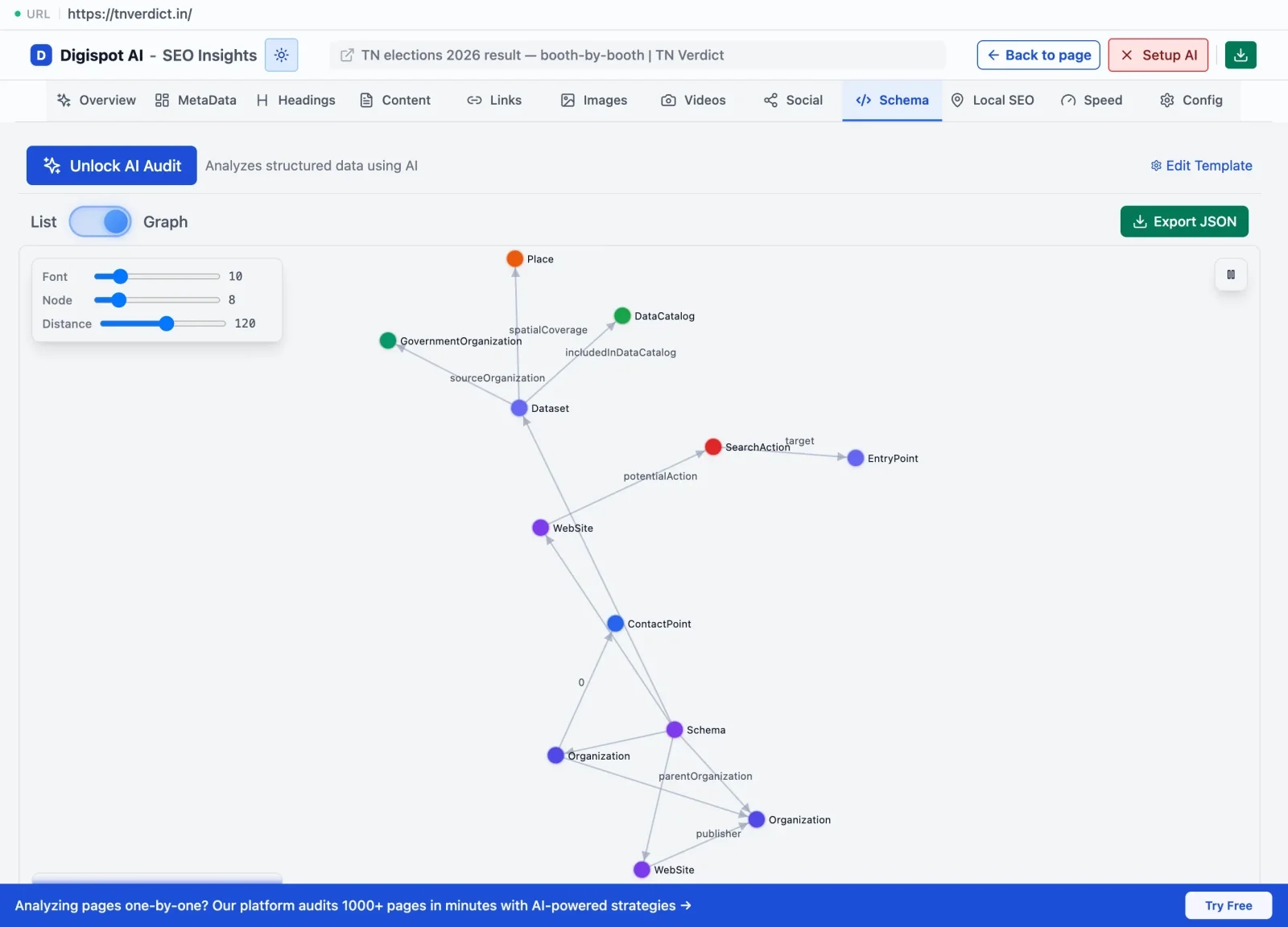
Inject JSON-LD schema to help Google understand your entities. In JS apps, make sure this script block is populated with correct data (like Product price or Article author) before the snapshot is taken.
Semantic HTML
Don't let JavaScript soup ruin your document outline. Use <header>, <main>, <article>, and <footer>. This helps crawlers parse the priority of content on the page.
If you are struggling to identify why your pages aren't ranking despite good content, check our guide on common SEO mistakes to see if you are tripping over fundamental structural issues.
JavaScript SEO: Start Optimizing Today
The web is not going back to static HTML. JavaScript is here to stay, and it powers the most engaging experiences on the internet. However, you must balance dynamic functionality with search engine accessibility.
Your roadmap to success:
- Prioritize Server-Side Rendering (SSR) or Static Site Generation (SSG).
- Use
<a href>links for all navigation. - Audit your site using Google Search Console and Digispot AI.
- Ensure your
robots.txtallows access to all JS resources.
Don't let technical debt invisible to the human eye destroy your organic growth. Get instant SEO insights on any page with our free Chrome extension and start visualizing exactly what the search engines see.
Ready to improve your SEO? Try Digispot AI for comprehensive website audits and actionable recommendations that bridge the gap between development and marketing.
References
-
Google Search Central - JavaScript SEO Basics
- Official guidance on JavaScript SEO implementation
- Detailed explanations of crawling and indexing processes
-
Mozilla Developer Network (MDN) - JavaScript Fundamentals
- Comprehensive JavaScript documentation
- Best practices for implementation and optimization
-
Web.dev - JavaScript Best Practices
- Modern JavaScript techniques
- Performance optimization guidelines
-
Bing Webmaster Tools Documentation
- Bing's perspective on JavaScript crawling
- Cross-engine optimization strategies
-
- Tools for JavaScript debugging and optimization
- Performance monitoring techniques
-
Schema.org - Structured Data Guidelines
- Standards for structured data implementation
- JavaScript-friendly markup patterns
Audit any page in seconds
300+ SEO checks including Core Web Vitals, schema markup, meta tags, and AI readiness — trusted by 1000+ SEO experts and marketers.
Frequently Asked Questions
Here are some of our most commonly asked questions. If you need more help, feel free to reach out to us.
Written by
Maya Krishnan
Digital growth expert
Maya is a seasoned expert in web development, SEO, and digital strategy, dedicated to helping businesses achieve sustainable growth online. With a blend of technical expertise and strategic insight, she specializes in creating optimized web solutions, enhancing user experiences, and driving data-driven results. A trusted voice in the industry, Maya simplifies complex digital concepts through her writing, empowering readers with actionable strategies to thrive in the ever-evolving digital landscape.