Canonical URLs for SEO: Complete Implementation Guide
Master canonical URLs for SEO duplicate content management. Learn implementation, common mistakes, and best practices to consolidate ranking signals.
 Maya Krishnan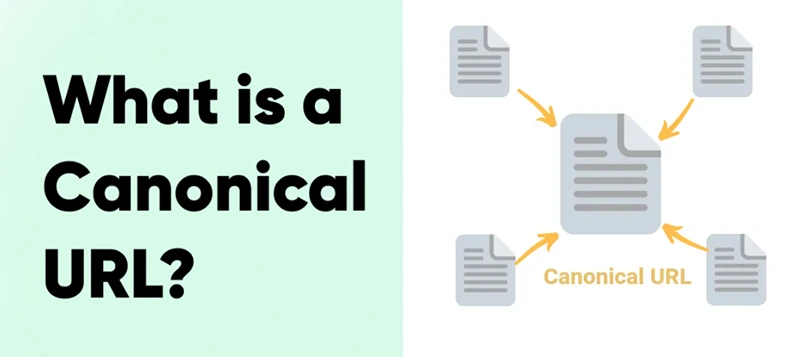
Introduction to Canonical URLs
Duplicate content is a silent performance killer for modern websites. In an ecosystem where search engines like Google and AI platforms like ChatGPT demand precision, presenting multiple versions of the same page can disastrously dilute your authority. Canonical URLs are the definitive solution to this problem, yet they remain one of the most frequently misconfigured elements in technical SEO.
Consider the complexity of a standard e-commerce product page. Between sorting filters, tracking parameters, and category variations, a single "Black Leather Jacket" page might exist on five different URLs. Without explicit instructions, search bots spread your ranking potential thin across all these versions, confusing their indexing algorithms.
Canonical URLs act as a direct signal to search engines, designating one specific URL as the "master copy." They resolve conflicts before they impact your rankings, ensuring that link equity flows to the right destination. By mastering canonicalization, you not only solve duplicate content issues but also prepare your site for the future of search, where clarity and authority are paramount. Correct canonical signals are also essential to getting your website indexed on Google without wasting crawl budget on duplicates.
In this guide, we will examine the mechanics of canonical tags, analyze their critical role in preserving crawl budget, and provide a step-by-step implementation strategy to protect your search visibility.
What is a Canonical URL?
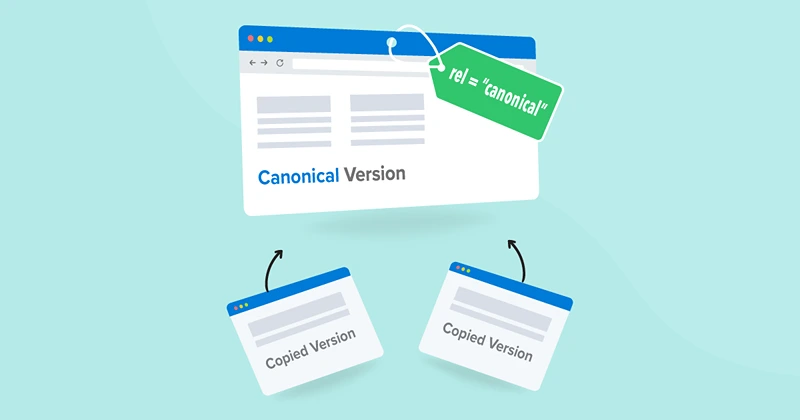
A canonical URL is a snippet of HTML code that defines the main version for duplicate, near-duplicate, and similar pages. In technical terms, it is a link element with the attribute rel="canonical" found in the <head> section of a webpage.
Think of it as a citation system for the internet. If you have several pages discussing the same topic with identical or highly similar text, the canonical tag tells Google: "Despite these variations, this URL is the original source. Please index this one and ignore the others."
The "Master Copy" Concept
Search engines crawl the web by following links. Often, they encounter different URLs that render the same content. Common examples include:
- Protocol variations:
http://example.comvshttps://example.com - Subdomain variations:
www.example.comvsexample.com - Trailing slashes:
https://example.com/product/vshttps://example.com/product - Parameters:
https://example.com/product?ref=twitter
Without a canonical URL, search algorithms might treat these as four distinct pages. This leads to "cannibalization," where your own pages compete against each other for the same keywords. By setting https://example.com/product/ as the canonical URL, you force search engines to aggregate the authority of all those variations into that single, powerful link.
This concept is increasingly vital for AEO (Answer Engine Optimization). AI models look for a single source of truth to cite in their answers. If your content is fragmented across multiple URLs, AI platforms may struggle to identify the authoritative source, potentially citing a competitor instead.
Why Do Canonical URLs Matter for SEO?
Implementing canonical tags is not just a housekeeping task; it is a strategic necessity for maximizing search performance. Here is why they are non-negotiable for serious websites:
1. Eliminating Duplicate Content Issues
Duplicate content is rarely malicious, but it is technically problematic. Search engines aim to provide users with distinct results. If Google finds five pages on your site with the same text, it will likely filter four of them out of the index. Without canonical tags, Google might choose the wrong version to keep—perhaps the version with a long, ugly URL full of tracking codes rather than your clean, keyword-optimized URL.
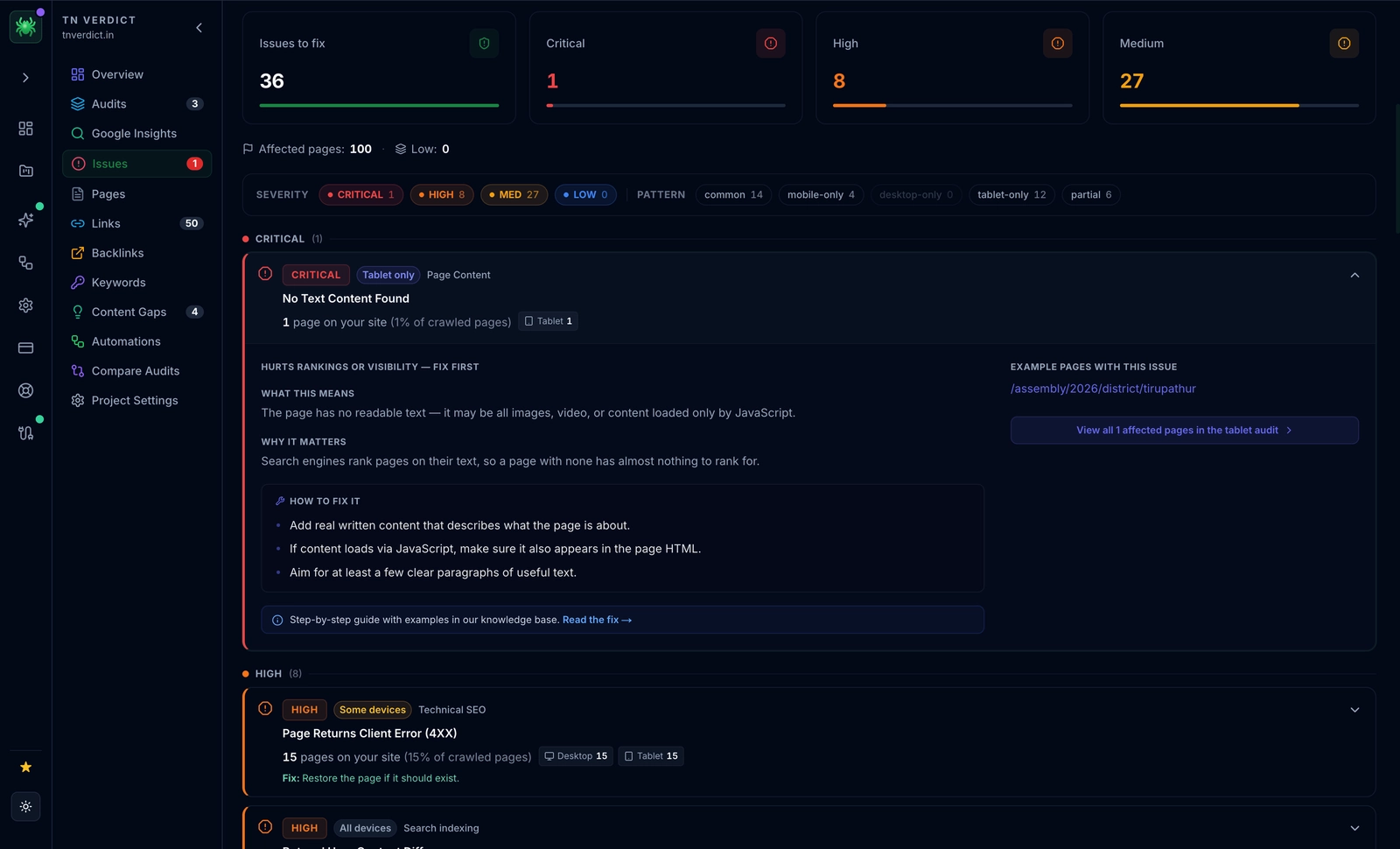
Canonicalization gives you control over this process. You decide which page ranks, ensuring your best URL is the one presented to users. To check if you currently suffer from this issue, read our guide on common SEO mistakes that hurt rankings.
2. Consolidation of Link Equity (PageRank)
Links remain one of the strongest ranking factors. However, if three different websites link to three different versions of your product page (e.g., one links to the HTTP version, one to the WWW version, and one to a tracking URL), your "link juice" is split three ways.
Canonical URLs act as a funnel. They tell search engines to count all those inbound links as if they were pointing to the single canonical URL. This aggregates the authority, significantly boosting the ranking potential of the preferred page.
3. Efficient Crawl Budget Usage
For large websites, crawl budget—the number of pages a search bot visits on your site per day—is a finite resource. If Googlebot wastes time crawling thousands of duplicate URL variations generated by product filters, it may not have time to reach your new, high-value content.
By implementing canonicals (and managing parameter handling in Google Search Console), you encourage bots to focus on unique, valuable pages. This is essential for maintaining site health and ensures new content is indexed faster. For a deeper dive into technical performance, review our Core Web Vitals guide.
4. Better User Experience and Analytics
While canonical tags are unseen by the average visitor, they indirectly improve UX. Users are more likely to click on clean, concise URLs in search results than long, parameter-heavy strings. Furthermore, canonicals streamline your analytics. Instead of tracking traffic across ?utm_source=facebook and ?utm_source=newsletter separately in terms of page value, you can view consolidated performance data for the main URL.
How Canonical URLs Work
Canonical URLs rely on the <link> element placed in the HTTP header or the HTML <head> section. This tag serves as a strong hint—not an absolute directive—to search engines.
The Anatomy of a Canonical Tag:
<link rel="canonical" href="https://www.example.com/preferred-page/" />
- link: Initiates the relationship definition.
- rel="canonical": Specifies that the relationship is canonicalization (defining the authoritative version).
- href="...": The target URL that acts as the master copy.
When Googlebot processes a page, it looks for this tag. If found, it compares the current URL with the canonical URL. If they differ, Google understands that the current page is a duplicate and passes its ranking signals to the canonical target.
Note on "Hints": Google treats canonical tags as strong recommendations. However, if you send mixed signals—such as declaring Page A as canonical but redirecting it to Page B, or including Page B in your sitemap—Google may ignore your tag and make its own decision.
Practical Example of Canonicalization
Imagine an e-commerce website selling apparel. The "Blue Denim Shirt" page can be reached via multiple navigation paths:
- Category Path:
https://www.shop.com/men/shirts/blue-denim-shirt - Product ID Path:
https://www.shop.com/product?id=12345 - Search Parameter:
https://www.shop.com/search?q=blue+shirt
In this scenario, you would choose the cleanest version—likely the Category Path or a root-level product URL like https://www.shop.com/blue-denim-shirt—as the canonical. You would then place the canonical tag pointing to that specific URL on all three pages (including the self-referencing one on the main page).
Additional Benefits of Canonical Tags
Beyond ranking, canonicals are vital for content syndication. If you publish an article on your blog and later allow a partner site to republish it, there is a risk the partner site (which might have higher domain authority) could outrank you for your own content. By asking the partner to include a canonical tag pointing back to your original article, you protect your ownership and ensure you receive the credit.
This practice is a core component of demonstrating E-E-A-T (Experience, Expertise, Authoritativeness, and Trustworthiness). Learn more about establishing authority in our E-E-A-T SEO Guide.
Common Scenarios for Using Canonical URLs
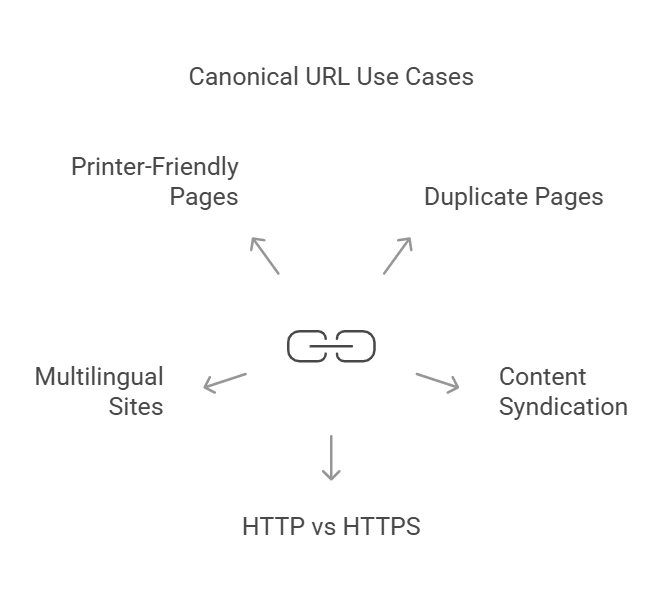
1. Duplicate Pages with Different Parameters
E-commerce sites notoriously generate thousands of URLs via faceted navigation (filters for price, color, size). A user filtering for "Size 10" and "Black" might generate a URL like ?size=10&color=black. Since the core content (the product description) rarely changes based on these filters, these pages are near-duplicates.
Solution: Set the canonical tag on all filtered pages to point to the main category or product page without parameters.
2. Content Syndication Across Multiple Sites
When your content appears on Medium, LinkedIn, or industry publications, it creates an exact duplicate across different domains. This is a legitimate strategy for exposure but dangerous for SEO if uncontrolled.
Solution: Cross-domain canonicals. The external site should contain a canonical tag pointing to your original URL. This tells Google, "This content is reposted with permission; the original author is over there."
3. HTTP and HTTPS Versions
If your SSL certificate is misconfigured or you recently migrated, both http:// and https:// versions might resolve. Google prefers HTTPS, but you must make this explicit.
Solution: Ensure all HTTP pages have a canonical tag pointing to their HTTPS counterparts (though 301 redirects are preferred for this specific protocol issue, canonicals act as a safety net).
4. International and Multilingual Websites
While hreflang tags handle language targeting, canonicals are still necessary. For instance, if you have a US page (/en-us) and a UK page (/en-uk) with identical content (same English text, just different currency), Google might fold them together.
Solution: Use self-referencing canonicals on each regional page in conjunction with hreflang tags. This confirms that each regional version is a distinct entity intended for a specific audience.
5. Printer-Friendly Pages
Creating a separate URL for a "clean print" version of an article is great for usability but terrible for SEO, as it creates a duplicate text-heavy page.
Solution: The printer-friendly URL (example.com/article/print) must canonicalize to the original article URL (example.com/article).
How to Implement Canonical URLs
Implementing canonicals correctly requires attention to detail. A single typo can de-index valuable pages.
Method 1: HTML Tag (Standard)
The most common method is adding the tag to the <head> of your page HTML.
<link rel="canonical" href="https://www.yoursite.com/preferred-page/" />
Step-by-Step:
- Identify the primary URL.
- Open the page editor or HTML template.
- Insert the code above the closing
</head>tag. - Verify the URL is absolute (includes
https://).
Method 2: HTTP Headers (Advanced)
For non-HTML documents like PDF files, you cannot insert an HTML tag. Instead, you use the HTTP header to set the canonical. This is powerful for whitepapers or guides offered as PDFs that duplicate web content.
Example Header Response:
HTTP/1.1 200 OK
Link: <https://www.yoursite.com/whitepaper-web-page/>; rel="canonical"
This tells Google that the PDF is a copy of the HTML web page, consolidating ranking signals to the web version.
Using CMS Tools and Plugins
Most platforms automate this process, but you must verify the settings:
- WordPress: SEO plugins like Yoast or Rank Math automatically set self-referencing canonicals. You can manually override them in the "Advanced" tab of the page editor if you want to point to a different URL.
- Shopify: By default, Shopify handles canonicals well for products, but be careful with "collection-aware" URLs. Ensure your theme canonicalizes
products/shirtandcollections/men/products/shirtto the same root product URL. - Magento/Adobe Commerce: Requires configuration in
Stores > Configuration > Catalog > Search Engine Optimization. Ensure "Use Canonical Link Meta Tag" is set to "Yes".
Testing and Monitoring Canonical Tags
You cannot "set and forget" canonical tags. Use these tools to audit them:
- Google Search Console (GSC): Use the "URL Inspection" tool. It will show you the "User-declared canonical" vs. "Google-selected canonical." If they differ, you have a signal conflict.
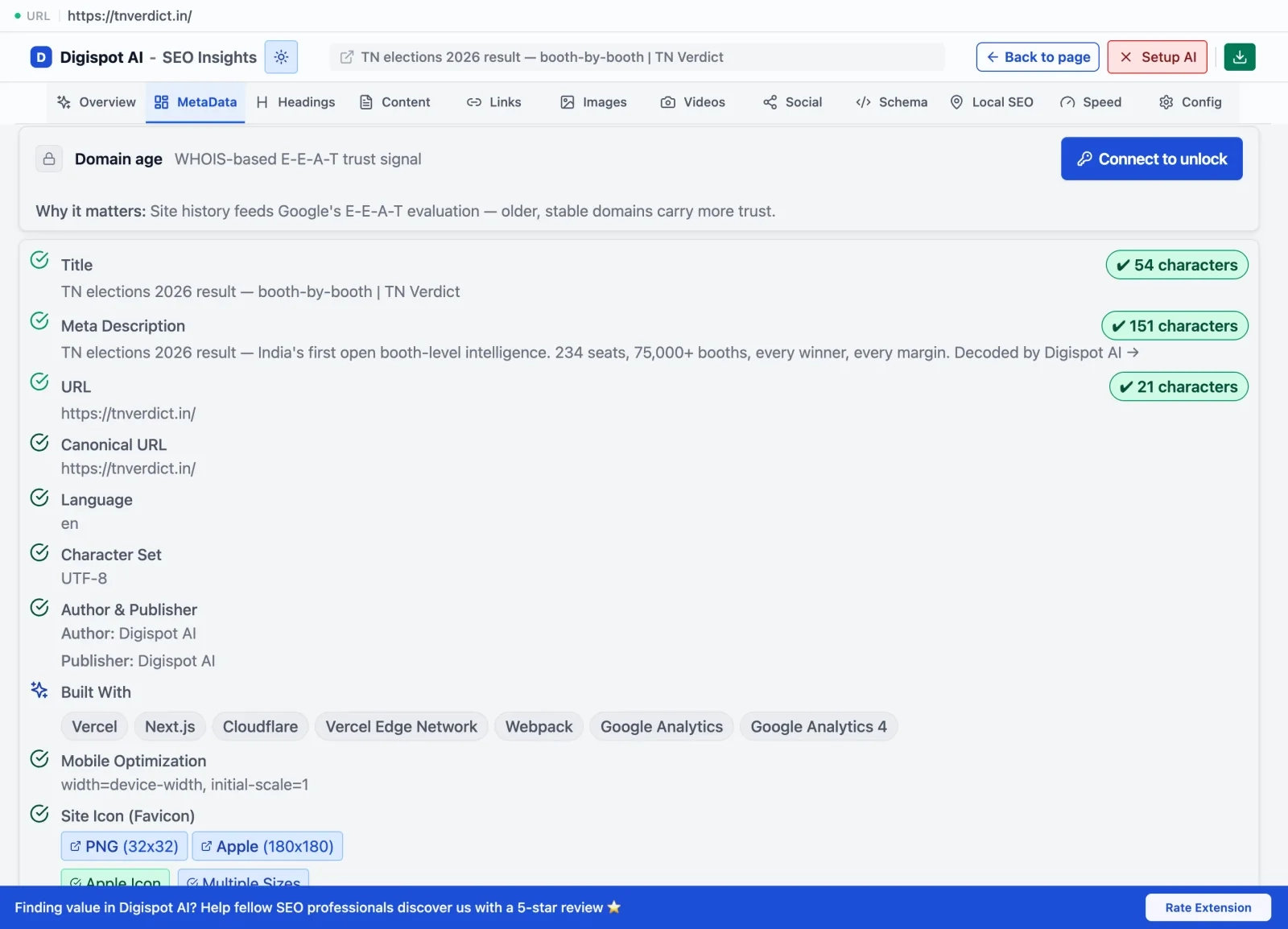
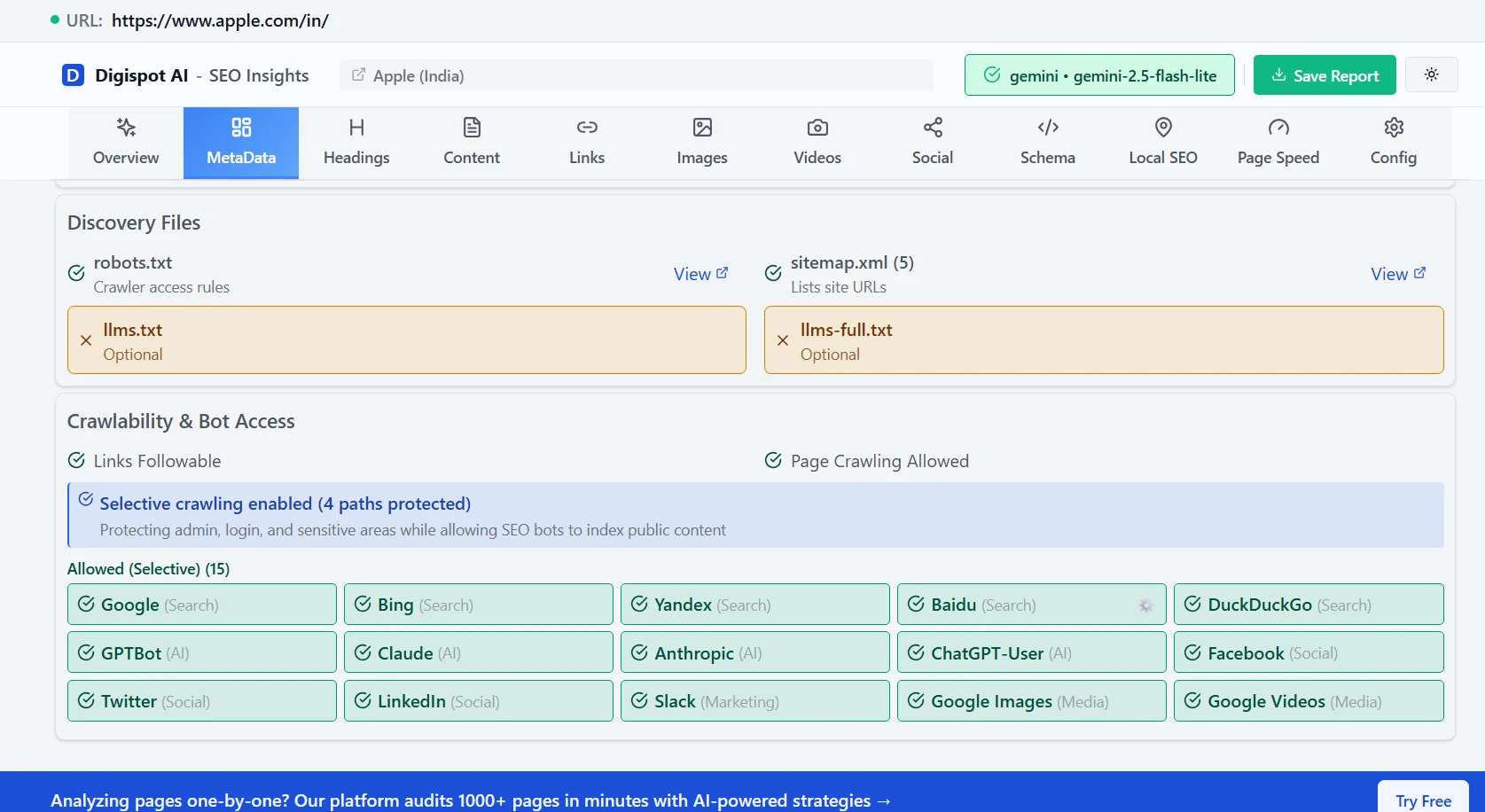
- Digispot AI Chrome Extension: Instantly view the canonical tag of any page you are browsing without viewing source code.
- Screaming Frog: Run a crawl to find "Canonicalised" pages and check for loops or broken canonical links.
Digispot AI can help you identify and fix these issues automatically with AI-powered audits analyzing 300+ ranking factors, ensuring your implementation is error-free.
Best Practices for Canonical URLs
1. Use Absolute URLs
Always specify the full URL, including the protocol (https://) and domain.
- Bad:
href="/products/shoes"(Relative) - Good:
href="https://www.example.com/products/shoes"(Absolute)
Relative URLs can cause disastrous issues if a scraper picks up your content or if the base URL resolution fails.
2. Ensure Accessibility (200 OK)
The target of a canonical tag must be a valid, loadable page. Do not point a canonical tag to:
- A page returning a 404 (Not Found).
- A page returning a 301 (Redirect).
- A password-protected page.
Pointing to a redirected page creates a "canonical chain" (Page A -> Canonical -> Page B -> 301 -> Page C), which slows down crawling and confuses bots.
3. Leverage Self-Referencing Canonicals
It is a widespread myth that you only need canonical tags on duplicate pages. Every page on your site should have a canonical tag. If a page is unique, the canonical tag should point to itself.
This is defensive SEO. If a scraper copies your HTML code exactly (including the canonical tag) and posts it on another domain, the self-referencing tag becomes a cross-domain canonical pointing back to you, protecting your rankings.
4. One Canonical per Page
Never include two canonical tags on the same page. This often happens when a CMS adds one and a plugin adds another. When Google sees two conflicting tags, it ignores both, leaving you vulnerable to duplicate content issues.
5. Don't Mix Signals
Do not canonicalize Page A to Page B, but then include Page A in your Sitemap.xml. This confuses Google. If Page A is canonicalized, it should generally be removed from sitemaps, and you should not link to it heavily in your internal navigation. Consistent signals are key to effective indexing.
To ensure your entire on-page strategy aligns with these signals, use our On-Page SEO Analysis tool to audit any URL instantly.
Canonical URLs vs. Redirects vs. Noindex
Understanding the nuance between these three directives is critical for technical SEO success.
Canonical Tags
- Function: "This page is a copy; index that one instead."
- User Experience: Both pages remain accessible. Users can click and view the duplicate version.
- Use Case: Product variations, print versions, syndication.
301 Redirects
- Function: "This page has moved permanently; go there immediately."
- User Experience: The user is forcibly moved to the new URL. The original URL is effectively gone.
- Use Case: Site migrations, deleting old products, fixing broken URLs.
Noindex Tag
- Function: "Do not show this page in search results."
- Use Case: Thank-you pages, admin login pages, internal search results.
- Warning: Do not combine
noindexwithrel=canonical. They are conflicting instructions.noindextells Google "drop this," whilecanonicalimplies "pass value to X." Google usually prioritizes the canonical, but mixing them is messy.
Tools to Manage Canonical URLs
Leverage the following tools to streamline your canonical URL strategy:
- Google Search Console: The gold standard for monitoring how Google interprets your canonical tags. The "Pages" report will highlight "Duplicate, Google chose different canonical than user."
- Screaming Frog SEO Spider: Essential for bulk auditing. It can crawl 500 URLs for free and identify missing, duplicate, or multiple canonical tags.
- Digispot AI Platform: Our comprehensive platform goes beyond simple checking. It analyzes the context of your content to suggest AEO-friendly canonical strategies.
- Browser Extensions: Tools like the Digispot AI SEO Insights extension allow you to validate canonicals on the fly while browsing your site.
- Schema Generators: While distinct from canonicals, structured data often reinforces the same entities. Use the free Schema Markup Generator to ensure your technical SEO is holistic.
Real-World Examples of Canonical URL Usage
Example 1: E-Commerce Success
A mid-sized fashion retailer struggled with "keyword cannibalization." Their "Summer Dresses" category had sorting URLs like ?sort=price_asc and ?sort=newest ranking for the main keyword "Summer Dresses." This confused users and diluted the authority of the main category page.
The Fix: They implemented self-referencing canonicals on the main category page and pointed all sorted/filtered variations to that main page. The Result: Within three months, the main category page moved from position #12 to #4 for its primary keyword. The link equity that was previously split across 20+ parameter URLs was consolidated into one strong URL.
Example 2: Content Syndication for News Websites
A large financial news outlet often had its articles syndicated on smaller partner websites and aggregators like Yahoo Finance. This created exact duplicates that threatened to cannibalize their traffic.
The Fix: The outlet made it a contractual requirement for partners to include a cross-domain canonical tag pointing back to the original article on the news outlet's domain. The Result: The original site maintained 100% of the SEO credit. Even when the partner sites received backlinks to their version of the article, the canonical tag passed that link equity back to the original publisher, effectively turning syndication into a link-building strategy.
Example 3: Multilingual Website Management
An international SaaS company operating websites in multiple languages faced challenges with duplicate content across regional domains. For instance, their product descriptions were identical on example.com/en-us (USA), example.com/en-gb (UK), and example.com/en-au (Australia).
The Fix: They decided to keep these pages distinct because the pricing (USD vs GBP vs AUD) was different. They used self-referencing canonicals on each page to tell Google "This is the master copy for this specific region," and paired them with hreflang tags.
The Result: This prevented Google from collapsing the pages into one global version. Users in the UK saw the UK pricing, and users in the US saw the US pricing, significantly reducing bounce rates and improving local conversions.
Example 4: Printer-Friendly Pages on Educational Sites
An educational website offering coding tutorials provided printer-friendly versions of its pages, such as /tutorial/python-basics and /tutorial/python-basics/print. The print versions were stripping out navigation and ads, making them load faster, which caused Google to occasionally rank them above the actual tutorial pages.
The Fix: By setting the main tutorial page as canonical, the website ensured that the printer-friendly version did not compete for rankings. The Result: The "print" versions dropped out of the index, and the main pages—which contained the conversion elements and internal links—saw a 15% increase in traffic.
These real-world examples illustrate the versatility and impact of canonical URLs across various industries. Whether managing product pages, content syndication, multilingual sites, or auxiliary page versions, implementing canonical tags is essential for maintaining a robust SEO strategy.
Conclusion
Canonical URLs are the backbone of a clean, authoritative website architecture. They solve the inevitable problem of duplicate content, ensuring that every ounce of authority your site earns is directed toward the pages that matter most.
By implementing canonicals correctly, you do more than just appease search algorithms; you clarify your site's structure for AI engines and improve the user experience. Remember, in the era of AI Overviews and semantic search, ambiguity is your enemy. Clear canonical signals provide the certainty search engines need to rank your content with confidence.
Start Improving Your Technical SEO Today
Don't let duplicate content silently drain your ranking potential. Start by auditing your most important pages to ensure they have valid, self-referencing canonical tags.
Ready to take the guesswork out of technical SEO? Try Digispot AI for comprehensive website audits. Our platform acts as your 24/7 SEO analyst, automatically detecting canonical loops, missing tags, and duplicate content issues before they impact your bottom line.
References
- Google Search Central. (2023). "Consolidate duplicate URLs." https://developers.google.com/search/docs/crawling-indexing/consolidate-duplicate-urls
- Digispot AI - FREE Chrome Extension
- Digispot AI - FREE On Page SEO Audit Tool
- Digispot AI - FREE Schema Markup Visualizer
Audit any page in seconds
300+ SEO checks including Core Web Vitals, schema markup, meta tags, and AI readiness — trusted by 1000+ SEO experts and marketers.
Frequently Asked Questions
Here are some of our most commonly asked questions. If you need more help, feel free to reach out to us.
Written by
Maya Krishnan
Digital growth expert
Maya is a seasoned expert in web development, SEO, and digital strategy, dedicated to helping businesses achieve sustainable growth online. With a blend of technical expertise and strategic insight, she specializes in creating optimized web solutions, enhancing user experiences, and driving data-driven results. A trusted voice in the industry, Maya simplifies complex digital concepts through her writing, empowering readers with actionable strategies to thrive in the ever-evolving digital landscape.