
Everything SEO.Now inside WordPress.
Google rankings, AI mentions, backlinks and competitors, right beside the fixes in wp-admin.
One plan. The whole Digispot AI platform.
From$19/moCloud data, kept in your WordPress
You ask in wp-admin
Track a keyword or add a competitor. The cost shows first.
Digispot AI fetches it
Live Google results, AI answers, backlinks and keyword data.
Results stay in WordPress
With history, per keyword and per page.
Everything Pro adds
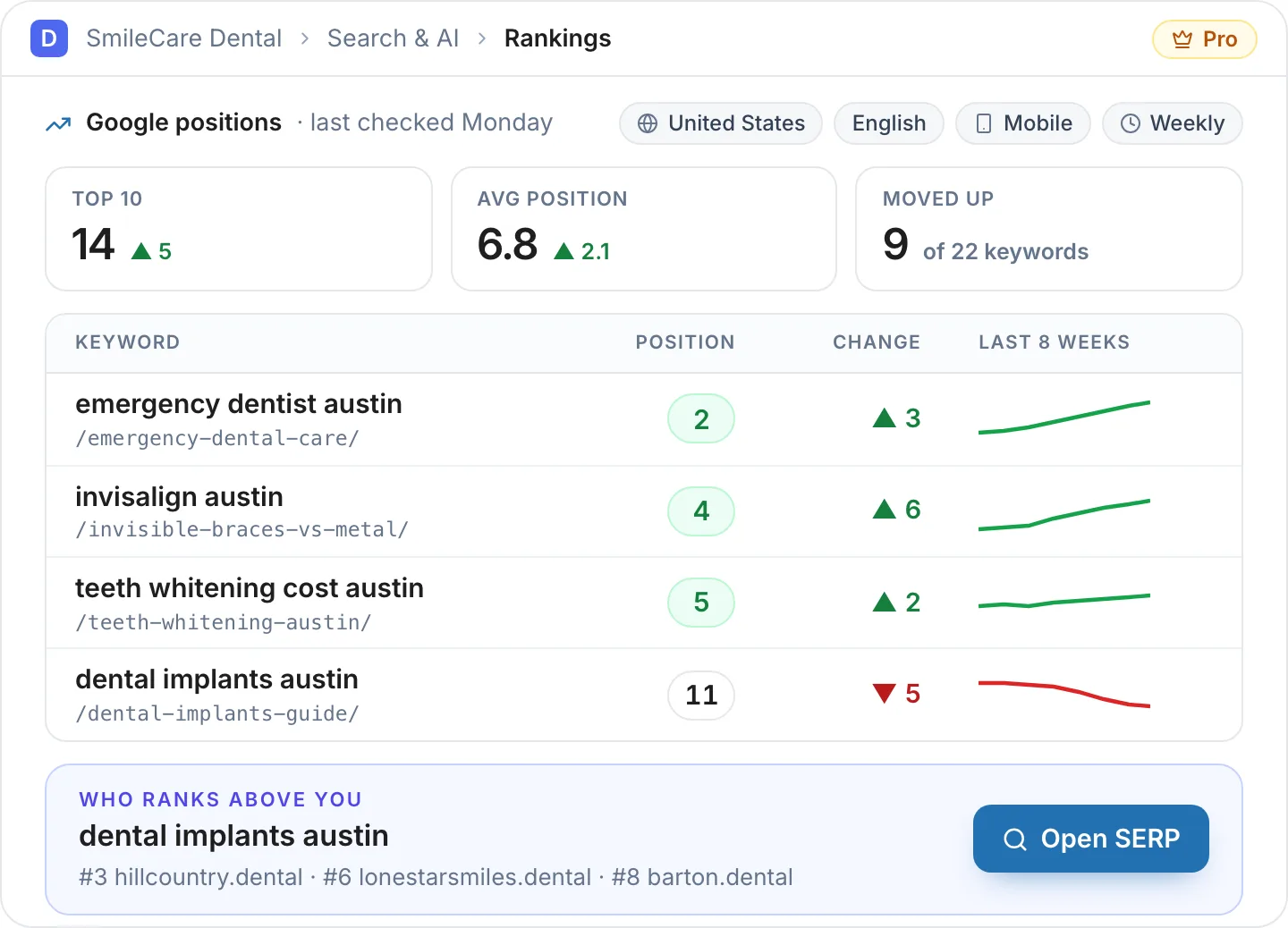
Know where you rank, and who's above you.
Live Google positions by country and device, checked weekly or on request.
- Movement this week, Top 3 to not ranking
- Two of your pages competing, flagged
- Visibility score per keyword
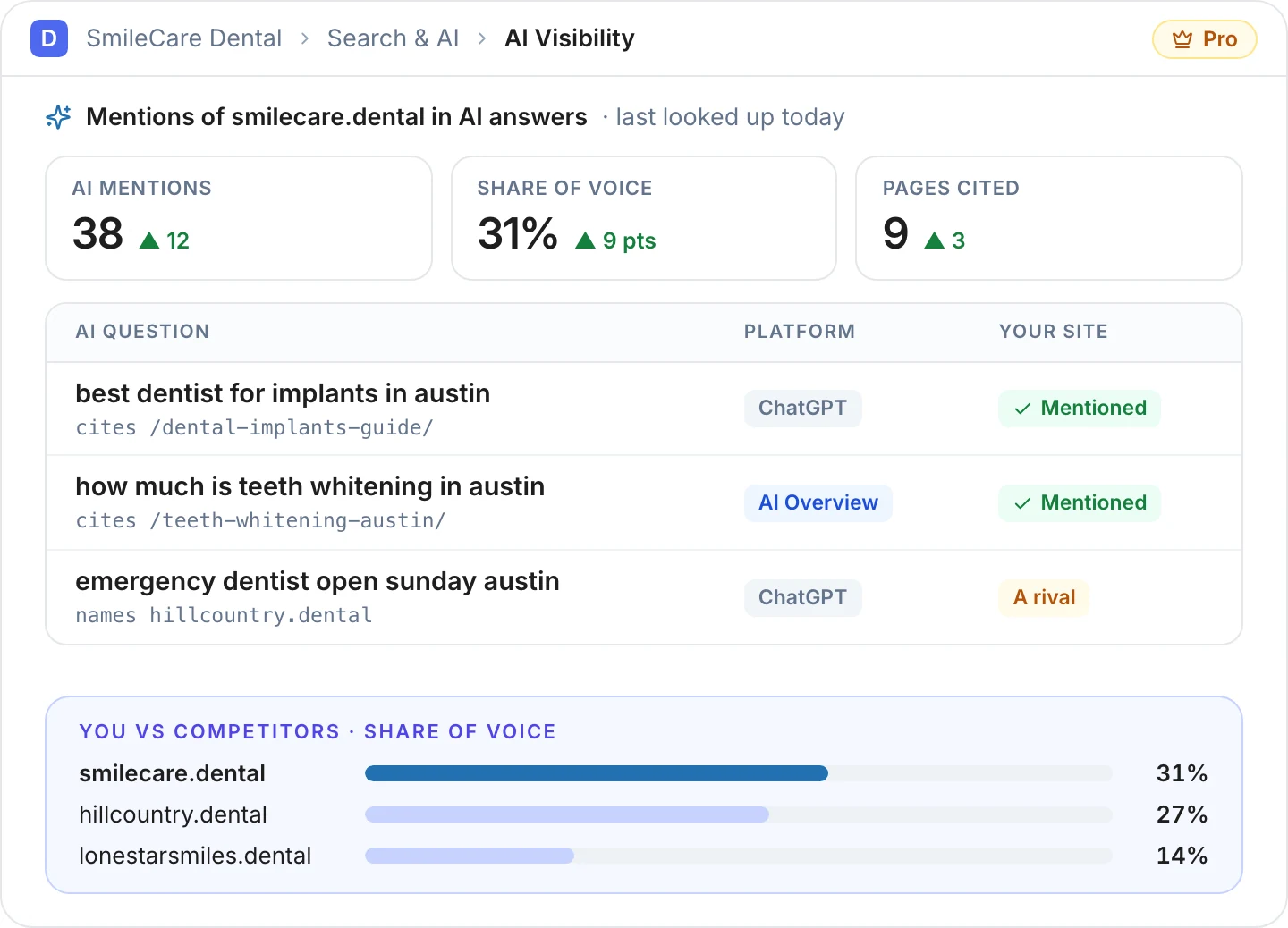
Know when ChatGPT and AI Overviews mention you.
For the questions your customers ask, with the pages they cite.
- Share of voice and pages cited
- Questions grouped by the places you serve
- New and lost questions
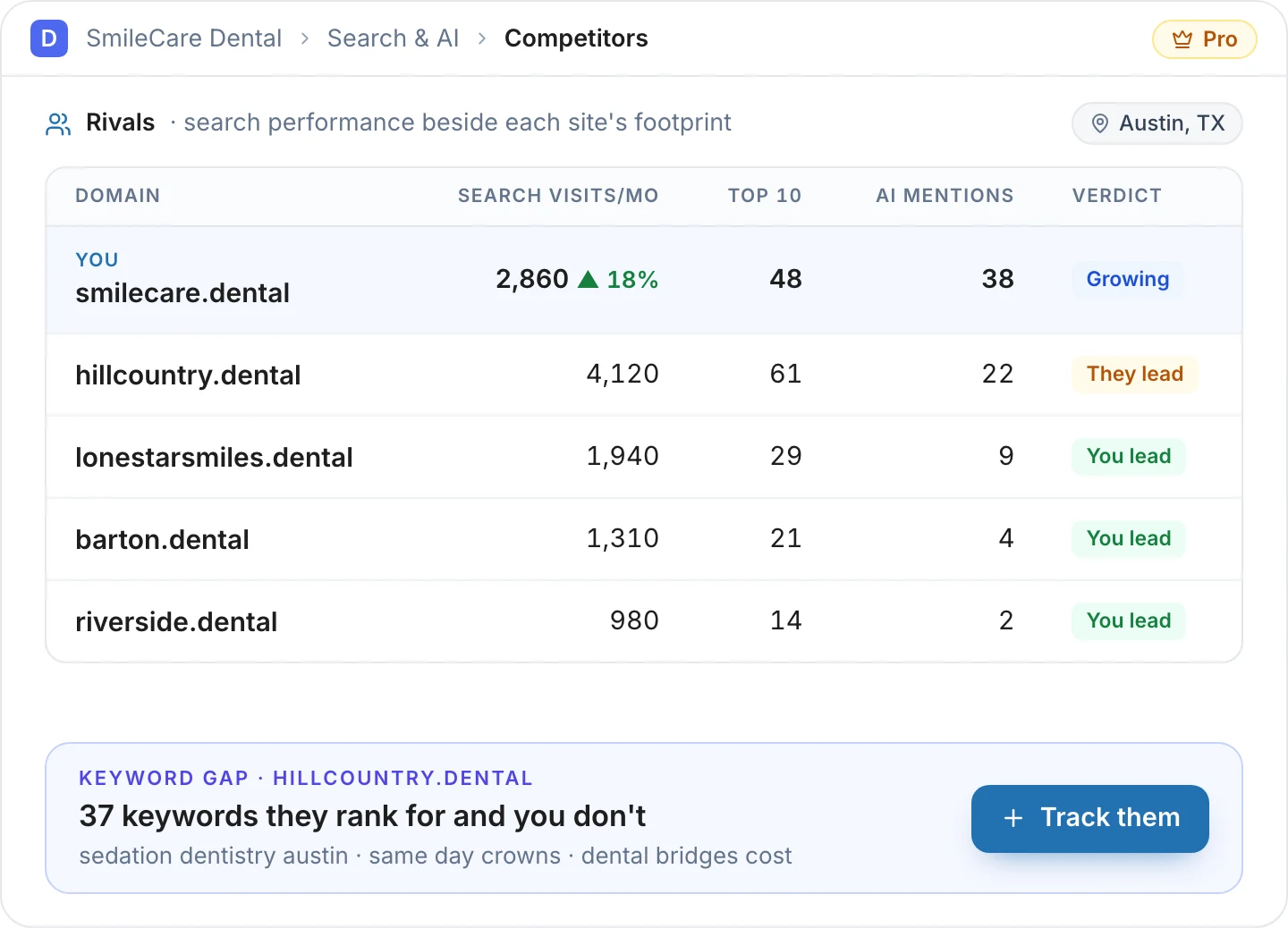
See exactly where rivals beat you.
See where each rival wins and what to do about it.
- Search visits side by side
- Keyword gap, ready to track
- Up to four competitors
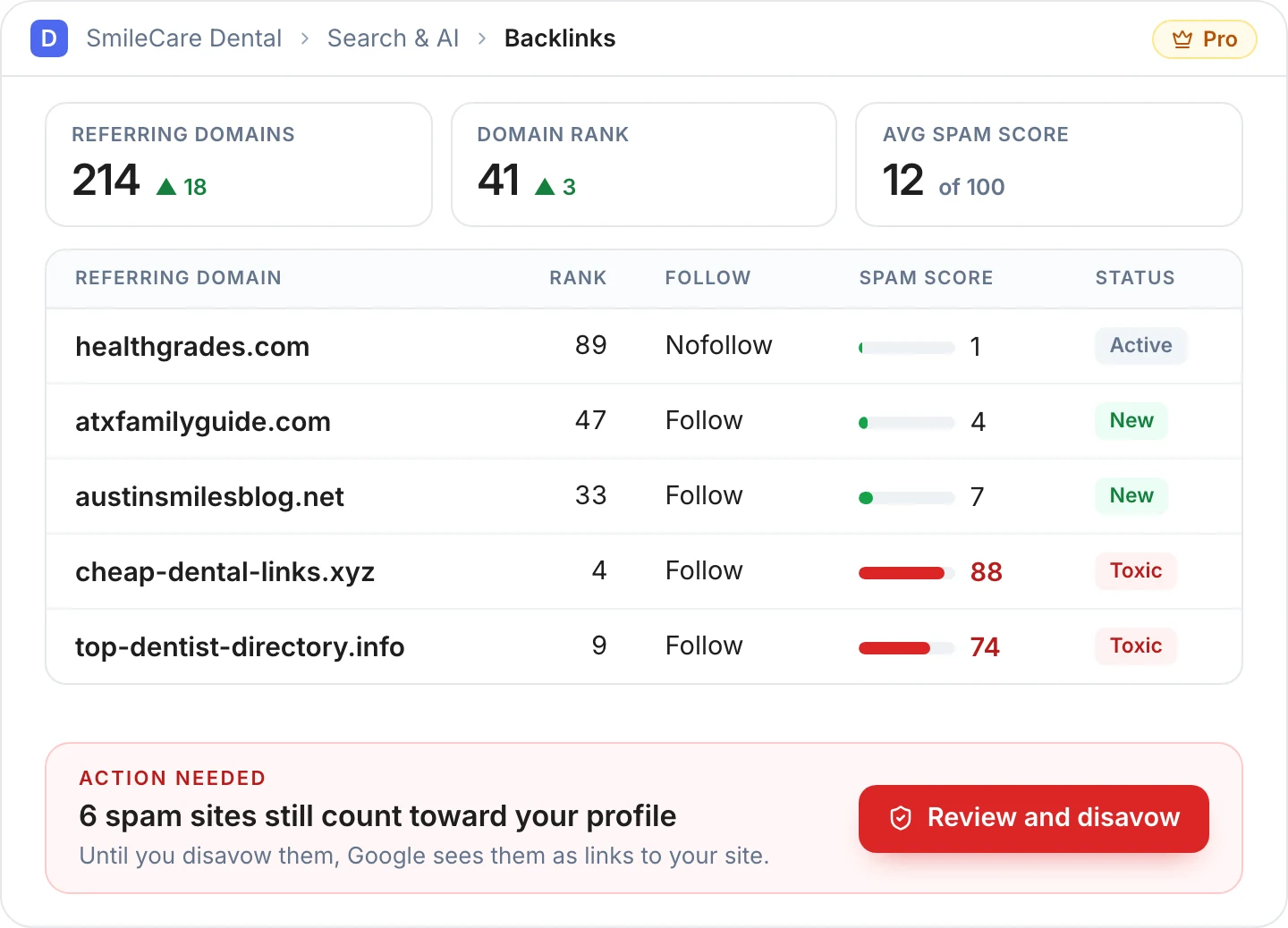
Keep your link profile clean.
Spot toxic links and hand Google a clean disavow file.
- Domain rank and spam score
- Your own spam threshold
- Disavow file with steps
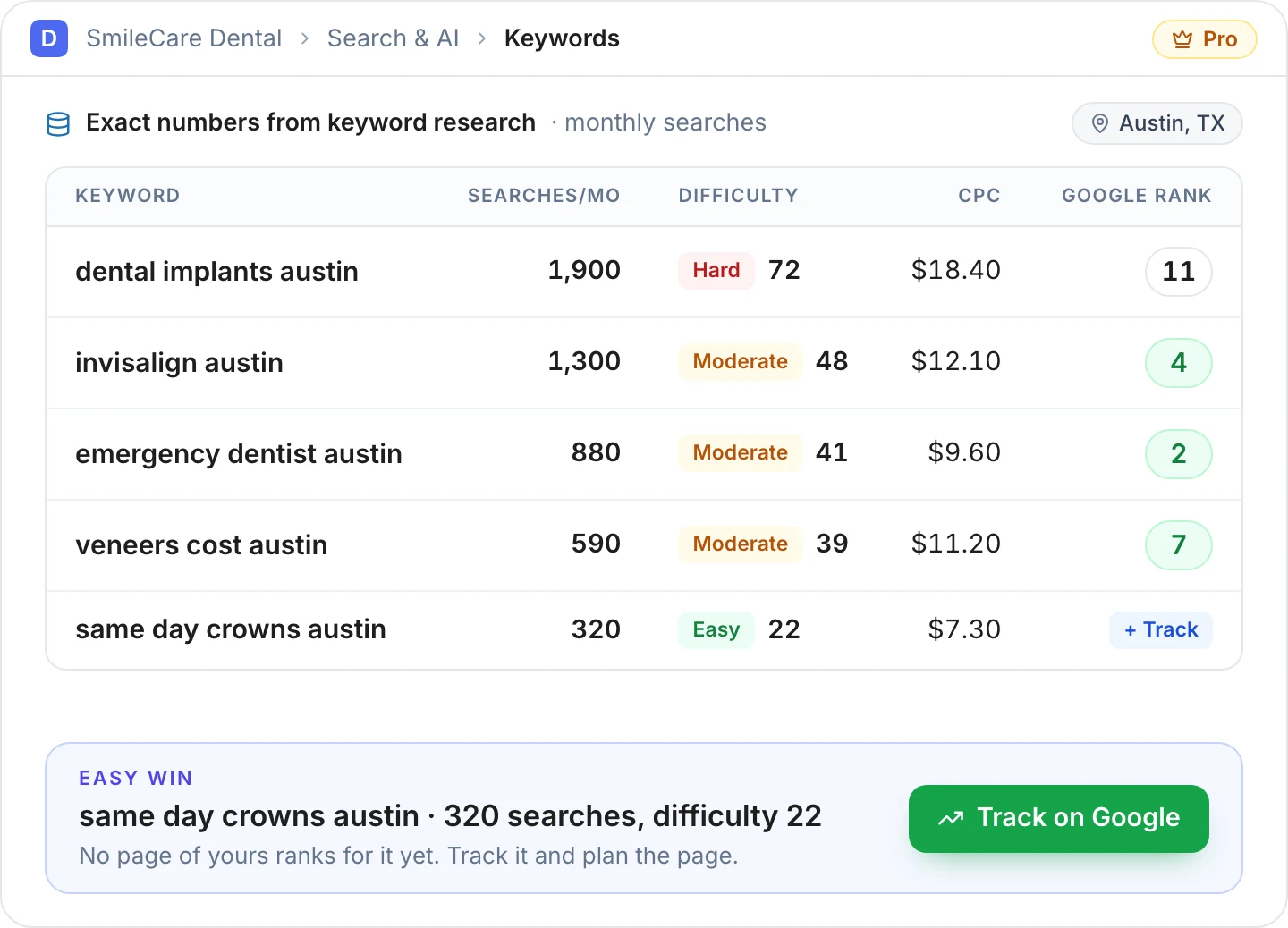
Plan content on exact numbers.
Exact searches, difficulty and CPC for the places you serve.
- Your rank beside each keyword
- Localise a list to your cities
- Cost shown before you run it
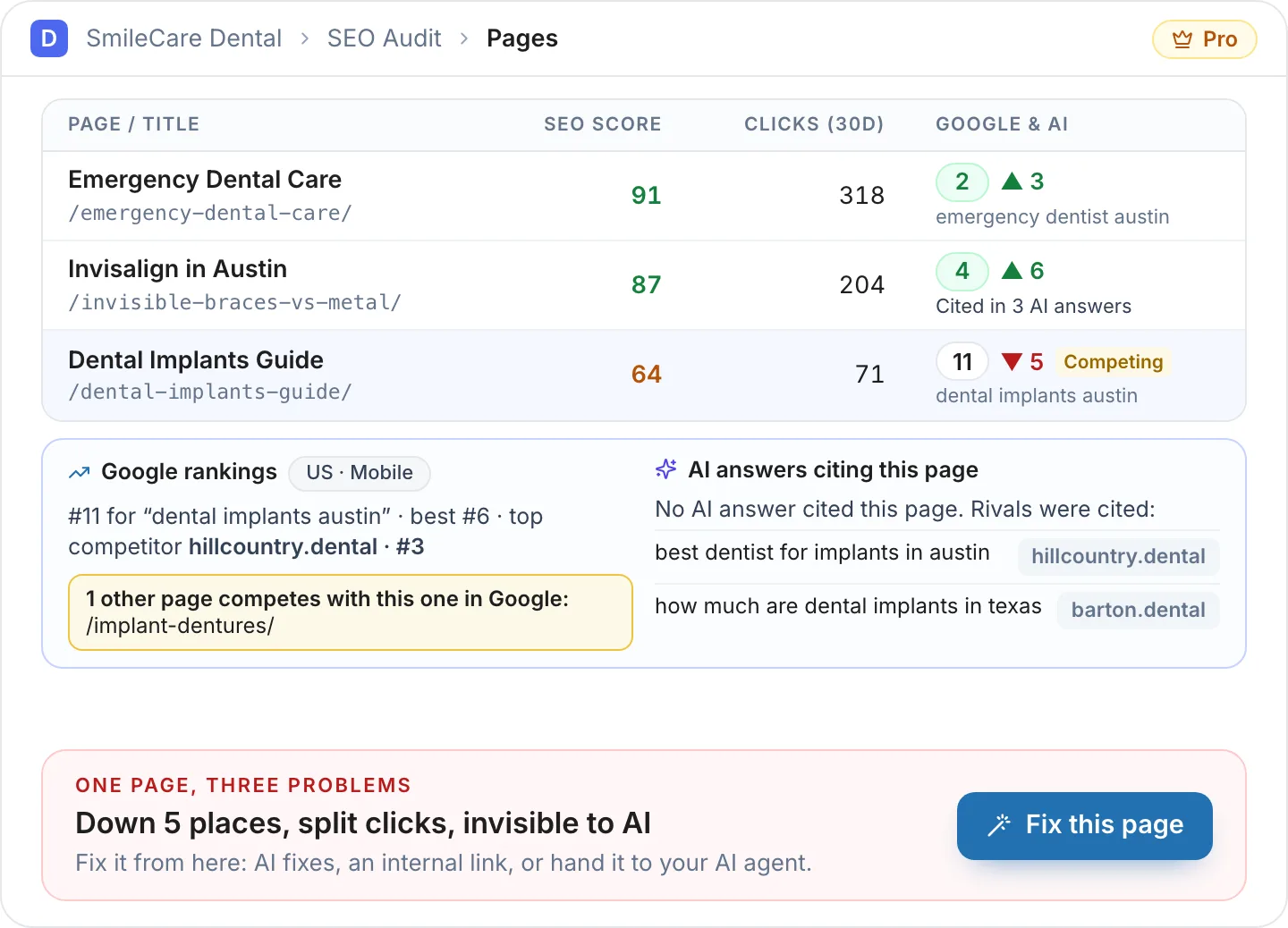
Rank and AI data on every page.
Google rank and AI answers on every page in your SEO audit.
- Rank and movement beside the SEO score
- AI answers that cite the page
- Opening a page costs nothing
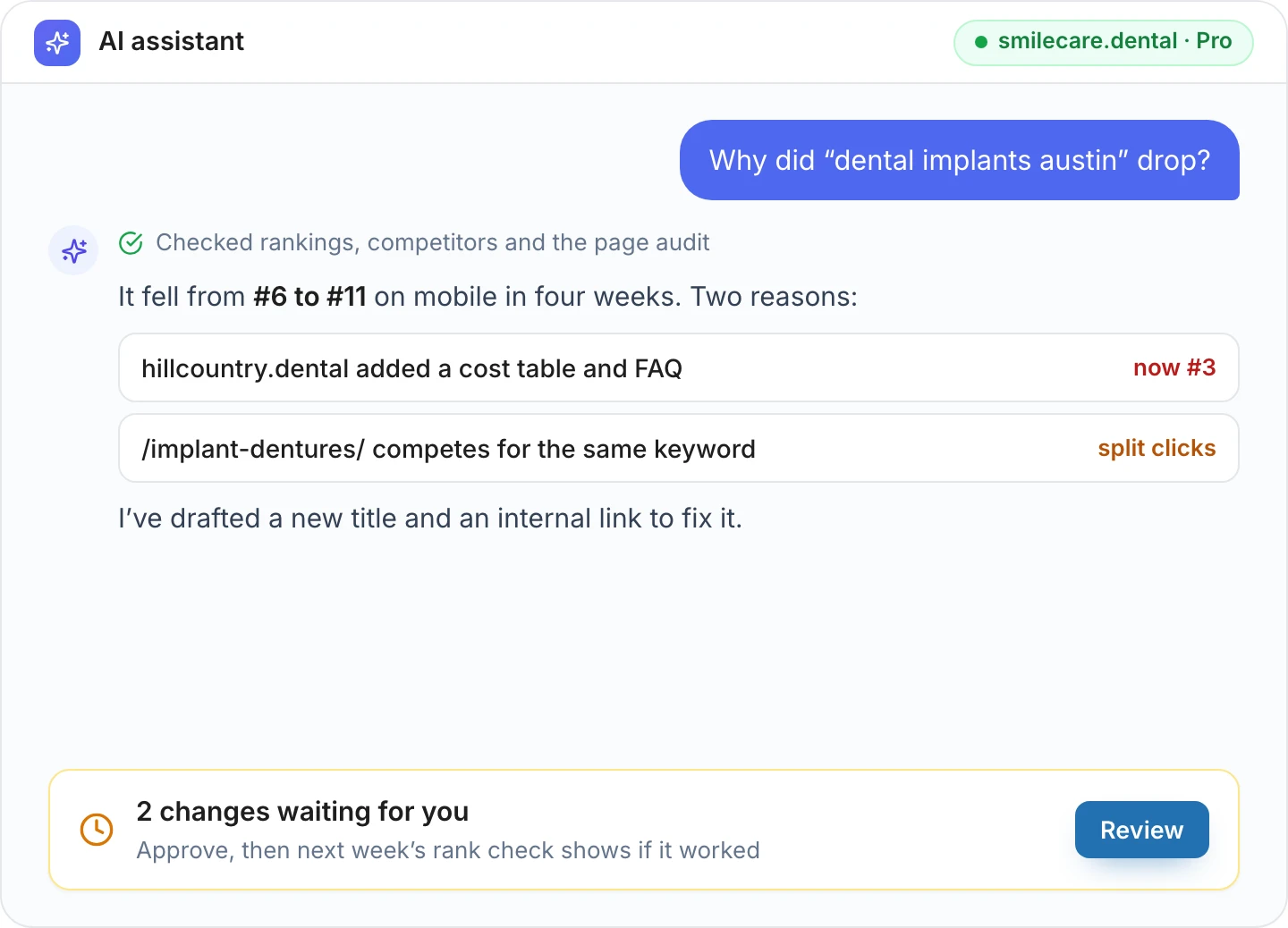
Your AI agent knows your rankings too.
Pro adds four read-only agent tools: rankings, AI answers, backlinks and competitors. Its fixes still wait for you.
- Ask why a keyword dropped
- Reads stored data, never spends credits
- Same approvals and undo as free
Pro builds on a free plugin that already does a lot
Nothing in the free plugin moves behind Pro. Pro adds the cloud data. See the free plugin
Comes with every paid plan
No add-on to buy and no licence key. The same plan runs Digispot Cloud and the desktop SEO Spider, each with its own MCP server for AI agents.
Install Digispot AI
Install and activate the free Digispot AI plugin (version 1.0.3 or later) from WordPress.org. Keep it active.
Get the free plugin →Download Pro
Sign in to your Digispot AI account and download the Pro zip. It is included with every paid Digispot AI plan.
Open WordPress Pro downloads →Upload and activate
In WordPress, go to Plugins → Add New → Upload Plugin, choose the zip, install it and activate Digispot AI Pro.
Connect your site
If the site is not connected yet, create a WordPress key in your Digispot AI account. In WordPress, open Digispot AI → Settings → AI Provider, choose Digispot AI, enter the key and connect.
Create a WordPress key →Good to know
Do I need to buy Pro separately?
No. Digispot AI Pro comes with every paid Digispot AI plan, from $19/mo, along with Digispot Cloud and the desktop SEO Spider. The AI agent (MCP) in WordPress is already free, Pro only gives it more data to read. There is no separate Pro purchase or Pro licence key. Connect your WordPress site to your Digispot AI account with a WordPress key; paid actions use your plan's credits.
Does the free plugin still work without Pro?
Yes. The free Digispot AI plugin stays fully usable without Pro. Pro adds to Search & AI.
What uses credits?
Fresh checks: a Google rank check, exact keyword data, an AI answers check or a backlink sync. Each paid action shows its cost before it runs, and the cloud refuses anything your plan does not cover, so nothing is charged by surprise. Viewing stored results, per-page data and history costs nothing.
What happens if my paid plan ends?
Nothing is deleted or switched off. Stored rankings, AI answers, backlinks and competitor data stay visible. New checks and Pro updates wait until you renew.
Can I hide Pro's tabs?
Yes. Settings → Pro has a switch to show or hide the Pro tabs in Search & AI.
How do I keep Pro up to date?
Updates arrive in WordPress like any plugin, for as long as your plan includes Pro.
Do I need to connect my site again?
Pro uses your site's Digispot AI account connection. If you have not connected the site yet, create a WordPress key in Settings → Connected Apps, then connect it in WordPress under Digispot AI → Settings → AI Provider.
One plan. Every Digispot AI tool.
WordPress Pro, Digispot Cloud and the desktop SEO Spider, from $19/mo. New here? Start with the free plugin: its AI agent, approvals and undo are free.