Crawl Budget SEO: Optimization Guide for Large Sites
Optimize crawl budget for better SEO indexing. Learn to analyze and manage how Google crawls your site to improve search performance.
 Maya Krishnan
You have spent weeks, maybe even months, engineering the perfect content architecture for your enterprise website. You have validated your keywords, polished your metadata, and published thousands of pages expecting a surge in organic traffic. But the analytics remain flat. Your brilliant new product pages are nowhere to be found in the search results. What is happening?
The bottleneck often isn't your content quality—it's your crawl budget.
While small sites rarely face this issue, large e-commerce platforms, publishers, and aggregators often unknowingly block their own growth. Did you know that approximately 40-60% of large enterprise websites suffer from crawl inefficiencies that prevent valuable pages from being indexed? If Googlebot spends its limited time crawling useless parameters or redirect chains, it never reaches your revenue-generating pages. On large sites, protecting that budget is often the difference between pages that stay invisible and pages that finally get indexed—see our complete guide to getting your website indexed on Google.
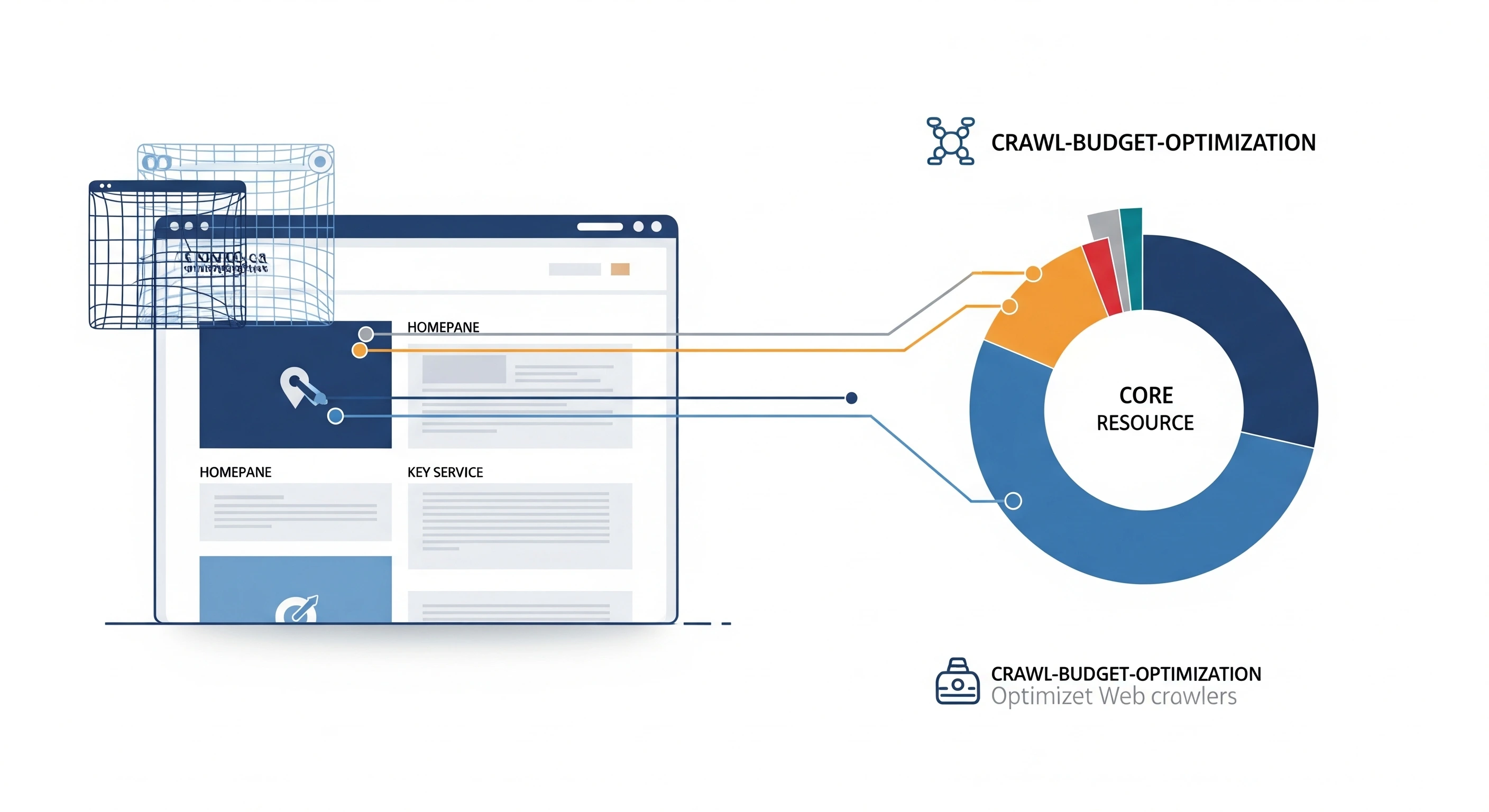
If you have never audited your crawl budget, or if you are unsure how server performance directly dictates indexing speed, this guide is your roadmap. We will dismantle the mechanics of how search engines discover content and provide actionable, advanced strategies to ensure every millisecond of Googlebot's attention is spent on pages that drive ROI.
Ready to take control of your site's technical health and ensure your most critical content gets indexed instantly? Let's get to work.
Key Takeaways
- Crawl budget only matters at scale. If your site has fewer than ~10,000 URLs, focus on content and links instead—Googlebot already crawls small sites in full.
- Speed is capacity. Cutting Time to First Byte (TTFB) directly multiplies how many pages Googlebot can fetch per visit, so server performance is a crawl lever, not just a ranking one.
- Stop the leaks before you optimize. Duplicate URLs, faceted navigation, redirect chains, and spider traps waste the majority of enterprise crawl budget—diagnose them in the GSC Crawl Stats report and your server logs first.
- Guide bots, don't just block them. Combine a clean
robots.txt, accurate canonicals, precise<lastmod>values, and a flat internal-link architecture so Googlebot spends its time on revenue pages. - Prune ruthlessly. Deleting or consolidating low-value "zombie" pages raises crawl demand for what remains and reclaims budget for the URLs that actually drive traffic.
What is Crawl Budget?
In the simplest terms, crawl budget is the number of URLs Googlebot can and wants to crawl on your site within a specific timeframe. However, treating it as a single metric oversimplifies the complexity of search engineering. Googlebot operates like a high-speed librarian with a very strict schedule. It cannot read every book in an infinite library (the internet), so it prioritizes based on efficiency and value.
The "budget" is actually a dynamic balance of two distinct forces: Crawl Rate Limit (Technical capability) and Crawl Demand (Content value).
1. Crawl Rate Limit (The Ceiling)
This is the technical maximum. It represents the number of parallel connections Googlebot can make to your server without degrading the user experience. Google is designed to be a "good citizen" of the web; if its crawling slows down your site for real human visitors, it will immediately back off.
Key factors influencing your limit include:
- Server Health: Consistent uptime and fast response codes (200 OK).
- Response Time: Time to First Byte (TTFB). If your server takes 2 seconds to respond, Google crawls fewer pages than if it takes 200ms.
- Crawl Health: The number of 5xx server errors. Frequent errors tell Google your server is fragile, causing it to lower the crawl rate limit as a safety precaution.
2. Crawl Demand (The Desire)
This is the scheduling priority. Even if your server can handle 100 requests per second, Google won't crawl your site if it doesn't think the content is worth it. Demand is calculated based on how valuable and fresh your content appears to be.
Key factors influencing demand include:
- Popularity: URLs with high internal and external link equity (PageRank) are prioritized.
- Staleness: Google wants to keep its index fresh. If a page hasn't changed in years, crawl frequency drops.
- Events: Site migrations or sudden viral traffic can temporarily boost demand.
Here is a breakdown of how these factors interact:
| Crawl Rate Limit (Capacity) | Crawl Demand (Priority) |
|---|---|
| Server response times (TTFB) | Backlink profile and authority |
| Server errors (5xx) and timeouts | Publishing frequency |
| Hosting resources (bandwidth/CPU) | Content uniqueness and quality |
| Robots.txt restrictions | Internal linking architecture |
Why is Crawl Budget Important?
You might be thinking, "My site works fine, why does this matter?" The answer lies in Opportunity Cost.
For sites with under 1,000 pages, crawl budget is rarely an issue because Googlebot can easily scan the entire site in one visit. However, for sites with 10,000, 100,000, or millions of pages—like e-commerce stores with faceted navigation or news publishers—crawl budget is the currency of SEO.
The Indexing Latency Problem: If you publish a new product page today but your crawl budget is wasted on 5,000 useless "sort by price" URL variations, Googlebot might not find your new product for weeks. In fast-moving industries, that delay means lost revenue.
Optimizing crawl budget delivers tangible business value:
- Instant Indexing: New content appears in search results hours after publishing, not weeks.
- Discovery of Deep Content: Pages buried deep in your site structure (orphaned or near-orphaned) get discovered.
- Recrawling of Updates: When you update a price or description, Google reflects that change faster in the SERPs.
- Server Cost Reduction: By blocking bots from scraping useless parameters, you reduce the load on your servers, potentially lowering hosting costs.
As technical SEO expert Cyrus Shepard notes, "Your rankings and search visibility are directly related to not only what Google crawls on your site, but frequently, how often they crawl it."
How to Check Your Crawl Budget
Before implementing fixes, you must diagnose the current state of affairs. You need to see the world through Googlebot's eyes.
Google Search Console (GSC)
The Crawl Stats report in Google Search Console is your first line of defense. Access it via Settings > Crawl stats. This dashboard provides a 90-day historical view of bot activity.
What to look for:
- Total Crawl Requests: Is the trend line going up, down, or staying flat? A sudden drop might indicate a server issue or a new
robots.txtblock. - By Response: You want to see mostly
200 (OK)and304 (Not Modified). If you see a spike in404 (Not Found)or, worse,5xx (Server Error), you are bleeding crawl budget. - By File Type: Are bots spending 40% of their budget downloading heavy images or JSON files instead of your HTML content?
- Host Status: Check if Google encountered DNS or connectivity issues.
If you notice a high volume of requests for resources that don't need to be crawled (like infinite calendar dates), you have identified a leak.
Log File Analysis
For enterprise-level insights, GSC is often not enough because it samples data. Server logs are the source of truth. They record every single request made to your server, including user-agent, IP address, request URI, and timestamp.
Analyzing raw logs allows you to see:
- Spider Traps: Infinite loops where bots get stuck.
- Crawl Frequency: Exactly how many times specific high-value pages were hit in the last 24 hours.
- Wasteful User Agents: Are you being hammered by aggressive scrapers or tools (like Ahrefs or Semrush) that are slowing down your server for Googlebot?
While manual log analysis requires Python or Excel wizardry, modern tools streamline this. The digispot ai seo spider can ingest crawl and log-style signals to visualize exactly where bots are spending their time versus where they should be spending it.
How to Optimize Your Crawl Budget: A Comprehensive Guide
Now that we have diagnosed the leaks, let's repair the pipes. The goal is to maximize the efficiency of every visit Googlebot makes.
On-Page Optimization & Performance
Improve Site Speed (Core Web Vitals)
Site speed is not just a ranking factor; it is a capacity factor. Googlebot has a time limit. If your server takes 500ms to generate the HTML for a page, Google can crawl 2 pages per second. If you optimize that down to 100ms, Google can crawl 10 pages per second—a 5x increase in efficiency without Google changing its allocation.
Actionable steps to reduce TTFB (Time to First Byte):
- Database Optimization: Ensure your SQL queries are indexed. Slow database lookups are the silent killers of TTFB.
- Server-Side Caching: Implement Redis or Varnish to serve static HTML snapshots instead of generating pages dynamically for every request.
- CDN Implementation: Offload static assets (images, CSS, JS) to a Content Delivery Network like Cloudflare. This frees up your origin server to focus on processing HTML requests.
- Resource Pruning: Do not load unused CSS or JavaScript. Googlebot still has to download and parse these files to render the page.
For a deeper dive into speed metrics, read our guide on Core Web Vitals optimization.
Optimize Internal Linking
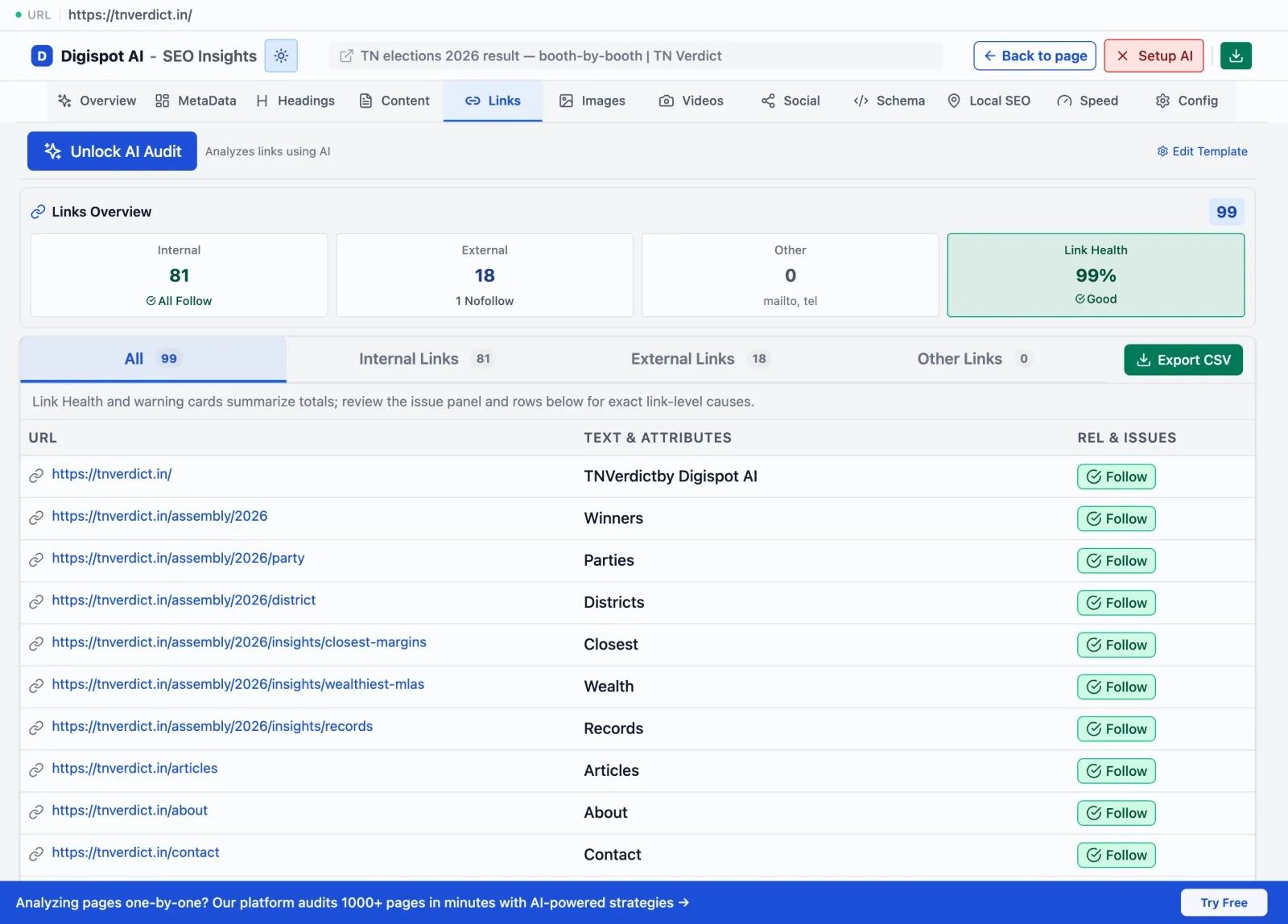
Internal links are the highways Googlebot travels to find content. A poor linking structure (like a site with no clear hierarchy) leaves pages isolated, forcing Google to spend budget guessing where content might be.
The "Hub and Spoke" Strategy: Create clear clusters of content. Your main category page (Hub) should link to all sub-categories and key products (Spokes). Crucially, the spokes should link back to the hub. This circular flow keeps the crawler within a relevant topical cluster, increasing the likelihood that all related pages are indexed.
Orphan Pages: Pages with zero internal links are rarely crawled. Google assumes that if you don't link to a page, it must not be important. Run a crawl to identify orphans and either link to them or delete them. For a repeatable framework, see our internal linking strategy for SEO.
Anchor Text: Use descriptive anchor text. It helps Google understand what the destination page is about before it even arrives, which can influence how it prioritizes the crawl queue.
Manage Duplicate Content
Duplicate content is the single largest waste of crawl budget for e-commerce sites. If your site generates unique URLs for every color, size, and material combination of a t-shirt, you could have 50 URLs for one product. Googlebot might crawl all 50, leaving it no time to find your other products.
Resolution Strategies:
- Canonical Tags: This is your primary defense. The tag
<link rel="canonical" href="..." />tells Google, "I know this page looks like a duplicate; please credit the original URL instead." If you are unsure when to use one, our explainer on what a canonical URL is covers the edge cases. - Parameter Handling: Use the "Removals" tool or parameter settings in legacy GSC (if available) to tell Google to ignore specific parameters like
?session_id=or?sort=price_desc. - Noindex Strategy: For thin content that is useful for users but not search engines (like "Checkout" or "Login" pages), use a
<meta name="robots" content="noindex" />tag. This allows crawling but prevents indexing, though over time Google creates a signal to crawl these less often.
Use Server-Side Rendering (SSR)
Modern web development relies heavily on JavaScript (React, Angular, Vue). However, crawling JavaScript is expensive. It requires Google to perform a "two-wave" indexing process:
- Crawl: Download the HTML shell.
- Render: Execute the JavaScript to see the actual content (this happens later and requires massive CPU resources).
If your site relies entirely on Client-Side Rendering (CSR), you are forcing Google to queue your pages for rendering, delaying indexing.
The Solution: SSR or Dynamic Rendering Switch to Server-Side Rendering (SSR). This means the server executes the JS and sends a fully populated HTML file to the browser and bot. Googlebot sees the content immediately, just like a static site. This significantly reduces the "cost" of crawling your page, encouraging Google to crawl more deep pages. If a full SSR migration isn't feasible, our JavaScript dynamic rendering SEO guide walks through the alternatives.
Technical SEO: The Control Room
Optimize Your robots.txt File
Your robots.txt file is the bouncer at the door of your website. It tells bots where they are absolutely allowed or forbidden to go. This is the most direct way to save budget.
What to Block (Disallow):
- Admin Areas:
/wp-admin/,/login/,/dashboard/. - Internal Search:
/search?q=. Bots can get trapped in infinite search loops. - Faceted Navigation:
/shop/category?filter=. Unless you have a specific SEO strategy for facets, block the combinations that generate millions of low-value URLs. - Temporary Files: Staging sites or API endpoints.
What NOT to Block:
- CSS and JS Resources: Google needs these to render the page to check for mobile-friendliness and layout shifts. Blocking them can result in lower rankings.
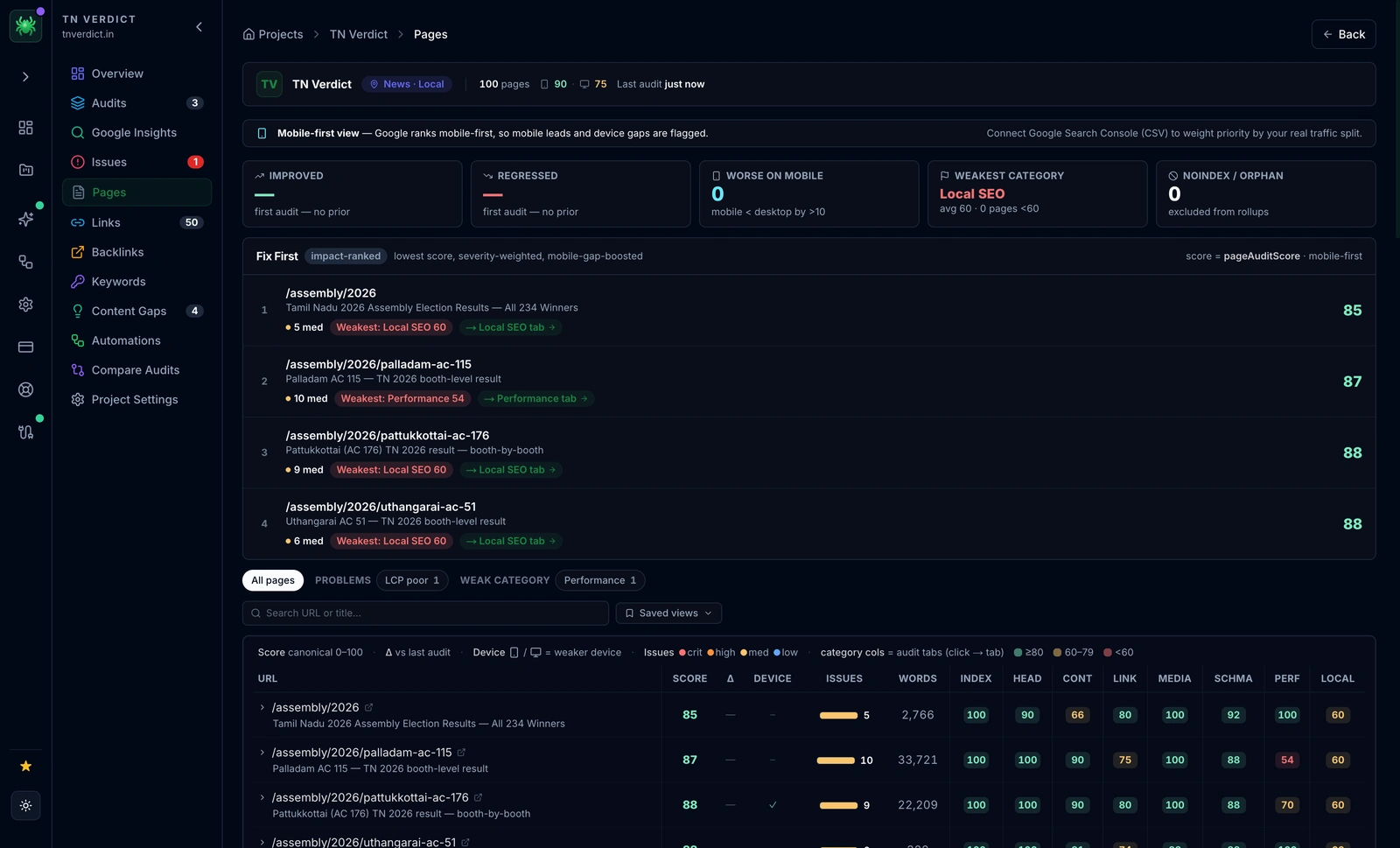
Pro Tip: Use the Digispot AI Schema Generator and visualizer tools to ensure your technical implementation aligns with your content strategy.
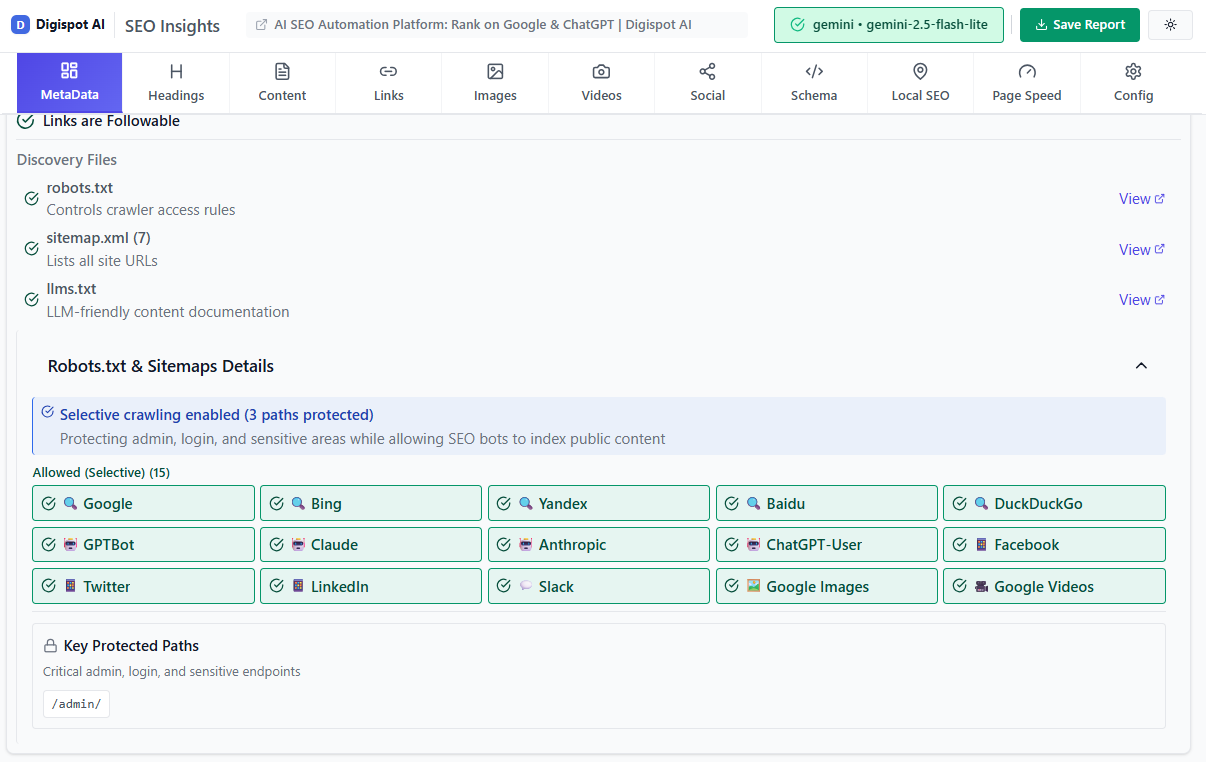
Turn invisible SEO data into clear visuals with our Free Chrome extension
Use meta Tags and x-robots-tag Wisely
While robots.txt prevents crawling, meta tags control indexing.
The "Noindex" Nuance:
If you Disallow a page in robots.txt, Googlebot will not visit it. However, if that page has high-quality backlinks, Google might still index the URL (without content) because it can't see the noindex tag on the page (since it's blocked from visiting!).
For pages you want removed from the index but don't mind being crawled occasionally (to pass link equity), use noindex, follow. For pages that are pure waste (like print-friendly versions), blocking via robots.txt is more efficient for budget.
The X-Robots-Tag header is powerful for non-HTML files. You can use it to add a noindex directive to PDF files or images directly in the HTTP header response.
Implement a 304 Not Modified Status Code
This is an often-overlooked optimization. When Googlebot recrawls a page, it asks, "Has this changed since I was last here?" (using the If-Modified-Since header).
If your server is configured correctly, it should check the content. If nothing has changed, it should return a 304 Not Modified status code without sending the page body. This is tiny (headers only) compared to sending the full HTML.
Result: Googlebot "crawls" the page instantly, marks it as "seen," and moves on to the next URL, saving massive amounts of bandwidth and time.
Manage Redirects Effectively
Redirects (301s) are necessary, but they are expensive. Every redirect is a separate HTTP request.
Redirect Chains: A -> B -> C -> D. Googlebot has to make 4 requests to reach the destination. It usually stops following after 5 hops. This burns budget rapidly. Compress chains so A redirects directly to D.
Redirect Loops: A -> B -> A. This is a trap. Googlebot will hit the loop, get an error, and stop. Fix these immediately.
Get instant SEO insights on any page, including redirect chain detection, with our free Chrome extension.
Use hreflang Tags for International SEO
For global sites, hreflang is crucial but complex. It tells Google, "This page is the German version of that English page."
Incorrect implementation creates a massive web of confusion. If Google has to guess the language, it may crawl all versions unnecessarily. Correct tagging helps Google cluster the pages, swapping them in search results based on user location without needing to crawl every variant constantly to check for language changes.
The crawl-budget cost of broken hreflang compounds fast. Every language and region variant is a separate URL, so a 5,000-page catalogue offered in eight locales is really 40,000 URLs. When the return tags are missing or point to the wrong URL, Google treats each variant as an independent page rather than a member of a cluster, and it recrawls all of them trying to reconcile the signals. Three rules keep this efficient: annotations must be reciprocal (if the English page points to the French page, the French page must point back), every set must include an x-default for unmatched users, and the annotations should be delivered consistently—pick either on-page <link> tags or the XML sitemap method, but never mix them for the same URLs. Get the mechanics right in our hreflang guide for international SEO before you scale to more locales.
Content Strategy and Sitemaps
Pruning: The Art of Deletion
Sometimes, the best way to improve crawl budget is to delete pages. Over years, sites accumulate "Zombie Pages"—outdated blog posts, discontinued products, or empty category pages. These low-quality pages dilute your site's overall quality score (lowering Crawl Demand) and waste Crawl Rate Limit.
Conduct a content audit. If a page has no traffic, no backlinks, and no conversions for 12 months:
- Update it: If the topic is still relevant.
- Redirect it: If a newer, similar page exists.
- Delete it (410 Gone): If it serves no purpose. Using a 410 status code tells Google explicitly "this is gone forever," which removes it from the index faster than a 404.
Learn more about identifying these content gaps in our content gap analysis guide.
Update Your XML Sitemap
Your sitemap is not just a list; it's a prioritization queue.
- Cleanliness is King: Never include non-canonical URLs, 404s, or redirected URLs in your sitemap. It confuses bots.
- The
<lastmod>Tag: This is critical. It tells Google when the page last changed. If you use this accurately, Google will prioritize crawling recently updated pages and ignore the old ones. - Sitemap Indexing: If you have over 50,000 URLs, split them into smaller sitemaps (e.g.,
product-sitemap.xml,blog-sitemap.xml) referenced by a main Sitemap Index file. This helps you diagnose indexing issues by section in GSC.
If you haven't set one up yet, follow our guide on how to create and submit a sitemap.
Use a Flat Website Architecture
In a "deep" architecture, a user (and bot) has to click 6 times to find a product. In a "flat" architecture, content is rarely more than 3 clicks from the homepage.
Click Depth Rule:
- Level 1: Homepage
- Level 2: Categories
- Level 3: Sub-categories / Top Products
- Level 4: All other Products
The closer a page is to the homepage, the higher its perceived authority (PageRank) and the more frequently it gets crawled.
Advanced Strategies
Understanding Crawl Demand in the AI Era
Crawl demand is evolving. It is no longer just about Googlebot. With the rise of AI search engines like ChatGPT (OAI-SearchBot), Perplexity, and Claude, "crawl budget" now applies to multiple ecosystems.
These AI bots are hungrier but often less respectful of server resources than Google. Optimizing for them means ensuring your content is structured logically so it can be easily parsed and ingested into Large Language Models (LLMs). High-quality, well-structured text (using proper Heading tags and Schema Markup) is easier for AI bots to "understand," increasing the likelihood of citation in AI-generated answers.
For a forward-looking perspective, read our analysis on AI crawlers and the future of search.
Log File Analysis: Advanced Patterns
Beyond basic error checking, look for Crawl Budget Waste by file type.
- Query String Waste: Are bots crawling
/?affiliate_id=123? - Case Sensitivity: Are bots crawling
/Productand/productas separate pages? - Spider Traps: Look for patterns like infinite calendars (
/events/2028/05/) or filter combinations (/color/red/size/large/material/cotton/price/low).
Once you can read raw logs, a few diagnostic ratios turn noise into decisions:
- Verify the bot first. Filter for the
Googlebotuser-agent, then confirm the requests actually originate from Google by doing a reverse DNS lookup on the IP. A large share of traffic claiming to be Googlebot is often spoofed scrapers eating your server capacity. - Compute the "crawl waste" ratio. Bucket every crawled URL into value tiers—money pages, supporting content, and junk (parameters, non-canonical duplicates, 3xx/4xx/5xx responses). If more than a fraction of hits land on the junk tier, that is the budget you reclaim by blocking or canonicalising those paths.
- Cross-reference crawl frequency against
<lastmod>. Pages Googlebot hits daily but that never change are candidates for a304response; pages you update often but that Googlebot rarely visits signal a discovery or internal-linking gap. - Watch for crawl orphans. URLs that appear in your logs but not in your sitemap (or vice versa) reveal pages Google found through stale links or old redirects that you have since forgotten about.
For a step-by-step walkthrough of parsing and segmenting logs, see our SEO log file analysis guide.
Digispot AI can help you identify and fix these issues automatically with AI-powered audits analyzing 300+ ranking factors.
Monitor for Crawl Spikes and Anomalies
Set up alerts. If your crawl rate drops by 50% overnight, your server might be blocking Googlebot's IP range, or a developer might have accidentally pushed a noindex tag to the homepage. Conversely, a 500% spike might mean you've been hit by a scraper, or you've accidentally created an infinite URL loop that bots are happily getting lost in.
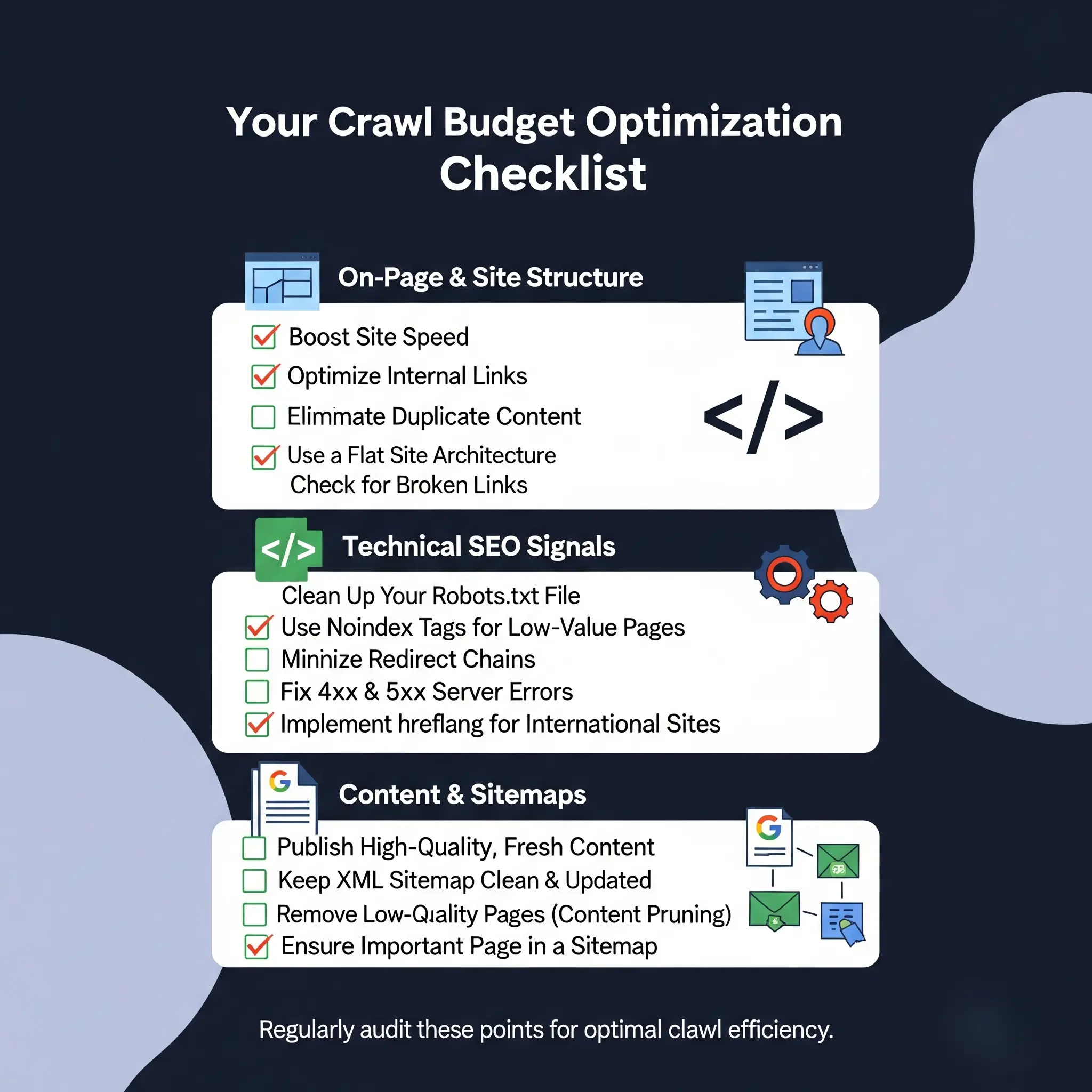
Crawl Budget Optimization Checklist
To ensure you're on the right track with your crawl budget optimization efforts, use this prioritized checklist.
Phase 1: Diagnosis
- GSC Audit: Check Crawl Stats report for 5xx errors and high response times.
- Log Analysis: Identify top 10 wasted crawl paths (parameters, duplicates).
- Check Robot.txt: Ensure no critical resources (CSS/JS) are blocked.
Phase 2: Technical Fixes
- Fix Broken Links: Eliminate internal 404s.
- Resolve Redirect Chains: Flatten all redirects to a single hop.
- Implement 304 Status: Ensure your server supports
If-Modified-Since. - Canonicalization: verify self-referencing canonicals on all pages.
Phase 3: Optimization
- Pruning: Remove or consolidate "zombie" pages (410 status).
- Sitemap Hygiene: Remove non-200 URLs from XML sitemaps; ensure
<lastmod>is accurate. - Performance: Improve Core Web Vitals (TTFB < 200ms).
- Internal Linking: Add links from high-authority pages to deep, valuable content.
Phase 4: Maintenance
- Monitor Logs: Weekly check for new spider traps.
- Review Facets: Ensure new filter combinations aren't creating URL bloat.
Conclusion
Crawl budget optimization is the engine room of enterprise SEO. It is technical, unglamorous, and absolutely critical. You cannot rank for content that search engines haven't seen.
By shifting your mindset from "content creation" to "content delivery," you unlock the full potential of your site. Remember, Googlebot is looking for reasons not to crawl your site—slow speeds, errors, duplicate content. Your job is to remove every obstacle and roll out the red carpet for the bots.
Start with the low-hanging fruit: fix your server errors, block the parameter spam in robots.txt, and prune your dead content. The result will be a leaner, faster, more efficient website that Google loves to visit.
Ready to improve your search visibility? Try Digispot AI for comprehensive website audits and actionable recommendations that go beyond the basics, helping you master both traditional SEO and the new world of AI search.
Related deep-dives
Continue with these closely related guides:
- custom 404 seo — Custom 404 SEO: How to Turn Errors Into SEO Opportunities
- to setup robots.txt — How to Setup Robots.txt for SEO: The Definitive Guide (2026)
- to fix 'discovered — How to Fix 'Discovered - Currently Not Indexed' in Google Search Console
- soft 404 errors — Soft 404 Errors: How to Find and Fix Them for Better Rankings
- faceted navigation seo — Faceted Navigation SEO: Prevent Duplicate Content Issues
- authentication seo — Authentication SEO: How Login Walls Affect Search Visibility
References
- Crawl Budget Management For Large Sites | Google Search Central
- Google Search Console
- Robots.txt Introduction and Guide | Google Search Central
- Improve your page speed and crawl efficiency | Google Search Central
- Digispot AI - FREE On Page SEO Audit Tool
- Digispot AI - FREE Chrome Extension for SEO Insights
- How to reduce Google's crawl rate (for emergencies) | Google Search Central
Audit any page in seconds
300+ SEO checks including Core Web Vitals, schema markup, meta tags, and AI readiness — trusted by 1000+ SEO experts and marketers.
Frequently Asked Questions
Here are some of our most commonly asked questions. If you need more help, feel free to reach out to us.
Written by
Maya Krishnan
Digital growth expert
Maya is a seasoned expert in web development, SEO, and digital strategy, dedicated to helping businesses achieve sustainable growth online. With a blend of technical expertise and strategic insight, she specializes in creating optimized web solutions, enhancing user experiences, and driving data-driven results. A trusted voice in the industry, Maya simplifies complex digital concepts through her writing, empowering readers with actionable strategies to thrive in the ever-evolving digital landscape.