Advanced Schema Markup for SEO: Unlock Rich Snippets
Master advanced schema markup for SEO success. Learn nested structured data for articles, products, FAQs to enhance visibility with rich snippets.
 Maya Krishnan
Search engines are excellent at reading text, but they often struggle to understand context. You might write "Avatar" on a page, and without further signals, Google doesn't know if you mean the James Cameron movie, the Airbender series, or a user profile image. This ambiguity leads to missed opportunities in search results.
Advanced schema markup solves this problem. It acts as a translation layer between your HTML and search engine crawlers, explicitly defining what your data means. Instead of hoping Google interprets your content correctly, you provide a precise map.
This guide moves beyond basic implementation. You will learn how to construct complex, nested data structures that dominate SERP real estate, how to automate deployment for thousands of pages, and how to use schema to feed the next generation of AI search engines.
Key Takeaways
- Use JSON-LD, not Microdata or RDFa. It is Google's recommended format, keeps structured data separate from your HTML, and makes nesting straightforward.
- Model relationships, not just types. Nest entities (a
Reviewinside aProduct) or link them with a shared@idso search and AI engines understand how your entities connect. - Never ship without validating. Run every template through the Rich Results Test and the Schema.org validator, then watch the Enhancements reports in Google Search Console for errors and warnings.
- Keep schema in sync with the page. Populate JSON-LD from server-side data so prices, availability, and titles never drift away from the visible content — mismatches erode trust.
- Schema powers AEO, not just rich snippets. Clear structured data helps AI answer engines cite your content as an authoritative source.
The State of Schema Markup Across 1,200 Sites
Before diving into advanced techniques, it's worth knowing where most sites stand — because "advanced" schema means little if the basics are missing. From 1,200 sites we audited with Digispot AI:
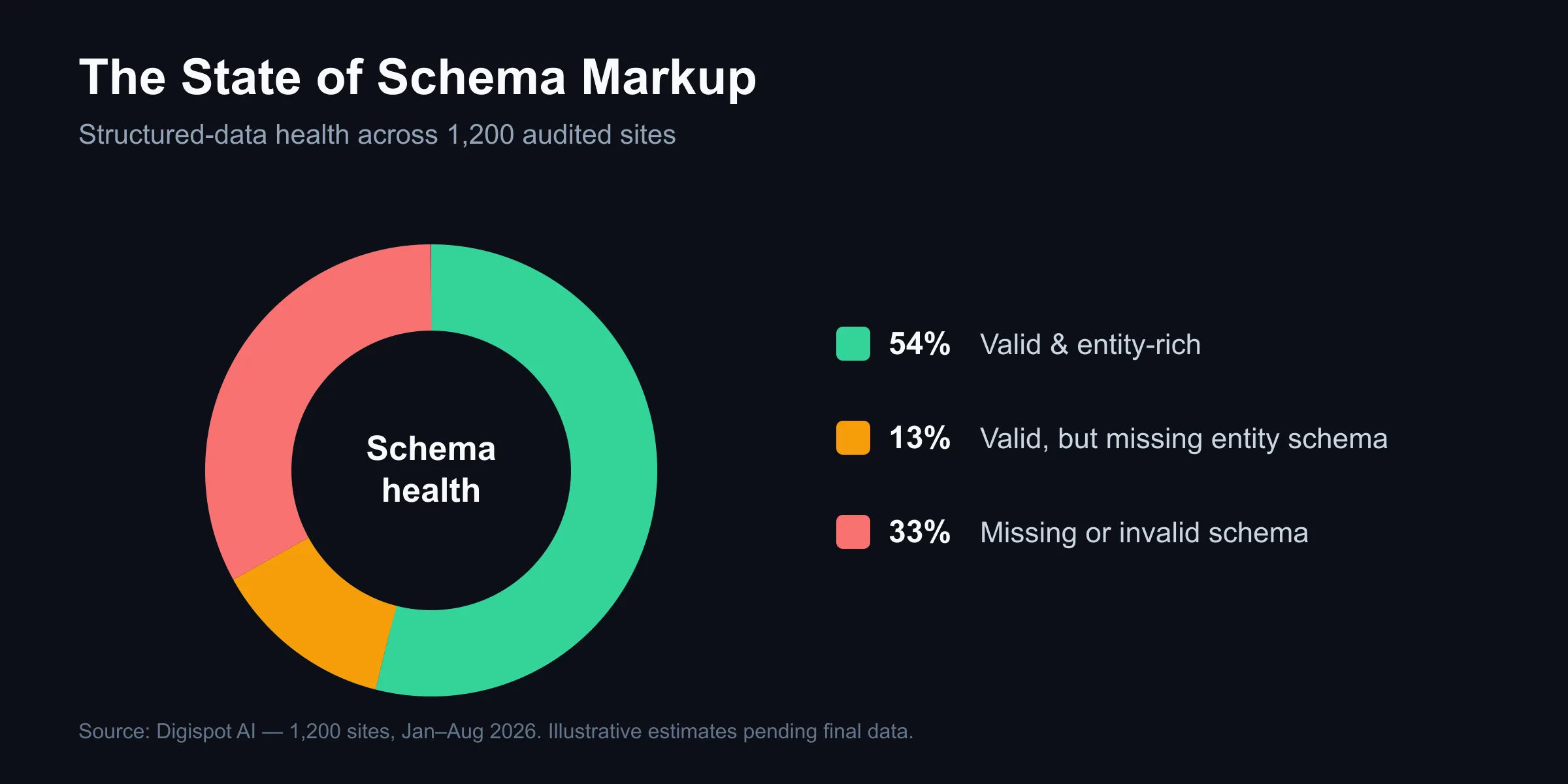
- 33% have missing or invalid schema markup — broken JSON-LD, or none at all.
- 46% have no self-referencing entity schema (
Organization/Product), so search and AI engines can't confidently identify the brand. - 71% of question-style pages have no
FAQPageschema, leaving easy rich-result and AI-citation wins on the table. - Sites with valid, entity-rich schema were markedly more likely to earn rich results and AI citations.
The takeaway: most sites lose rich-result and AI-citation opportunities not to weak content, but to missing or malformed structured data — the exact gap this guide closes.
Methodology: 1,200 sites audited with Digispot AI between January and August 2026, de-duplicated by domain. Percentages reflect sites (or pages) flagged by the corresponding automated check.
What is Schema Markup? The Language of Search Engines
Schema markup (structured data) is a semantic vocabulary added to your website's code. Founded by Google, Bing, Yahoo!, and Yandex, Schema.org provides a standardized way to classify page content.
When you implement schema, you aren't changing what visitors see on your site. You are adding a layer of metadata that helps crawlers organize your content into the Knowledge Graph. This explicit labeling turns unstructured text into structured entities.
For example, a standard product page displays a price of "$50". To a human, that's obvious. To a bot, it's just a number. By wrapping that number in Offer schema, you tell search engines specifically: "This is a price, in US Dollars, and this item is currently in stock." This clarity allows platforms to display that price directly in search results, often leading to higher qualified click-through rates.
The Impact on AI and AEO
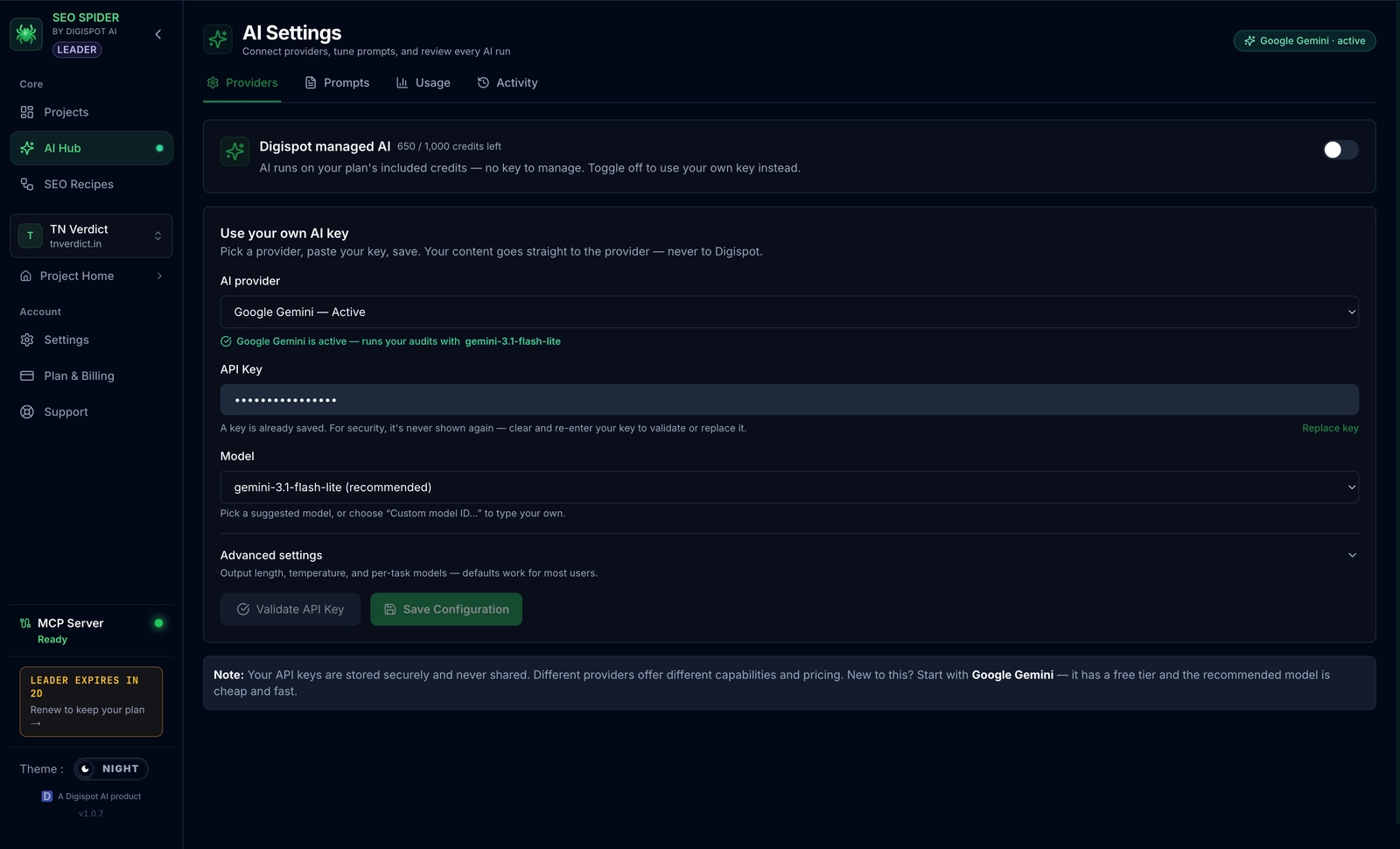
With the rise of Answer Engine Optimization (AEO), schema has become even more critical. AI models like ChatGPT, Google's Gemini, and Perplexity rely on structured data to verify facts. When your content is clearly marked up, these AI systems can confidently cite your data as the source of an answer, effectively positioning your brand as the authority.
The mechanism matters here. A FAQPage or HowTo block gives a model a pre-parsed question-and-answer pair, and an Organization block with sameAs links (to your Wikidata, LinkedIn, and Crunchbase profiles) lets the model resolve your brand to a single verified entity rather than guessing. The sameAs property is one of the highest-leverage additions for AEO because it ties an ambiguous name to an authoritative identity graph. For a fuller treatment of how to structure content so it surfaces in generative answers, see our answer engine optimization (AEO) guide and the companion piece on how to optimize content for LLMs.
How Does Schema Markup Work?
While the vocabulary is standardized, the delivery method varies. You generally have three formats to choose from, though one is the clear industry standard.
JSON-LD (JavaScript Object Notation for Linked Data)
This is Google's preferred format and the one you should use. JSON-LD allows you to paste a block of JavaScript code into the <head> or <body> of your page.
Why it wins:
- Separation of concerns: Your data lives in a script tag, separate from your visual HTML. This means you can redesign your site's layout without breaking your SEO code.
- Ease of maintenance: You can generate JSON-LD dynamically using server-side code or inject it via Google Tag Manager.
- Nesting capabilities: JSON-LD makes it incredibly easy to nest different items (like putting a Review inside a Product) to show relationships.
Microdata and RDFa
These older formats require you to add attributes directly to HTML tags (e.g., <div itemprop="name">). This method is fragile. If a developer changes a <div> to a <span> or moves a block of content during a redesign, your schema often breaks. Unless you have a legacy system constraint, avoid these formats.
Here is a clean JSON-LD example for a software product:
<script type="application/ld+json">
{
  "@context": "https://schema.org/",
  "@type": "Product",
  "name": "Digispot SEO Suite",
  "image": "https://digispot.ai/images/suite.jpg",
  "description": "All-in-one SEO and AEO optimization platform.",
  "brand": {
    "@type": "Brand",
    "name": "Digispot AI"
  },
  "aggregateRating": {
    "@type": "AggregateRating",
    "ratingValue": "4.8",
    "reviewCount": "320"
  },
  "offers": {
    "@type": "Offer",
    "priceCurrency": "USD",
    "price": "99.00",
    "availability": "https://schema.org/InStock"
  }
}
</script>
Common Schema Types
The Schema.org library contains hundreds of types, but focusing on the most high-impact ones will yield the best ROI.
| Schema Type | Best Use Case |
|---|---|
| Article / NewsArticle | Blog posts, news stories, and investigative reports. Essential for appearing in Google Discover and Top Stories. |
| Product | E-commerce pages. Enables price, availability, and rating enhancements in SERPs. Learn more about product schema implementation. |
| Review / AggregateRating | Critical for social proof. Displays star ratings next to your URL, increasing trust before the click. |
| Organization | Homepages. Establishes brand identity, logo, and social profile links for the Knowledge Panel. |
| LocalBusiness | Physical locations. Vital for Local Pack visibility. Connects address, hours, and maps. |
| FAQPage | Service pages or educational content. dominatess SERP space by listing questions and answers directly in the results. |
| MedicalEntity | Healthcare sites. Highly specialized markup for drugs, conditions, and guidelines. See our guide on medical schema markup. |
| Dataset | Research or tabular data. Helps content appear in Google Dataset Search. Read more about data schema SEO. |
| BreadcrumbList | All pages. Shows the site hierarchy in search results, replacing the raw URL with a clean navigation path. |
How to Implement Schema Markup: A Phased Approach
Deploying schema correctly requires a strategy. Simply pasting code without an audit can lead to conflicting data signals, which hurts your trustworthiness score.
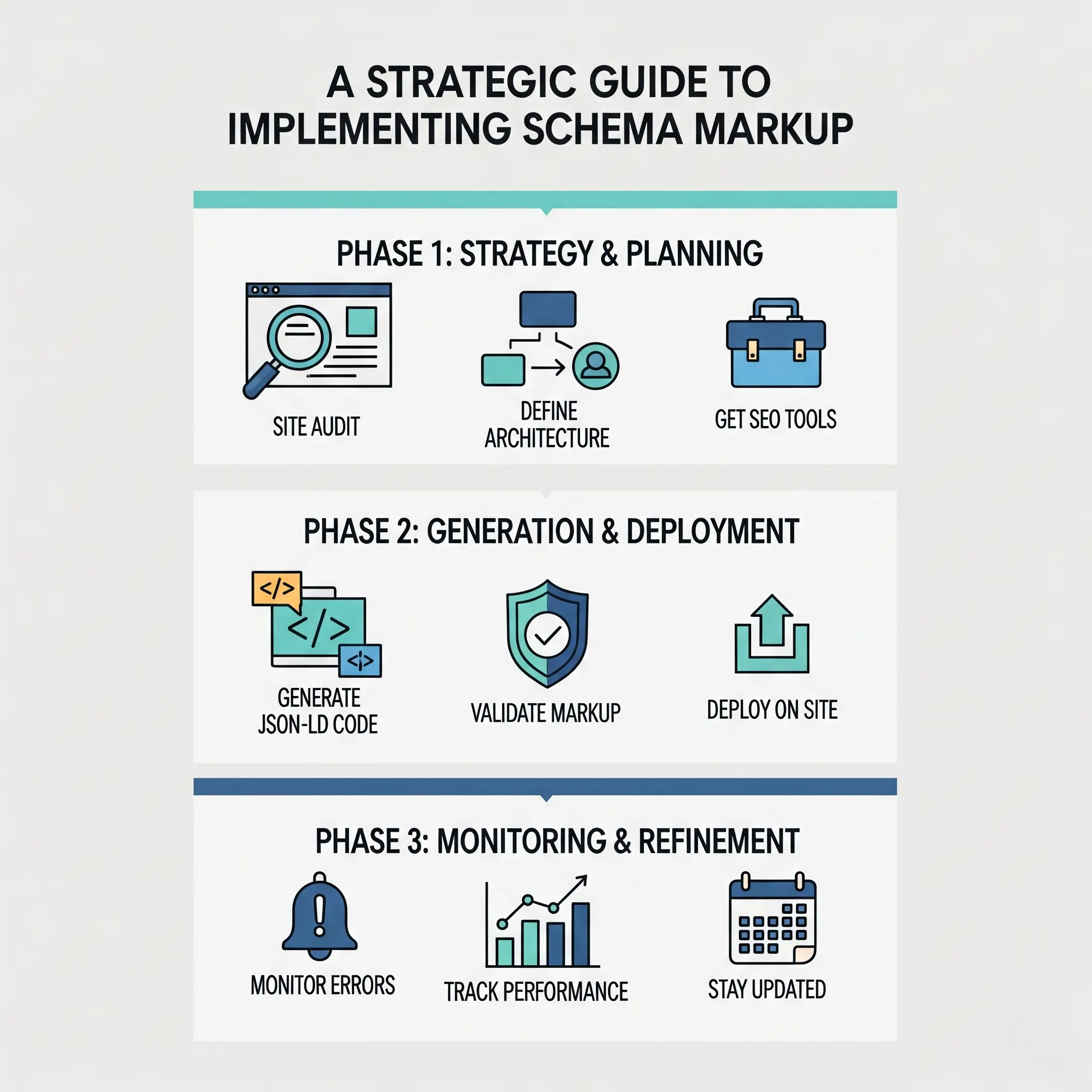
Phase 1: Pre-Deployment Audit
Before writing code, analyze your current state.
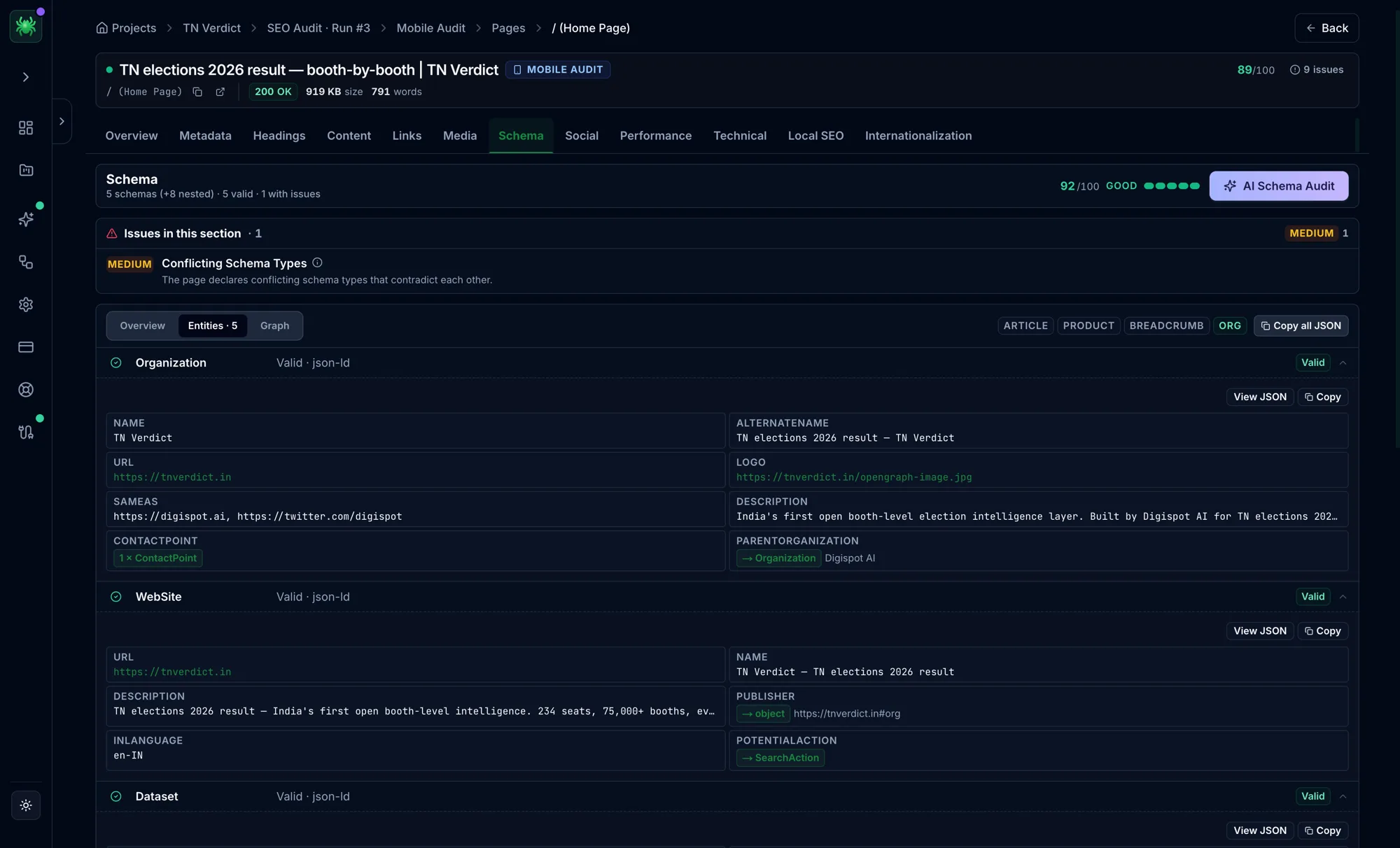
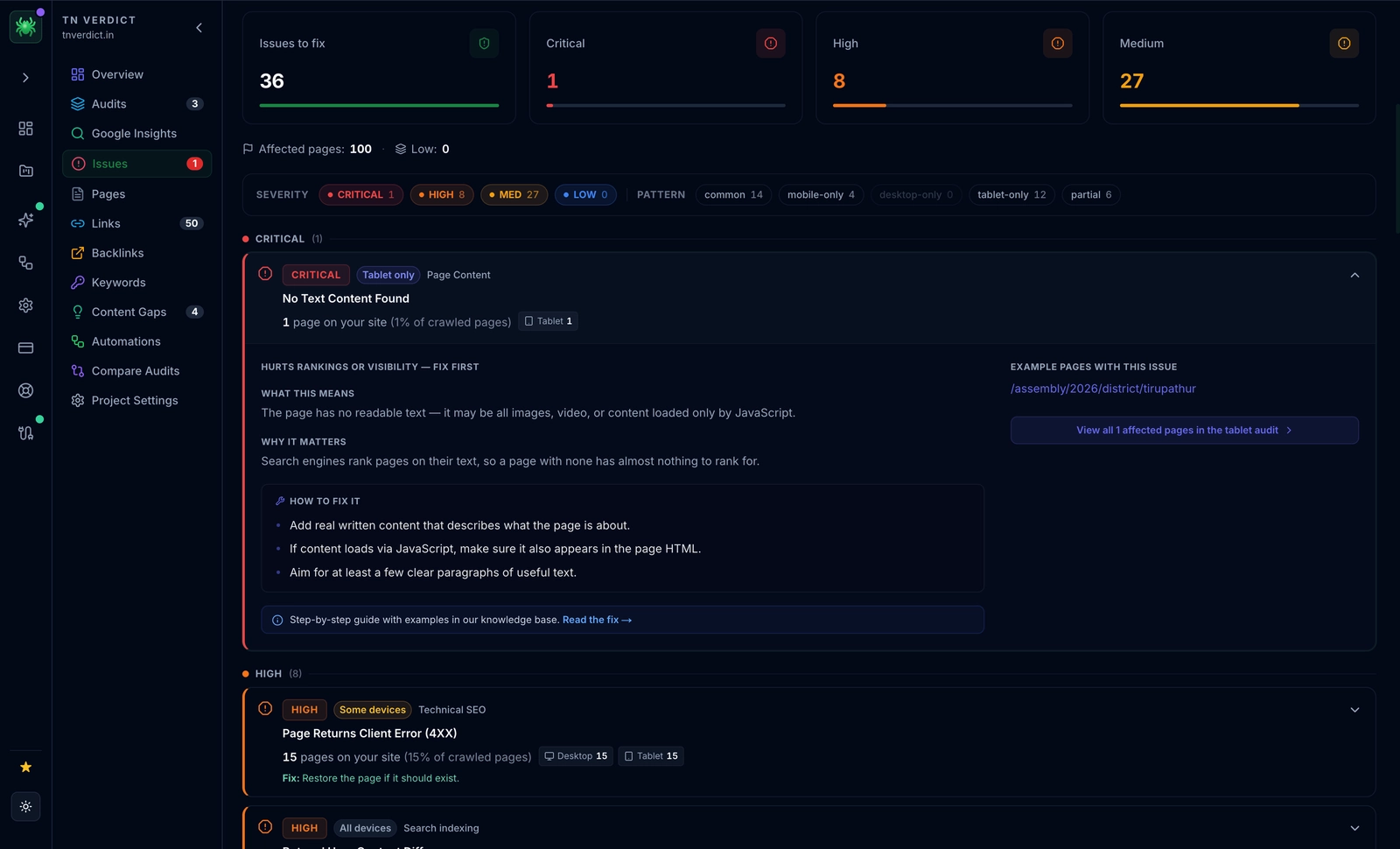
- Map Your Entities: Identify the primary "thing" every page represents. Is it a product, a service, an event, or an informational article? Do not mix conflicting primary types on one page (e.g., marking a single page as both a
Recipeand aJobPosting). - Audit Existing Markup: Check for legacy microdata that might conflict with new JSON-LD. Conflicting markup confuses crawlers. Digispot AI can help you identify and fix these issues automatically with AI-powered audits analyzing 300+ ranking factors.
- Define Strategy: Decide which rich snippets are most valuable. An e-commerce site should prioritize
ProductandMerchantReturnPolicy, while a publisher should focus onArticleandLiveBlogPosting.
For a complete checklist of what to look for during this phase, refer to our SEO audit checklist.
Phase 2: Deployment
Once your strategy is set, move to implementation.
- Generate the JSON-LD: Use tools to create syntax-perfect code. You don't need to write this from scratch. Use the free Schema Markup Generator to create valid structured data in minutes.
- Inject the Code:
- CMS Plugins: WordPress, Shopify, and Magento often have plugins, but they can be limited.
- Google Tag Manager (GTM): For enterprise control, use GTM to fire a Custom HTML tag containing your JSON-LD. This allows marketing teams to update schema without waiting for dev sprints.
- Direct HTML: For maximum performance, server-side rendering the JSON-LD directly into the HTML head is the gold standard.
- Validate Immediately: Never deploy without testing. Use the Schema Markup Validator (formerly the Structured Data Testing Tool) to check for syntax errors.
Phase 3: Post-Deployment & Maintenance
Schema is not "set it and forget it."
- Monitor GSC: Watch the "Enhancements" tab in Google Search Console. It distinguishes between "Critical Errors" (which invalidate your schema) and "Warnings" (recommendations for missing properties). Fold this into a broader periodic health check — our walkthrough on how to check website SEO covers where schema fits alongside crawlability and indexation checks.
- Watch for Drift: As content editors change page text, schema can become outdated. If a product price changes on the page but not in the schema, Google may penalize you for misleading data.
- Validate Performance: Use GSC to filter performance reports by "Search Appearance." Check if your Rich Results are actually driving clicks.
Advanced Schema Markup Techniques for Maximum Impact
Basic schema gets you in the game; advanced techniques help you win.
Nested Schema Markup
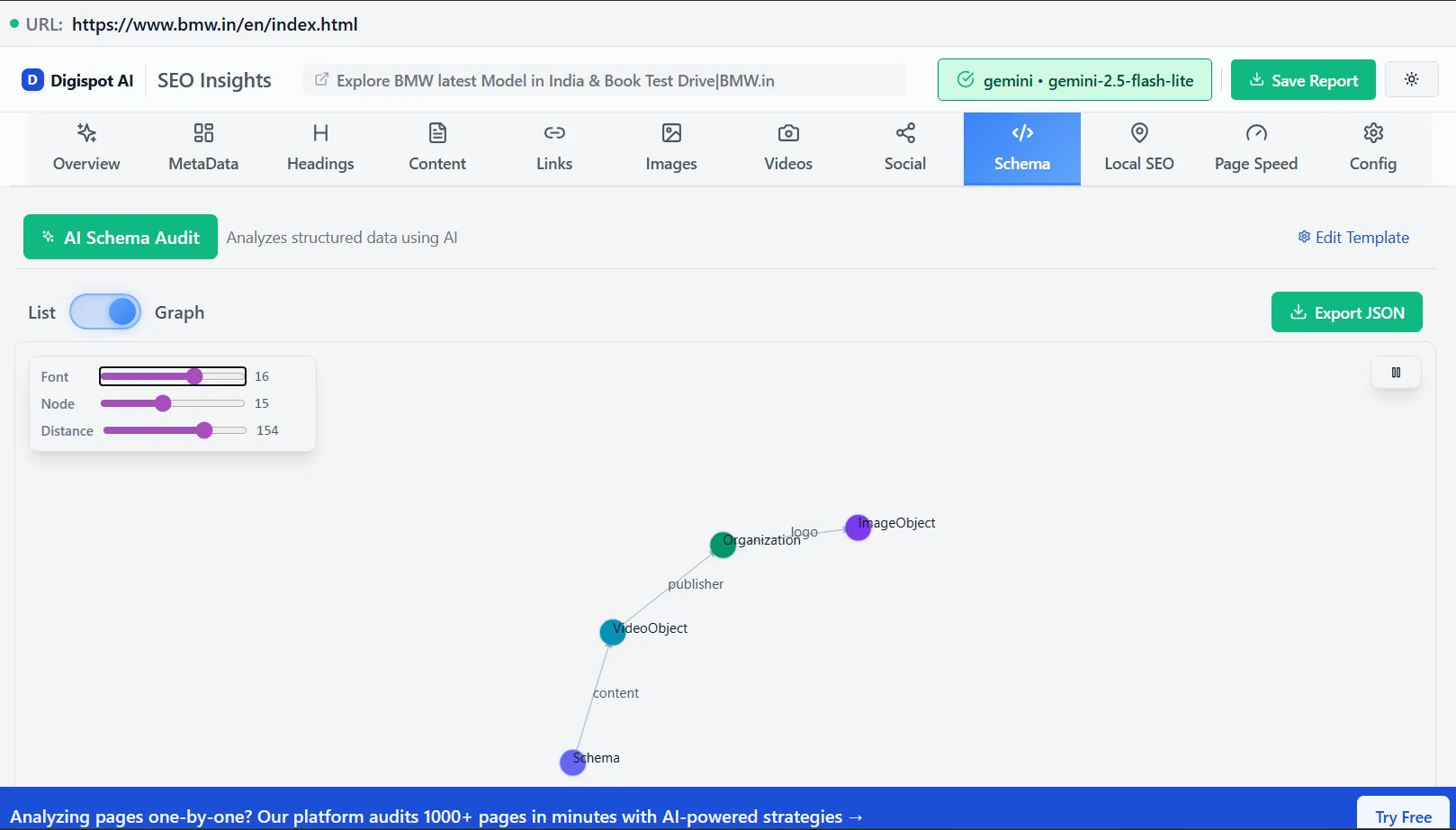
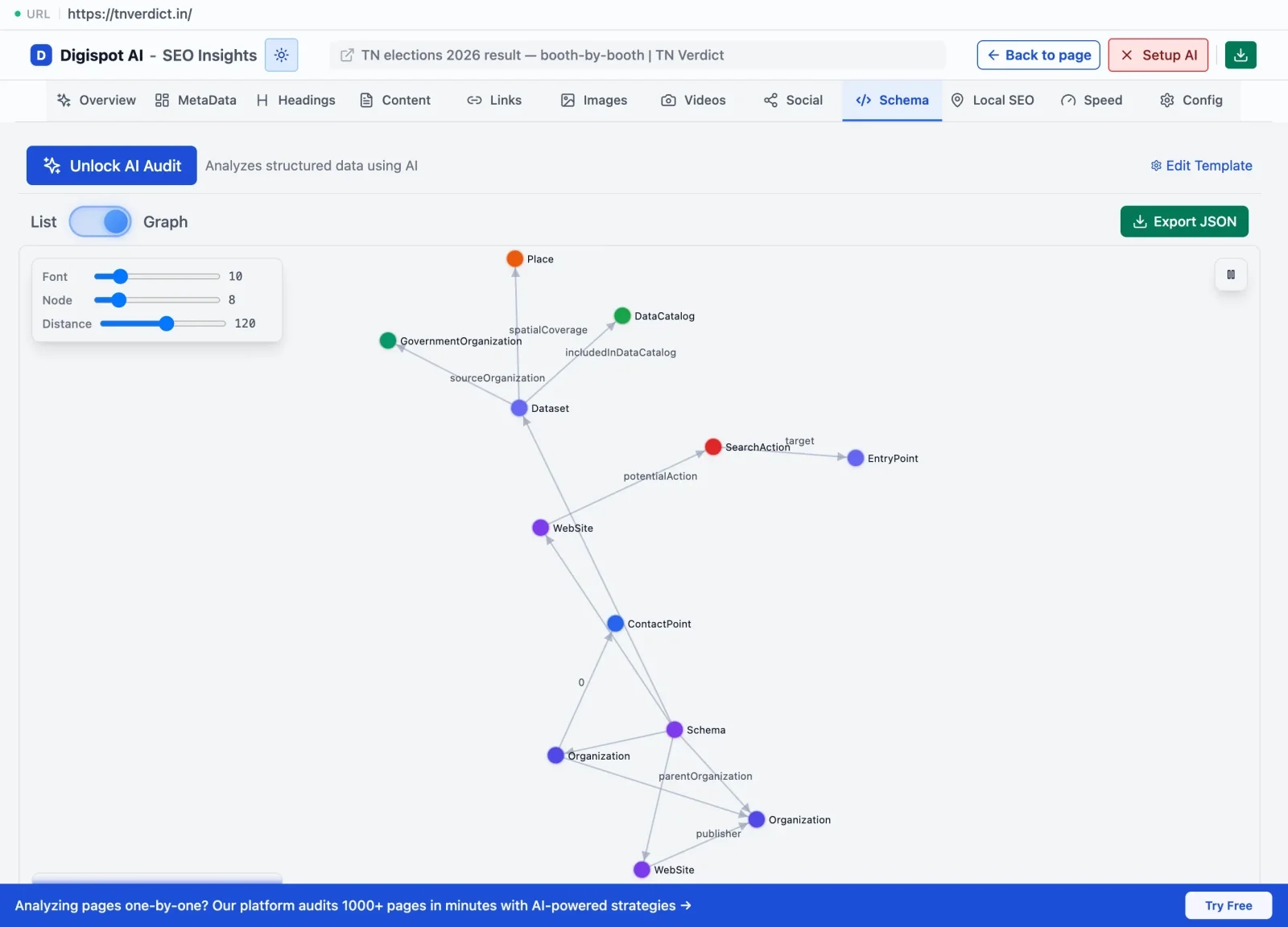
Beginners often place multiple distinct schema blocks on a page. Advanced strategists nest them. Nesting explains the relationship between entities.
Instead of having a Product block and a separate Review block, you embed the review inside the product. This explicitly tells Google, "This review belongs to this specific product."
Example: Article reviewing a Product
In this scenario, the main entity is the Article, but it contains a Product which contains a Review.
{
  "@context": "https://schema.org",
  "@type": "Article",
  "headline": "Review: The SuperPhone 12 is a Game Changer",
  "author": {
    "@type": "Person",
    "name": "Jane Doe"
  },
  "itemReviewed": {
    "@type": "Product",
    "name": "SuperPhone 12",
    "image": "https://example.com/phone.jpg",
    "brand": {
      "@type": "Brand",
      "name": "SuperTech"
    },
    "review": {
      "@type": "Review",
      "reviewRating": {
        "@type": "Rating",
        "ratingValue": "4.5"
      },
      "author": {
        "@type": "Person",
        "name": "Jane Doe"
      }
    }
  }
}
Graph Linking with @id
For very complex sites, nesting can get messy. A cleaner advanced method is "Graph Linking." You assign a unique @id (a URL fragment) to each entity and link them together.
For example, you define an Organization once with @id": "https://site.com/#organization". Then, in every Article schema, you simply reference that ID under the publisher field. This reduces code bloat and helps search engines understand that the same organization publishes all these articles.
Dynamic Data with JSON-LD
Static JSON-LD is risky for dynamic content like pricing or inventory. If your HTML says "$10" but your hard-coded schema says "$20", you lose trust.
To solve this, populate your JSON-LD using server-side variables.
- Shopify/Liquid:
"price": "{{ product.price | divided_by: 100.00 }}" - PHP/WordPress:
"headline": "<?php echo get_the_title(); ?>"
This ensures your structured data always matches the user-facing content perfectly.
Custom Schema Types
Sometimes standard types aren't enough. You can use the additionalType property to link to more specific external definitions, or use more niche types from Schema.org extensions like GS1 for retail or Biblio for publishing.
For example, a real estate site might use Accommodation but can get more granular with SingleFamilyResidence. The more specific you are, the better Google matches you to niche queries.
A common mistake here is inventing types that do not exist in the Schema.org vocabulary. Only types published at schema.org (plus recognized extensions like health-lifesci or pending) are understood by crawlers — a made-up @type such as "SEOAgencyReview" is silently ignored and can invalidate the surrounding block. When no core type fits, keep the closest valid parent type and describe specificity with additionalType, which accepts an external URL:
{
  "@context": "https://schema.org",
  "@type": "Service",
  "name": "Technical SEO Retainer",
  "additionalType": "https://www.wikidata.org/wiki/Q193563",
  "provider": {
    "@type": "Organization",
    "name": "Digispot AI"
  }
}
The additionalType points to a stable external identifier (here, a Wikidata entity) so machines can disambiguate the concept without you leaving the standard vocabulary. Before relying on any niche type for rich results, confirm it against Google Search Central's structured data documentation — not every valid Schema.org type is eligible for a rich result. If you are unsure whether your markup is both valid and eligible, walk through how to validate and test schema markup before deploying.
FAQPage and How-To Markup
These two types are incredibly powerful for capturing SERP surface area.
- FAQPage: Use this on service pages or blog posts that answer specific questions. Google may pull these Q&As directly into the search snippet.
- HowTo: Perfect for instructional content. It allows Google to show steps, duration, and materials required right in the results, often leading to a "featured snippet" style placement.
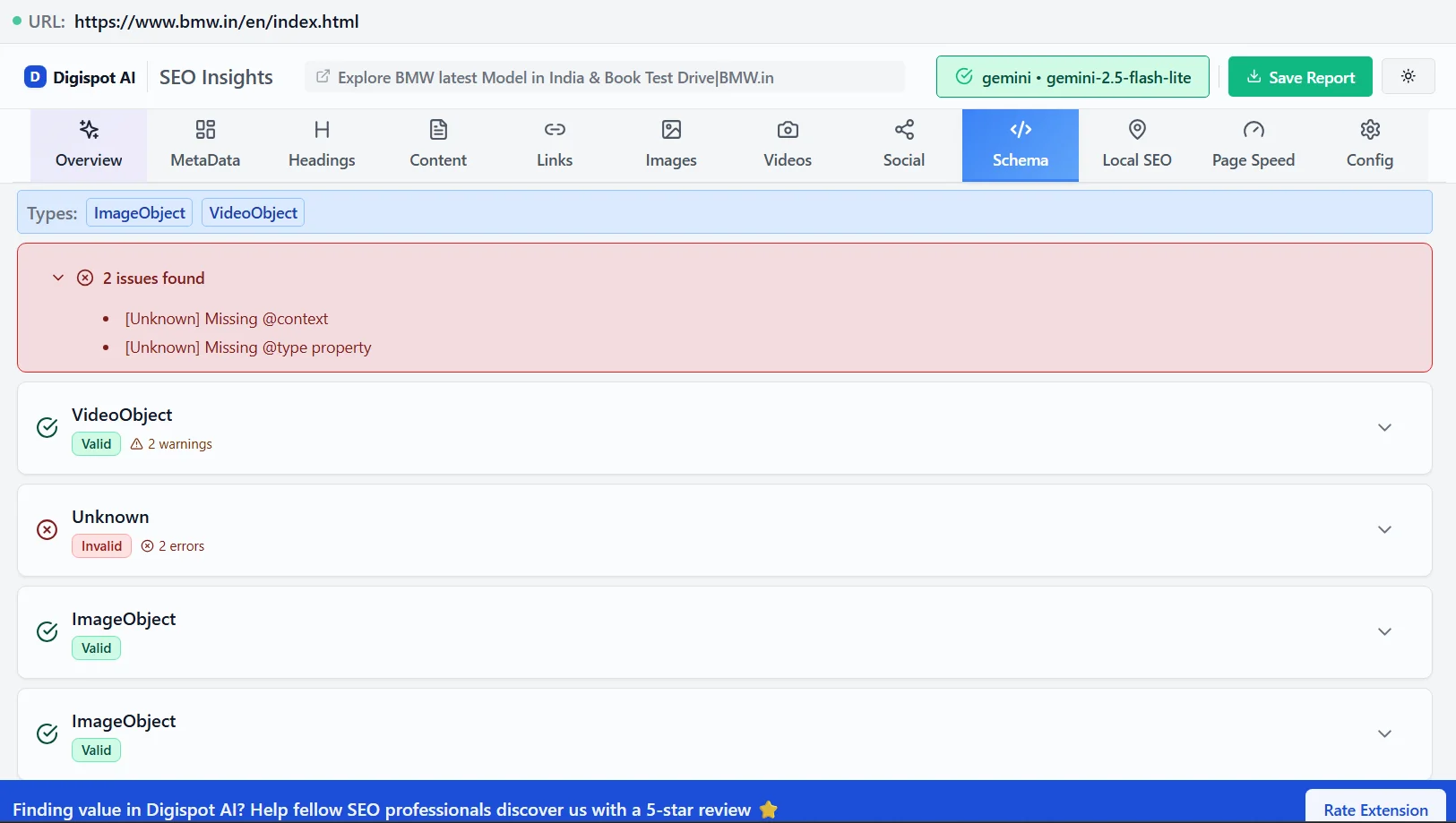
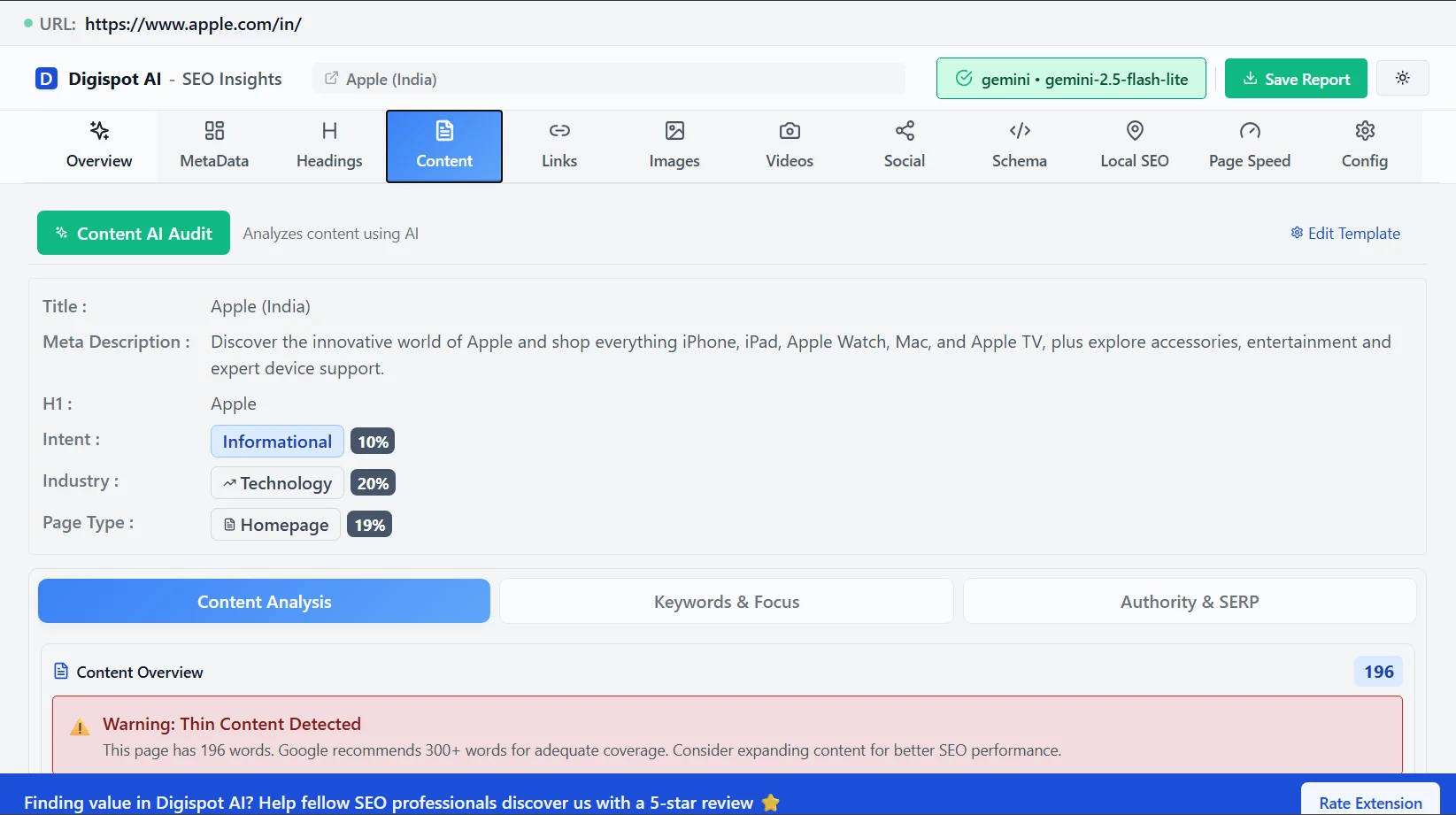
Get instant SEO insights on any page, including checking for valid FAQ schema, with our free Chrome extension.
Breadcrumb Markup
Breadcrumb markup is essential for site structure. It changes the green URL in search results into a readable path: Home > Electronics > Laptops.
This helps users understand where they will land before they click. It also passes strong internal linking signals to Google, helping it understand your category hierarchy.
{
  "@context": "https://schema.org",
  "@type": "BreadcrumbList",
  "itemListElement": [{
    "@type": "ListItem",
    "position": 1,
    "name": "Home",
    "item": "https://example.com"
  },{
    "@type": "ListItem",
    "position": 2,
    "name": "Services",
    "item": "https://example.com/services"
  },{
    "@type": "ListItem",
    "position": 3,
    "name": "SEO Consulting",
    "item": "https://example.com/services/seo"
  }]
}
Scaling Schema Implementation and the Role of Automation
Managing schema manually for 10 pages is fine. Managing it for 10,000 pages is impossible without automation. Manual entry leads to "schema drift," where code becomes outdated, leading to validation errors in Google Search Console.
Large-scale implementation requires a programmatic approach. This involves creating templates that automatically pull data from your database fields (Title, Author, Date, Price) and populate the JSON-LD structure.
Automating with Digispot AI
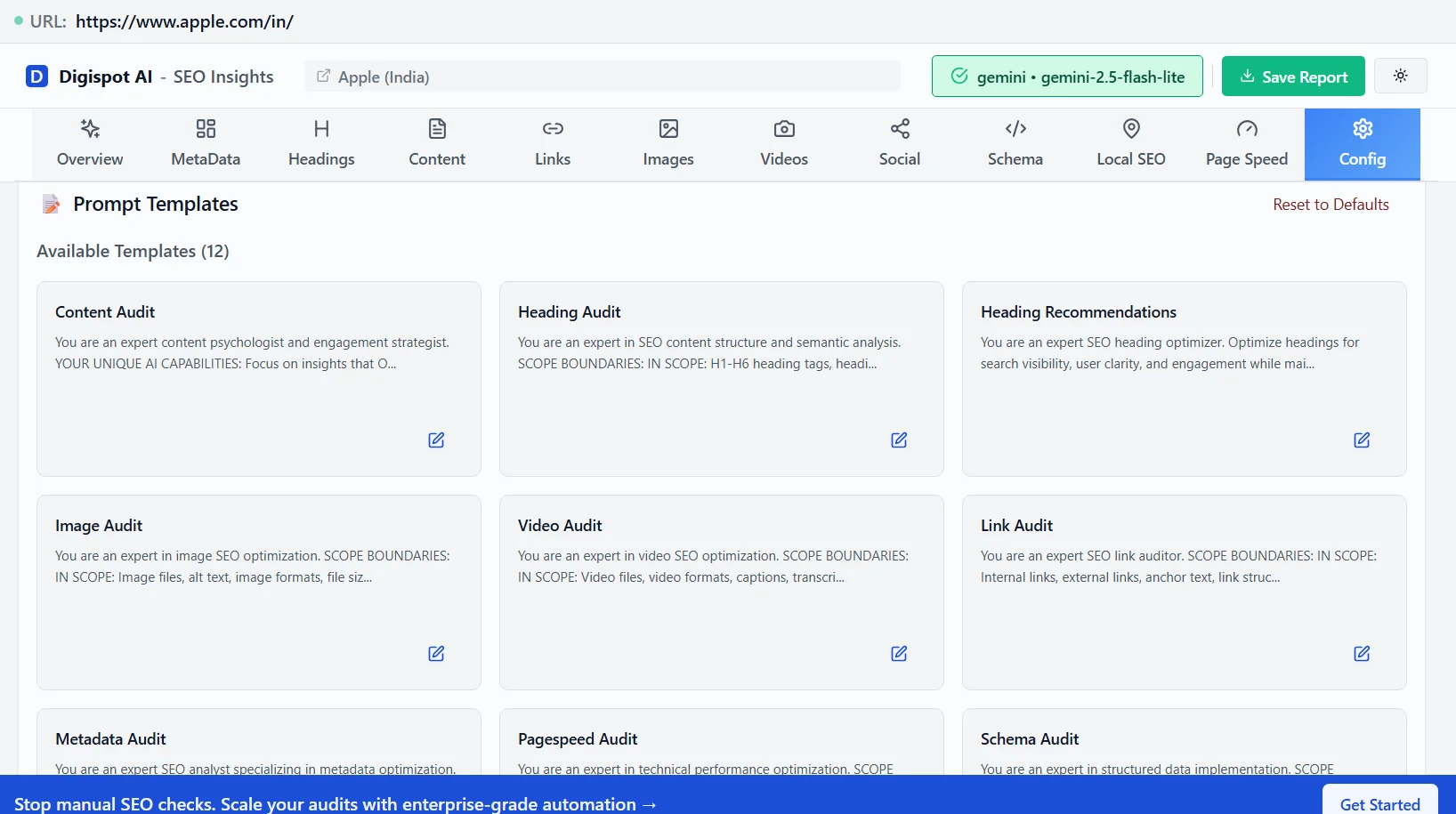
This is where platforms like digispot.ai excel. Instead of asking developers to update individual pages, you can use our tools to define global schema rules. Digispot AI monitors your site for changes and updates the schema dynamically.
For example, if your stock status changes from "In Stock" to "Sold Out," our system ensures the schema reflects this instantly, preventing negative user experiences and bounce-backs from search results. This level of synchronization is critical for on-page SEO best practices.
The Tangible Benefits of Advanced Schema Markup
Why invest resources here? The data supports the effort.
- Enhanced Visibility: Rich snippets (stars, images, prices) draw the eye. They make your result visually distinct from the text-only results around it.
- Higher CTR: Studies consistently show that rich results improve Click-Through Rate. Even if you don't move up in rank, getting 20% more clicks from your current position is a massive win.
- Voice Search Readiness: Voice assistants read structured data. When you ask, "How long does it take to cook a turkey?", the assistant often reads the
totalTimeproperty from aRecipeschema. - E-E-A-T Signals: By linking your content to specific authors and organizations, you verify your identity. This builds the "Trust" component of E-E-A-T, which is vital for ranking.
Troubleshooting Common Schema Errors
Even with automation, errors happen. Here is how to handle the most common ones found in Search Console:
- "Missing field" errors: This means a required property (like
imagefor a Recipe) is absent. If you don't have an image, you might need to change the schema type to something less strict, or provide a default fallback image. - "Duplicate unique identifier": This happens when you copy-paste code and forget to change the
@id. Every entity needs a unique ID. - Parsing Errors: Usually a missing comma or quotation mark in your JSON. Use the Schema Markup Visualizer to pinpoint the syntax break.
- Schema-content mismatch: Google flags markup describing data that isn't visible on the page — for example,
AggregateRatingwith no on-page reviews. This is one of the common SEO mistakes that quietly disqualifies pages from rich results, so always mirror in the markup only what a user can actually see.
Start Improving Your Search Visibility Today
Advanced schema markup is the bridge between your content and the machines that rank it. By implementing comprehensive, nested JSON-LD, you don't just tell Google what your page says—you explain what your page means. This semantic clarity is the key to unlocking rich snippets, voice search features, and superior visibility in the AI era.
Don't let the technical complexity hold you back. Start with your high-priority pages, audit your existing setup, and scale using automation.
Ready to improve your search visibility? Try Digispot AI for comprehensive website audits and actionable recommendations that take the guesswork out of technical SEO.
Related deep-dives
Continue with these closely related guides:
- pharmacy seo — Pharmacy SEO: Local Visibility for Drugstores
- power of user-generated content — The Power of User-Generated Content (UGC) for SEO
- visibility in meta ai — Visibility in Meta AI Search: The Ultimate Optimization Strategy
- seo site migration — SEO Site Migration Checklist: The Ultimate 2026 Guide
- microsoft bing seo — Microsoft Bing SEO: Ranking Factors & Optimization
- to validate — How to Validate and Test Schema Markup: The Expert's Guide to Error-Free Structured Data
References
Audit any page in seconds
300+ SEO checks including Core Web Vitals, schema markup, meta tags, and AI readiness — trusted by 1000+ SEO experts and marketers.
Frequently Asked Questions
Here are some of our most commonly asked questions. If you need more help, feel free to reach out to us.
Written by
Maya Krishnan
Digital growth expert
Maya is a seasoned expert in web development, SEO, and digital strategy, dedicated to helping businesses achieve sustainable growth online. With a blend of technical expertise and strategic insight, she specializes in creating optimized web solutions, enhancing user experiences, and driving data-driven results. A trusted voice in the industry, Maya simplifies complex digital concepts through her writing, empowering readers with actionable strategies to thrive in the ever-evolving digital landscape.