How to Validate and Test Schema Markup: A Complete Guide
Learn how to validate and test schema markup with Google's tools and Digispot AI to secure rich results and boost AI visibility.
 Maya Krishnan
You spent hours crafting the perfect JSON-LD code. You identified the entities, mapped the relationships, and deployed the script. But weeks later, your search listings look exactly the same. No star ratings, no price drops, no rich snippets.
The problem isn't usually the strategy; it's the syntax.
Structured data is fragile. A single missing comma or a misplaced bracket can render an entire script invisible to search engines. More importantly, code that technically "passes" a basic validator might still fail Google's specific rich result policies.
If you don't validate and test schema markup rigorously, you are essentially coding in the dark.
In this guide, we will move beyond basic syntax checks. We will cover how to ensure your structured data is technically sound, eligible for Google's rich features, and optimized for the next generation of search: AI Overviews and Large Language Models (LLMs).
Why Validation Goes Beyond "Green Checks"
Many SEOs believe that if the Schema Markup Validator gives a green checkmark, the job is done. This is a costly misconception.
Validating schema operates on three distinct levels. Failing at any level means you lose the visibility you worked for.
1. Syntactic Validation
This is the baseline. Does your code follow proper JSON-LD formatting? Are commas in the right place? Are brackets closed? If you fail here, the parser (Googlebot) cannot read the script at all. It treats the code as gibberish.
2. Semantic Validation (Vocabulary)
This checks adherence to Schema.org standards. Are you using aggregateRating inside the correct Product type? Does the property author accept a Person or a text string?
- Example: Putting a
Reviewinside anOrganizationimplies the organization is reviewing something, whereas putting it undermakesOfferchanges the meaning entirely.
3. Policy Validation (Google Eligibility)
This is where most professionals stumble. Your code might be syntactically perfect and semantically correct according to Schema.org, but invalid according to Google.
- Google requires specific fields (like
imageorprice) for rich result eligibility that Schema.org considers optional. - If you don't test against Google’s specific requirements, you will never see that rich snippet.
The Toolkit: Essential Tools for Testing
To audit structured data effectively, you need a combination of tools that serve different purposes. Here is the stack I recommend for a complete audit.
Google Rich Results Test (RRT)
This is the gatekeeper. If you want stars, images, or recipe cards in Google Search, this tool is the final authority.
- Best for: Checking eligibility for specific Google features (Merchant listings, snippets).
- Limitation: It only checks for types Google explicitly supports. It ignores other valid schema types that might help with entity understanding (like
MedicalWebPageorGovernmentService).
Schema Markup Validator (SMV)
Formerly the Google Structured Data Testing Tool, this is now hosted by Schema.org.
- Best for: Debugging raw syntax and checking schema types that Google doesn't visualize yet but still indexes for entity understanding.
- Use Case: When you are building complex entity graphs or data schema structures that go beyond basic rich results.
Digispot AI Chrome Extension
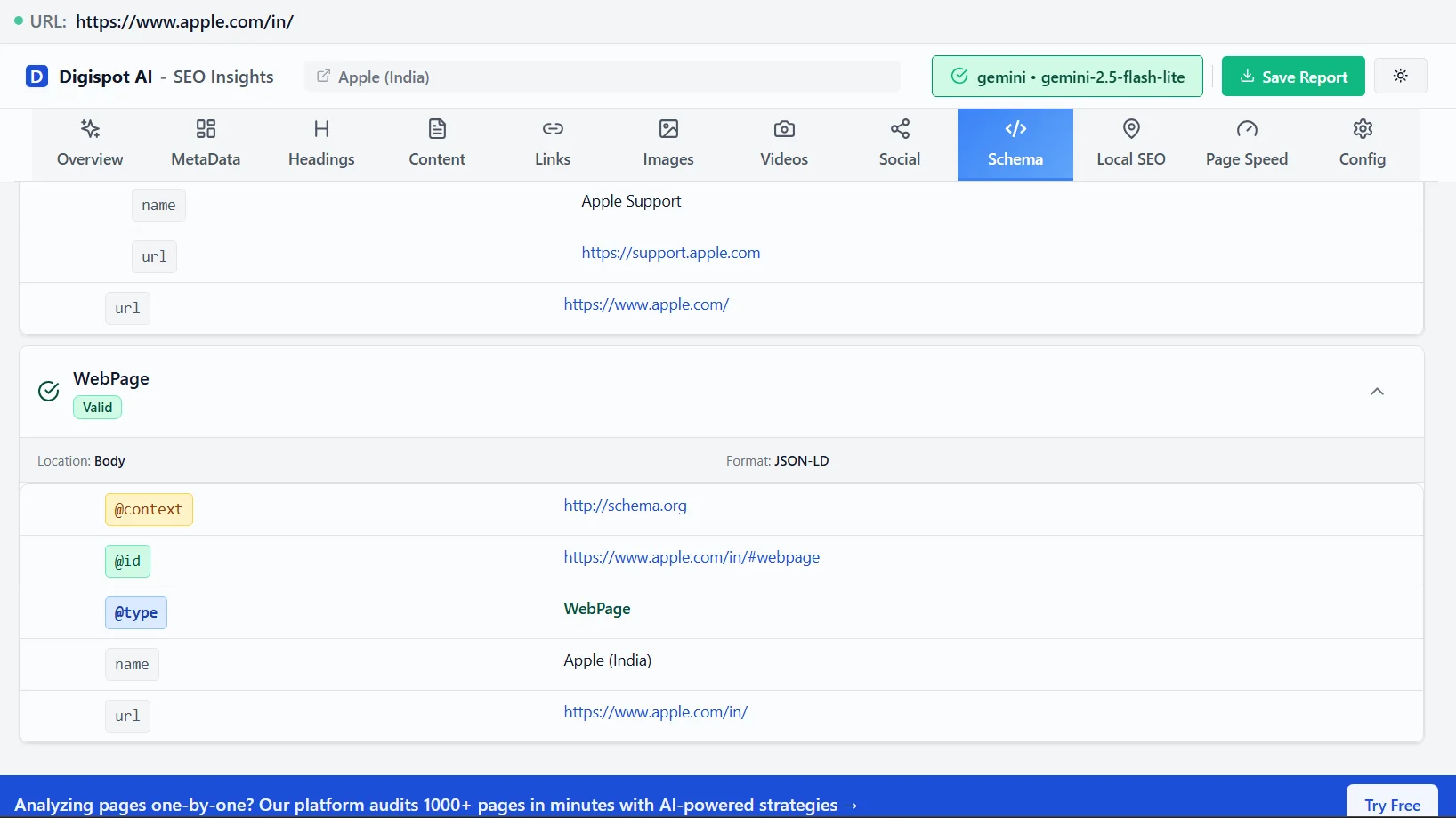
Switching between tabs to paste code is inefficient. The Digispot AI extension runs a live audit on your current tab.
- Best for: Instant, on-page analysis. It identifies valid schema, flags errors, and visualizes the hierarchy without leaving the page.
- Bonus: It also checks for "drift"—where the schema data doesn't match the visible on-page content, a common violation of Google's spam policies.
"Get instant SEO insights on any page with our free Chrome extension."
Digispot AI SEO Spider (Site-Wide Validation)
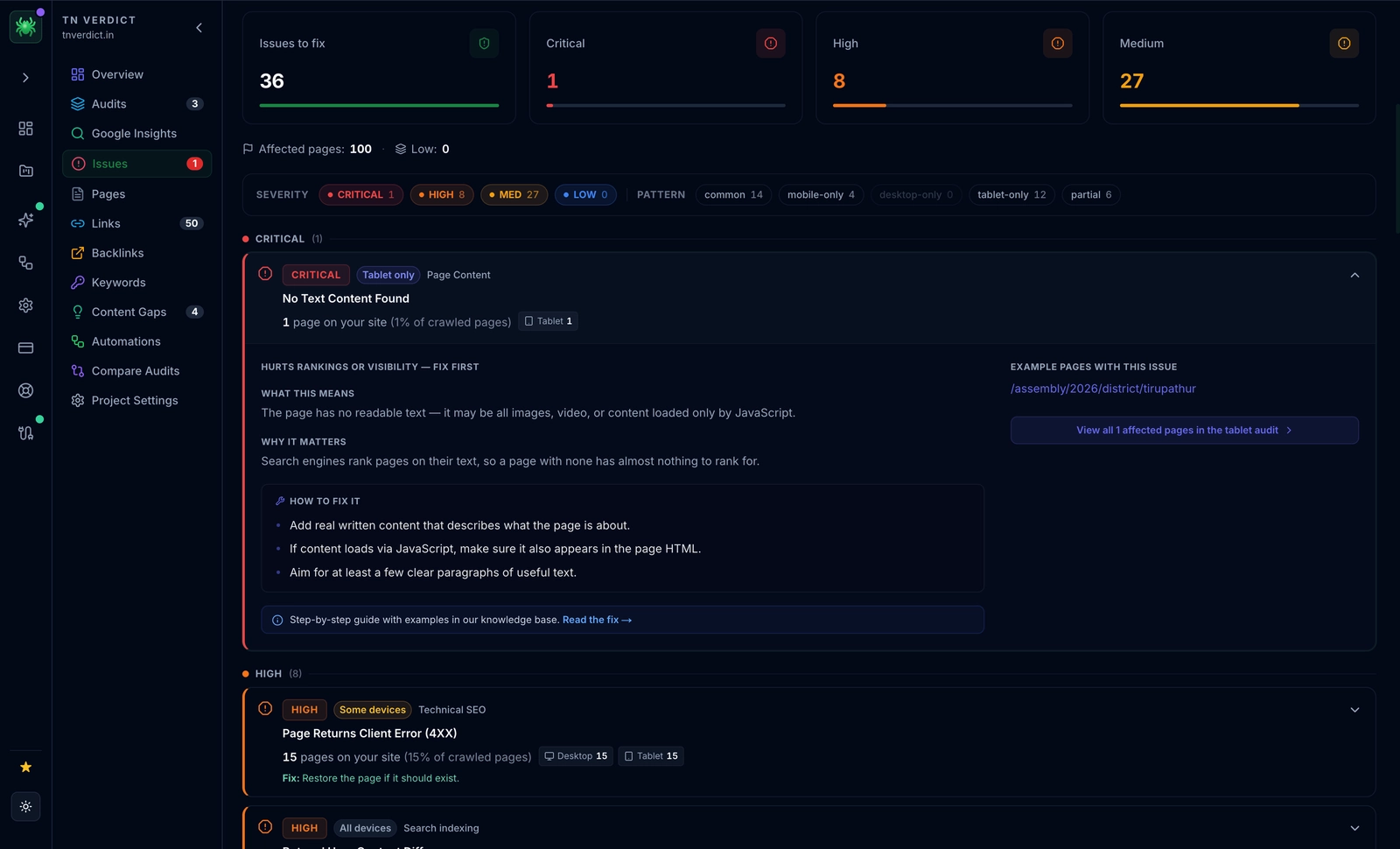
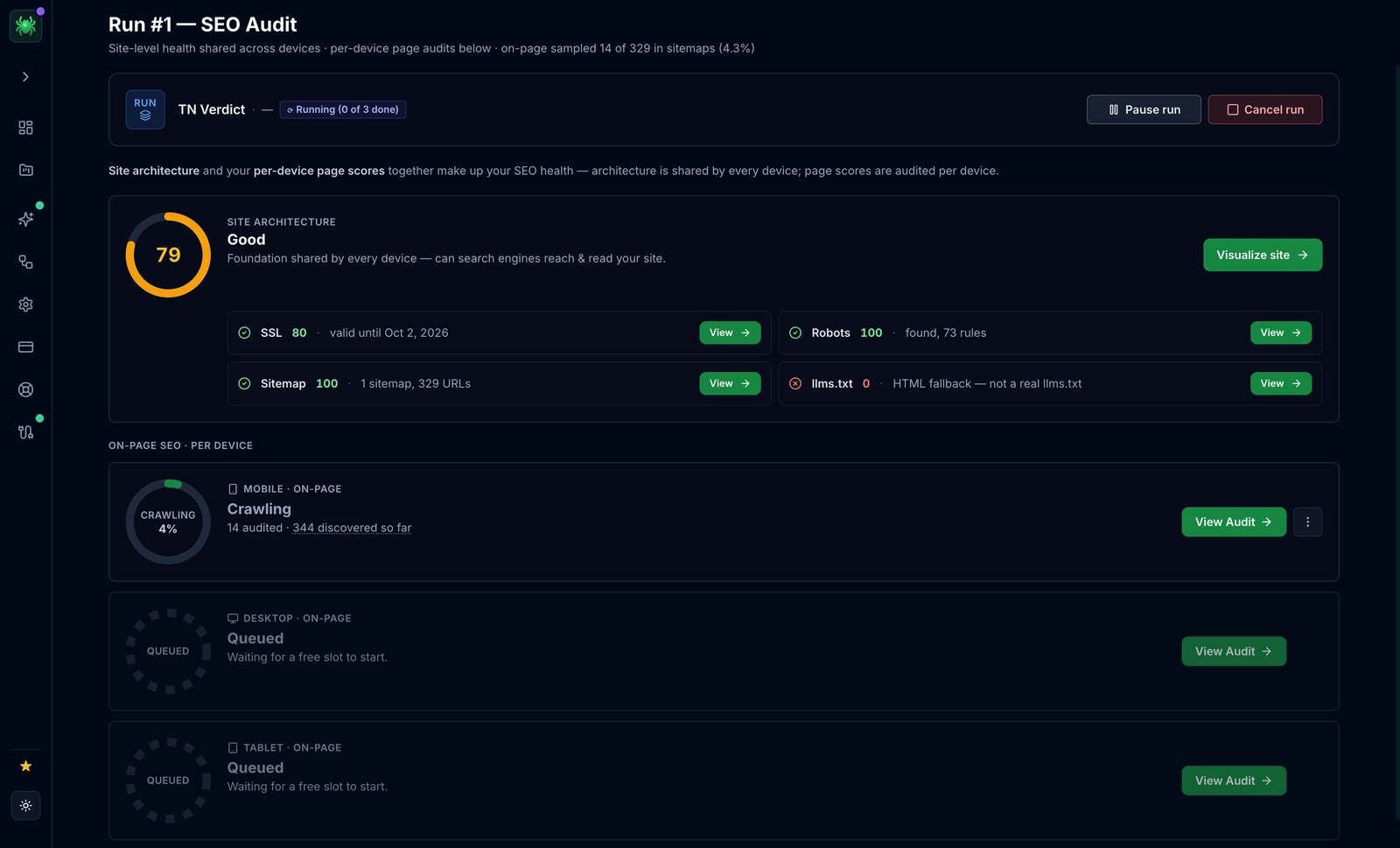
Single-URL validators like the Rich Results Test and Schema Markup Validator answer one question: "Is this page's markup valid right now?" What they can't tell you is whether the other 4,000 URLs share the same defect, or whether last night's plugin update silently broke Product schema across your entire catalog. That's the gap the Digispot AI SEO Spider closes—a desktop crawler that renders every page in a real browser like Googlebot, so it captures JavaScript-injected JSON-LD that a raw HTML fetch would miss. On each crawled page it runs 300+ SEO/AEO checks, validating structured data at scale: missing required properties, conflicting or duplicated @type declarations, and mismatches between markup and visible content. Crucially, it ranks every finding by traffic-at-risk (via synced GSC and GA4 data) so you fix the schema errors bleeding real revenue first. And because it ships an MCP server, an AI agent in Claude or Cursor can re-crawl and re-validate automatically after any template change—catching regressions before Google does. From $14/mo.
Step-by-Step: How to Validate and Test Schema Markup
Let’s walk through a professional validation workflow. This process prevents errors from reaching your production environment.
Phase 1: The Code Editor (Pre-Deployment)
Never write schema directly into your CMS (Content Management System) without testing it first. Syntax errors can break page rendering in some setups.
- Draft with Assistance: Use a tool that guides you. The free Schema Markup Generator ensures you don't miss required fields during the creation phase.
- Code Snippet Testing:
- Open the Google Rich Results Test.
- Select <> Code.
- Paste your JSON-LD script.
- Run the test.
- Review the Output: Look for "Critical Issues" (Red) vs. "Non-critical Issues" (Orange).
- Red: Must fix. The rich result will not show.
- Orange: Recommended fixes. Fix these to improve data quality, but the snippet might still appear without them.
Phase 2: Staging Environment (Rendering Check)
Once the code is on a staging site, you must test how it interacts with the page environment.
- JavaScript Injection: If you use Tag Manager or a plugin to inject schema, raw code validators won't help. You need to test the rendered DOM.
- Run a URL Inspection: Point the validation tool to your staging URL. If the tool can't access staging (due to password protection), you will need to view the page source, copy the full rendered HTML, and test it via the "Code Snippet" method.
Phase 3: Live Production Audit
After publishing, verify that caching or minification plugins haven't broken the code.
- Navigate to the live URL.
- Use the Digispot AI Chrome extension to verify the schema is detecting correctly.
- Check for Duplicate IDs. A common error occurs when multiple plugins inject schema, causing conflicting
@idnodes. This confuses search engines about which entity is the primary topic of the page.
Phase 4: Long-Term Monitoring
Validation isn't a one-time task. Updates to your theme, new plugins, or changes in pricing data can break schema silently.
Digispot AI helps you identify and fix these issues automatically with AI-powered audits analyzing 300+ ranking factors, alerting you the moment your structured data degrades.
Common Validation Errors and How to Fix Them
In my experience auditing thousands of pages, these are the most frequent blockers.
1. "Unparsable Structured Data"
This is a syntax error. The parser stopped reading because the JSON is broken.
Common Causes:
- Trailing Comma: Leaving a comma after the last item in a list.
"offers": { "@type": "Offer", "price": "100.00", // This comma is fine "priceCurrency": "USD", // This comma is FATAL if it's the last item } - Curly Quotes: Copy-pasting from Word Docs often converts straight quotes (
") to curly quotes (”). JSON-LD only accepts straight quotes.
The Fix: Paste your code into a validator that highlights syntax lines (like Digispot’s or a code editor like VS Code) to spot the red underline immediately.
2. Missing Global Identifier (@id)
While not always an "error" in basic tools, failing to use @id is a massive missed opportunity for advanced schema implementation.
Without an @id, Google treats every piece of schema as a separate object.
- With @id: You can tell Google, "The
Personauthoring this Article is the samePersonlisted on the About page." - Fix: Establish a consistent URL-based ID structure (e.g.,
https://site.com/about/#author).
3. Property Value Type Incorrect
Schema expects specific data types.
- Error: Providing a URL where an ImageObject is required.
- Scenario: You put a simple string link for a logo, but the schema requires specific dimensions.
// Wrong
"logo": "https://site.com/logo.png"

// Right
"logo": {
  "@type": "ImageObject",
  "url": "https://site.com/logo.png",
  "width": 600,
  "height": 60
}
4. "Either 'offers', 'review', or 'aggregateRating' should be specified"
This is common on Product schema implementations. Google will not display a Product snippet if it lacks commercial intent data (price/availability) or social proof (reviews).
The Fix: You must map these fields dynamically. If a product has zero reviews, ensure your code doesn't output an empty aggregateRating object—omit the object entirely until a review exists.
Validating for AEO (AI Engine Optimization)
Traditional validation focuses on Google Search. However, AI engines like ChatGPT, Claude, and Perplexity also consume your structured data. They use it to fact-check the text on your page.
When you validate and test schema markup for AI, you need to check for Contextual Consistency.
The "Hallucination" Trap
If your schema says a product is "In Stock" but the visible text says "Sold Out," traditional search engines might just suppress the rich snippet. AI engines, however, might get confused and hallucinate an answer, or worse, flag your site as untrustworthy data.
How to Test for AEO:
- Check Consistency: Ensure the data in your JSON-LD matches the visible text exactly.
- Use Specific Types: Don't just use
Article. UseTechArticle,MedicalScholarlyArticle, orNewsArticle. Specificity helps LLMs categorize your content faster. - Reference: Learn more about entity consistency in our guide to medical schema markup, where accuracy is a "Your Money Your Life" (YMYL) requirement.
Troubleshooting with Search Console (GSC)
Google Search Console is your historical record of validation. While other tools test the now, GSC tests the historical average.
- Go to the Enhancements section in the left sidebar.
- Click on specific enhancement reports (e.g., Product listings, Breadcrumbs).
- Prioritize "Invalid" items. These are affecting traffic immediately.
- Drill down: Click the error to see specific URLs.
- Inspect URL: Use the "Inspect" magnifying glass next to the URL to see the specific code instance Google cached.
Pro Tip: Sometimes GSC reports an error that you already fixed. This is because Google hasn't recrawled the page. Use the "Validate Fix" button in GSC only after you have verified the fix with the Rich Results Test.
Advanced: Automating the Audit Process
Manual testing works for one page. It fails for 10,000 pages.
Enterprise sites often suffer from "schema drift." A developer changes a template file, and suddenly the price field disappears from 5,000 product pages. You might not notice for weeks until sales drop.
Why Automated Auditing is Essential:
- Scale: Test every page, not just a sample.
- History: Track when an error appeared to correlate it with deployments.
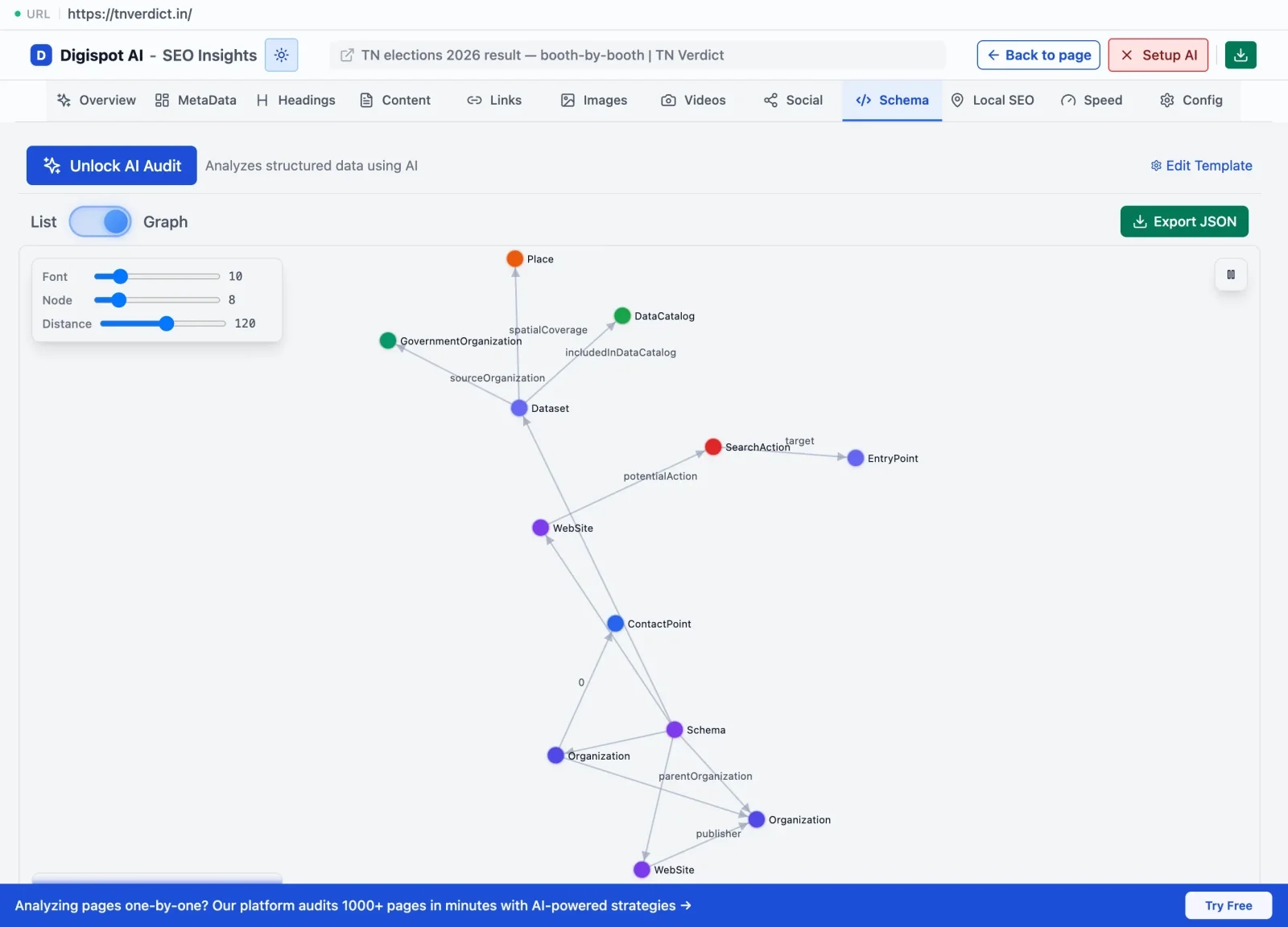
- Visual Validation: Use tools like the Schema Markup Checker & Visualizer to see the connections between entities across your site, ensuring your knowledge graph is intact.
Ready to improve your search visibility? Try Digispot AI for comprehensive website audits and actionable recommendations that go deeper than standard validators.
Start Improving Your Data Quality Today
Validating schema is not just a technical checkbox; it is a communication protocol with search engines and AI models.
When you validate and test schema markup correctly, you are protecting your search real estate. You are ensuring that when Google wants to display a price, a rating, or a video, your site provides the data in a language it trusts.
Your Action Plan:
- Audit your key pages today using the Rich Results Test.
- Fix critical errors (red flags) first.
- Install the Digispot Chrome Extension to spot check pages as you browse.
- Set up automated monitoring to catch future regressions before they hurt your revenue.
Don't let bad syntax hide your great content.
Try the free On-Page SEO Checker to audit any URL instantly and see if your schema is working for you.
Related deep-dives
Continue with these closely related guides:
- visual search optimization — Visual Search Optimization: Mastering SEO for Google Lens & Multisearch
References
Audit any page in seconds
300+ SEO checks including Core Web Vitals, schema markup, meta tags, and AI readiness — trusted by 1000+ SEO experts and marketers.
Frequently Asked Questions
Here are some of our most commonly asked questions. If you need more help, feel free to reach out to us.
Written by
Maya Krishnan
Digital growth expert
Maya is a seasoned expert in web development, SEO, and digital strategy, dedicated to helping businesses achieve sustainable growth online. With a blend of technical expertise and strategic insight, she specializes in creating optimized web solutions, enhancing user experiences, and driving data-driven results. A trusted voice in the industry, Maya simplifies complex digital concepts through her writing, empowering readers with actionable strategies to thrive in the ever-evolving digital landscape.