Visual Search Optimization: SEO for Google Lens
Learn how to optimize content for visual search engines like Google Lens with image SEO, structured data, and ranking in the visual era.
 Maya Krishnan
Camera-first behavior is reshaping how users discover information. For nearly two decades, SEO professionals focused almost exclusively on text-based queries. Today, a massive shift is occurring: people are searching with what they see, not just what they type.
Google reports that Google Lens is used for over 12 billion visual searches every month. This isn't just a novelty feature; it is a fundamental change in search behavior, particularly for younger demographics who often treat their camera as their primary browser.
If your SEO strategy ignores visual search optimization, you are invisible to a growing segment of high-intent users who are ready to buy, learn, or engage the moment they snap a photo. This guide moves beyond basic image compression. We will explore the mechanics of computer vision, the specific ranking factors for Google Lens, and how to position your brand in this visual ecosystem.
The Mechanics of Visual Search
To optimize for visual search, you must first understand how it differs from traditional image search.
Traditional Image Search is a text-to-image process. A user types "red leather sofa" into Google, and the engine looks for images surrounded by text matching those keywords.
Visual Search (Google Lens) is an image-to-information process. The search query itself is pixels, not words. When a user points their camera at a red leather sofa, Google's AI:
- Segments the image to identify the main object.
- Analyzes shapes, textures, and colors using computer vision.
- Compares these features against a massive index of indexed images.
- Retrieves results that are visually similar and contextually relevant.
This relies heavily on Entity Recognition. Google doesn't just see a collection of red pixels; it recognizes the entity "sofa," the attribute "leather," and potentially the specific brand or model.
Digispot AI leverages similar multi-LLM technologies to understand how search engines interpret your site's entities, ensuring your visual assets align with your semantic authority.
Why Visual Search is Critical for SEO
The intent behind a visual search is often deeper than a text search. When someone takes a photo of a specific plant to identify it, or a pair of sneakers to find a retailer, they are usually past the "awareness" stage and moving directly into "consideration" or "conversion."
The "Multisearch" Evolution
Google has evolved Lens into Multisearch, allowing users to search with an image and text simultaneously. A user can snap a photo of a dining set and add the text query "coffee table" to find a matching piece.
This connects visual data with semantic intent. To rank here, your content must excel at both visual clarity and textual relevance. This is where semantic search SEO principles become vital—connecting visual entities to the broader context of your page.
Technical Foundations for Visual Ranking
Before worrying about advanced computer vision tactics, your technical foundation must be solid. Google cannot index what it cannot crawl or load efficiently.
1. Next-Gen Image Formats
Legacy formats like JPEG and PNG are often insufficient for the balance of quality and speed required by visual search.
- WebP: Superior compression and transparency support.
- AVIF: Even better compression ratios with high dynamic range support.
Using these formats reduces load times without sacrificing the visual fidelity Google Lens needs to identify object edges and textures.
2. High-Resolution Clarity
Unlike standard web browsing where "good enough" resolution works, visual search engines need detail. If an image is too pixelated, the AI cannot accurately map feature points.
- Target Size: Ensure product images are at least 1200px wide.
- Zoom Capability: enable zoom features on product pages, as Google often indexes the highest resolution source available.
3. Accessible File Structures
Google's bots need to find your images easily.
- Sitemaps: Include a dedicated image sitemap or add image tags to your existing XML sitemap.
- Folder Structure: Organize images logically (e.g.,
/images/products/men/shoes/). - CDNs: If using a CDN, ensure the domain is verified in Google Search Console to track performance.
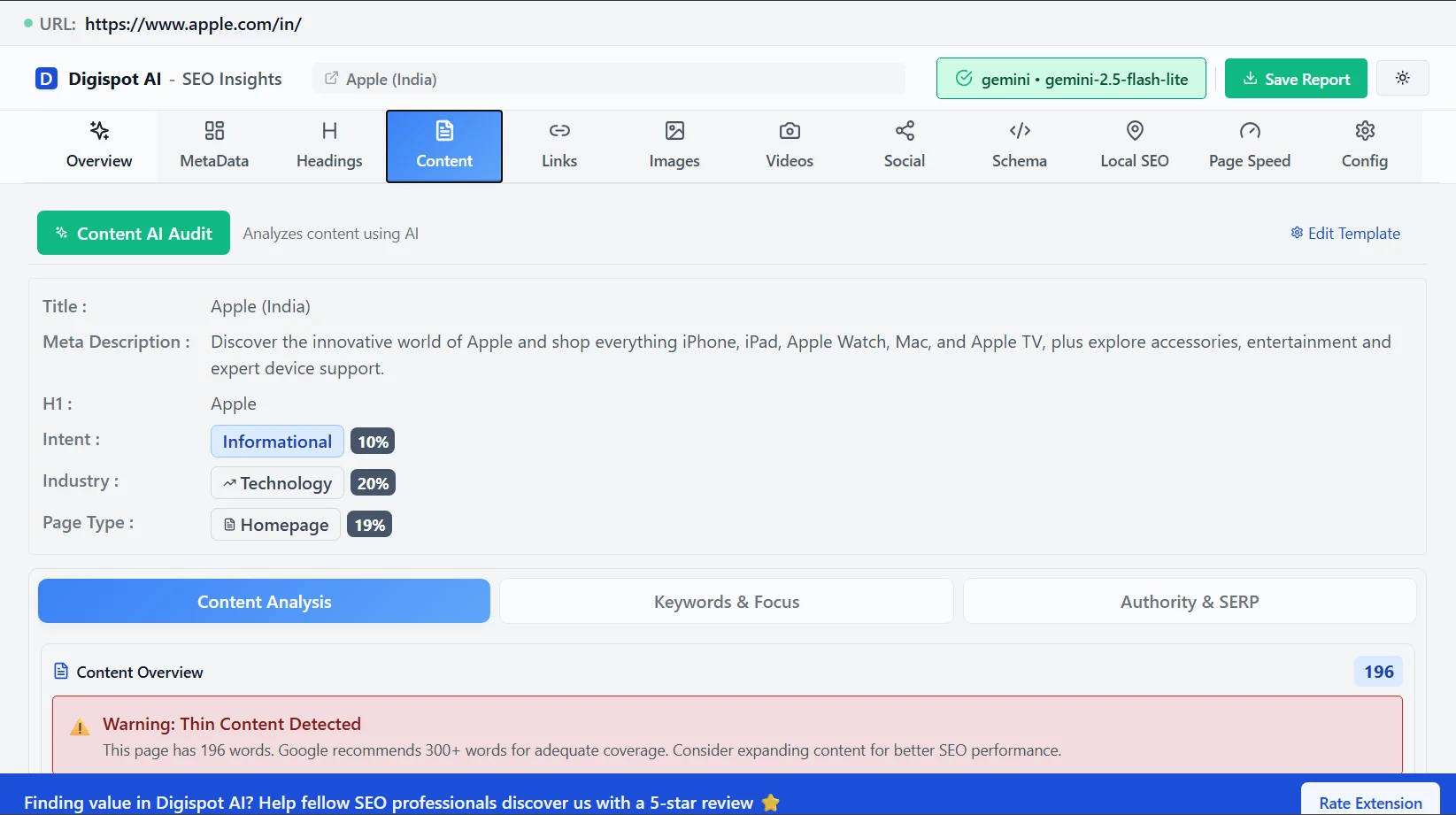
Get instant SEO insights on any page, including image indexing status, with our free Chrome extension.
Optimizing Contextual Relevance
Google Lens doesn't analyze images in a vacuum. It looks at the page surrounding the image to verify its confidence in the identification.
Descriptive File Names and URLs
"IMG_8543.jpg" tells a search engine nothing. "vintage-mahogany-coffee-table.jpg" provides strong entity signals. Ensure your file names use hyphens as separators and clearly describe the visual subject.
Alt Text and Captions
Alt text is often treated as a compliance checkbox, but for visual search, it is a primary relevance signal.
- Bad: "Shoe"
- Good: "Red Nike Air Zoom running shoe side profile"
Captions placed immediately below the image create a tight semantic bond. Google weighs text in close proximity to an image more heavily than text in the footer.
Page Authority and Topical Relevance
An image of a medical device hosted on a verified medical journal website will rank higher in Lens than the same image on a general Pinterest board. Ensure your surrounding content demonstrates expertise. Refer to our guide on search intent optimization to align your page content with the user's visual query.
Structured Data: The Secret Weapon
If there is one "hack" for visual search, it is Schema markup. Structured data translates pixels into data that machines understand instantly.
Product Schema
For e-commerce, Product schema is non-negotiable. It provides Google with:
- Price
- Availability
- Review ratings
- Merchant information
When a user scans a product with Lens, this data populates the "Shopping" overlay, allowing them to buy directly from the visual search result.
ImageObject Schema
Wrap your key images in ImageObject schema. This allows you to define the:
contentUrl: The direct link to the image file.license: Licensing information (crucial for Google Images badges).acquireLicensePage: Where users can buy the image rights.
Code Example: Product Schema with Image
{
  "@context": "https://schema.org/",
  "@type": "Product",
  "name": "Ergonomic Office Chair",
  "image": [
    "https://example.com/photos/1x1/photo.jpg",
    "https://example.com/photos/4x3/photo.jpg",
    "https://example.com/photos/16x9/photo.jpg"
   ],
  "description": "Mesh ergonomic office chair with lumbar support.",
  "brand": {
    "@type": "Brand",
    "name": "OfficePro"
  },
  "offers": {
    "@type": "Offer",
    "url": "https://example.com/chair",
    "priceCurrency": "USD",
    "price": "199.00",
    "availability": "https://schema.org/InStock"
  }
}
Use the free Schema Markup Generator to create valid structured data in minutes and ensure your images are eligible for rich results.
Composition and Visual Cleanliness
How you photograph your subject impacts how well an AI can "read" it.
Focal Point Clarity
Visual search algorithms rely on edge detection and object segmentation.
- Declutter: Avoid busy backgrounds. A white or neutral background makes it easier for the AI to isolate the product.
- Angles: Provide multiple angles. Google Lens is getting better at 3D understanding, but a clear front-facing or 45-degree angle usually yields the highest confidence matches.
Watermarks and Text Overlays
Avoid placing heavy watermarks or promotional text (like "50% OFF") directly over the object in the image. This confuses the visual matching algorithm, effectively "breaking" the pattern the AI is looking for.
E-commerce Specific Strategies
For online retailers, visual search is a direct revenue channel.
Google Merchant Center Feeds
Your Merchant Center feed is the backbone of visual shopping results. Ensure your feed is:
- Updated automatically via API.
- Includes high-quality images matching the product landing page.
- Contains accurate GTINs (Global Trade Item Numbers).
When Lens identifies a product, it cross-references the visual match with GTIN data to surface shopping ads and organic product listings.
Inventory Realism
Users often use Lens in physical stores to compare prices online. If your image ranks but the product is "Out of Stock," you lose the sale instantly. Keep inventory data synced in near real-time.
Optimization for Mobile-First Indexing
Since Google Lens is primarily a mobile experience, your mobile site performance dictates your visual search success.
Core Web Vitals
Large images can destroy your Cumulative Layout Shift (CLS) and Largest Contentful Paint (LCP) scores.
- Define Dimensions: Always include
widthandheightattributes in<img>tags to reserve space and prevent layout shifts. - Lazy Loading: Implement lazy loading for images below the fold, but never for the main product image (LCP element).
Learn more about crawl budget optimization to ensure Googlebot is spending resources discovering your high-value visual assets rather than getting stuck on unoptimized scripts.
Measuring Visual Search Performance
Tracking visual search is notoriously difficult because Google Analytics 4 (GA4) does not have a dedicated "Google Lens" channel yet. However, we can use proxies.
Google Search Console (GSC)
In the "Performance" report, filter by "Search Type: Image". While this primarily tracks Google Images, strong correlations exist between high-ranking images there and Lens visibility.
Referral Path Analysis
Watch for traffic coming from google.com with referral paths containing /imgres or android-app sources. An unexpected spike in direct or organic traffic to specific product pages (without a corresponding keyword ranking spike) often indicates a viral visual search result.
Try the free On-Page SEO Analysis tool to audit any URL instantly and check if your meta tags and image attributes are correctly configured for tracking.
The Future: Video and AI Overviews
Visual search is expanding into video. Google is testing features where users can ask questions about a video they are watching ("Where can I buy those shoes in the video?").
To prepare for this:
- Video Schema: Use
VideoObjectschema withhasPartto define key moments (clips) in your videos. - Transcripts: Provide full transcripts to help text-based processing augment the visual analysis.
- Thumbnail Optimization: Your video thumbnail is a static image that can rank in visual search. Treat it with the same care as a product photo.
For a deeper dive into how data presentation impacts SEO, read our guide on data visualization SEO.
Start Improving Your Visual SEO Today
Visual search optimization is no longer optional for brands that sell physical products or rely on visual inspiration. It requires a shift in mindset: you are not just optimizing for keywords; you are optimizing for entities and visual recognition.
Your Action Plan:
- Audit: Identify your top 20 traffic-driving pages and audit their images for resolution, file names, and alt text.
- Schema: Implement Product or ImageObject schema on all key visual assets.
- Speed: Convert your library to WebP/AVIF and fix any CLS issues caused by images.
- Monitor: Use GSC to track image search performance improvements.
Ready to improve your search visibility? Try Digispot AI for comprehensive website audits and actionable recommendations that bridge the gap between technical SEO and visual performance.
References
Audit any page in seconds
300+ SEO checks including Core Web Vitals, schema markup, meta tags, and AI readiness — trusted by 1000+ SEO experts and marketers.
Frequently Asked Questions
Here are some of our most commonly asked questions. If you need more help, feel free to reach out to us.
Written by
Maya Krishnan
Digital growth expert
Maya is a seasoned expert in web development, SEO, and digital strategy, dedicated to helping businesses achieve sustainable growth online. With a blend of technical expertise and strategic insight, she specializes in creating optimized web solutions, enhancing user experiences, and driving data-driven results. A trusted voice in the industry, Maya simplifies complex digital concepts through her writing, empowering readers with actionable strategies to thrive in the ever-evolving digital landscape.