Comprehensive SEO Audit Checklist for 2026
Complete SEO audit checklist for 2026. Identify technical issues, content gaps, and optimization opportunities with this comprehensive site review guide.
 Maya Krishnan
Is your website effectively invisible? Even well-designed sites vanish from search results if they aren't optimized mechanically and semantically. Google’s algorithms now process thousands of signals, integrating AI-driven context and complex user experience metrics. If you are relying on tactics from three years ago, you are likely losing traffic.
A systematic SEO audit is the only way to identify the friction points holding your site back.
This isn't a generic list of tips. It is a rigorous, step-by-step framework designed for 2026 standards. We built this methodology from thousands of site audits, isolating the exact factors that move the needle in modern search engines—from traditional Google rankings to AI-powered responses in Perplexity and ChatGPT.
We will examine every layer of your website's architecture. You will learn what to inspect, why it impacts your visibility, and how to implement fixes that last.
Whether you manage a small local business or an enterprise platform, this roadmap provides the clarity you need to recover lost rankings and capture new growth.
(While this guide provides the manual framework, Digispot AI’s Audit Agent was built to automate this entire process, analyzing hundreds of factors in minutes to give you a prioritized action plan.)
Key Takeaways
- Fix foundations before finesse. Confirm HTTPS, working analytics, and a valid sitemap/robots.txt first—advanced optimization won't help if bots can't crawl or trust your site.
- Let Search Console set your priorities. Indexation, coverage, and manual-action reports tell you exactly which pages Google can't or won't rank, so start remediation there.
- Resolve crawl and indexation blockers early. Broken links, 5xx errors, and "not indexed" statuses waste crawl budget and hide content; clear these before tuning titles or content.
- Optimize the page for both humans and machines. Unique titles, clean heading hierarchy, descriptive alt text, and JSON-LD schema serve users, Google, and AI answer engines alike.
- Turn findings into a ranked action plan. An audit only pays off when you sequence fixes by impact and effort—tackle high-impact, low-effort issues first, then work down the list.
Table of Contents (Your Audit Roadmap)
- Phase 1: Nail the Basics - Web & SEO Foundation
- Phase 2: Website Health - Google Search Console Audit
- Phase 3: Technical Audit - Website Structure & Code
- Phase 4: User Experience - On-Page & Content Audit
- Phase 5: Dominate Your Niche - Local & International SEO
- Phase 6: Maximize Impact - Performance & Shareability
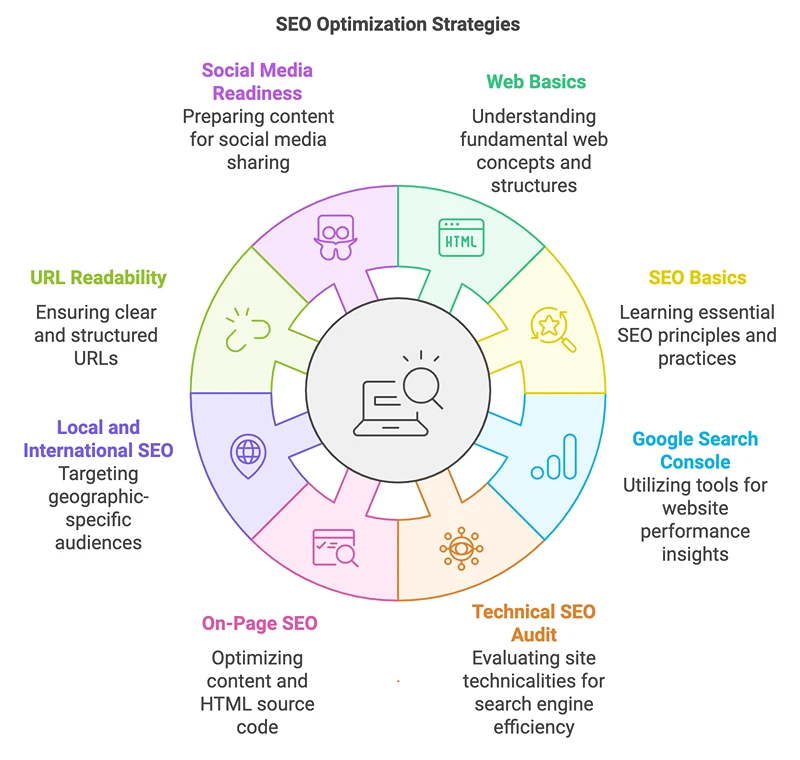
Phase 1: Nail the Basics - Web & SEO Foundation
Before adjusting code or rewriting content, you must verify the foundational elements. If these basics are broken, advanced optimization efforts won't generate results. These are the non-negotiables of web presence.
Is Your Site Secure? Check Your SSL Certificate (HTTPS)
- The Check: Verify your site forces HTTPS on every page. Look for the padlock icon in the browser address bar. Check for "mixed content" warnings in the Chrome DevTools console, which happen when a secure page loads insecure images or scripts.
- Why it Matters: HTTPS encrypts the connection between your server and the user. Google declared this a ranking signal back in 2014, and modern browsers actively warn users away from non-HTTPS sites. Trust is the first step in conversion; a "Not Secure" warning kills credibility instantly.
- How to Fix: Install a valid SSL certificate (often free via Let's Encrypt through your host). Force a site-wide 301 redirect from HTTP to HTTPS. Ensure all internal resources (images, CSS, JS) also load via HTTPS to avoid mixed content errors.
Data Central: Google Analytics & Search Console Setup
- The Check: Confirm that Google Analytics 4 (GA4) and Google Search Console (GSC) are collecting data.
- Why it Matters: You cannot manage what you do not measure.
- GA4 reveals user behavior—bounce rates, conversions, and engagement time.
- GSC reveals search performance—indexing issues, organic click-through rates (CTR), and keyword visibility.
- How to Fix: Create properties for your domain in both tools. Use the "URL Prefix" verification method in GSC for quicker setup, or "Domain" verification for comprehensive sub-domain tracking. Link GSC to GA4 to view organic search queries directly inside your analytics dashboard.
Tell Google What's Important: XML Sitemap & Robots.txt
- The Check: Locate your
sitemap.xmlandrobots.txtfiles. (usually found atdomain.com/sitemap.xmlanddomain.com/robots.txt). - Why it Matters: These files control how search bots navigate your site.
sitemap.xml: A map of URLs you want indexed. It ensures deep pages aren't missed.robots.txt: Directives on where bots should not go (e.g., admin pages, checkout flows).
- How to Fix: Ensure your sitemap generates automatically so it stays current. Submit the URL to Google Search Console. Review your
robots.txtto ensure you aren't accidentally blocking critical resources like CSS or JS files, which Google needs to render your page correctly—our guide on how to set up robots.txt for SEO covers the common directives and pitfalls.
Phase 2: Website Health - Google Search Console Audit
Google Search Console is the only place where Google communicates directly with site owners. Skipping this phase means flying blind. You can read more about why this data is critical in our guide on why SEO audits matter.
Are You Indexed? Check the Indexing & Coverage Report
- The Check: Navigate to the "Pages" (formerly Coverage) report in GSC. Look specifically for "Discovered – currently not indexed" and "Crawled – currently not indexed" status codes.
- Why it Matters: If a page isn't in the index, it doesn't exist to searchers.
- "Discovered – not indexed" often means Google found the URL but skipped crawling it to save server resources (often a sign of low site authority or poor internal linking).
- "Crawled – not indexed" usually indicates the content wasn't valuable enough to store.
- How to Fix: Inspect the specific URLs. For "Crawled" issues, improve content quality and uniqueness—our guide on how to fix "Crawled – currently not indexed" errors breaks down the exact playbook. For "Discovered" issues, improve internal linking to that page (see fixing "Discovered – not indexed" errors). You can try to force a recrawl using the "URL Inspection" tool, but systemic issues require structural fixes.
No Penalties? Check Manual Actions & Security Issues
- The Check: Review the "Manual Actions" and "Security Issues" tabs in the GSC sidebar.
- Why it Matters: A manual action is a penalty applied by a human reviewer at Google, typically for spammy backlinks or deceptive content. A security flag indicates malware or hacking. Both can result in complete de-indexing.
- How to Fix: If you find a manual action, read the specific reason provided. Fix the violation thoroughly—don't look for shortcuts here. Once resolved, submit a "Reconsideration Request" detailing exactly what you fixed.
Phase 3: Technical Audit - Website Structure & Code
Technical SEO is the infrastructure that allows your content to rank. If your site is technically flawed, search engines will struggle to crawl and interpret your pages, regardless of how good your writing is.
Can Google Crawl Your Site? Check Crawlability & Accessibility
- The Check: Analyze the "Crawl stats" report in GSC. Are you seeing a spike in 404 (Not Found) or 5xx (Server Error) codes?
- Why it Matters: Search engines have a limited "crawl budget" for your site. If bots spend their time hitting broken links and server errors, they may leave before indexing your new or updated content.
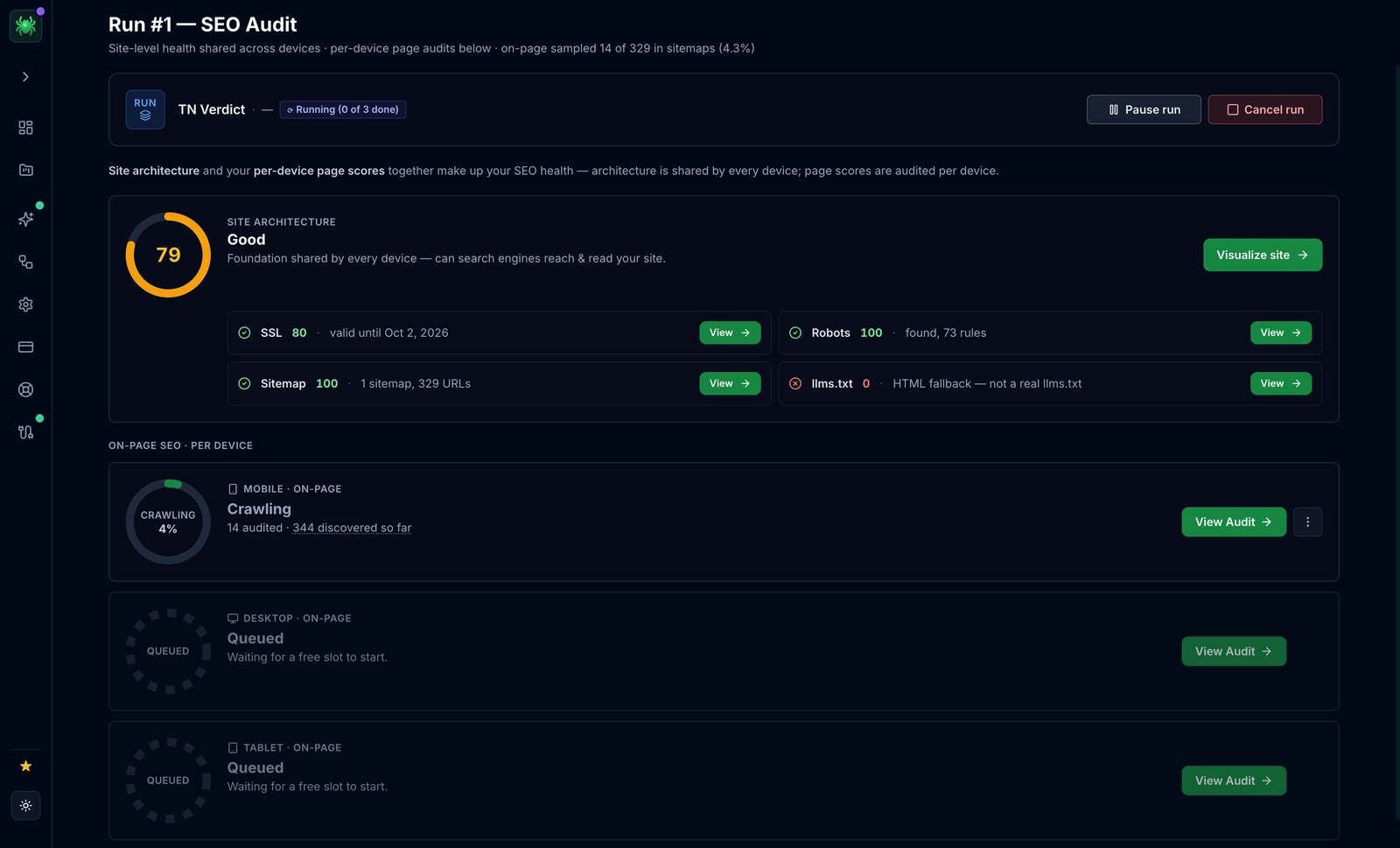
- How to Fix: Run a crawl using a tool like Screaming Frog or Digispot AI’s Site Crawler. Identify 404 links and fix them by updating the link or setting up a 301 redirect. Address 5xx errors immediately with your hosting provider, as these indicate server instability.
Clean URLs: Site Architecture & URL Structure
- The Check: Evaluate your URL syntax. Is it readable by humans?
- Good:
yourstore.com/running-shoes/mens/trail-runner-pro - Bad:
yourstore.com/cat-prod/p.aspx?id=88a1b2
- Good:
- Why it Matters: Logical URLs provide context to users and search engines before the page even loads. They also aid in breadcrumb generation and site structure understanding.
- How to Fix: Enforce a clean, hierarchical structure. Use hyphens (
-) rather than underscores to separate words. Avoid capitalization. If you must change existing URLs, always implement 301 redirects to preserve link equity.
Help Google Understand: Schema Markup (Structured Data)
- The Check: Verify if your site uses Schema.org markup (JSON-LD format).
- Why it Matters: Schema is vocabulary that explains your content to search engines explicitly. It clarifies that a string of numbers is a "phone number" or a "price." It powers Rich Snippets (stars, recipes, event dates), which can significantly boost click-through rates (CTR). Furthermore, structured data is a primary language for AI search engines like Google Gemini and Perplexity.
- How to Fix: Identify relevant schema types for your pages (e.g.,
Article,Product,LocalBusiness,FAQPage). Use the free Schema Markup Generator to create valid code without needing a developer. Validate the code using the Schema Markup Visualizer before deploying.
[Image: Screenshot of a Google search result with a rich snippet showing star ratings and an FAQ dropdown, contrasted with a plain result.]
Phase 4: User Experience - On-Page & Content Audit
On-page SEO tells the search engine exactly what a specific page is about. This phase bridges the gap between technical code and human readability. For a deeper dive, review our on-page SEO best practices.
Get More Clicks: Title Tags & Meta Descriptions
- The Check: Ensure every indexable page has a unique title tag and meta description.
- Why it Matters: The title tag remains one of the strongest ranking signals. The meta description, while not a direct ranking factor, acts as ad copy to drive clicks.
- How to Fix:
- Titles: Keep them under 60 characters (or 580 pixels) to avoid truncation. Front-load your primary keyword.
- Descriptions: Limit to ~155 characters. Include a clear value proposition and a call to action.
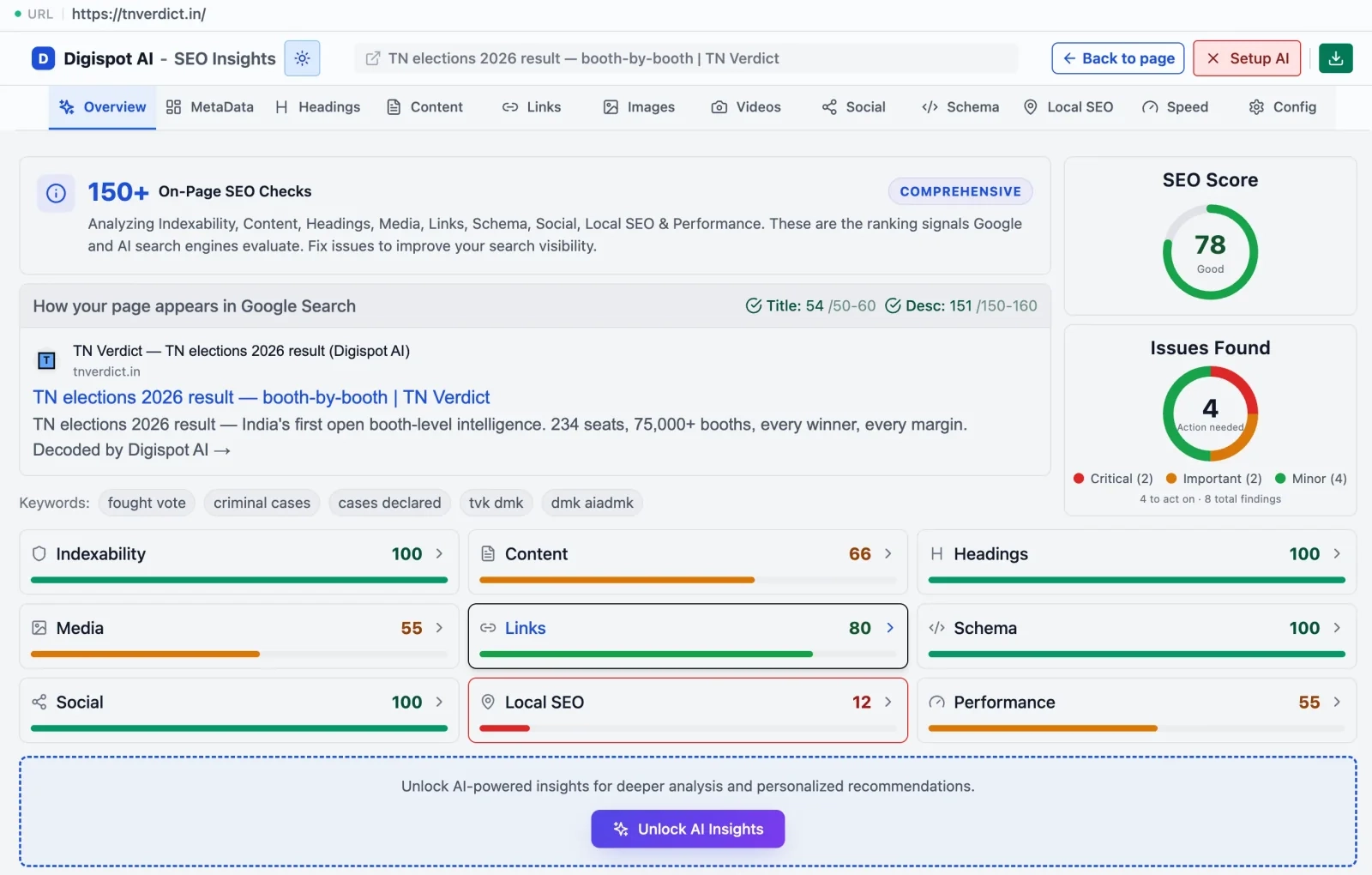
- Tools: Use the free On-Page SEO Analysis tool to instantly check titles and metas for any URL.
Organize Your Content: Heading Structure (H1, H2, H3)
- The Check: Verify strict header hierarchy. One
<h1>per page, followed by logical<h2>and<h3>subsections. - Why it Matters: Headings allow users to scan content. More importantly, they help AI models understand the semantic relationship between topics. A disorganized header structure confuses bots about the main focus of the page.
- How to Fix: Your H1 should closely match the page title and include the main keyword. Use H2s for main sections and H3s for supporting points. Avoid using headers just for styling (like making font big); use CSS for that instead.
Optimize Visuals: Image Optimization
- The Check: Are images served in modern formats (WebP)? Do they have descriptive alt text?
- Why it Matters: Unoptimized images are the #1 cause of slow loading speeds. Alt text is legally required for accessibility (screen readers) and provides context to search engines for Google Images ranking.
- How to Fix:
- Compress: Aim for file sizes under 100KB where possible.
- Format: Serve images in WebP or AVIF formats rather than heavy PNGs. Our walkthrough on image compression for better SEO speed covers batch workflows and quality trade-offs.
- Alt Text: Be descriptive but concise. Instead of
image1.jpg, useblue-suede-running-shoe-side-view.
Strategic Internal Linking
- The Check: Do your high-priority pages have incoming links from other relevant pages on your site?
- Why it Matters: Internal links distribute "link equity" (authority) throughout your site. They also help crawlers discover new content. Orphan pages (pages with zero internal links) are rarely indexed.
- How to Fix: Audit your top-performing blog posts. Add 3-5 links in those posts pointing to your product pages or other relevant articles. Use descriptive anchor text (e.g., "download our SEO checklist") rather than generic text ("click here"). Learn more about internal linking strategies.
Phase 5: Dominate Your Niche - Local & International SEO
Context is key. If you serve a specific geographic area or multiple countries, general SEO isn't enough. You need specific signals to prove relevance to those users.
For Local Businesses:
- The Check: Audit your Google Business Profile (GBP). Is the NAP (Name, Address, Phone) identical to what is on your website footer?
- Why it Matters: Local algorithm relies heavily on consistency. If your website says "Suite B" but Google Maps says "#B", it dilutes trust.
- How to Fix: Complete every field in GBP. Upload real photos of your office or team (stock photos hurt conversion). Generate steady reviews and respond to them. Embed a Google Map on your "Contact Us" page. See our E-E-A-T guide for more on building local trust.
For International Businesses:
- The Check: Inspect your implementation of
hreflangtags. Confirm each language/region variant declares a self-referencing tag, uses valid ISO codes (e.g.,en-gb,en-us,es-mx), and includes anx-defaultfallback for users who match no specific target. - Why it Matters: If you have an English site for the UK and another for the US, Google views them as duplicate content unless
hreflangtags explicitly distinguish them. Incorrect tags can send US shoppers to a UK page with the wrong currency and stock, hurting conversions even when rankings look fine. - How to Fix: Implementation is technical and prone to errors. Ensure that if Page A points to Page B as an alternate, Page B points back to Page A. Without this "return tag," the signal is ignored. Place tags in the HTML
<head>, an XML sitemap, or HTTP headers—but pick one method and apply it consistently to avoid conflicting signals. Use the GSC International Targeting report (or a crawler) to catch missing return tags and invalid codes, and see our hreflang guide for international SEO for the full implementation walkthrough.
Phase 6: Maximize Impact - Performance & Shareability
A fast site retains users. A shareable site gains free traffic. This phase optimizes for the user's environment.
Improve User Experience: Core Web Vitals (CWV)
- The Check: Measure your Core Web Vitals using the report in GSC or PageSpeed Insights.
- Why it Matters: CWV became a ranking factor because they quantify user frustration.
- Largest Contentful Paint (LCP): How fast the main content loads. (Target: < 2.5s)
- Interaction to Next Paint (INP): Responsiveness to clicks. (Target: < 200ms)
- Cumulative Layout Shift (CLS): Does the page jump around while loading? (Target: < 0.1)
- How to Fix:
- LCP: Upgrade hosting or implement caching. Optimize large hero images.
- INP: Minimize heavy JavaScript execution on the main thread.
- CLS: Set explicit width and height attributes for all images and video embeds.
- For a field-by-field remediation plan, see our deep dive on how to optimize Core Web Vitals for SEO.
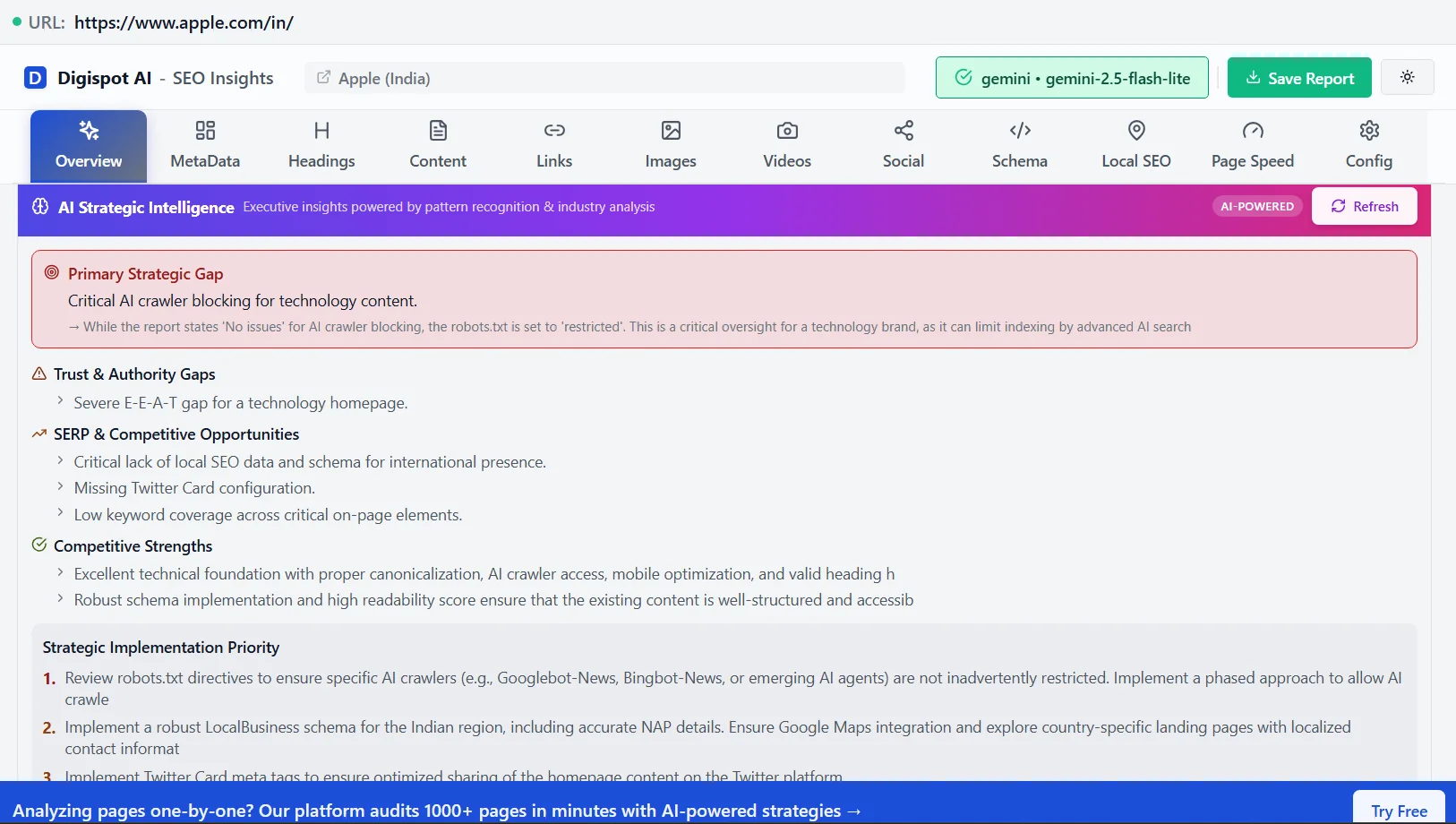
- Tool: Get instant SEO insights on any page with our free Chrome extension.
[Image: Screenshot of a PageSpeed Insights report showing good scores for LCP, CLS, and FID in green.]
Get More Shares: Social Media Share Readiness
- The Check: Paste your URL into a Slack channel or social media drafter. Does a compelling image and title appear? Confirm the preview renders correctly across platforms, since Facebook/LinkedIn read Open Graph tags while X reads Twitter Card tags.
- Why it Matters: Social traffic is a key diversification channel. If your link looks broken or boring (no image), click-through rates plummet. A missing or oversized share image is one of the most common—and most invisible—reasons otherwise strong content fails to travel.
- How to Fix: Implement Open Graph (OG) tags for Facebook/LinkedIn and Twitter Cards for X. At minimum, set
og:title,og:description,og:image, andog:url, plustwitter:cardset tosummary_large_image. Size your share image at 1200×630 pixels so it isn't cropped awkwardly, and keep it under a couple hundred kilobytes so it loads before the platform's scraper times out. After updating tags, re-scrape the URL in each platform's debugger (Facebook Sharing Debugger, LinkedIn Post Inspector, X Card Validator) to clear the cached old preview.- Tool: Verify how your links look before sharing with the Free Social Meta Preview.
Optimize for Answer Engines (AEO)
- The Check: Does your content directly answer who, what, where, and how questions immediately?
- Why it Matters: AI platforms like ChatGPT, Claude, and Google's AI Overviews prioritize direct, factual answers.
- How to Fix: Include a "Key Takeaways" section at the top of long articles. Use list formats for instructions. Ensure your content is factual and cites sources, which builds the trust required for AI citations.
Optimize Your Site for AI Crawlers Today
This SEO audit checklist is your manual for diagnosing visibility issues. By systematically working through these six phases, you repair the cracks in your foundation and build a site capable of ranking in 2026.
However, the reality of modern SEO is that manually checking hundreds of data points for every page is impossible to scale.
Digispot AI transforms this workflow by:
- Performing an AI-powered analysis across 300+ ranking factors in minutes.
- providing a prioritized action plan so you know exactly what to fix first.
- Automating routine checks like schema validation and broken link monitoring.
- Offering competitive intelligence to see exactly why your rivals are outranking you.
Don't let technical debt hold your business back.
Ready to improve your search visibility? Try Digispot AI for comprehensive website audits and actionable recommendations.
Related deep-dives
Continue with these closely related guides:
- seo site migration — SEO Site Migration Checklist: The Ultimate 2026 Guide
- microsoft bing seo — Microsoft Bing SEO: Ranking Factors & Optimization
- next.js seo — Next.js SEO: Complete Optimization Guide for React
- amp seo — AMP SEO: Mobile Pages & Search Rankings Guide
- to do seo — How to Do an SEO Audit: Check Your Website SEO in 7 Steps
- 401 vs 403 errors — 401 vs 403 Errors: SEO Impact & How to Fix Them
References
Audit any page in seconds
300+ SEO checks including Core Web Vitals, schema markup, meta tags, and AI readiness — trusted by 1000+ SEO experts and marketers.
Frequently Asked Questions
Here are some of our most commonly asked questions. If you need more help, feel free to reach out to us.
Written by
Maya Krishnan
Digital growth expert
Maya is a seasoned expert in web development, SEO, and digital strategy, dedicated to helping businesses achieve sustainable growth online. With a blend of technical expertise and strategic insight, she specializes in creating optimized web solutions, enhancing user experiences, and driving data-driven results. A trusted voice in the industry, Maya simplifies complex digital concepts through her writing, empowering readers with actionable strategies to thrive in the ever-evolving digital landscape.