Internal Linking SEO: Distribute Link Equity Right
Build a powerful internal linking strategy for SEO. Learn to distribute link equity, improve crawlability, boost page authority, and enhance user navigation.
 Maya Krishnan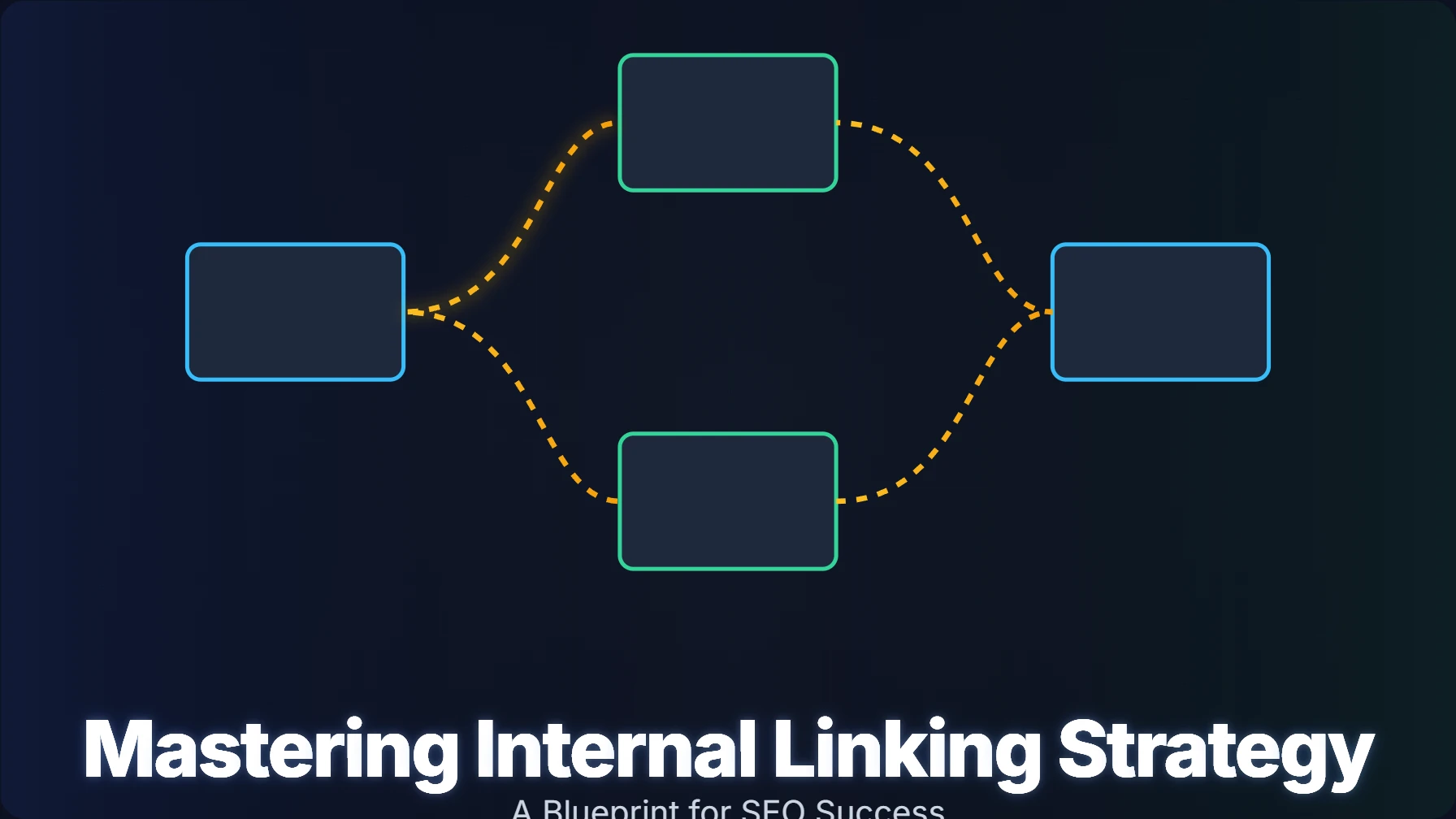
External backlinks usually get all the glory in search engine optimization discussions. It makes sense—earning high-quality links from authoritative domains is difficult. However, there is a silent, powerful force working behind the scenes that you have 100% control over: internal linking.
A smart internal linking strategy is the backbone of a well-structured website. It is the roadmap that guides visitors and search engine bots through your digital ecosystem. Unlike external link building, which relies on third parties, internal linking allows you to dictate exactly how authority flows through your site. It ensures no valuable content goes unnoticed and that your most profitable pages get the ranking boost they deserve.
This guide explores the mechanics of internal linking. You will learn its impact on visibility, user experience, and overall SEO health. We’ll explore what internal linking is, why it’s indispensable, and how to craft a robust strategy that drives real results. We will also touch upon how advanced platforms, like Digispot AI, can help you detect issues, visualize your site's structure, and streamline your efforts.
Internal Linking Explained: What Is It?
An internal link is a hyperlink on one page of your website that points to another page on the same domain. Think of your website as a building; internal links are the hallways, doors, and elevators connecting the rooms. Without them, you have isolated rooms that no one can find.
Unlike external links, which act as "votes of confidence" from other sites, internal links serve three primary functions for Google and users:
- Navigation: They allow users to move through your site to find information.
- Hierarchy: They establish which pages are most important (e.g., the homepage links to main categories).
- Authority Distribution: They spread "link equity" (often called link juice) from high-authority pages to deeper content.
These links come in various forms, each serving a specific purpose in your site architecture:
- Navigational Links: These reside in your main menu, sidebar, or footer. They are structural and help users orient themselves.
- Contextual Links: Embedded directly in your paragraphs, these point to relevant articles, products, or services. These are arguably the most critical for SEO because the surrounding text provides context to Google.
- Image Links: Images can serve as navigation, especially with optimized alt text acting as the anchor.
- Call-to-Action (CTA) Links: Buttons or text links encouraging users to take a specific action, like "Contact Us" or "Download Guide."
Understanding these distinctions is the first step to harnessing their power. They are fundamental for a cohesive web presence and form the basis of effective on-page SEO best practices.
Why Internal Linking Matters: The SEO Benefits
Strategic internal links offer compounding benefits. They improve technical SEO performance while simultaneously enhancing the user experience. While you might spend months trying to get free quality backlinks from other sites, you can see immediate improvements by optimizing your own link structure.
Try Digispot AI to audit your website's SEO and visualize your current link structure instantly.
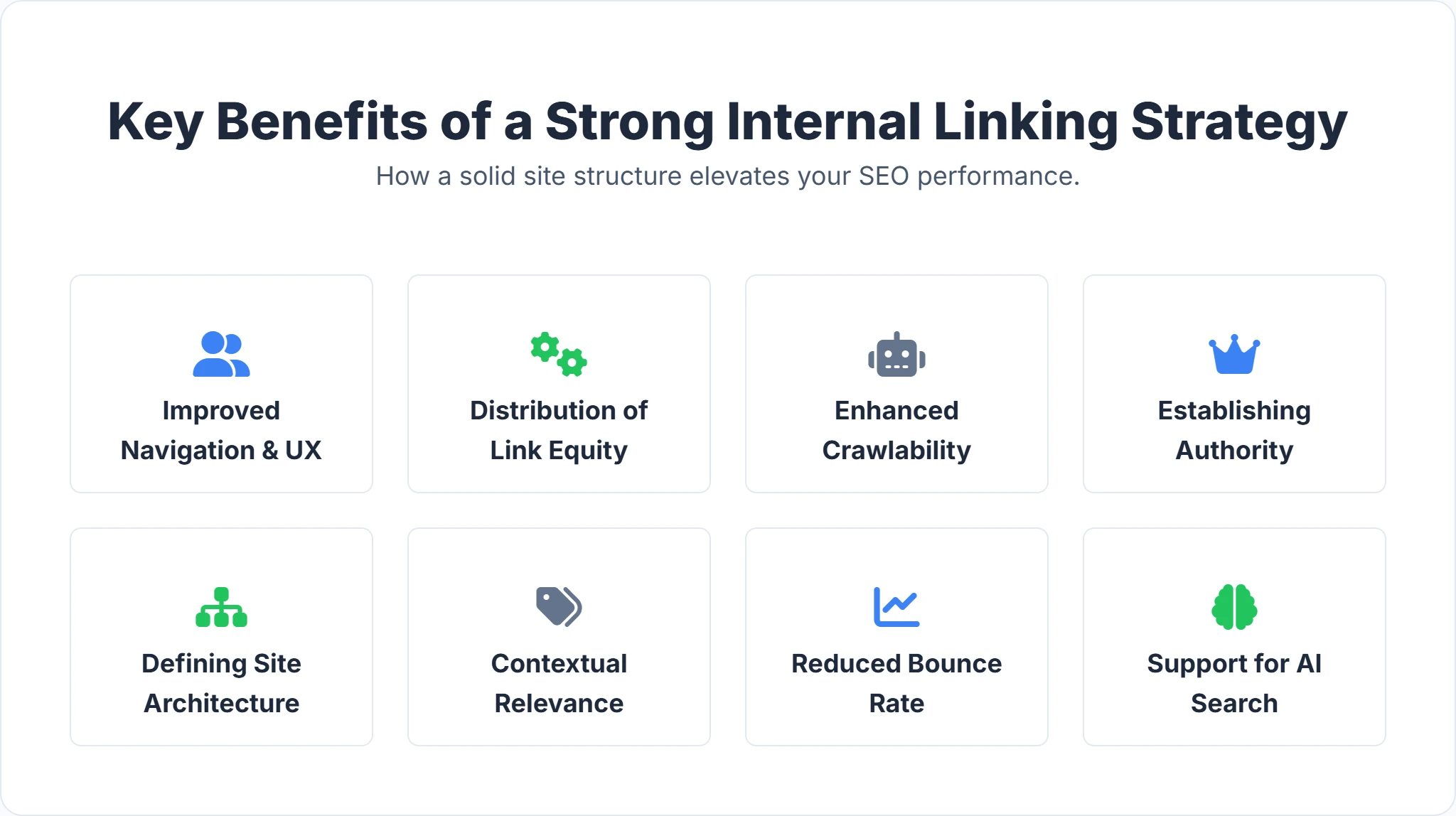
1. Improved Crawlability and Indexation
Search engines like Google use bots (spiders) to crawl the web. These bots follow links to discover new content. If a page has no internal links pointing to it, the bot may never find it. By linking your pages effectively, you create a clear path for crawlers to index your entire site efficiently. This is vital for managing your crawl budget—the number of pages Googlebot is willing to crawl on your site.
2. Distributing Link Equity (PageRank)
Not all pages are created equal. Your homepage usually has the highest authority because most external backlinks point there. Internal links act as conduits, passing this authority to deeper pages. By linking from a high-authority page to a new blog post, you pass a portion of that "ranking power" to the new content, helping it rank faster. This maximizes the value of your efforts to improve your backlink profile.
3. Enhancing User Experience (UX)
SEO isn't just about bots; it's about humans. Internal links help users find related content, keeping them on your site longer. This reduces bounce rates and increases page views per session—signals that Google interprets as high user engagement. If a user is reading about "SEO Basics," a link to "Advanced Keyword Research" is a natural next step in their journey.
Creating Your Strategy: A Step-by-Step Internal Linking Guide
A powerful internal linking strategy needs careful planning and consistent execution. Randomly adding links wherever a keyword appears is not a strategy; it's a mess. Here’s a detailed approach to building a logical, high-performance internal link profile.
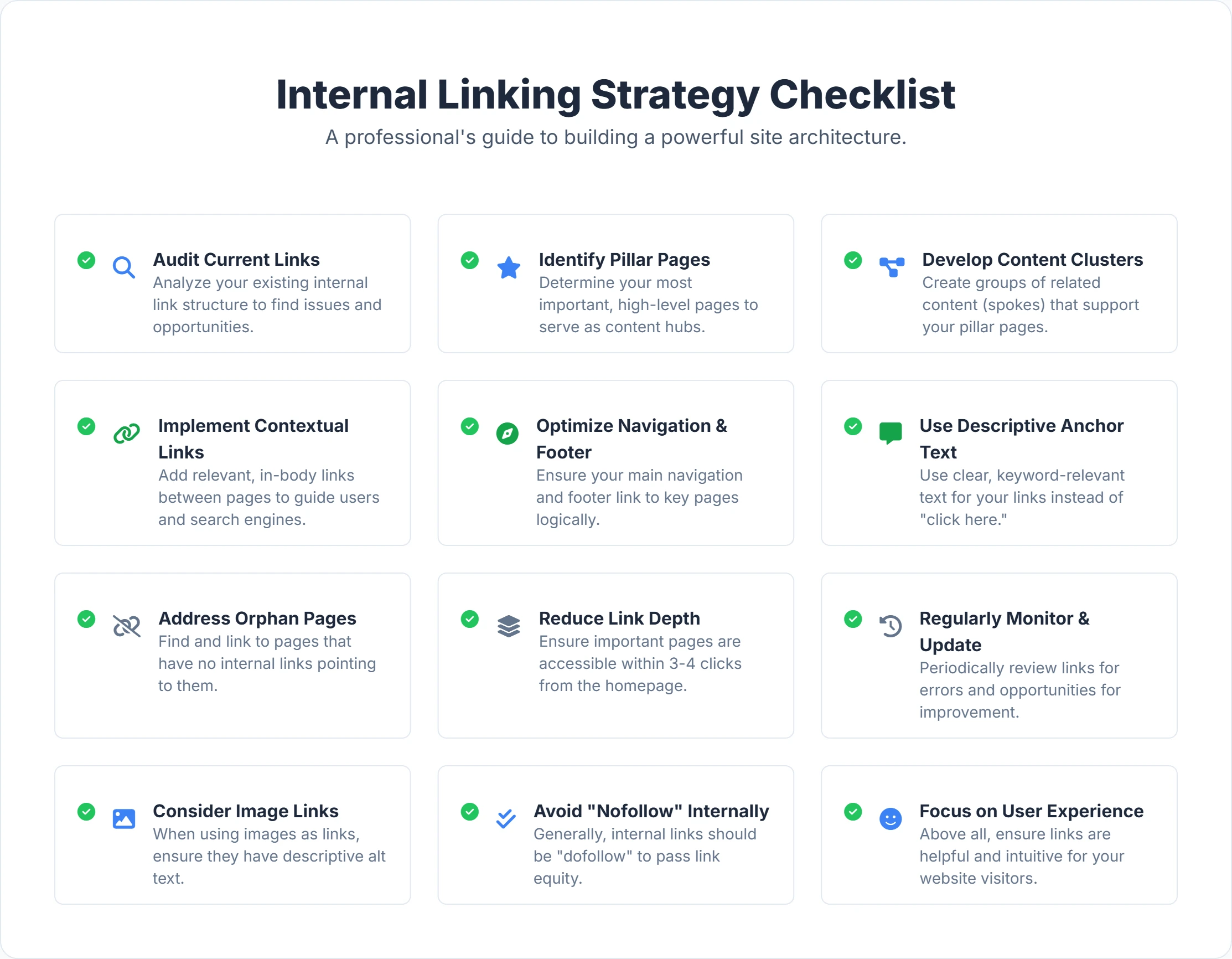
1. Audit Your Site: Find Internal Linking Issues
Before adding new links, you must understand your existing landscape. You cannot build a skyscraper on a broken foundation.
What to look for:
- Orphaned Pages: Pages with zero internal links. These are essentially invisible to search engines unless they are in your XML sitemap, and even then, they are de-prioritized.
- Broken Links (404s): Internal links that lead to a "page not found" error. These frustrate users and waste crawl budget.
- Click Depth Issues: Pages buried too deep. Important content should be reachable within 3 clicks of the homepage.
- Suboptimal Anchor Text: Generic text like "click here" misses a massive opportunity to tell Google what the target page is about.
How to audit: Manual checks are tedious and prone to error for any site with more than 20 pages. Platforms like Digispot AI can audit your website in both mobile and desktop modes. It quickly identifies issues like orphaned pages and broken links. The platform analyzes over 200 ranking factors, giving you a clear picture of your site's current state. For a complete list of what to look for, refer to our SEO audit checklist for 2026.
2. Define Core Pages: Focus on Pillar Content
What are they? Your pillar pages are your most comprehensive and authoritative content on a broad topic. Core pages are often your main service pages or key informational articles that target high-volume keywords.
How to use them: Pillar pages should sit at the top of your content hierarchy (below the homepage). They should link out to specific "cluster" pages, and those cluster pages should link back to the pillar.
- The Hub and Spoke Model: Imagine a bicycle wheel. The hub is your pillar page (e.g., "The Ultimate Guide to Digital Marketing"). The spokes are links connecting to cluster pages (e.g., "Email Marketing," "Social Media Ads," "SEO Basics").
- Implementation: Ensure the pillar page is linked from the main navigation or the homepage. Then, ensure every supporting article links back to this hub. This concentrates topical authority and signals to Google that you are an expert on the broader subject.
3. Contextual Linking: Boost Relevance
Contextual links are the most powerful type of internal link because they are surrounded by relevant text.
How to execute effectively:
- Relevance is King: Only link if it makes sense for the user. If you are writing about "dog food," linking to "cat toys" might be jarring unless you are comparing pet costs.
- Anchor Text Strategy: Use descriptive, natural anchor text.
- Bad: "Click here to read about SEO."
- Good: "Learn more about [strategic SEO implementation]."
- Avoid: Forcing the exact same keyword every time. Variation looks more natural to Google's algorithms.
- Placement Matters: Links placed higher up in the content body tend to pass more value and get more clicks than links buried at the bottom of the page.
4. Optimize Navigation: Guide Users and Bots
Don't neglect your primary navigation (header and footer). These are site-wide links that signal high importance.
- Main Navigation: Keep it clean. Only include your most critical category or service pages. Avoid cluttering it with low-value pages like "Privacy Policy" (save that for the footer).
- Breadcrumbs: Implement breadcrumb navigation (e.g., Home > Services > SEO > Audit). This schema-friendly feature automatically generates internal links and helps users understand where they are.
- Footer Links: Your footer is a safety net. It’s the place for necessary utility links, but also a good spot to link to your main HTML sitemap or top-level service categories.
5. Fix Orphan Pages: Improve Discoverability
What is an orphan page? These are pages that exist on your server but have no internal links pointing to them. Search engines often de-index these pages because they assume if you didn't link to them, they aren't important.
How to fix it:
- Identify: Use your audit results to list all orphan URLs. Digispot AI's auditing capabilities can specifically help you detect these isolated pages in seconds.
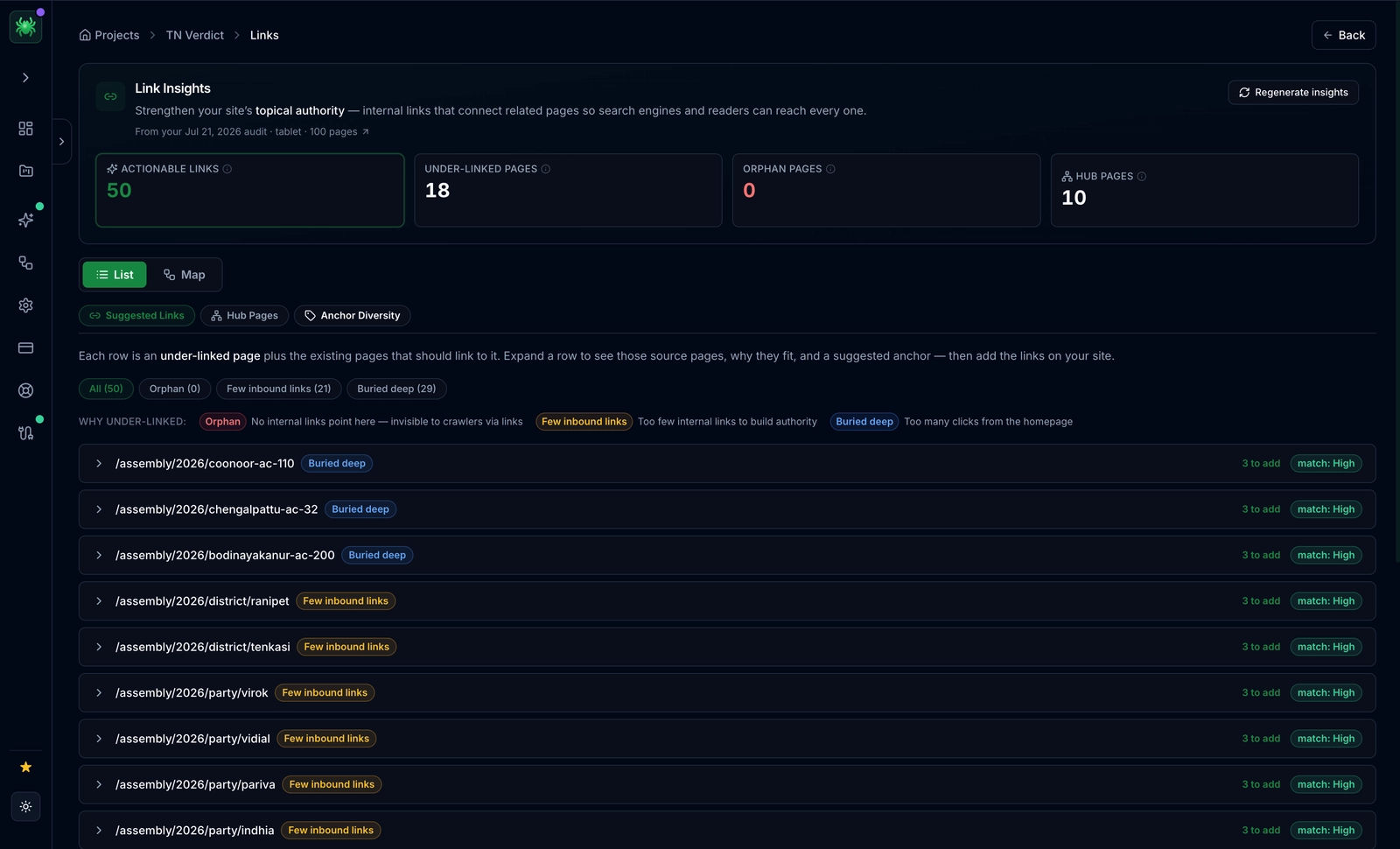
- Evaluate: Is the page valuable? If yes, find relevant existing content and add a link to the orphan page. If no (e.g., an old event page), delete it or 301 redirect it to a relevant active page.
- Link Depth: Keep high-priority content shallow. If a user has to click 5 times to find your pricing page, you have a structure problem.
6. Monitor Regularly: Keep Links Fresh
The web is dynamic. Pages get moved, deleted, or updated. An internal linking strategy requires ongoing maintenance.
What to monitor:
- New Content: Every time you publish a new blog post, do a "link sweep." Search your site for older articles that mention the new post's topic and add links to the new post.
- Broken Links: Link rot happens. Regularly check for 404 errors. Broken internal links are a "dead end" for Googlebot and frustrate users.
- Performance: Track how changes to your internal linking impact page rankings. Are the pages you linked to gaining more traffic?
How to track: Platforms that integrate with Google Search Console (GSC) and Google Analytics (GA) are invaluable. Digispot AI, for example, integrates with both. This helps you understand which internal links are actually driving traffic and engagement.
Advanced Tactics: Supercharge Your Internal Linking
Once you have the basics down, consider these advanced techniques to give your site a competitive edge.
Schema Markup: Add Context for AI
What it is: Schema markup is code (vocabulary) that helps search engines understand your content entities and relationships explicitly.
How it helps: While not a "link" in the visual sense, structured data like BreadcrumbList or ItemList reinforces your site structure to search engines. It clarifies the hierarchy that your internal links are trying to establish. This is crucial for modern AI search engines that rely on semantic understanding.
Digispot AI's role: The Digispot AI platform and its free community Chrome extension offer robust support for schema markup detection and visualization, ensuring your technical foundation supports your linking strategy.

Content Hubs: Build Topical Authority
Formalize content hubs to boost authority. This goes beyond simple linking; it's about content architecture.
How it works:
- Identify a broad topic (e.g., "Remote Work Tools").
- Create a "Power Page" (Pillar) that covers the topic broadly.
- Write 10-20 supporting articles on specific long-tail keywords (e.g., "Best Zoom Alternatives," "Slack vs. Teams").
- The Golden Rule: Every supporting article must link to the Pillar. The Pillar must link to every supporting article. Supporting articles should link to each other where relevant.
Related Posts: Encourage Exploration
Many CMS platforms offer "Related Posts" plugins. While convenient, automated plugins often rely on simple tag matching, which can be inaccurate.
How to use it effectively:
- Curate Manually: If possible, manually select related posts to ensure high relevance.
- Contextual is Better: A link inside the paragraph usually outperforms a "Related Post" link at the very bottom of the page, as users often stop reading before the footer.
Sitemaps: Aid Crawlability
Sitemaps are essentially a list of internal links designed for robots and humans.
- XML Sitemaps: Submit these to Google Search Console. They list every URL you want indexed.
- HTML Sitemaps: These are user-facing pages listing your site's major sections. For very large sites (10k+ pages), HTML sitemaps are excellent for ensuring crawlers can find deep content within a few hops.
Avoid These Mistakes: Common Internal Linking Pitfalls
Even experienced SEOs make mistakes. Avoid these common traps to ensure your strategy remains effective. You can find a broader list of errors in our guide to common SEO mistakes.
- Broken Links: Leaving links that point to 404 pages. This is a quality signal that your site is neglected.
- Generic Anchor Text: Using "click here" or "read more." This tells Google nothing about the destination page.
- Too Many Links: Flooding a page with 100+ links. This dilutes the value (link equity) passed to each individual link and overwhelms the user.
- No-Following Internal Links: Generally, you should never add
rel="nofollow"to internal links. You want authority to flow freely. Only use nofollow for untrusted user-generated content or paid links. - Orphaned Content: Publishing new articles without linking to them from existing pages.
- Irrelevant Links: Forcing links where they don't belong just to increase link count.
- Ignoring Mobile Usability: Ensure your internal links are clickable on mobile devices. If links are too close together, users might click the wrong one. This affects your Core Web Vitals scores, specifically regarding visual stability and interactivity. Digispot AI's mobile auditing capabilities can highlight such usability issues.
Digispot AI: Your SEO and Internal Linking Partner
Internal linking can be daunting, especially for large websites with thousands of pages. Manually tracking which page links to which is impossible at scale. Advanced AI SEO platforms like Digispot AI become indispensable. Designed to help business websites rank better in Google and other AI search engines, Digispot AI brings all SEO best practices into an automated and user-friendly model.
How Digispot AI empowers your internal linking strategy:
- Comprehensive Website Audits: Digispot AI analyzes over 200 ranking factors to specifically identify internal linking weaknesses, such as high click depth or orphan pages.
- Issue Detection and Resolution: The platform helps you proactively address problems that hinder crawlability and user experience before they impact your rankings.
- Seamless Integration with Google Search Console and Google Analytics: Digispot AI integrates directly with GSC and GA, giving you a holistic view of how your link structure correlates with traffic and conversions.
- Opportunity Finder and Content Studio: Digispot AI's opportunity finder helps you spot content gaps where new cluster content is needed, while its content studio assists in generating SEO-optimized content to fill those gaps.
- Schema Markup Detection and Visualization: Digispot AI offers capabilities for schema markup detection and visualization, ensuring your structured data aligns with your visual link structure.
The Free Digispot AI Chrome Extension: Instant Insights
The free Digispot AI community Chrome extension allows you to audit any website page directly within your browser. It’s an invaluable tool for:
- Real-time Page Audits: Get immediate insights into a page's SEO health while browsing your own site (or a competitor's).
- Schema Markup Audit: Instantly visualize the structured data on a page to ensure your breadcrumbs and article schemas are firing correctly.
- Quick Issue Spotting: Identify potential internal linking opportunities or broken links on the fly.
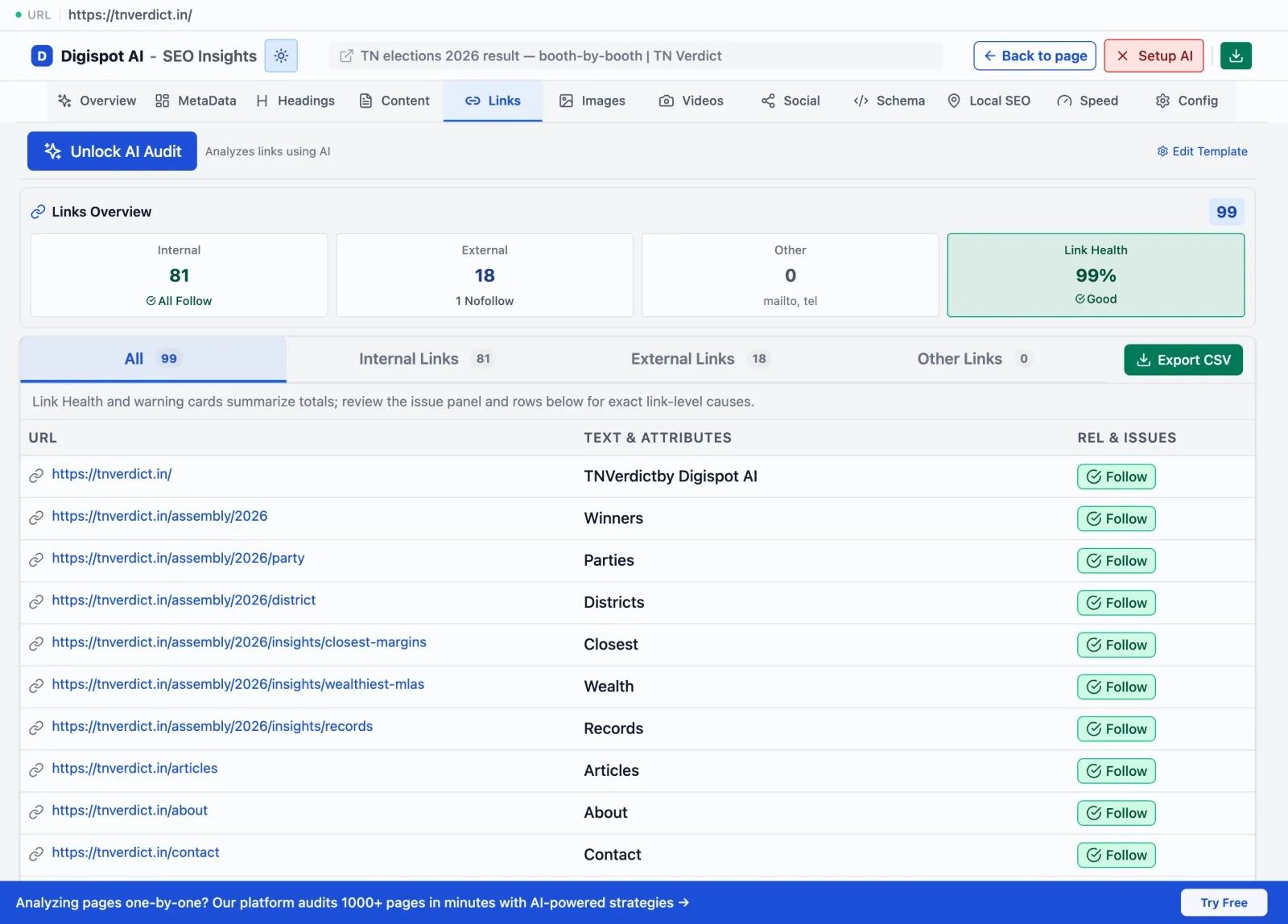
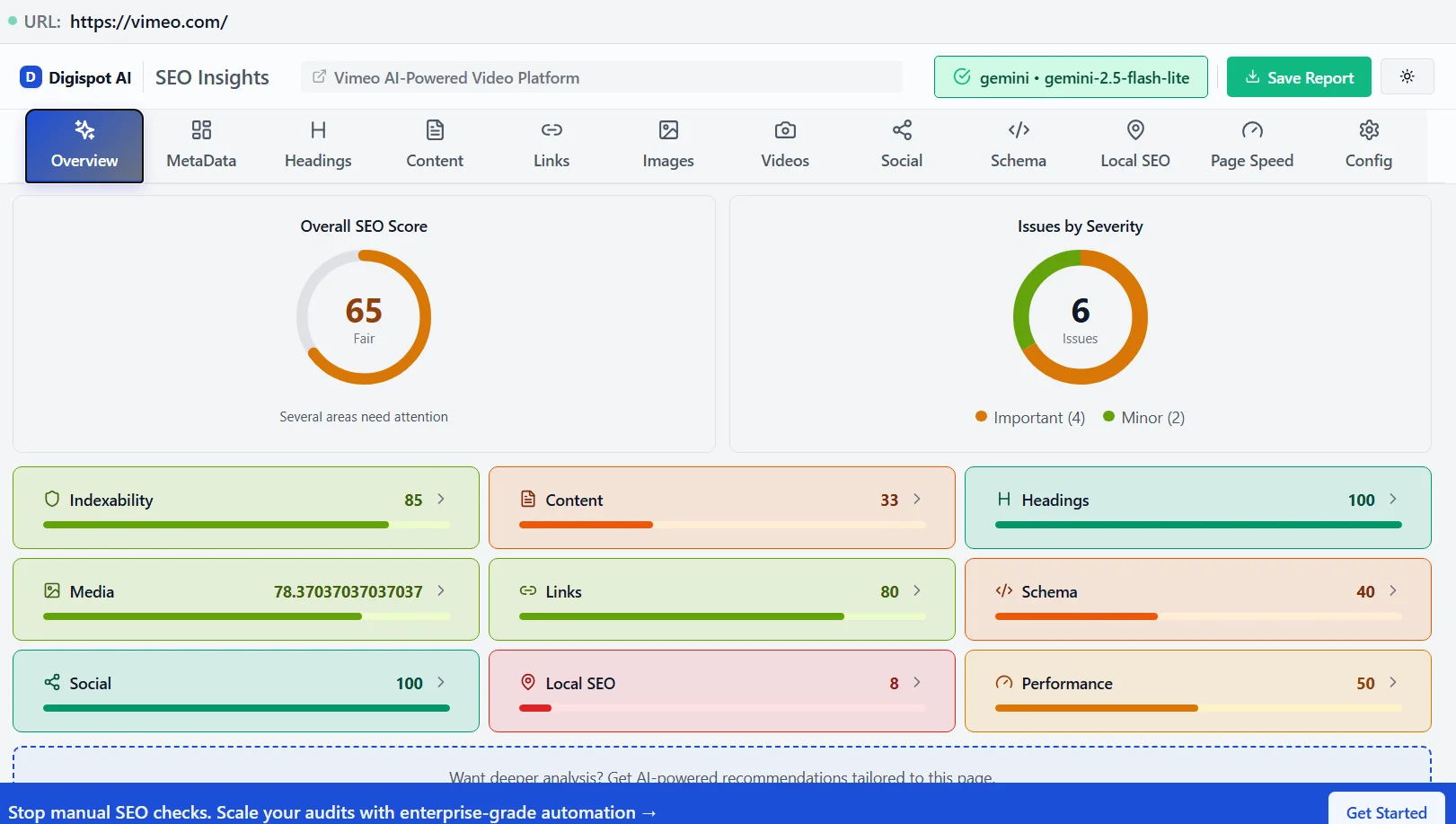
By leveraging Digispot AI and its Chrome extension, businesses can automate the heavy lifting of SEO. Ready to improve your SEO? Try Digispot AI for comprehensive website audits and actionable recommendations. Get instant insights with our free Chrome extension.
Master Internal Linking for SEO Success
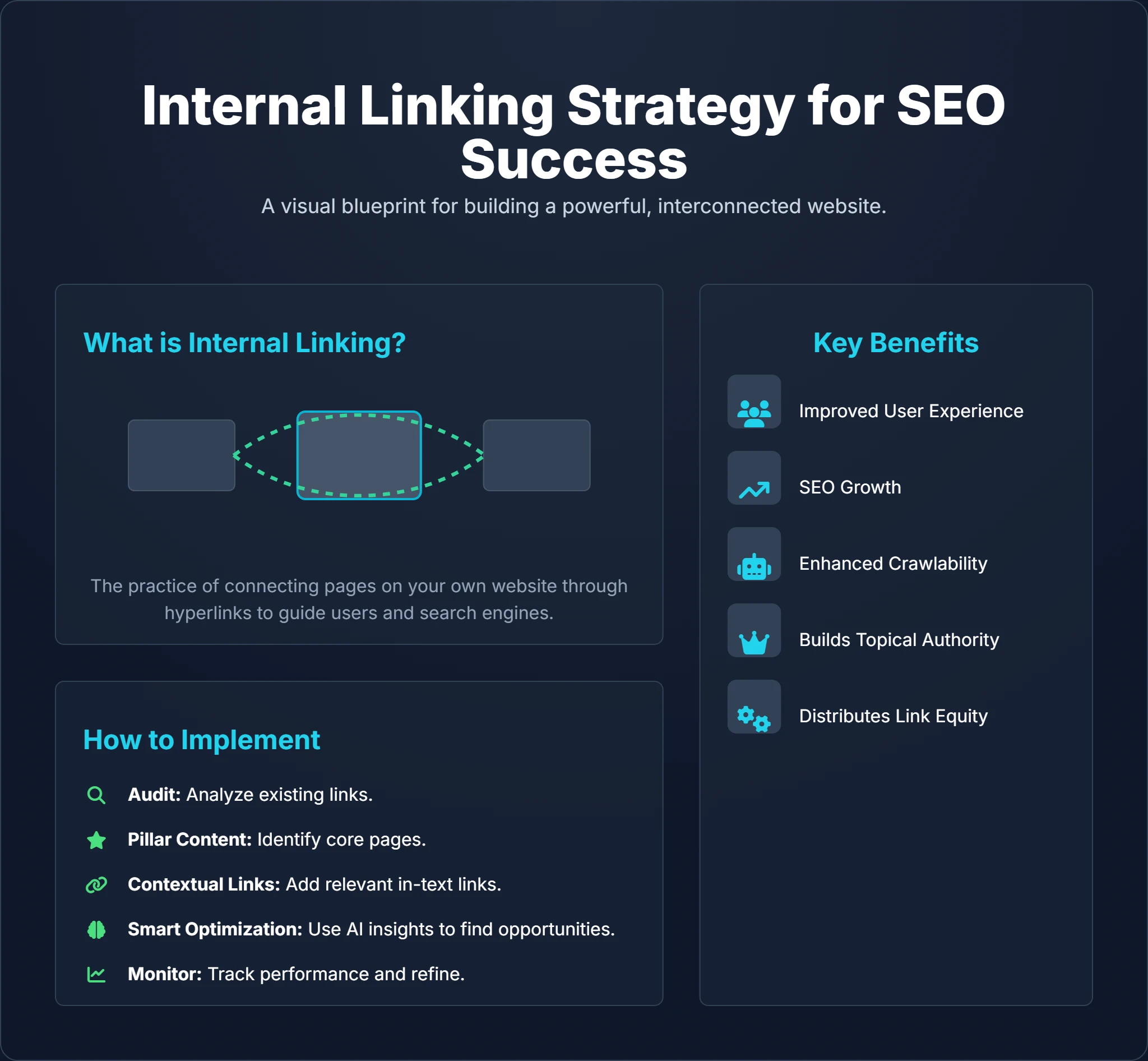
Internal linking is a strategic art form that elevates your website's performance. By effectively connecting your content, you guide users through a meaningful journey, empower search engine crawlers to index your site thoroughly, and establish your domain as a topical authority.
Embrace a well-architected internal link strategy. Regularly audit your site to fix broken paths, use descriptive anchor text to provide context, and build content clusters that demonstrate expertise. With consistent effort and intelligent AI SEO platforms like Digispot AI, you can transform your website from a loose collection of pages into a powerful, ranking machine. Start linking smarter today and watch your online visibility soar!
Related deep-dives
Continue with these closely related guides:
- toxic backlinks removal & — Toxic Backlinks Removal & Disavow: The Complete Recovery Guide (2026)
- api documentation seo — API Documentation SEO: Developer Docs Guide
- competitor seo analysis — Competitor SEO Analysis: Winning Strategies
- mobile app seo — Mobile App SEO: App Store & Search Optimization
- keyword clustering seo — Master Keyword Clustering SEO Strategy: Dominate Search in 2026
- duckduckgo seo — DuckDuckGo SEO: How to Optimize for Privacy-Focused Search
References
- Crawl Budget Management For Large Sites | Google Search Central
- Google Search Console
- Robots.txt Introduction and Guide | Google Search Central
- Improve your page speed and crawl efficiency | Google Search Central
- Digispot AI - FREE On Page SEO Audit Tool
- Digispot AI - FREE Chrome Extension for SEO Insights
- Understand internal links in your site structure - Google Search Central
- What is structured data? | Google Search Central
Audit any page in seconds
300+ SEO checks including Core Web Vitals, schema markup, meta tags, and AI readiness — trusted by 1000+ SEO experts and marketers.
Frequently Asked Questions
Here are some of our most commonly asked questions. If you need more help, feel free to reach out to us.
Written by
Maya Krishnan
Digital growth expert
Maya is a seasoned expert in web development, SEO, and digital strategy, dedicated to helping businesses achieve sustainable growth online. With a blend of technical expertise and strategic insight, she specializes in creating optimized web solutions, enhancing user experiences, and driving data-driven results. A trusted voice in the industry, Maya simplifies complex digital concepts through her writing, empowering readers with actionable strategies to thrive in the ever-evolving digital landscape.