Category Page SEO: How to Optimize High-Intent Pages
Master category page SEO for e-commerce. Learn content structure, internal linking, and UX strategies to boost rankings.
 Maya Krishnan
Businesses fight fiercely for attention in search results. Simply publishing a website is not enough. To thrive, you must guide your audience straight to the products or solutions they need without friction. This is where Category Page Optimization becomes the engine of your SEO strategy, acting as the primary bridge between search intent and conversion.
This guide breaks down exactly how to optimize category pages to capture high-intent traffic. We will cover technical architecture, content strategies, and user experience signals that search engines prioritize. With the right approach—and perhaps the support of advanced AI platforms—you can turn these pages into your site's most powerful assets.
Key Takeaways
- Target broad, commercial intent. Category pages should rank for head and mid-tail terms (like "wireless headphones"), not the specific model queries you reserve for product pages—optimize for search intent that the SERP actually rewards.
- Add unique text, split top and bottom. Place 50-100 words above the product grid and detailed buying guides or FAQs below it, so you satisfy both users and crawlers without burying products.
- Tame faceted navigation. Filters and sort parameters spawn duplicate URLs that waste crawl budget; control them with canonical tags and parameter handling.
- Ship technically clean templates. Fix one category template—titles, headers, schema, pagination, mobile touch targets—and you improve thousands of products at once.
- Distribute link equity down. Use contextual internal links and breadcrumbs so authority flows from category hubs to the products and sub-categories below them.
What is Category Page Optimization?
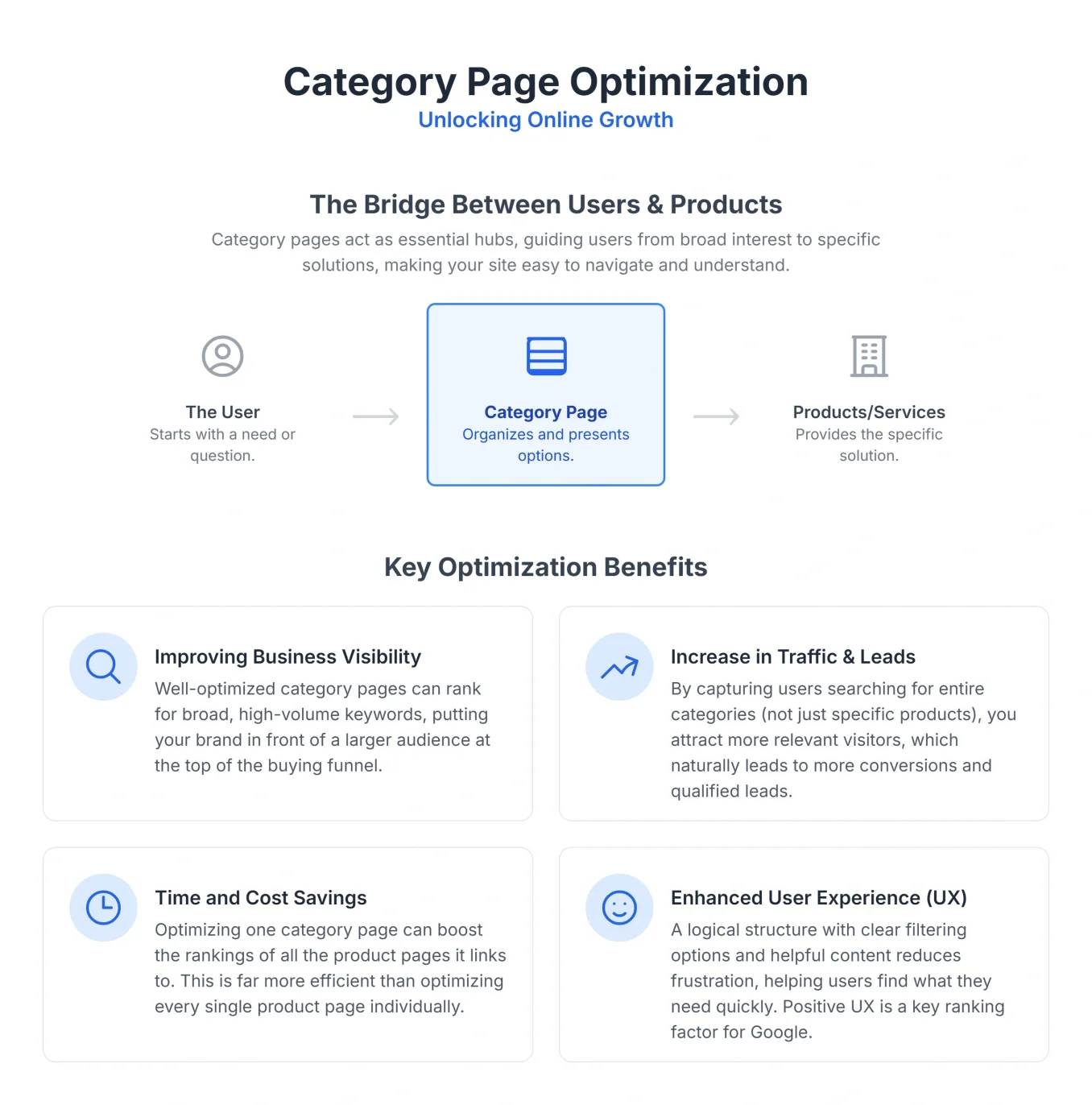
A category page is an organized hub that groups similar products, services, or content. On an e-commerce site, this might be the "Running Shoes" or "Wireless Headphones" section. On a service site, it could group "Digital Marketing Services."
Category Page Optimization is the strategic process of refining these hubs to rank for broad, high-volume search terms while providing a seamless user experience. Unlike product pages which target specific models, category pages target the research phase of the buyer's journey.
It involves a sophisticated blend of technical configuration, semantic content enrichment, and UX design. The goal is to prove to Google (and AI engines like Perplexity or ChatGPT) that your page is the most authoritative collection of items for that specific topic.
Why Category Pages Matter for Rankings
- Topical Authority: They demonstrate breadth and depth of inventory, signaling authority to search algorithms.
- Keyword Catch-Alls: They capture broad queries (e.g., "living room furniture") that individual product pages (e.g., "grey fabric sectional sofa model X") cannot compete for.
- Link Equity Distribution: They act as power stations, receiving external backlinks and distributing that authority down to individual product pages through internal linking.
Why is Category Page Optimization Crucial for Your Business?
Category pages are frequently neglected. Many site owners focus heavily on the homepage or specific product pages, leaving category pages as thin, auto-generated lists. This is a costly mistake. Optimizing these pages delivers structural benefits that impact your entire domain.
1. Improving Business Visibility
Category pages allow you to compete for "head terms"—keywords with high search volume and high competition.
- Targeting Broader Intent: While a product page targets "Sony WH-1000XM5," a category page targets "Noise Cancelling Headphones." The latter has significantly higher search volume.
- SERP Domination: Optimized category pages often capture Featured Snippets or appear in "Popular Products" grids on Google, increasing your visual presence on the results page. A well-structured "How to Choose" section can even help you win the featured snippet for the category's informational modifier.
- Authority Building: When a category page ranks well, it lifts the ranking potential of every product linked from it. This is often referred to as the "rising tide" effect in SEO.
2. Increase in Traffic and Business Leads
- High-Intent Traffic: Users searching for category terms are often in the "consideration" phase. They know what type of product they want but haven't picked a brand or model. Ranking here puts your inventory in front of them at the critical decision-making moment.
- Reduced Bounce Rates: A well-structured category page allows users to filter and refine their search immediately. If they land on a specific product page that isn't quite right, they might bounce. On a category page, they simply scroll to the next option.
- Funnel Entry Points: For service businesses, category pages (e.g., "Consulting Services") serve as the primary entry point for potential clients to understand the full scope of your offerings.
3. Time and Cost Savings
- Scalable SEO: Optimizing one category template can improve the performance of thousands of products. It is a one-to-many optimization strategy that yields better ROI than optimizing individual SKUs one by one.
- Automated Insights: Using AI platforms allows you to audit these pages at scale. A platform like Digispot AI can scan your entire directory structure to find patterns of errors—like missing H1s or broken canonical tags—saving days of manual checking.
- Efficient Content production: Instead of writing unique copy for 5,000 products, you focus high-quality content efforts on 50 category pages, which carry more SEO weight.
4. Enhanced User Experience (UX)
- Frictionless Browsing: Clear categories prevent "choice paralysis." Users can quickly drill down from "Men's Clothing" to "Shirts" to "Flannel Shirts."
- Mobile-First Navigation: On mobile, deep menus are hard to use. Optimized category pages serve as visual menus, allowing users to tap through to what they need without fiddling with complex dropdowns.
- Core Web Vitals: Category pages are often image-heavy. Optimizing them for speed (LCP) and visual stability (CLS) directly impacts your search rankings. Learn more about optimizing page experience to meet these standards.
How to Optimize Your Category Pages: A Step-by-Step Guide
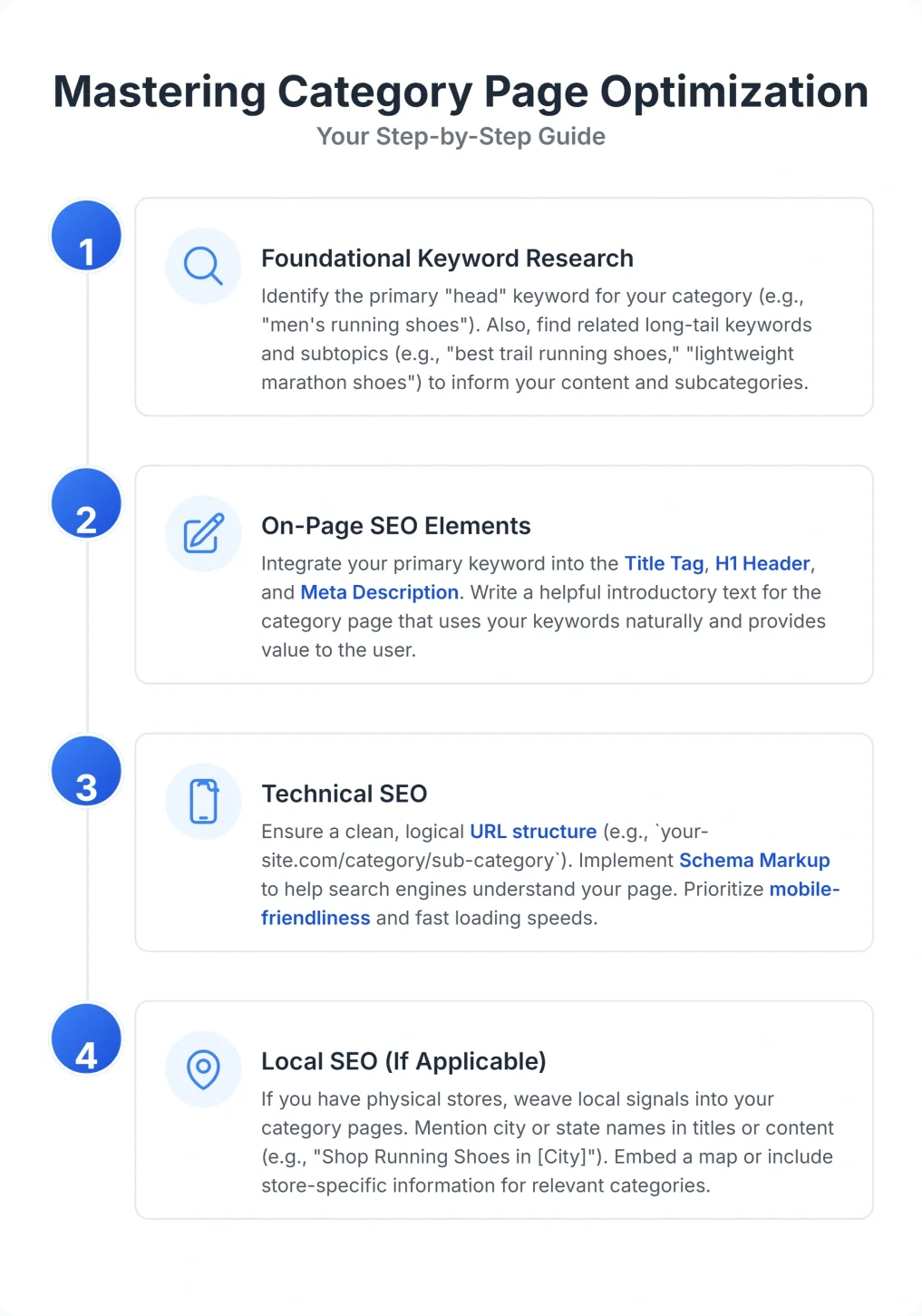
Effective optimization requires a systematic approach. You cannot simply stuff keywords into a description field and hope for the best. You need a strategy that covers architecture, content, and technical health.
Step 1: Foundational Keyword Research
You must understand the vocabulary your customers use. Do they search for "sofas" or "couches"? "Sneakers" or "trainers"?
- Identify Core Terms: Use keyword research tools to find the primary term with the best balance of volume and intent.
- Analyze Search Intent: Check the SERPs. If you search for "office chairs" and see purely e-commerce category pages, you know Google wants a list of products. If you see blog posts, the intent might be informational. Your category page must align with this intent. When a term is genuinely informational, build a blog post instead and let the category page target the commercial variant—this separation also protects you against keyword cannibalization between hubs.
- Prioritize the Category, Not the Long Tail: Keep the category page focused on the head or mid-tail term and route hyper-specific queries (such as "budget gaming laptops under $1000") to filtered views, sub-categories, or dedicated buying guides. This keeps each page's target clean; see how to structure this in our guide to targeting long-tail keywords.
- Map Semantic Variations: Don't just pick one keyword. Identify semantically related terms (LSI keywords) to include in your copy. For a "Coffee Makers" page, relevant terms might be "drip," "espresso," "programmable," "thermal carafe," and "brewing capacity."
- Tip: Use the Digispot AI "Opportunity Finder" to detect keywords your competitors rank for but you miss. This tool reveals gaps in your keyword strategy specific to category-level terms.
| Keyword Type | Example | Purpose |
|---|---|---|
| Broad/Head Term | Laptop Computers | High search volume, general intent |
| Mid-Tail Term | Gaming Laptops | More specific, higher conversion potential |
| Long-Tail Keyword | Budget Gaming Laptops Under $1000 | Very specific, high intent, lower volume |
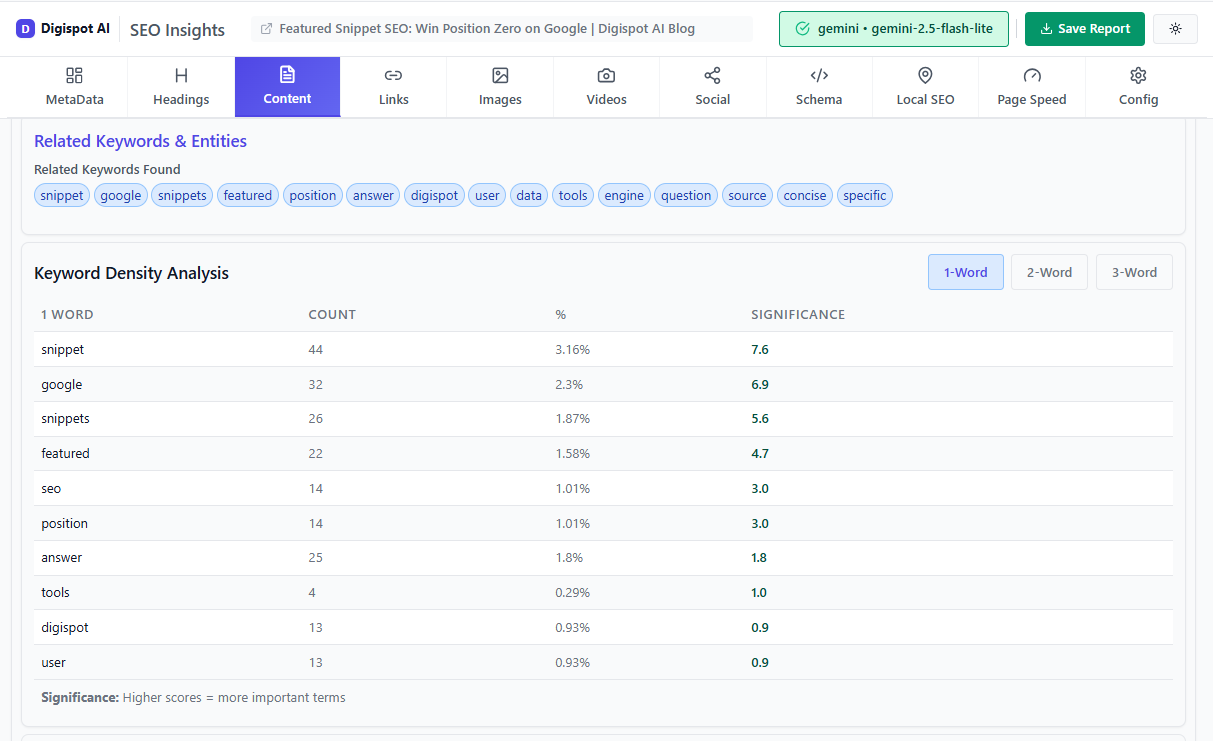
Step 2: On-Page SEO Elements – Crafting Compelling Content
Content on category pages is tricky. Too much text pushes products down (bad for UX); too little text gives search engines nothing to crawl (bad for SEO).
- Category Page Titles (
<title>tag):- Best Practice: Place the main keyword first. Use separators like pipes (|) or hyphens.
- Formula:
[Primary Category] - [USP/Modifier] | [Brand Name] - Example: "Organic Dog Food - Grain-Free & Natural | Paws & Claws"
- Meta Descriptions:
- Strategy: Treat this as ad copy. Highlight free shipping, return policies, or exclusive stock to improve Click-Through Rate (CTR).
- Example: "Shop the best organic dog food. Vet-approved, grain-free formulas for sensitive stomachs. Free shipping on orders over $50. Order today!"
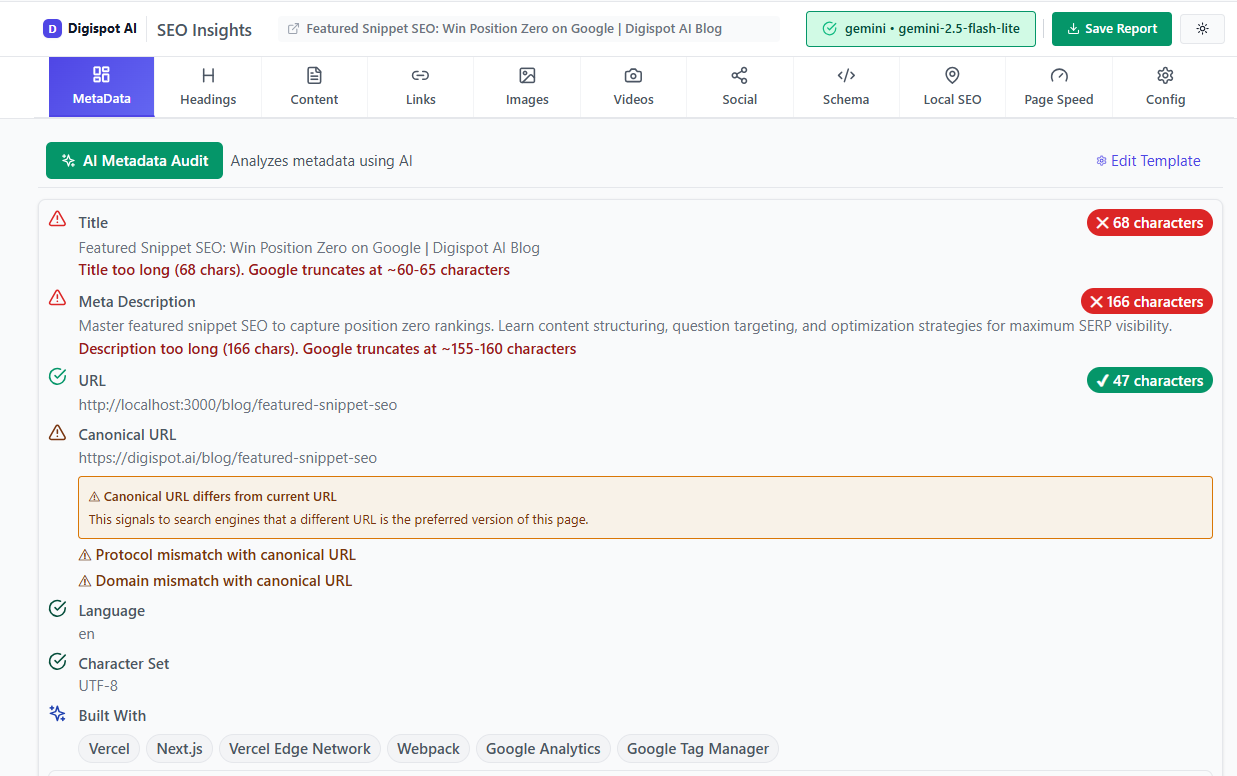
Turn invisible SEO data into clear visuals with our Free Chrome extension.
- Header Tags (H1, H2, H3):
- Hierarchy: The H1 must match the page title's core intent. Use H2s for subsections like "Best Sellers," "New Arrivals," or educational sections like "How to Choose."
- Semantic Structure: Google uses headers to understand page structure. Ensure your hierarchy is logical. Read more about on-page SEO best practices to perfect your header structure.
- Unique Content Implementation:
- The "Split" Strategy: To balance UX and SEO, place 50-100 words of introductory text at the top of the page (above the product grid). This confirms to the user they are in the right place. Place more detailed content—buying guides, extensive FAQs, and history—at the bottom of the page.
- Avoid Boilerplate: Do not copy-paste the same description across similar categories (e.g., "Mens Shoes" vs "Womens Shoes"). Unique content is a significant ranking factor.
- Tip: If writing unique descriptions for hundreds of categories seems impossible, use Digispot AI's "Content Studio." It uses AI agents to generate unique, compliant summaries based on your product data, solving the duplicate content issue instantly.
- Internal Linking:
- Contextual Links: Don't just rely on the navigation menu. Add links within your category descriptions to related sub-categories or complementary products.
- Breadcrumbs: Ensure breadcrumbs are present and clickable. They are a critical internal linking structure that shows Google the relationship between parent and child categories.
- Strategy: Link to high-margin products or high-traffic blog posts directly from the category description to pass authority. See our guide on internal linking strategies for advanced techniques.
- User Experience (UX) Considerations:
- Visual Hierarchy: Make sure the products are the heroes. High-quality thumbnails are non-negotiable.
- Filters: Robust filtering (faceted navigation) is essential for users but dangerous for SEO if not handled technically (see Step 3).
- Load Speed: Category pages load many images at once. Use "lazy loading" so images below the fold don't slow down the initial page render.
Step 3: Technical SEO for Category Pages
Technical errors on category pages can block search engines from indexing your products entirely. This is where audits are critical.
- URL Structure:
- Cleanliness: URLs should be readable. Avoid dynamic strings like
?cat_id=459. - Consistency: Decide on a structure early.
domain.com/category/subcategoryis often better than flat structures for understanding hierarchy.
- Cleanliness: URLs should be readable. Avoid dynamic strings like
- Faceted Navigation & Canonicalization:
- The Problem: Filters generate thousands of URL variations (e.g.,
.../shoes?color=red&size=10&brand=nike). If Google crawls all of these, it wastes "crawl budget" and dilutes your ranking power. - The Fix: Use canonical tags to point all filtered variations back to the main category page URL, or use
robots.txtto block the crawling of filter parameters. If you are unsure how canonicals resolve competing versions, review how canonical URLs work; for a filter-by-filter decision framework on which facets to index, block, or canonicalize, see our dedicated guide to SEO for faceted navigation. - Tool: Use the free On-Page SEO Analysis tool to check if your canonical tags are correctly implemented on filtered pages.
- The Problem: Filters generate thousands of URL variations (e.g.,
- Pagination:
- Implementation: Whether you use "Load More" buttons, Infinite Scroll, or standard "1, 2, 3" links, you must ensure crawlers can find products on page 2 and beyond.
- SEO Best Practice: For infinite scroll, ensure there is a fallback pagination mechanism (standard
<a href="...">links) that crawlers can follow. Without this, products on deeper pages may effectively be invisible to Google.
- Schema Markup:
- Structured Data: Use
CollectionPageschema to explicitly tell Google this is a category. UseBreadcrumbListto define the page's position in the site hierarchy. - Product Listings: Some sites use
ItemPropswithin the list to show price ranges or aggregate ratings in SERPs. - Tip: Use the free Schema Markup Generator to create valid JSON-LD code for your category pages without needing a developer.
- Structured Data: Use
- Mobile Responsiveness:
- Touch Targets: Ensure filters and product links are easily clickable on small screens. "Fat finger" errors frustrate users and increase bounce rates.
- Viewport Configuration: Verify that the page scales correctly. Google's mobile-first index means your mobile site is your site for ranking purposes.
- Audit: Digispot AI's platform audits specifically for mobile usability issues, flagging elements that are too close together or text that is too small.
- Core Web Vitals:
- CLS (Cumulative Layout Shift): Category pages often shift layout as images load. Reserve space for images using CSS aspect ratios to prevent this shifting, which hurts your ranking score.
- LCP (Largest Contentful Paint): Ensure the main banner or first product image loads instantly. Optimize image formats (WebP/AVIF) to speed this up. For a deeper dive into speed optimization, read our Core Web Vitals guide.
Step 4: Local SEO (If Applicable)
For service-based businesses or chains with physical stores, category pages have a local dimension.
- Geo-Targeting: If you have a category for "Plumbing Services," and you operate in Chicago, optimize the content to include "Plumbing Services in Chicago" and surrounding neighborhoods. Weave the location into the H1, the introductory paragraph, the title tag, and at least one image alt attribute—not just a single sentence in the footer—so the geographic signal is unmistakable.
- Local Intent: Create location-specific category pages (e.g., "Offices in London," "Offices in Manchester") if you have sufficient inventory in those regions. This allows you to rank for "location + service" queries with high precision. Only build a separate page per location when you have genuinely distinct inventory or service details to justify it; spinning up near-identical pages that differ by city name alone reads as doorway pages and risks the same duplicate-content penalties that faceted URLs create.
- Supporting Signals: Reinforce these pages with a consistent name, address, and phone number (NAP) in the footer, embed the relevant Google Business Profile map, and add
LocalBusinessstructured data alongside theCollectionPageschema so Google can connect the page to a physical location. - Internal Linking: Link each location page from a central "Locations" or "Service Areas" hub, and cross-link neighboring areas where it helps users, so these pages are not left as orphans that crawlers struggle to discover.
Benefits of Effective Category Page Optimization
The ROI on category page optimization is typically higher than product page optimization because these pages are "evergreen." Products come and go, but the "Laptops" category remains.
- Improved Business Visibility: You capture traffic at the top of the funnel. Even if they don't buy today, they associate your brand with that category.
- Increase in Traffic and Business Leads: By ranking for terms with "commercial intent" (like "best," "top rated," "cheap"), you attract visitors who are ready to spend.
- Enhanced User Experience: A fast, well-organized category page reduces friction. If a user can find the right filter in seconds, they are more likely to stay and buy.
- Time and Cost Savings: Automated auditing prevents "link rot" (broken links to out-of-stock products). Tools like Digispot AI can hide or redirect out-of-stock items automatically to preserve link equity.
| Benefit Area | How Category Page Optimization Helps |
|---|---|
| Visibility | Ranks for broader keywords, increases SERP real estate, builds authority. |
| Traffic & Leads | Attracts qualified organic traffic, higher conversion potential. |
| User Experience (UX) | Intuitive navigation, filtering, faster load times, mobile-friendly. |
| Cost & Time Savings | Efficient SEO, automation of audits/content, reduced manual effort. |
Leveraging Digispot AI for Category Page Optimization
Managing the SEO health of hundreds of category pages manually is impossible for most teams. Errors slip through—a broken canonical tag here, a missing meta description there. These small errors compound to hurt your overall rankings.
Digispot AI provides the infrastructure to automate this oversight.
- Comprehensive Audits (Mobile & Desktop): Digispot AI runs deep crawls simulating both desktop and mobile users. It checks 300+ ranking factors, ensuring your category pages aren't just readable, but technically flawless. It flags issues like "orphan pages" (categories not linked from anywhere) which are common in large catalogs.
- Integration with Google Search Console & Google Analytics: By syncing with your actual performance data, Digispot AI helps you prioritize. It shows you which category pages have high impressions but low click-through rates, indicating an opportunity to rewrite titles or descriptions.
- Opportunity Finder: This feature is critical for category expansion. It analyzes the semantic gap between your site and competitors, suggesting new sub-categories you should create to capture untapped traffic.
- Content Studio with AI Agents: Need to add 300 words of unique, helpful text to the bottom of 50 different category pages? The Content Studio can generate this content at scale, ensuring it is keyword-rich, helpful, and natural-sounding.
- Free Community Chrome Extension: You don't always need a full audit. Sometimes you just need to check one page. The Digispot AI Chrome extension lets you view the schema markup, headers, and meta data of any category page instantly while browsing.
Common Pitfalls to Avoid in Category Page Optimization
Even experienced SEOs make mistakes with category pages. Avoid these common traps:
- Thin Content: A page with just a grid of images is thin content. Google needs text context to index the page accurately. Always include introductory and supplementary text.
- Keyword Stuffing: Repeating "cheap laptops" 20 times in the footer text is spam. It triggers negative algorithmic responses. Write for humans first.
- Poor Navigation and User Experience: If your filters don't work on mobile, or if the "Next Page" button is tiny, you fail the Page Experience update.
- Ignoring Mobile Experience: Do not hide content on mobile to "save space." If content is hidden (display: none), Google may not count it for ranking.
- Duplicate Content via Filters: Allowing search engines to index
?sort=price_ascand?sort=price_desccreates duplicate versions of the same page. Fix this with canonical tags immediately. Read more about common SEO mistakes to ensure your technical foundation is solid. - Slow Page Load Times: High-resolution product images are the biggest culprit. Compress every thumbnail.
Start Improving Your Category Pages Today
Category pages are the backbone of your site's architecture. They dictate how search engines crawl your content and how users discover your products. By shifting your focus from purely product-level optimization to category-level strategy, you build a stronger, more resilient SEO foundation.
You now understand the what, why, and how. The next step is execution. Start by auditing your top 10 most important category pages. Check their headers, their load speed, and their mobile usability.
If the scale of the task feels overwhelming, remember that automation is available. Digispot AI is designed to handle the heavy lifting of audits and technical monitoring, giving you the insights you need to make strategic decisions. Don't let your most valuable pages sit idle. Optimize them, enrich them, and turn them into the high-traffic assets they deserve to be.
References
- Crawl Budget Management For Large Sites | Google Search Central
- Google Search Console
- Robots.txt Introduction and Guide | Google Search Central
- Understanding Core Web Vitals and Google search results | Google Search Central
- Digispot AI - FREE On Page SEO Audit Tool
- Digispot AI - FREE Chrome Extension for SEO Insights
- SEO Starter Guide | Google Search Central
- Consolidate duplicate URLs | Google Search Central
- Mobile-first indexing | Google Search Central
- Pagination best practices for Google | Google Search Central
- Structured data general guidelines | Google Search Central
Audit any page in seconds
300+ SEO checks including Core Web Vitals, schema markup, meta tags, and AI readiness — trusted by 1000+ SEO experts and marketers.
Frequently Asked Questions
Here are some of our most commonly asked questions. If you need more help, feel free to reach out to us.
Written by
Maya Krishnan
Digital growth expert
Maya is a seasoned expert in web development, SEO, and digital strategy, dedicated to helping businesses achieve sustainable growth online. With a blend of technical expertise and strategic insight, she specializes in creating optimized web solutions, enhancing user experiences, and driving data-driven results. A trusted voice in the industry, Maya simplifies complex digital concepts through her writing, empowering readers with actionable strategies to thrive in the ever-evolving digital landscape.