AMP SEO: Mobile Pages & Search Rankings Guide
Learn how AMP affects SEO in 2026. Understand benefits, limitations, and best practices for mobile performance and search visibility.
 Maya Krishnan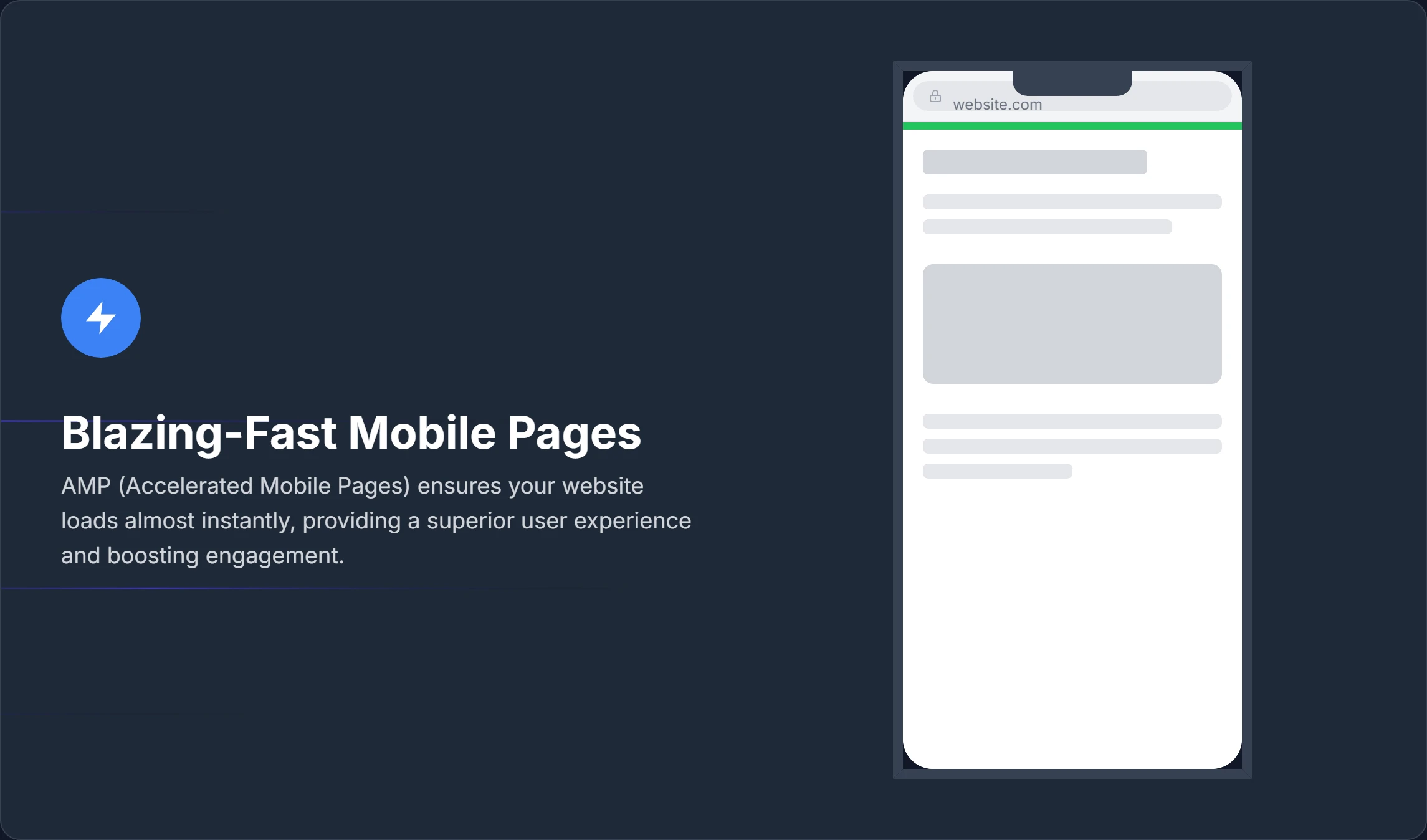
Ever notice how impatient we've all become online? We expect everything instantly. In a world where attention spans are measured in milliseconds, that need for speed isn't just about user preference; it's a critical factor for search engines like Google, which actively reward websites offering a super-fast, seamless mobile experience.
That's precisely where Accelerated Mobile Pages (AMP) come in, giving your site a real power-up on mobile devices. But you might be wondering: what does AMP actually do for your strategy? And how can you leverage its strengths to grab more visibility and attract those all-important visitors? If you are still relying on legacy mobile optimization techniques, you might be leaving traffic on the table. This guide is designed to clarify all things AMP SEO, explain its undeniable advantages, and show you how platforms like Digispot AI can smooth out your path to mobile superiority.
Key Takeaways
- AMP is not a direct ranking factor, but its speed, UX, and Core Web Vitals gains feed the signals Google does reward.
- Choose the right architecture: paired AMP suits most existing content sites; native AMP suits new, lightweight blogs.
- Validation is non-negotiable. Invalid AMP pages are dropped from the AMP Cache and Top Stories, so treat GSC and the AMP Validator as ongoing checks, not one-time gates.
- Enforce content parity and identical JSON-LD across AMP and canonical versions, or you forfeit ranking signals and rich results.
- Fix the URL and analytics gaps with Signed Exchanges (real domain in the address bar) and the AMP Linker (accurate session stitching).
What is AMP and Why Does It Matter for SEO?
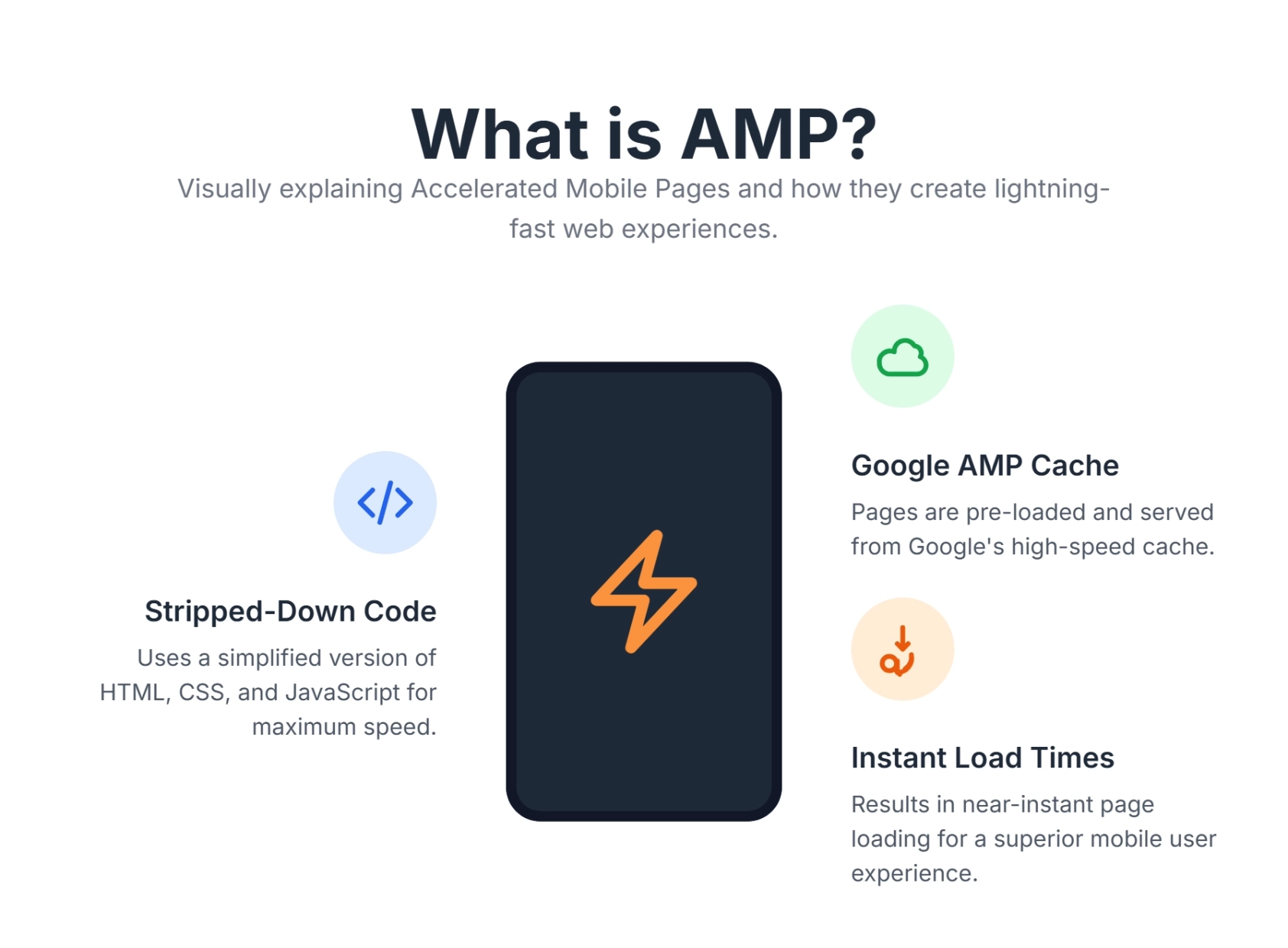
At its core, what is AMP? AMP, or Accelerated Mobile Pages, is an open-source framework originally developed by Google (now part of the OpenJS Foundation) to create web pages that load almost instantaneously on mobile devices. Think of it as a "diet" version of HTML. It strips away the heavy elements that typically slow down the web—clunky JavaScript, unoptimized CSS, and third-party trackers—leaving only the essential content users want to see.
The goal is to provide users with a lightning-fast experience, especially crucial for content-heavy sites like news publishers and blogs. But how does it achieve this speed technically?
The Mechanics of Speed
How does AMP work to achieve such speed? It relies on three core components:
- AMP HTML: A subset of HTML with custom tags and properties and many restrictions. For example, the
<img>tag is replaced by<amp-img>, which forces explicit dimensions to prevent layout shifts. - AMP JavaScript: A library that ensures fast rendering of AMP HTML pages. It manages resource loading and gives custom tags their fast-loading behavior. Crucially, it prohibits third-party JavaScript from blocking page rendering.
- AMP Cache: A proxy-based content delivery network (CDN) used for delivering valid AMP documents. Most commonly, pages are served from the Google AMP Cache. This allows Google to pre-render content before a user even clicks the link in search results.
For SEO, AMP is significant because Google has openly stated that page speed is a ranking factor. While AMP itself is not a direct ranking signal (you don't rank higher just because you have AMP), its impact on speed, user experience (UX), and Core Web Vitals is profound—making it a useful lever within your broader technical SEO strategy.
Specifically, AMP helps optimize metrics like Largest Contentful Paint (LCP) and Cumulative Layout Shift (CLS). A faster site means happier users, lower bounce rates, and potentially higher engagement—all signals that align with how Google Search works.
The Undeniable Benefits of AMP for Your SEO Strategy
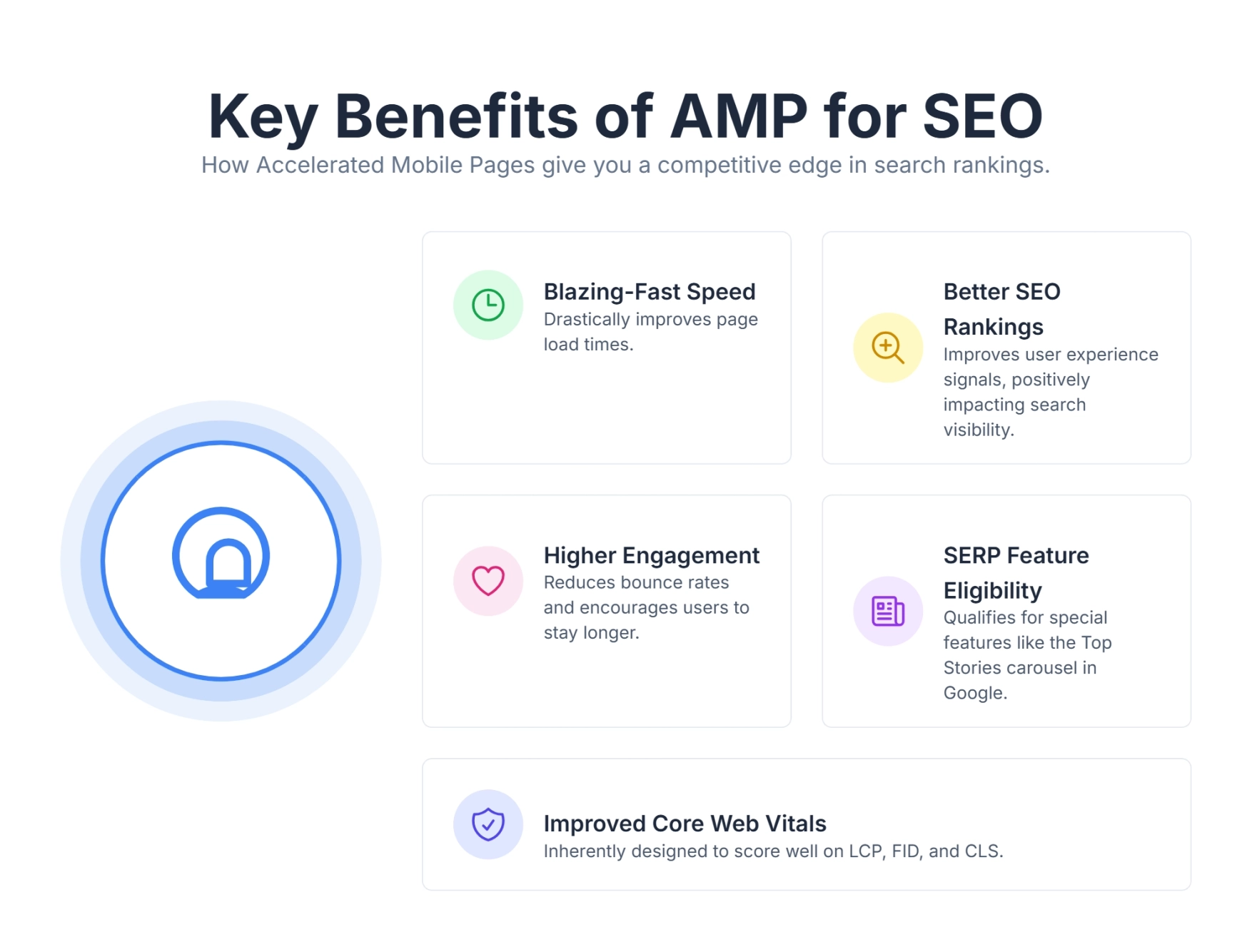
Embracing AMP can bring a multitude of benefits that extend far beyond just shaving milliseconds off load times. Let's examine why integrating this framework is a strategic move for serious publishers and businesses.
1. Blazing-Fast Page Load Times
This is the most tangible benefit. AMP pages are designed for speed, often loading in less than a second. This instant gratification drastically improves the user experience. When a user clicks a result in Google and it opens instantly, they are far less likely to bounce back to the SERP (Search Engine Results Page).
| Benefit Area | Description | SEO Impact |
|---|---|---|
| User Experience | Reduces frustration from waiting; users get content instantly. | Higher dwell time signals content quality to Google. |
| Engagement | Lower bounce rates; users are more likely to stay and consume content. | Reduced "pogo-sticking" (users jumping back to search results). |
| Conversions | For e-commerce or lead generation, faster pages can lead to higher conversion rates. | Direct correlation between speed and revenue/leads. |
2. Improved Mobile Search Visibility and SERP Features
AMP pages are eligible for special features in Google Search results. While the "Top Stories" carousel is no longer exclusive to AMP (as of the Page Experience update), AMP remains the easiest and most reliable way to meet the stringent performance requirements for this feature.
How does AMP improve visibility?
- Rich Snippets: AMP pages support structured data, making them eligible for visually rich snippets.
- Visual Prominence: In mobile search, AMP pages often feature the lightning bolt icon (though this varies by region and update), signaling speed to users and potentially increasing Click-Through Rate (CTR).
- Discover Feed: AMP pages perform exceptionally well in Google Discover, a query-less search experience that can drive massive traffic volumes. See our playbook on how to get traffic from Google Discover to make the most of this surface.
3. Enhanced User Experience (UX)
A fast-loading page is the foundation of good UX. When users don't have to wait, they're more likely to engage with your content, explore more pages, and convert. This positive interaction is a key component of search intent optimization. If a user wants a quick answer and you provide it instantly, you have satisfied their intent perfectly.
4. Reduced Server Load and Bandwidth Usage
Because AMP pages are lightweight and often served from Google's cache (or other AMP caches like Bing's), they can significantly reduce the load on your origin servers. For high-traffic websites or sites that experience viral spikes, this caching mechanism acts as a buffer, preventing server crashes and saving on bandwidth costs.
The benefit compounds during the moments that matter most for SEO: a breaking news story or a piece that lands in Google Discover can send a surge of mobile visitors all at once. When those requests are absorbed by the AMP Cache rather than your origin, your server stays responsive for the users who do reach your domain, and your crawl budget isn't consumed by slow, timing-out responses. It also flattens the payload you ship: because AMP forbids render-blocking third-party scripts and caps custom CSS at 75KB, each request transfers far fewer bytes than a typical mobile page—which is exactly the discipline you'd otherwise chase manually when you optimize Core Web Vitals for SEO. For image-heavy publishers, pairing that with proper image compression for better SEO speed reduces origin bandwidth even further.
5. Potential for Higher Ad Viewability and Revenue
For publishers relying on advertising, AMP can lead to better ad viewability rates. The AMP framework dictates where and how ads load, preventing them from blocking content or loading slowly. The streamlined nature of AMP pages makes ads less intrusive but more likely to be seen, potentially increasing overall ad revenue.
The mechanism behind this is the amp-ad component, which lazy-loads ad slots only as they approach the viewport and reserves their space in advance via required width and height attributes. That reservation is what keeps ads from shoving content down the page—the same Cumulative Layout Shift problem that hurts both UX and rankings. Because the ad never blocks the main content from painting, users see and engage with your article first, then encounter ads that are already positioned and measurable. Most major networks, including Google Ad Manager and AdSense, ship AMP-native tags, and AMP's built-in Real Time Config (RTC) still allows header-bidding-style calls without dragging heavy auction scripts onto the page. The net effect is fewer wasted impressions on ads that scroll past before they render, and cleaner viewability metrics to report to advertisers.
6. Alignment with Core Web Vitals
Core Web Vitals are specific factors Google considers important for overall user experience. AMP is inherently designed to excel in these metrics:
- Largest Contentful Paint (LCP): AMP's asset prioritization ensures the main content loads first.
- Cumulative Layout Shift (CLS): AMP requires static sizing for all media elements (images, ads, iframes), which virtually eliminates unexpected layout shifts.
- Interaction to Next Paint (INP): By restricting heavy JavaScript, AMP minimizes the main thread blocking that causes poor responsiveness.
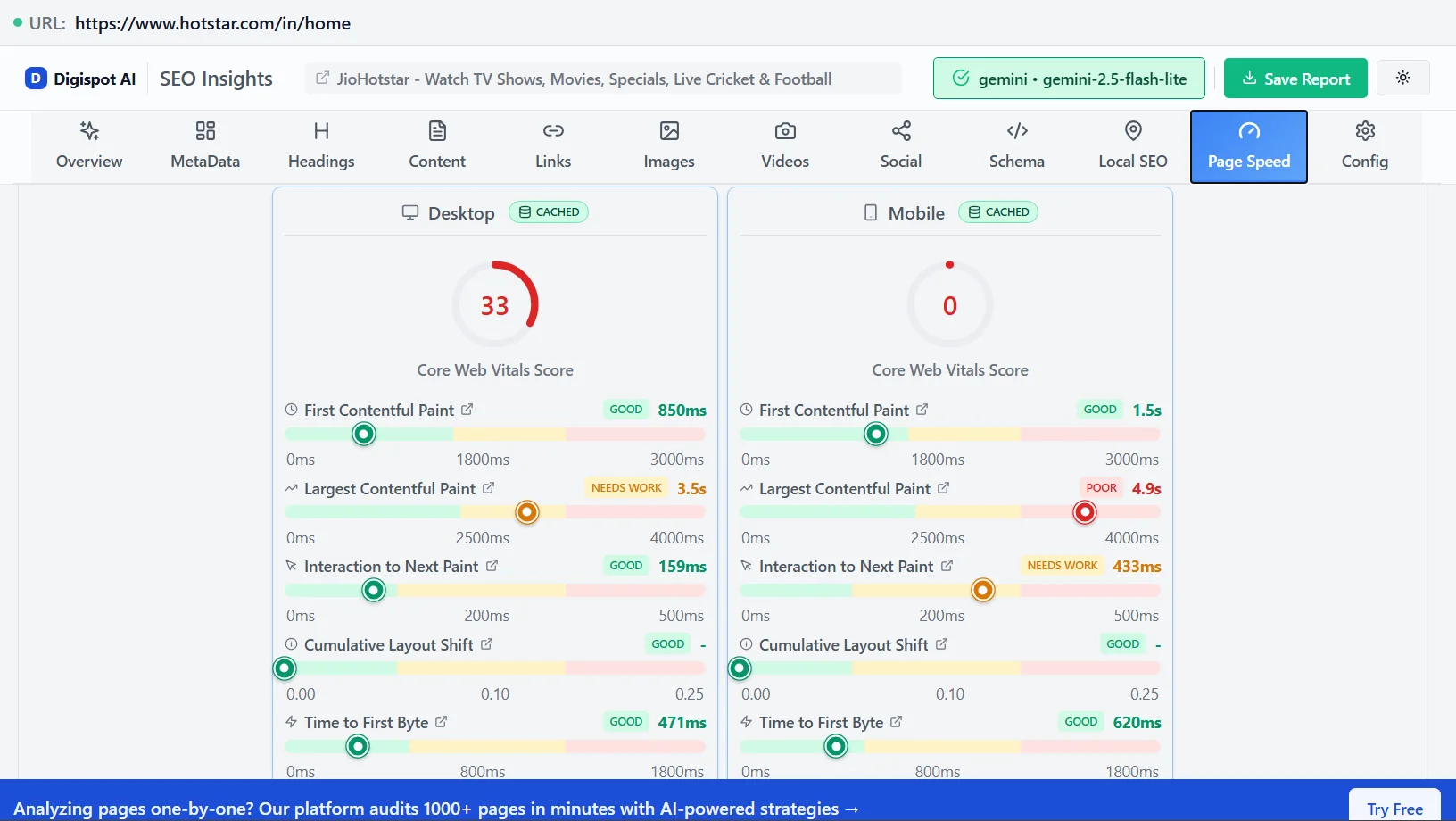
Get instant SEO insights on any page, including Core Web Vitals checks, with our free Chrome extension.
Implementing AMP for SEO: A Step-by-Step Approach
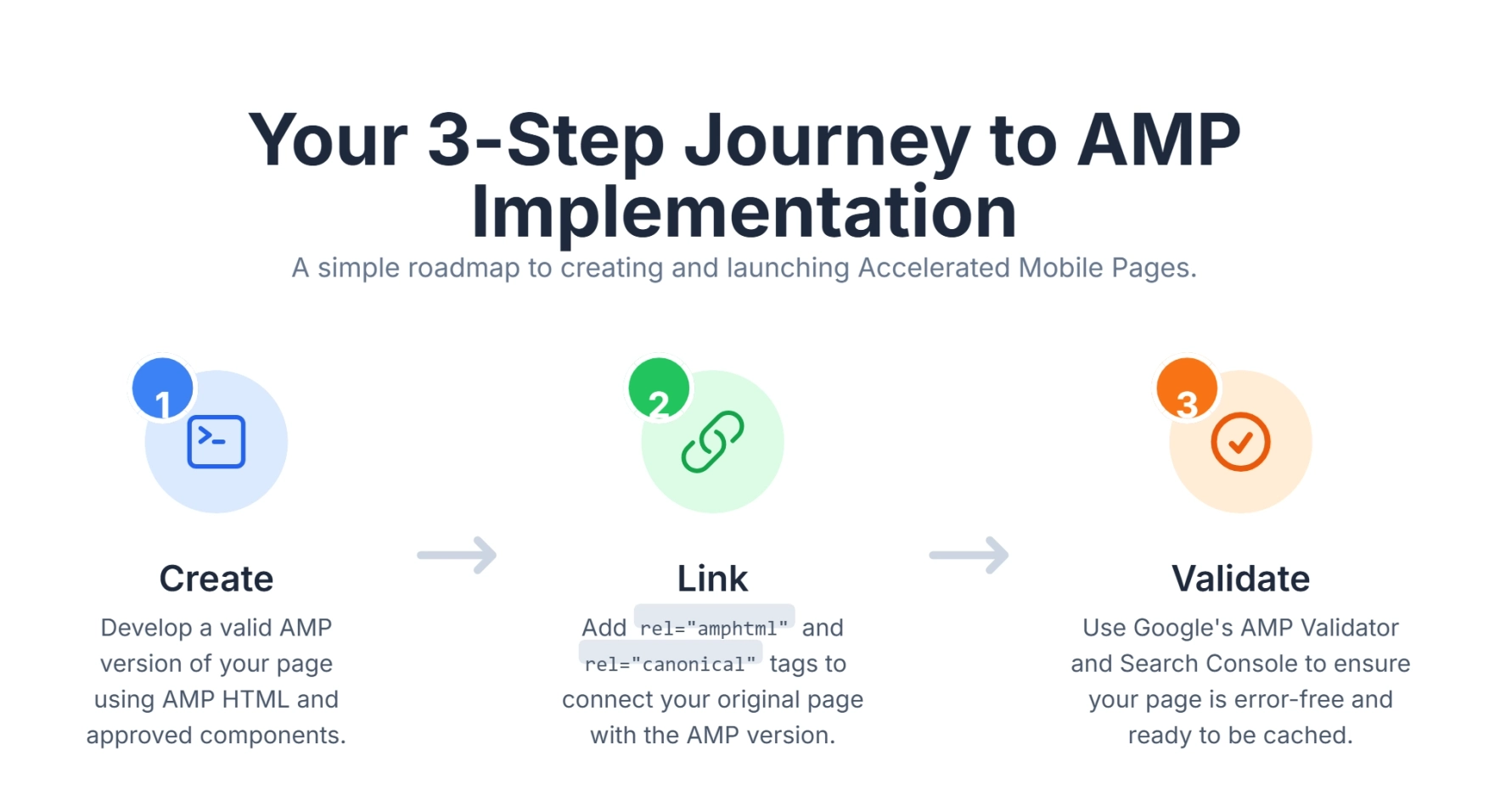
So, you're convinced of AMP's benefits. Now, how to implement AMP effectively for SEO? It involves more than just converting your pages; it requires careful consideration of structure, validation, and ongoing maintenance.
1. Choosing Your AMP Strategy: Paired vs. Native
There are two primary ways to architect your AMP implementation:
- Paired AMP: This is the most common approach for existing websites. You maintain your regular HTML page (canonical) and create a separate, optimized AMP version. The AMP version is linked using a
rel="amphtml"tag on the canonical page, and the AMP page points back with arel="canonical"tag. This allows you to serve the full-featured, script-heavy version to desktop users while providing the fast AMP version specifically for mobile searchers. - Native AMP (AMP First): In this approach, your primary page is the AMP page. There is no separate "desktop" version; the AMP code serves all devices. This simplifies development and ensures every user gets a fast experience. It's often suitable for new blogs or simple content sites, but can be limiting for complex web applications requiring heavy custom JavaScript.
For most content-driven websites looking to Retrofit performance, the paired AMP approach offers the best balance of flexibility and performance.
2. Basic AMP HTML Structure
An AMP page has a strict HTML structure. You cannot simply copy-paste your existing code. Here is a simplified example of valid AMP HTML:
<!doctype html>
<html ⚡ lang="en">
<head>
  <meta charset="utf-8">
  <script async src="https://cdn.ampproject.org/v0.js"></script>
  <title>Your AMP Page Title</title>
  <link rel="canonical" href="https://www.example.com/original-page.html">
  <meta name="viewport" content="width=device-width,minimum-scale=1,initial-scale=1">
  <style amp-boilerplate>body{-webkit-animation:-amp-start 8s steps(1,end) 0s 1 normal both;-moz-animation:-amp-start 8s steps(1,end) 0s 1 normal both;-ms-animation:-amp-start 8s steps(1,end) 0s 1 normal both;animation:-amp-start 8s steps(1,end) 0s 1 normal both}@-webkit-keyframes -amp-start{from{visibility:hidden}to{visibility:visible}}@-moz-keyframes -amp-start{from{visibility:hidden}to{visibility:visible}}@-ms-keyframes -amp-start{from{visibility:hidden}to{visibility:visible}}@-o-keyframes -amp-start{from{visibility:hidden}to{visibility:visible}}@keyframes -amp-start{from{visibility:hidden}to{visibility:visible}}</style><noscript><style amp-boilerplate>body{-webkit-animation:none;-moz-animation:none;-ms-animation:none;animation:none}</style></noscript>
  <style amp-custom>
    /* Your custom CSS goes here - Limit 75KB */
    body {
      font-family: Arial, sans-serif;
      margin: 16px;
      line-height: 1.5;
    }
    h1 { color: #333; }
  </style>
</head>
<body>
  <h1>Hello, AMP World!</h1>
  <p>This is a simple AMP page example.</p>
  <amp-img src="image.jpg" alt="Description" width="600" height="400" layout="responsive"></amp-img>
</body>
</html>
Key Code Elements Explained:
<!doctype html>: Standard HTML5 doctype.<html ⚡>or<html amp>: Identifies the page as AMP content to crawlers.<head>: Must contain specific meta tags, the AMP JS library, and canonical link.<link rel="canonical">: This is critical for SEO. It tells Google "this page is an alternative version of that page." Without this, you risk duplicate content penalties. If you're unsure how these signals resolve, our guide to what a canonical URL is explains how Google picks the indexed version.<style amp-boilerplate>: A crucial block of CSS that hides the page content until the AMP JS library loads. This prevents the "Flash of Unstyled Content" (FOUC).<style amp-custom>: The only place you can put your CSS. External stylesheets are not allowed (except for custom fonts).<amp-img>: Replaces standard<img>. You must define width and height so the browser knows exactly how much space to reserve before the image downloads.
3. AMP Validation: Crucial for Discoverability
One of the most important aspects of AMP SEO is ensuring your pages are valid. Invalid AMP pages will not be cached by Google and will not appear in AMP-specific search features like Top Stories. They effectively become just weirdly coded standard HTML pages.
How to validate your AMP pages?
- AMP Validator: Use Google's official AMP Validator tool.
- Developer Tools: Add
#development=1to the end of your AMP URL in Chrome (e.g.,site.com/page/amp#development=1) and check the Console tab. It will list validation errors in red. - Google Search Console: The "AMP" report in GSC tracks valid and invalid pages over time.
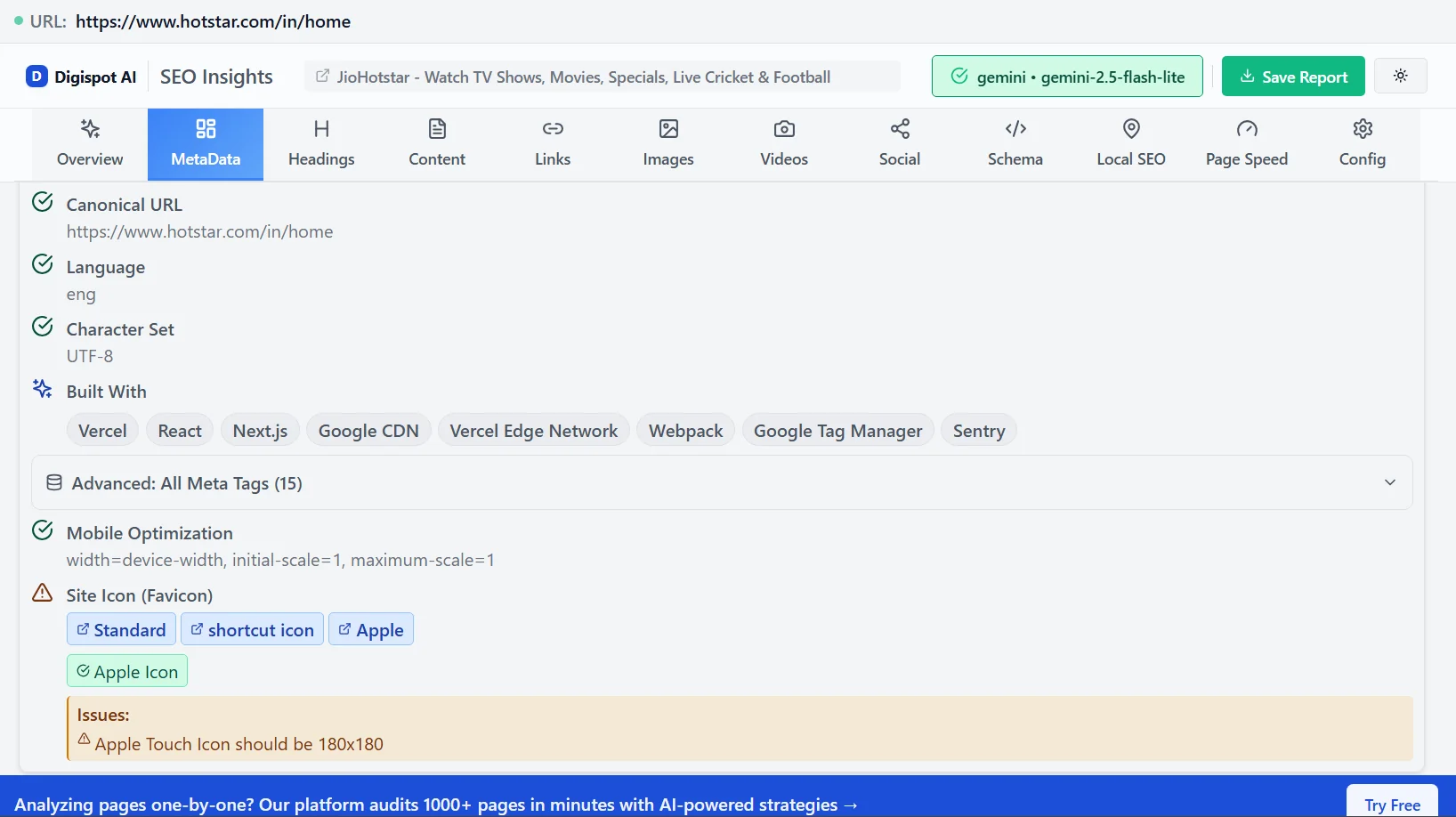
Tools like the Digispot AI Chrome extension can also perform real-time audits of your pages, instantly detecting AMP validation issues and providing visual feedback directly in your browser, simplifying the debugging process.
4. Handling Common AMP Implementation Issues
Implementing AMP isn't always straightforward. Here are common hurdles and how to clear them:
| Issue | Description | Solution |
|---|---|---|
| Invalid HTML/CSS | AMP forbids many standard HTML tags (like iframe, object, script) and CSS properties (like !important). | Replace forbidden tags with AMP equivalents (e.g., amp-iframe, amp-youtube). Keep CSS inline within style amp-custom and under 75KB. |
| JavaScript Restrictions | Custom JS is blocked. This breaks standard interactive elements like menus or calculators. | Use amp-bind for state changes and interactivity, or amp-script (which runs JS in a Web Worker) for more complex logic. |
| Incorrect Canonicalization | Missing or mismatched rel="canonical" and rel="amphtml" tags confuse Google about which page to index. | Audit your header tags. The AMP page points to the Non-AMP. The Non-AMP page points to the AMP. If Native AMP, it points to itself. |
| Schema Markup Inconsistencies | Structured data on AMP doesn't match the main page, leading to loss of rich snippets. | Ensure Schema Markup is identical. Digispot AI's platform detects schema disparities automatically. |
| Image Optimization | Using <img> instead of amp-img breaks validation. | Strictly use amp-img. Ensure you provide the layout attribute (e.g., responsive) for proper scaling. |
| Advertising Issues | Standard ad tags (AdSense, GPT) don't work directly. | Implement ads using the amp-ad component. Most major ad networks support AMP natively. |
| Content Discrepancy | The AMP page has less text or fewer images than the desktop page. | Google requires content parity. If your AMP page is a "teaser," Google may not index it or rank it for the main keywords. |
AMP and Schema Markup: A Powerful SEO Combination
Structured data, or Schema Markup, is vital for SEO as it helps search engines understand the context of your content. This is a core part of semantic search SEO. How does Schema Markup work with AMP?
It is crucial—mandatory, even—that your AMP pages include correct and consistent Schema Markup. Google uses the structured data on the AMP page to generate rich results. If your desktop page has beautiful Recipe schema but your AMP page lacks it, mobile users (the majority of your traffic) won't see the rich snippet.
Best Practices for AMP Schema:
- JSON-LD Format: Always use JSON-LD. It is robust and easier to debug than Microdata.
- Consistency is King: The JSON-LD block on your AMP page should be virtually identical to your canonical page.
- Logo Requirements: For Top Stories eligibility, your
Publisherschema must include a logo that meets specific dimension requirements (raster file, not SVG, 60px height). - Testing: Use Google's Rich Results Test specifically on the AMP URL. Don't assume if the desktop URL passes, the AMP one will too.
Digispot AI’s platform is invaluable here. It can identify missing or incorrect Schema Markup on your AMP pages and visualize how search engines interpret your data.
Auditing and Monitoring AMP Performance: The Ongoing Process
Implementing AMP is not a "set it and forget it" task. As you publish new content or update your site template, errors can creep in. Continuous auditing is essential to maintain your mobile search presence.
Key Tools for AMP Audit and Monitoring
-
Google Search Console (GSC):
- AMP Report: Located under "Enhancements," this is your command center. It groups errors by type (e.g., "CSS syntax error," "Missing URL tag"). Prioritize "Critical" issues that prevent indexing.
- Performance Report: Filter by "Search Appearance: AMP Article" or "AMP Non-Rich Results" to see exactly how much traffic your AMP investment is driving.
- Core Web Vitals: Check if your AMP pages are actually delivering the "Good" scores they promise.
-
Google Analytics 4 (GA4):
- Tracking AMP in analytics can be tricky because AMP pages are often served from
google.com(the cache) rather than your domain. - You must configure Session Stitching (via the AMP Linker) to ensure that a user moving from an AMP page (cache) to your main site (domain) is counted as one session, not two.
- Use the
amp-analyticscomponent with the specific Google Analytics configuration JSON.
- Tracking AMP in analytics can be tricky because AMP pages are often served from
-
Lighthouse:
- Built into Chrome DevTools, Lighthouse audits AMP pages for accessibility and SEO best practices, not just validity. It can flag if your tap targets are too small or if text contrast is low.
-
Digispot AI Platform:
- Manual checks are slow. Digispot AI automates this.
- Scale: It crawls thousands of pages, not just one at a time.
- Integration: By connecting with GSC, it correlates validation errors with traffic drops, helping you prioritize fixes that impact your bottom line.
- Visual Audits: It highlights exactly where in the code the error exists, saving developers hours of hunting.
Addressing Common AMP SEO Challenges and Advanced Techniques
While AMP offers significant advantages, it introduces complexity. Understanding these trade-offs and employing advanced techniques separates average implementations from high-performing ones.
Challenges to Anticipate
- Design Limitations: AMP restricts "fancy" design elements. You can't use heavy parallax libraries or complex background animations easily. You have to find lightweight CSS alternatives.
- Analytics Complexity: As mentioned, if you don't set up the AMP Linker correctly, your bounce rates in Analytics will look artificially high, and session durations artificially low.
- Maintenance Overhead: With paired AMP, you are essentially maintaining two websites. Every time you change your header menu or footer links, you must update both templates.
- The URL Issue: Users might see
google.com/amp/s/yoursite.comin their browser bar. This can be confusing for brand authority.
Advanced AMP SEO Techniques
-
Signed Exchanges (SXG): This is the solution to the URL issue. SXG allows Google Search to prefetch your content (privacy-preserving pre-fetching) while still displaying your actual domain name in the address bar. This builds trust and allows cookies to work natively. Implementing SXG is a highly recommended "Senior SEO" move.
-
Content Parity Strategy: Don't treat AMP as a "lite" version. If your desktop page has a comments section, related articles, and a newsletter signup form, your AMP page should too. Google's mobile-first indexing assesses the mobile version (often the AMP version) to determine rankings. Missing content equals missing ranking signals.
-
Internal Linking: Ensure your AMP pages contain valid internal links pointing to other canonical (non-AMP) pages or other AMP pages depending on your strategy. This ensures link equity flows throughout your site. Learn more about effective on-page SEO best practices to maximize this value.
-
Optimizing Beyond
amp-img: Just usingamp-imgisn't enough. You should still use modern formats like WebP. AMP allows you to nest fallback images, so you can serve a WebP to supported browsers and a JPEG to others, ensuring maximum speed and compatibility. -
AMP Stories (Web Stories): For highly visual niches (travel, food, fashion), AMP Stories offer a tappable, full-screen experience similar to Instagram Stories but for the open web. These have a dedicated carousel in Google Discover and Search, offering a unique opportunity to dominate "zero-click" spaces. Read more about dominating zero-click searches.
Here's how Digispot AI significantly bolsters your AMP SEO efforts:
- Comprehensive Auditing for AMP Readiness: Digispot AI analyzes your site against over 300+ ranking factors. This comprehensive audit extends to your AMP pages, identifying issues like invalid AMP HTML, incorrect canonical tags, or improper image implementations. It acts as an expert pair of eyes, ensuring your AMP pages are technically sound and compliant.
- Issue Detection and Resolution: Beyond just flagging problems, Digispot AI helps you solve them. If your AMP pages have validation errors, the platform can provide clear guidance on how to resolve these issues, streamlining your debugging process.
- Seamless Integration with Google Search Console & Analytics: Digispot AI integrates directly with Google Search Console and Google Analytics. This means you can track the performance of your AMP pages—their impressions, clicks, bounce rates, and engagement—all within a single, intuitive dashboard.
- Schema Markup Support (Detection & Visualization): Digispot AI's platform supports schema markup, offering advanced detection and visualization capabilities. It can identify if your AMP pages are missing critical structured data or if existing markup contains errors.
- Opportunity Finder & Content Studio: While primarily focused on content generation, Digispot AI's "Opportunity Finder" can identify gaps where AMP-optimized content could give you a competitive edge. Its "Content Studio," powered by AI agents, can assist in generating SEO-optimized content that adheres to AMP best practices.
- Free Community Chrome Extension for Instant Audits: For immediate, on-the-go checks, Digispot AI offers a free community Chrome extension. This powerful tool allows you to audit your website pages directly in your browser, checking for AMP validation errors and core web vitals issues in real-time.
- Automated Best Practices for Scale: The Digispot AI cloud platform brings together all SEO best practices into an automated model. This allows you to operate your SEO strategy at scale with accuracy, ensuring that all your AMP pages adhere to the highest standards without manual oversight becoming a bottleneck.
Conclusion: Accelerate Your Future with AMP SEO
In the competitive arena of search rankings, speed is a currency you cannot afford to lack. AMP provides a robust, proven framework for delivering the instant experiences mobile users demand. While the implementation requires technical diligence—managing validation, ensuring content parity, and handling analytics—the payoff in user engagement, search visibility, and server efficiency is undeniable.
However, success with AMP isn't just about writing code; it's about strategy and monitoring. It requires a commitment to maintaining a dual-format architecture or a rigorous adherence to native AMP constraints.
Platforms like Digispot AI demystify this process, providing the tools for comprehensive auditing, precise issue detection, seamless performance tracking, and even content optimization. By leveraging such AI-powered solutions, you can streamline your AMP SEO efforts, operate at scale, and ensure your business website is not just present but dominant in the mobile search arena.
Ready to improve your SEO? Try Digispot AI for comprehensive website audits and actionable recommendations. Embrace AMP, optimize with intelligence, and accelerate your path to digital success.
References
- AMP on Google Search guidelines | Google Search Central
- The AMP Project
- Rich Results Test | Google Search Central
- Understanding Core Web Vitals and Google search results | Google Search Central
- Digispot AI - FREE On Page SEO Audit Tool
- Digispot AI - FREE Chrome Extension for SEO Insights
- Google Search Console
Audit any page in seconds
300+ SEO checks including Core Web Vitals, schema markup, meta tags, and AI readiness — trusted by 1000+ SEO experts and marketers.
Frequently Asked Questions
Here are some of our most commonly asked questions. If you need more help, feel free to reach out to us.
Written by
Maya Krishnan
Digital growth expert
Maya is a seasoned expert in web development, SEO, and digital strategy, dedicated to helping businesses achieve sustainable growth online. With a blend of technical expertise and strategic insight, she specializes in creating optimized web solutions, enhancing user experiences, and driving data-driven results. A trusted voice in the industry, Maya simplifies complex digital concepts through her writing, empowering readers with actionable strategies to thrive in the ever-evolving digital landscape.