How Google Search Works: Crawling, Indexing & Ranking
Understand how Google Search works from crawling to ranking. Learn the fundamentals of search algorithms, indexing, and ranking factors for SEO.
 Maya Krishnan
You publish a new page, hit save, and wait. But nothing happens. Your customers can't find you, and your traffic remains flat. This is the reality for millions of website owners who treat Google like a black box rather than a logical system.
To rank on the first page, you need to understand the mechanics behind the search bar. Google isn't magic; it's a precise engineering pipeline designed to filter the world's information. If you understand how this pipeline works—from the moment a crawler hits your server to the millisecond a user sees your link—you can engineer your content to flow through it effortlessly.
This guide breaks down the technical infrastructure of Google Search and, more importantly, how you can optimize every stage of the process to drive visibility for your business. Once you understand the pipeline, our practical walkthrough on how to index your website on Google shows how to act on it.
💡 Understanding Google Search is the foundation of every successful SEO strategy. Without this knowledge, you are just guessing.
Key Takeaways
- Google Search runs on a pipeline of four stages—discovery, crawling, indexing, and ranking—and a page must pass every stage before it can appear in results.
- Being crawled is not the same as being indexed; Google can visit a page and still decide not to store it if the content is thin, duplicate, or low value.
- Google crawls and ranks the mobile version of your site first, so any content or links missing on mobile are effectively invisible to search.
- Rankings are driven by hundreds of signals interpreted by AI systems (RankBrain, BERT, SpamBrain, Helpful Content)—matching user intent beats keyword tricks.
- Fix discoverability first: a clean sitemap, sensible robots.txt, strong internal linking, and fast page experience let your best content flow through the pipeline.
The Four Pillars of the Search Pipeline
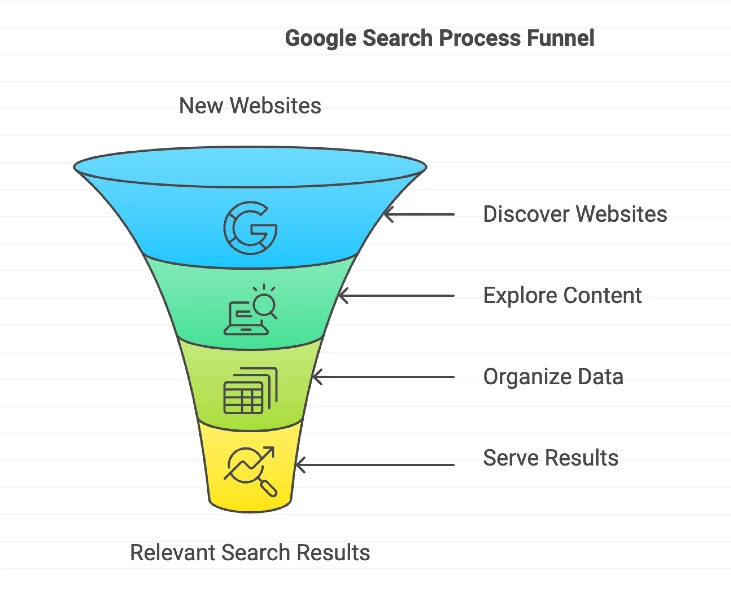
Google Search operates through four distinct phases. While they happen nearly simultaneously from a user's perspective, they are separate technical processes for a webmaster. Think of it as a massive digital library that never closes.
1. Discovery: Finding Your Existence
Before Google can rank you, it must find you. The internet is vast, and there is no central registry of all new pages. Google relies on discovery mechanisms to find new URLs.
- Sitemaps (The Direct Route): You provide a map. Submitting an XML sitemap via Google Search Console is the most reliable way to tell Google about your pages. It’s like handing the librarian a list of new books you've just stocked.
- Backlinks (The Organic Route): Google follows links. If a known website links to your new page, Googlebot will follow that path. This is why internal linking strategies are critical—they create pathways for crawlers to reach your deep content.
- Ping Mechanisms: Many content management systems (CMS) automatically "ping" Google when you publish, alerting them to check for updates.
2. Crawling: The Exploration Phase
Once a URL is discovered, Google sends a team of automated programs called "crawlers" or "spiders" to visit the page. The most famous is Googlebot.
Crawling is simply the process of downloading your page's text, images, and video. Googlebot renders the page much like a browser does (Chrome, specifically) to see what a user would see.
Key Technical Insight: Google uses "Mobile-First Indexing." This means Googlebot almost always crawls your site pretending to be a mobile device. If your mobile site hides content or lacks navigation links found on your desktop version, Googlebot won't see them.
Crawling is resource-intensive. Google assigns a "crawl budget" to your site—the amount of attention it's willing to spend on you. If your server is slow or you have thousands of low-quality pages, Googlebot may leave before finding your important content. This rarely matters for small sites, but for large catalogs it can leave key pages undiscovered; see our guide to crawl budget optimization for large sites for tactics like pruning faceted URLs and trimming redirect chains.
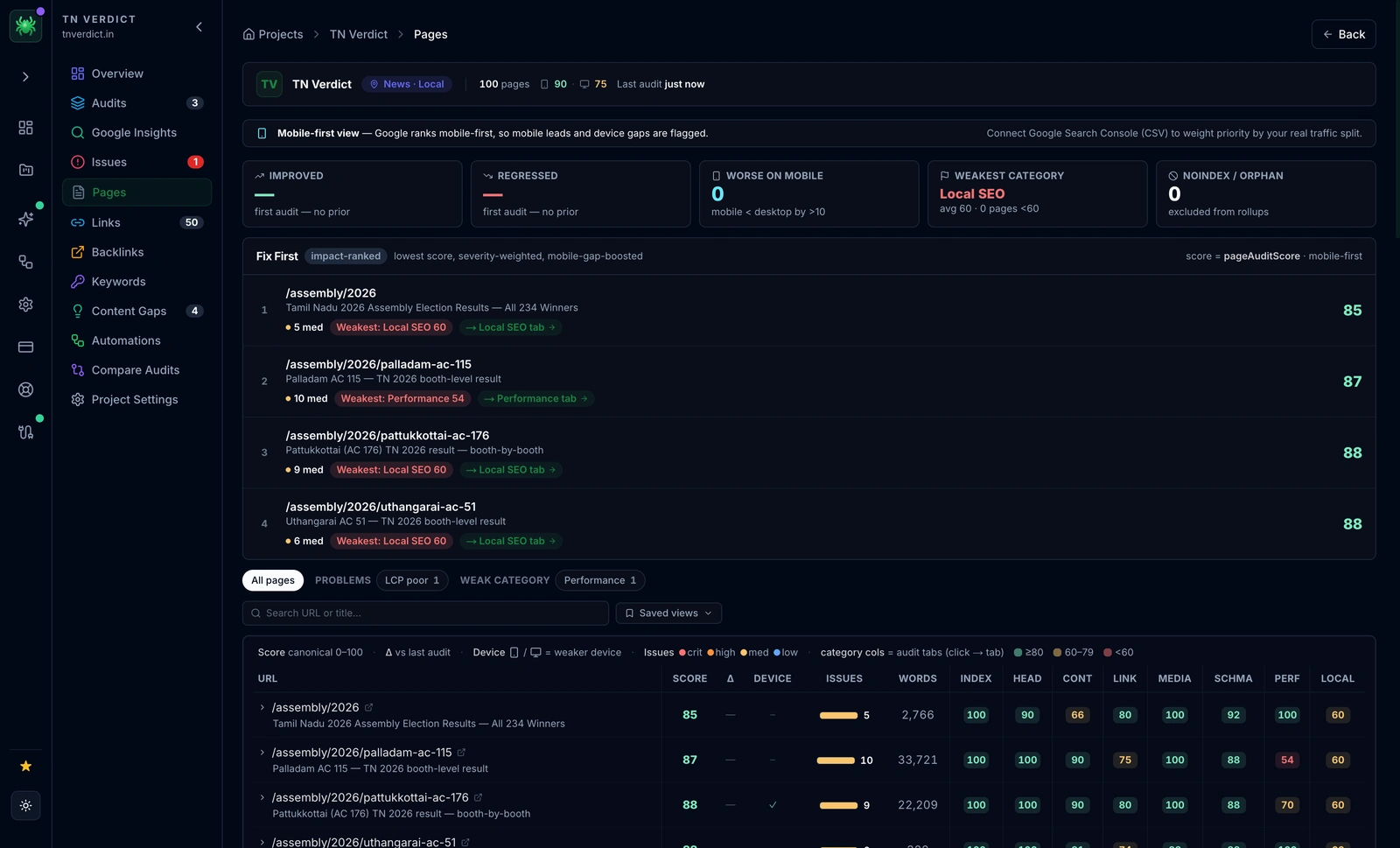
Digispot AI can help you identify crawl errors and budget waste automatically with AI-powered audits analyzing 300+ ranking factors.
3. Indexing: The Organization Phase
Just because Google crawled your page doesn't mean it will index it. Indexing is the processing stage where Google analyzes the crawled content to understand what it is.
During indexing, Google:
- Analyzes Content: It reads the text to determine the topic, and stores textual signals in an "inverted index"—a lookup table mapping each word to the list of pages that contain it, so results can be retrieved in milliseconds.
- Identifies Keywords: It catalogs terms like "running shoes" or "SEO automation," along with entities (people, places, products) it recognizes and their relationships.
- Checks Canonicalization: It determines if this page is a duplicate of another page. When it finds near-identical versions, it groups them into a cluster and picks one "canonical" URL to represent the rest; your
rel="canonical"tag is a strong hint here, but Google can override it if signals disagree. - Renders JavaScript: It executes scripts to see dynamic content. Rendering is queued and can happen later than the initial crawl, so anything injected client-side may be delayed—this is why JavaScript SEO matters for framework-heavy sites.
The result is stored in the Google Index (a massive database originally built on the Caffeine infrastructure), spread across thousands of machines. Indexing is not guaranteed: Google may crawl a page and still return statuses like "Crawled – currently not indexed" if it judges the content low value. If you aren't in the index, you can't appear in search results. Period.
4. Ranking: Serving the Best Answer
This is the step everyone cares about. When a user types a query, Google doesn't scan the live internet. It scans its index.
Its goal is to find the most relevant, high-quality answer from billions of possibilities and serve it in milliseconds. To do this, it applies a ranking algorithm that considers hundreds of signals.
- Intent Matching: Google determines if the user wants to buy something, learn something, or go somewhere.
- Relevance Scoring: It checks how well your content matches the query. This is where semantic search SEO comes into play—matching concepts, not just keywords.
- Quality Filtering: It promotes authoritative sources and demotes spam.
- Ordering: It arranges the final list from position 1 to position 100.
Inside the Core Systems: How Google Thinks
Google isn't just one algorithm; it's a collection of sophisticated AI systems working in harmony. Understanding these helps you realize why "tricks" don't work anymore.
RankBrain: The AI Interpreter
RankBrain was Google's first major deployment of machine learning in search. Its job is to understand searching intent, specifically for queries Google hasn't seen before. It looks at patterns to guess what a user means. If a user searches for "best way to cut grass without a machine," RankBrain understands they want a "scythe" or "manual mower," even if those words aren't in the query.
SpamBrain: The Defense System
SpamBrain is an AI-based spam prevention system. It detects patterns that look unnatural, such as gibberish auto-generated text, link buying schemes, or cloaking. It evolves constantly, meaning tactics that worked five years ago (like keyword stuffing) will now get you flagged immediately.
BERT & Neural Matching
BERT (Bidirectional Encoder Representations from Transformers) helps Google understand the nuance of language. It looks at the context of words in a sentence. For example, in the phrase "can you get medicine for someone pharmacy," the word "for" is crucial. BERT understands you are picking up a prescription for another person, not buying the pharmacy itself.
The "Helpful Content" System
This is a more recent addition that looks at sitewide signals. It asks: Is this content written for people, or for search engines? Sites that mass-produce low-value content to capture search traffic are often suppressed by this system.
Why Rankings Drop: Diagnosing Visibility Issues
Google pushes thousands of updates a year. Most are minor, but "Core Updates" can radically shift the landscape. If your traffic drops, it's usually due to a specific violation of Google's quality expectations.
1. Toxic Link Profiles
Links are votes of confidence, but not all votes count equally. Google's Penguin algorithm (now part of the core algorithm) ignores or penalizes unnatural links.
- Link Schemes: Buying links or participating in "link wheels."
- Unnatural Anchors: If 500 sites link to you with the exact anchor text "best seo tool," it looks suspicious.
If you inherit a spammy profile, the fix is to audit and remove toxic backlinks safely before considering a disavow.
2. Thin or Duplicate Content
"Thin content" refers to pages with very little value—think 200 words of generic text, copied product descriptions, or pages that exist only to target a keyword variation. Google refuses to index these to save space. Similarly, duplicate content confuses the indexer, forcing it to choose one version and ignore the rest.
3. Technical Barriers
Sometimes the content is great, but the delivery fails.
- Slow Speed: If your page takes 5 seconds to load, users bounce. Google notices this signal.
- Broken Rendering: If your content relies entirely on JavaScript and fails to render for Googlebot, your page appears blank to the search engine.
- Mobile Issues: Elements that overlap or are unclickable on mobile can hurt your ranking.
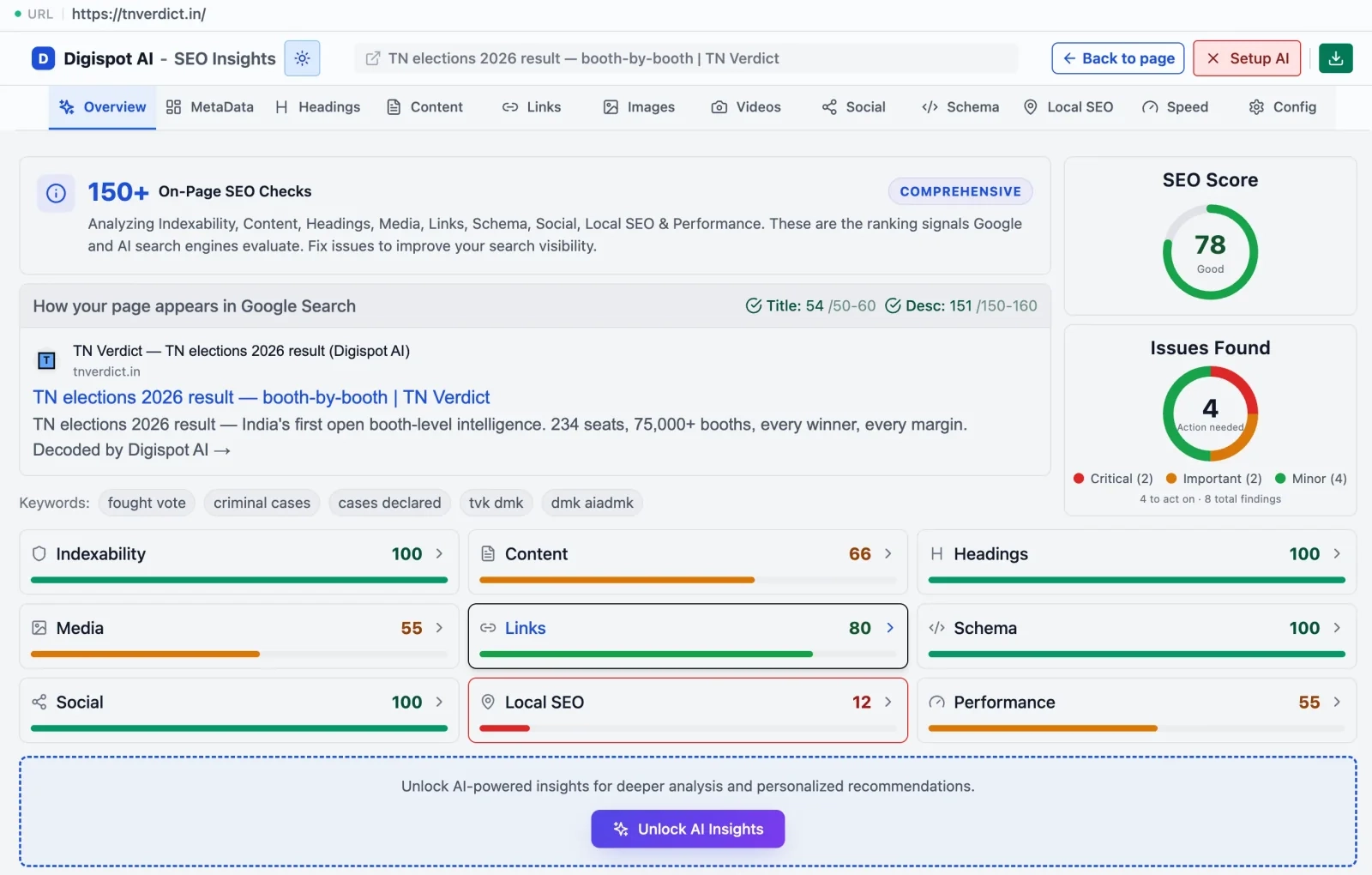
Get instant SEO insights on any page to check for these technical barriers with our free Chrome extension. It visualizes exactly what Google sees.
4. Deceptive Practices (Manual Actions)
These are the most severe penalties.
- Cloaking: Showing Googlebot a text-heavy page while showing users a page full of ads.
- Sneaky Redirects: redirecting users to a different URL than the one shown in search results. These result in "Manual Actions"—human reviewers at Google physically banning your site until you fix it.
Strategic Optimization: How to Align with Google
Knowing how the machine works allows you to feed it the right data. Here is a strategic approach to aligning your site with Google's pipeline.
1. Master Technical Discoverability
You cannot rank if you aren't crawled.
- Robots.txt Optimization: Ensure you aren't accidentally blocking Googlebot from important folders.
- XML Sitemaps: Keep your sitemap clean. Remove 404 pages and redirects from it. Only submit 200 OK, canonical URLs.
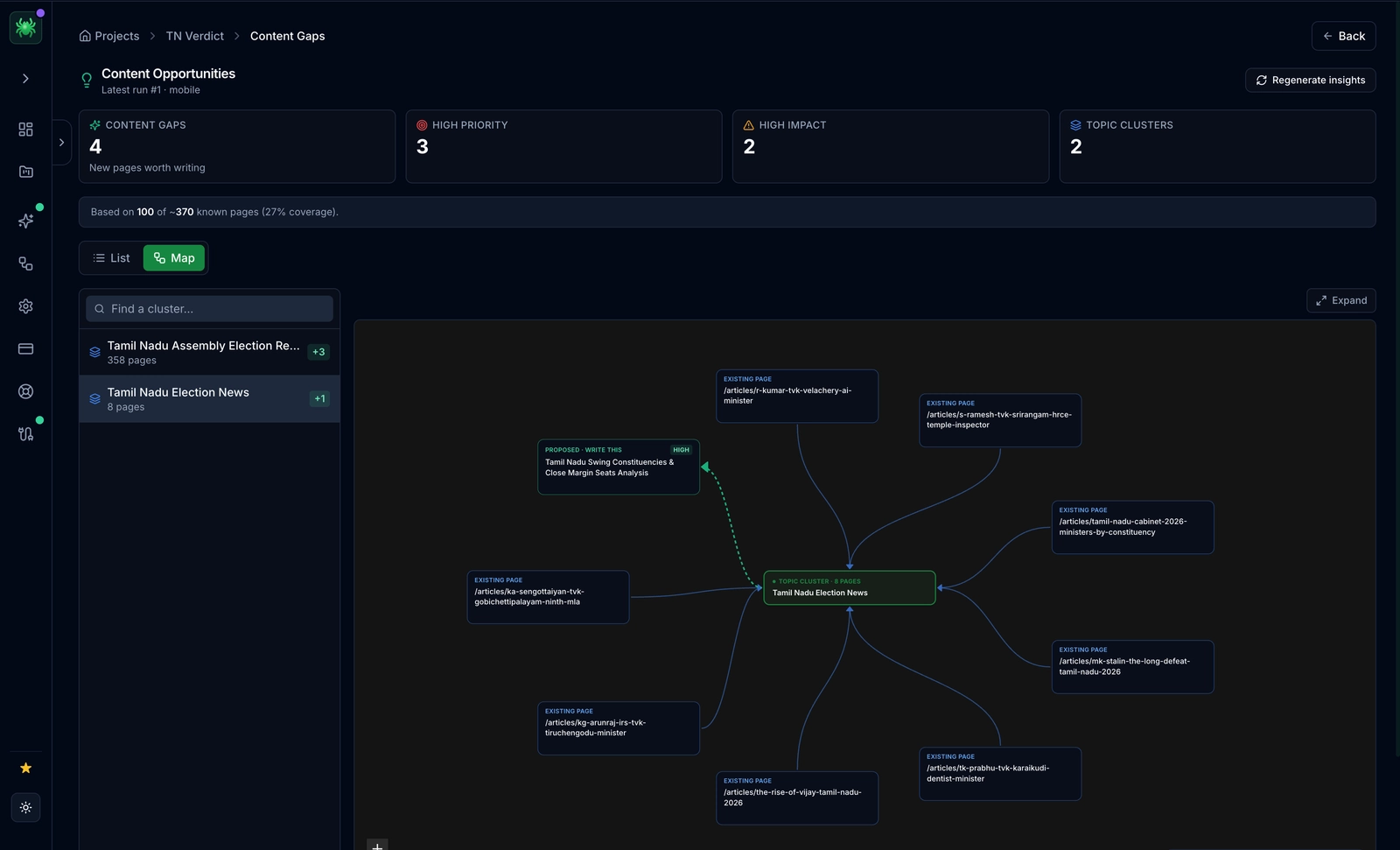
- Internal Structure: Use a "hub and spoke" model. Link from your high-authority homepage to your category pages, and from categories to posts. This flows authority (PageRank) down to your deep content.
2. E-E-A-T: Build Trust Signals
Google uses E-E-A-T (Experience, Expertise, Authoritativeness, Trustworthiness) to evaluate content quality.
- Experience: Show you have actually used the product or service. Use original photos, not stock images.
- Expertise: clearly identify authors. Create author bio pages linking to their LinkedIn or other publications.
- Trust: Have a clear privacy policy, physical address, and HTTPS security.
3. Optimize for Search Intent
Don't just target keywords; target the user's goal.
- If the keyword is "how to fix a sink," write a tutorial (Informational Intent).
- If the keyword is "plumber near me," create a service page with a map and phone number (Local/Transactional Intent).
- Misaligning intent is the #1 reason for high bounce rates. Read our guide on search intent optimization to master this nuance.
4. Leverage Structured Data (Schema)
Schema markup is code you add to your HTML to help Google understand your content explicitly. It turns "5 stars" text into a yellow star rating in search results.
- Use
Articleschema for blog posts. - Use
Productschema for e-commerce. - Use
FAQschema to capture more screen real estate.
Use the free Schema Markup Generator to create valid structured data code in minutes without needing a developer.
5. Mobile & Core Web Vitals
Google measures "Page Experience" signals.
- LCP (Largest Contentful Paint): How fast the main content loads (aim for <2.5s).
- CLS (Cumulative Layout Shift): Does the page jump around as it loads? (aim for 0).
- INP (Interaction to Next Paint): How responsive is the page when clicked? Improving these metrics directly correlates with better rankings because Google prefers sites that don't annoy users.
Measuring Your Success
SEO is data-driven. You must monitor how Google processes your site using the right tools.
Google Search Console (GSC)
This is the only source of truth for how Google sees your site.
- Coverage Report: Tells you exactly which pages are indexed and which have errors (5xx, 404s).
- Performance Report: Shows clicks, impressions, and average position.
- URL Inspection Tool: Allows you to test a live URL to see if Google can crawl it right now.
Digispot AI Platform
While GSC provides the raw data, it doesn't always tell you how to fix the problems or analyze your competitors.
- Rank Tracking: Monitor your position changes daily.
- AEO (Answer Engine Optimization): distinct from standard SEO, track how you appear in AI overviews like ChatGPT and Google Gemini.
- On-Page Audits: Get prioritized lists of fixes based on impact.
Ready to improve your search visibility? Try Digispot AI for comprehensive website audits and actionable recommendations that bridge the gap between technical data and business results.
Final Thoughts: The Human Element
A key point to note: while it is tempting to generate thousands of pages with AI to "flood" the index, you will likely be penalized in the long term. The "Helpful Content" system is specifically trained to catch this.
Remember, Google has a powerful ecosystem of products, but their primary customer is the searcher, not the website owner. They are always improving their algorithms to provide the best results to their users. Your goal should be to provide useful, high-quality information for your target audience.
By creating a helpful, easy-to-understand website that loads fast and answers questions thoroughly, you align your business goals with Google's engineering goals. That is the only future-proof SEO strategy.
We at Digispot AI apply a similar approach taken by Google to crawl and process your website. You can find our crawler results and insights on your website similar to the errors and details that you can see in Google Search Console, but with deeper actionable intelligence.
Related deep-dives
Continue with these closely related guides:
- digital marketing & seo — Digital Marketing & SEO: Complete Beginner Guide 2026
- infinite scroll seo — Infinite Scroll SEO: Fix Crawling & Indexing Issues
- best screaming frog alternatives — Best Screaming Frog Alternatives for Modern SEO in 2026
- low-code website seo — Low-Code Website SEO: Optimize No-Code Platforms
References
Audit any page in seconds
300+ SEO checks including Core Web Vitals, schema markup, meta tags, and AI readiness — trusted by 1000+ SEO experts and marketers.
Frequently Asked Questions
Here are some of our most commonly asked questions. If you need more help, feel free to reach out to us.
Written by
Maya Krishnan
Digital growth expert
Maya is a seasoned expert in web development, SEO, and digital strategy, dedicated to helping businesses achieve sustainable growth online. With a blend of technical expertise and strategic insight, she specializes in creating optimized web solutions, enhancing user experiences, and driving data-driven results. A trusted voice in the industry, Maya simplifies complex digital concepts through her writing, empowering readers with actionable strategies to thrive in the ever-evolving digital landscape.