Heading Hierarchy SEO: Structure H1-H6 Tags Right
Learn how proper heading hierarchy boosts SEO and accessibility. Structure H1-H6 tags correctly to improve rankings, readability, and content organization.
 Maya Krishnan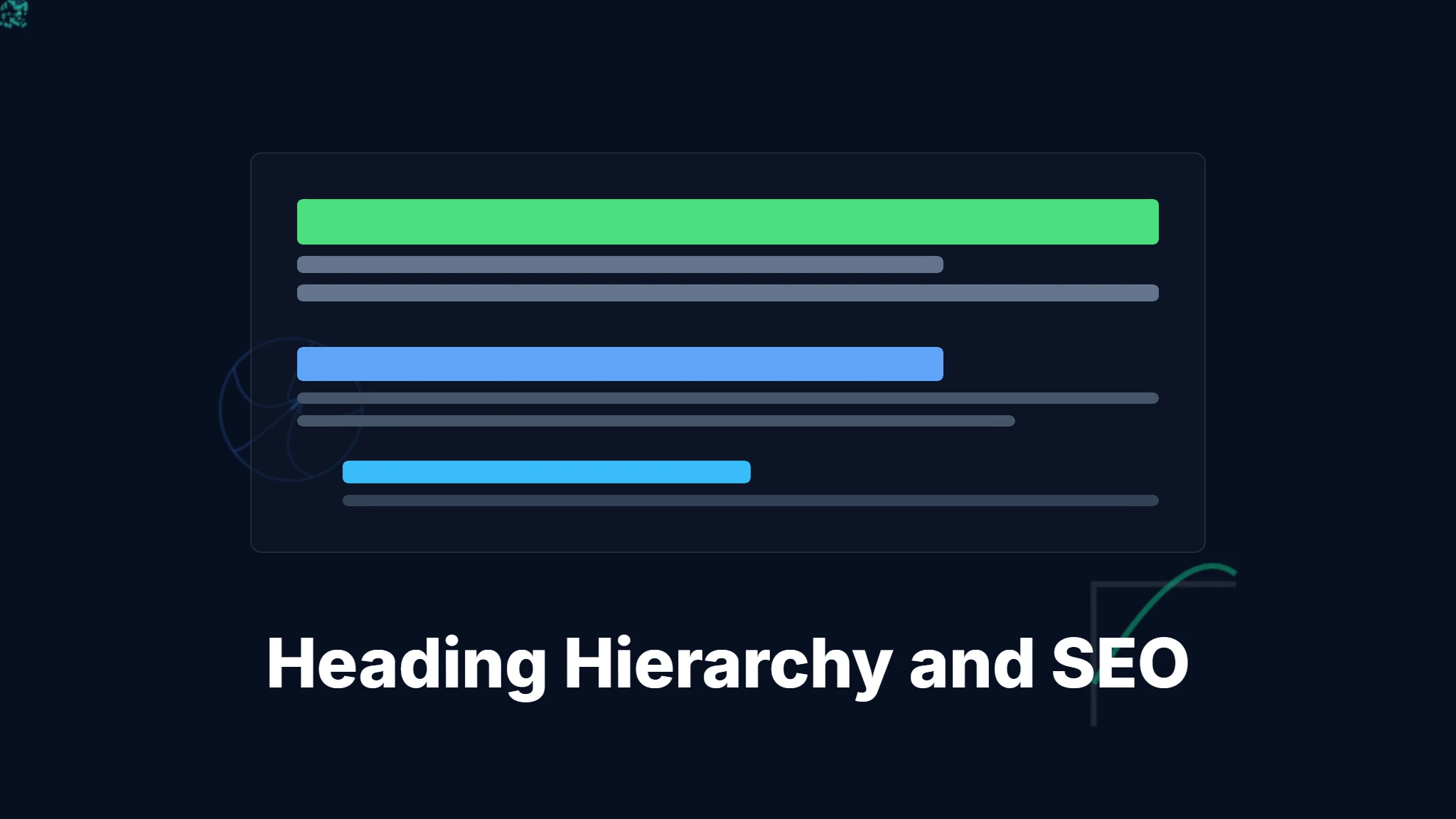
You click a promising search result, expecting a clear answer to your question. Instead, you face a wall of unbroken text. No clear sections, no bold headlines to guide your eye—just a dense block of information. You likely hit the "back" button immediately.
In a digital environment where attention spans are measured in milliseconds, your content needs more than high-quality writing; it demands a rigid, logical skeleton. This structural foundation is heading hierarchy, and it serves as the primary communication channel between your website and search engines.
Without proper heading tags (H1 through H6), search crawlers struggle to distinguish your primary topic from supporting details, and users—including those using assistive technologies—cannot navigate your page effectively.
This guide details exactly how to structure your headings for maximum SEO impact and user engagement. We will examine the technical mechanics of how Google and AI platforms like ChatGPT parse HTML structure, provide a step-by-step implementation framework, and show you how to audit your site for structural flaws using tools like Digispot AI.
What is Heading Hierarchy in HTML?
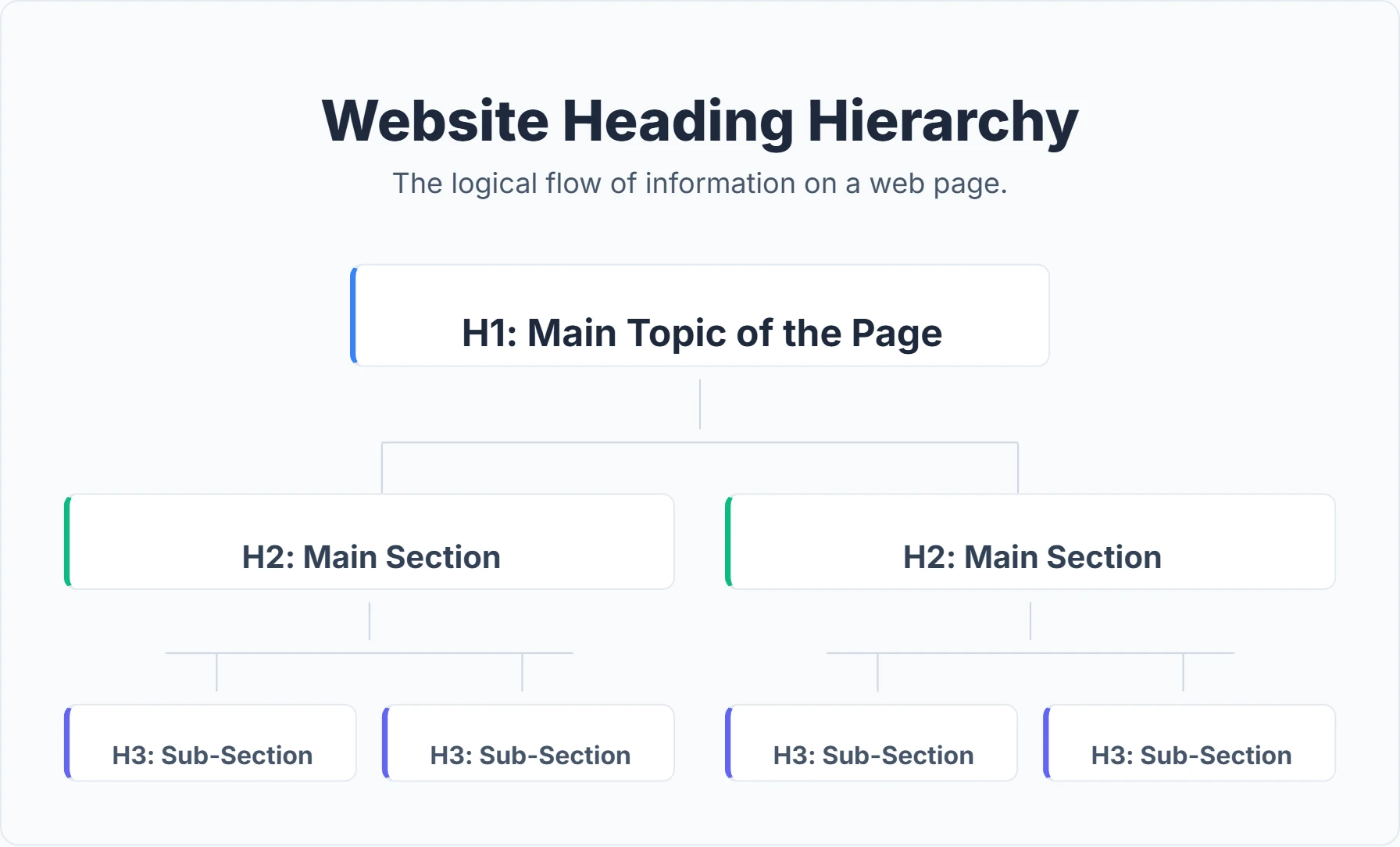
Heading hierarchy is the semantic organization of a webpage's content using HTML tags ranging from <h1> to <h6>. These tags inform browsers and search engines about the relative importance and relationship of different text sections.
Think of it as the outline you would create before writing a research paper, but translated into code that robots can read.
The Six Levels of Heading Tags
- H1 (Heading 1): The primary headline. This tag signals the single most important topic of the page. It typically matches the user's search intent and serves as the umbrella under which all other content sits.
- H2 (Heading 2): Major section headers. These divide the H1 topic into distinct chapters or pillars. For a guide on "Digital Marketing," H2s might be "SEO," "Social Media," and "Email Campaigns."
- H3 (Heading 3): Sub-sections. These provide specific details within an H2. Under the "SEO" H2, you might have H3s for "On-Page Factors" and "Backlink Strategy."
- H4, H5, H6: Deep-dive headers. These are used for granular details, lists, or step-by-step instructions nested within H3s. While H4s are common in technical documentation, H5s and H6s are rarely needed for standard blog posts.
Semantic Meaning vs. Visual Style
A critical distinction often missed by beginners is the difference between semantic structure and visual design.
Semantic HTML (using <h1>, <h2>) tells the machine what the text is.
CSS Styling (font size, bold weight) tells the browser how it should look.
You might make a paragraph text large and bold using CSS (<p style="font-size: 30px; font-weight: bold;">), visually mimicking a heading. However, to a search engine bot or a screen reader, it remains just a paragraph (<p>). It carries no structural weight. Conversely, an <h2> tag signals importance even if you style it to look small.
For robust on-page SEO best practices, you must use the correct semantic tags, not just visual tricks.
The "House Construction" Analogy
To visualize this, imagine your webpage is a house being built.
- The H1 is the Foundation and Address: It defines the entire structure. A house cannot have two foundations (multiple H1s), nor can it exist without one. It tells the visitor, "You have arrived at the Manual for SEO Audits."
- The H2s are the Rooms: The Living Room, Kitchen, and Bedroom. These are the main functional areas. You wouldn't put a toilet in the kitchen; similarly, you shouldn't put "Social Media Tips" inside an H2 regarding "Technical SEO."
- The H3s are the Furniture: The sofa in the living room, the stove in the kitchen. They belong to specific rooms. You don't place the bed (H3) directly on the foundation (H1) without a bedroom (H2) to contain it.
- The H4s are the Drawer Contents: The silverware in the drawer. Highly specific items that need a specific container.
If you invite a guest (or a Google bot) into a house where the furniture is scattered on the lawn and the rooms have no walls, they will leave confused.
Why Search Engines Rely on Heading Hierarchy
The impact of headings extends beyond simple organization. Understanding how search algorithms use this data explains why structure is a ranking factor.
1. Context for Passage Indexing
Google’s systems are sophisticated enough to rank individual passages of a page, not just the whole page. If a specific section of your long-form guide answers a query perfectly, Google can direct users straight to that section (often highlighting the text in yellow).
Headings act as boundaries for these passages. An H2 explicitly tells Google, "The section starting here and ending at the next H2 is about Topic X." Without these markers, algorithms struggle to determine where one topic ends and another begins, reducing your chances of ranking for specific long-tail queries.
2. AEO (Answer Engine Optimization)
With the rise of AI-powered search (Google AI Overviews, ChatGPT, Perplexity), Answer Engine Optimization (AEO) is becoming critical. These Large Language Models (LLMs) ingest content to synthesize answers.
LLMs rely heavily on document structure to understand context. If your content is a flat wall of text, the AI has difficulty extracting facts. A clear hierarchy—Questions in H2s, Answers in paragraphs—makes it easy for AI agents to retrieve and cite your content. Digispot AI specializes in this, helping you structure content so it appeals to both traditional search spiders and modern AI agents.
3. Featured Snippet Generation
Featured snippets—the boxes at position zero in search results—often pull directly from heading structures.
- List Snippets: Google often pulls H2s or H3s to create a bulleted list in the search results. If you write "Top 10 SEO Tools" and format each tool as an H2, Google can easily scrape those headers to form a list snippet.
- Definition Snippets: An H2 asking "What is Schema Markup?" followed immediately by a concise definition improves your probability of winning the definition snippet.
4. Keyword Relevance and Prominence
Search engines assign more weight to text inside heading tags than to standard paragraph text. Keywords in H1 and H2 tags signal to the algorithm that these terms are central to the page's theme.
However, this requires nuance. Old-school "keyword stuffing" (repeating the same phrase in every header) triggers spam filters. Modern algorithms look for semantic variants and related entities. If your H1 is about "Coffee Brewing," your H2s should naturally contain related terms like "Grinding Beans," "Water Temperature," and "French Press Techniques," rather than just "Coffee Brewing Tips 1," "Coffee Brewing Tips 2," etc.
5. Efficient Crawling
Google has a limited "crawl budget" for every site. Complex, unstructured pages take more computational power to analyze. A clean hierarchy allows the spider to parse your content's "skeleton" in milliseconds, leaving more resources to index other pages on your site. For large sites, efficient crawling is vital for technical SEO health.
The User Experience (UX) Connection
While we focus on algorithms, Google's primary ranking signal is user satisfaction. Heading hierarchy directly influences how users interact with your page.
Scannability and the F-Pattern
Eye-tracking studies by the Nielsen Norman Group consistently show that users read in an "F-shaped" pattern. They scan the top of the page (H1), then scan down the left side looking for cues (H2s/H3s).
Users rarely read word-for-word. They "forage" for information. Headings serve as signposts. If a user wants to know about "Heading Mistakes," they will scroll rapidly until they see that specific H2. If you bury that information in a paragraph without a header, the user assumes it's not there and bounces.
High bounce rates and short "dwell time" (time on page) are negative signals to Google. By making your content scannable, you keep users engaged longer, indirectly boosting your rankings.
Accessibility and WCAG Compliance
For the 2.2 billion people globally with vision impairments, heading hierarchy is not a luxury—it is a necessity.
Screen readers (like JAWS, NVDA, and VoiceOver) allow users to navigate by jumping from heading to heading. A blind user might press the "H" key to skip through H2s to hear the outline of the page.
- Logical Order: If you skip from H2 to H4, the screen reader user might think they missed a section.
- Missing H1: Without an H1, the user may not know the page title immediately.
Compliance with WCAG (Web Content Accessibility Guidelines) is increasingly becoming a legal requirement and a strong signal of site quality (E-E-A-T).
The Undeniable Benefits of a Well-Structured Heading Hierarchy
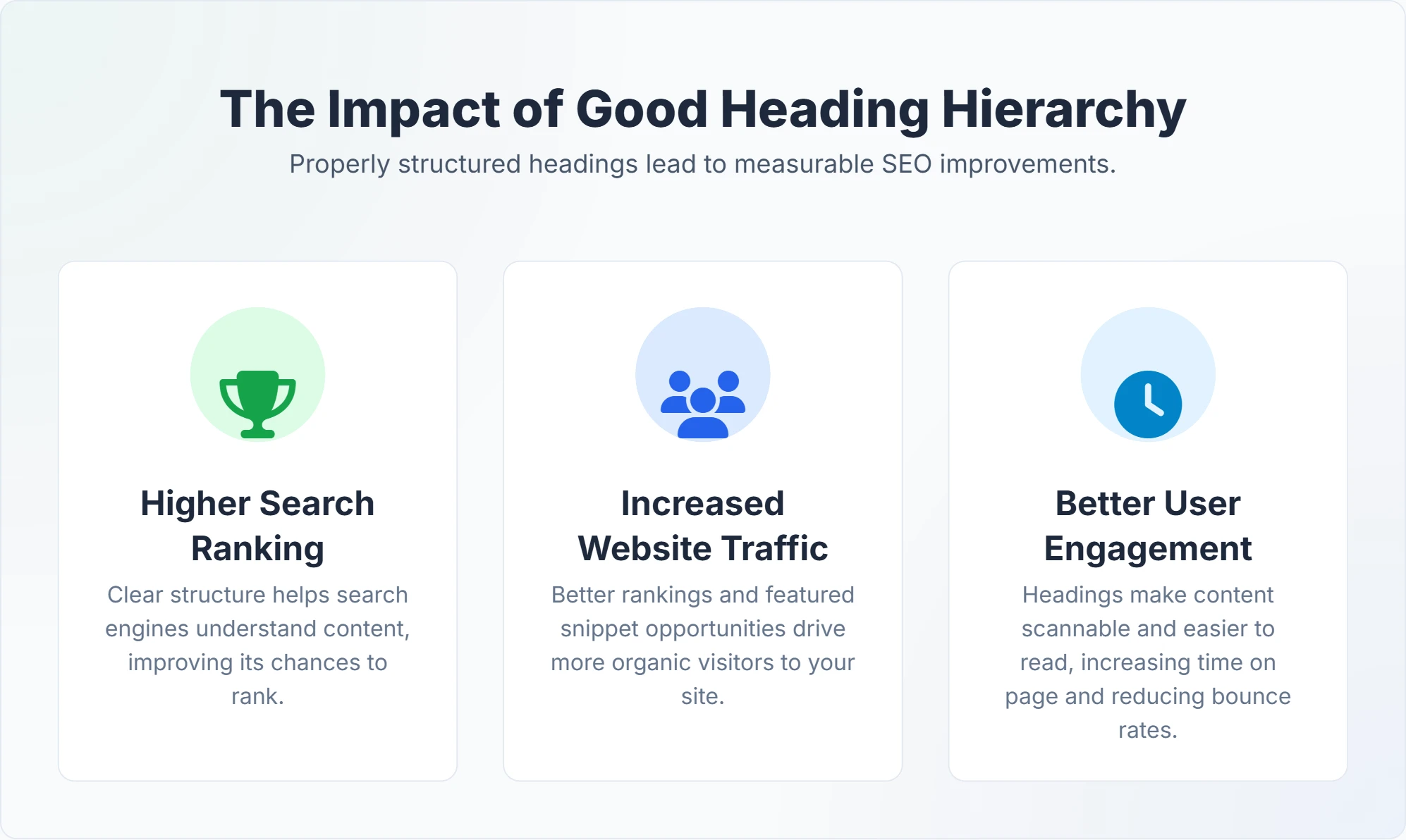
The following table breaks down how heading hierarchy translates into tangible business and technical advantages.
| Benefit Category | Specific Advantage | How It Helps |
|---|---|---|
| SEO Improvement | Higher Search Rankings | Search engines better understand your content's relevance, leading to improved visibility for target keywords and long-tail variants. |
| Featured Snippet Potential | Clear Q&A structures within headings make it easier for Google to extract and display answers directly in search results. | |
| Better Indexing & Crawl Efficiency | Search engine bots can efficiently understand and index your page's content, ensuring all valuable information is discovered. | |
| Semantic Understanding | Helps search engines grasp the deeper meaning and context of your content, not just keywords, improving matching with complex user queries. | |
| User Experience (UX) | Enhanced Readability | Breaks up dense text, making content easier to scan and digest, preventing information overload. |
| Improved Navigation | Provides a clear roadmap for users to quickly find relevant sections without endless scrolling. | |
| Increased Engagement | Users stay longer on pages that are easy to read and understand, reducing bounce rates and signaling content quality to search engines. | |
| Better Comprehension | Presents information in a logical flow, helping users grasp complex topics more effectively. | |
| Accessibility | Inclusive for All Users | Screen readers rely on heading hierarchy to provide structure and navigation for visually impaired users, making your site accessible. |
| Content Organization | Logical Structure & Flow | Forces content creators to think systematically, resulting in more coherent, well-organized, and professional-looking content. |
| Easier Content Updates | A clear structure makes it simpler to update, expand, or repurpose content, as you know exactly where to insert new information. |
Common Heading Hierarchy Mistakes to Avoid
Even experienced developers and writers make structural errors. Identifying these pitfalls is the first step toward optimization.
1. The "Skipped Level" Error
The Mistake: Jumping from H2 directly to H4. Why it hurts: It creates a "broken" outline. It signals to screen readers that a section is missing. Correction: Always descend one level at a time. H2 > H3 > H4.
2. Multiple H1 Tags
The Mistake: Using H1 tags for the site logo, the page title, and the main article headline simultaneously.
Why it hurts: HTML5 technically permits multiple H1s if they are in different <section> or <article> tags, but Google explicitly recommends one H1 per page. Multiple H1s dilute the signal of what the page is actually about.
Correction: Ensure your template wraps the logo in a <div> or <span>, not an <h1>. Only the main content title should be <h1>.
3. Using Headings for Styling Only
The Mistake: Using an <h3> in the footer for "Contact Us" just because you want the text to be 18px and bold.
Why it hurts: This clutters the document outline with non-content information. A footer link is not a subsection of your blog post.
Correction: Use a distinct class, such as <div class="footer-title">, and apply CSS styles.
4. Empty Heading Tags
The Mistake: Code containing <h2> </h2>.
Why it hurts: This is usually a leftover from sloppy coding or a CMS template error. It confuses screen readers, which will announce "Heading Level 2" followed by silence.
Correction: Digispot AI can help you identify and fix these issues automatically with AI-powered audits analyzing 200+ ranking factors.
5. Keyword Stuffing
The Mistake: H1: Best SEO Services H2: Our Best SEO Services for Small Business H2: Why We Are the Best SEO Services Why it hurts: It reads unnaturally and triggers spam filters. Correction: Use natural language. H1: SEO Services for Small Business H2: Custom Strategies for Growth H2: Why Choose Our Agency
6. Generic Headings
The Mistake: H2s named "Introduction," "Body," or "Conclusion." Why it hurts: These words carry zero semantic value. They tell Google nothing about the content. Correction: Make every heading descriptive. Instead of "Conclusion," use "Key Takeaways for Heading Structure."
How to Implement an Effective Heading Hierarchy: A Step-by-Step Guide
Structuring your headings should be the first step in your content creation process, not an afterthought.
Step 1: The Outline Phase (The Blueprint)
Before writing a single paragraph, draft your hierarchy.
- Identify the H1: What is the singular promise of this page? (e.g., "Complete Guide to [Topic]").
- Map the H2s: What are the 3-5 major questions a user has about this topic? These become your pillars.
- Fill in H3s: Does an H2 require detailed steps? If you have an H2 for "Installation," your H3s might be "Windows," "Mac," and "Linux."
Step 2: Draft Keyword-Rich Headlines
Write headlines that are enticing to humans but clear to robots.
- Front-Load Keywords: Place important terms early in the heading if possible, but keep it natural.
- Use Questions: H2s formatted as questions (e.g., "How many H1 tags should I use?") are excellent for capturing Voice Search queries.
- Keep it Concise: Ideally, headings should be under 60 characters for H1s and under 50 for H2s.
Step 3: Verify Semantic Tags in CMS
Whether you use WordPress, Wix, or a custom stack, ensure your editor is applying real HTML tags.
- In WordPress Gutenberg: Select the "Heading" block and choose H2 or H3.
- In HTML: Manually wrap text in
<h2>text</h2>.
Step 4: Audit Existing Content
You likely have hundreds of old pages with poor structure.
- Use the Digispot AI Chrome Extension to visualize the headings on any live page. It draws a map of your H-tags, instantly revealing skipped levels or missing H1s.
- Fix orphans (text that should be under a heading but isn't).
Get instant SEO insights on any page with our free Chrome extension.
Digispot AI: Your Ally in Mastering Heading Hierarchy and SEO
Manually checking H-tags on a 1,000-page website is impossible. This is where automation and AI become essential. Digispot AI is designed to audit, visualize, and optimize content structure at scale.
How Digispot AI Elevates Your Strategy
1. Comprehensive Website Auditing Digispot AI crawls your entire site—simulating both desktop and mobile bots. It flags structural issues that human eyes miss:
- Duplicate H1s: Identifies pages competing with themselves.
- Missing H1s: Finds pages that lack a primary title.
- Long Headings: Flags headings that are too wordy for effective indexing.
- Hierarchy Gaps: Pinpoints exactly where you skipped from H2 to H4.
2. Opportunity Finder & Content Studio Content strategy isn't just about fixing old pages; it's about building new ones correctly.
- Opportunity Finder: Identifies topic gaps your competitors are ranking for.
- Content Studio: Uses AI agents (GPT-4, Claude, etc.) to generate content briefs. These briefs come with a pre-optimized heading hierarchy based on top-ranking results, ensuring your structure is perfect before you even start writing.
3. Schema Markup Alignment
Your heading hierarchy often mirrors the structured data you need. If your H2s represent "Products," your Schema Markup should likely be Product or Item. Digispot AI helps align your visual HTML structure with your invisible JSON-LD schema, amplifying your signals to Google.
Use the free Schema Markup Generator to create valid structured data in minutes that complements your heading structure.
4. AEO Tracking Since Digispot AI focuses on Answer Engine Optimization, it analyzes your headings specifically for how well they serve AI answers. It checks if your H2/Paragraph combinations are structured in a way that makes it easy for ChatGPT or Google's SGE to extract the answer.
The Digispot AI Free Community Chrome Extension
For content writers and editors working day-to-day, the Digispot AI free community Chrome extension is a workflow game-changer.
Instead of "View Source" and searching for <h2>, you simply click the extension icon. It generates an instant Heading Map in the sidebar.
- Visual Validation: See the indentation of H1 > H2 > H3 clearly.
- Red Flag Alerts: The tool highlights errors (like missing H1s) in red immediately.
- Competitor Analysis: Run it on a competitor's page to see their heading structure. You can then model your content after what is already ranking well.
Try the free On-Page SEO Analysis tool to audit any URL instantly if you prefer a web-based interface.
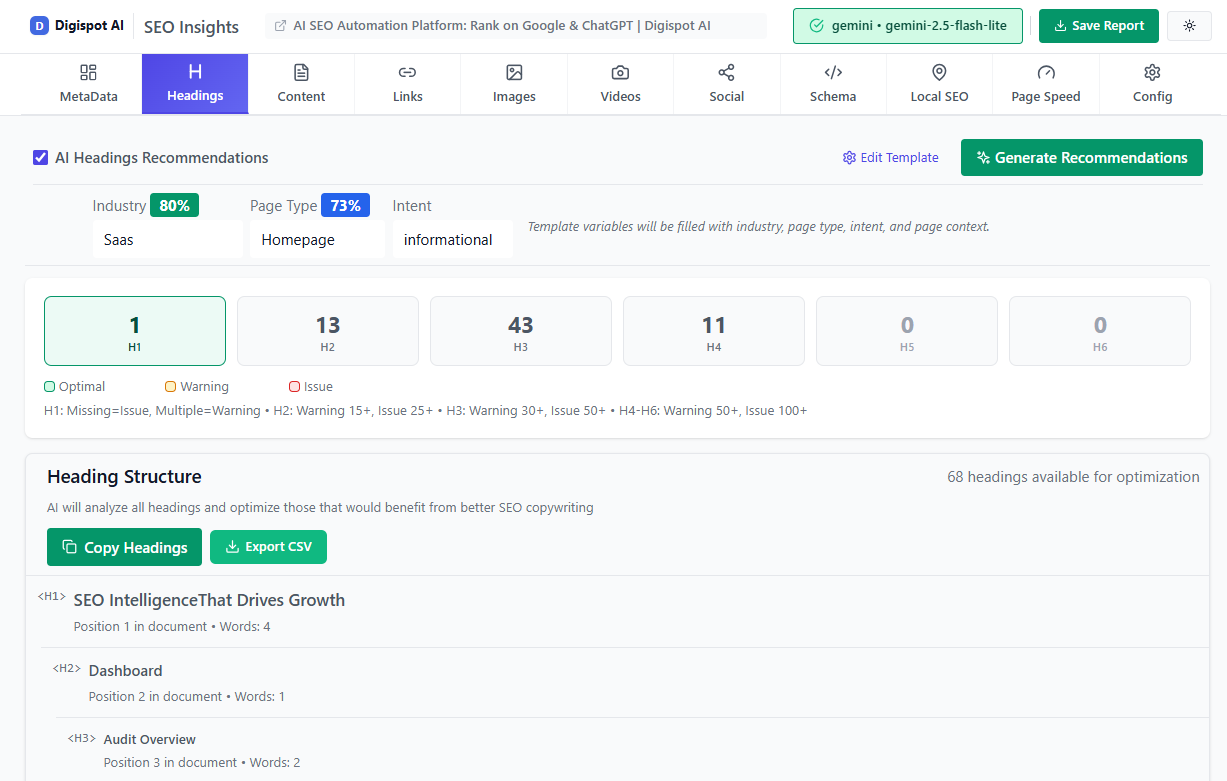
Turn invisible SEO data into clear visuals with our Free Chrome extension.
Advanced Tips for Heading Hierarchy Mastery
Once you have the basics down, use these advanced tactics to outperform competitors.
1. Optimize for "People Also Ask" (PAA)
Search for your primary keyword and look at the "People Also Ask" box in Google. Take those exact questions and use them as H2s or H3s in your content.
- Query: "SEO Audit"
- PAA: "How long does an SEO audit take?"
- Your H2: "How Long Does a Comprehensive SEO Audit Take?" This directly aligns your structure with verified user intent.
2. The "Table of Contents" SEO Hack
For long-form content (over 2,000 words), add a clickable Table of Contents (TOC) at the top.
The TOC links should be anchor links (jumping to #section-id).
- UX Benefit: Users can jump to what they need.
- SEO Benefit: Google often adds these jump links directly in the search results under your description (Sitelinks), increasing your Click-Through Rate (CTR).
- Structure: The TOC is essentially a mirror of your heading hierarchy.
3. Mobile-First Heading Design
Remember that on mobile, screen real estate is limited.
- An H1 that is 3 lines long on desktop might be 8 lines long on mobile, pushing your content "below the fold."
- Ensure your CSS scales heading sizes down for mobile viewports to maintain a good user experience and improve Core Web Vitals scores.
4. Topic Clusters and Pillar Pages
Use headings to link conceptually to other pages. If you have a "Pillar Page" about SEO, and an H2 for "Link Building," that section should link to your dedicated "Link Building Guide." This creates a semantic web of content that strengthens your site's authority on the topic. Learn more about E-E-A-T principles to understand how structure signals expertise.
Conclusion: Structure for Success
Heading hierarchy is far more than a mere formatting detail; it is the skeleton that supports your entire digital presence. By carefully structuring your content with logical H1s, H2s, and H3s, you provide search engines with a clear roadmap of your expertise.
A disorganized page tells Google, "I don't know what matters here." A structured page says, "Here is the main topic, here are the key arguments, and here are the details." The latter wins rankings.
Simultaneously, you create a frictionless experience for your human audience, allowing them to scan, navigate, and digest your insights without frustration. In an era of AI answers and voice search, this structure is the key data source that ensures your brand remains visible.
Start improving your content structure today:
- Audit: Run your key pages through the Digispot AI extension.
- Fix: Correct any skipped levels or missing H1s.
- Plan: Use a strict hierarchy for all future content.
Ready to improve your search visibility? Try Digispot AI for comprehensive website audits and actionable recommendations that go beyond simple keywords to optimize the very DNA of your website.
References
- How Google Search works | Google Search Central
- Organize your content with headings | Google Search Central
- Accessible heading structure | web.dev
- Introduction to Schema.org | Schema.org
- About Google Search Console - Google Search Console Help
- About Google Analytics - Analytics Help
- Digispot AI - FREE On Page SEO Audit Tool
- Digispot AI - FREE Chrome Extension for SEO Insights
- Key things to know about rich results | Google Search Central
- Improve your page speed and crawl efficiency | Google Search Central
Audit any page in seconds
200+ SEO checks including Core Web Vitals, schema markup, meta tags, and AI readiness — trusted by 1000+ SEO experts and marketers.
Frequently Asked Questions
Here are some of our most commonly asked questions. If you need more help, feel free to reach out to us.
Written by
Maya Krishnan
Digital growth expert
Maya is a seasoned expert in web development, SEO, and digital strategy, dedicated to helping businesses achieve sustainable growth online. With a blend of technical expertise and strategic insight, she specializes in creating optimized web solutions, enhancing user experiences, and driving data-driven results. A trusted voice in the industry, Maya simplifies complex digital concepts through her writing, empowering readers with actionable strategies to thrive in the ever-evolving digital landscape.