How to Create and Submit an XML Sitemap: The 2026 Guide
Learn how to create, validate, and submit XML sitemaps to Google, Bing, and AI search engines. Master sitemap best practices to boost your crawl efficiency.
 Maya Krishnan
Imagine building a massive library but locking the doors and hiding the card catalog. That is effectively what happens when you launch a website without a functional XML sitemap. You might have excellent content, but if search engines cannot find it, it does not exist.
Search engines like Google and Bing rely on complex crawlers to discover the web. While they are smart, they aren't omniscient. An XML sitemap acts as a direct line of communication with these bots, handing them a GPS map of your most valuable pages. It removes the guesswork from crawling.
For SEO professionals and business owners, mastering sitemap creation is a fundamental technical skill. It is not just about ticking a box; it is about managing your crawl budget and ensuring your on-page SEO efforts actually pay off. A clean sitemap is one of the fastest ways to help Google discover new pages—a core part of getting your website indexed on Google.
This guide covers everything you need to know to create, validate, and submit an XML sitemap that satisfies both traditional search engines and the new wave of AI search platforms.
Key Takeaways
- Keep the file clean: A sitemap should list only canonical URLs that return a
200 OK. Strip out 404s, 301 redirects, andnoindexpages before you submit. - Prioritize
<loc>and<lastmod>: These are the tags that actually influence crawling. Google ignores<priority>and largely ignores<changefreq>, and inaccuratelastmoddates erode crawler trust. - Split large sites with an index file: One sitemap caps at 50,000 URLs or 50MB uncompressed. Break sitemaps out by content type and tie them together with a sitemap index for easier diagnostics.
- Submit in two places: Add the sitemap in Google Search Console and Bing Webmaster Tools, and declare its URL in
robots.txtso every crawler, including AI bots, can find it. - Treat it as a living asset: A sitemap is not set-and-forget. Audit it regularly for bloat and sync issues so it keeps directing crawl budget toward your highest-value pages.
Why XML Sitemaps Are Non-Negotiable
An XML (Extensible Markup Language) sitemap is a text file containing a list of URLs on your site along with optional metadata like when the page was last updated.
The Mechanics of Discovery
Search bots primarily find pages by following links. If Page A links to Page B, the bot finds Page B. However, this creates two major problems:
- Orphan Pages: If a page isn't linked internally, bots may never find it.
- Crawl Depth: Pages buried deep in your site architecture (5+ clicks from the homepage) are crawled less frequently.
A sitemap bypasses this link-following logic. It presents a complete menu of URLs to the crawler immediately.
Why It Matters for AI and AEO
We are moving beyond simple keyword matching. AI engines like SearchGPT, Perplexity, and Google's Gemini-powered overviews digest content to form direct answers. These systems require structured, high-quality data inputs. A clean sitemap helps these AI agents distinguish your canonical, authoritative content from duplicate or low-value pages, improving your chances of appearing in AI-generated answers.
Digispot AI can help you ensure your site architecture is optimized for these new discovery mechanisms through our advanced site auditing platform.
The Anatomy of an XML Sitemap
Before creating one, you need to understand what a valid sitemap looks like. It is a structured format that must adhere to the sitemap protocol.
Here is a standard example of a simple XML sitemap:
<?xml version="1.0" encoding="UTF-8"?>
<urlset xmlns="http://www.sitemaps.org/schemas/sitemap/0.9">
   <url>
      <loc>https://www.example.com/</loc>
      <lastmod>2025-12-01</lastmod>
      <changefreq>daily</changefreq>
      <priority>1.0</priority>
   </url>
   <url>
      <loc>https://www.example.com/blog/seo-guide</loc>
      <lastmod>2025-12-15</lastmod>
      <changefreq>monthly</changefreq>
      <priority>0.8</priority>
   </url>
</urlset>
Key Tags Explained
<urlset>: The encapsulating tag that references the current protocol standard.<url>: The parent tag for each entry.<loc>: The absolute URL of the page. This is the only strictly mandatory field inside<url>.<lastmod>: The date the file was last modified. Crucial for SEO. Google uses this to determine if it needs to recrawl a page.<changefreq>: How often the page changes (e.g., daily, monthly). Note: Google largely ignores this tag now.<priority>: A value from 0.0 to 1.0 indicating importance relative to other pages on your site. Note: Google has officially stated they ignore this tag.
Pro Tip: Focus heavily on <loc> and <lastmod>. Ensure your <lastmod> dates are accurate. If you change the date without actually updating the content, Google may penalize your trust score and stop believing your timestamps.
How to Create Your XML Sitemap
You generally have three options depending on your technical stack: using a CMS, using a plugin, or manual coding (for custom builds).
Method 1: CMS Automation (WordPress, Shopify, Wix)
Most modern platforms handle this automatically.
- WordPress: If you use an SEO plugin (like Yoast, RankMath, or SEOPress), the sitemap is generated automatically at
yourdomain.com/sitemap_index.xml. - Shopify: Automatically generates a sitemap at
yourdomain.com/sitemap.xml. You cannot edit this file manually, but you can control which pages are included by using metafields to "hide" specific pages. - Wix/Squarespace: Generated automatically.
Method 2: Custom Generation for Static Sites
If you are running a custom HTML site or a headless setup (Next.js, React), you might need to generate one dynamically.
For developers using Node.js, packages like next-sitemap can automate this during the build process. You install it as a dev dependency, add a postbuild script ("postbuild": "next-sitemap"), and point a next-sitemap.config.js at your production siteUrl. On build it writes sitemap.xml (plus a sitemap index once you cross the 50,000-URL threshold) into your public folder, so the file ships with every deploy and never drifts out of sync. The config also lets you exclude routes with glob patterns — a clean way to keep draft, admin, and search-result paths out of the file. For frameworks without a first-party tool, the same pattern applies: query your route manifest at build time and write the XML to a static path.
If you have a small static site and just need a one-time file, you can use online generators, but be wary of limits — most cap the free tier at 500 URLs and won't set lastmod accurately. For professional auditing, a crawler like Screaming Frog can crawl your site and export a valid XML sitemap based on the pages it actually found, which is the fastest way to reconcile "pages that exist" against "pages in my sitemap." If you want cloud-based or lower-cost options, compare the best Screaming Frog alternatives before committing to a workflow.
Method 3: Dynamic Sitemaps (Best Practice)
For large websites, a static file is dangerous because it becomes outdated the moment you publish a new post. A dynamic sitemap is a script that queries your database and generates the XML output in real-time (or caches it for a short period). This ensures your sitemap is always 100% in sync with your live content.
Advanced Sitemap Strategies
Standard sitemaps cover 90% of use cases, but complex sites need more robust solutions.
The Sitemap Index File
A single sitemap file is limited to 50,000 URLs or 50MB uncompressed. If you run an e-commerce giant or a large publisher, you will hit this limit.
The solution is a Sitemap Index. Think of it as a sitemap for your sitemaps.
<?xml version="1.0" encoding="UTF-8"?>
<sitemapindex xmlns="http://www.sitemaps.org/schemas/sitemap/0.9">
   <sitemap>
      <loc>https://www.example.com/sitemap-posts.xml</loc>
      <lastmod>2025-12-30</lastmod>
   </sitemap>
   <sitemap>
      <loc>https://www.example.com/sitemap-products.xml</loc>
      <lastmod>2025-12-30</lastmod>
   </sitemap>
</sitemapindex>
You submit only this index file to Google, and it will automatically fetch all the child sitemaps listed within.
Image and Video Sitemaps
While Google is good at extracting images, specific sitemaps can help rank visual content in Google Images and Video Search.
- Image Sitemap: Adds metadata like image title, caption, and license.
- Video Sitemap: Critical for video SEO. Defines thumbnail, duration, rating, and family-friendly status.
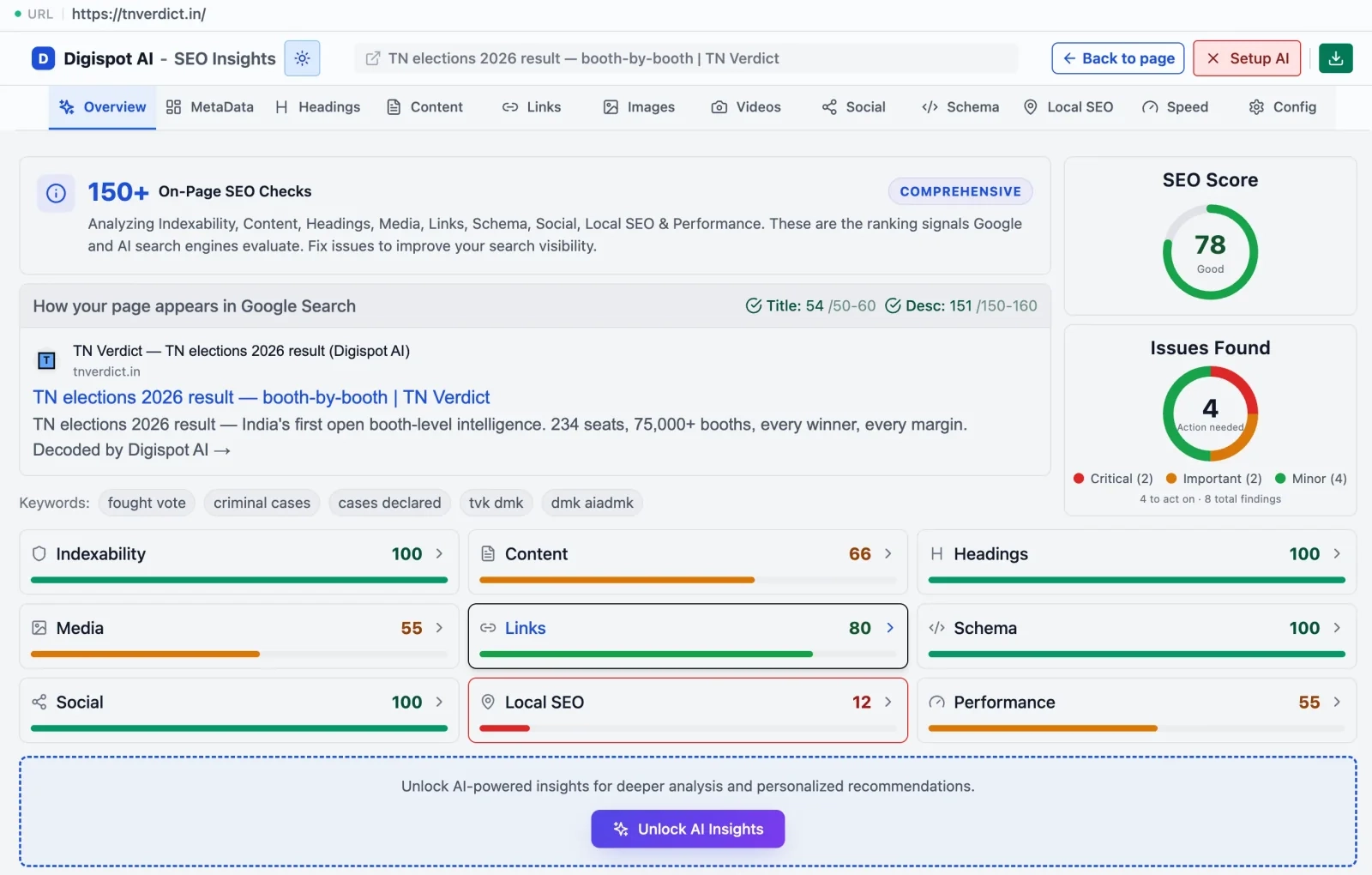
If you are unsure if your media is being indexed properly, get instant SEO insights on any page with our free Chrome extension. It analyzes whether your on-page assets are accessible to crawlers.
Validating Your Sitemap Before Submission
Never submit a sitemap blindly. A syntax error can cause Google to reject the entire file.
Common Validation Errors
- Invalid XML Tags: Missing closing tags or incorrect nesting.
- Dirty URLs: Including URLs with session IDs, parameters that don't change content, or non-ASCII characters without proper encoding.
- Non-200 Status Codes: Your sitemap should only contain URLs that return a
200 OKstatus.- Remove 404s: Broken pages should not be here.
- Remove 301s: Don't send bots to a redirect; send them to the final destination.
- Remove Noindex: If a page is marked
noindex, it does not belong in the sitemap.
You can use the Digispot AI On-Page SEO Checker to verify the status codes of your key pages before adding them to your sitemap list.
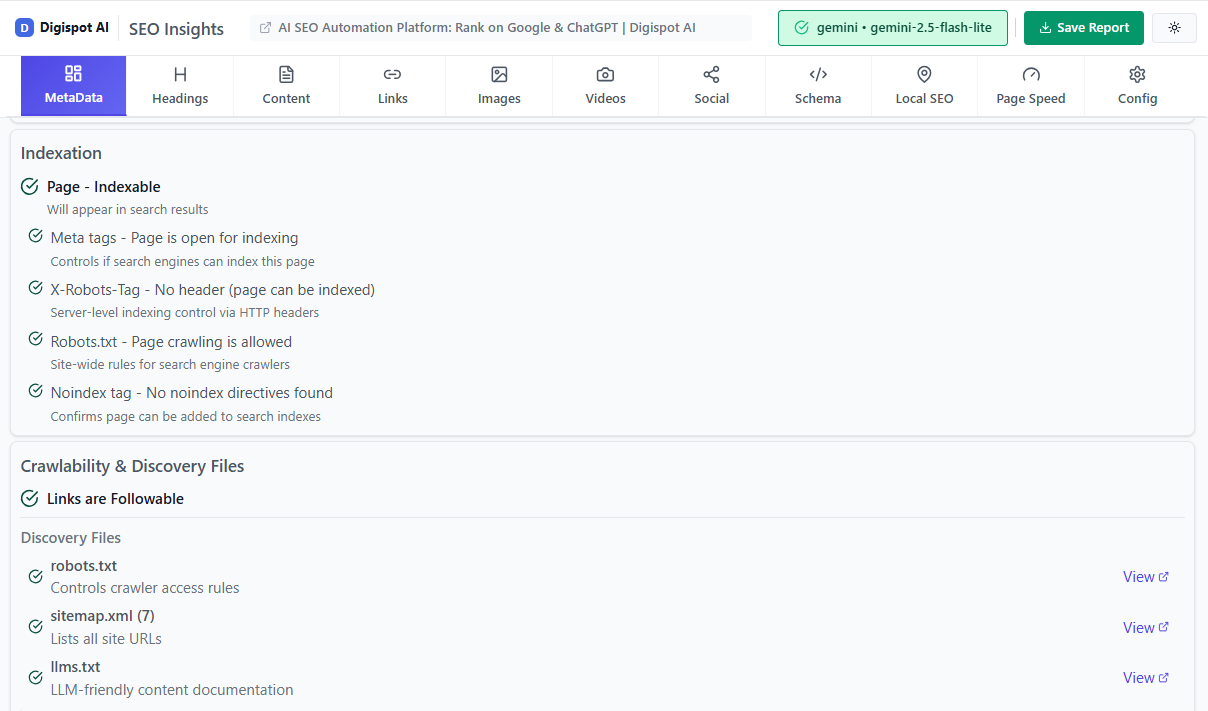
Turn invisible SEO data into clear visuals with our Free Chrome extension.
How to Submit Your Sitemap to Google
Once created and validated, you must introduce it to Google.
- Log in to Google Search Console (GSC).
- Select your property.
- In the left sidebar, under "Indexing," click Sitemaps.
- Enter the URL of your sitemap (e.g.,
sitemap_index.xml) in the "Add a new sitemap" field. - Click Submit.
You should see a status of "Success" shortly. If you see "Couldn't fetch" or "Has errors," click on the entry to read the specific error report. A sitemap speeds up discovery, but it does not force indexing — when you need a specific new page crawled fast, follow up by submitting the URL to Google for indexing directly.
The Robots.txt Method
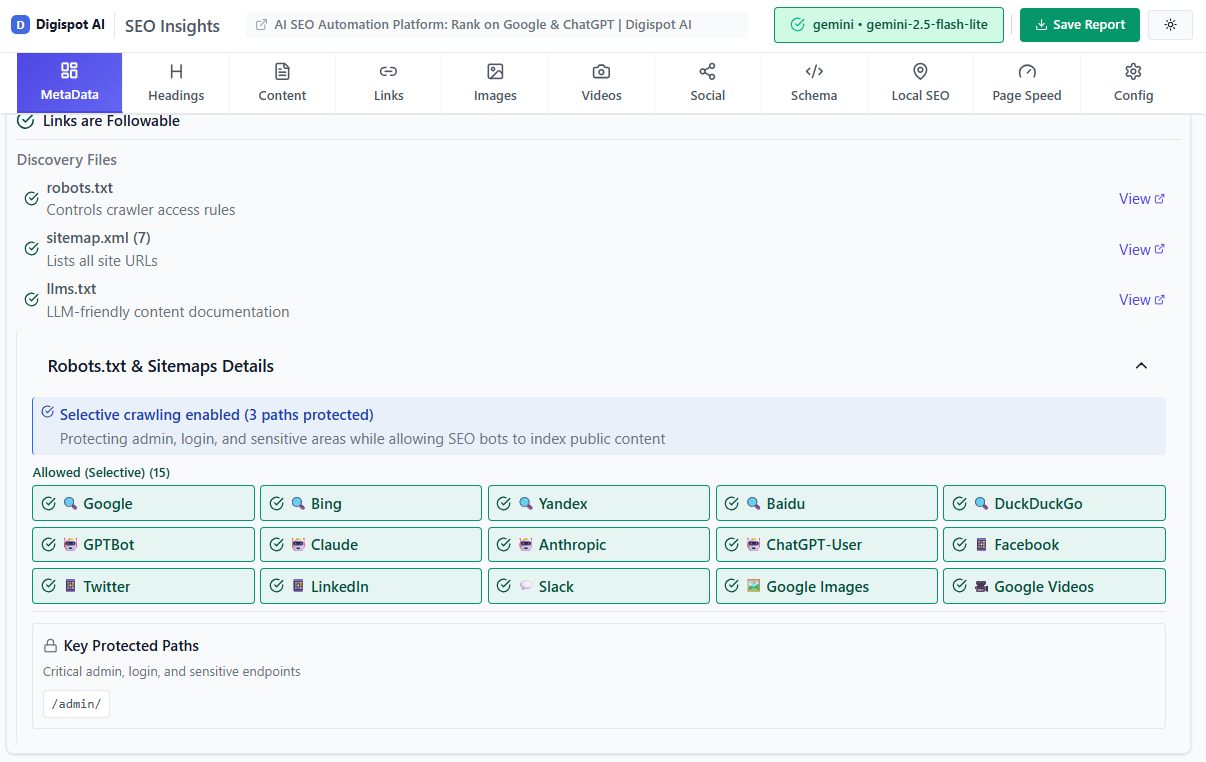
In addition to GSC, you should declare your sitemap in your robots.txt file. This acts as a beacon for all other crawlers (Bing, Yahoo, DuckDuckGo, and AI bots).
Add this line anywhere in your robots.txt file:
Sitemap: https://www.yourdomain.com/sitemap.xml
How to Submit to Bing Webmaster Tools
Don't ignore Bing. It powers search for Yahoo, AOL, DuckDuckGo, and significantly influences ChatGPT's web browsing capabilities.
- Log in to Bing Webmaster Tools.
- Select your site.
- Click Sitemaps in the left menu.
- Click Submit Sitemap.
- Paste the full URL and submit.
Bing often provides detailed crawl error reports that Google might miss, making it a valuable source of diagnostic data.
Auditing and Maintenance
A sitemap is not a "set it and forget it" asset. As your site evolves, your sitemap can become cluttered with "garbage" URLs that waste crawl budget.
The "Crawl Budget" Concept
Googlebot doesn't have infinite resources. If it spends time crawling 5,000 low-quality pages in your sitemap, it might miss your 50 new high-quality articles. This is vital for large sites.
Crawl budget is a function of two things: how many requests Googlebot is willing to make to your server without degrading it (crawl capacity) and how much it wants to crawl based on demand and quality (crawl demand). A bloated sitemap inflates the first number against pages that add nothing, so the practical fix is to keep the file lean — every URL you remove that shouldn't have been there frees capacity for the pages that should. For sites in the tens of thousands of URLs, pair a tidy sitemap with the tactics in our crawl budget optimization guide, and use the Crawl Stats report in Search Console to confirm Googlebot is spending its time on your money pages rather than parameter and pagination noise.
Regular Audit Checklist:
- Orphan Pages: Are there important pages on your site not in the sitemap?
- Sitemap Bloat: Are you including tag pages, author archives, or paginated results that offer low SEO value? Consider removing them.
- Sync Issues: Does the sitemap timestamp match the actual content update?

If you are struggling with index bloat or crawl budget issues, check out our guide on common SEO mistakes to see if site architecture is holding you back.
Digispot AI helps you identify and fix these issues automatically with AI-powered audits analyzing 300+ ranking factors, ensuring your sitemap remains a lean, efficient map for search engines.
2026 Best Practices for Sitemaps
As we move toward a more AI-integrated web, technical hygiene becomes paramount.
1. Granular Breakdown
Instead of one giant sitemap, break them down by post type: post-sitemap.xml, page-sitemap.xml, product-sitemap.xml. This allows you to spot indexing issues in Google Search Console more easily. If your "product" sitemap has a sudden drop in indexed pages, you know exactly where the problem lies.
2. Prioritize Performance
Ensure the sitemap file itself loads quickly. A slow server response for the sitemap file can cause Google to give up fetching it. Learn more about server performance in our Core Web Vitals guide.
3. Exclude Canonicalized URLs
If Page A has a canonical tag pointing to Page B, only Page B should be in the sitemap. Including Page A confuses the bot: "You told me to crawl this, but the page tells me to ignore it." If you are unsure which version of a page is the canonical one, review what a canonical URL is and audit your tags before you rebuild the file.
4. Dynamic Hreflang
For international sites, hreflang tags can be included directly in the sitemap instead of the page headers. This reduces page code bloat and keeps your HTML cleaner.
Start Improving Your Indexing Strategy Today
A healthy XML sitemap is the foundation of technical SEO. It bridges the gap between your content creation and search engine discovery. By ensuring your sitemap is clean, valid, and properly submitted, you invite Google, Bing, and AI agents to crawl your site effectively.
Don't let technical errors hide your content from the world.
Ready to improve your search visibility? Visualize and validate your sitemap structure with our free Sitemap Visualizer — see your site's URL hierarchy in an interactive tree view, instantly.
Try Digispot AI for comprehensive website audits and actionable recommendations that go beyond simple sitemap validation to full-scale search optimization.
Related deep-dives
Continue with these closely related guides:
- to setup robots.txt — How to Setup Robots.txt for SEO: The Definitive Guide (2026)
- faceted navigation seo — Faceted Navigation SEO: Prevent Duplicate Content Issues
- mastering international seo hreflang — Mastering International SEO Hreflang Implementation: The Definitive Guide
References
Audit any page in seconds
300+ SEO checks including Core Web Vitals, schema markup, meta tags, and AI readiness — trusted by 1000+ SEO experts and marketers.
Frequently Asked Questions
Here are some of our most commonly asked questions. If you need more help, feel free to reach out to us.
Written by
Maya Krishnan
Digital growth expert
Maya is a seasoned expert in web development, SEO, and digital strategy, dedicated to helping businesses achieve sustainable growth online. With a blend of technical expertise and strategic insight, she specializes in creating optimized web solutions, enhancing user experiences, and driving data-driven results. A trusted voice in the industry, Maya simplifies complex digital concepts through her writing, empowering readers with actionable strategies to thrive in the ever-evolving digital landscape.