How to Submit URLs to Google for Indexing (2026 Guide)
Learn the fastest methods to submit URLs to Google for indexing. Master Google Search Console, sitemaps, and the Indexing API to get your content ranked sooner.
 Maya Krishnan
You hit publish. You wait. You search for your exact title. Nothing.
There is nothing more frustrating in SEO than creating high-quality content that remains invisible. If Google doesn't index your page, you don't exist in search results. No rankings, no traffic, no conversions.
While Googlebot is sophisticated, it isn't omniscient. It relies on discovery signals to find new content. If your site structure is complex or your domain is new, waiting for Google to find your URLs organically can take weeks.
You don't have to wait. By proactively submitting URLs to Google, you speed up the discovery process and get your content in front of users faster.
This guide covers the manual and automated methods to submit URLs to Google for indexing, from the basic inspection tool to advanced API integrations, and how to fix the issues that stop indexing dead in its tracks.
The Mechanics of Discovery: Crawling vs. Indexing
Before submitting URLs, it is critical to understand what you are actually asking Google to do. "Indexing" is the middle step of a three-part process.
- Crawling: Googlebot finds your URL (via links or submission) and downloads the page resources (HTML, CSS, JS).
- Indexing: Google analyzes the content, renders the page, understands the context, and stores it in the Google Index (its massive database).
- Ranking: When a user searches, Google retrieves relevant pages from the index and orders them based on 200+ signals.
Submitting a URL requests a crawl. It does not guarantee indexing. If your page has technical blocks, thin content, or quality issues, Google will crawl it and simply refuse to store it.
Learn more about how Google Search works basics to understand the technical pipeline behind these steps.
Method 1: The URL Inspection Tool (Best for Single Pages)
The most direct way to submit a URL to Google is via Google Search Console (GSC). This is the standard method for new blog posts or updated landing pages.
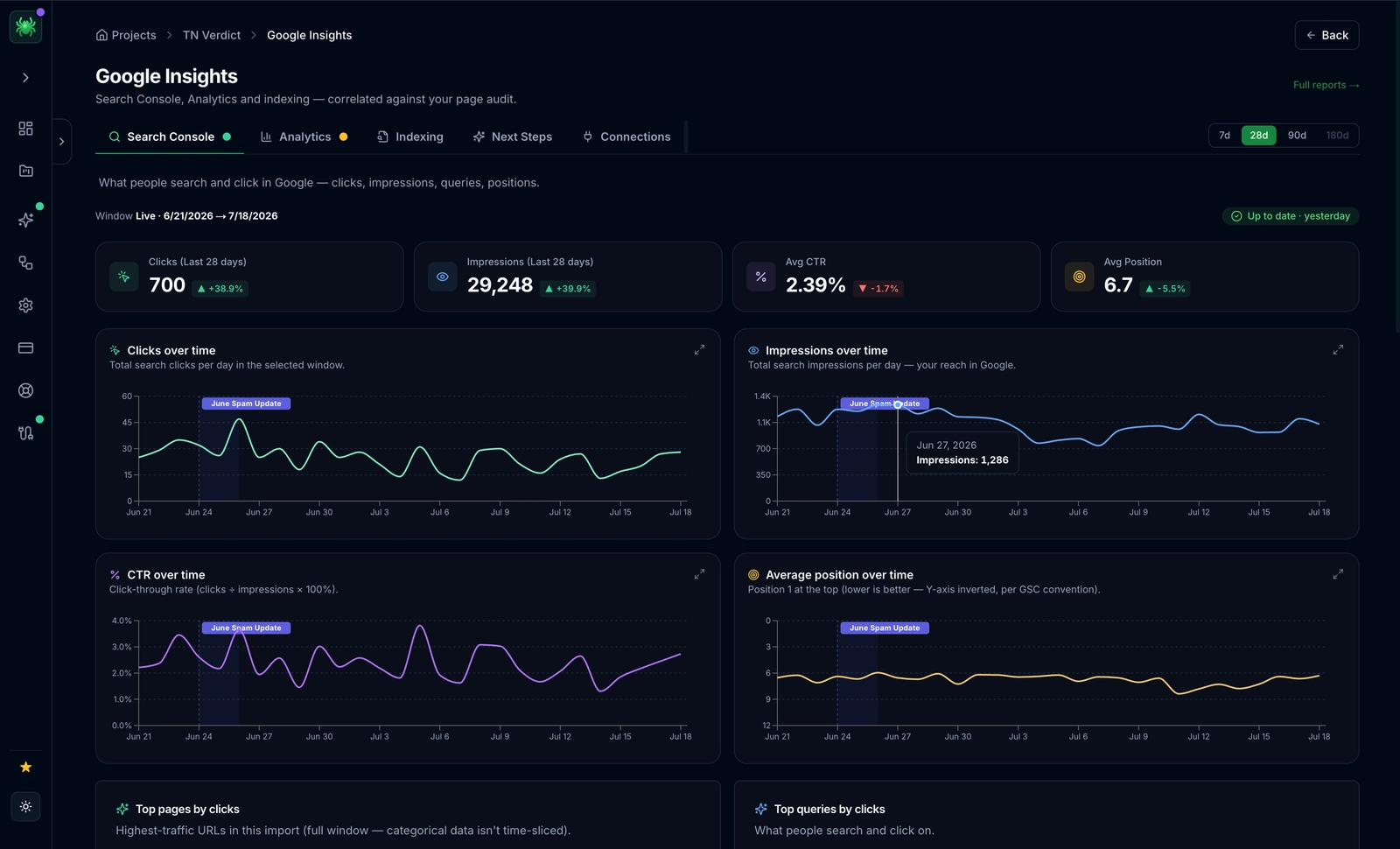
Step-by-Step Submission
- Access GSC: Log in to your Google Search Console property.
- Inspect the URL: Paste the full URL into the search bar at the very top of the screen.
- Wait for Data: Google will retrieve the current index status.
- Request Indexing: Click the "Request Indexing" button.
What Happens Next?
Google performs a live test to ensure the URL is accessible (no 404s or 503s) and indexable (no 'noindex' tags). If it passes, the URL is added to a priority crawl queue.
Note: There is a daily quota for manual submissions. If you are launching a massive ecommerce site with 5,000 products, do not use this method. You will hit the cap quickly.
Method 2: XML Sitemaps (Best for Bulk Submission)
For site-wide indexing management, XML sitemaps are your primary communication channel with search engines. A sitemap is a roadmap of your website, listing every URL you want Google to index.
Best Practices for Sitemap Submission
- Dynamic Generation: Ensure your CMS (WordPress, Shopify, Webflow) generates sitemaps automatically. Static sitemaps become outdated the moment you publish a new post.
- Clean Data: Only include status 200 (OK) URLs. Remove redirects (301s), broken pages (404s), and non-canonical URLs.
- Segmentation: If you have over 50,000 URLs, split your sitemap into smaller files (e.g.,
post-sitemap.xml,product-sitemap.xml) and reference them in a mainsitemap_index.xml.
How to Submit a Sitemap
- Navigate to Sitemaps in the left-hand menu of GSC.
- Enter the URL extension of your sitemap (e.g.,
sitemap.xml). - Click Submit.
Once submitted, monitor the "Status" column. It should read "Success." Click into the sitemap to see the "See Page Indexing" report, which shows how many of the submitted URLs are actually indexed.
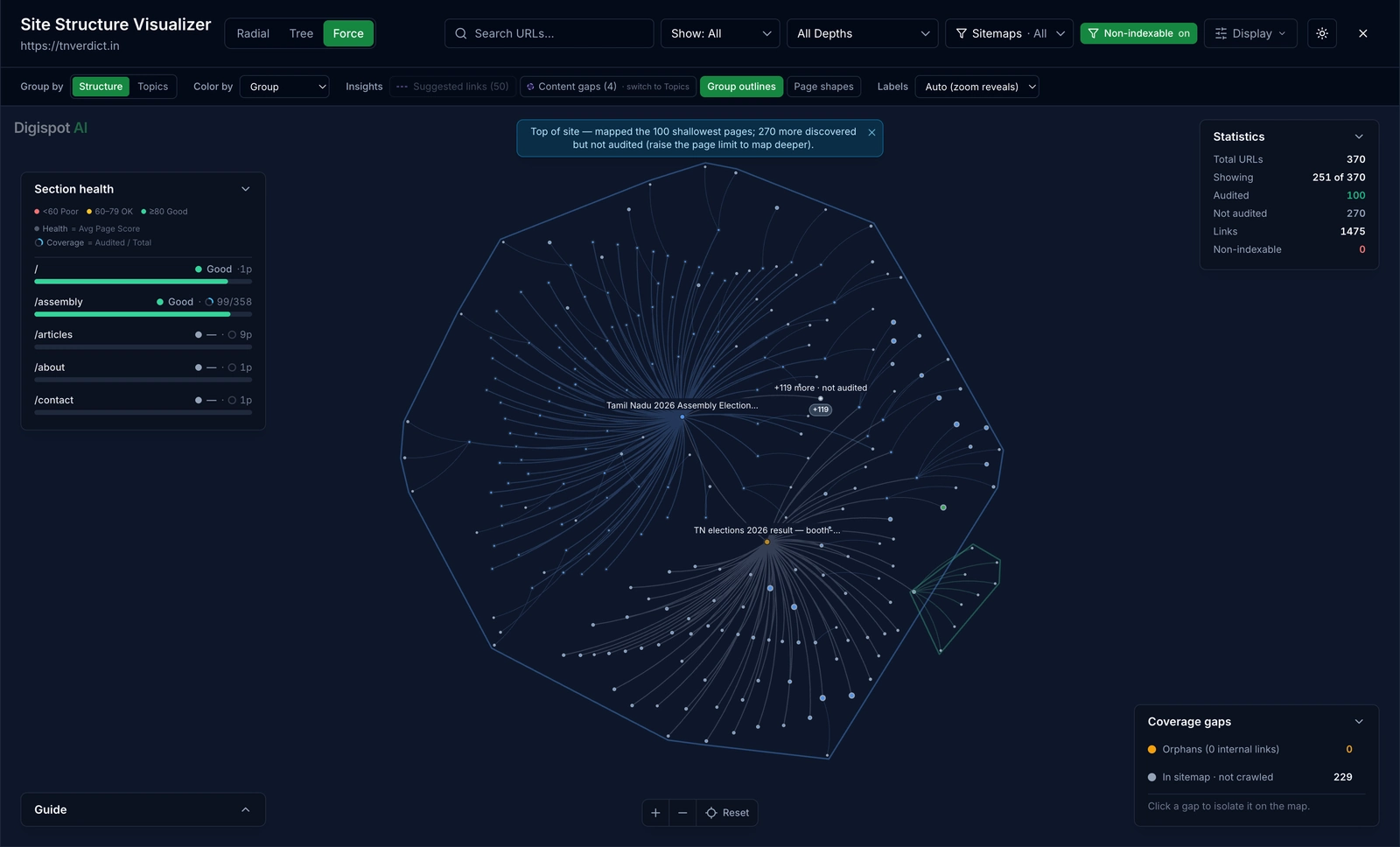
Digispot AI helps you automate sitemap audits, ensuring you aren't sending mixed signals to Google by including non-indexable pages in your map.
Method 3: The Google Indexing API (Advanced)
For most websites, sitemaps and GSC are sufficient. However, for sites with short-lived content—like job boards, livestream platforms, or massive news aggregators—speed is everything.
The Google Indexing API allows you to notify Google directly when pages are added or removed. It is significantly faster than standard crawling.
Who Should Use This?
Google's official documentation states the API is strictly for JobPosting and BroadcastEvent schema types. However, extensive industry testing shows it often works for standard content, though Google does not guarantee this behavior will persist.
Implementation Overview
This method requires technical setup via Google Cloud Platform (GCP).
- Create a Service Account in GCP.
- Enable the Indexing API.
- Verify Ownership in GSC using the Service Account email.
- Send Requests: You send a POST request to the API endpoint with the URL and the type of request (
URL_UPDATEDorURL_DELETED).
Warning: Abusing the API for low-quality spam or massive bulk submissions of thin content can lead to Google ignoring your API requests entirely. Use this tool with caution and adhere to E-E-A-T guidelines.
Method 4: Internal Linking (The Organic Method)
Manual submission is a safety net. A healthy site architecture should get pages indexed automatically.
When you link from a high-authority page (like your homepage or a popular blog post) to a new page, you are effectively "submitting" that URL to Googlebot.
Strategic Internal Linking
- Hub and Spoke: Create "Hub" pages for major topics and link out to new "Spoke" articles. When Google crawls the Hub, it discovers the Spokes.
- Sidebar/Footer Links: While less powerful than in-content links, placing new content in a "Recent Posts" widget ensures site-wide visibility.
- Breadcrumbs: Implement schema-enabled breadcrumbs to help Google understand the hierarchy and crawl up and down your directory structure.
"Orphan pages"—pages with zero internal links—are rarely indexed because Googlebot simply cannot find them. Learn more about preventing this in our guide to common SEO mistakes.
Troubleshooting: Why Google Won't Index Your URLs
You submitted the URL. You requested indexing. Days passed. Still nothing.
When you check the URL in GSC, you might see specific status codes. Here is how to decode them.
"Discovered – currently not indexed"
Translation: Google found the URL, but decided not to crawl it yet to save "crawl budget" (server resources). The Fix: This usually indicates your server is slow or Google doesn't perceive the content as high-priority yet. Improve site speed and build more internal links to these pages.
"Crawled – currently not indexed"
Translation: Google crawled the page, analyzed the content, and decided it wasn't worth storing. The Fix: This is a quality issue, not a technical one. The content might be:
- Too thin or short.
- Duplicate of other content on your site.
- Lacking in unique value compared to existing search results.
Use the free On-Page SEO Analysis tool to objectively evaluate if your content meets the depth required for indexing.
"Excluded by 'noindex' tag"
Translation: You (or your plugin) told Google to stay away.
The Fix: Check your <head> section for <meta name="robots" content="noindex">. If you use WordPress, check if you accidentally checked the "Discourage search engines from indexing this site" box in Settings > Reading.
Canonicalization Issues
If you have multiple versions of a page (e.g., example.com/shop and example.com/shop?sort=price), Google may choose one to index and ignore the others. This is normal. Ensure your rel="canonical" tags point to the version you want to rank.
Optimizing for AI Search Engines (AEO)
Indexing is no longer just about Google Search. Your content also needs to be accessible to AI engines like ChatGPT (SearchGPT), Perplexity, and Claude.
These engines use their own crawlers (like GPTBot or ClaudeBot) alongside Bing's index.
AEO Indexing Checklist
- Check
robots.txt: Ensure you aren't blocking AI bots unless you intentionally want to opt-out of AI training.User-agent: GPTBot Allow: / - Structured Data: AI models rely heavily on Schema markup to understand entities. Use the free Schema Markup Generator to add Article, Product, or FAQ schema.
- Direct Answers: AI engines prioritize content that directly answers questions. Structure your H2s as questions and provide concise answers immediately following them.
Monitoring Indexing Health
Submission is not a "set it and forget it" task. You need to monitor your Coverage report in GSC monthly.
Look for spikes in "Excluded" pages. While many exclusions are valid (feeds, admin pages), a sudden jump in "Crawled – currently not indexed" suggests a content quality problem across the site.
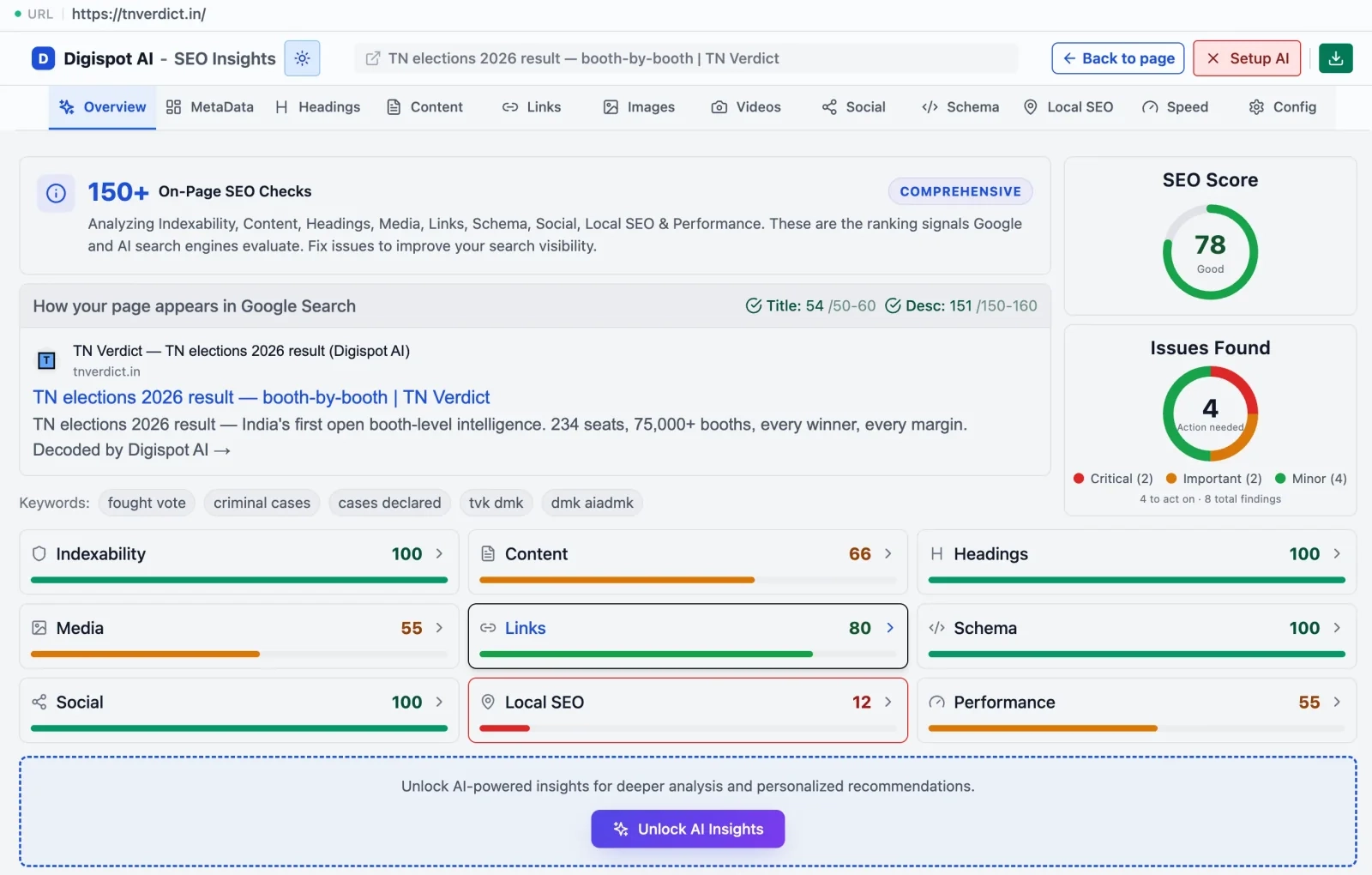
Digispot AI simplifies this by integrating directly with your GSC data. Our platform alerts you to indexing drops and identifies exactly which cluster of pages is being ignored, saving you hours of manual spreadsheet work.
Best Practices for Faster Indexing
To ensure your submitted URLs convert into indexed pages quickly, follow these efficiency rules:
1. Optimize Core Web Vitals
Google hates wasting resources on slow sites. If your Time to First Byte (TTFB) is high, Googlebot will reduce its crawl rate. Check your speed metrics using our Core Web Vitals guide.
2. Update Content Regularly
Sites that publish frequently get crawled frequently. If you haven't updated your blog in six months, Googlebot may only visit once every few weeks. Consistent publishing trains Googlebot to check back often.
3. Share on Social Media
While social signals aren't direct ranking factors, they are discovery signals. A link on X (Twitter) or LinkedIn can be picked up by Googlebot, providing an alternative path for discovery outside your sitemap.
4. Fix Broken Links
Every time Googlebot hits a 404 error, it wastes crawl budget. Cleaning up broken internal links ensures that every bot visit is spent on live, valuable content. Use a technical SEO audit checklist to keep your site hygiene clean.
Start Improving Your Index Rates Today
Getting your URLs submitted to Google is the first step in the SEO lifecycle. Whether you use the manual GSC tool for precision or sitemaps for scale, the goal is the same: reduce the time between publishing and ranking.
Remember, indexing is a privilege, not a right. Google only indexes content it deems valuable. Focus on technical health and content quality, and the indexing will follow.
Ready to improve your search visibility? Try Digispot AI for comprehensive website audits. We analyze over 200 ranking factors—including indexing blocks and crawl budget wasters—to ensure your content gets the attention it deserves from Google and AI search engines alike.
Related deep-dives
Continue with these closely related guides:
- custom 404 seo — Custom 404 SEO: How to Turn Errors Into SEO Opportunities
- excluded by noindex tag — Excluded by Noindex Tag: Troubleshooting Guide & Fixes (2026)
- mastering international seo hreflang — Mastering International SEO Hreflang Implementation: The Definitive Guide
- to index website — How to Index Website in Google Fast: The 2026 Guide
- fixing 'crawled — Fixing 'Crawled - Currently Not Indexed': Proven Solutions for 2026
- to create — How to Create and Submit an XML Sitemap: The 2026 Guide
References
Audit any page in seconds
300+ SEO checks including Core Web Vitals, schema markup, meta tags, and AI readiness — trusted by 1000+ SEO experts and marketers.
Frequently Asked Questions
Here are some of our most commonly asked questions. If you need more help, feel free to reach out to us.
Written by
Maya Krishnan
Digital growth expert
Maya is a seasoned expert in web development, SEO, and digital strategy, dedicated to helping businesses achieve sustainable growth online. With a blend of technical expertise and strategic insight, she specializes in creating optimized web solutions, enhancing user experiences, and driving data-driven results. A trusted voice in the industry, Maya simplifies complex digital concepts through her writing, empowering readers with actionable strategies to thrive in the ever-evolving digital landscape.