Importance of CDN in SEO: Boosting Website Speed & Rankings
Learn why a CDN is critical for SEO. Improve site speed, cut latency globally, and boost Core Web Vitals with content delivery optimization.
 Maya Krishnan
Three seconds. That is often the maximum amount of time a user will wait for your website to load before they bounce back to search results. In the ruthless economy of attention, speed is currency. You might possess high-authority backlinks and perfectly optimized content, but if your technical infrastructure cannot deliver that content instantly, your rankings will suffer.
This is where a Content Delivery Network (CDN) becomes essential. It acts as the backbone of modern web performance, bridging the physical gap between your server and your visitors. For SEO professionals and site owners, a CDN is no longer just a "nice-to-have" for enterprise sites; it is a critical component of technical SEO that directly influences Core Web Vitals, crawl budget, and user experience signals.
Below, we examine the mechanics of CDNs, their specific impact on Google rankings, and how to implement one correctly to gain a measurable competitive advantage.
What is a CDN?
A Content Delivery Network (CDN) is a geographically distributed group of servers working together to provide fast delivery of Internet content. A CDN allows for the quick transfer of assets needed for loading Internet content including HTML pages, javascript files, stylesheets, images, and videos.
The Problem: Latency and Distance
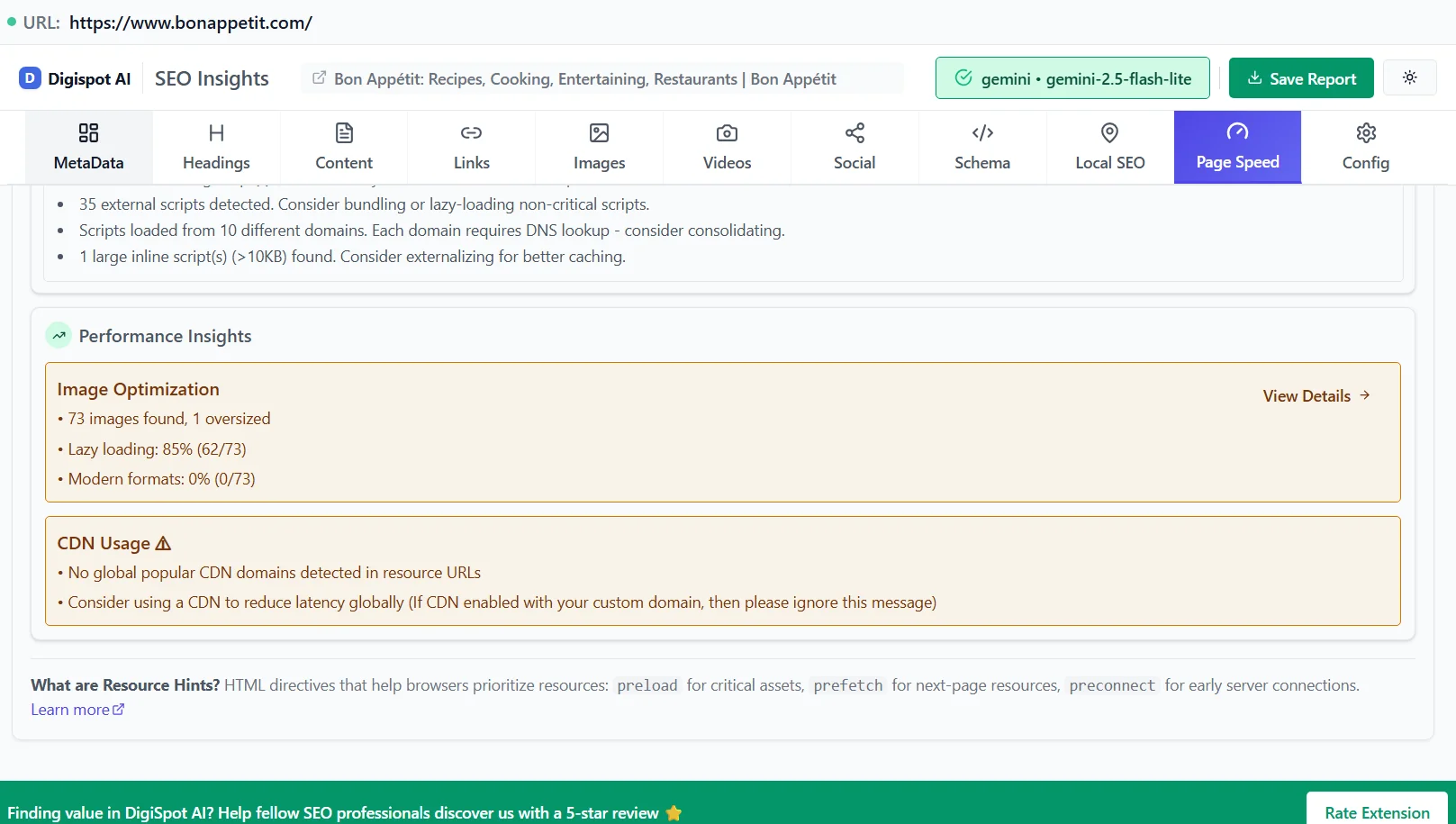
Without a CDN, every user who visits your website has to download data from your "origin server." If your origin server is located in New York, a visitor from London faces a physical distance barrier. The data packets must travel across the Atlantic, navigate through various routers, and finally arrive at the user's device. This physical distance creates latency—a delay that manifests as a slow-loading screen.
The Solution: Edge Servers
A CDN solves this by placing "edge servers" in hundreds of locations worldwide. These servers store a cached copy of your static content. When that London user visits your New York-based site, the CDN detects their location and serves the content from a server in London, not New York.
Think of it like a pizza delivery chain. If there was only one kitchen in the entire country, pizza would arrive cold and late to anyone living more than 10 miles away. A CDN opens thousands of local kitchens (edge servers) that hold pre-made ingredients (cached content), ensuring everyone gets their delivery hot and fast.
This architecture is fundamental to technical SEO because it eliminates the single point of failure and bottleneck that traditional hosting often creates.
How Does a CDN Impact SEO?
Google has explicitly stated that page speed is a ranking factor for both mobile and desktop searches. However, the connection between CDNs and SEO goes deeper than raw speed. It touches on availability, security, and how efficiently search engine bots can crawl your site.
1. Improved Website Speed and Performance (TTFB & LCP)
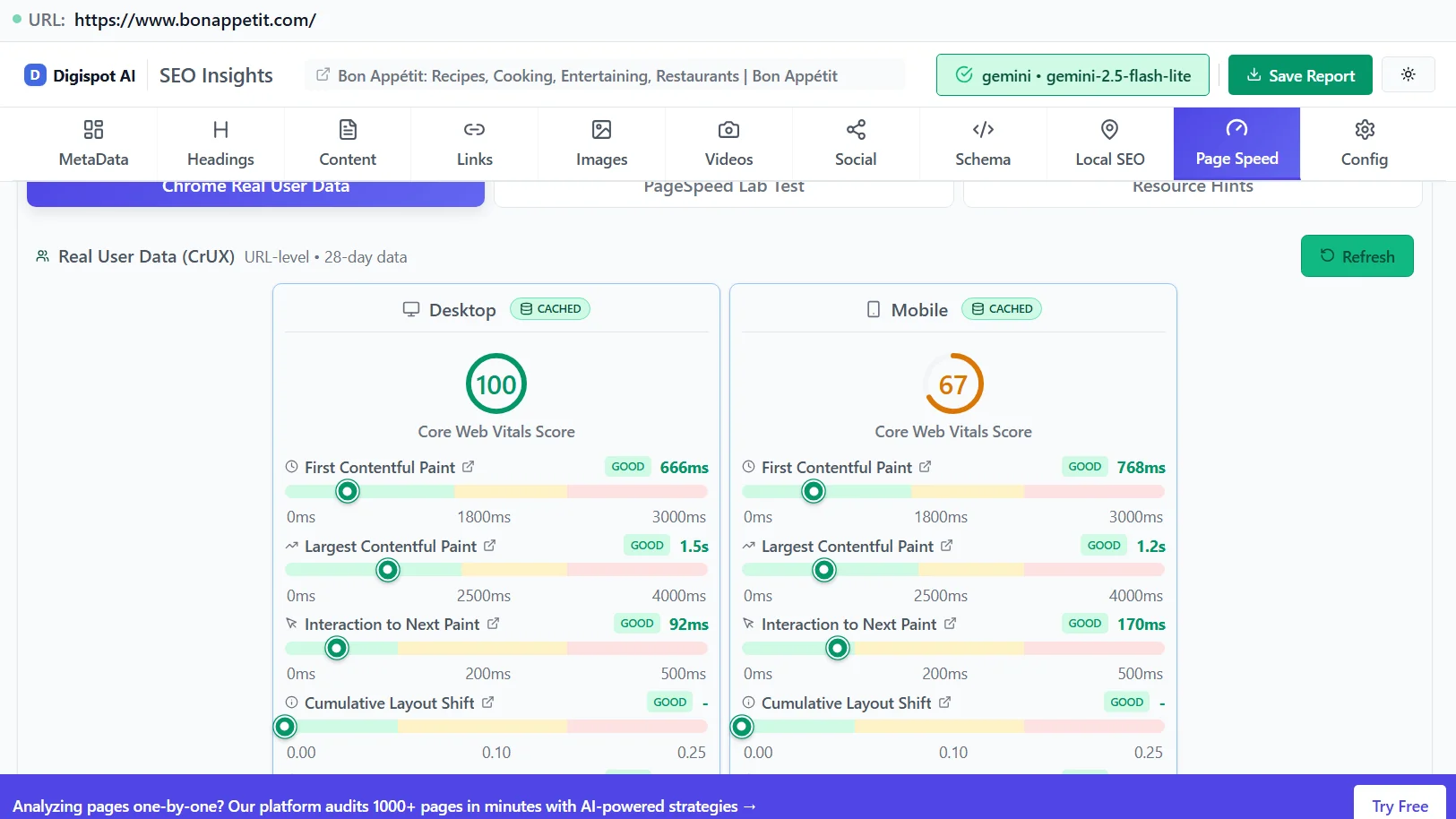
The most visible benefit of a CDN is the reduction in Time to First Byte (TTFB). This metric measures the time between the browser requesting a page and receiving the first byte of information from the server.
A low TTFB is crucial for a good Largest Contentful Paint (LCP) score, one of the three Core Web Vitals. If your server takes 2 seconds just to start sending data, it is mathematically impossible to achieve a "Good" LCP score (which requires the main content to load within 2.5 seconds).
| Without a CDN | With a CDN |
|---|---|
| High Latency: Requests travel to the origin server, often crossing oceans. TTFB is high for international users. | Low Latency: Requests are routed to the nearest Point of Presence (PoP). TTFB remains low globally. |
| Server Bottlenecks: High traffic can overwhelm the CPU and RAM of a single server, causing 5xx errors. | Load Balancing: Traffic is distributed across thousands of servers. The origin server stays cool and responsive. |
| Slow Media Delivery: High-resolution images load slowly, shifting layout and frustrating users. | Optimized Delivery: Images are often compressed and served in next-gen formats (WebP) automatically at the edge. |
You can verify your current speed metrics using the Digispot AI On-Page SEO Analysis tool. It breaks down load times and highlights if server response time is holding you back.
2. Enhanced Security and HTTPS Signals
Google gives a ranking boost to secure websites (HTTPS). However, managing SSL certificates can be complex. Most modern CDNs handle SSL/TLS termination at the edge. This means the secure connection happens between the user and the CDN, offloading the cryptographic processing from your origin server.
Furthermore, CDNs provide essential protection against DDoS (Distributed Denial of Service) attacks. If a botnet targets your site, the CDN absorbs the traffic across its massive network, keeping your site online. Search engines penalize sites that are frequently down or inaccessible. By ensuring 100% uptime, you protect your indexation status.
3. Improved Crawl Budget Optimization
For larger websites (e-commerce, news publishers), "crawl budget" is a major concern. This refers to the number of pages Googlebot is willing to crawl on your site within a given timeframe.
If your server responds slowly, Googlebot spends more time downloading each page. Eventually, it hits a limit and leaves, potentially missing your new or updated content. A CDN serves static assets instantly, freeing up your origin server's resources to deliver HTML faster. This efficiency allows Googlebot to crawl more pages per session, ensuring faster indexing of your content.
For a deeper dive into how technical performance affects crawling, review our guide on the SEO audit checklist for 2026.
4. Better Handling of Traffic Spikes
Viral content is an SEO's dream but a server admin's nightmare. A sudden influx of traffic from a featured snippet, a social media post, or a Black Friday sale can crash a standard hosting server. When a site crashes, it sends 500-level errors to users and search bots. If Googlebot encounters these errors repeatedly, it may de-rank your pages to preserve user experience.
A CDN acts as a shock absorber. It serves the cached version of your site to the masses, while only a small fraction of requests ever hit your actual database. This stability signals to Google that your site is a reliable resource, contributing to long-term authority.
Technical SEO Benefits Beyond Speed
While speed is the headline, CDNs offer advanced technical capabilities that modern SEO strategies require.
Image Optimization at the Edge
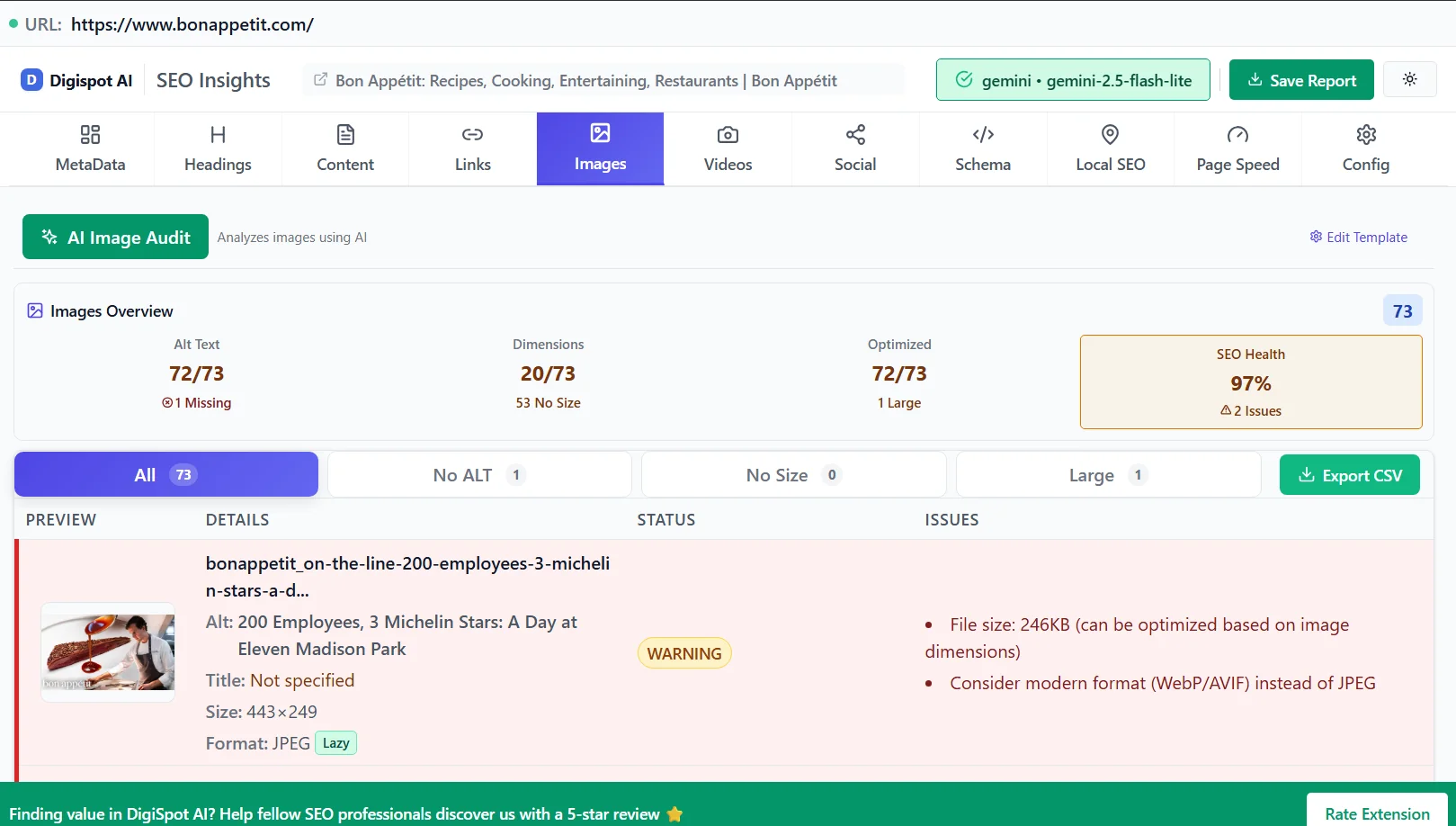
Images often account for 50% or more of a page's total weight. Many premium CDNs offer "Polish" or real-time image optimization. They automatically:
- Convert heavy PNGs/JPEGs into WebP or AVIF formats (which Google prefers).
- Resize images based on the user's device screen size.
- Strip unnecessary metadata to reduce file size.
This automated optimization directly improves your LCP scores without requiring manual work on every image you upload.
Code Minification
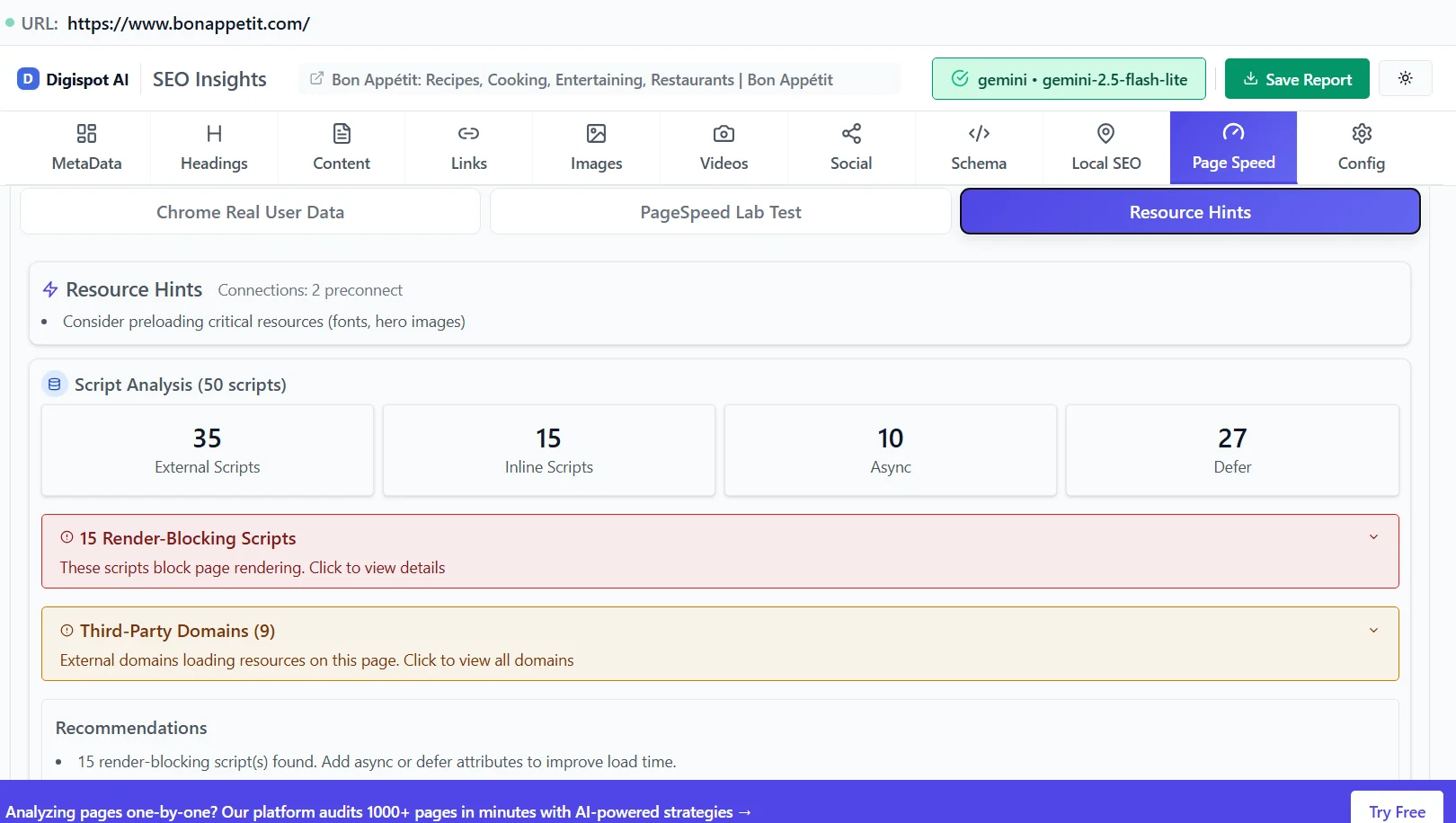
CDNs can automatically "minify" your CSS and JavaScript files on the fly. Minification removes whitespace, comments, and unnecessary characters from the code. While this might only save a few kilobytes per file, across dozens of scripts, it significantly reduces the total payload the browser must download and parse.
How to Choose the Right CDN for Your Website
Not all CDNs are created equal. Your choice should depend on your specific audience location, budget, and technical stack.
- Network Reach: If your target audience is in Southeast Asia, ensure the CDN has Points of Presence (PoPs) in Singapore, Tokyo, and Mumbai. A US-centric CDN won't help you there.
- SEO Features: Look for providers that offer custom rules for caching. You need to ensure they don't accidentally cache dynamic pages (like shopping carts) or admin areas.
- Security: Ensure they offer a Web Application Firewall (WAF) to block bad bots and scrapers that skew your analytics data.
- Price: Many providers like Cloudflare offer generous free tiers that are sufficient for small to medium sites. Enterprise solutions like Akamai or Fastly offer more granular control for high-traffic platforms.
Pro Tip: Use the Digispot AI Chrome Extension to inspect competitor sites. The extension can reveal which CDN they are using by analyzing the response headers (e.g., server: cloudflare or x-cache: hit).
Common CDN Mistakes That Hurt SEO
Implementing a CDN is generally safe, but incorrect configuration can lead to SEO disasters. Avoid these common pitfalls:
1. Blocking Googlebot
Some CDNs have aggressive security settings ("I'm Under Attack" modes) that might flag Googlebot as a malicious visitor. Always check your firewall logs to ensure search engine crawlers are whitelisted.
2. Duplicate Content Issues
If your CDN is set up incorrectly, your content might be accessible via both the CDN subdomain (e.g., cdn.yoursite.com/page) and your main domain. This creates duplicate content. Ensure your CDN is configured as a "transparent proxy" or that you are using proper canonical tags pointing to the original URL.
3. Ignoring Cache Headers
If you set your "Cache-Control" headers incorrectly, the CDN might cache your content for too long. Users (and Google) might see an old version of your page even after you've updated it. Learn how to purge your cache and set appropriate expiry times for different file types.
Check our article on common SEO mistakes to ensure your technical setup isn't silently killing your rankings.
The Future of SEO and the Role of CDNs
As we move toward an era of Answer Engine Optimization (AEO) and AI-driven search (like ChatGPT and Google's AI Overviews), speed becomes even more critical. AI agents need to retrieve and process information in milliseconds to construct real-time answers.
Websites that load slowly may be bypassed by AI scrapers in favor of faster, more accessible sources. Furthermore, the rise of "Edge Computing" means we will soon see more logic (like A/B testing or personalization) moving to the CDN level, reducing the need for heavy JavaScript execution on the user's device.
By investing in a robust CDN now and using tools like the Digispot AI platform to monitor your Core Web Vitals, you future-proof your site. Digispot AI's Core Web Vitals guide offers detailed strategies on maintaining these metrics as technology evolves.
Conclusion
In the current digital ecosystem, latency is the enemy of revenue. A Content Delivery Network is a powerful, non-negotiable tool for any serious website looking to compete in search rankings. It creates a faster, more secure, and highly reliable experience that satisfies both human users and search engine algorithms.
However, a CDN is just one piece of the puzzle. To truly dominate search results, you must look at your website holistically—from server performance and schema markup to content quality and backlink profiles.
Ready to maximize your site's performance? Start by identifying exactly what is slowing you down. Use the Digispot AI Chrome Extension to get instant insights into your technical SEO health, Core Web Vitals, and competitor strategies. Then, leverage the full Digispot AI platform to audit your site against 300+ ranking factors and implement data-driven improvements that move the needle.
Don't let a slow server undermine your hard work. Optimize your delivery, secure your infrastructure, and give your users the speed they demand.
Related deep-dives
Continue with these closely related guides:
- technical seo — The Ultimate Technical SEO Checklist 2025: Rank on Google & AI
- progressive web app seo — Progressive Web App SEO: PWA Optimization Guide
- what is technical seo? — What Is Technical SEO? The Complete Engineering Guide to Search Visibility
References
- What is a CDN? | How do CDNs work? - Cloudflare
- Content Delivery Networks (CDNs) - Mozilla Developer
- Understand how structured data works | Google Search Central
- How Site Speed Influences SEO & Google Rankings - Search Engine Journal
- Digispot AI - FREE On Page SEO Audit Tool
- Digispot AI - FREE Chrome Extension for SEO Insights
- Why is website security important for SEO? - TechRadar
Audit any page in seconds
300+ SEO checks including Core Web Vitals, schema markup, meta tags, and AI readiness — trusted by 1000+ SEO experts and marketers.
Frequently Asked Questions
Here are some of our most commonly asked questions. If you need more help, feel free to reach out to us.
Written by
Maya Krishnan
Digital growth expert
Maya is a seasoned expert in web development, SEO, and digital strategy, dedicated to helping businesses achieve sustainable growth online. With a blend of technical expertise and strategic insight, she specializes in creating optimized web solutions, enhancing user experiences, and driving data-driven results. A trusted voice in the industry, Maya simplifies complex digital concepts through her writing, empowering readers with actionable strategies to thrive in the ever-evolving digital landscape.