Low-Code Website SEO: Optimize No-Code Platforms
Optimize low-code and no-code websites for SEO. Overcome platform limits, improve technical SEO, and rank higher on Webflow, Wix, and Squarespace.
 Maya Krishnan
Building a website used to require a team of developers, months of coding, and a substantial budget. Now, low-code platforms have democratized the web, allowing entrepreneurs and enterprises alike to launch sophisticated digital products in days rather than weeks. Tools like Webflow, Bubble, Wix, and Squarespace enable you to drag, drop, and configure your way to a stunning online presence. But a sleek interface and rapid deployment solve only half the equation. The other half—getting your audience to actually find you—remains a distinct challenge.
There is a persistent myth in the digital marketing world that low-code platforms are inherently bad for Search Engine Optimization (SEO). Skeptics argue that the "black box" nature of these tools creates code bloat, limits technical control, and hinders ranking potential. While these concerns rely on historical limitations, the reality has shifted dramatically. A low-code website is not a sentence to digital obscurity. In fact, when optimized correctly, these platforms can compete head-to-head with custom-coded sites on the search engine results page (SERP).
However, "optimized correctly" is the operative phrase. You cannot simply rely on the default settings of your chosen builder. To dominate search results, you must understand the specific mechanics of how search engines crawl low-code environments and proactively manage the technical nuances that these platforms abstract away.
This guide explores the depths of low-code website SEO. We will dismantle the misconceptions, outline the specific technical hurdles you will face, and provide a detailed, actionable roadmap to overcome them. Whether you are using visual development tools or enterprise-grade low-code applications, you will learn how to leverage modern strategies and AI-powered insights to transform your site into a high-ranking asset.
What Exactly is Low-Code Website SEO?
Low-code website SEO involves the strategic application of search engine optimization principles specifically tailored to the architecture of low-code and no-code development platforms. Unlike traditional SEO, where developers have direct access to the server configuration, HTML source, and backend logic, low-code SEO operates within the constraints and capabilities of a pre-built environment.
At its core, the objective remains the same: communicating relevance and authority to search engines like Google and Bing. However, the method of execution differs. In a custom environment, if you want to improve Core Web Vitals, you might manually refactor JavaScript or implement critical CSS inlining. In a low-code environment, you don't have access to the raw code in the same way. Instead, you must leverage platform-specific settings, inject custom code snippets where allowed, and structure your content to mitigate the inherent heaviness of visual builders.
The Technical Distinction
Visual builders work by abstracting code into visual elements. When you drag a "Hero Section" onto your canvas, the platform generates the HTML, CSS, and JavaScript necessary to render it. This process often results in more complex Document Object Model (DOM) structures compared to hand-written code.
- Traditional Coding: A developer writes clean, semantic HTML. The code is lightweight and executes exactly as written.
- Low-Code Generation: The platform may wrap your content in multiple
divcontainers to handle responsive behavior and styling options. This "div soup" can increase the DOM size, potentially impacting crawl budgets and rendering speed.
Low-code SEO is the art of balancing this trade-off. It involves optimizing what you can control—content structure, media assets, metadata, and schema—to such a high degree that it offsets the platform's architectural overhead. It also means using advanced tools to monitor how search engines are rendering your JavaScript-heavy pages, ensuring that the content users see is the same content Google indexes.
Low-Code Platforms and Their SEO Implications
Not all low-code platforms are created equal. The SEO potential of your website is often determined during the selection phase. Different platforms offer varying degrees of freedom regarding technical configuration, and understanding these differences is crucial for your long-term strategy.
| Platform Type | Key Features for SEO | Potential SEO Considerations |
|---|---|---|
| Website Builders (e.g., Wix, Squarespace) | User-friendly interfaces, built-in SSL, automatic sitemaps, semantic HTML tags. | Limited access to server-side configurations (like .htaccess). Global styling scripts can impact Load Time. URL structures may be rigid (e.g., /blog/post-name). |
| Visual Development (e.g., Webflow, Framer) | High design control, clean code export options, custom attribute support, dynamic content collections. | Steeper learning curve. Complex interactions and animations can negatively impact Cumulative Layout Shift (CLS) if not managed carefully. |
| Enterprise Low-Code (e.g., OutSystems, Mendix) | Scalability, complex data integrations, custom component architecture, high security. | Often built as Single Page Applications (SPAs), which require specialized rendering strategies (SSR or Prerendering) to ensure search engines can index content effectively. |
Choosing the right platform is step one. If you are already committed to a platform, do not worry—almost every modern tool has workarounds and plugins to bridge SEO gaps. The key is identifying those gaps early.
Why Low-Code Websites Absolutely Need SEO
You have poured your heart into creating a functional, beautiful low-code website. Maybe you used a template to save time, or perhaps you built a custom design from scratch using visual tools. Regardless of the build method, a beautiful storefront in a deserted digital alley will not drive revenue.
Many low-code adopters fall into the trap of thinking "build it and they will come." They assume that because the platform handles hosting and security, it also handles visibility. This is a dangerous oversight. Low-code websites face the exact same competitive pressures as custom-coded enterprise sites.
1. The Discoverability Crisis
Without active SEO, your website is practically invisible. Search engines do not automatically know your site exists or what it is about. They need signals. If your low-code platform generates generic page titles or fails to structure headers correctly, Google will struggle to index your context. Organic search is often the primary source of traffic for sustainable businesses; missing out on it forces you to rely on paid ads, which eat into margins.
2. Establishing Digital Trust
Users trust Google. When a user searches for "best CRM implementation services" and sees your site on the first page, that ranking acts as a third-party endorsement of your credibility. Low-code sites sometimes suffer from a perception of being "cheaper" or "less professional." High search rankings counteract this bias immediately. A well-optimized site that loads fast and answers user queries effectively signals authority, regardless of the underlying technology stack.
3. Leveling the Playing Field
This is the most exciting aspect of low-code SEO. It is the great equalizer. A small business using Webflow can outrank a Fortune 500 company using a custom Adobe Experience Manager setup if the small business has better content relevance, stronger local SEO signals, and a cleaner user experience. SEO allows you to compete on value, not just on development budget.
4. Driving Tangible Business Outcomes
SEO is not a vanity metric; it is a revenue channel. For a low-code SaaS product, organic traffic means lower Customer Acquisition Cost (CAC). For a local service business, it means the phone rings more often. Ignoring SEO on your low-code site means leaving 50% or more of your potential revenue on the table.
Common SEO Challenges for Low-Code Sites
To optimize effectively, you must first diagnose the problems. Low-code platforms introduce specific technical frictions that traditional sites might not face. Recognizing these early allows you to implement mitigation strategies before they impact your rankings.
| Challenge Area | Description | Mitigation Strategy |
|---|---|---|
| Code Bloat | Pre-built modules often include CSS and JavaScript for every possible variation, even if you only use one style. This increases page weight. | Choose lightweight themes. Use tools to "purge" unused CSS if the platform allows code export. Minimize the use of heavy interactions on mobile viewports. |
| Limited Customization | Difficulty in manually adjusting meta tags, accessing robots.txt, or implementing server-side redirects. | Utilize the platform's "Custom Code" header/footer injection fields. Use 301 redirect management tools provided by the dashboard rather than .htaccess. |
| Page Speed (Core Web Vitals) | Heavy assets, unoptimized images, and complex scripts (hydration) can slow down Largest Contentful Paint (LCP) and Interaction to Next Paint (INP). | Compress all media before upload. Enable lazy loading. Use a Core Web Vitals guide to prioritize loading critical assets first. |
| Dynamic Content & URLs | Some platforms generate ugly URLs (e.g., /id=2384) or rely on client-side rendering which bots struggle to read. | Configure "slug" settings for human-readable URLs. Ensure your platform uses Server-Side Rendering (SSR) or provides a pre-rendered HTML snapshot to crawlers. |
The Core Pillars of Low-Code Website SEO
Achieving stellar search engine rankings requires a holistic approach. It’s not just one thing, but a combination of factors working in harmony. Since you cannot rewrite the platform's backend code, you must over-index on the factors you can control.
1. Content SEO: The Heart of Your Low-Code Strategy
Content is the one variable where low-code platforms impose zero limitations. A text block in Webflow is treated by Google exactly the same as a text block in raw HTML. Therefore, your content strategy should be aggressive and high-quality.
- Semantic Keyword Research: Move beyond simple keyword matching. Google uses semantic search to understand the intent behind a query. Use keyword research tools to find "entities" and related concepts. If you are writing about "coffee makers," also include concepts like "brewing temperature," "grind size," and "extraction."
- Topic Clusters: Organize your content into hubs. Create a comprehensive "Pillar Page" (e.g., "The Ultimate Guide to No-Code Automation") and link it to smaller, supporting blog posts (e.g., "Zapier vs Make," "Automating Email Workflows"). This internal linking structure passes authority throughout your low-code site.
- Structured Hierarchy: Use Heading tags (H1, H2, H3) strictly for structure, not for styling. Low-code visual designers often let you pick an H1 because it "looks big." This is a mistake. You should have only one H1 per page containing your primary keyword. Use H2s for main sections and H3s for subsections.
- E-E-A-T Signals: Experience, Expertise, Authoritativeness, and Trustworthiness are critical. Ensure every blog post has an author bio. Create an "About Us" page that clearly details who runs the business. Link to external authoritative sources. For a deeper dive, read our guide on E-E-A-T.
- Content Freshness: Search engines favor active sites. Low-code CMS features make it incredibly easy to publish. Commit to a regular publishing schedule.
How can you ensure your low-code content shines? Modern AI tools can be a game-changer. Platforms offering a "Content Studio" with AI agents, similar to Digispot AI, can assist in generating SEO-optimized content based on your keywords and topics. These tools can help structure articles, suggest relevant headings, and even draft compelling copy, ensuring your content is not only readable but also strategically optimized for search engines.
2. Technical SEO: Ensuring Your Low-Code Site is Search Engine Friendly
Technical SEO involves optimizing your website's infrastructure. While you might not manage the server, you manage the configuration.
- Site Speed and Performance: Speed is a confirmed ranking factor.
- Image Optimization: Never upload a 5MB image directly from Unsplash. Resize images to the exact display dimensions and convert them to modern formats like WebP or AVIF. Most low-code platforms have built-in CDNs (Content Delivery Networks) that help, but source optimization is still vital.
- Script Management: Be wary of third-party plugins. Every chat widget, analytics tracker, or social feed you add injects external JavaScript that can block the main thread. Audit your scripts and remove anything non-essential.
- Mobile-Friendliness: Google uses mobile-first indexing. This means it judges your site based on the mobile version, not the desktop version.
- Check Tap Targets: Ensure buttons are large enough for thumbs.
- Viewport Configuration: Verify that your content doesn't overflow the screen horizontally (no horizontal scrolling). Low-code visual editors sometimes cause this if an element has a fixed width of pixels (px) instead of percentage (%) or viewport width (vw).
- Crawlability and Indexability:
- Robots.txt: Most platforms generate this automatically, but check it to ensure you aren't blocking
/blogor/productsby accident. - Sitemaps: Submit your
sitemap.xmlto Google Search Console immediately after launch. - Canonical Tags: Duplicate content is a common issue in low-code e-commerce (e.g., a product appearing in two categories with two different URLs). Ensure your platform inserts
rel="canonical"tags pointing to the master version of the page.
- Robots.txt: Most platforms generate this automatically, but check it to ensure you aren't blocking
- Schema Markup (Structured Data): This is your secret weapon. Schema acts as a translator, explaining your content to search engines in a language they understand (JSON-LD).
- Implementation: If your platform doesn't have a schema builder, use a generator tool to create the code snippet and inject it into the page's
<head>section. - Tool Tip: Validating schema on a low-code site can be tricky because of how scripts render. Use the Digispot AI Schema Markup Generator to create error-free code, and then verify it with the Chrome extension.
- Implementation: If your platform doesn't have a schema builder, use a generator tool to create the code snippet and inject it into the page's
3. Local SEO: Connecting with Your Local Audience
For brick-and-mortar businesses or local service providers built on low-code platforms, Local SEO is vital.
- Google Business Profile (GBP): Claim and optimize your profile. The information here must match your website exactly.
- NAP Consistency: Name, Address, Phone number. Ensure these are consistent in your website footer and on every directory across the web.
- Local Landing Pages: If you serve multiple cities, create unique pages for each (e.g., "Web Design in Austin," "Web Design in Dallas"). Do not just duplicate the content and swap the city name; write unique copy relevant to that local market.
- Embed a Map: Use the platform's map component to embed your Google Maps location on your Contact page. This confirms your physical location to search algorithms.
4. Page Performance: The User Experience Imperative
Google's Core Web Vitals metrics measure user experience.
- LCP (Largest Contentful Paint): How fast the main content loads.
- CLS (Cumulative Layout Shift): Visual stability. Does the layout jump around as it loads? This often happens on low-code sites when custom fonts load late or images lack height/width attributes.
- INP (Interaction to Next Paint): Responsiveness. When a user clicks a button, does the site react instantly? Heavy JavaScript from low-code animations can delay this.
- Fixing CLS: Always define dimensions for images and video containers in your visual editor. This reserves the space on the screen before the asset downloads, preventing layout shifts.
How Digispot AI Elevates Low-Code SEO: Smart Solutions for Smart Websites
Navigating the complexities of SEO, especially with the technical constraints of a low-code website, can feel overwhelming. You need tools that can see through the platform's abstraction. Digispot AI is designed for this precise purpose, integrating deep technical analysis with an automated, user-friendly model.
Automated Audits: Your Website's Health Check-up
Manual auditing of a low-code site is tedious. You have to check every page for meta tags, broken links, and schema errors. Digispot AI automates this entirely.
- Comprehensive Scanning: The platform analyzes over 300+ ranking factors. It crawls your site like a search engine would, identifying issues that are often invisible to the human eye, such as orphaned pages (pages with no internal links) or mixed content errors (HTTP assets on an HTTPS site).
- Actionable Roadmap: Instead of a cryptic error log, you get a prioritized list of tasks. For example, it might tell you: "3 images on the homepage lack Alt Text" or "The Contact page has a slow LCP time of 4.2s." This allows you to log into your low-code editor and fix exactly what matters. Digispot AI can help you identify and fix these issues automatically, saving hours of manual investigation.
Seamless Integration with Google Search Console and Google Analytics
Data silos kill SEO strategies. Digispot AI integrates directly with your Google data sources.
- Unified Dashboard: View your traffic, keyword rankings, and technical health in one place.
- Performance correlation: See how technical fixes correlate with traffic gains. Did fixing those 404 errors lead to a crawl budget increase? The platform helps you connect the dots.
Opportunity Finder: Unearthing Growth Avenues
The Opportunity Finder is particularly powerful for low-code users who want to focus on content rather than code.
- Keyword Gaps: It analyzes your competitors and tells you which keywords they rank for that you don't.
- Content Decay: It alerts you when older blog posts are losing traffic, signaling that it's time to update them—a quick win for maintaining authority.
Content Studio with AI Agents: Crafting SEO-Optimized Content
If writing isn't your strength, the Content Studio bridges the gap.
- AI-Driven Drafting: It doesn't just write text; it constructs SEO-optimized articles based on the best-ranking content for your target keywords. It suggests the optimal word count, semantic keywords to include, and heading structures that search engines love.
- Speed to Market: For low-code users, speed is everything. This tool allows you to go from idea to published, optimized blog post in a fraction of the time.
Comprehensive Analysis: Mastering 200+ Ranking Factors
Google’s ranking algorithm is complex, considering hundreds of factors to determine a website's position in search results. Digispot AI simplifies this complexity by analyzing your site against a broad spectrum of these factors.
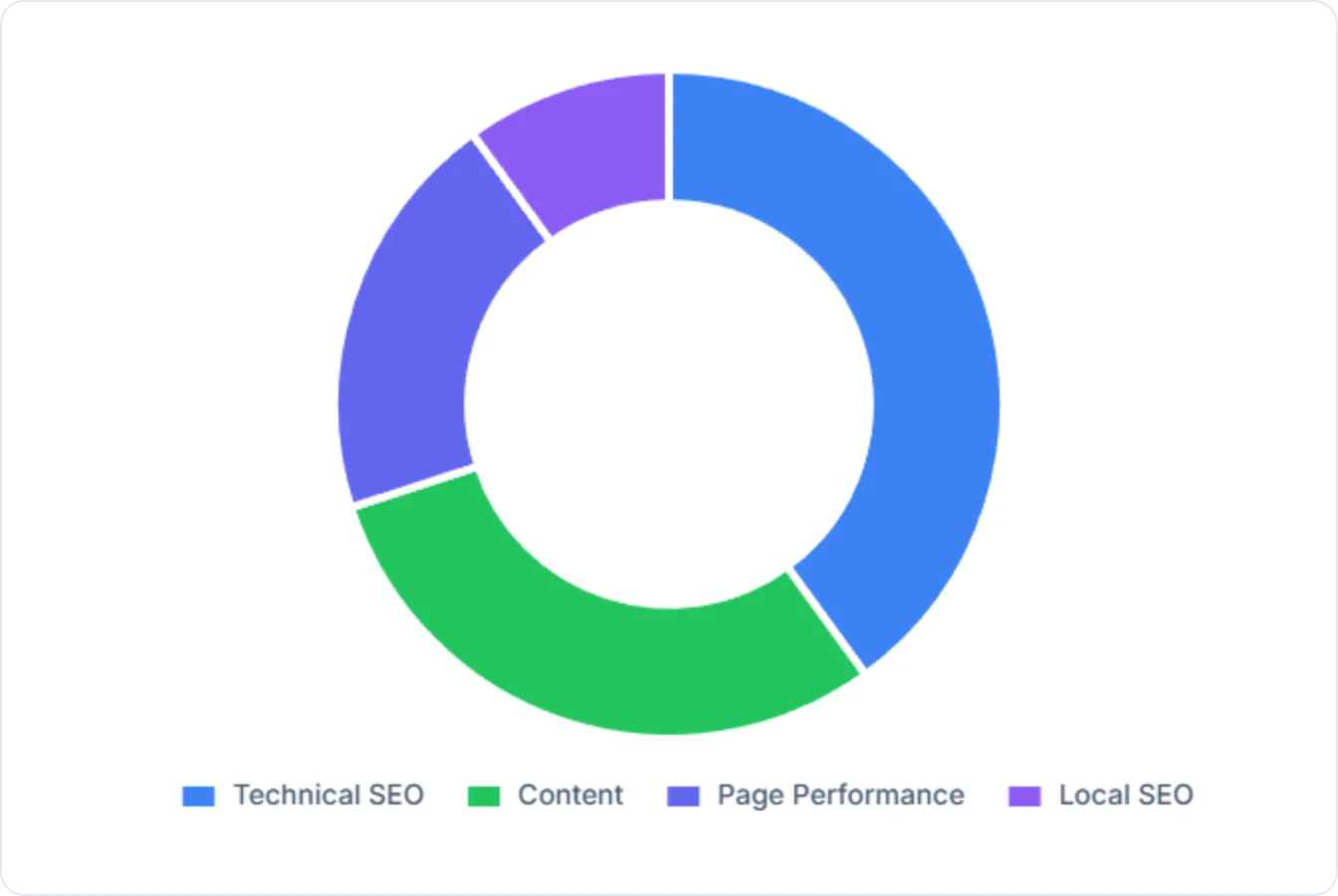
- What it covers: The platform meticulously examines your site for over 300+ ranking factors, including content quality and relevance, technical SEO health (crawlability, indexability, site speed), local SEO consistency, and page performance (user experience, mobile-friendliness).
- The result: This holistic approach ensures no critical aspect of your low-code website’s SEO is overlooked.
The Free Community Chrome Extension: Instant On-Page Insights
For immediate, page-level analysis, the Digispot AI free community Chrome extension is a powerful, accessible tool that perfectly complements the cloud platform.
- Instant Audit: Browse any page on your site (or a competitor's) and get an instant SEO score.
- Schema Visualization: This is a standout feature. It detects schema markup and visualizes it. If you added "Product" schema to your store, the extension will confirm if Google can read the price, availability, and review ratings correctly.
- Quick Fixes: It highlights missing H1s, images without alt text, and meta description length issues directly in your browser tab.
- Get it now: Get instant SEO insights on any page with our free Chrome extension.
Benefits of Optimizing Your Low-Code Website for SEO: Tangible Business Outcomes
Investing time and effort into SEO for your low-code website isn't just about appearing higher in search results; it's about achieving concrete business goals. The advantages extend far beyond mere rankings, directly impacting your company's growth, efficiency, and market position.
1. Improving Business Visibility
At its core, SEO is about making your business discoverable. A low-code website that is well-optimized becomes a beacon in the vast digital ocean.
- Brand Awareness: Ranking for informational queries (e.g., "how to automate workflows") introduces your brand to potential customers early in their buying journey. Even if they don't buy immediately, they remember your brand as a helpful resource.
- owning Your Niche: By consistently optimizing for niche-specific keywords, you can dominate the conversation in your specific industry vertical, making you the "go-to" option.
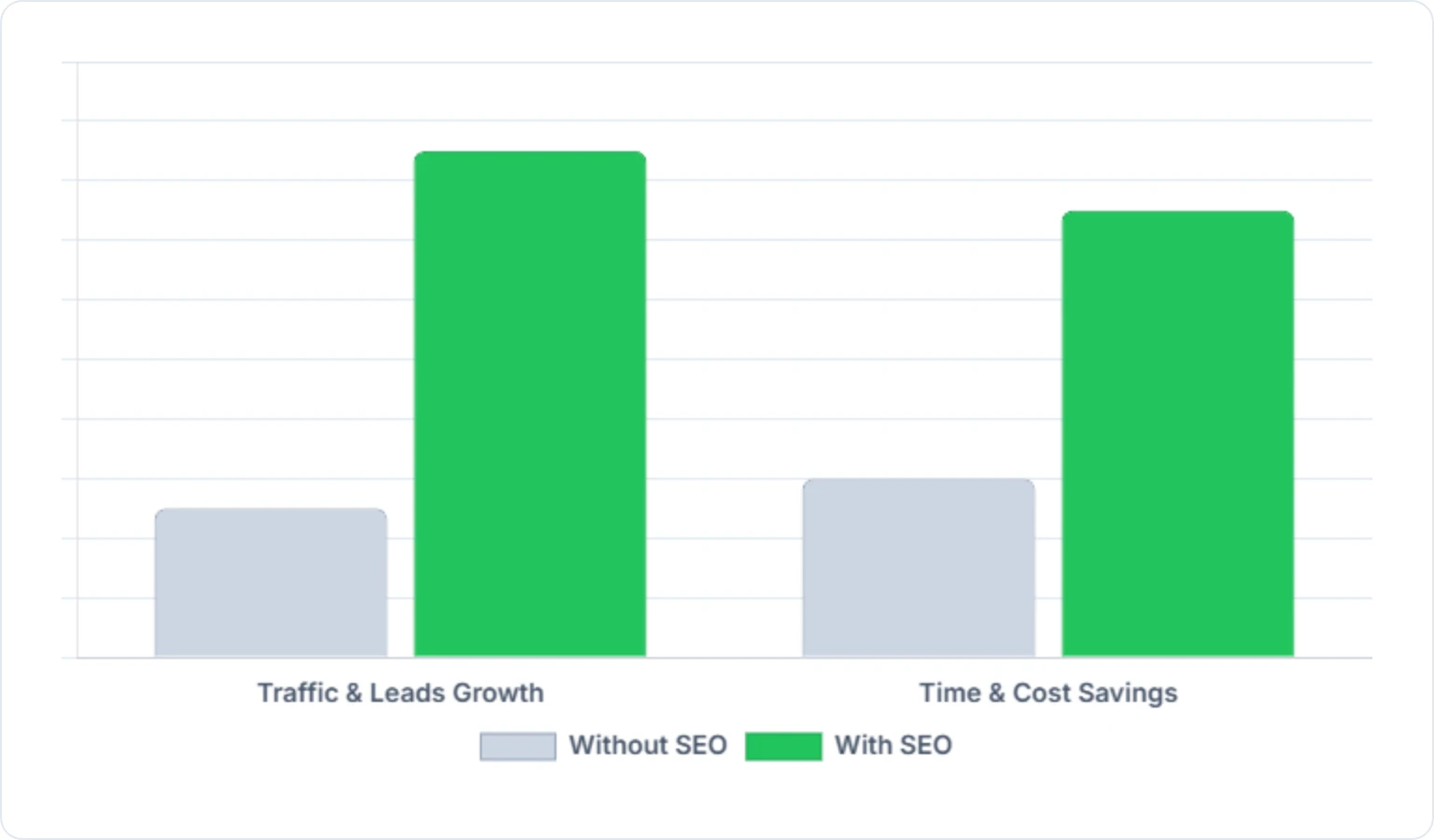
2. Increase in Traffic and Business Leads
This is perhaps the most direct and impactful benefit for any business.
- High-Intent Traffic: Organic search traffic often converts better than social media traffic because the user is actively seeking a solution. They typed "buy running shoes online" – they are ready to purchase.
- Lead Quality: SEO helps filter leads. By targeting specific, descriptive keywords, you attract users who fit your ideal customer profile, rather than general traffic that bounces immediately.
- Compound Growth: A well-ranking article written two years ago can still drive traffic today without any additional investment. This compounding effect is the holy grail of digital marketing.
3. Time and Cost Savings
Many businesses mistakenly believe that robust SEO is prohibitively expensive.
- Lower Ad Spend: If you rank #1 for your main keyword, you don't need to pay Google Ads $5 per click for that same keyword. SEO builds equity; ads are just rent.
- Automated Efficiency: Using tools like Digispot AI reduces the need for expensive external consultants. You can manage the basics of SEO in-house, effectively and affordably.
- Proactive Problem Solving: Regular audits catch issues like broken links before they annoy customers, saving your support team from dealing with frustrated user complaints.
SEO Benefits for Low-Code Businesses
| Business Outcome | How Low-Code SEO Contributes | Direct Impact |
|---|---|---|
| Visibility | Ranks higher for relevant keywords, reaches target audience. | More people discover your brand and offerings. |
| Traffic & Leads | Attracts qualified organic visitors interested in your services. | Increased website visits, higher conversion rates, more inquiries/sales. |
| Cost Savings | Reduces reliance on paid ads, automates time-consuming tasks. | Lower marketing budget, more efficient resource allocation. |
| Credibility | Top search rankings build trust and position you as an authority. | Stronger brand reputation, greater customer confidence. |
| Competitive Edge | Outperforms rivals in search, captures market share. | Distinguishes your business, attracts customers away from competitors. |
| Scalability | Automated processes support growth without proportional cost increase. | SEO efforts scale with your business without becoming a bottleneck. |
Practical Tips for Low-Code Website SEO: Your Action Plan
Now that you understand the "what" and "why," let's dive into some actionable "how-to" tips for optimizing your low-code website. These practical strategies can be implemented regardless of your technical background, leveraging the user-friendly nature of low-code platforms.
-
Master Your Keywords:
- Research Beyond the Obvious: Don't just target head terms (e.g., "website design"). Explore long-tail keywords (e.g., "affordable low-code website design for small businesses in [city]"). These have lower competition and higher conversion intent.
- User Intent Analysis: Before creating a page, Google the keyword. What comes up? If you see mostly videos, create a video. If you see listicles, write a listicle. Align your content format with what Google is already rewarding.
- Utilize Keyword Tools: Use Digispot's keyword tracking or free tools like Google Keyword Planner to validate search volume.
-
Prioritize High-Quality, Relevant Content:
- Answer Questions: Create content that directly answers common questions your target audience has. Think about the "What, How, Why, When, Where" framework.
- In-Depth & Authoritative: Avoid "thin content." If you write about a topic, cover it exhaustively. Aim to be the best resource on the internet for that specific subject.
- Readability First: Use short paragraphs, clear headings, bullet points, and numbered lists. This is crucial for On-Page SEO best practices.
-
Optimize Images for Speed and SEO:
- Compress, Compress, Compress: Use tools like TinyPNG or Squoosh before uploading. This is the single biggest factor for speed on visual-heavy sites.
- Descriptive Alt Text: Do not leave this blank. Describe the image accurately (e.g., "man analyzing seo charts on laptop").
- Next-Gen Formats: If your platform supports it, use WebP files instead of JPEGs or PNGs. They offer superior compression with high quality.
-
Embrace Mobile-First Design:
- Responsive Templates: Most low-code platforms offer responsive templates by default. Ensure yours is truly responsive, adapting flawlessly to all screen sizes.
- Hide Heavy Elements: Some platforms allow you to hide complex animations or heavy background videos specifically on mobile devices. Use this feature to speed up the mobile experience.
- Test Thoroughly: Use Google's Mobile-Friendly Test or simply check your site on various mobile devices to catch any layout or functionality issues.
-
Build a Strong Internal Linking Structure:
- Guide Visitors and Bots: Internal links connect different pages within your low-code website. They help users navigate your site and help search engine crawlers discover new pages.
- Contextual Links: When creating new content, link to older, relevant pages. Use descriptive anchor text. For example, "learn more about internal linking strategies to distribute link equity."
- Breadcrumbs: Enable breadcrumb navigation if your platform allows it. This creates a clear path for users and bots (e.g., Home > Services > SEO Audit).
-
Secure High-Quality Backlinks (Where Possible):
- Authority Building: Backlinks are votes of confidence.
- Digital PR: Share your unique data or stories with journalists. Even a simple quote in an industry publication can earn you a valuable backlink.
- Guest Blogging: Write articles for other reputable sites in your niche.
-
Monitor and Iterate:
- Connect to Google Search Console & Analytics: As mentioned, these tools are indispensable for tracking your low-code website's performance.
- Regular Audits: Use the free On-Page SEO Analysis tool to audit any URL instantly. Check for new 404 errors or broken links at least once a month.
- Adapt and Improve: SEO is an ongoing process. Use the data you gather to refine your strategies.
The Future of Low-Code and SEO: A Synergistic Relationship
The intersection of low-code development and SEO is not just a passing trend; it represents a powerful shift in how businesses approach their online presence. As low-code platforms become even more sophisticated and AI technology continues to advance, the synergy between these two fields will only deepen.
AEO (Answer Engine Optimization)
We are entering the era of AEO, where users ask questions to AI engines like ChatGPT, Claude, and Perplexity instead of just typing keywords into Google. For low-code sites, this means your content needs to be structured clearly enough for an AI to "read" and summarize.
- Direct Answers: Start your paragraphs with direct answers to questions.
- Data Structure: Use tables and lists (like the ones in this post). AI models love structured data.
- Digispot's Role: Digispot AI is built for this future, offering AEO tracking that helps you understand how your brand appears in AI-generated answers, not just traditional blue links.
AI-Assisted Development
Imagine a scenario where, as you drag and drop components to build your website, an integrated AI assistant suggests SEO best practices in real-time. It might recommend schema markup for a product listing, suggest optimizing an image for a specific keyword, or even point out a potential heading hierarchy issue – all within the visual builder.
AI-powered platforms will continue to automate the more tedious and technical aspects of SEO, making it accessible to an even wider audience. This means that even smaller businesses with limited resources can compete effectively in search rankings, relying on intelligent systems to guide their optimization efforts.
The future is bright for low-code websites that embrace SEO. It promises a world where building a powerful online presence is faster, more efficient, and more accessible than ever before.
Conclusion: Start Improving Your Rankings Today
You have embarked on a remarkable journey by choosing a low-code platform. You have leveraged efficiency and ease of use to bring your vision to life. However, merely existing online is no longer enough. For your low-code creation to truly flourish, to capture attention, drive traffic, and generate leads, SEO is not an option; it's a necessity.
We have explored the fundamentals, from understanding the technical nuances of low-code environments to dissecting the core pillars of content, technical health, and user experience. We’ve seen why a dedicated SEO strategy is essential for business visibility and how common challenges like code bloat can be mitigated with the right approach.
Remember, the goal isn't just to rank high; it's to connect with your audience. While low-code simplifies development, it doesn't bypass the need for strategic optimization. Fortunately, you don't have to do it alone.
Ready to improve your search visibility? Try Digispot AI for comprehensive website audits and actionable recommendations. Whether you use the platform for deep site-wide analysis or the free Chrome extension for quick checks, you have the power to turn your low-code website into a high-performance growth engine. Start optimizing today, and watch your business rise.
References
- Crawl Budget Management For Large Sites | Google Search Central
- Google Search Console
- Robots.txt Introduction and Guide | Google Search Central
- Improve your page speed and crawl efficiency | Google Search Central
- Make your pages mobile-friendly | Google Search Central
- Understand how structured data works | Google Search Central
- Secure your site with HTTPS | Google Search Central
- About local search results | Google Business Profile Help
- Digispot AI - FREE On Page SEO Audit Tool
- Digispot AI - FREE Chrome Extension for SEO Insights
Audit any page in seconds
300+ SEO checks including Core Web Vitals, schema markup, meta tags, and AI readiness — trusted by 1000+ SEO experts and marketers.
Frequently Asked Questions
Here are some of our most commonly asked questions. If you need more help, feel free to reach out to us.
Written by
Maya Krishnan
Digital growth expert
Maya is a seasoned expert in web development, SEO, and digital strategy, dedicated to helping businesses achieve sustainable growth online. With a blend of technical expertise and strategic insight, she specializes in creating optimized web solutions, enhancing user experiences, and driving data-driven results. A trusted voice in the industry, Maya simplifies complex digital concepts through her writing, empowering readers with actionable strategies to thrive in the ever-evolving digital landscape.