Authentication SEO: How Login Walls Affect Search Visibility
Learn how login walls and gated content impact SEO. Balance user access control with search visibility using best practices.
 Maya Krishnan
You pour resources into creating an exceptional digital product—premium guides, personalized dashboards, or a high-utility SaaS tool—only to hide it behind a locked door. While necessary for business models and privacy, this "locked door" creates a massive blind spot for search engines. If Google cannot see it, does it essentially not exist?
This is the central tension of the modern web: balancing exclusivity with discoverability. Most businesses assume that SEO ends where the login screen begins. They focus entirely on public blog posts and homepage copy, neglecting the critical infrastructure that manages their users: the authentication layer.
But ignoring this layer is a strategic mistake. The pathways leading to your gated content, the performance of your login pages, and the technical structure of your authentication flows significantly impact your overall search health, and can quietly stop pages from ever getting indexed on Google. This is Authentication SEO.
In this guide, we will dismantle the myth that private content has no SEO value. We will explore how to optimize the "public face" of your private data, ensuring that your login walls act as gateways to conversion rather than barriers to visibility. Whether you run a subscription site, an e-commerce platform, or a SaaS application, understanding these mechanics is vital for staying competitive in a world of semantic search SEO and AI-driven discovery.
Key Takeaways
- Googlebot cannot log in, so it never indexes content behind a wall—optimize the public "gateway" (login, registration, and teaser pages) instead of the private content itself.
- Return a 200 OK for pages that carry indexable teaser content, and reserve 401/403 status codes strictly for assets that should never be indexed.
- Protect your crawl budget by disallowing dynamic user paths in robots.txt, but never block the login page that acts as a public gateway.
- Treat login and registration pages as landing pages: strong titles, meta descriptions, self-referencing canonicals, and fast, secure (HTTPS) load times all feed page-experience signals.
- Use
isAccessibleForFreeschema and server-rendered HTML to distinguish a legitimate paywall from cloaking and to keep JavaScript-driven auth flows readable to bots.
What is Authentication SEO?
Authentication SEO is the strategic process of optimizing the public-facing components of gated content and the technical infrastructure of login flows to maximize search visibility and user acquisition.
Unlike traditional SEO, which focuses on getting content indexed, Authentication SEO focuses on the perimeter of your private content. It ensures that search engines understand the value of what lies behind the wall without actually breaching it. It involves optimizing landing pages, "teaser" content, login forms, and registration pathways to ensure they are crawlable, indexable, and high-performing.
The Technical Reality: Crawling vs. Logging In
To understand why this matters, you must understand how Google search works. Googlebot is a headless browser. It can execute JavaScript, render CSS, and follow links, but it cannot type a username and password into a form to hit "Submit."
When Googlebot encounters a login wall, one of two things happens:
- Soft Wall: It sees a page with a login form and minimal content. It indexes this as a "thin" page, often ignoring it or ranking it poorly.
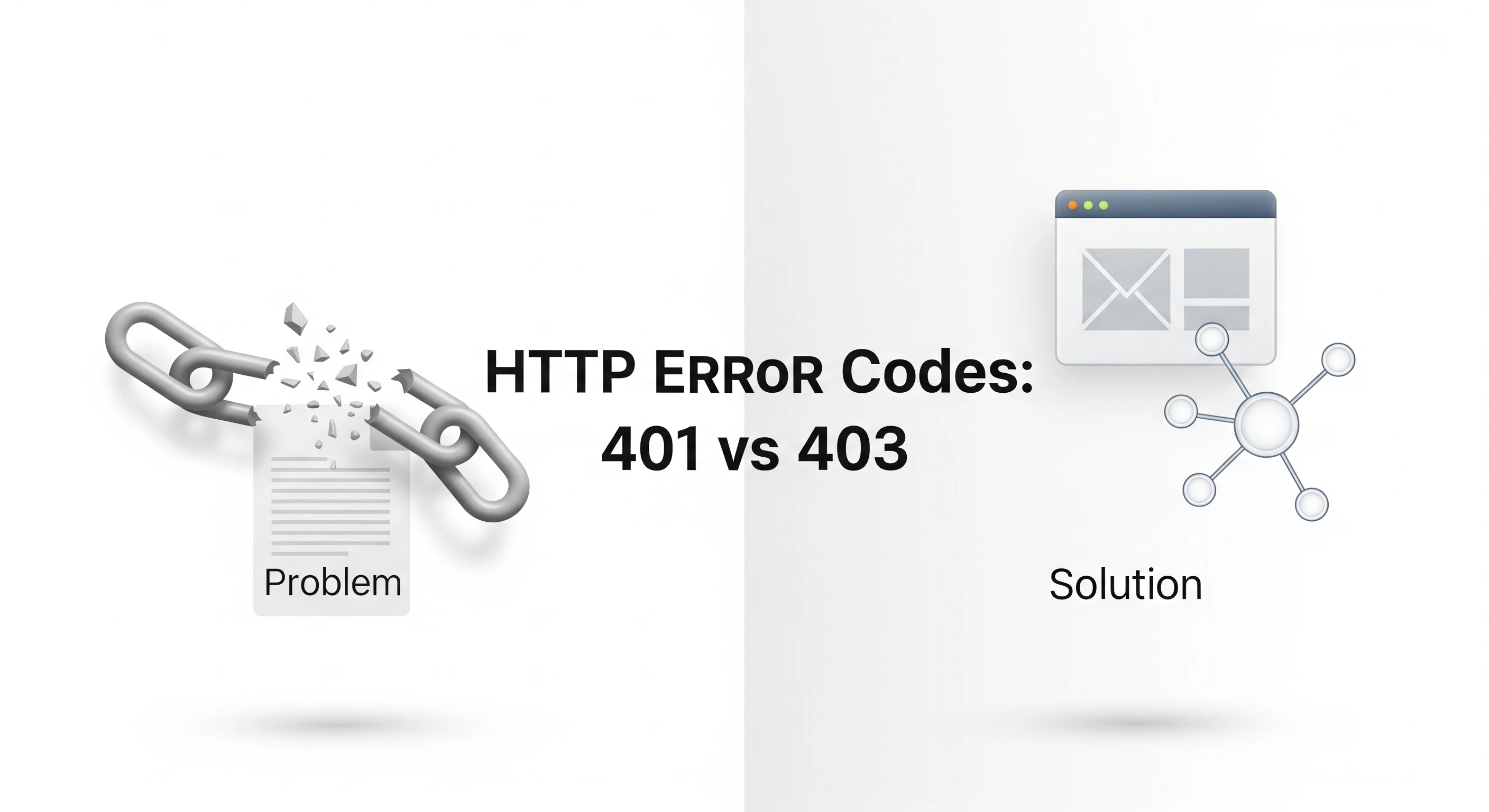
- Hard Wall (Status Codes): It hits a 401 (Unauthorized) or 403 (Forbidden) HTTP status code. It generally retreats, indexing nothing.
Authentication SEO bridges this gap. It provides search bots with enough context—via metadata, schema, and teaser content—to understand the relevance of the gated section, ensuring the "gate" itself ranks for relevant queries.
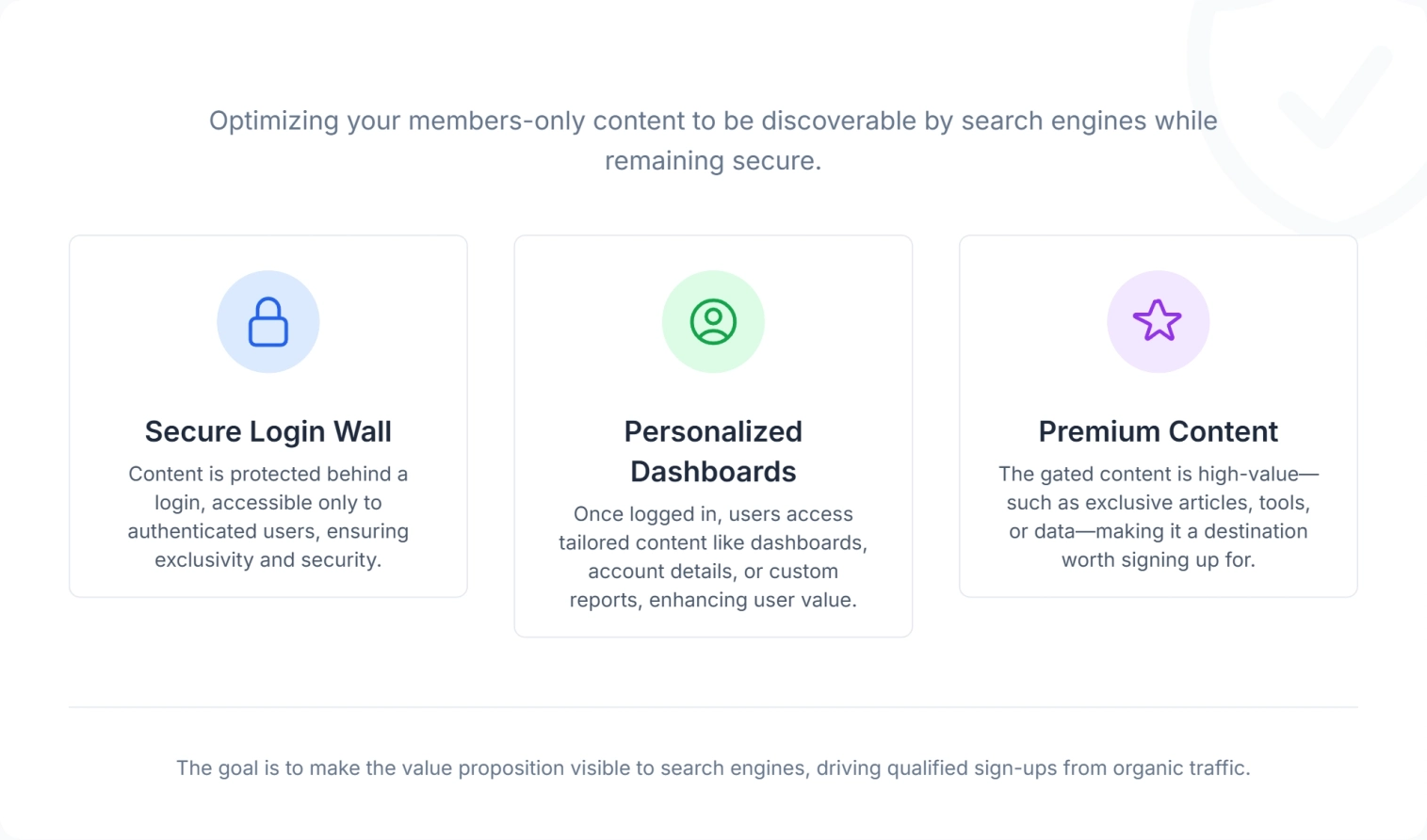
Why Authentication SEO Matters for Your Bottom Line
Many site owners view authentication pages as purely functional utilities—necessary evils that don't need marketing flair or technical polish. This oversight leaves traffic and revenue on the table.
1. Amplifying Business Authority and Trust
Your login page is often the most frequently visited page by your most valuable audience: current customers. While Google doesn't rank pages based on private usage, the aggregate user experience signals (like Core Web Vitals) from high-traffic login pages can influence your domain's overall authority.
If your login portal is slow, non-responsive, or flagged as "Not Secure," it sends negative quality signals. Conversely, a lightning-fast, secure authentication flow signals technical competence. Digispot AI can help you identify these technical bottlenecks automatically with AI-powered audits, ensuring your infrastructure supports your authority rather than undermining it.
2. Reducing Bounce Rates in the Conversion Funnel
Search intent isn't always about reading a blog post. Sometimes, a user's search intent is navigational—they want to log in. If searching "BrandName Login" leads to a broken link, a slow redirect loop, or a confusing landing page, users bounce back to the SERP.
High bounce rates on navigational queries can signal to Google that the result is irrelevant, potentially pushing your login page down in rankings. Optimizing these pathways ensures users get where they need to go instantly, preserving positive engagement metrics.
3. Maximizing the "Teaser" Effect
Gated content is a powerful lead magnet, but only if users (and bots) know it exists. By implementing "teaser" strategies—showing the first paragraph or an executive summary to the public—you give search engines keywords to index.
Authentication SEO involves fine-tuning this balance. Reveal too little, and you rank for nothing. Reveal too much, and there is no incentive to register. The sweet spot drives organic traffic that converts directly into registered users.
4. Securing Future-Proof Rankings
With the rise of AI overviews and zero-click searches, technical precision is paramount. AI search engines rely heavily on structured data and clear signals to understand site architecture. Properly marking up your subscription or registration pages with schema helps these new engines categorize your service correctly—telling them whether a page describes a SoftwareApplication, a Service, or gated NewsArticle content, and which parts sit behind a paywall.
This matters because generative engines summarize what they can parse. If your gateway page clearly declares the value of the product and marks the boundary between free and gated content, an AI overview can cite your teaser accurately instead of guessing or skipping you entirely. The same clean signals also protect personalized or member-only sections from being misread as cloaking, since the isAccessibleForFree property tells engines the restriction is intentional and consistent for every visitor.
How Authentication SEO Works: Core Pillars
Optimizing a login wall requires a different mindset than optimizing a blog post. You aren't optimizing for keywords as much as you are optimizing for access architecture.
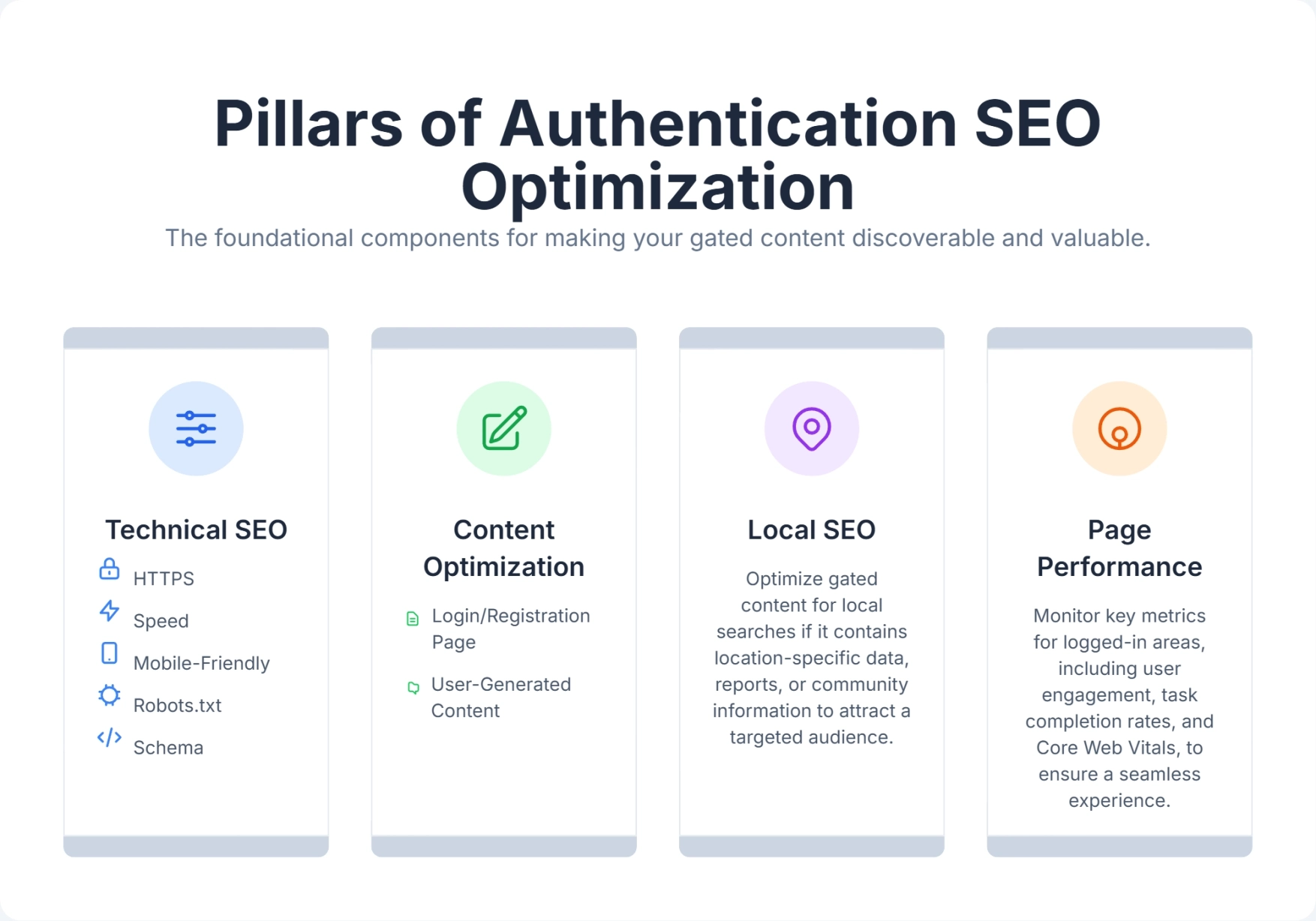
1. Technical Architecture and Status Codes
The foundation of Authentication SEO lies in how your server communicates with bots.
-
HTTP Status Codes: A common mistake is serving a 401 (Unauthorized) code for a page that includes a public teaser. If the page contains indexable content (the teaser), it should return a 200 OK status code, even if full access is restricted. Reserve 401/403 strictly for APIs or assets that should never be indexed.
-
Robots.txt & Meta Noindex: You must explicitly tell Google which paths to ignore. For example,
Disallow: /user/dashboard/in your robots.txt saves crawl budget by preventing bots from wasting time on private links. However, never block the login page itself if it serves as a gateway for new users.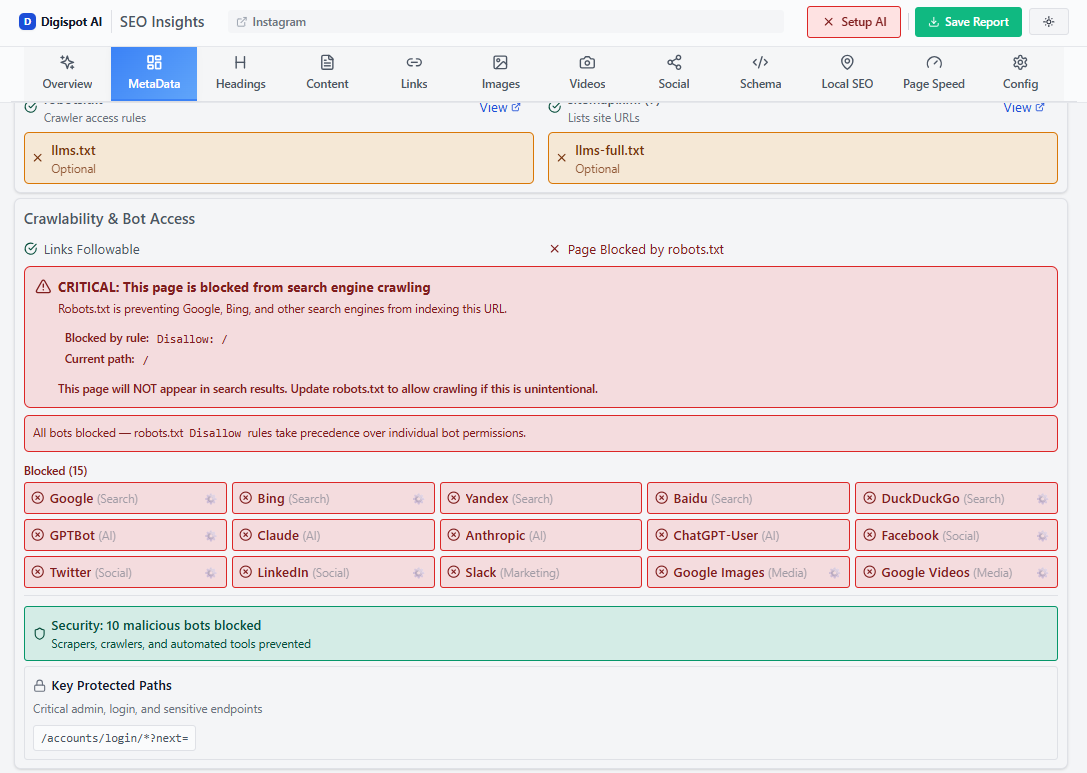
-
HTTPS & Security: Google has used HTTPS as a ranking signal since 2014. For pages handling passwords, this is non-negotiable. Browsers will actively warn users if a login form is not secure, killing trust instantly.
2. Content Strategy for Gated Assets
Content behind a wall is invisible, but the door is not. Your strategy should focus on the door.
- The "Lead-In" Summary: Write robust summaries for gated reports or tools. Treat the landing page as a sales letter that happens to be SEO-optimized. Include target keywords naturally in the public description.
- Flexible Sampling: Google previously supported "First Click Free," but now recommends "Flexible Sampling." This allows you to show a certain amount of free content (metered) before the paywall hits. This is excellent for SEO because the full content is rendered in the HTML for the bot, while CSS hides it or a paywall overlay restricts users after a specific point.
- Structured Data: Use
SubscriptionContentor genericWebPageschema to indicate accessible vs. inaccessible parts of the page. This helps Google distinguish between a paywall and cloaking (a deceptive practice).
3. The UX of Authentication (Core Web Vitals)
Google’s Core Web Vitals metrics—Largest Contentful Paint (LCP), Interaction to Next Paint (INP), and Cumulative Layout Shift (CLS)—apply to all indexable pages.
- INP on Login Forms: If a user clicks "Log In" and the browser freezes for 2 seconds while processing JavaScript, that is a poor INP score. Search engines notice if your interaction metrics are poor.
- Mobile Responsiveness: Many SaaS logins are terrible on mobile devices, with tiny fields and broken layouts. Since Google uses mobile-first indexing, a broken mobile login page can drag down the rankings of the associated desktop page.
4. Handling JavaScript and SPAs
Modern web applications often use Single Page Application (SPA) frameworks (React, Vue, Angular). In these setups, the "login page" might just be a JavaScript overlay on the homepage.
While Google is better at rendering JavaScript than before, it is not perfect. Rendering happens in a deferred second wave that can lag hours or days behind the initial crawl, and if a script fails, times out, or blocks on an authentication check, the bot indexes whatever was in the raw HTML—often a blank shell. If your login content depends entirely on client-side rendering, Google might see nothing worth ranking.
The safest fix is to server-render or pre-render the public gateway so that the title, meta description, canonical tag, and any teaser copy exist in the initial HTML response before JavaScript runs. For SPA-heavy stacks, dynamic rendering can serve bots a fully rendered snapshot while users still get the interactive app. A few practical checks:
- Confirm the login route has its own crawlable URL (not just a hash fragment or a modal triggered by
onClick) so it can be linked and indexed. - Keep gateway metadata out of components that mount only after an auth-state check resolves.
- Use the URL Inspection tool in Search Console to view the rendered HTML Google actually sees, not just your local DOM.
Common Challenges in Authentication SEO
Even seasoned developers stumble when authentication meets SEO. Here are the specific hurdles that create friction.
The "Soft 404" Trap
Sometimes, when a user tries to access a restricted page, the site redirects them to the login page. If the server returns a "200 OK" for the login page but the URL in the browser remains the restricted URL (e.g., site.com/premium-report), Google gets confused. It thinks the login page content is the premium report. This is a "Soft 404" or duplicate content issue.
- Fix: Ensure that unauthorized access triggers a clean 302 (temporary) redirect to the login URL, or use a canonical tag pointing to the login page.
Crawl Budget Waste
If you have thousands of user profile pages (e.g., site.com/user/10234) and you haven't blocked them in robots.txt, Googlebot might try to crawl them all. It will likely hit a login wall on every single one. This wastes your crawl budget—Google spends time hitting walls instead of indexing your valuable blog posts.
- Fix: aggressively manage your
robots.txtdisallow rules for dynamic user parameters.
Canonicalization Chaos
Authentication flows often generate messy URLs with parameters like ?session_id=xyz or ?redirect_to=/dashboard. If these get indexed, you create massive duplicate content issues.
- Fix: Implement self-referencing canonical tags on your public login pages to tell Google which version is the master copy.
Balancing Security and UX
CAPTCHAs are great for stopping bots but terrible for users (and potentially search bots if they block the main content). Aggressive security measures that block legitimate traffic or slow down page loads hurt your SEO metrics.
- Fix: Use invisible reCAPTCHA or backend bot detection that doesn't degrade the frontend experience.
Mastering Authentication SEO: 7 Strategic Best Practices
To turn your authentication layer into an SEO asset, follow this roadmap.
1. Perfect the Public Gateway
Treat your login and registration pages as landing pages.
- Title Tags: Instead of just "Login," use "Login to [Platform Name] - Access [Benefit]."
- Meta Description: "Log in to your [Brand] account to manage X, Y, and Z. Not a member? Join today to get..."
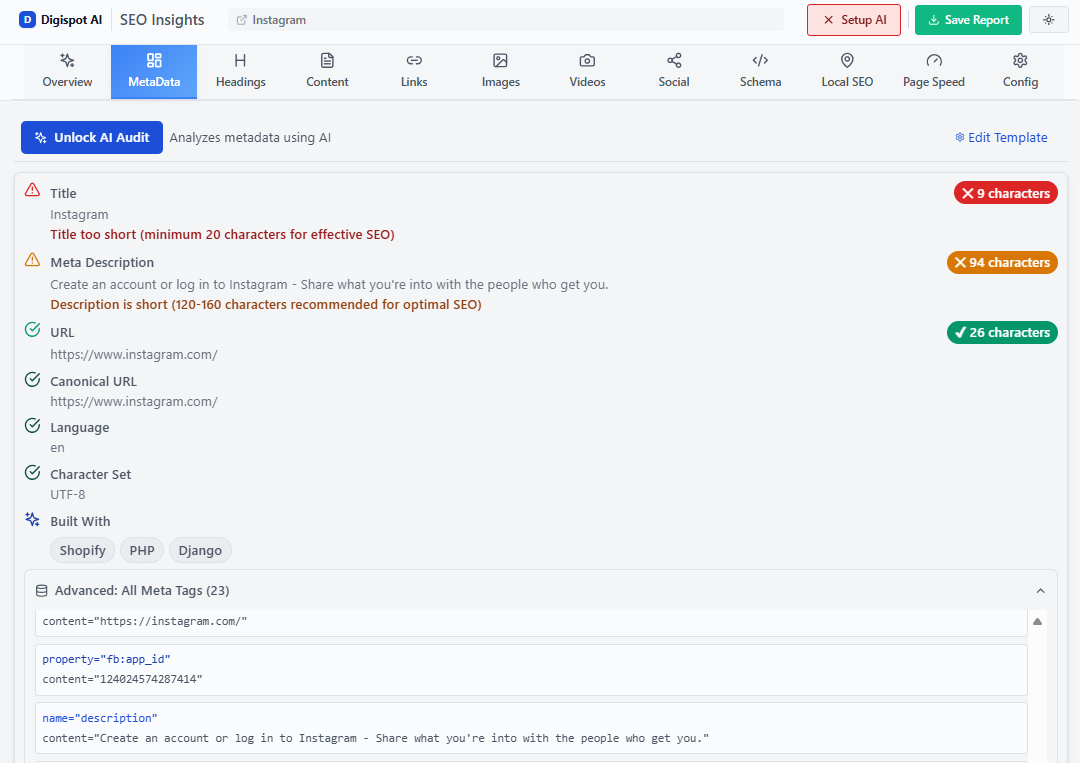
Turn invisible SEO data into clear visuals with our Free Chrome extension.
- Content: Add a small "New here?" section below the form explaining the benefits of the platform. This adds unique, relevant text to an otherwise thin page.
2. Implement "Teaser" Schemas
For paywalled content, you must explicitly tell Google "This content exists, but it is gated." Use structured data to define the isAccessibleForFree property.
{
  "@context": "https://schema.org",
  "@type": "NewsArticle",
  "headline": "Exclusive Industry Report",
  "isAccessibleForFree": "False",
  "hasPart": {
    "@type": "WebPageElement",
    "isAccessibleForFree": "False",
    "cssSelector": ".paywall-content"
  }
}
Note: Always validate your implementation using a schema testing tool.
3. Optimize for Navigational Search Intent
Users often search for "Login [Brand]" or "Sign up [Brand]." If you don't optimize for these, competitors might bid on your brand terms with ads.
- Ensure your login page is indexable.
- Add it to your XML sitemap with a high priority.
- Link to it clearly from the footer and header of every page (standard practice, but vital for internal linking structure).
4. Audit Your Redirect Chains
When a user logs out, where do they go? Do they get redirected to a generic homepage, or back to the page they were viewing?
- Avoid long chains of redirects (e.g., Page A -> Login -> Auth Check -> Page B). These slow down the experience and confuse bots if they happen to follow a similar path. Keep redirects direct.
5. Leverage Digispot AI for Technical Audits
Manual checking of authentication flows is tedious. Get instant SEO insights on any page with our free Chrome extension.
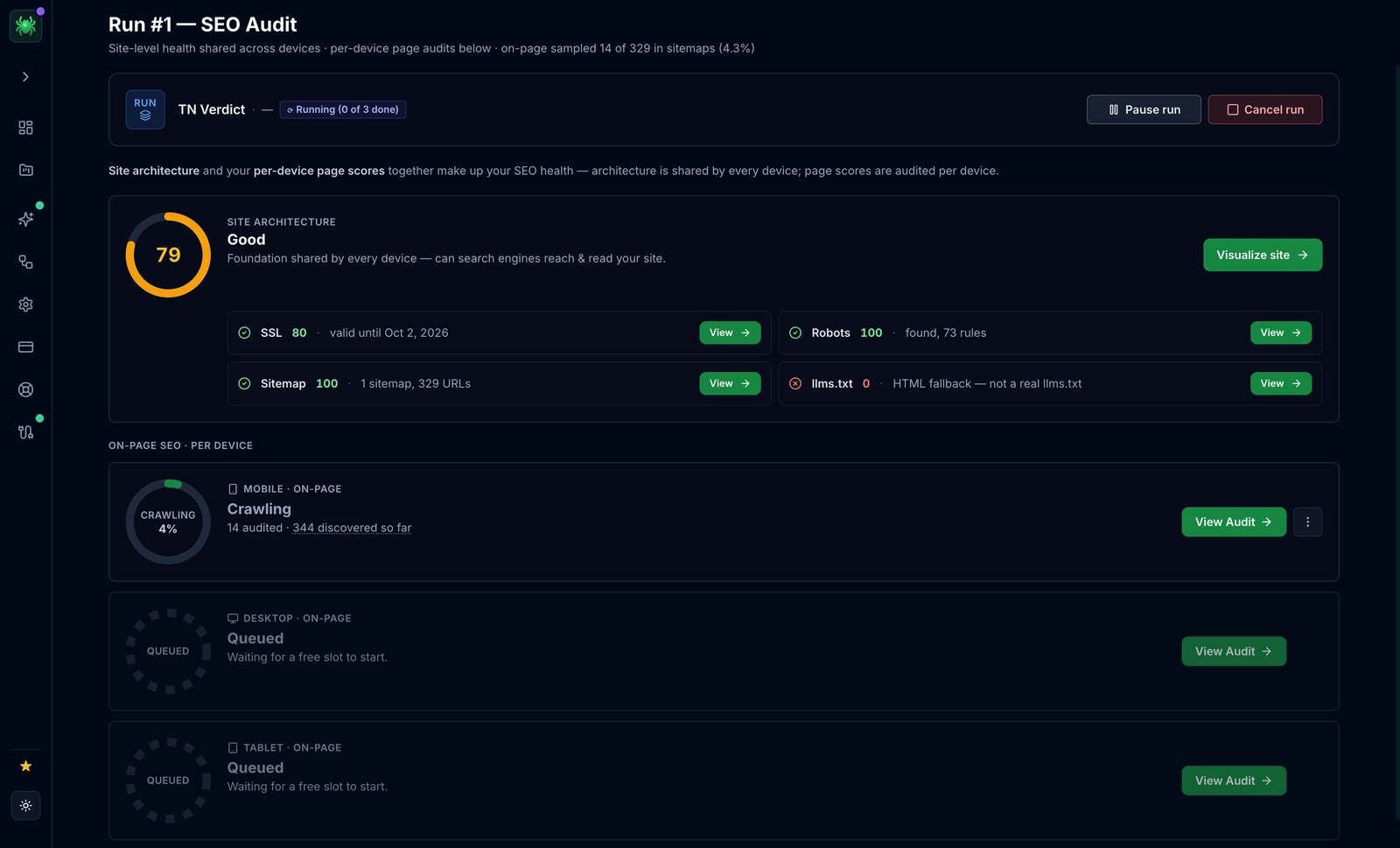
- Scenario: You can use the extension to check the meta tags and canonicals on your login page instantly. It will flag if you accidentally left a
noindextag on your public registration page—a common disaster that kills signups.
6. Monitor Core Web Vitals on Auth Pages
Use Google Search Console or Digispot AI to specifically track the speed of your login URL.
- Optimize images (like background heroes).
- Defer non-essential JavaScript.
- Ensure the input fields have associated labels (accessibility is an SEO factor).
7. Secure User Data with HTTPS
This cannot be overstated. Ensure your SSL certificates are valid and that all HTTP requests redirect to HTTPS automatically. Mixed content warnings (loading an insecure image on a secure login page) will hurt your rankings and scare off users.
Unlock On-the-Go Insights with Digispot AI's Free Chrome Extension
For SEO professionals and developers managing complex sites, switching between tools is a productivity killer. That is why we built the Digispot AI Community Chrome Extension.
This tool is not just a basic checker; it is an AI-powered auditor that lives in your browser. When dealing with Authentication SEO, it becomes indispensable for:
- Schema Visualization: Instantly see if your
SubscriptionContentorWebPageschema is rendering correctly on your gated landing pages. No need to view source code and hunt for JSON-LD scripts. - On-Page Health Checks: Immediately spot if your login page is missing a meta description, has a broken canonical tag, or is loading heavy images that kill your LCP score.
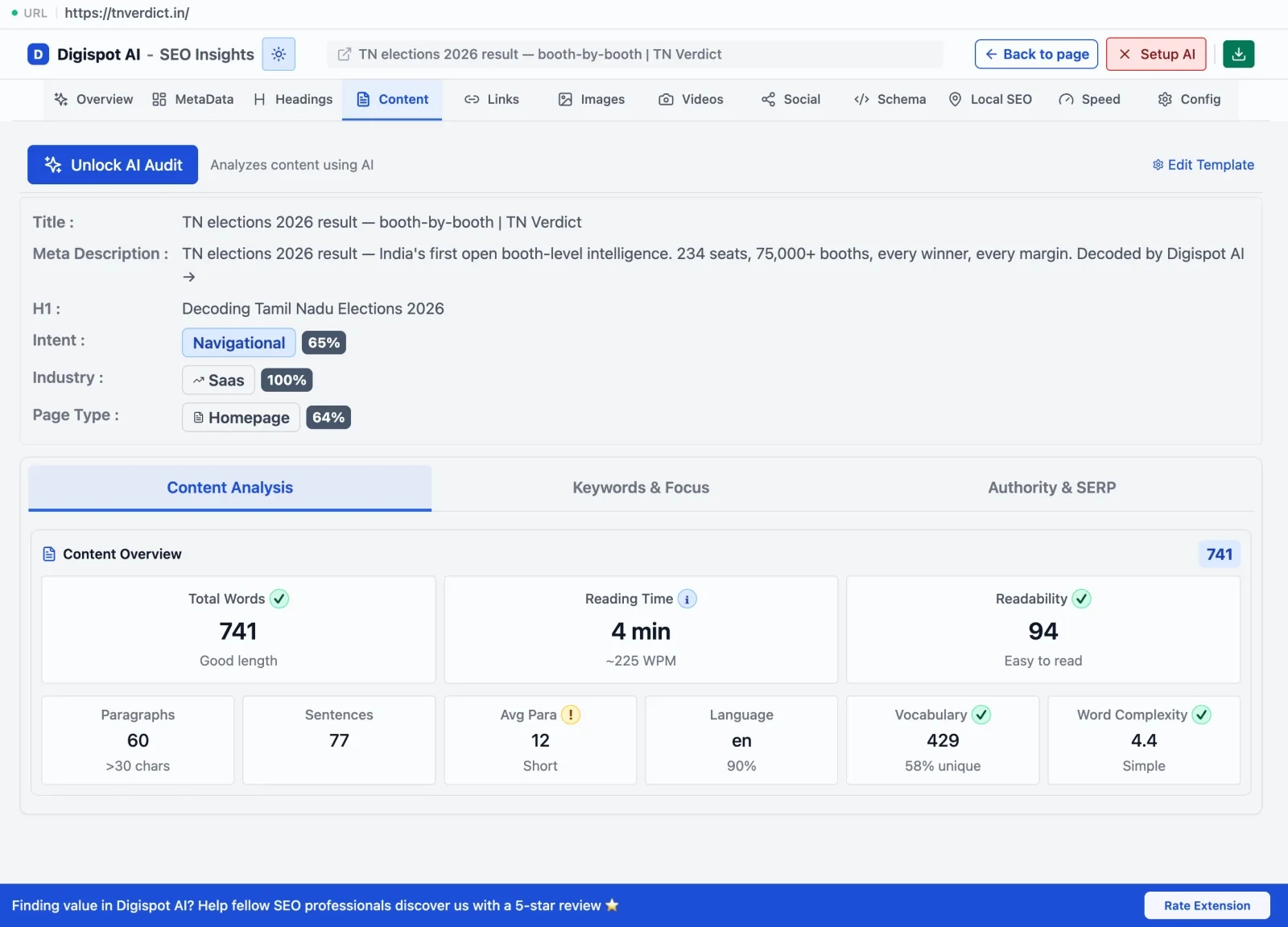
- Mobile Emulation: Check how your registration form renders on mobile devices without leaving your desktop browser. Mobile usability is a critical ranking factor.
- Link Auditing: Quickly identify broken links on your dashboard entry pages that could be frustrating users.
Imagine launching a new premium feature. With one click, you can verify that the public teaser page is optimized, the schema is valid, and the technical headers are correct. This real-time validation prevents costly indexing errors before they happen.
Digispot AI in Action: A Real-World Scenario
Let’s look at a hypothetical case study to see these principles in action.
The Company: "CloudConnect," a SaaS provider offering project management tools for enterprise teams.
The Problem: CloudConnect had excellent public blog content, but their conversion rate from organic traffic was low. Furthermore, users searching for "CloudConnect login" were frequently landing on a generic homepage or an old support article, rather than the actual app portal. Their login page had a high bounce rate of 65%.
The Audit: Using Digispot AI, the marketing team performed a comprehensive site audit.
- Discovery: The audit revealed that the login page (
app.cloudconnect.com/login) was blocked byrobots.txterroneously. Google couldn't index it. - Performance: The registration page had a poor LCP score (4.5s) because it was loading a massive 3MB background video that wasn't optimized for mobile.
- Content: The "Premium Features" landing page—the gateway to their paid tool—was thin on content and lacked any schema markup.
The Solution: Guided by Digispot AI’s recommendations, CloudConnect executed a strategy:
- Technical Fix: They updated
robots.txtto allow indexing of the login page and added a self-referencing canonical tag. - Speed Optimization: They replaced the background video with a lightweight, compressed WebP image for mobile users, dropping load time to 1.2s.
- Content & Schema: They expanded the "Premium Features" page with a clear, benefit-driven summary and implemented
SoftwareApplicationschema to highlight the tool's capabilities in search results.
The Results: Within three months, the changes yielded significant ROI:
- Rankings: The login page claimed the #1 spot for "CloudConnect login," reducing user frustration.
- Traffic: Organic traffic to the registration page increased by 22% as the page speed improved and became more discoverable.
- Conversions: The signup conversion rate improved by 15%, directly attributed to the faster, smoother entry experience.
This demonstrates that Authentication SEO is not just about "checking boxes"—it's about removing friction from the revenue-generating parts of your website.
Conclusion: The Future is Authenticated SEO
The days of treating SEO and user authentication as separate silos are over. As search engines become smarter and user expectations for speed and security rise, the intersection of these two fields becomes critical ground for digital growth.
Optimizing your login walls, registration flows, and gated content gateways is a low-competition, high-reward strategy. It improves site authority, enhances user experience, and recovers lost traffic opportunities.
Remember, every locked door in your digital house needs a well-lit, inviting porch. By focusing on the technical health, content quality, and accessibility of your authentication perimeter, you ensure that both search bots and human users are eager to knock.
Ready to improve your SEO and uncover hidden technical issues? Try Digispot AI for comprehensive website audits and actionable recommendations that bridge the gap between public search and private value.
Related deep-dives
Continue with these closely related guides:
- infinite scroll seo — Infinite Scroll SEO: Fix Crawling & Indexing Issues
References
- HTTPS as a ranking signal | Google Search Central Blog
- Mobile-first Indexing Best Practices | Google Search Central
- Intro to How Structured Data Markup Works | Google Search Central
- General Structured Data Guidelines | Google Search Central
- Understanding Core Web Vitals and Google search results
- Introducing INP to Core Web Vitals | Google Search Central Blog
- About Search Console - Google Help
- Google Analytics - Google for Developers
- Quick security checklist for webmasters | Google Search Central Blog
- Digispot AI - FREE On Page SEO Audit Tool
- Digispot AI - FREE Chrome Extension for SEO Insights
Audit any page in seconds
300+ SEO checks including Core Web Vitals, schema markup, meta tags, and AI readiness — trusted by 1000+ SEO experts and marketers.
Frequently Asked Questions
Here are some of our most commonly asked questions. If you need more help, feel free to reach out to us.
Written by
Maya Krishnan
Digital growth expert
Maya is a seasoned expert in web development, SEO, and digital strategy, dedicated to helping businesses achieve sustainable growth online. With a blend of technical expertise and strategic insight, she specializes in creating optimized web solutions, enhancing user experiences, and driving data-driven results. A trusted voice in the industry, Maya simplifies complex digital concepts through her writing, empowering readers with actionable strategies to thrive in the ever-evolving digital landscape.