API Documentation SEO: Developer Docs Guide
Improve API documentation SEO with proven strategies. Learn to structure and optimize developer docs for better rankings in 2026.
 Maya Krishnan
Think of API documentation as the instruction manual for your API. It provides developers with the essential information to understand, implement, and troubleshoot your API. This includes details about endpoints, parameters, authentication methods, request and response formats, and code examples.
Now, consider Search Engine Optimization (SEO). SEO is the practice of optimizing your online content so that search engines like Google display it prominently in search results for relevant queries. When we combine these two concepts, API Documentation SEO refers to the strategies and techniques used to make your API documentation pages rank higher in search engine results. This ensures that when a developer searches for a solution your API provides, your documentation appears as a valuable resource.
It's about helping search engines understand the content and context of your API documentation, allowing them to serve it to the right users at the right time. For example, if a developer searches for "how to integrate payment gateway API," optimizing your payment API documentation for this query means your site is more likely to appear in their search results.
However, optimizing technical documentation presents unique challenges compared to standard marketing content. You aren't just trying to attract casual browsers; you are trying to provide precise technical answers to engineers who are often under tight deadlines. This requires a nuanced balance between technical depth and search engine accessibility.
Why API Documentation SEO is Non-Negotiable
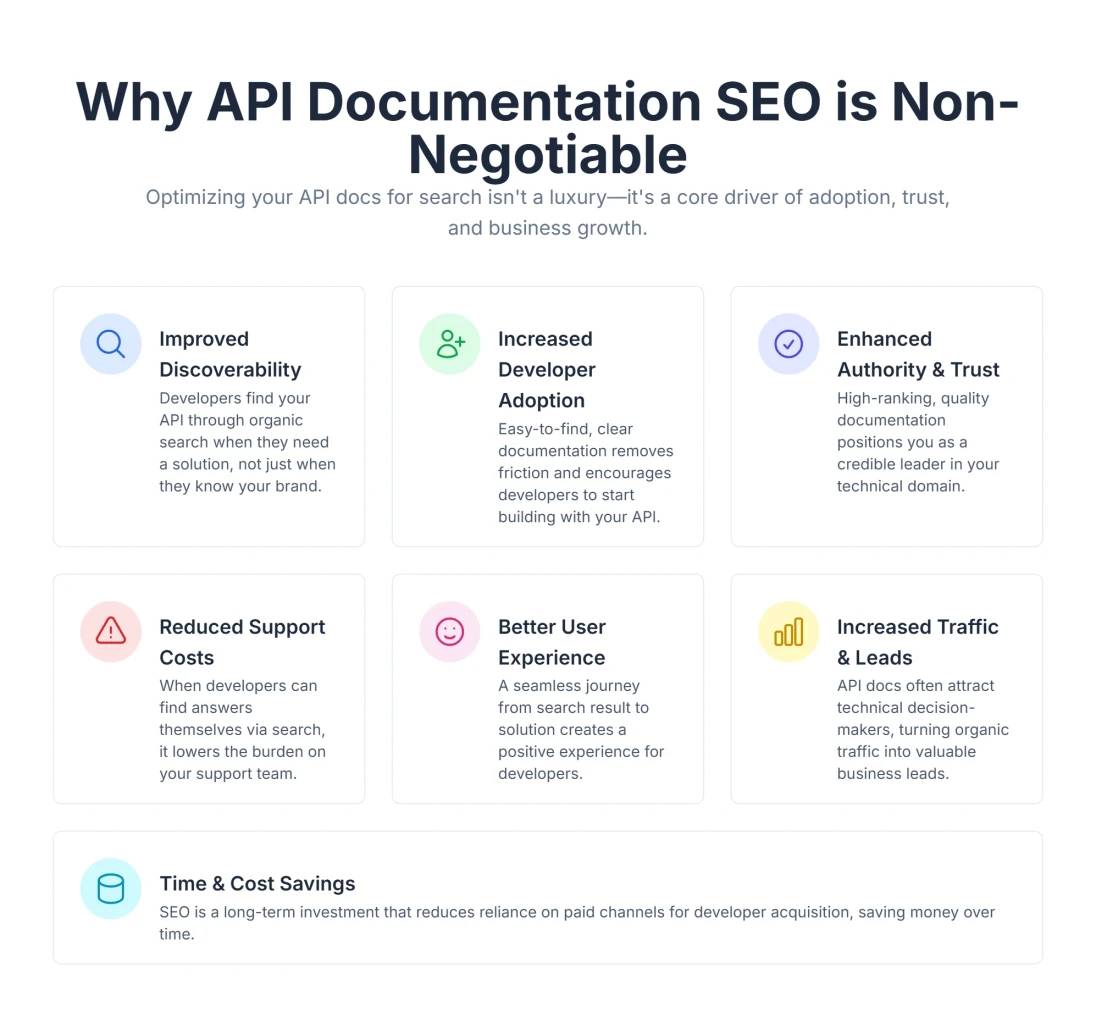
Many organizations pour resources into developing robust APIs but overlook the critical step of making their documentation discoverable. This is a missed opportunity. Optimizing your API documentation for SEO offers a multitude of benefits that extend beyond mere visibility:
- Improved Discoverability and Visibility: The most direct benefit is that developers can actually find your API. By optimizing for relevant keywords and phrases, you increase the chances of your APIs being discovered by developers actively searching for solutions online. If your documentation isn't visible, your API essentially doesn't exist to those searching for it.
- Increased Developer Adoption: Clear and easily discoverable documentation makes it simpler for developers to understand and integrate with your API. This directly translates to higher adoption rates and increased usage of your API. Developers are more likely to integrate an API they can easily learn and troubleshoot.
- Enhanced Authority and Trust: High-quality, well-optimized API documentation demonstrates your expertise and commitment to providing comprehensive resources. This builds authority and credibility in the eyes of both search engines and potential users. When search engines see your documentation as a valuable, authoritative source, they are more likely to rank it highly.
- Reduced Support Costs: Well-documented APIs minimize the need for developers to seek support, reducing the burden on your support teams and freeing up valuable resources. Clear documentation often preempts common questions and integration challenges. If a developer can Google an error message and find your troubleshooting page immediately, that is one less support ticket filed.
- Better User Experience (UX): SEO often overlaps with good user experience. Clear, well-structured, and easily navigable documentation enhances the overall user experience, leading to longer dwell times and lower bounce rates. These are positive signals that search engines consider when ranking content. Core Web Vitals, a set of metrics Google uses to measure user experience, are particularly relevant here. You can learn more about optimizing these metrics in our Core Web Vitals SEO guide.
- Increased Traffic and Business Leads: Ultimately, better visibility and adoption lead to more traffic to your documentation, which can convert into more business leads and, subsequently, revenue. As much as 90% of B2B researchers use search to research business purchases, highlighting the importance of discoverable documentation.
- Time and Cost Savings: By leveraging SEO, you can attract "qualified" traffic directly interested in your API's functionality, reducing the need for extensive paid advertising or broader marketing efforts that may reach less targeted audiences.
The Pillars of Effective API Documentation SEO
To truly make your API documentation stand out, you need a holistic approach that covers various aspects of SEO. Digispot AI, for instance, analyzes sites for over 200 ranking factors, including content, technical SEO, local SEO, and page performance. Let's break down some key pillars:
1. Content Quality and Relevance: The Developer-First Approach
Content is the bedrock of your SEO strategy. For API docs, "quality" means accuracy, utility, and clarity.
- Clarity and Conciseness: API documentation must be incredibly clear and to the point. Developers need to quickly grasp concepts without wading through unnecessary jargon. Use simple language and provide clear examples and code snippets to illustrate concepts. Avoid fluff; get straight to the request parameters and response bodies.
- Accuracy and Completeness: Outdated or inaccurate documentation can be more harmful than no documentation at all. Ensure all information, including endpoints, parameters, and error codes, is precise and up-to-date. Consider implementing a system for regular reviews and updates. A common mistake is updating the API code but forgetting to update the corresponding documentation page, leading to high bounce rates when developers realize the docs are wrong.
- Structure and Hierarchy: Organize your content logically with clear headings (H1, H2, H3), subheadings, and sections. This improves readability for humans and helps search engines understand the content's structure. A well-defined table of contents is essential for long reference pages.
- Examples and Use Cases: Developers learn by doing. Provide practical code examples in multiple languages (e.g., cURL, Python, Node.js, Go) and illustrate common use cases to help them integrate your API more effectively. Include complete, runnable code snippets that developers can easily copy and paste. Search engines often pick up these snippets for rich results.
2. Keyword Research for APIs: Decoding Developer Intent
Keyword research for APIs differs significantly from standard B2B SEO. You aren't just targeting "best payment API"; you are targeting the specific problems developers are trying to solve.
-
Understanding Developer Intent: This is perhaps the most critical step. What terms do developers use when searching for solutions that your API provides? It's not always just technical terms. They might search for "how to send SMS via API" or "integrate payment gateway." Consider the different levels of technical expertise among your target audience.
-
Long-Tail Keywords: Focus on longer, more specific phrases that indicate a clear intent, such as "Node.js library for Stripe API integration" rather than just "Stripe API." Long-tail keywords often have less competition and higher conversion rates.
-
Problem-Based Queries: Developers often search for error messages or specific tasks. Optimizing for "401 unauthorized error API" or "how to paginate API results" can capture traffic from developers who are already using your tool but stuck, as well as those evaluating how easy your tool is to troubleshoot.
-
Tools for Research: Utilize keyword research tools to uncover valuable keyword opportunities, competitor analysis, and trending search terms related to your API's functionality. When conducting keyword research, a platform like Digispot AI can help you identify opportunities by analyzing what your target audience is searching for.
Table: Examples of API Documentation Keywords
| Keyword Type | Examples |
|---|---|
| API Name + Functionality | AcmeCorp Messaging API, AcmeCorp auth token |
| Core Functionality | image recognition API, payment gateway API, OCR api for receipts |
| Specific Endpoints | /users endpoint documentation, createOrder API, GET request parameters |
| Use Cases / Solutions | how to send notifications via API, email validation API python |
| Language/Framework Specific | Python SDK for data analytics API, React hook for maps API |
| Troubleshooting | API key invalid error, rate limit exceeded solution, 503 service unavailable API |
3. Technical SEO for API Documentation: Architecture Matters
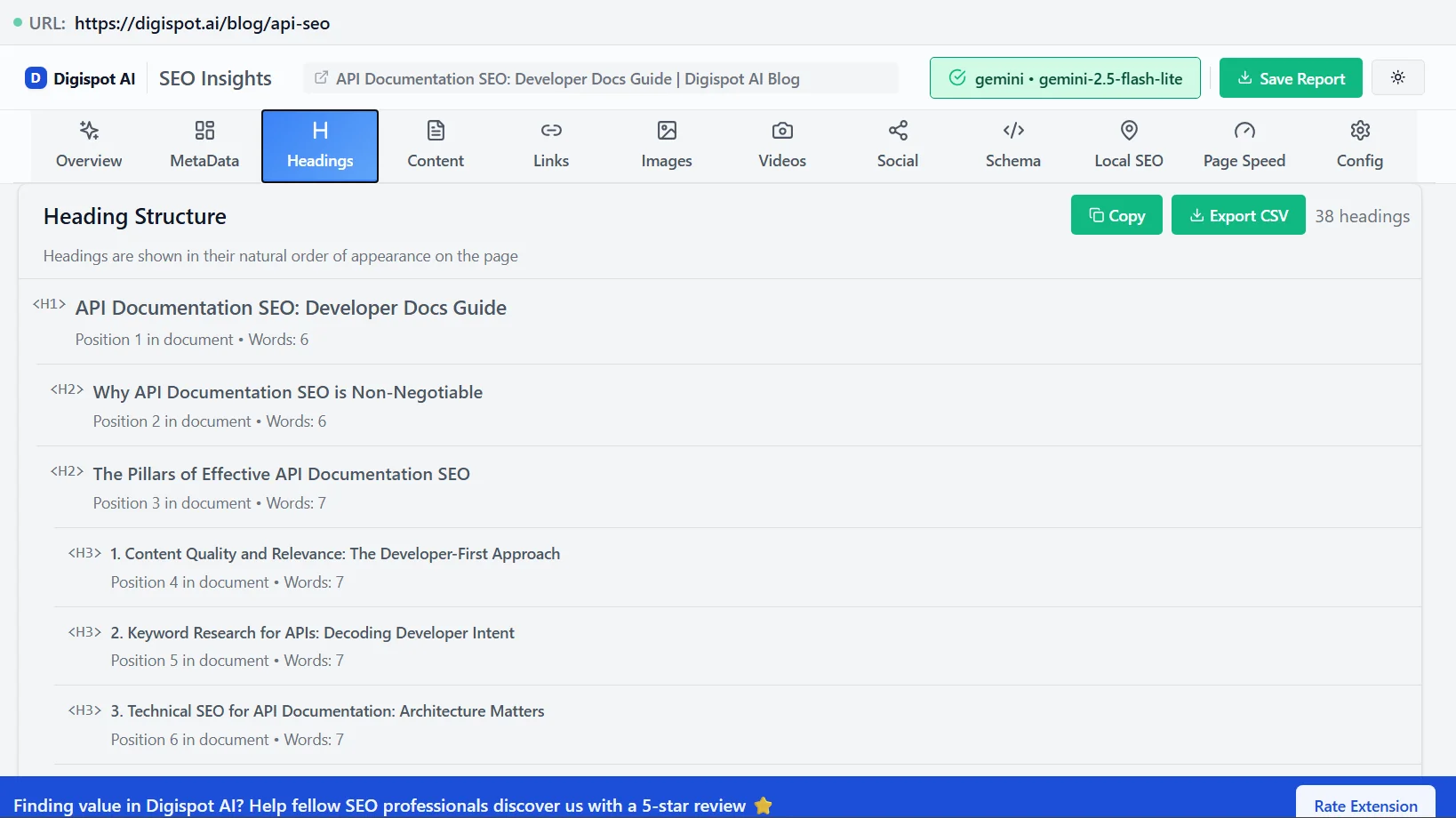
Technical SEO is where many developer portals fail. Because documentation is often generated by tools (like Swagger UI, Redoc, or Docusaurus) or built as Single Page Applications (SPAs), it can present unique crawling challenges.
-
Crawlability and Indexability: Search engine bots need to be able to access and understand your content. Ensure your documentation site is set up correctly with:
- XML Sitemaps: A sitemap lists all the important pages on your site, helping search engines discover them. Submit your XML sitemap to Google Search Console to ensure it's properly processed. For large APIs with thousands of endpoints, consider splitting your sitemap into smaller chunks (e.g.,
sitemap-v1.xml,sitemap-guides.xml). - Robots.txt: This file tells search engine crawlers which pages or sections of your site they should or shouldn't crawl. Make sure your
robots.txtfile isn't accidentally blocking important documentation pages. Conversely, use it to block search pages or administrative logins. - Canonical URLs: If you have duplicate content, canonical tags tell search engines which version is the preferred one. This is especially important if you have multiple versions of your API documentation (e.g., v1, v2, v3). Typically, you want the canonical tag to point to the latest stable version of the docs, or self-reference if the version is distinct enough.
- Server-Side Rendering (SSR): Many modern documentation sites are built with React or Vue. If these are purely Client-Side Rendered (CSR), Google might struggle to index the content immediately or accurately. Using a Static Site Generator (SSG) like Gatsby, Next.js, or Jekyll ensures that the HTML is pre-rendered, making it instantly readable by bots.
- XML Sitemaps: A sitemap lists all the important pages on your site, helping search engines discover them. Submit your XML sitemap to Google Search Console to ensure it's properly processed. For large APIs with thousands of endpoints, consider splitting your sitemap into smaller chunks (e.g.,
-
Structured Data and Schema Markup: This is a powerful way to help search engines understand the context of your content. Structured data is a standardized format for providing information about a page and its content to search engines. For API documentation, you can use schema.org markup (e.g.,
Product,SoftwareApplication,APIReference) to explicitly label elements like your API's name, description, and available methods.- What it does: Structured data enhances search visibility by enabling rich snippets, which provide additional details directly in search results, like ratings or specific API information. This can lead to higher click-through rates.
- How Digispot AI helps: Tools like Digispot AI can detect, audit, and visualize your schema markup, ensuring it's correctly implemented and providing maximum benefit to your search rankings. This is crucial as Google's algorithms increasingly leverage structured data for content understanding and presentation in AI-driven search.
-
URL Structure: Use clear, logical, and keyword-rich URLs for your API documentation pages. This not only helps search engines but also improves the user experience. For instance,
/api-docs/authenticationis better than/page?id=123. Avoid using special characters or underscores in your URLs; hyphens are the standard word separator. -
Mobile-Friendliness and Page Speed: A significant portion of developers access documentation on mobile devices, often while troubleshooting on the go or during meetings. Your documentation must be responsive and load quickly on all devices. Google prioritizes mobile-friendly sites. Slow-loading pages can also lead to higher bounce rates, which is a negative signal for search engines.
- How Digispot AI helps: Digispot AI can audit your website in both mobile and desktop modes, identifying performance issues and offering solutions to improve page load times. This ensures your documentation is accessible and performs well for all users.
-
Image Optimization: If you use images (e.g., diagrams, screenshots), ensure they are compressed for faster loading and include descriptive
alttext. This helps search engines understand the image content and improves accessibility. Use appropriate image formats (e.g., WebP) for optimal compression.
4. User Experience (UX) and Navigation: Keeping Developers Engaged
- Intuitive Navigation: Make it easy for users to find the information they need. Implement a clear table of contents, search functionality, and logical categorization. Consider using a faceted search to allow users to filter documentation based on different criteria (e.g., by language, product, or feature).
- Internal Linking: Link related pages within your documentation. This helps search engines understand the context and importance of each page and helps users navigate your site. For more details on how to structure your links effectively, check out our guide on internal linking strategies. When linking, be descriptive with anchor text. For example, instead of linking to "this page," link to "the authentication guide."
- Broken Link Checking: Regularly check for and fix broken links, as these can negatively impact user experience and SEO. Use a broken link checker tool to automate this process. Broken links in code examples are particularly frustrating for developers.
5. Backlinks and Authority: Building Domain Strength
- Quality Backlinks: When other reputable websites (e.g., developer blogs, industry publications, open-source projects, Stack Overflow) link to your API documentation, it signals to search engines that your content is valuable and authoritative.
- Promotion: Share your documentation on relevant social media channels and community forums to increase its visibility and encourage linking. Participate in developer communities and answer questions related to your API, linking to your documentation where appropriate.
What is API Documentation SEO? A Deep Dive
API Documentation SEO is the process of optimizing your API documentation to rank higher in search engine results pages (SERPs). This involves using relevant keywords, creating high-quality content, and building backlinks. However, it goes deeper than standard SEO. It involves optimizing for "Search Generative Experiences" (SGE) and AI tools.
As developers increasingly use tools like ChatGPT or GitHub Copilot to find code snippets, your documentation needs to be structured in a way that these Large Language Models (LLMs) can easily ingest and reference. This means semantic HTML, clear context windows (keeping related info on the same page), and explicit examples are more important than ever. By implementing a strong API documentation SEO strategy, you can improve the discoverability of your API and attract more developers in both traditional search and the new era of AI-assisted coding.
How to Implement API Documentation SEO: A Practical Guide
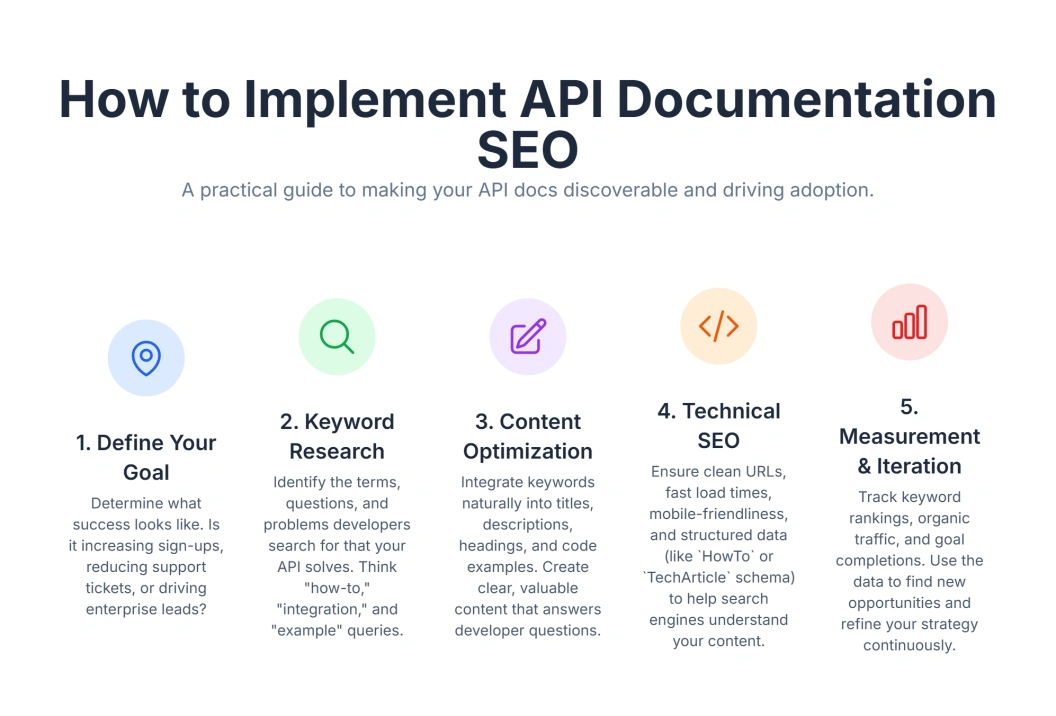
Optimizing your API documentation is an ongoing process. Here's a step-by-step approach incorporating "magic keywords" and strategic planning:
1. Define Your API Documentation's Purpose and Goals
- Before you start, what do you want your documentation to achieve? Is it primarily for developer onboarding, support, or driving new integrations? Understanding your goals will inform your SEO strategy.
- If your goal is acquisition, focus on high-volume, problem-solving keywords like "email API for startups."
- If your goal is retention, focus on troubleshooting keywords and specific error codes like "API error 500 debugging."
2. Conduct Thorough Keyword Research
- Identify Core Topics: Start by listing the main functionalities of your API. Break them down into modules (e.g., Auth, Users, Billing).
- Brainstorm Keywords: How would a developer search for these functionalities? Think about synonyms (e.g., "delete" vs "remove" vs "destroy"). Consider the technology stack your users prefer.
- Use Tools: Leverage keyword research tools to discover high-volume, relevant keywords and long-tail phrases. Look for terms with "how-to," "guide," "integrate," "API reference," etc. Google Keyword Planner, Ahrefs, and SEMrush are popular options.
- Analyze Competitors: What keywords are your competitors ranking for with their documentation? Use competitor analysis tools to identify their top keywords and content strategies. If a competitor has a high-ranking guide on "Python integration," you likely need one too.
3. Content Optimization: Writing for Humans and Machines
- Write for Humans First, Bots Second: While SEO is important, your primary audience is developers. Focus on clarity, accuracy, and usability. Use a consistent tone and style throughout your documentation.
- Incorporate Keywords Naturally: Sprinkle your target keywords throughout titles, headings, descriptions, and the body text. Avoid "keyword stuffing," which can harm your rankings. Aim for a keyword density of 1-2%.
- Craft Compelling Titles and Meta Descriptions: Your page titles (the
<title>tag) and meta descriptions are what users see in search results. Make them descriptive, keyword-rich, and enticing to encourage clicks. Keep your titles under 60 characters and your meta descriptions under 160 characters.- Pro Tip: For API reference pages, put the endpoint name and the HTTP method in the title, e.g., "Create User (POST /users) - API Reference | YourBrand".
- Use Headings Effectively: Organize your content with
H1(main title, one per page),H2,H3, etc. This provides structure and helps search engines understand content hierarchy. Use descriptive and keyword-rich headings. - Add "How-To" and "What Is" Sections: These explicitly answer common user questions and are great for capturing featured snippets in search results. Use structured data markup to further enhance your chances of appearing in featured snippets.
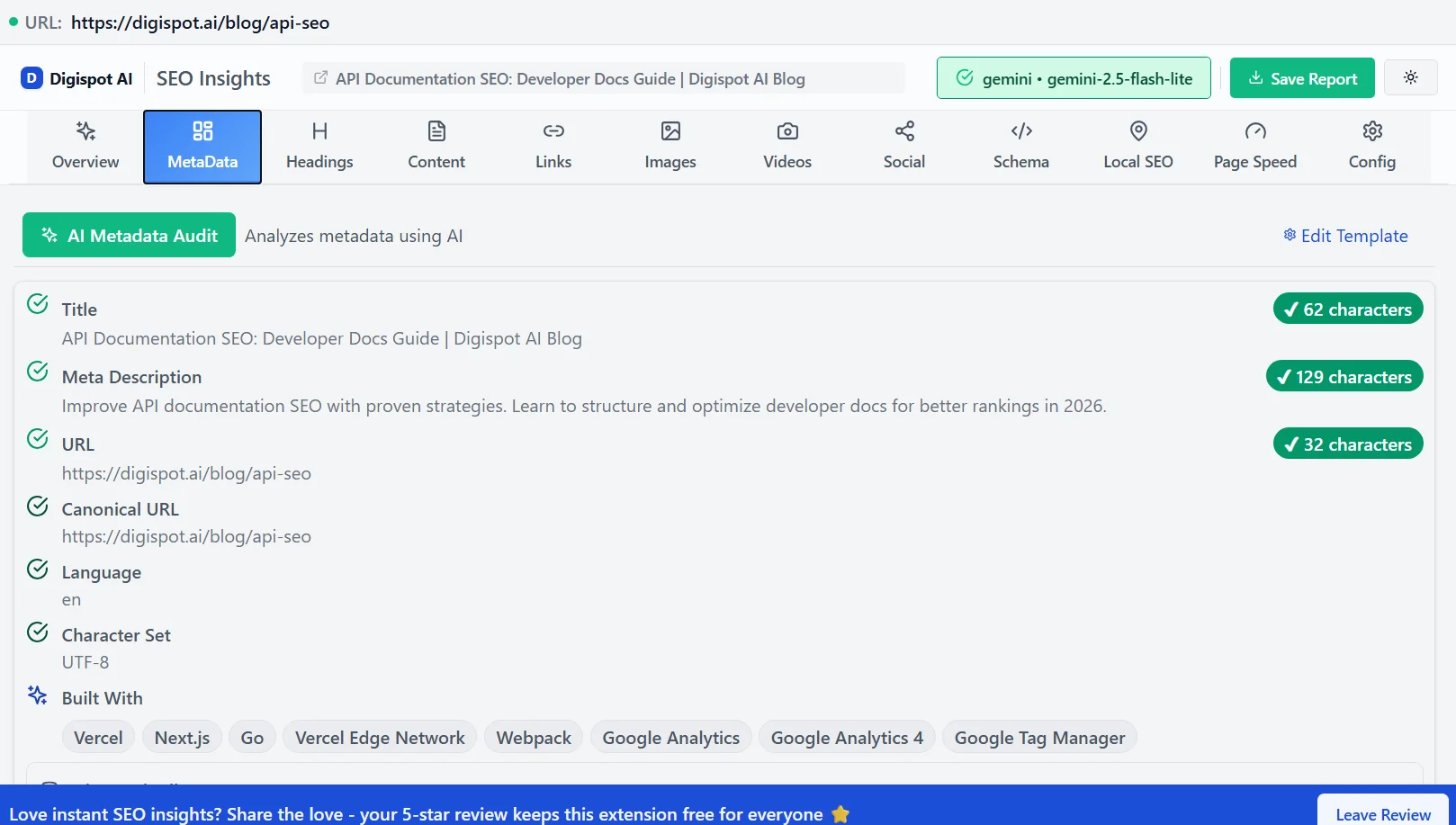
Table: Essential On-Page SEO Elements for API Docs
| SEO Element | What it is | How to Optimize |
|---|---|---|
| Page Title (<title> tag) | The title displayed in browser tabs and search results. | Include primary keywords; make it descriptive and concise. Format: "Topic - API Name Documentation". |
| Meta Description | A short summary of your page's content. | Entice clicks; include keywords; around 150-160 characters. Highlight key features covered on the page. |
| Headings (H1-H6) | Structure for your content. | Use hierarchically (H1 for main topic); include keywords. Don't skip levels (e.g., H1 directly to H3). |
| URL Structure | The address of your page. | Logical, descriptive, keyword-rich, e.g., /api-docs/payments. Use hyphens, not underscores. |
| Content Body | The main text of your documentation. | Clear, accurate, comprehensive, naturally integrated keywords. Use bold text for emphasis on key terms. |
| Image Alt Text | Text describing images for accessibility and SEO. | Describe image content; include relevant keywords. Essential for diagrams and architecture flows. |
4. Technical SEO Implementation: The Backbone of Success
- Ensure Crawlability: Submit XML sitemaps to search engines and verify your
robots.txtfile isn't blocking important pages. Use a robots.txt tester tool to identify potential issues. - Implement Structured Data: Add Schema.org markup to your API documentation. This is crucial for rich snippets and better understanding by AI search engines. For example, using
WebPage,TechArticle, orSoftwareSourceCodeschema can provide valuable context.- Schema Example: Use
APIReferenceschema to detail specific endpoints.
{ "@context": "https://schema.org", "@type": "APIReference", "name": "Create User API", "description": "Endpoint to create a new user in the system.", "httpMethod": "POST", "path": "/v1/users", "targetPlatform": "HTTP" }- Use Google's Rich Results Test to validate your structured data implementation.
- Schema Example: Use
- Optimize for Mobile: Ensure your documentation renders perfectly and is easy to navigate on all devices. Test responsiveness thoroughly. Use Google's Mobile-Friendly Test to identify mobile usability issues. For more details on avoiding common pitfalls, see our article on common SEO mistakes.
- Improve Page Speed: Compress images, minify CSS/JavaScript, and leverage browser caching to speed up load times. Use Google's PageSpeed Insights to identify performance bottlenecks and optimization opportunities.
- Manage Internal Links: Link relevant sections within your documentation to improve user navigation and SEO. Use descriptive anchor text.
5. Measure and Iterate: The Cycle of Improvement
- Monitor Performance: Use tools like Google Search Console and Google Analytics to track your documentation's performance in search results.
- What to track: Monitor impressions, clicks, average ranking positions, user behavior metrics (bounce rate, time on page), and top search queries. Set up custom dashboards to track key performance indicators (KPIs).
- Gather Feedback: Listen to developer feedback on your documentation. This can reveal areas for improvement in clarity, completeness, and discoverability. Use surveys, feedback forms, and community forums to collect feedback.
- Iterate Regularly: SEO is not a one-time task. Continuously analyze your data, update content, and refine your optimization strategies based on performance and user needs. Schedule regular SEO audits and content updates. Review our SEO audit checklist for 2026 to ensure you aren't missing new ranking factors.
Empowering Your SEO Journey with Smart Tools
Manually managing all these SEO factors can be incredibly complex and time-consuming, especially for large API documentation sites. This is where tools become indispensable. They automate repetitive tasks, provide deep insights, and help you operate at scale with accuracy.
Consider a platform like Digispot AI. It's designed as an AI SEO platform that helps business websites, including API documentation, rank better in Google and other AI search engines.
How does Digispot AI help?
- Comprehensive Website Auditing: Digispot AI excels at auditing websites in both mobile and desktop modes. It identifies issues across a spectrum of over 200 ranking factors, including crucial elements like content quality, technical SEO health, local SEO relevance (if applicable for your API), and overall page performance. Once issues are identified, the platform guides you through solving them. Digispot AI can help you identify and fix these issues automatically with AI-powered audits.
- Seamless Integration with Google Services: To give you a complete picture of your SEO performance, Digispot AI integrates directly with Google Search Console and Google Analytics. This allows you to track key metrics and performance indicators, understand user behavior, and measure the impact of your SEO efforts.
- Opportunity Finder and Content Studio: Imagine having a "magic lens" to spot new content opportunities and a "content factory" to generate SEO-optimized content. Digispot AI offers an Opportunity Finder to help you identify untapped keyword potential and a Content Studio that uses AI agents to generate SEO-optimized content. This can be invaluable for creating new guides, tutorials, or troubleshooting articles for your API documentation.
- Automated Best Practices: The Digispot AI cloud platform automates many SEO best practices, making it user-friendly even for those without deep SEO expertise. This automation allows you to operate at scale with greater accuracy, ensuring consistency across your entire documentation suite.
Your Quick Audit Companion: The Digispot AI Community Chrome Extension
For those who need quick insights directly in their browser, Digispot AI also offers a free community Chrome extension. This extension, powered by popular LLM models, brings the power of Digispot AI's auditing capabilities right to your fingertips. Get instant SEO insights on any page with our free Chrome extension.
- In-Browser Audits: With just a click, you can audit any page of your website or your competitor's, including specific API documentation pages.
- Schema Markup Detection and Visualization: One of its standout features is its ability to detect and visualize schema markup on a page. This means you can instantly see if your structured data is correctly implemented and what information search engines are likely extracting from your documentation. This is crucial for verifying that your efforts to provide explicit clues to search engines are working.
- Issue Detection: The extension helps you quickly detect common SEO issues on a page, providing immediate feedback that you can use to make rapid improvements.
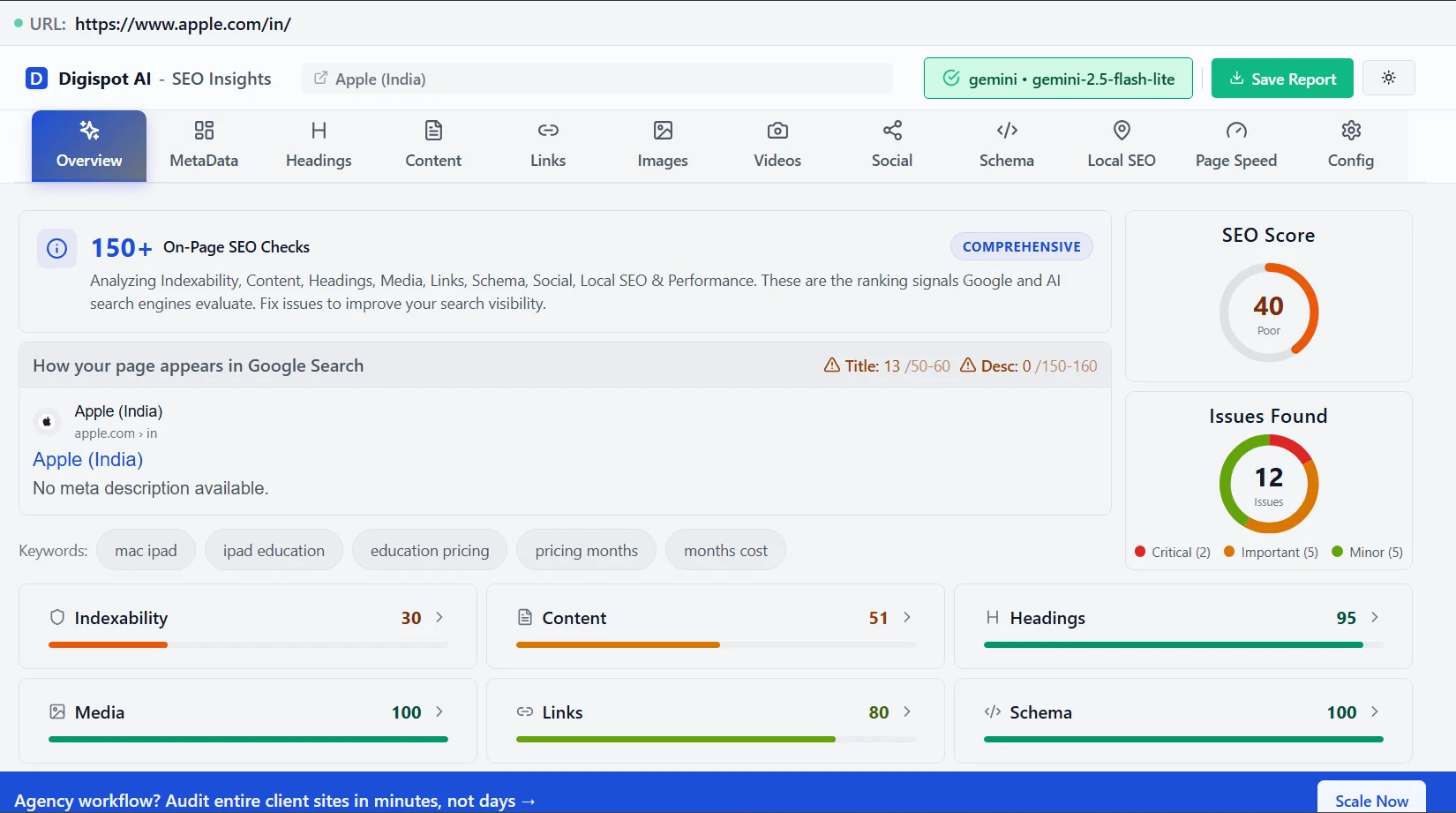
By using tools like Digispot AI's platform and its Chrome extension, you can turn the complex task of API Documentation SEO into a streamlined, data-driven process. They provide the insights and automation needed to ensure your API documentation isn't just comprehensive, but also highly discoverable. Try Digispot AI to identify these issues automatically.
Measuring Success and Continuous Improvement
Optimizing your API documentation for SEO isn't a "set it and forget it" task. It requires continuous monitoring and adaptation.
What to Measure:
- Organic Traffic: How many users are finding your documentation through search engines? Differentiate between branded searches (people typing your name) and non-branded searches (people looking for a solution).
- Keyword Rankings: For which keywords are your documentation pages ranking, and at what position? Are you ranking for the technical terms your audience actually uses?
- Impressions and Clicks: Track how often your documentation appears in search results (impressions) and how many times users click on it. A high impression count but low click-through rate (CTR) might suggest your title tags need work.
- Bounce Rate: A high bounce rate might indicate that users aren't finding what they need quickly, suggesting issues with content relevance or user experience. However, in API docs, a "bounce" can sometimes be good—it means the developer found the answer immediately and went back to coding. Look at "time on page" in conjunction with bounce rate.
- Time on Page: Longer time on page generally indicates higher user engagement and satisfaction, implying the developer is reading and utilizing the content.
- Conversion Rates: How many users who land on your documentation proceed to sign up for your API, make their first API call, or complete a desired action? Set up conversion goals in Analytics.
- Developer Feedback: Qualitative feedback from your developer community is invaluable for identifying areas for improvement.
How to Improve:
- Regular Audits: Periodically re-audit your documentation site using tools like Digispot AI to identify new issues or opportunities. For a deep dive into auditing, see our on-page SEO best practices.
- Content Updates: Keep your documentation accurate, complete, and fresh. Update it as your API evolves or as new best practices emerge. Mark deprecated endpoints clearly.
- A/B Testing: Test different titles, meta descriptions, or content structures to see what performs best in search results and with users.
- Stay Informed: Keep up with the latest SEO trends and algorithm updates from Google and other search engines.
Common Mistakes to Avoid in API Documentation SEO
Even with a well-defined strategy, it's easy to stumble upon common pitfalls that can hinder your API documentation SEO efforts. Here's what to watch out for:
- Ignoring Keyword Research: Jumping into content creation without understanding what developers are searching for is a recipe for disaster. Always start with thorough keyword research.
- Keyword Stuffing: Overloading your content with keywords makes it difficult to read and can be penalized by search engines. Focus on natural language and user experience.
- Neglecting Technical SEO: Overlooking technical aspects like crawlability, indexability, and page speed can prevent search engines from properly understanding and ranking your documentation.
- Creating Duplicate Content: Having multiple versions of the same content can confuse search engines and dilute your ranking potential. This often happens with versioned docs (v1, v2). Use canonical tags to specify the preferred version.
- Failing to Optimize for Mobile: In today's mobile-first world, neglecting mobile optimization is a major mistake. Ensure your documentation is responsive and loads quickly on mobile devices.
- Ignoring User Experience: If your documentation is difficult to navigate or understand, users will quickly leave, leading to high bounce rates and lower rankings.
- Not Tracking Performance: Without monitoring your SEO performance, you won't know what's working and what's not. Use analytics tools to track key metrics and identify areas for improvement.
- Treating SEO as a One-Time Task: SEO is an ongoing process that requires continuous monitoring, adaptation, and improvement. Don't set it and forget it.
- The "Black Box" of Single Page Applications: A frequent error is building a React-based doc site without ensuring the content is pre-rendered. If the view source shows empty
divtags instead of content, search engines may struggle to index your pages efficiently.
Conclusion: Your API Deserves to Be Found
In the competitive landscape of APIs, discoverability is paramount. High-quality, human-friendly API documentation is the cornerstone of developer adoption, but without effective SEO, even the best documentation can remain hidden. Investing in API Documentation SEO is an investment in your API's future, ensuring it reaches the developers and businesses who need it most.
By understanding what API Documentation SEO entails, why it's so vital, and how to implement key strategies from content optimization to technical enhancements, you can significantly boost your API's visibility. Remember, the goal is to make your documentation a magnet for your target audience, simplifying their journey from discovery to successful integration.
Tools like Digispot AI and its free Chrome extension provide invaluable support, offering the insights and automation necessary to navigate the complexities of modern SEO. Ready to improve your SEO? Try Digispot AI for comprehensive website audits and actionable recommendations. Start optimizing today, and let your API documentation work harder for you.
Your API deserves to be found. Implement these strategies, leverage the right tools, and watch your API documentation climb the search rankings, attracting more developers and driving greater adoption. Take the first step towards API discoverability today!
References
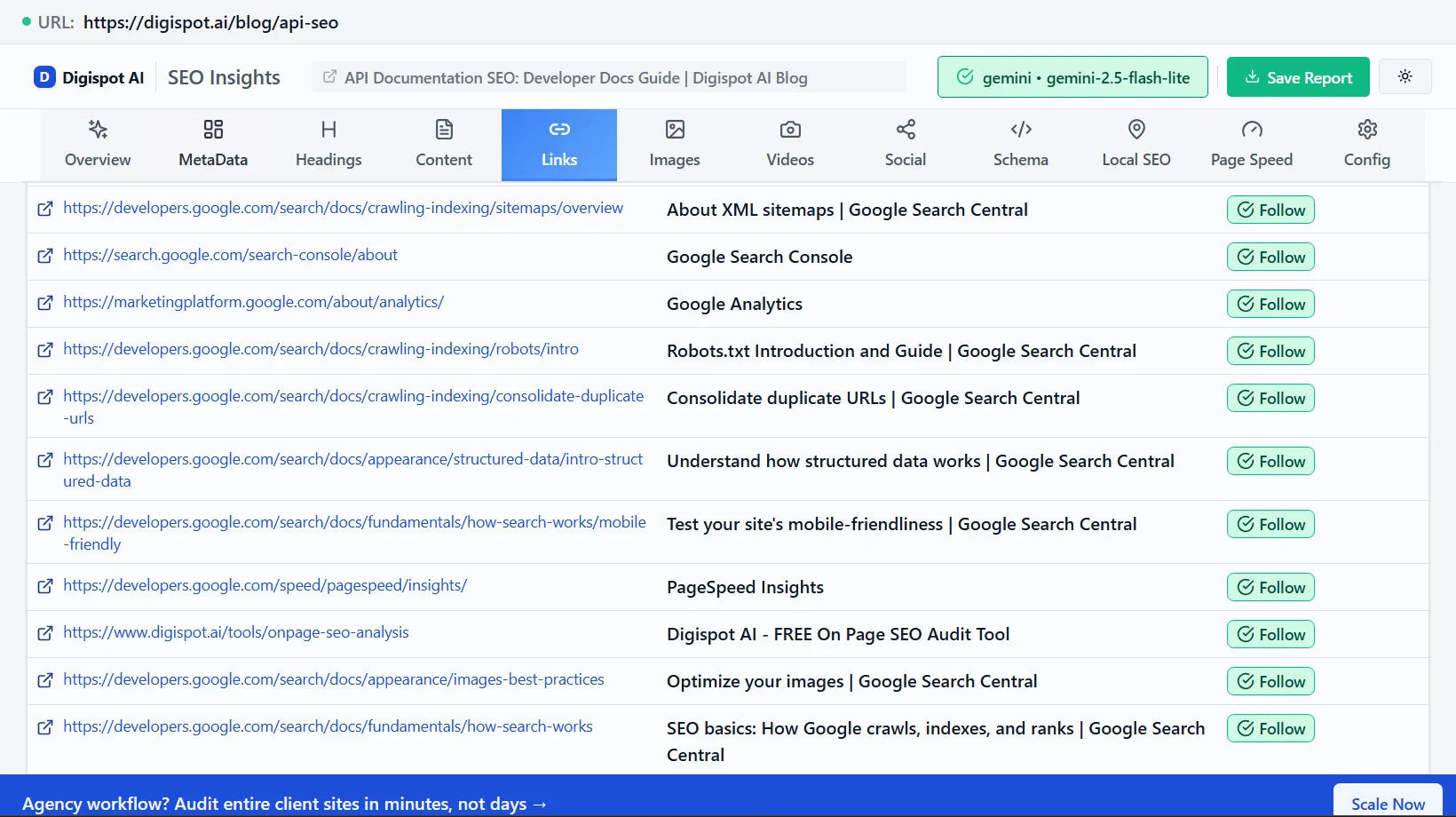
- About XML sitemaps | Google Search Central
- Google Search Console
- Google Analytics
- Robots.txt Introduction and Guide | Google Search Central
- Consolidate duplicate URLs | Google Search Central
- Understand how structured data works | Google Search Central
- Test your site's mobile-friendliness | Google Search Central
- PageSpeed Insights
- Digispot AI - FREE On Page SEO Audit Tool
- Digispot AI - FREE Chrome Extension for SEO Insights
- Optimize your images | Google Search Central
- SEO basics: How Google crawls, indexes, and ranks | Google Search Central
Audit any page in seconds
200+ SEO checks including Core Web Vitals, schema markup, meta tags, and AI readiness — trusted by 700+ SEO experts and marketers.
Frequently Asked Questions
Here are some of our most commonly asked questions. If you need more help, feel free to reach out to us.
Written by
Maya Krishnan
Digital growth expert
Maya is a seasoned expert in web development, SEO, and digital strategy, dedicated to helping businesses achieve sustainable growth online. With a blend of technical expertise and strategic insight, she specializes in creating optimized web solutions, enhancing user experiences, and driving data-driven results. A trusted voice in the industry, Maya simplifies complex digital concepts through her writing, empowering readers with actionable strategies to thrive in the ever-evolving digital landscape.