Recovering Failed Payments in an Indian Online Store
Why payment failed errors happen on Indian D2C stores, and how to recover those orders with desk calls, WhatsApp and direct UPI payments.
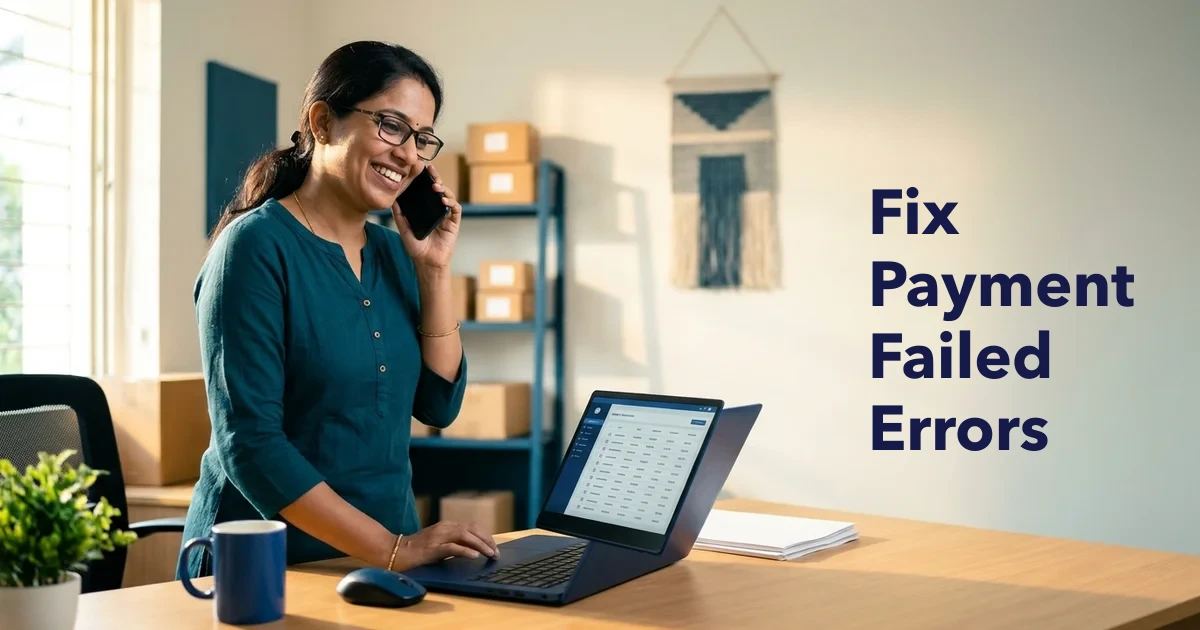
For small Indian direct-to-consumer (D2C) brands, an unexpected payment failed error during checkout wastes ad spend and shakes customer trust. When a buyer decides to purchase your cold-pressed oils, organic millets, handmade agarbatti, or custom apparel, any friction at the final payment stage turns a high-intent shopper into a lost transaction. This guide breaks down why checkout drops happen on Indian payment gateways and how to recover those orders with calls, WhatsApp and UPI.
What Causes a Payment Failed Error on Your E-Commerce Checkout?
Examining the technical points of failure in your store's checkout path lets you fix payment drops before they harm your daily conversion rate. A payment failed error is a transaction status indicating that an online payment gateway was unable to complete a purchase request from a customer. It occurs due to bank server timeouts, network latency, incorrect user credentials, or insufficient account balance, preventing the merchant from creating a completed order.
Bank Server Outages vs. User Input Errors
Transaction declines break down into technical backend issues and manual buyer mistakes. Technical drops happen when issuing bank servers crash, payment gateway API routes time out, or core banking networks experience downtime. Buyer-side errors involve entering an incorrect UPI PIN, selecting an expired debit card, or attempting a payment online with insufficient bank balances.
Understanding these distinctions allows merchants to show contextual error messages. When a bank server drops a connection, prompting the user to re-enter their PIN will only cause more friction. Instead, guiding the buyer toward an alternative channel or payment app saves the transaction.
The Direct Cost of Failed Transactions on Cart Abandonment
When a customer faces an unpromising error message at checkout, their buying intent drops instantly. Small D2C brands spend heavily on social media ads to drive traffic, making cart drop-offs at the payment online stage extremely expensive. If your store fails to explain the error or provide an immediate alternative, many buyers simply leave rather than try again.
A typical D2C store might drive hundreds of high-intent visitors daily through paid campaigns. Losing even ten percent of those buyers at the final payment screen severely inflates your customer acquisition cost. Preventing these technical drops keeps your ad spend profitable.
Why UPI Payment and Mobile Payment Failures Happen in India
Pinpointing why mobile payment paths break allows you to fix user interface friction across Indian checkout flows. UPI is the most used digital payment method for Indian shoppers, but their reliance on multi-app communication creates distinct technical failure points.
Understanding UPI Session Timeouts
A typical mobile payment requires passing data between your online store, the payment gateway, a payment app like Google Pay or PhonePe, and the National Payments Corporation of India (NPCI) switch. If mobile network latency delays the collect request, or the buyer takes too long to open the UPI app and enter the PIN, the session times out. The buyer sees a payment failed notification simply because the verification window expired before the bank responded.
Mobile OS battery optimization settings can also kill background app sessions. When a shopper switches from their browser to a UPI app, a memory-constrained phone might close the browser tab. This breaks the return callback URL, leaving the transaction unconfirmed.
Optimizing the Dynamic QR Payment Experience
Desktop and mobile buyers handle QR payment options differently, requiring clear visual design on your store. Showing a dynamic QR code on desktop allows shoppers to scan and pay in seconds using their preferred mobile app. If your checkout screen lacks explicit instructions—such as keeping the browser window open while approving the transaction—buyers close the tab prematurely, causing the backend payment process to fail. For direct payments outside the checkout, such as a buyer paying you after a call, you can make a static code with our free UPI QR code generator.
Explaining that the transaction updates automatically once approved prevents premature page refreshes. These small interface changes reduce abandoned UPI sessions.
Handling the 'Payment Processed but Order Failed' Customer Confusion
Clear messaging stops frustrated buyers from opening chargeback disputes when money leaves their bank account without an instant order confirmation. A payment processed but unconfirmed order occurs when a customer's bank approves the debit, but the gateway fails to relay that success signal back to your store's database before the web session expires.
Why Bank Account Debits Happen Before Order Confirmation
The banking system processes money movements separately from your website's database scripts. When a customer inputs their PIN, the issuing bank reserves and debits the funds instantly. If the connection drops during the callback step from the payment app back to your checkout page, your store marks the transaction as unfulfilled even though the money was deducted.
This discrepancy causes immediate customer anxiety. The buyer receives a bank SMS confirming the debit, yet your storefront displays an error or empty cart. Without real-time status updates, buyers flood customer support channels or demand immediate refunds.
Automating Webhook Callbacks for Immediate Status Updates
Webhooks act as real-time server notifications that bypass browser connection failures. Configuring automated webhook endpoints ensures your payment gateway pushes an instant update directly to your order management software the second a transaction completes. This sync updates the order status immediately and prevents duplicate orders or customer support complaints.
| Issue Scenario | Technical Cause | Immediate Merchant Fix |
|---|---|---|
| Money debited, no order ID | Gateway callback failure | Turn on payment webhooks in your gateway and store |
| UPI payment session expired | Network latency or buyer delay | Tell buyers to keep the page open; offer a retry |
| Card payment declined | Exceeded daily limit or wrong CVV | Prompt user with alternative payment options on screen |
| Payment app crash | Mobile OS memory clearing | Provide direct deep-link payment buttons for mobile |
Testing webhooks regularly ensures that backend server timeouts do not leave valid orders stuck in pending states. A reliable webhook setup listens for asynchronous payment notifications from the gateway long after the user closes their mobile browser.
How to Set Up Payment-Failed Follow-Ups
Structured recovery paths help D2C makers reclaim lost sales from customers who suffered technical gateway drops. An abandoned attempt caused by a payment failed status is not a loss of interest; it is an interrupted purchase that requires an immediate bridge back to checkout.
Timing Your Payment Follow-Up Messages
Speed determines your success rate when recovering failed transactions. Work your desk's Payment-failed list the same day, contacting only shoppers who agreed to be contacted, by call, WhatsApp or email. The message should explain that their order was saved and ask whether they would like to complete it.
Keeping the communication helpful rather than pushy reassures the buyer that their technical error is easily resolved.
Offering Alternative Payment Options Upon Failure
Never force a buyer to use the exact same payment method that just failed. Your desk should offer secondary options, such as switching from a failed UPI transaction to a debit card, trying a different UPI app, opting for cash on delivery (COD) if you offer it, or paying you directly by UPI.
If they pay you directly by UPI, check the credit and mark the order paid on your desk.
Optimizing Razorpay Card and Net Banking Checkout Integration
Selecting and correctly configuring a gateway tailored for Indian banking infrastructure ensures high success rates across cards, UPI, and net banking. Razorpay is a common choice for Indian stores because one account covers UPI, cards, net banking and wallets.
Setting Up Domestic Cards and Net Banking Fast
Setting up domestic payment processing requires completing merchant onboarding, submitting business registration documentation, and pasting API keys into your website admin panel. Live payments start once Razorpay activates your account; our Razorpay setup guide covers the steps.
Configuring Pincode-Zone Shipping Rates to Avoid Checkout Friction
Eliminating unexpected shipping calculations during the final checkout screen stops buyers from abandoning their payment online. A shipping charge that appears or changes at the last step makes buyers hesitate right before they pay.
Structuring Flat vs. Zone-Based Regional Freight Rates
Configuring shipping zones based on Indian post offices and regional pincodes prevents backend checkout errors. Setting up clear rate rules ensures your store calculates accurate fees whether shipping within your city, across your region or to North Eastern pincodes. Our guide to shipping charges for Indian D2C stores covers zones and weight slabs in detail:
- Map your warehouse origin pincode in your store shipping settings.
- Group Indian delivery pincodes into regional zones (Local, Regional, National, Special Zones).
- Assign flat-rate rules or weight-based brackets to each pincode zone.
- Set explicit fallback rates so an unlisted pincode never returns a zero or broken rate error at final payment.
Reviewing your shipping table regularly ensures new serviceability zones from courier partners get updated promptly. Preventing shipping calculation mismatches keeps your store's API calls clean during checkout payment processing.
Preventing Shipping Calculation Failure at Final Payment
When an e-commerce platform fails to return a valid shipping fee for a customer's specific pincode, the checkout script halts. Establishing comprehensive pincode coverage across Indian courier services keeps the transaction total accurate and smooth.
Testing edge-case pincodes—such as remote tier-3 locations—prevents unexpected checkout crashes. Clear rate tables ensure that every shopper sees exact delivery costs before entering their card or UPI details.
Auditing Product Schema and Technical Store Health for Indian Merchants
Technical errors across store code disrupt both payment gateway scripts and search engine visibility. Search engines and payment scripts rely on clean, valid code to process product information, prices, and checkout redirects accurately.
Verifying Product Structured Data on Single Pages
Product schema markup communicates your pricing, stock status, and product details directly to search crawlers and web browsers. When schema markup contains broken formatting or missing fields, search engines struggle to index product details correctly. Store owners can inspect individual product pages using the free Digispot AI Chrome extension to see a page's schema, meta tags and headings in one click. Our Product schema guide explains each field.
{
  "@context": "https://schema.org/",
  "@type": "Product",
  "name": "Your Brand Cold-Pressed Sesame Oil 1L",
  "image": "https://example.com/images/sesame-oil.jpg",
  "description": "Traditional cold-pressed organic sesame oil for cooking.",
  "sku": "CPO-SES-1000",
  "offers": {
    "@type": "Offer",
    "priceCurrency": "INR",
    "price": "450",
    "availability": "https://schema.org/InStock"
  }
}
Crawling Whole D2C Catalogs for Technical Errors
Beyond individual product pages, site-wide technical bugs can break payment gateway redirects and harm organic rankings. Using the Digispot AI Desktop SEO Spider across Windows or Mac allows merchants to crawl their entire product catalog. The crawler uncovers 404 broken links, canonical tag mismatches, slow-loading assets, and redirect chains, plus missing Product schema and duplicate variant URLs.
Establishing Clear Customer Refund and Cancellation Policies
Clear, transparent store policies reduce customer anxiety when a payment failed error occurs after money has left their account. Reassuring buyers about auto-refund processes prevents unnecessary payment disputes and builds long-term brand credibility.
Setting Expectations for Bank Auto-Reversals
When a payment processed status occurs without order confirmation, issuing banks automatically initiate an auto-reversal. Under RBI's 2019 turnaround-time rules, that is within T+5 days for e-commerce card and UPI payments, with ₹100 per day compensation paid by the bank to the customer for any delay beyond that. Clearly explaining this timeline on your store reduces support inbox overload and reassures buyers that their money is safe.
Drafting explicit policy text explaining how pending debits auto-resolve gives anxious buyers peace of mind. Displaying these terms clearly protects your business from unnecessary payment disputes.
Linking Store Policies Directly inside Checkout Footers
Placing concise direct links to your refund policy, cancellation terms, and customer support contact details right on the checkout footer builds trust at the moment of purchase. If a buyer knows exactly how payment errors are handled and how to contact your team via WhatsApp or email, they are far more likely to re-attempt a failed transaction immediately.
Adding an instant chat link directly on the checkout screen allows users facing payment online issues to reach your team immediately. Real-time support helps turn a failed transaction into a completed sale before the buyer leaves your site.
Launch Your Payment-Ready D2C Online Store with Digispot AI
Building a resilient direct-to-consumer brand in India requires a store platform that pairs reliable payment infrastructure with complete technical optimization. Digispot AI helps Indian makers, artisans, and D2C brands launch fully optimized e-commerce stores designed to convert traffic.
Payments run on your own Razorpay account, with a downtime notice and automatic refunds on cancel. Failed payments land in your desk's Payment-failed list with one-tap call, WhatsApp and email for shoppers who agreed to be contacted, and the desk can mark an order paid by direct UPI.
Your store can be payment-ready in 1 to 2 days (see our two-day store launch plan). See our failed payment recovery service.
More in the Selling Online in India guide
Start with the How to Start an Online Store in India: A Two-Day Launch Plan.
Audit any page in seconds
200+ SEO checks including Core Web Vitals, schema markup, meta tags, and AI readiness — trusted by 1,250+ SEO experts and marketers.
Frequently Asked Questions
Here are some of our most commonly asked questions. If you need more help, feel free to reach out to us.

Maya Krishnan is an SEO and AEO specialist at Digispot AI. She helps agencies and businesses across industries and countries grow organic traffic from Google and AI search, and knows the major SEO platforms well, from desktop crawlers to all-in-one suites. She checks and approves every article published under her name.
More from Maya Krishnan