Video SEO: The Ultimate YouTube Ranking Guide (2026)
Master video SEO strategies to rank #1 on YouTube and Google. Learn advanced keyword research, engagement optimization, and schema tactics for 2026.
 Maya Krishnan
YouTube is the second-largest search engine in the world, processing over 3 billion searches per month. Yet, many marketers treat it as a dumping ground for content rather than a sophisticated search platform that requires a dedicated strategy.
Simply uploading a high-quality video is no longer enough. Without precise optimization, your content remains invisible to the algorithms that dictate discovery. You aren't just fighting for views; you are competing for attention in a feed driven by aggressive machine learning models designed to keep users scrolling.
This guide moves beyond basic advice like "use good keywords." We will break down the mechanics of the YouTube algorithm, the technical implementation of video schema for Google Search visibility, and the psychological triggers that drive retention.
By the end of this post, you will have a repeatable framework to rank your videos on both YouTube and Google, driving sustainable traffic to your channel and business.
The Dual Algorithm: YouTube vs. Google
To succeed in video SEO, you must understand that you are optimizing for two different search engines simultaneously. While they share data (Google owns YouTube), their objectives differ slightly.
The YouTube Algorithm: Retention is King
YouTube's primary goal is Session Time. They want users to stay on the platform as long as possible to consume more ads. Consequently, the algorithm rewards videos that:
- Get clicked: High Click-Through Rate (CTR).
- Keep watching: High Average Percentage Viewed (Retention).
- Start a session: Videos that bring people to YouTube.
If your video causes a user to close the app, your rankings will plummet. If your video leads to a user watching three more videos (even if they aren't yours), your rankings rise.
The Google Algorithm: Relevance and Information
Google Search treats video as a rich snippet format to answer queries. Google looks for:
- Textual Relevance: Titles, descriptions, and transcripts matching the search query.
- Key Moments: Can Google extract a specific 30-second clip to answer a "How-to" question?
- Authority: Is the video embedded on authoritative web pages?
An effective strategy targets both. You need the engagement signals for YouTube and the structured data for Google.
Strategic Video Keyword Research
Keywords for video differ from standard web search. YouTube queries often skew more informational and instructional ("how to," "review," "tutorial").
Identifying High-Intent Topics
Start by identifying topics where video is the preferred consumption format. Use YouTube’s search bar autocomplete feature. Type your niche keyword (e.g., "SEO audit") and note the predictions.
Look for "wildcard" variations by using an underscore:
_ for beginnershow to fix __ vs _
These predictions represent actual user volume. If YouTube suggests it, people are searching for it right now.
Competitor Gap Analysis
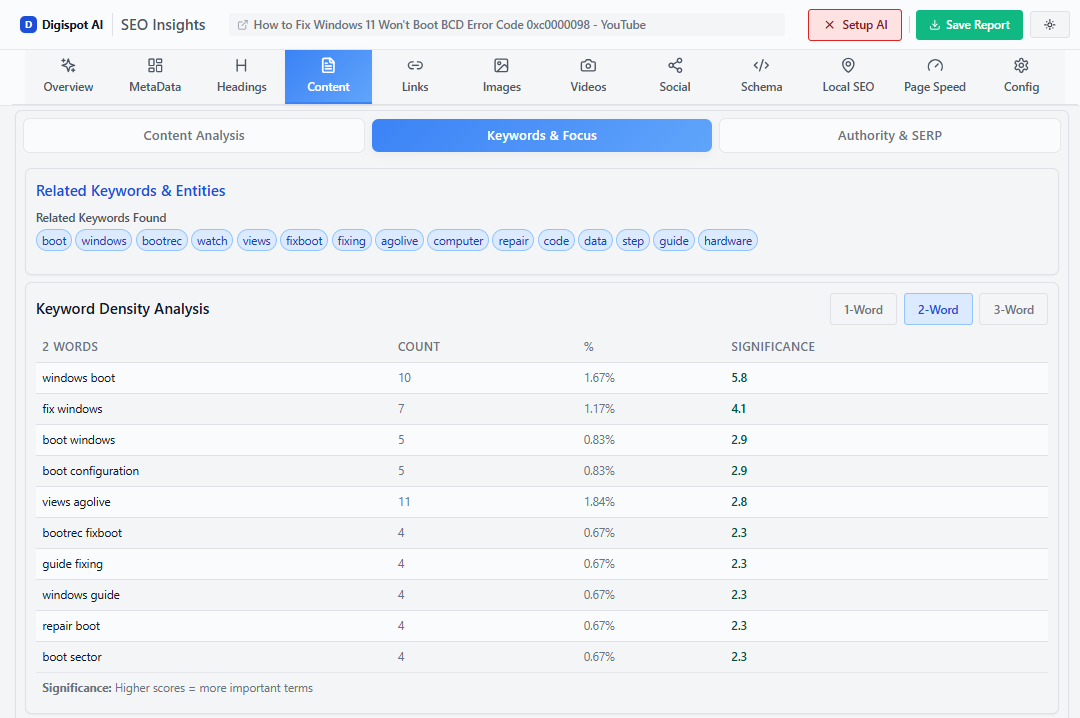
Analyze the top-ranking videos for your target terms. Look beyond the view count. A video with 10,000 views on a channel with 1 million subscribers is actually underperforming. Conversely, a video with 10,000 views on a channel with 500 subscribers is a viral outlier—the topic and optimization are doing the heavy lifting.
Digispot AI can help you analyze the keyword gaps in your textual content, which often mirrors opportunities in video. If you have a high-traffic blog post without a corresponding video, you have identified a content gap. Learn more about identifying these opportunities in our content gap analysis guide.
Mapping Intent to Format
- "How-to" queries: Require step-by-step tutorials with clear timestamps.
- "Best X for Y" queries: Require comparison videos or listicles.
- "What is" queries: Require concise definition videos (under 2 minutes) or comprehensive guides.
Optimizing Video Metadata for Discovery
Metadata helps the algorithm classify your content. While AI can analyze video pixels and audio, text remains the primary indexable signal.
Writing Titles for CTR and SEO
Your title has two jobs: include the keyword for the bot and trigger curiosity for the human.
The Formula: [Primary Keyword]: [Benefit or Curiosity Hook] (Year/Data)
- Bad: How to do SEO for videos
- Good: Video SEO Guide: How to Rank #1 on YouTube in 2026
- Better: Video SEO Strategy: 3 Steps to Rank #1 (Step-by-Step)
Front-load your primary keyword. YouTube places more weight on the first 3-5 words of the title. Use brackets or parentheses at the end to add context (e.g., [Case Study], (Free Tool)), which has been shown to increase CTR.
Descriptions: The Underutilized Asset
Many creators leave descriptions blank or stuff them with links. This is a mistake. The first 150 characters of your description appear in search results (the snippet).
- The Hook (First 2 sentences): Restate the problem and the keyword naturally.
- The Summary: Write a 200-word overview of the video content.
- Timestamps: Essential for "Key Moments" (see below).
- Links: Direct traffic to your site or lead magnets.
To ensure your textual metadata aligns with search intent, you can adapt strategies from our meta tags optimization guide, applying similar principles of conciseness and relevance.
The Truth About Tags
In 2026, tags are largely irrelevant for ranking. YouTube has publicly stated they are minimal ranking factors. Use them only for:
- Common misspellings of your keyword.
- Brand names.
- Specific industry jargon (e.g., "SERP", "AEO").
Technical Video SEO: Files and Quality
Before you even upload, technical factors influence your potential success.
Filename Optimization
Never upload MOV_1234.mp4. Rename your raw file to target-keyword.mp4 (e.g., video-seo-ranking-guide.mp4). While a minor signal, it helps YouTube understand the file context during the processing phase.
Audio Quality and Transcripts
Bad audio kills retention faster than bad video. If users can't hear you clearly, they leave immediately.
Furthermore, clear audio is essential for auto-generated captions. YouTube indexes these captions. If you mumble your keywords, YouTube won't "hear" them, and you lose that relevance signal.
Pro Tip: Upload a custom SRT file (subtitle file) rather than relying on auto-generation. This ensures 100% accuracy for your keywords. You can often export these from video editing software like Premiere Pro or specialized transcription services.
Advanced Schema Markup for Video
This is where you gain an edge in Google Search (the "Video Pack"). While YouTube automatically handles some schema, self-hosting videos or embedding YouTube videos on your site requires explicit markup to maximize visibility.
VideoObject Schema
You must wrap your video embed in VideoObject schema. This structured data tells Google the thumbnail URL, duration, upload date, and description.
If you don't use this, Google relies on heuristics to guess the video details, which is often inaccurate.
Use the free Schema Markup Generator to create valid VideoObject structured data in minutes. Simply input your video details, and the tool generates the JSON-LD code to paste into your website's header or body.
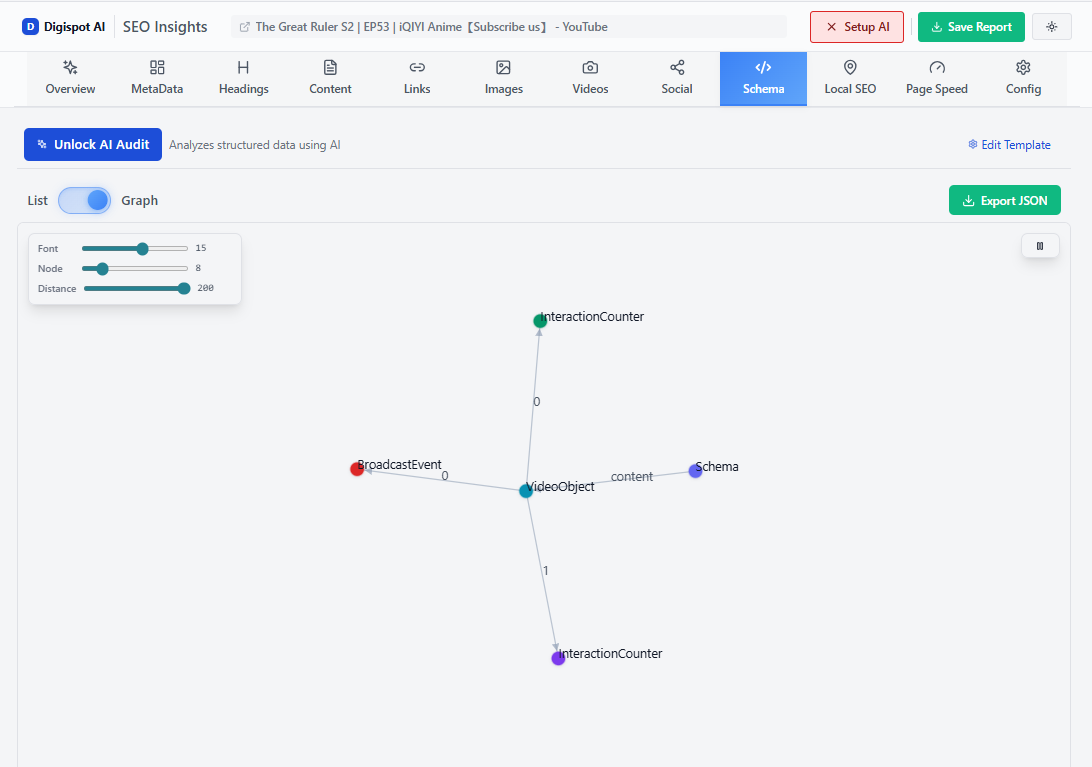
Turn invisible SEO data into clear visuals with our Free Chrome extension.
Clip Markup for Key Moments
Google's "Key Moments" feature allows users to skip directly to the relevant part of a video from the search results.
To enable this, you can use hasPart property within your VideoObject schema to define segments.
"hasPart": [
  {
    "@type": "Clip",
    "name": "Keyword Research",
    "startOffset": 30,
    "endOffset": 120,
    "url": "https://www.example.com/video?t=30"
  },
  {
    "@type": "Clip",
    "name": "On-Page Optimization",
    "startOffset": 121,
    "endOffset": 300,
    "url": "https://www.example.com/video?t=121"
  }
]
For a deeper dive into technical implementation, read our advanced schema markup guide.
Maximizing Engagement Signals
YouTube's algorithm is a feedback loop. It tests your video with a small audience; if they engage, it expands the reach.
The First 15 Seconds (The Hook)
Audience retention graphs almost always show a sharp drop in the first 15-30 seconds. To flatten this curve:
- Start immediately: No animated intro logos longer than 3 seconds.
- Deliver the promise: "In this video, you're going to learn..."
- Open loops: Tease a specific payoff that comes later in the video.
Pattern Interrupts
Humans get bored easily. Visual monotony leads to drop-offs. Change the visual state every 10-20 seconds using:
- B-roll footage.
- Text overlays.
- Camera angle changes.
- Screen shares.
Velocity of Engagement
The first 24 hours are critical. YouTube measures "velocity"—how fast views and comments accumulate.
- Reply to every comment in the first few hours. This doubles the comment count and signals activity.
- Post the video to your "Community" tab.
- Email your list immediately upon publishing.
Thumbnail Strategy: The Gatekeeper
Your video could be a masterpiece, but if the thumbnail is bad, nobody will know. The thumbnail is responsible for the click; the video is responsible for the watch time.
The "BOGY" Rule
Colors that stand out on YouTube's white/dark gray background tend to be Blue, Orange, Green, and Yellow. Red and white blend in with the platform's UI branding.
Composition Best Practices
- Faces: Humans are evolved to look at faces. Use close-ups with strong emotions (surprise, joy, focus).
- Text: Limit to 3-4 words. The text should complement the title, not repeat it. If the title is "How to Bake a Cake," the thumbnail text should be "No Experience Needed!" or "Fluffy Results!"
- Contrast: High contrast images pop on small mobile screens.
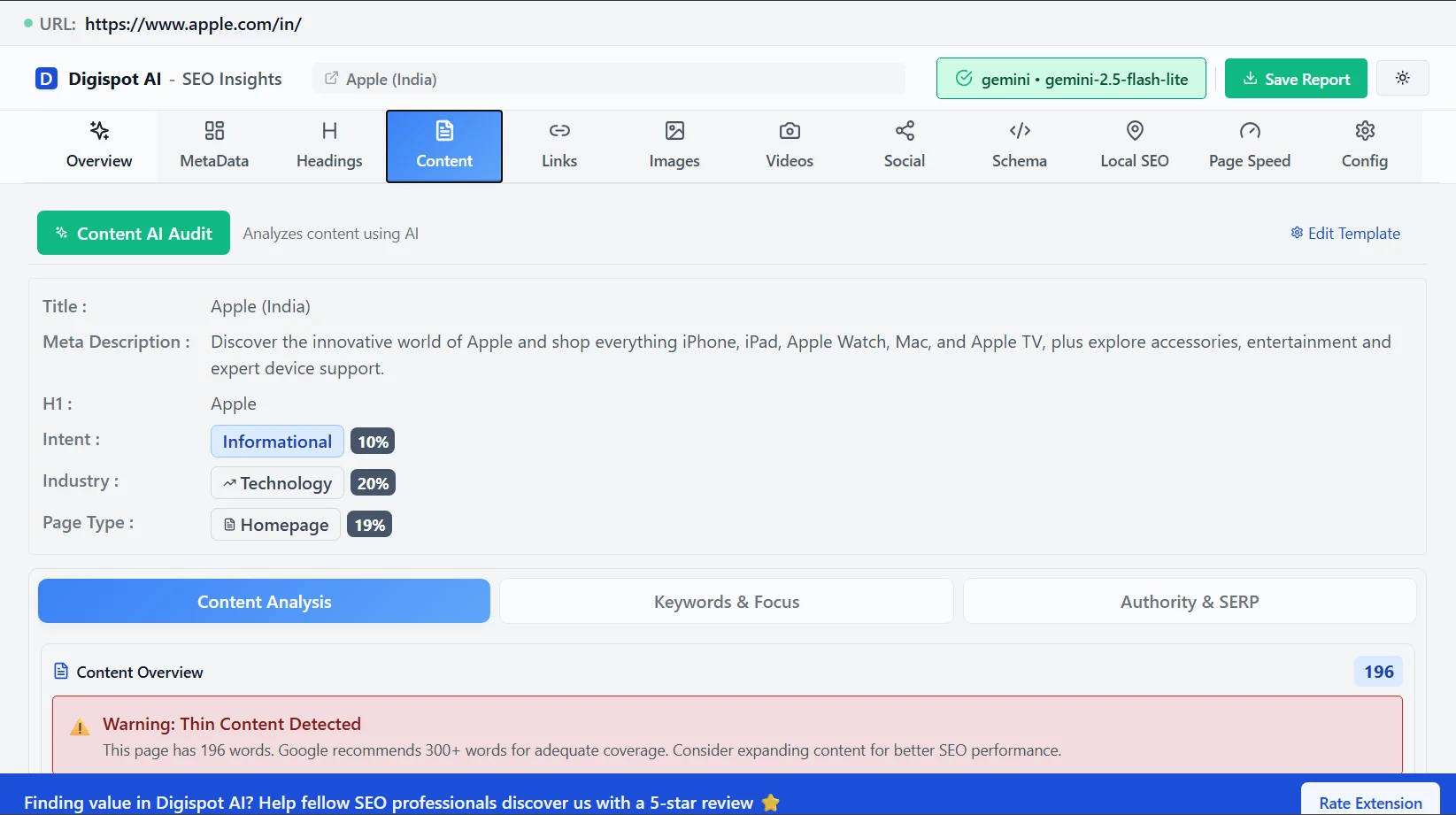
Get instant SEO insights on any page, including checking if your competitors are using specific image alt tags or schema on their video pages, with our free Chrome extension.
Promotion and Off-Page Signals
While on-page optimization is crucial, off-page signals validate your video's authority.
Embeds and Backlinks
Embedding your video on relevant blog posts or external websites provides a strong authority signal. It tells Google, "This video is useful enough to be referenced."
Ensure the page where you embed the video is also optimized. Page load speed is critical here; a heavy video embed can hurt your Core Web Vitals. Use "lazy loading" for video embeds to prevent them from slowing down your initial page render. Learn more about performance metrics in our Core Web Vitals SEO guide.
Power Playlists
Don't just group videos randomly. Create "Series Playlists."
When you link videos in a series playlist, YouTube is more likely to auto-play the next video in that sequence. This increases "Session Time" significantly.
- Create a playlist for a specific topic (e.g., "Technical SEO Course").
- Add 4-6 related videos.
- Optimize the playlist title and description with keywords.
Measuring Success with Analytics
You cannot improve what you do not measure. YouTube Studio provides granular data that you should review weekly.
Audience Retention Graph
This is the most important chart in your analytics. Look for:
- The Dip: Where do people leave? If 20% leave at 0:30, your intro is too long.
- The Spikes: Where do people rewind? This indicates high value or confusion. Analyze these segments and make more content like them.
CTR by Traffic Source
Check your CTR specifically for "YouTube Search." A low CTR here (under 4-5%) usually indicates a weak thumbnail or title match for the keyword.
Digispot AI can help you monitor these metrics alongside your website analytics, providing a holistic view of how video content contributes to your overall SEO performance.
Future-Proofing: AI and Video Search
The search landscape is shifting toward generative AI. Platforms like Google AI Overviews and SearchGPT are beginning to synthesize video content.
Multimodal Analysis
AI models are now multimodal—they process text, audio, and video frames simultaneously. This means:
- Visual Context Matters: If you are talking about a chart, show the chart. AI can "read" the visual data.
- Verbal Consistency: Ensure your spoken words align with your metadata. Discrepancies may be flagged as misleading.
To establish the authority required for AI recommendation, your content must demonstrate deep expertise and reliable sourcing. Review our E-E-A-T SEO guide to understand how to build trust signals that apply to both text and video content.
Start Improving Your Video Rankings Today
Video SEO is a long-term compound game. A well-optimized video can drive traffic for years, unlike a social media post that dies in 24 hours. By combining technical precision (schema, metadata) with psychological engagement triggers (hooks, thumbnails), you create assets that serve your business 24/7.
Your Immediate Action Plan:
- Audit: Go to your top 5 performing videos.
- Update: Rewrite titles to be more click-worthy and add timestamped descriptions.
- Embed: Place these videos on relevant, high-traffic pages of your website using
VideoObjectschema.
Ready to improve your search visibility across all formats? Try Digispot AI for comprehensive website audits, competitor intelligence, and actionable recommendations to dominate the SERPs.
Related deep-dives
Continue with these closely related guides:
- seo for lifestyle products — SEO Guide for Lifestyle Products & Services
- find trending keywords — Find Trending Keywords: Capture Rising Search Demand
References
Audit any page in seconds
300+ SEO checks including Core Web Vitals, schema markup, meta tags, and AI readiness — trusted by 1000+ SEO experts and marketers.
Frequently Asked Questions
Here are some of our most commonly asked questions. If you need more help, feel free to reach out to us.
Written by
Maya Krishnan
Digital growth expert
Maya is a seasoned expert in web development, SEO, and digital strategy, dedicated to helping businesses achieve sustainable growth online. With a blend of technical expertise and strategic insight, she specializes in creating optimized web solutions, enhancing user experiences, and driving data-driven results. A trusted voice in the industry, Maya simplifies complex digital concepts through her writing, empowering readers with actionable strategies to thrive in the ever-evolving digital landscape.