How to Index Website in Google Fast: The 2026 Guide
Stop waiting for Google. Learn strategies to force indexing, fix technical bottlenecks, and rank content faster using GSC, sitemaps, and API tools.
 Maya Krishnan
You hit publish on a new piece of content. You wait. You check Google. Nothing.
There is nothing more frustrating in SEO than writing high-quality content that remains invisible. If Google doesn't index your page, you don't exist. You can't rank, you can't drive traffic, and you certainly can't generate leads.
Many site owners believe indexing happens automatically and instantly. While Googlebot is sophisticated, it isn't magic. It operates on a budget—a crawl budget—and it prioritizes efficiency. If your site throws up technical roadblocks or fails to signal importance, Google will simply move on to the next website.
The good news is that you don't have to sit and wait. You can take control of the process.
This guide covers exactly how to index your website in Google fast, moving beyond the basic "submit your sitemap" advice into the technical mechanics of crawling, rendering, and indexing.
Key Takeaways
- Crawling and indexing are different problems. Confirm which stage your page is stuck at before applying a fix—requesting indexing won't help a page blocked by robots.txt or a
noindextag. - Remove the roadblocks first. Audit
robots.txt, roguenoindextags, and misapplied canonicals before you touch anything else; these silently override every indexing request you send. - Use Search Console for single URLs, not scale. The URL Inspection tool is your manual override for a handful of new pages, but it is rate-limited and unsuitable for thousands of URLs.
- Internal links are how Google finds you. Orphan pages with no inbound links are invisible; link every new page from a strong, already-indexed page.
- "Crawled - currently not indexed" is a quality signal, not a bug. When Google visits but declines to store a page, upgrade the content instead of hammering Request Indexing.
Understanding the Mechanism: Crawling vs. Indexing
Before fixing the problem, you must distinguish between the two distinct phases of search discovery. Mixing these up often leads to the wrong solution.
- Crawling: This is discovery. Googlebot visits your URL to see what is there. It follows links from other pages to find yours.
- Indexing: This is storage. After crawling, Google analyzes the content, renders the code, and decides whether to store it in its massive database (the index).
A page can be crawled but not indexed. This is increasingly common as Google becomes pickier about content quality. If you want to dive deeper into the technical architecture, read our breakdown of how Google Search works.
Step 1: Verify Your Current Indexing Status
Don't assume you aren't indexed just because you aren't ranking #1. You might be indexed but buried on page 50.
The "Site:" Operator Check
The quickest manual check is using the site: search operator.
Type site:yourdomain.com/your-new-page-slug into Google.
- Result shows your page: You are indexed. Your problem is ranking, not indexing.
- "Your search - ... - did not match any documents": You are not indexed.
The Bulk Audit Method
Checking one by one is impossible for large sites. Digispot AI can help you identify and fix these issues automatically with AI-powered audits analyzing 300+ ranking factors. By connecting to your Google Search Console (GSC) data, you can see a complete list of valid vs. excluded pages in minutes.
Step 2: The Direct Method (Google Search Console)
If you have a single URL or a small batch of new pages, Google Search Console is your manual override button. This is the gold standard for "forcing" indexing.
- Log in to Google Search Console.
- Paste your specific URL into the top search bar (URL Inspection tool).
- Wait for Google to retrieve data.
- If the URL is not on Google, click "Request Indexing".
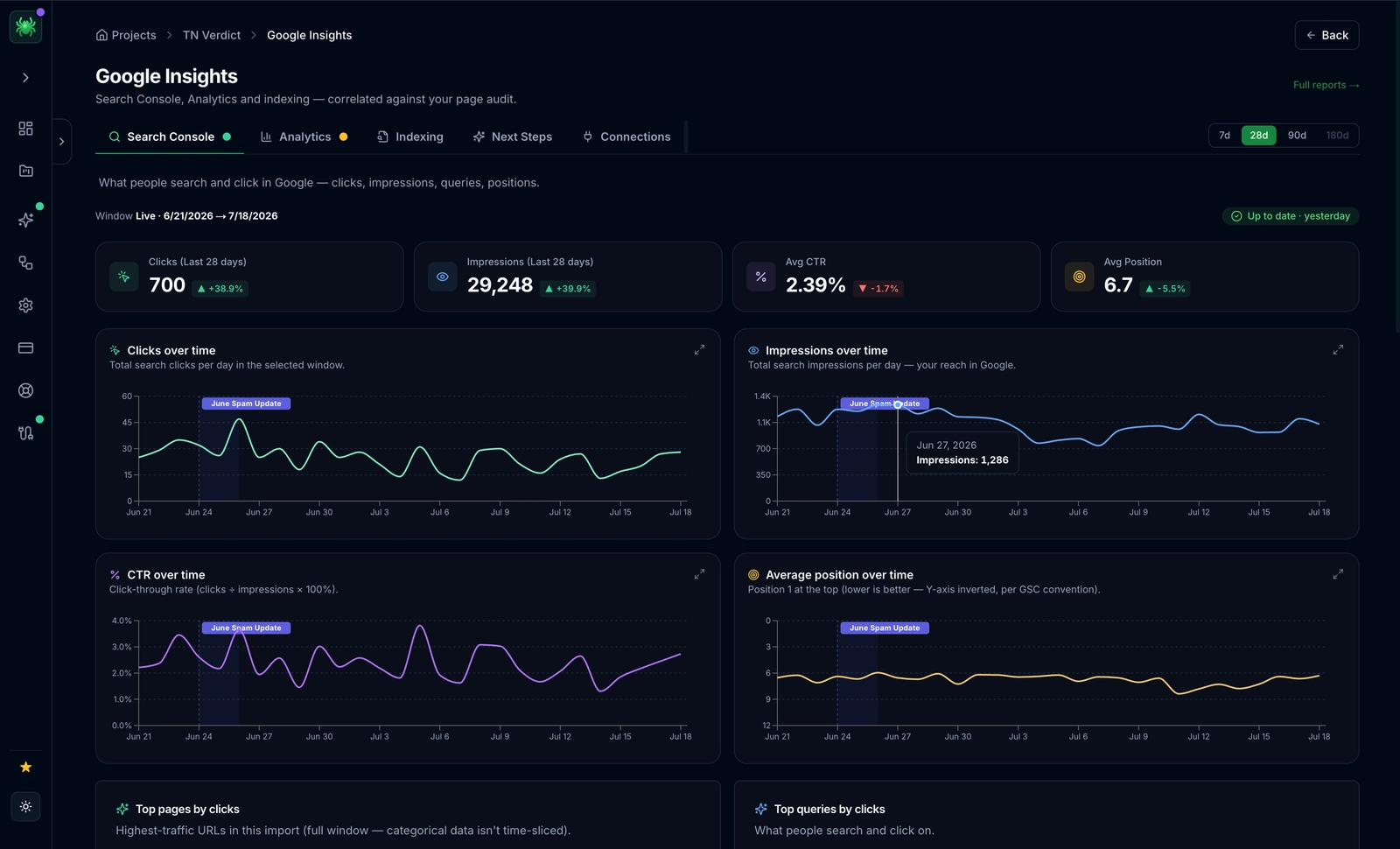
Important Reality Check: This is not instantaneous. "Request Indexing" puts you in a priority queue. It typically takes a few hours to a day. Also, Google limits how many times you can do this daily. Do not rely on this for thousands of eCommerce products; it is not scalable.
Step 3: Remove Technical Roadblocks
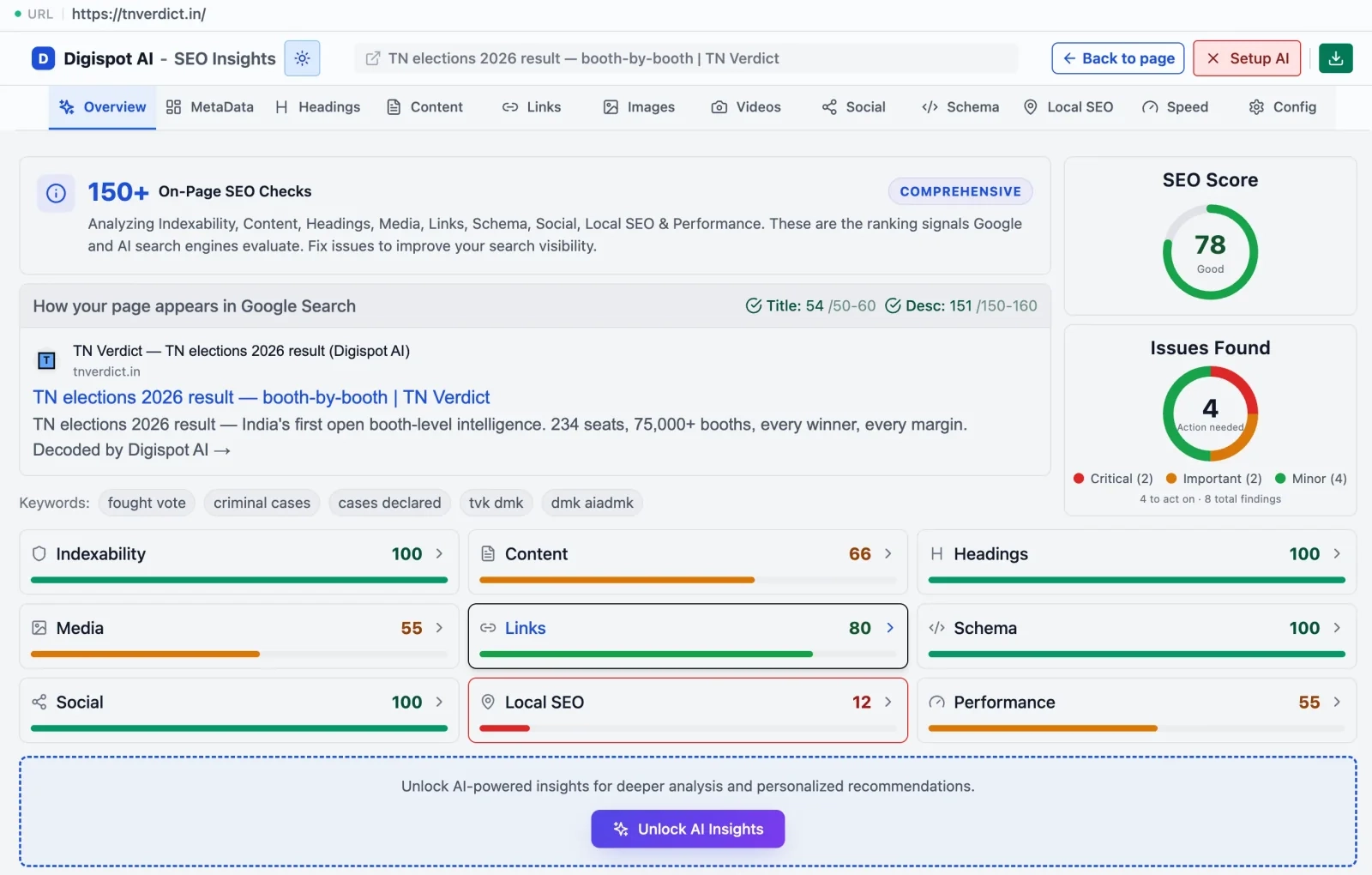
Often, Google wants to index your site but you are actively telling it not to. I have seen countless businesses panic about indexing only to realize they left a "noindex" tag on from their staging environment.
Use our free Chrome extension to instantly check any page for these blocking tags.
The Robots.txt Block
Your robots.txt file is the bouncer at the door. If you accidentally disallow a directory, Googlebot won't even enter.
Check yourdomain.com/robots.txt. Look for lines like:
User-agent: *
Disallow: /
This single slash tells all bots to stay away from your entire site. Ensure your important content directories are not listed under Disallow.
Rogue Noindex Tags
A noindex meta tag in your HTML <head> tells Google: "You can look, but don't save this."
<meta name="robots" content="noindex" />
Developers often add this during development and forget to remove it. If this tag is present, "Request Indexing" in GSC will fail every time.
Canonical Confusion
If Page A has a canonical tag pointing to Page B, Google will index Page B and ignore Page A.
<link rel="canonical" href="https://example.com/page-b" />
Ensure your new content self-canonicals (points to itself) unless it is deliberately a duplicate of another page. If you're unsure how these tags should be configured, our explainer on what a canonical URL is walks through the correct setup. For a full list of technical pitfalls, refer to our common SEO mistakes guide.
Step 4: Optimize XML Sitemaps
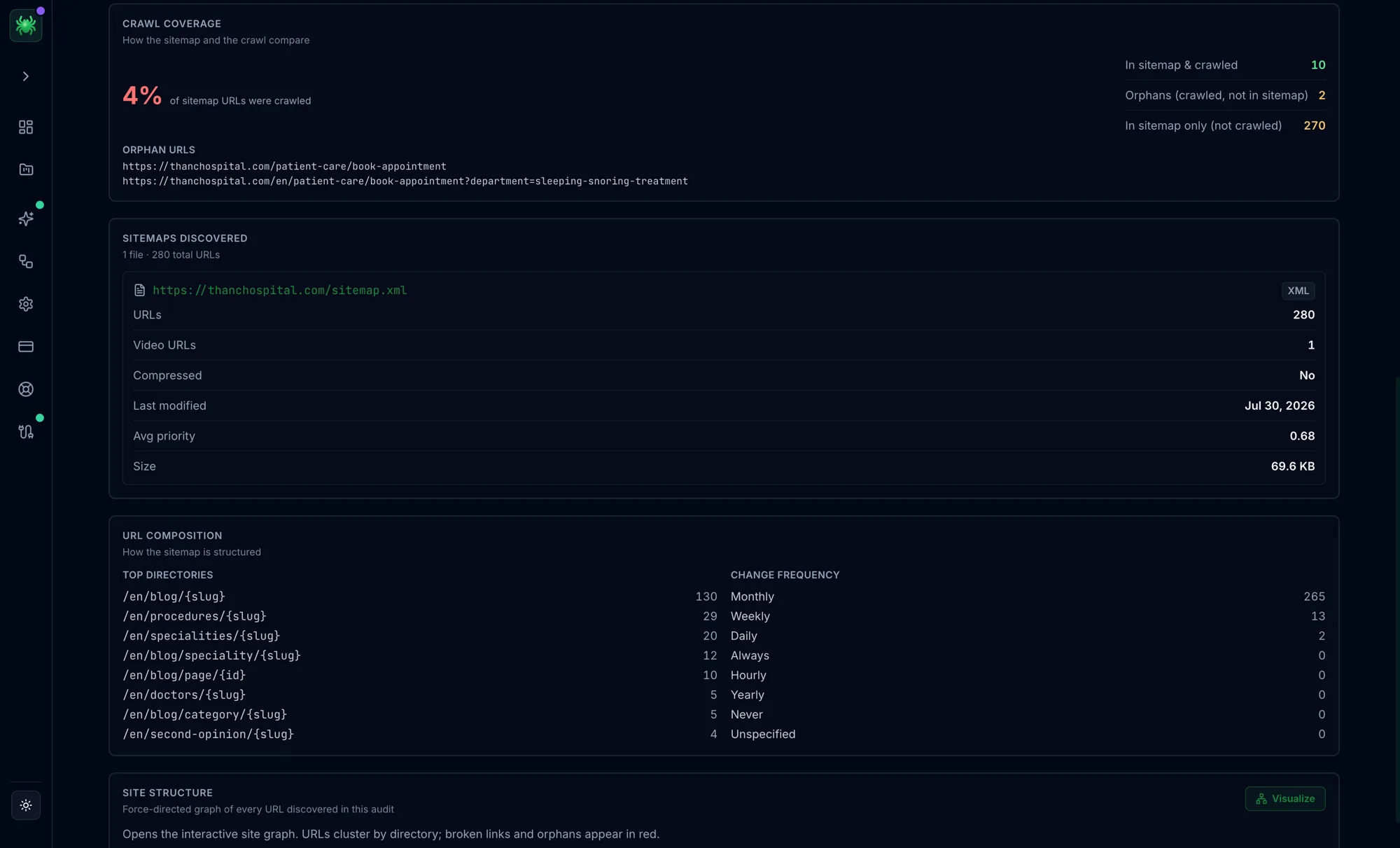
Your XML sitemap is a roadmap you hand to Google. It lists every URL you consider important.
- Generate a Dynamic Sitemap: Use a plugin (Yoast, RankMath) or your CMS to ensure the sitemap updates automatically when you publish.
- Submit to GSC: Go to Sitemaps in the left sidebar and paste your sitemap URL (usually
sitemap_index.xml). - Clean It Up: A dirty sitemap kills indexing speed. Never include:
- 404 (broken) pages
- 301 (redirected) pages
- Noindexed pages
If you feed Google garbage URLs in your sitemap, it learns to trust your sitemap less, slowing down future indexing.
Two details separate a sitemap Google acts on from one it ignores. First, keep the <lastmod> timestamp honest: it should reflect the last meaningful content change, not a build timestamp that updates on every deploy. If every URL claims to have changed today, Google stops trusting the signal and re-evaluates everything on its own schedule. Second, respect the technical ceilings—a single sitemap file can hold at most 50,000 URLs or 50 MB uncompressed. Larger sites should split into multiple sitemaps referenced from a sitemap_index.xml, which also lets you isolate sections (blog, products, categories) and spot in the GSC Sitemaps report exactly which segment has a low valid-to-submitted ratio. For a full walkthrough of building and validating one, see our guide on how to create and submit a sitemap.
Step 5: Internal Linking (The Spider's Highway)
Google discovers new pages primarily by following links from known pages. If you publish a new page and nothing links to it, it is an "orphan page." Google has no path to reach it.
To index a website in Google fast, create a path from your most powerful pages:
- Identify a high-traffic, high-authority page on your site.
- Add a contextual link from that page to your new content.
- Use descriptive anchor text.
This passes "link juice" and creates a literal highway for the crawler to travel from the indexed page to the new one. Read more about on-page SEO best practices to see how link structure influences crawl depth.
Step 6: Tackle "Discovered - Currently Not Indexed"
This is the most confusing status in GSC. It means Google found the link but decided not to crawl it yet.
Why does this happen?
- Crawl Budget Issues: Your site has too many low-value URLs (filters, parameters, tags) wasting the bot's time. On large sites this is the usual culprit—see our guide to crawl budget optimization for how to reclaim it.
- Server Performance: Googlebot detected that your server was slow and backed off to prevent crashing it.
- Low Perceived Value: The link structure suggests the page isn't important (e.g., it's 10 clicks deep in the architecture).
If this status affects a large batch of URLs, work through our dedicated playbook for fixing the 'Discovered - currently not indexed' error.
The Fix: Improve your Core Web Vitals to ensure your server responds quickly. A fast server invites more frequent crawling. Check our Core Web Vitals guide for optimization techniques. Also, ensure the page is linked prominently from your homepage or navigation.
Step 7: Tackle "Crawled - Currently Not Indexed"
This status is worse. It means Google visited the page, analyzed the content, and said, "No thanks."
Why does this happen?
- Thin Content: The page adds no unique value.
- Duplicate Content: It looks exactly like 10 other pages on your site or the web.
- Poor Quality: Bad formatting, no helpful information, or spammy keyword stuffing.
This is rarely a technical issue; it is a quality issue. Google is conserving its index space. To fix this, you must upgrade the content. Add unique data, expert insights, or better visuals. You need to demonstrate strong E-E-A-T (Experience, Expertise, Authoritativeness, and Trust).
Step 8: Leverage Indexing APIs (Advanced)
For most sites, sitemaps are sufficient. However, if you run a job board, a real-time news site, or a large e-commerce platform with rapidly changing inventory, standard crawling is too slow.
Google Indexing API
Google offers an Indexing API that allows you to notify them instantly when pages are added or removed.
- Official Use: JobPosting and BroadcastEvent schema.
- Unofficial Use: Many SEOs use it for standard content. While it works technically, Google advises against it.
IndexNow (Bing & Yandex)
Bing supports IndexNow, an open protocol that allows you to instantly ping search engines when content updates. While Google hasn't fully adopted IndexNow yet, setting this up ensures you rank instantly on Bing, which often triggers activity that Google notices.
Setup is lightweight. You generate an API key, host a matching key file at your domain root (for example, yourdomain.com/{key}.txt), then send a simple HTTP request listing the changed URLs. Because it is a shared protocol, a single ping propagates to Bing, Yandex, Seznam, and other participating engines at once—so it is genuinely a "notify everyone" button rather than a Bing-only trick. Many CMS plugins (RankMath and Yoast among them) can fire these pings automatically on publish and update. Reserve manual pings for pages that changed materially; spamming unchanged URLs offers no benefit and can get your key throttled. If your priority is Google specifically, pair IndexNow with the manual URL submission workflow so both search ecosystems learn about the page quickly.
Step 9: Fix Mobile Usability Issues
Google uses mobile-first indexing. This means it indexes the mobile version of your site. If your desktop site is perfect but your mobile site is broken, you won't get indexed.
Common mobile blockers:
- Content hidden on mobile via CSS.
- Slow mobile page load speeds.
- Intrusive interstitials (pop-ups) that block Googlebot from seeing the main content.
Use the free On-Page SEO Analysis tool to audit any URL instantly and verify that your mobile rendering is accessible to bots.
Step 10: Optimize for AI Search (AEO)
Indexing isn't just about Google Search anymore. Users are finding answers on ChatGPT, Perplexity, and Claude.
These AI engines also use crawlers (like GPTBot or Claude-Web). If you block these bots in your robots.txt to "protect your content," you are preventing your brand from appearing in AI-generated answers.
Strategy:
- Allow AI bots in
robots.txt. - Use clear Schema Markup. AI models rely heavily on structured data to understand entities (Product, Person, FAQ).
- Use the free Schema Markup Generator to create valid structured data in minutes.
Monitoring Your Progress
Indexing is not a "set it and forget it" task. It requires regular hygiene.
Make it a habit to check the Page Indexing report in GSC monthly. Look for spikes in 404 errors or 5xx server errors. Regular maintenance ensures that when you do publish that masterpiece blog post, the highway is clear for Google to find it.
For a comprehensive approach to site health, refer to our 2026 SEO Audit Checklist to ensure no stone is left unturned.
Start Improving Your Indexing Speed Today
Waiting for Google is a losing strategy. By actively managing your technical SEO, optimizing your crawl budget, and ensuring your content quality demands attention, you can cut indexing time from weeks to hours.
Ready to improve your search visibility? Try Digispot AI for comprehensive website audits, real-time indexing monitoring, and actionable recommendations to keep your site visible across Google, Bing, and the new wave of AI search engines.
Fix Common Indexing Problems
Indexing failures usually trace back to one of four root causes. Use the grouped guides below to jump straight to the fix that matches the symptom you see in Search Console.
"Not indexed" statuses
- Google rejected a page after visiting it? Work through fixing 'Crawled - currently not indexed'.
- A page that was never blocked but still isn't stored is often hidden by a stray
noindextag you can locate and remove.
Crawl and access setup
- Get your directives right with our guide to setting up robots.txt for SEO.
- Confirm what Googlebot actually requests by running a log file analysis.
- Rein in crawl waste from filters and parameters using SEO for faceted navigation, and keep gated content visible by understanding how login walls affect SEO.
Error pages that block indexing
- Restore accidentally broken URLs with best practices for SEO 404 pages and by finding and fixing soft 404 errors.
- Resolve access and routing failures with our breakdowns of 401 vs 403 errors and GSC page redirect errors.
Rendering issues
- If your content loads via JavaScript, make sure Google can see it with our JavaScript SEO guide and the deeper dynamic rendering walkthrough.
References
Audit any page in seconds
300+ SEO checks including Core Web Vitals, schema markup, meta tags, and AI readiness — trusted by 1000+ SEO experts and marketers.
Frequently Asked Questions
Here are some of our most commonly asked questions. If you need more help, feel free to reach out to us.
Written by
Maya Krishnan
Digital growth expert
Maya is a seasoned expert in web development, SEO, and digital strategy, dedicated to helping businesses achieve sustainable growth online. With a blend of technical expertise and strategic insight, she specializes in creating optimized web solutions, enhancing user experiences, and driving data-driven results. A trusted voice in the industry, Maya simplifies complex digital concepts through her writing, empowering readers with actionable strategies to thrive in the ever-evolving digital landscape.