Faceted Navigation SEO: Prevent Duplicate Content Issues
Optimize faceted navigation for SEO without duplicate content penalties. Manage crawl budget, handle URL parameters, and control filter indexing.
 Maya Krishnan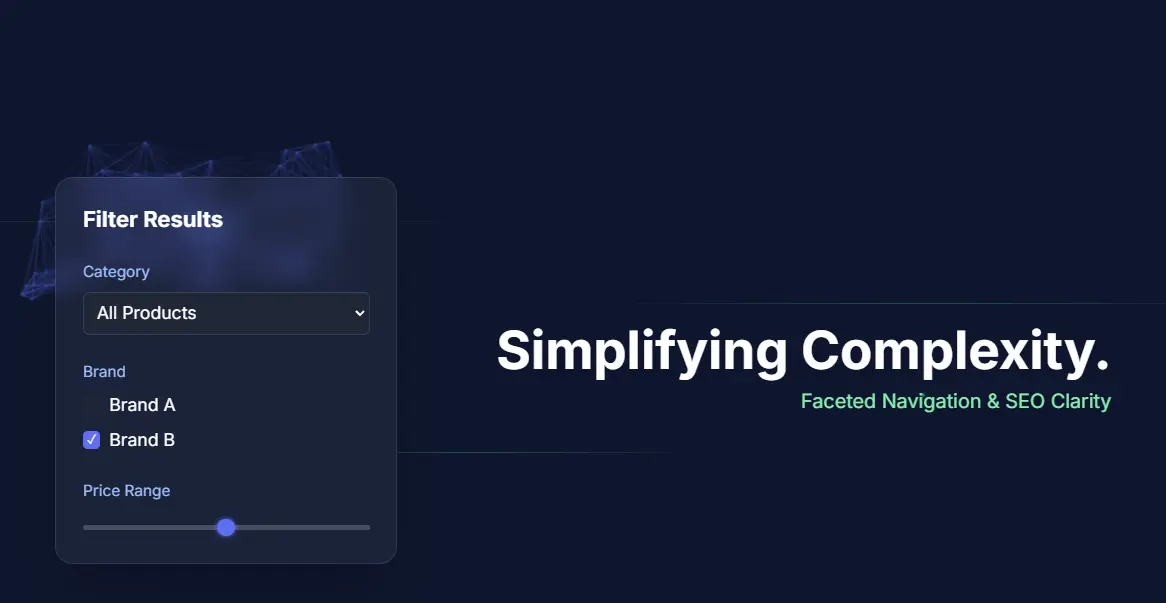
Online businesses constantly strive to differentiate themselves, attract qualified traffic, and transform casual browsers into loyal patrons. One critical yet frequently overlooked element in achieving these goals is the effective optimization of your website's faceted navigation. You have almost certainly used it while shopping online, perhaps without realizing its technical name.
Faceted navigation—often called filtered navigation—is the engine that powers seamless product discovery on large websites. It allows users to narrow down thousands of products to the exact item they need. However, for search engines, this same feature can create a labyrinth of infinite URLs, duplicate content, and wasted crawl resources that starve your real pages of the crawl budget they need to be indexed on Google.
This guide demystifies faceted navigation, explores its profound impact on SEO, and offers actionable strategies to help your business climb the search engine ranks. We will also highlight how intelligent platforms like Digispot AI can simplify this complex technical journey.
What is Faceted Navigation? Understanding the Basics
Imagine walking into a massive library containing millions of books. You are looking for a specific type of book, but you only know it is a "fantasy novel published in the last year by a female author." How do you find it?
You would likely head to the fantasy section first. Then, you might look for a "New Arrivals" display. Finally, you would filter by author name. This real-world experience is precisely what faceted navigation replicates online. It provides a structured way to access specific content within a large database.
Faceted navigation is a system that allows users to refine search results or product listings by applying multiple filters simultaneously. These filters, or "facets," represent different attributes of the items being displayed.
Think of an e-commerce store selling shoes. You might filter by:
- Shoe size (e.g., 9, 10, 11)
- Color (e.g., Red, Black, White)
- Brand (e.g., Nike, Adidas)
- Material (e.g., Leather, Canvas)
- Price range (e.g., $50-$100)
- Style (e.g., Sneaker, Boot, Sandal)
Each of these is a facet. The specific options within them are the facet values. It empowers the user to narrow down vast collections of information to find exactly what they need, transforming a potentially overwhelming experience into an intuitive one.
Common Examples of Facets
Different industries utilize facets differently to serve their specific user intent:
| Category | Example Facets |
|---|---|
| E-commerce | Price, Brand, Size, Color, Material, Rating, Availability |
| Real Estate | Price Range, Bedrooms, Bathrooms, Property Type, Square Footage |
| Job Boards | Location, Industry, Experience Level, Salary, Remote/On-site |
| Content Sites | Date, Author, Category, Topic, Content Format (Video/Article) |
How Faceted Navigation Works: The Technical Mechanism
From a user's perspective, faceted navigation is straightforward: click a filter, and the results update. From a technical and SEO perspective, the mechanism is far more intricate.
When a user applies a filter, the website typically generates a new URL to represent that specific view of the data. This is often done using URL parameters (query strings).
For instance, if you start on yourstore.com/shoes and then filter by "red," the URL might change to yourstore.com/shoes?color=red. If you then add "size 10," it becomes yourstore.com/shoes?color=red&size=10.
The URL Multiplication Problem
This dynamic generation is where SEO challenges arise. Consider the mathematics of facets. If you have:
- 10 Colors
- 10 Sizes
- 10 Brands
The number of potential combinations is massive (10 x 10 x 10 = 1,000 combinations). If you allow multi-select (e.g., selecting both "Red" and "Blue"), the permutations increase exponentially.
Each combination creates a unique URL. To a search engine bot like Googlebot, ?color=red&size=10 and ?size=10&color=red (same content, different parameter order) might look like two completely different pages. This leads to Index Bloat, where a site with 500 products generates 500,000 indexable URLs.
Why is Faceted Navigation Important for SEO?
Faceted navigation plays a dual role in your website's health. It is a powerful tool for enhancing user experience (UX), but it is also a potential minefield for technical SEO. Balancing these two aspects is critical for on-page SEO best practices.
1. Enhanced User Experience (UX)
First and foremost, well-implemented faceted navigation dramatically improves UX. Users who can filter quickly are more likely to stay on your site and convert. This positive engagement signals to search engines that your site provides value.
High engagement metrics—such as lower bounce rates and longer dwell times—correlate with better SEO performance. If users cannot filter effectively, they often leave for a competitor's site where finding products is easier.
2. Improved Crawlability and Indexation (When Managed)
For search engines, the ability to crawl and index relevant pages is fundamental. Faceted navigation can create unique landing pages for specific queries, such as "red running shoes size 10 for women."
If these highly specific pages are properly optimized and discoverable, they can rank for long-tail keywords. This drives highly qualified traffic to your site. However, without careful management, the proliferation of filtered URLs leads to:
- Duplicate Content Issues: Multiple URLs showing nearly identical content confuse search engines about which version to rank.
- Crawl Budget Waste: Search engine bots have a limited "crawl budget" for each site. If they spend resources crawling 10,000 low-value filter pages, they may miss your new high-value product pages.
- Thin Content: Pages generated by obscure filter combinations (e.g., "Green shoes size 15 under $20") might yield zero results. These "thin" pages signal low quality to Google.
3. Long-Tail Keyword Opportunities
Faceted navigation naturally creates opportunities to rank for long-tail keywords. A search for "men's waterproof hiking boots" is a high-intent query.
If your navigation structure creates a clean, indexable page for this combination, you stand a much better chance of ranking. Users searching this specifically are often ready to buy.
Benefits of a Well-Optimized Faceted Navigation System
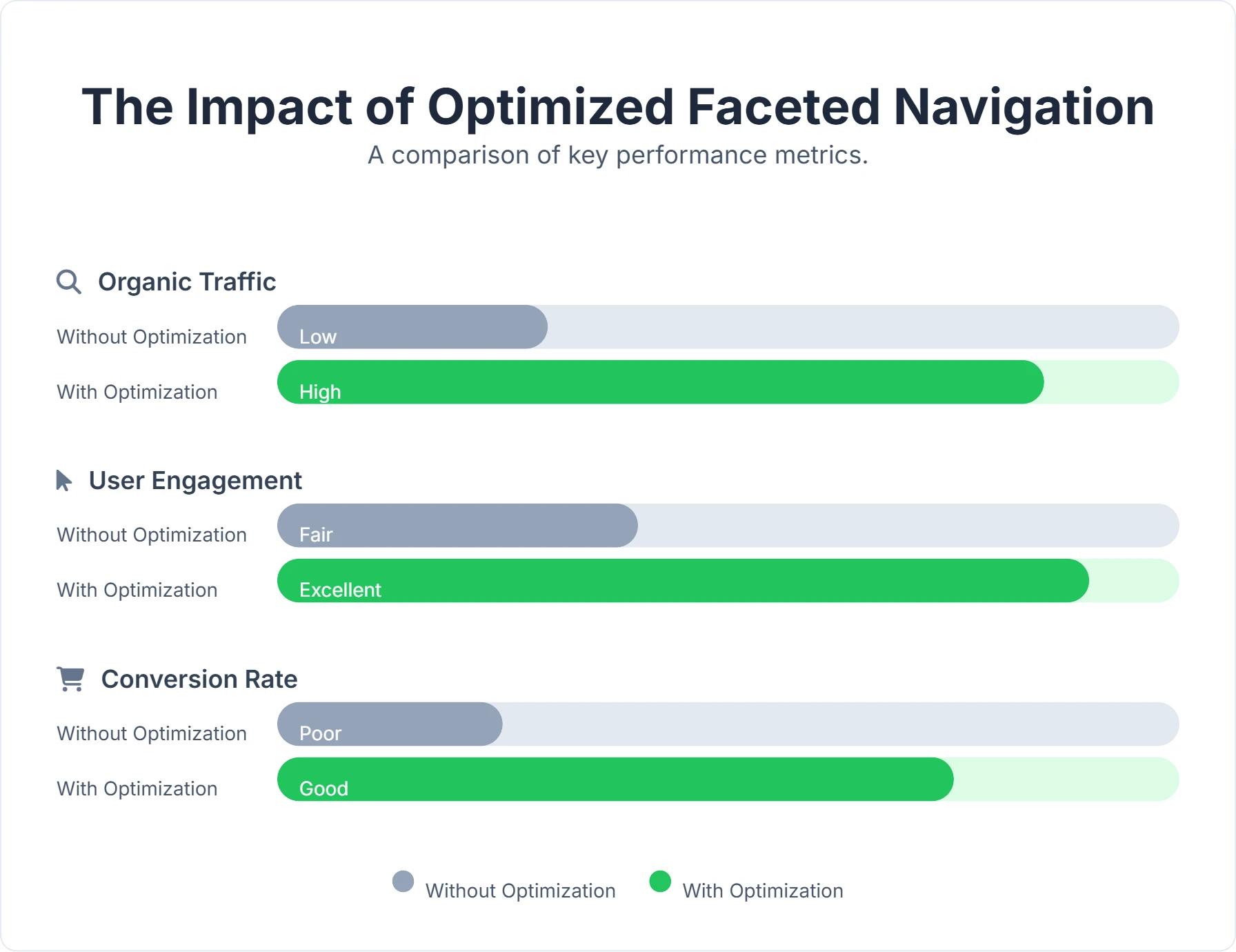
When executed correctly, faceted navigation transforms from a potential SEO headache into a significant asset.
| Benefit | Description |
|---|---|
| Improved User Engagement | Users find products faster, leading to lower bounce rates and higher conversion rates. Frictionless navigation is a key conversion driver. |
| Targeted Traffic | Pages optimized for filter combinations capture long-tail traffic. These visitors often have higher purchase intent than general browsers. |
| Enhanced Indexability | By controlling which filtered pages are indexed, you force search engines to focus on your most valuable content. |
| Reduced Crawl Burden | Blocking irrelevant parameters preserves crawl budget. This ensures your core products and categories are refreshed in the index more frequently. |
| Better Internal Linking | Faceted navigation creates a rich internal link structure. It helps distribute "link equity" deep into your site hierarchy. |
| Competitive Advantage | Websites with clean faceted navigation often outperform competitors who neglect this aspect, particularly in large e-commerce niches. |
Common SEO Challenges: The Pitfalls to Avoid
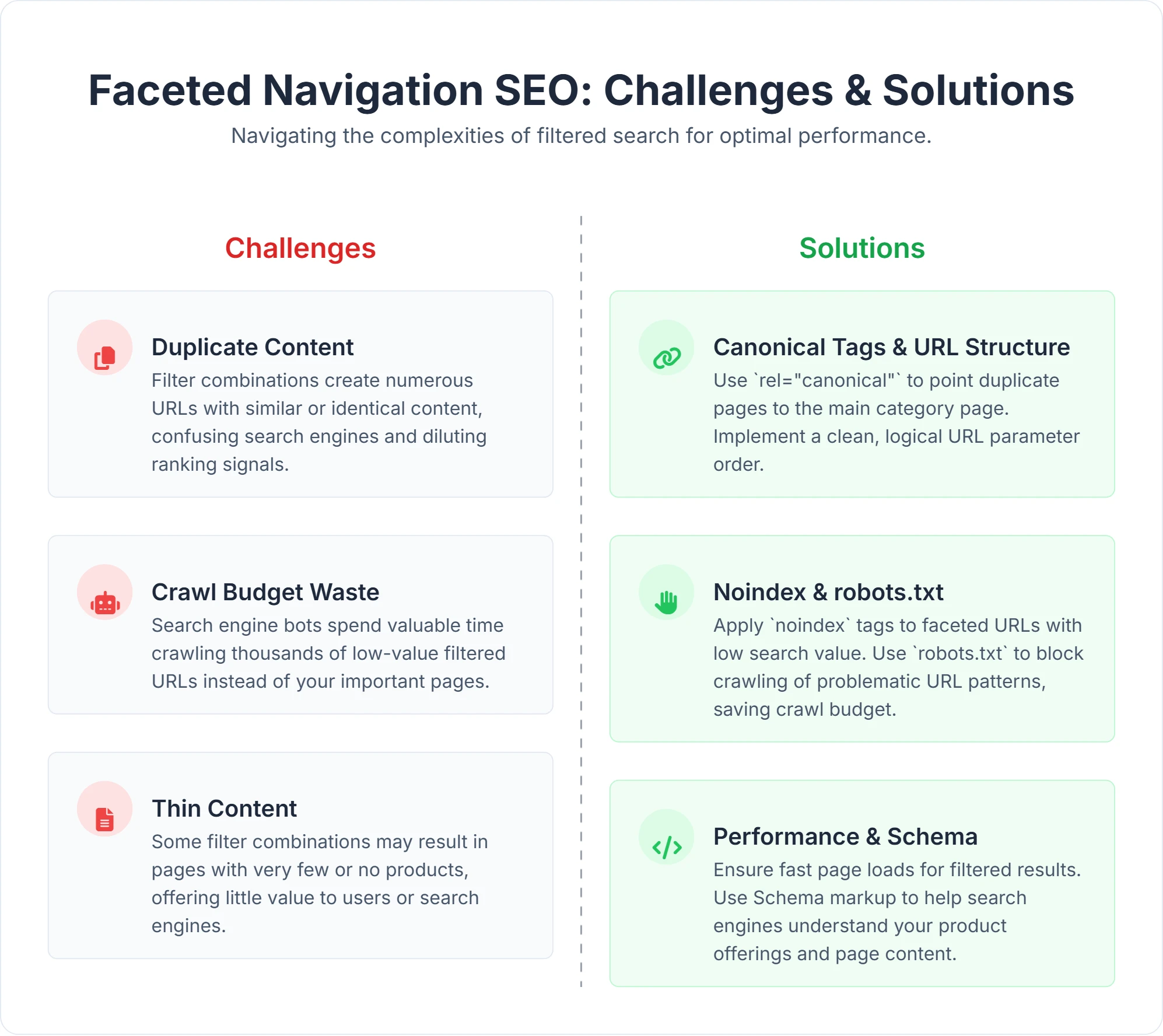
Ignoring the technical side of faceted navigation can severely hamper your organic performance. Here are the specific mechanisms that cause failure:
1. Duplicate Content Bloat
This is the most significant issue. Every filter application creates a new URL. Without controls, search engines treat example.com/shoes?color=red, example.com/shoes?size=10, and example.com/shoes?color=red&size=10 as separate pages.
Since the product grid on these pages is largely similar, Google views them as duplicates. This dilutes the authority of your main category page and splits ranking signals across hundreds of weak URLs rather than one strong one. You can read more about avoiding these pitfalls in our guide to common SEO mistakes.
2. Crawl Budget Waste
Search engine spiders do not have infinite time. If your site generates a "Spider Trap"—an infinite loop of filter combinations—bots get lost. They might spend 80% of their visit crawling useless sort parameters (like ?sort=price_asc) instead of discovering your new blog posts or products.
3. Thin Content Generation
Some filter combinations yield very few results. A page with only one product (or zero products) is considered "thin content." If you allow Google to index thousands of these empty filter pages, your site's overall quality score drops. This can trigger algorithm penalties related to content quality.
4. Keyword Cannibalization
If multiple filtered pages target similar terms, they compete against each other. For example, a "Blue T-Shirts" filter page might compete with a "Men's T-Shirts" category page that also lists blue shirts. This cannibalization weakens the ranking potential of both pages.
5. Diluted Link Equity
Internal links pass authority (PageRank) from one page to another. If your category page links to 500 different filter variations, the equity passed to each is minuscule. It is better to link to fewer, higher-value pages to maximize their authority.
Strategies for Faceted Navigation SEO: Mastering the Art
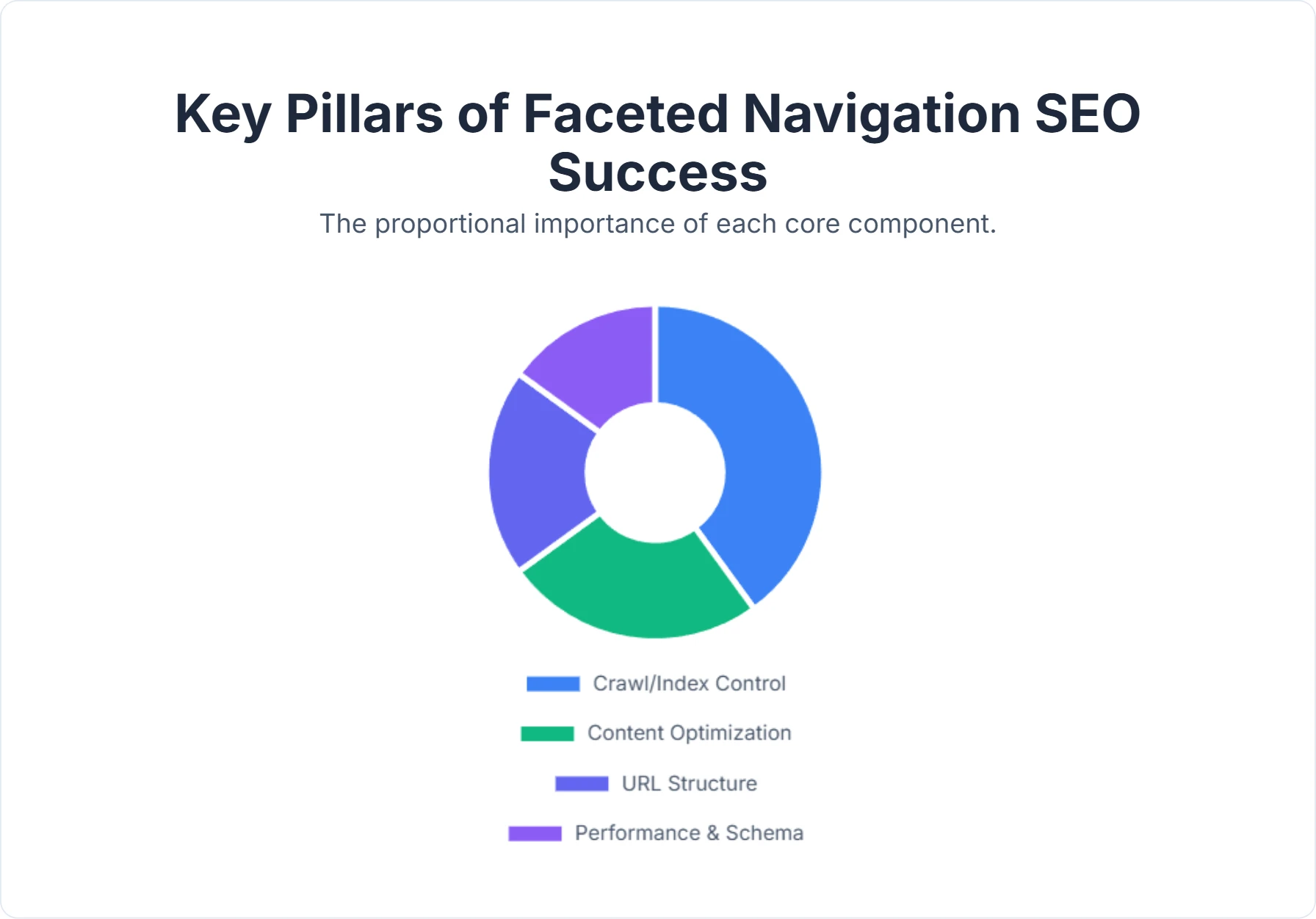
Overcoming these challenges requires a strategic balance between user experience and technical control. You must decide which pages deserve to exist in Google's index and which should exist only for users.
1. Crawling and Indexing Control: Guiding the Bots
The cornerstone of your strategy is directing bot behavior. You have three primary tools: robots.txt, the noindex tag, and canonical tags.
-
robots.txt(The Blockade): This file tells search engines not to crawl specific URL patterns.- Best for: Saving crawl budget. Use this for parameters that have zero SEO value, such as "Sort by Price" or "View as Grid/List."
- Example:
Disallow: /*?sort= - Caveat: If you block a page in robots.txt, Google cannot see the
noindextag on that page. It might still index the URL if it has incoming links, displaying it with a "description unavailable" snippet.
-
noindexTag (The Do-Not-Index Sign): Thenoindexmeta tag allows bots to crawl the page but tells them not to add it to the search results.- Best for: Pages you want crawled for link equity distribution but not indexed (e.g., a "Price: $10-$20" filter).
- Implementation: Add
<meta name="robots" content="noindex, follow">to the<head>of the filter page. - Benefit: Prevents duplicate content penalties while allowing bots to follow links to products.
-
Canonical Tags (
rel="canonical"): A canonical tag tells search engines which URL is the "master" version.- Best for: Consolidating signals from very similar pages.
- Strategy: If
?color=redis not targeting a specific keyword, canonicalize it back to the main category page (/shoes). If?color=redis a valuable page, it should self-canonicalize. - Risk: Google treats canonicals as hints, not directives. If the content on the filter page is too different from the canonical target, Google may ignore the tag.
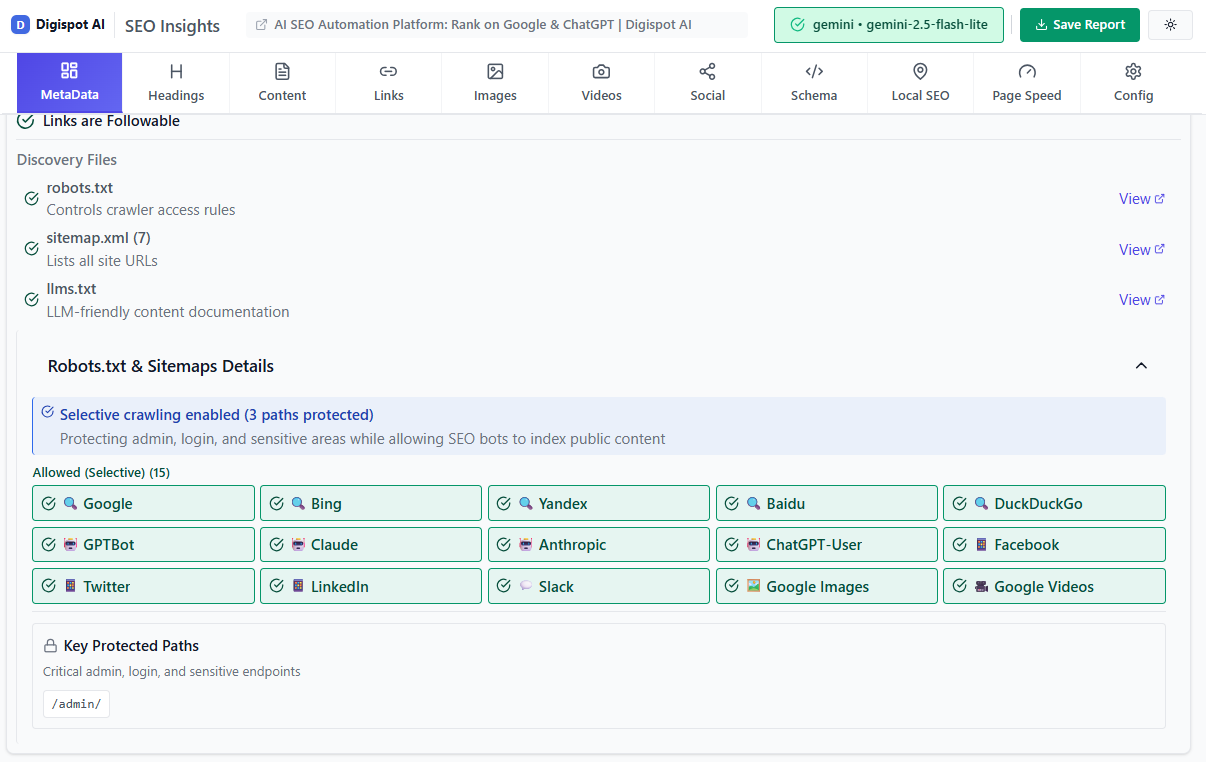
Turn invisible SEO data into clear visuals with our Free Chrome extension
2. URL Structure Optimization: Clean and Predictable
Clean URLs are easier for users to read and for bots to understand.
- Standardize Parameter Order: Ensure your system always orders parameters the same way.
?size=10&color=redshould be forced, preventing?color=red&size=10from existing. - Use Static URLs for Important Facets: If you want to rank for "Red Running Shoes," consider rewriting the URL to be static:
/running-shoes/red/instead of?category=running&color=red. - Avoid Session IDs: Never include session IDs in indexable URLs, as they create duplicates for every single user visit.
3. Content Optimization for Filter Pages
To make a filter page rank, it needs to be more than just a list of products. It needs unique value.
- Unique Metadata: Ensure the Title Tag and Meta Description dynamically update to reflect the filters (e.g., "Men's Red Running Shoes | BrandName").
- Introductory Content: Add a small block of text describing the specific filtered category. This adds semantic relevance.
- Header Tags: Update the H1 tag to match the user's selection ("Red Running Shoes" instead of just "Shoes").
You can verify the quality of these pages using our content quality SEO standards guide to ensure they meet the bar for indexing.
4. Internal Linking Strategy
Faceted navigation creates a web of links. Use this to your advantage.
- Breadcrumbs: Ensure breadcrumbs update to reflect the filter path.
- Contextual Links: If you have a blog post about "Best Running Shoes," link to the specific filtered URL
/running-shoes/best-sellersrather than the generic category. - Limit Links: Don't link to every possible filter combination from the main menu. Keep the crawl path focused on high-level categories.
5. Schema Markup: Speaking Google's Language
Implementing schema markup on your product and category pages helps search engines understand the structured data behind your facets.
- Product Schema: Essential for individual items.
- CollectionPage Schema: Can be used for category and filter pages.
- BreadcrumbList: Helps Google understand the site hierarchy.
Platforms that provide schema markup detection and visualizers, like Digispot AI, are invaluable here. They help you verify that your structured data is error-free and eligible for rich results.
Use the free Schema Markup Generator to create valid structured data for your filtered pages in minutes.
6. Performance Optimization: Speed and Responsiveness
Faceted navigation often relies on heavy database queries. Slow filter pages frustrate users and hurt rankings.
- AJAX Filtering: Load results dynamically without refreshing the whole page. This is great for UX.
- History API: If using AJAX, use the
pushStateHistory API to update the URL in the browser bar. This allows users to bookmark the specific filter state. - Mobile-Friendly: Ensure filters are easy to tap and close on mobile devices. Digispot AI's auditing capabilities assess websites in both mobile and desktop modes to catch responsiveness issues.
Digispot AI: Your Strategic Partner in Faceted Navigation SEO
Managing the complexities of faceted navigation manually is nearly impossible for large sites. This is where an intelligent platform like Digispot AI becomes an indispensable asset.
Digispot AI helps business websites rank better in Google and AI search engines by automating the technical heavy lifting. Here is how it specifically aids faceted navigation strategy:
- Comprehensive Website Auditing: Digispot AI audits your site in mobile and desktop modes, analyzing over 200 ranking factors. It can specifically identify duplicate content clusters caused by faceted navigation and flag orphan pages created by poor linking structures.
- Integration with Google Data: By integrating with Google Search Console and Google Analytics, Digispot AI allows you to see exactly which filter parameters are being crawled and indexed. You can stop guessing about crawl budget waste and see the data directly.
- Opportunity Finder: The platform's opportunity finder identifies which filter combinations have high search volume but are currently not indexed or optimized. This allows you to selectively open up high-value facets to search engines.
- AI Content Studio: Once you identify a valuable filter page (e.g., "Vintage Leather Jackets"), the Content Studio can generate SEO-optimized descriptions and metadata to make that page unique and rank-worthy.
- Schema Validation: Ensure your filtered pages display rich snippets using the Schema Markup Visualizer.
Digispot AI can help you identify and fix these issues automatically with AI-powered audits, saving hours of manual checking.
For quick, on-the-fly checks, you can also get instant SEO insights on any filter page with our free Chrome extension.
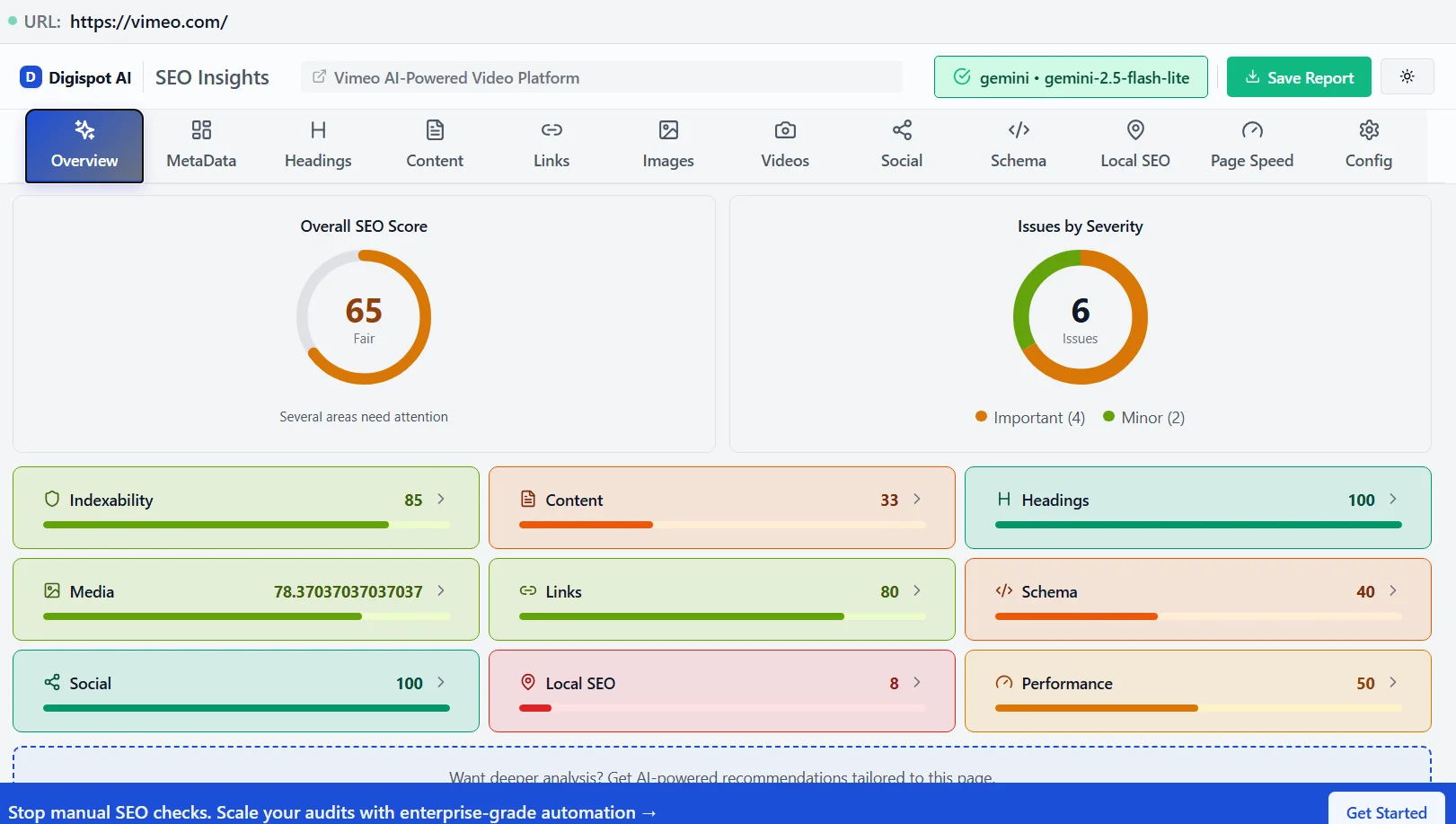
Turn invisible SEO data into clear visuals with our Free Chrome extension
Implementing Faceted Navigation SEO: A Step-by-Step Guide
Embarking on a faceted navigation overhaul can be daunting. Follow this structured workflow to ensure nothing is missed.
Step 1: Audit Your Current State
Before making changes, understand what is currently happening.
- Crawl Analysis: Use a crawler to see how many URLs your facets generate. Are there 1,000 or 1,000,000?
- Index Check: Go to Google Search Console > Pages. Look for "Duplicate without user-selected canonical" or "Crawled - currently not indexed." High numbers here indicate facet issues.
- Traffic Analysis: Check Google Analytics. Are parameter URLs receiving organic traffic? If yes, be careful not to de-index them without a plan.
- Reference: Use our SEO audit checklist to ensure you cover all technical bases during this review.
Step 2: Define Your Indexing Strategy
Categorize your facets into three buckets:
- Index & Optimize: High-value combinations with search demand (e.g., Category + Brand, Category + Material).
- Action: Self-referencing canonical, clean URL, unique content.
- Crawl but Noindex: Useful for users but low search demand (e.g., Price ranges, Rating filters).
- Action:
noindextag, canonical to category.
- Action:
- Block Crawling: Useless parameters that waste resources (e.g., Sort orders, View limits, Session IDs).
- Action: Block in
robots.txt.
- Action: Block in
Step 3: Implement Technical Controls
Work with your developers to apply the tags.
- Configure the CMS to apply
rel="canonical"rules logic dynamically. - Update the
robots.txtfile to disallow the specific patterns identified in Bucket 3. - Ensure the
noindexlogic is applied correctly to Bucket 2 pages.
Step 4: Address Keyword Opportunities
Use a tool like the Digispot Opportunity Finder to see if you are missing out on traffic.
- If users are searching for "Red Nike Shoes Size 10," and you have that filter combination, ensure it falls into Bucket 1.
- Create unique H1s and descriptions for these pages.
- Read more about finding these gaps in our content gap analysis guide.
Step 5: Validate and Monitor
After implementation, watch your metrics closely.
- Monitor Log Files: Are bots effectively ignoring the blocked parameters?
- Check GSC: Is the number of "Excluded" pages stabilizing? Is the number of "Valid" pages increasing for the right URLs?
- Rank Tracking: Are your specific long-tail keywords starting to rank?
Measuring Success and Continuous Improvement
Success in faceted navigation SEO is not a one-time event; it is an ongoing process of refinement. You need to measure specific KPIs to ensure your strategy is working.
- Organic Traffic to Filtered Pages: Segment your traffic to see if URLs containing specific parameters (or your new static URLs) are growing.
- Crawl Budget Efficiency: Use Google Search Console's "Crawl Stats" report. You should see a decrease in the percentage of crawl requests for blocked parameter URLs and an increase for your primary content.
- Index Coverage: The "Indexed Pages" count should stabilize. An ever-growing index count usually indicates a duplication problem.
- Long-Tail Rankings: Track a sample of specific queries (e.g., "blue silk dress") to see if the relevant filter page is capturing the ranking.
By systematically addressing these points and leveraging data from Digispot AI, you transform your navigation from a liability into a growth engine.
Conclusion: Navigating Towards Success
Faceted navigation is a cornerstone of a user-friendly online experience, but its SEO implications are profound. It requires a delicate balance between allowing users to find what they need and preventing search engines from getting lost in a sea of duplicates.
By understanding the mechanics of URL generation, recognizing the pitfalls of index bloat, and implementing a robust strategy involving robots.txt, canonical tags, and intelligent indexing, you can unlock massive SEO potential.
For businesses aiming to improve visibility, increase traffic, and boost leads while achieving time and cost savings, the automation provided by Digispot AI is a significant advantage. From its comprehensive 300+ ranking factor audits to its integration with essential Google tools, Digispot AI empowers you to manage the intricacies of technical SEO with confidence.
Ready to improve your search visibility? Try Digispot AI for comprehensive website audits and actionable recommendations. Don't let the labyrinth of filters deter your success—embrace smart strategies and watch your business climb the ranks.
References
- Crawl Budget Management For Large Sites | Google Search Central
- Google Search Console
- Robots.txt Introduction and Guide | Google Search Central
- Improve your page speed and crawl efficiency | Google Search Central
- How to Specify a Canonical with rel="canonical" and Other Methods | Google Search Central
- Block Search Indexing with noindex | Google Search Central
- Intro to How Structured Data Markup Works | Google Search Central
- Managing crawling of faceted navigation URLs | Google Search Central
- Digispot AI - FREE On Page SEO Audit Tool
- Digispot AI - FREE Chrome Extension for SEO Insights
Audit any page in seconds
300+ SEO checks including Core Web Vitals, schema markup, meta tags, and AI readiness — trusted by 1000+ SEO experts and marketers.
Frequently Asked Questions
Here are some of our most commonly asked questions. If you need more help, feel free to reach out to us.
Written by
Maya Krishnan
Digital growth expert
Maya is a seasoned expert in web development, SEO, and digital strategy, dedicated to helping businesses achieve sustainable growth online. With a blend of technical expertise and strategic insight, she specializes in creating optimized web solutions, enhancing user experiences, and driving data-driven results. A trusted voice in the industry, Maya simplifies complex digital concepts through her writing, empowering readers with actionable strategies to thrive in the ever-evolving digital landscape.