What Is Technical SEO? A Complete Guide to Search Visibility
Master technical SEO with this guide. Optimize site architecture, crawling, indexing, and rendering to dominate search rankings in the AI era.
 Maya Krishnan
You can write the most compelling content in your industry and earn backlinks from high-authority news outlets, but if your technical foundation is flawed, your rankings will suffer.
Technical SEO is the infrastructure of your digital presence. It is the plumbing and wiring that allows search engines to find, understand, and serve your content to users. Without it, you are building a skyscraper on quicksand.
For years, "technical SEO" meant adding a few meta tags and submitting a sitemap. That era is over. With the rise of Core Web Vitals, JavaScript-heavy frameworks, and AI-driven search engines (AEO), technical optimization has evolved into a sophisticated engineering discipline. It is no longer just about Google; it is about ensuring your data is accessible to ChatGPT, Perplexity, and Google's AI Overviews.
This guide moves beyond basic definitions. We will deconstruct the mechanics of crawling, indexing, and rendering, providing you with an actionable roadmap to secure your search visibility.
The Hierarchy of Search Needs
To understand technical SEO, you must understand how a search engine interacts with your website. The process follows a strict chronological order. If a step fails, everything subsequent to it fails.
- Crawling: Can the bot access your content?
- Rendering: Can the bot execute the code (JavaScript) to see the content?
- Indexing: Does the bot choose to store your content in its database?
- Ranking: Does the algorithm consider your content the best answer?
Technical SEO primarily concerns the first three steps. If your site blocks crawlers via robots.txt, your content quality (step 4) is irrelevant because the search engine never sees it.
1. Crawlability: The Gatekeeper
Crawlability is the ability of a search engine bot to access the pages on your website. If bots can't follow your links, your pages remain invisible.
Robots.txt Configuration
The robots.txt file is the first handshake between a bot and your server. It instructs crawlers where they can and cannot go.
A common disaster we see at Digispot AI is an accidental "Disallow" rule left over from a staging environment that blocks the entire production site:
User-agent: *
Disallow: /
Best Practice:
Your robots.txt should be permissive for reliable bots while blocking admin areas or low-value parameter URLs to save crawl budget.
User-agent: *
Disallow: /wp-admin/
Disallow: /cart/
Disallow: /search?q=*
Sitemap: https://www.yourdomain.com/sitemap.xml
XML Sitemaps
An XML sitemap is your roadmap for search engines. It lists every URL you want indexed. However, simply having one isn't enough. It must be clean.
Common Sitemap Errors:
- Dirty Sitemaps: Including 404 errors, 301 redirects, or non-canonical URLs in your sitemap confuses bots.
- Size Limits: Google limits sitemaps to 50,000 URLs or 50MB uncompressed. If you have a large site, use a sitemap index file.
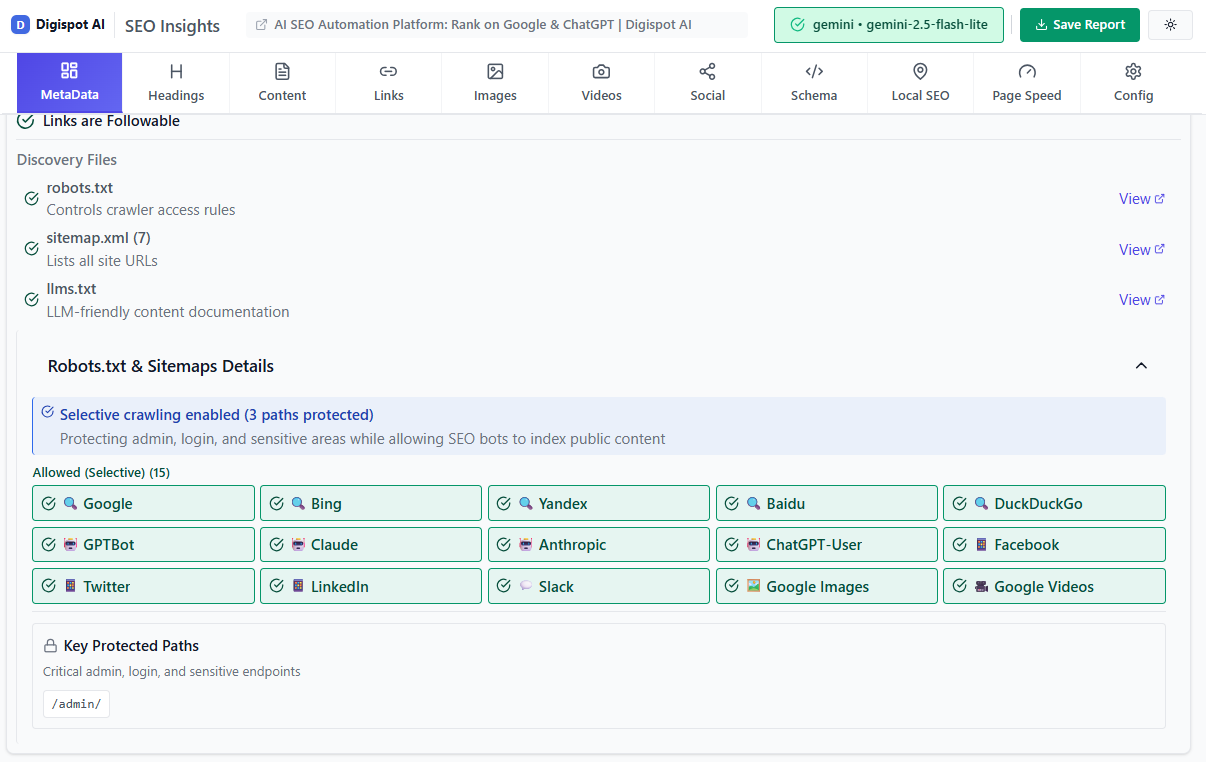
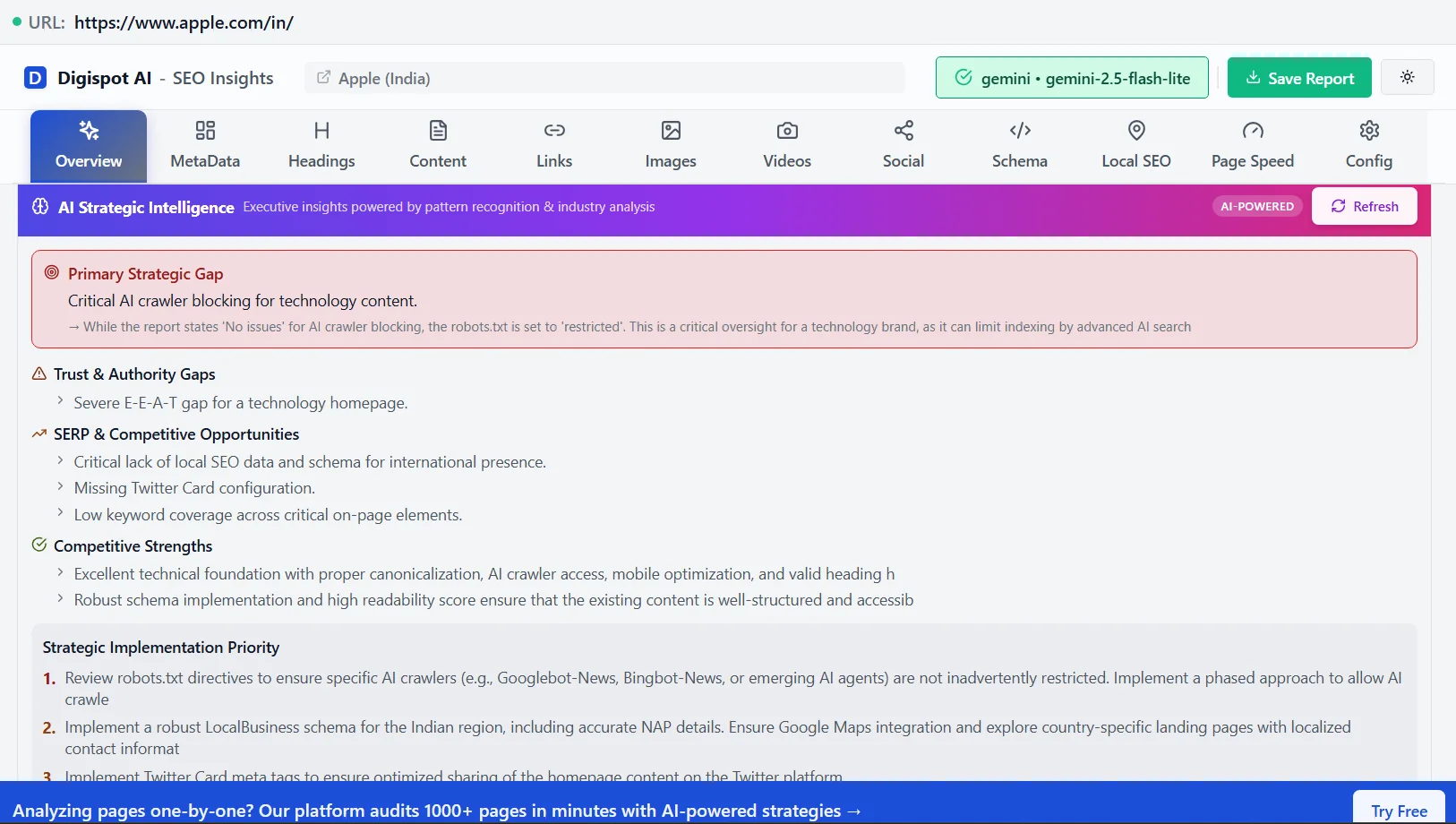
Get instant SEO insights on any page with our free Chrome extension.
Crawl Budget Optimization
For massive ecommerce sites or publishers with millions of pages, crawl budget optimization is critical. Google doesn't have infinite resources. If your server is slow or you generate infinite distinct URLs via faceted navigation (e.g., ?color=blue&size=large&sort=price), Googlebot may leave before finding your important pages.
Action: Check your server log files or the "Crawl Stats" report in Google Search Console (GSC). If the "Average response time" spikes, your crawl rate usually drops.
2. Indexability and Control
Once a bot crawls a page, it decides whether to add it to the index. You control this process using meta tags and HTTP headers.
The Noindex Tag
Use the noindex directive for pages that are necessary for users but low-value for search, such as:
- Thank you pages
- Internal search results
- Login screens
- Admin portals
<meta name="robots" content="noindex, follow">
Using noindex, follow tells Google "don't show this page in search results, but please follow the links on it to find other pages."
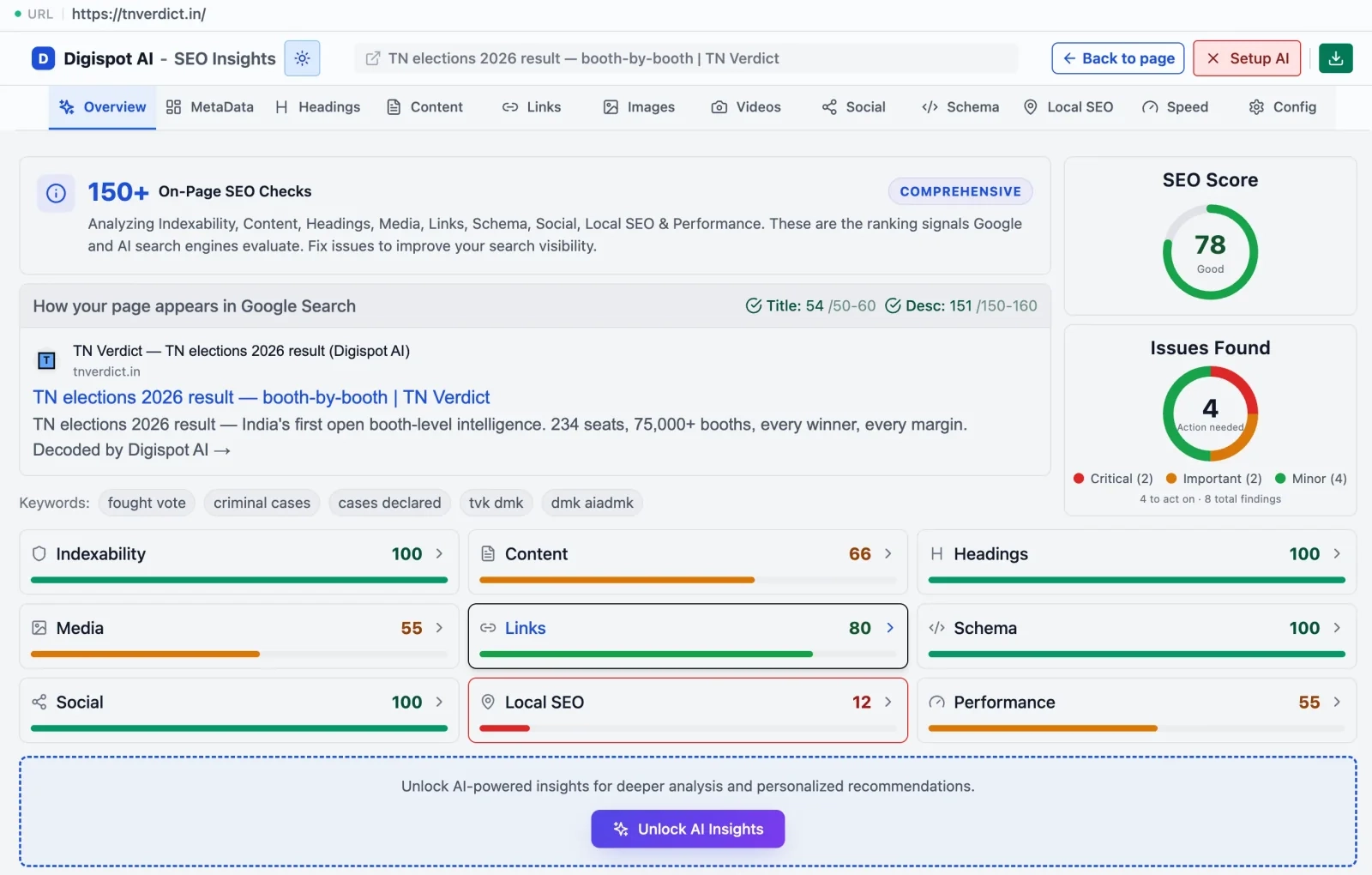
Canonicalization
Duplicate content creates cannibalization issues where multiple pages compete for the same keyword. This is prevalent in ecommerce (e.g., a product accessible via three different category paths).
The canonical tag is the source of truth. It tells search engines: "Of these five similar versions, THIS is the one you should rank."
<link rel="canonical" href="https://example.com/blog/main-post" />
If you are struggling with duplicate content warnings in GSC, read our guide on what is a canonical URL to implement this correctly.
Digispot AI helps you identify and fix these issues automatically with AI-powered audits analyzing over 200 ranking factors, including canonical mismatch errors.
3. Site Architecture and Internal Linking
Your site structure dictates how link equity (PageRank) flows through your domain. A flat, logical architecture helps bots reach deep pages quickly.
The 3-Click Rule
Ideally, no important page should be more than three clicks away from the homepage.
- Homepage (Authority Hub)
- Category Page
- Sub-category
- Product/Article
- Sub-category
- Category Page
Internal Linking Strategy
Internal links are wires that conduct authority. If you publish a new high-value guide but no other pages link to it, it is an "orphan page." Search engines struggle to find orphan pages, and they assume the page is unimportant because you haven't linked to it.
Use descriptive anchor text. Avoid "click here." Instead, use "view our local SEO guide" to provide context to both users and bots.
4. HTTPS and Security
Security is a confirmed ranking signal. Google pushes for a 100% encrypted web.
SSL Certificates
Your site must be served over HTTPS. If your certificate expires or is invalid, browsers display a "Not Secure" warning, killing your conversion rate instantly.
Mixed Content Errors
This occurs when a secure page (HTTPS) loads insecure resources (HTTP images or scripts). This prevents the green padlock from appearing. You can identify mixed content errors using the "Security" tab in Chrome DevTools or by running a site audit.
5. Core Web Vitals and Page Experience
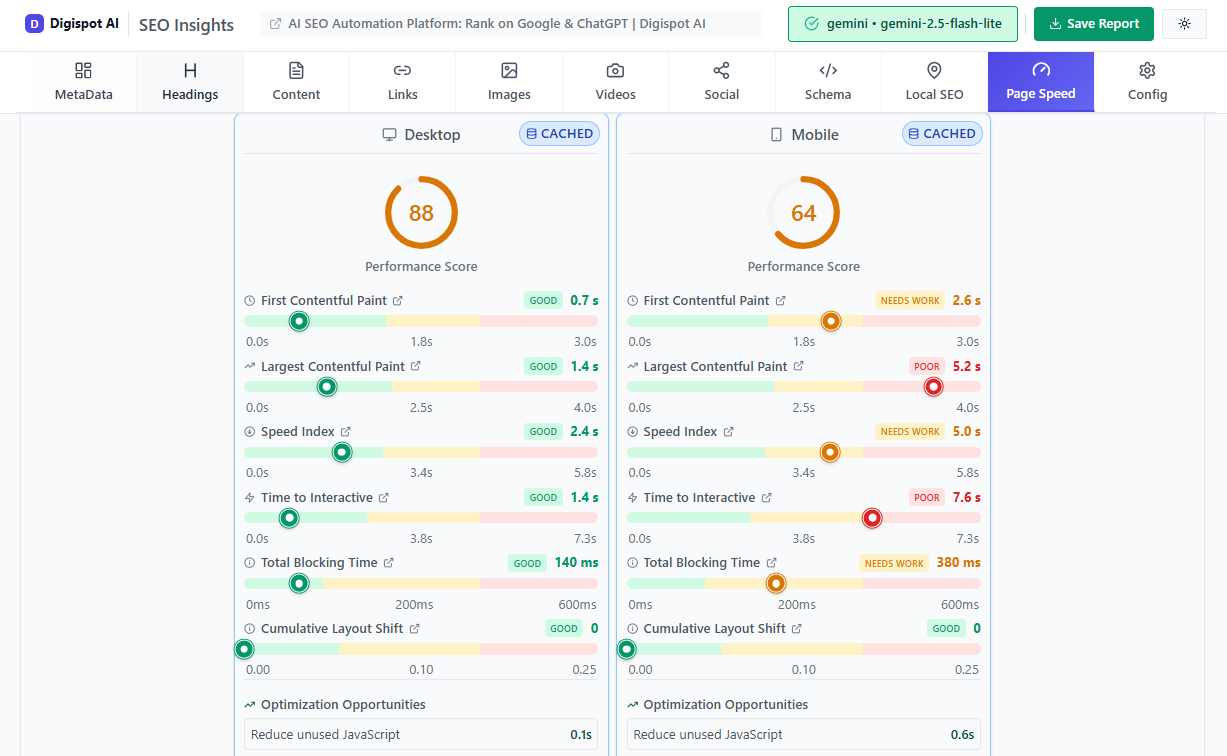
Google's Core Web Vitals (CWV) are a set of metrics that measure real-world user experience. Passing these assessments is a direct ranking factor.
Largest Contentful Paint (LCP)
Measures loading performance. It marks the point when the main content (hero image or H1) has likely loaded.
- Goal: Under 2.5 seconds.
- Fix: Compress images, upgrade server hosting, and implement caching.
Interaction to Next Paint (INP)
Replaced FID in March 2024. It measures responsiveness—how quickly the page reacts when a user clicks a button.
- Goal: Under 200 milliseconds.
- Fix: Minimize main thread work and defer heavy JavaScript execution.
Cumulative Layout Shift (CLS)
Measures visual stability. Does the layout jump around as images load?
- Goal: Under 0.1 score.
- Fix: Set explicit width and height attributes for all images and video elements.
For a deeper dive into optimization techniques, refer to our Core Web Vitals SEO guide.
6. JavaScript SEO: The Modern Challenge
Modern web development relies heavily on JavaScript frameworks like React, Angular, and Vue. While these create dynamic user experiences, they can be a nightmare for search engines if not handled correctly.
Client-Side Rendering (CSR) vs. Server-Side Rendering (SSR)
In CSR, the browser downloads an empty HTML shell and uses JavaScript to build the content. If Googlebot doesn't wait for the JS to execute (which is resource-intensive), it sees an empty page.
The Solution:
- Server-Side Rendering (SSR): The server sends a fully populated HTML page. This is the gold standard for SEO.
- Dynamic Rendering: You serve a normal JS version to human users and a static HTML version to bots.
If you are running a Single Page Application (SPA), ensure you are testing how Google renders your page using the "Test Live URL" feature in Search Console.
7. Structured Data and Schema
Structured data (Schema.org) is code that translates your human content into machine-readable data. It doesn't just help with traditional rankings; it is arguably the most critical factor for AEO (Answer Engine Optimization).
When you use Schema, you aren't just hoping Google understands your price is $50; you are explicitly telling them "price": "50.00".
Key Schema Types:
- Organization: Logo, social profiles, contact info.
- Product: Price, availability, ratings.
- Article: Headline, author, date published.
- FAQ: Questions and answers (great for voice search).
- LocalBusiness: Address, hours, map coordinates.
Using correct schema allows you to win Rich Snippets (star ratings, image carousels) in search results, which can increase CTR by 30% or more.
Use the free Schema Markup Generator to create valid JSON-LD structured data in minutes without writing code. For more complex implementations, check our advanced schema markup guide.
8. Mobile-First Indexing
Google now predominantly uses the mobile version of the content for indexing and ranking. If your desktop site is rich and detailed but your mobile site is stripped down, your rankings will reflect the stripped-down version.
Technical Mobile Checks:
- Responsive Design: Use CSS media queries to adapt layout.
- Tap Targets: Ensure buttons are not too close together.
- Parity: Ensure the same structured data, meta tags, and primary content exist on mobile as on desktop.
9. Hreflang for International SEO
If your website targets multiple languages or regions, technical SEO gets exponential complexity. You must use hreflang attributes to tell Google which version of a page to show to which user.
Example:
<link rel="alternate" href="https://example.com/us/" hreflang="en-us" />
<link rel="alternate" href="https://example.com/gb/" hreflang="en-gb" />
<link rel="alternate" href="https://example.com/es/" hreflang="es" />
Common Mistake: Failing to include a self-referencing tag. The US page must point to the GB page and point back to itself.
10. Audit Checklist: How to Start
You cannot fix what you do not measure. A technical SEO audit should be routine. Here is a simplified workflow:
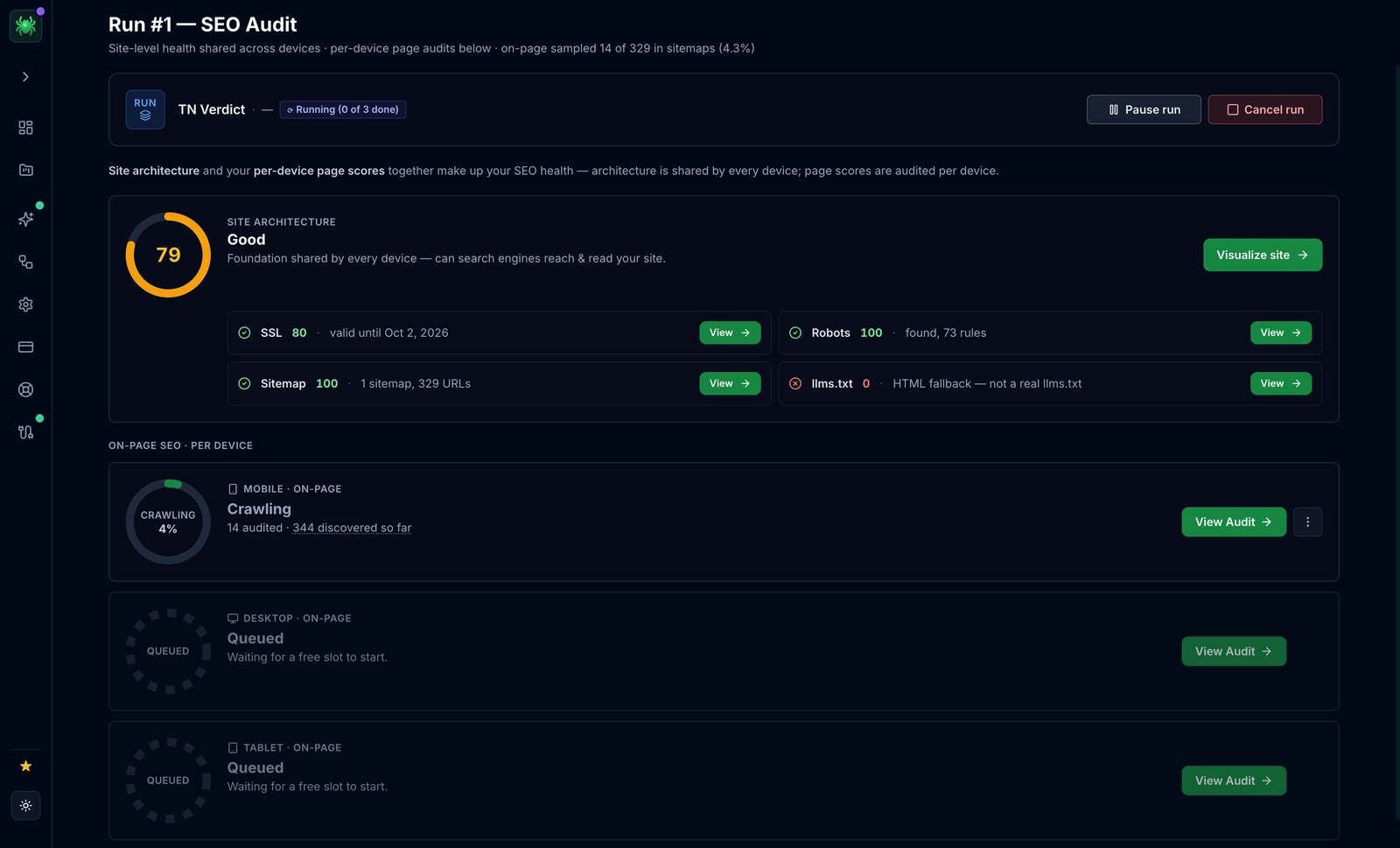
- Crawl the Site: Use Digispot AI or a similar crawler to scan every URL.
- Check Indexing: Compare the number of valid pages in your sitemap vs. the "Indexed" count in GSC.
- Analyze Speed: Run the top templates (home, product, blog post) through PageSpeed Insights.
- Review On-Page Tech: Check for missing H1s, duplicate title tags, and meta tags optimization.
- Validate Schema: Ensure no critical warnings exist in the Rich Results Test.
- Check Log Files: Are bots spending time on low-value query parameters?
Try the free On-Page SEO Analysis tool to audit any URL instantly and spot immediate red flags.
Start Building a Stronger Foundation
Technical SEO is not a "set it and forget it" task. As search engines evolve—shifting toward AI-generated answers and stricter performance metrics—your technical foundation must adapt. A site that loads in 5 seconds might have been acceptable in 2018; in the era of AI search, it is invisible.
By focusing on clean architecture, efficient rendering, and precise structured data, you aren't just pleasing algorithms. You are building a faster, safer, and more accessible experience for your human users.
Ready to improve your search visibility? Try Digispot AI for comprehensive website audits, real-time AEO tracking, and actionable recommendations that bridge the gap between traditional SEO and the future of search.
Technical SEO Deep Dives
Each pillar of technical SEO above deserves closer study. Explore these focused guides to go deeper on the topics that matter most for your stack:
- Improving your Core Web Vitals scores with practical LCP, INP, and CLS fixes.
- How Google's Page Experience signals work and how they factor into rankings.
- Why a CDN is essential for SEO and how it accelerates delivery for both users and bots.
- Whether AMP still makes sense as a performance strategy today.
- The SEO impact of cookie consent banners and how to keep them from blocking crawlers.
- SEO best practices for infinite scroll so paginated content stays indexable.
- A complete site migration checklist to protect rankings during a move.
- React SEO optimization techniques for JavaScript-heavy applications.
- The technical SEO checklist for 2025 to keep your foundation current.
References
Audit any page in seconds
300+ SEO checks including Core Web Vitals, schema markup, meta tags, and AI readiness — trusted by 1000+ SEO experts and marketers.
Frequently Asked Questions
Here are some of our most commonly asked questions. If you need more help, feel free to reach out to us.
Written by
Maya Krishnan
Digital growth expert
Maya is a seasoned expert in web development, SEO, and digital strategy, dedicated to helping businesses achieve sustainable growth online. With a blend of technical expertise and strategic insight, she specializes in creating optimized web solutions, enhancing user experiences, and driving data-driven results. A trusted voice in the industry, Maya simplifies complex digital concepts through her writing, empowering readers with actionable strategies to thrive in the ever-evolving digital landscape.