Core Web Vitals SEO: Improve LCP, CLS & INP Rankings
Master Core Web Vitals for SEO success. Learn to optimize LCP, CLS, and INP metrics to boost Google rankings, user experience, and page performance in 2026.
 Maya Krishnan
Imagine visiting a website where the main image takes ten seconds to load, or the "Buy Now" button jumps away just as your thumb goes to tap it. It’s not just annoying—it breaks trust. In the competitive world of search, Google knows that users abandon frustrating sites. That is why Core Web Vitals SEO has become a non-negotiable standard for anyone serious about ranking.
Google explicitly prioritizes page experience. Core Web Vitals are a specific set of metrics that quantify exactly how users perceive the speed, responsiveness, and visual stability of your web pages. Unlike generic "speed" scores, these metrics track actual user pain points. Optimizing these signals is no longer optional; it is a critical component of a holistic strategy alongside strong content and on-page SEO best practices.
Key Takeaways
- Hit the three thresholds: aim for LCP ≤ 2.5s, INP ≤ 200ms, and CLS ≤ 0.1 at the 75th percentile on mobile — Google grades the experience most of your real users get, not your best-case lab run.
- Trust field data over lab data: use Google Search Console's Core Web Vitals report (CrUX) as your source of truth and reserve Lighthouse for debugging.
- LCP on mobile is usually the first fix: compress and correctly size your hero image, serve AVIF/WebP, and add
fetchpriority="high"to the largest element. - Reserve space to kill CLS: set explicit
width/heighton media and give ads, embeds, and late-loading content a fixed slot. - Unblock the main thread for INP: break up long JavaScript tasks, trim third-party scripts, and give instant visual feedback on every interaction.
Understanding Core Web Vitals for SEO Performance
Core Web Vitals are three distinct metrics that serve as the technical foundation of Google's Page Experience ranking signals. They measure three pillars of web user experience:
- Loading Performance: Is the page useful quickly?
- Interactivity: Does the page respond to clicks instantly?
- Visual Stability: Does the layout stay put while loading?
These metrics sit alongside other search signals like HTTPS security, mobile-friendliness, and intrusive interstitial guidelines. However, Core Web Vitals are unique because they rely heavily on Field Data—real-world performance data collected from Chrome users—rather than just lab simulations.
Here is the breakdown of the three Core Web Vitals you must master:
| Core Web Vital | What it Measures | Good Threshold |
|---|---|---|
| Largest Contentful Paint (LCP) | Loading Performance: The time it takes for the largest visible element (image or text block) to render within the viewport. | <= 2.5 seconds |
| Interaction to Next Paint (INP) | Interactivity: The latency of the slowest user interaction (click, tap, or key press) during the entire page visit. Replaced FID in 2024. | <= 200 milliseconds |
| Cumulative Layout Shift (CLS) | Visual Stability: A score representing the sum of all unexpected layout shifts that occur during the lifespan of the page. | <= 0.1 |
We will analyze each metric to understand the technical nuances and actionable optimization strategies required for 2026 and beyond.
How Many Sites Actually Pass Core Web Vitals?
Everyone talks about Core Web Vitals; far fewer sites actually pass them. From 1,200 sites we audited with Digispot AI (real-browser rendering, mobile + desktop):
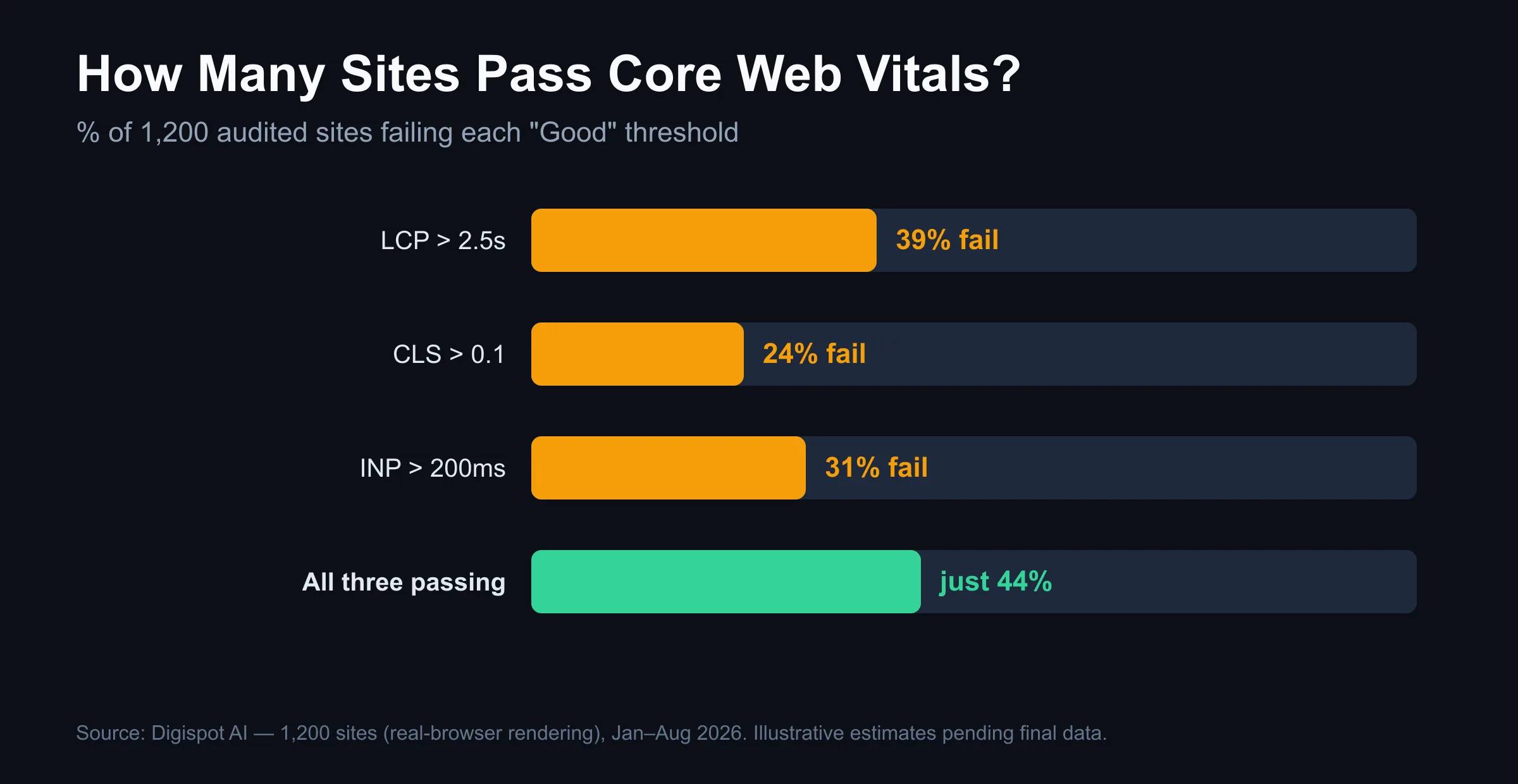
Mobile was consistently worse than desktop — most failures surfaced on phones first.
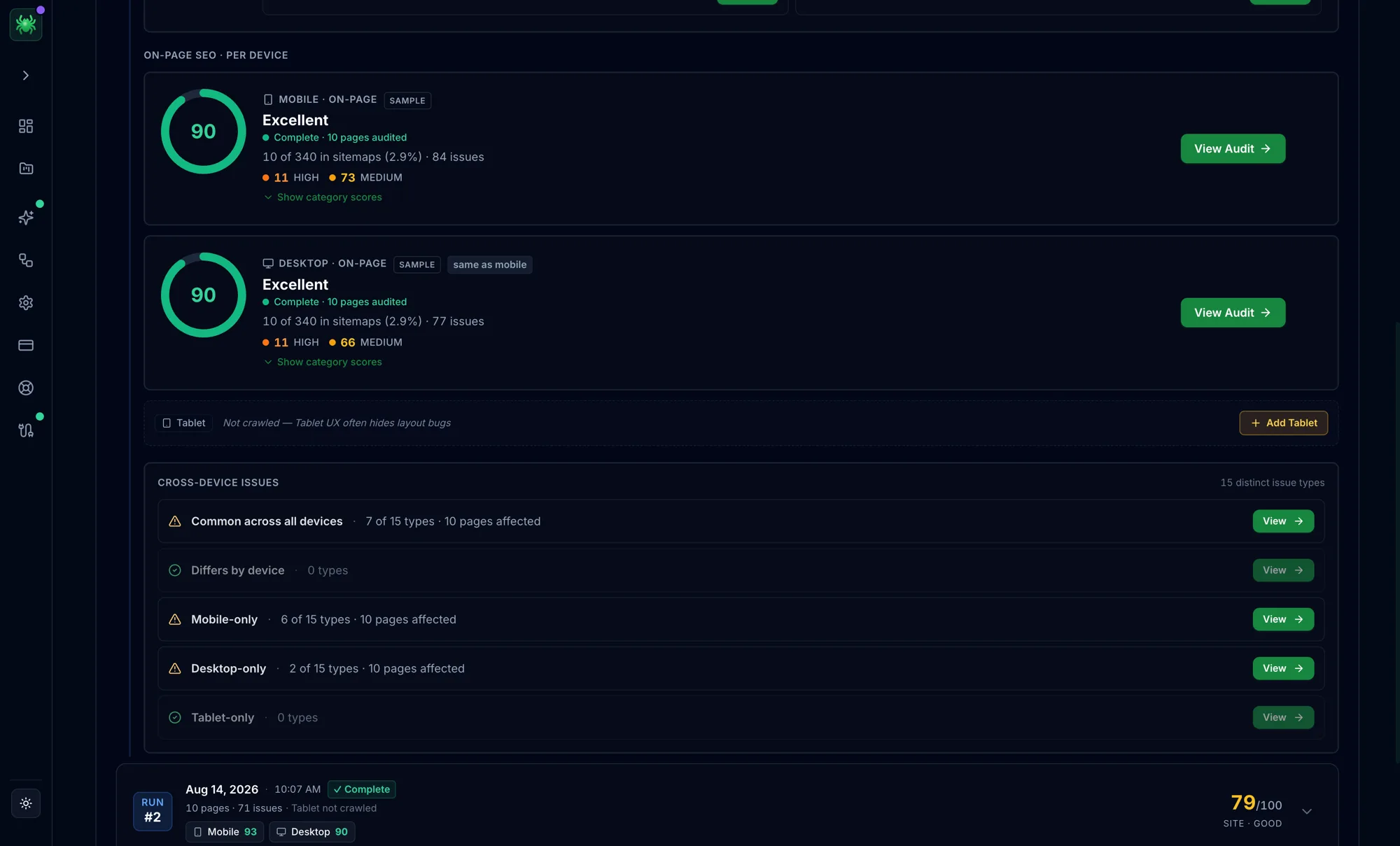
The takeaway: more than half of sites fail at least one Core Web Vital — usually LCP on mobile. That's the first place to look.
Methodology: 1,200 sites audited with Digispot AI between January and August 2026 using real-browser rendering across device profiles, de-duplicated by domain.
LCP: Optimizing Loading Performance and Perceived Speed
What is LCP exactly?
Largest Contentful Paint (LCP) is the most accurate metric for measuring perceived load speed. Unlike "Time to First Byte" (which measures server speed) or "First Contentful Paint" (which might just be a background color), LCP marks the point when the page's main value is delivered. For an ecommerce site, this is usually the product image; for a blog, it's the H1 tag or the featured image.
The Four Sub-Parts of LCP
To fix LCP, you must understand that it consists of four distinct phases. A delay in any of these will ruin your score:
- Time to First Byte (TTFB): How long the server takes to start sending data.
- Resource Load Delay: Time between the first byte and when the browser starts loading the LCP image.
- Resource Load Time: How long it takes to download the LCP image itself.
- Element Render Delay: Time between the image finishing download and actually appearing on screen (often blocked by JavaScript).
Advanced Strategies to Improve LCP
Optimizing LCP requires coordination between your server and your front-end code:
- Master Resource Prioritization: Use
fetchpriority="high"on your LCP image. This tells the browser, "Stop everything else; load this image first."- Example:
<img src="hero.jpg" fetchpriority="high" alt="Hero Product" />
- Example:
- Eliminate Render-Blocking Resources: CSS and JavaScript located in the
<head>of your document pause rendering. Move non-essential JS to the footer or usedefer. For CSS, consider inlining critical styles and lazy-loading the rest. - Optimize Images Aggressively: Large images are the #1 LCP killer.
- Next-Gen Formats: Serve AVIF or WebP instead of JPEG/PNG.
- Proper Sizing: Don't serve a 2000px wide image for a mobile screen. Use
srcset. - Compression: How image compression helps your SEO cannot be overstated—it directly reduces Load Time.
- Preconnect to Third Parties: If your hero image is hosted on a CDN, use
<link rel="preconnect" href="https://cdn.example.com">to handle the DNS handshake early. - Improve Server Response (TTFB): If your server takes 1.5 seconds just to think, you only have 1 second left for everything else. Implement server-side caching (Redis/Varnish) and upgrade your hosting if necessary.
Diagnosing LCP issues can be tricky because Lab data (Lighthouse) often differs from Field data (real users on slow 4G). Digispot AI audits your website using both mobile and desktop simulations, pinpointing exactly which element is triggering LCP and whether the delay is server-side or client-side.
INP: Mastering Interactivity (Formerly FID)
From FID to INP
In March 2024, Google officially replaced First Input Delay (FID) with Interaction to Next Paint (INP). While FID only measured the first interaction, INP measures all interactions—clicks, taps, and keyboard presses—throughout the user's entire visit. It reports the longest delay found, making it a much stricter and more comprehensive metric.
Why INP Matters
INP answers the question: "When I click a button, does the page freeze?" If a user clicks "Add to Cart" and the screen hangs for 500ms before showing a spinner or confirmation, that is poor INP. It makes your site feel broken or sluggish.
The Three Phases of an Interaction
To fix INP, you need to know where the time is going:
- Input Delay: The time waiting for the browser to even start handling the click (often because the main thread is busy doing something else).
- Processing Time: The time it takes your JavaScript event handlers to run.
- Presentation Delay: The time it takes the browser to repaint the next frame (showing the result of the click).
How to Improve INP Scores
- Yield to the Main Thread: Break up long JavaScript tasks. If a script takes 200ms to run, the browser is "frozen" for that time. Use
setTimeoutorrequestIdleCallbackto break big tasks into smaller chunks. - Optimize Event Callbacks: Your event listeners (click handlers) should be lightweight. If you need to do complex work (like an API call), provide immediate visual feedback first (e.g., a button state change), then do the heavy lifting.
- Reduce Third-Party Scripts: Chat widgets, tracking pixels, and ad scripts often clog the main thread. Audit them ruthlessly. If they aren't essential, remove them.
- Avoid Layout Thrashing: Reading and writing DOM properties in a loop forces the browser to recalculate layout repeatedly, causing massive delays.
A Concrete INP Fix
The most common INP failure is a click handler that does synchronous heavy work before painting anything. The user taps, the main thread locks up, and the button appears dead. The fix is to paint the feedback first, then defer the expensive work so the browser can render the next frame:
button.addEventListener('click', () => {
  button.classList.add('is-loading'); // paints immediately
  // Yield so the browser can render the "loading" state
  setTimeout(() => {
    runExpensiveWork();               // heavy logic runs after paint
    button.classList.remove('is-loading');
  }, 0);
});
Even better, use scheduler.yield() (or postTask) where supported to break up the work while keeping it high-priority. The point is the same: never let a single task hold the main thread across the interaction.
A Quick INP Diagnostic Checklist
When a page fails INP, work through these in order:
- Open Chrome DevTools → Performance tab, record, and click the offending element. Look for long tasks (red-flagged blocks over 50ms) on the main thread.
- Check whether the delay is in Input Delay (main thread busy before your handler runs), Processing (your handler is slow), or Presentation (rendering the next frame is expensive). Google's web.dev INP guidance maps each phase to specific fixes.
- Disable third-party scripts one at a time — chat widgets and tag managers are frequent culprits for input delay.
- Confirm the fix in field data, not just the lab: INP only fully surfaces once real users interact, so validate in Google Search Console before declaring victory.
For a wider sweep of interactivity issues across every template, fold INP checks into a repeatable step-by-step SEO audit rather than testing one URL at a time.
Monitoring INP requires looking at real user sessions. Tools like Digispot AI integrate with Google Search Console data to help you visualize which specific pages are failing interactivity checks, allowing you to prioritize fixes on your highest-traffic pages first.
CLS: Ensuring Visual Stability and Trust
What is CLS?
Cumulative Layout Shift (CLS) measures how much your content moves around unexpectedly. We have all experienced this: you are reading an article, an ad loads late at the top of the page, and the text you were reading gets pushed down. You lose your place, or worse, you accidentally click the wrong link.
Why CLS Matters
CLS is a trust metric. High CLS screams "amateur" and "spammy." Google penalizes this heavily because it degrades the reading experience. A stable layout is crucial for retaining users and reducing bounce rates.
Common Culprits and Fixes
- Image Dimensions are Mandatory: Always include
widthandheightattributes on<img>and<video>tags. This allows the browser to reserve the correct amount of whitespace before the image downloads.- Correct:
<img src="photo.jpg" width="800" height="600" alt="...">
- Correct:
- Ad & Embed Reservations: Ads are notorious for dynamic sizing. Wrap ad slots in a
<div>with a minimum height (e.g.,min-height: 250px). If the ad doesn't load, the space remains reserved, preventing a collapse or shift. - Font Loading Strategies: Web fonts can cause shifts if the fallback font has different dimensions than the custom font (Flash of Unstyled Text - FOUT).
- Use
font-display: swapto show text immediately. - Use CSS
size-adjustto match the fallback font's metrics to your custom font, eliminating the shift when the font swaps.
- Use
- Dynamic Content Injection: Never insert new content above existing content unless the user specifically asked for it (like clicking "Load More").
Edge Case: Shifts Google Ignores (and Ones It Doesn't)
A common misconception is that any movement hurts CLS. In reality, per Google's web.dev CLS documentation, shifts within 500ms of a user interaction are excluded — this is why an accordion expanding on click, or content appearing after a "Load More" tap, is not penalized. The trap is late, unprompted shifts: because CLS is windowed across the page's full lifespan, a sticky header that resizes on scroll, an ad that reflows after 3 seconds, or a lazy-loaded testimonial widget that pops in below the fold all count against you even though the page "loaded" cleanly. Animate layout changes with transform and opacity (which never trigger layout) instead of animating top, height, or margin, and reserve a fixed slot for any element that resolves late.
Identifying the exact element causing a shift can be difficult with the naked eye. Digispot AI's auditing capabilities visualize layout shifts frame-by-frame, providing a clear roadmap to a stable, professional user experience.
Why Core Web Vitals Matter for SEO: The Business Case
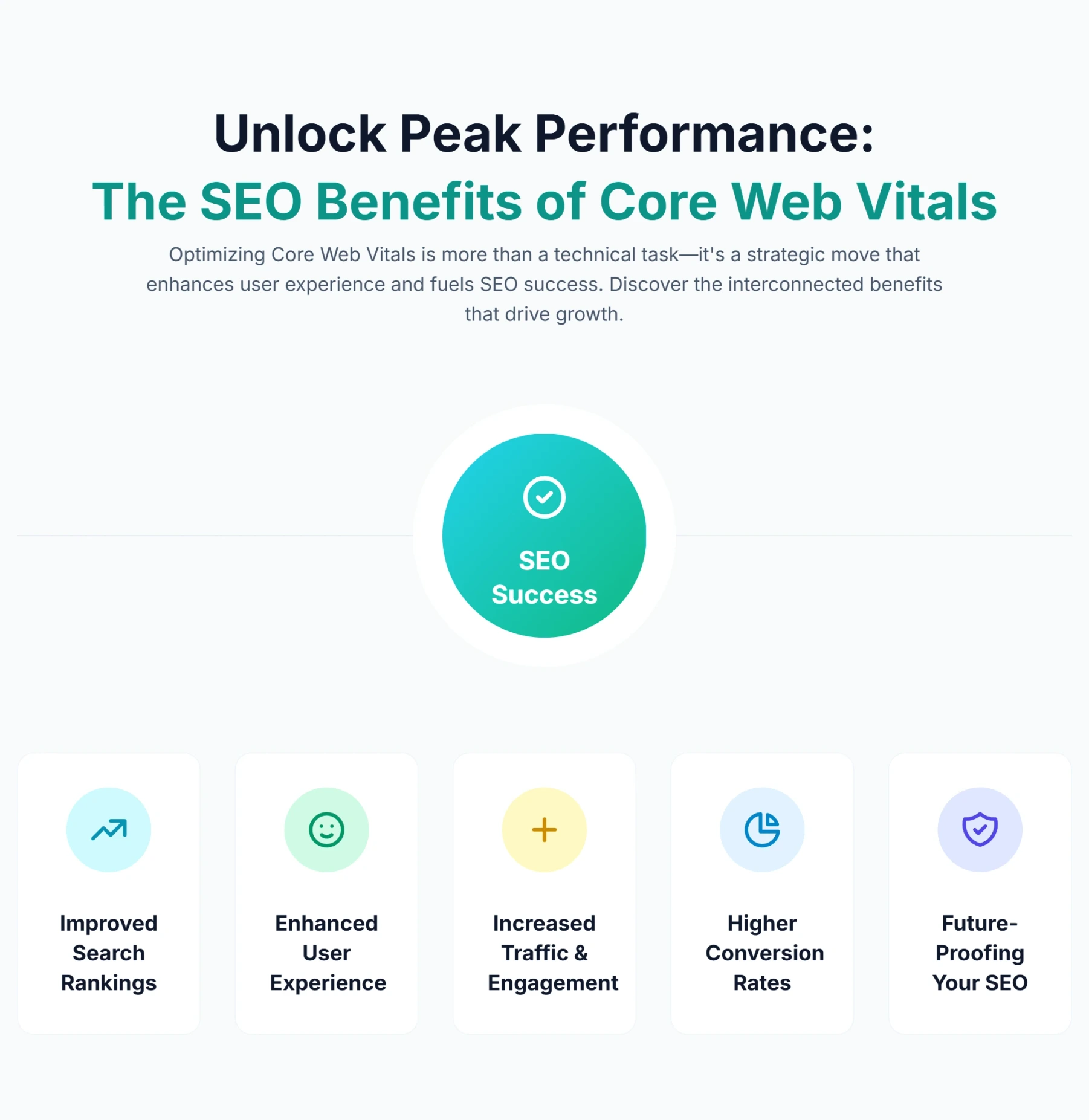
While technical SEOs obsess over metrics, stakeholders care about results. As one of the core disciplines within technical SEO, strong Core Web Vitals performance delivers tangible business benefits beyond just a "pass" in Search Console:
- Ranking Boost: Since 2021, Core Web Vitals have been a confirmed ranking tie-breaker. In competitive niches, a faster site beats a slower one.
- Lower Bounce Rates: Google studies show that as page load time goes from 1s to 3s, the probability of bounce increases by 32%.
- Higher Conversion Rates: A Deloitte study found that improving site speed by just 0.1s increased retail conversions by 8.4%.
- Crawl Efficiency: Faster sites are easier for Googlebot to crawl. This preserves your crawl budget, ensuring more of your pages get indexed and updated.
- Future-Proofing: Google's direction is clear—user experience is king. By optimizing these metrics now, you align your site with the long-term future of search.
Google reinforces this in its own page experience guidance on Search Central: when multiple pages are relevant, a faster, more stable experience wins the tie-break. The same speed and stability that satisfy human visitors also make your content easier for AI answer engines to extract, so pairing Core Web Vitals work with answer engine optimization protects your visibility as search shifts toward generated answers.
However, technical performance is just one pillar. You must ensure your content is high-quality and your authority is strong. Consider reviewing your backlink profile to ensure your off-page SEO supports your technical efforts.
Measuring and Monitoring Core Web Vitals
You cannot improve what you do not measure. Google provides several tools, each serving a different purpose in your workflow:
- Google Search Console (The Source of Truth): This shows you Field Data (CrUX). It tells you how real users are experiencing your site right now. It categorizes URLs as "Good," "Needs Improvement," or "Poor."
- PageSpeed Insights (PSI): Combines Field data with Lab data. Use this for quick checks on specific URLs.
- Chrome DevTools (The Debugger): The "Performance" tab allows you to record a page load and see exactly which millisecond the LCP happened or what script caused a layout shift.
- Lighthouse: Great for local testing during development, but remember: a 100/100 Lab score doesn't guarantee a good Field score if your users have slow phones.
The Power of Digispot AI: Automating Core Web Vitals
Manually checking PSI for every page is impossible for large sites. A dedicated platform like Digispot AI automates this complexity:
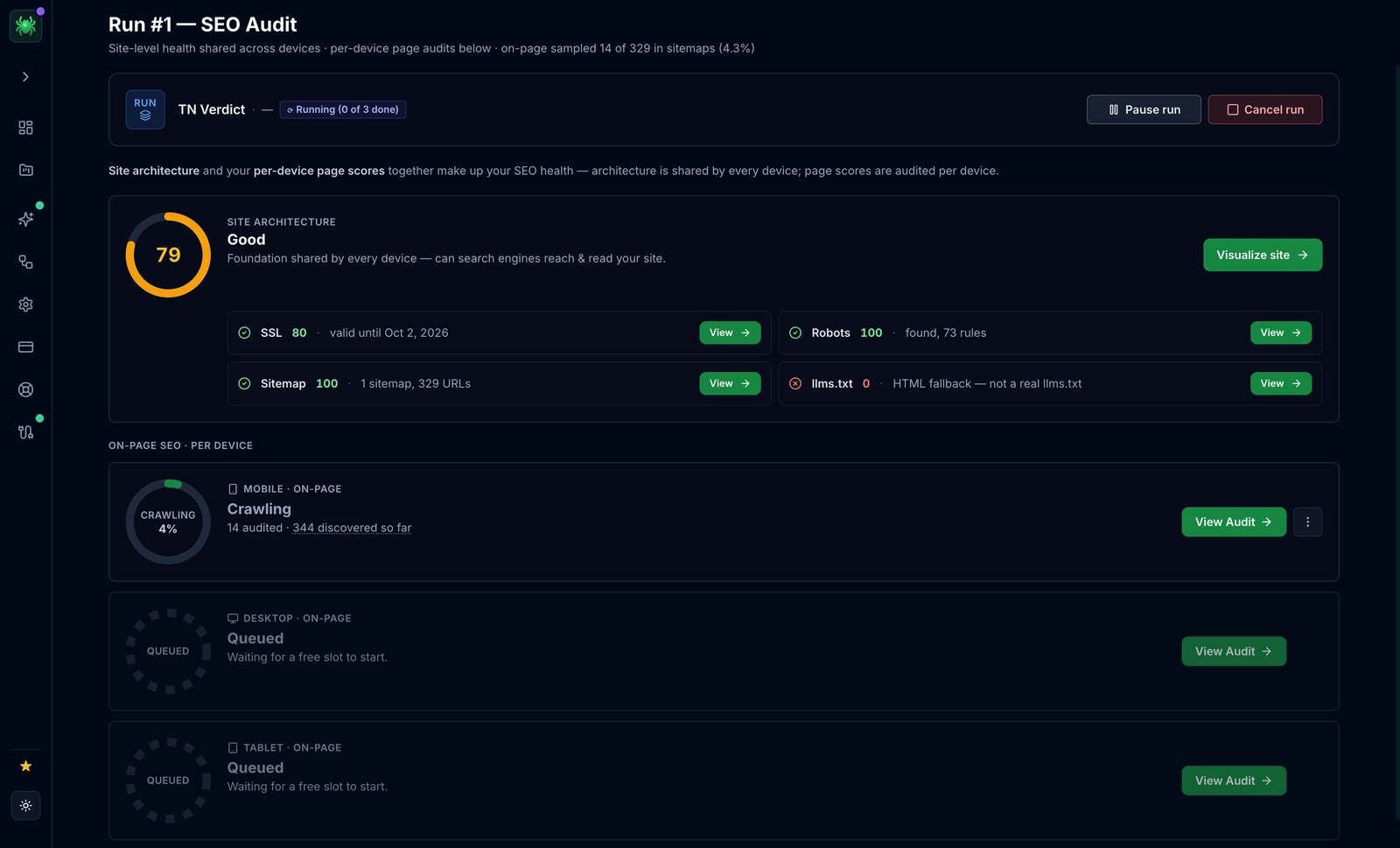
- Bulk Auditing: Digispot AI crawls your site to check Core Web Vitals across hundreds of pages simultaneously, identifying patterns that single-page tests miss.
- Prioritized Recommendations: Instead of cryptic error messages, get actionable tasks like "Compress Image X on Homepage" or "Defer Script Y."
- Content & Technical Synergy: The platform's Opportunity Finder helps you spot content gaps, while the technical audit ensures that content loads instantly. For example, using proper data schema SEO helps search engines understand your content, while CWV ensures users can access it. To go further, layering advanced schema markup on top of a fast page compounds the benefit: crawlers parse your entities faster and users reach a stable layout sooner.
The Digispot AI Free Community Chrome Extension: Your Audit Companion
Need to check a competitor's site or quickly debug a landing page? The Digispot AI free community Chrome extension brings enterprise-grade auditing to your browser. Powered by LLM models, it flags performance issues, layout shifts, and SEO gaps in real-time.
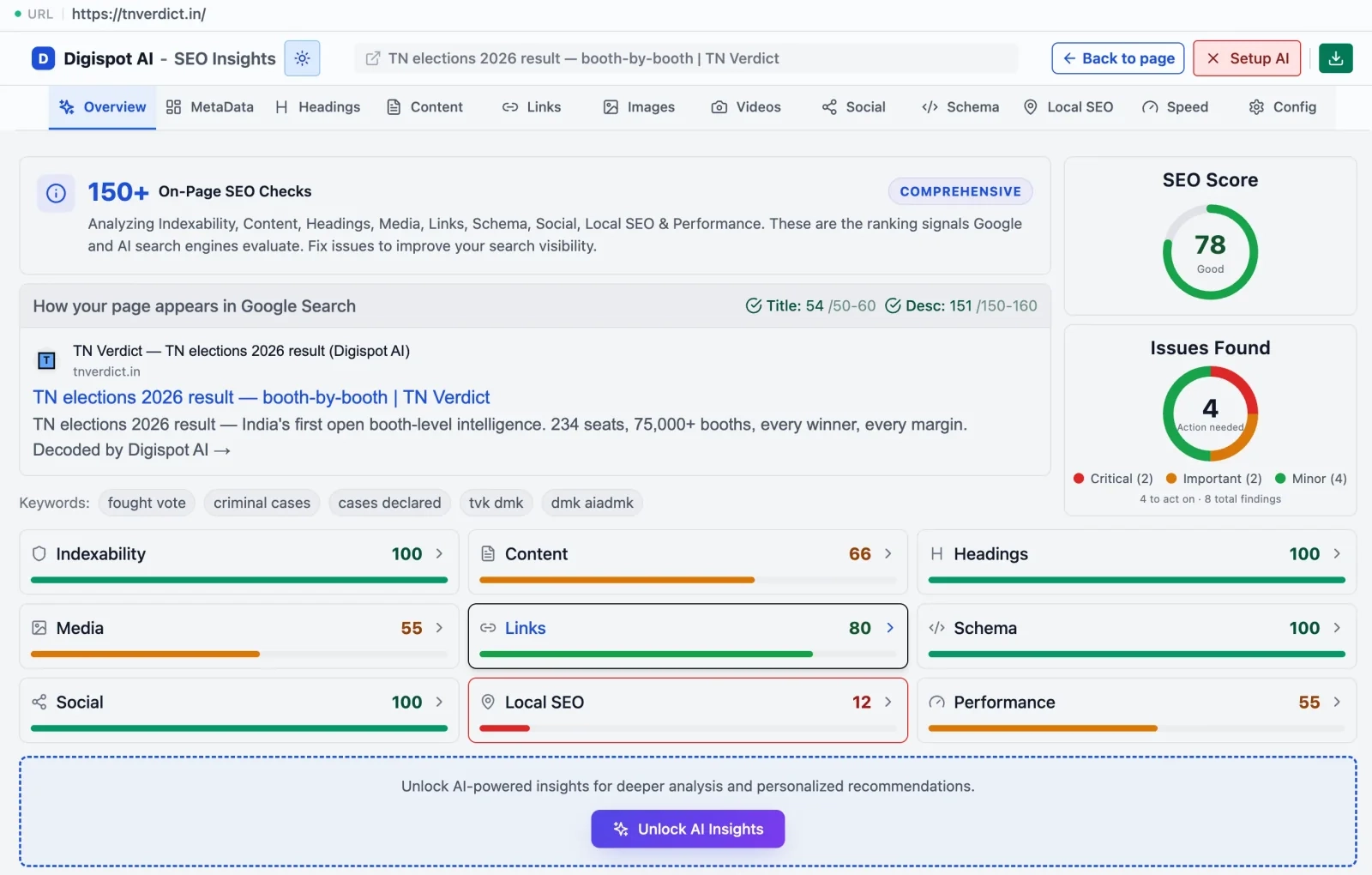
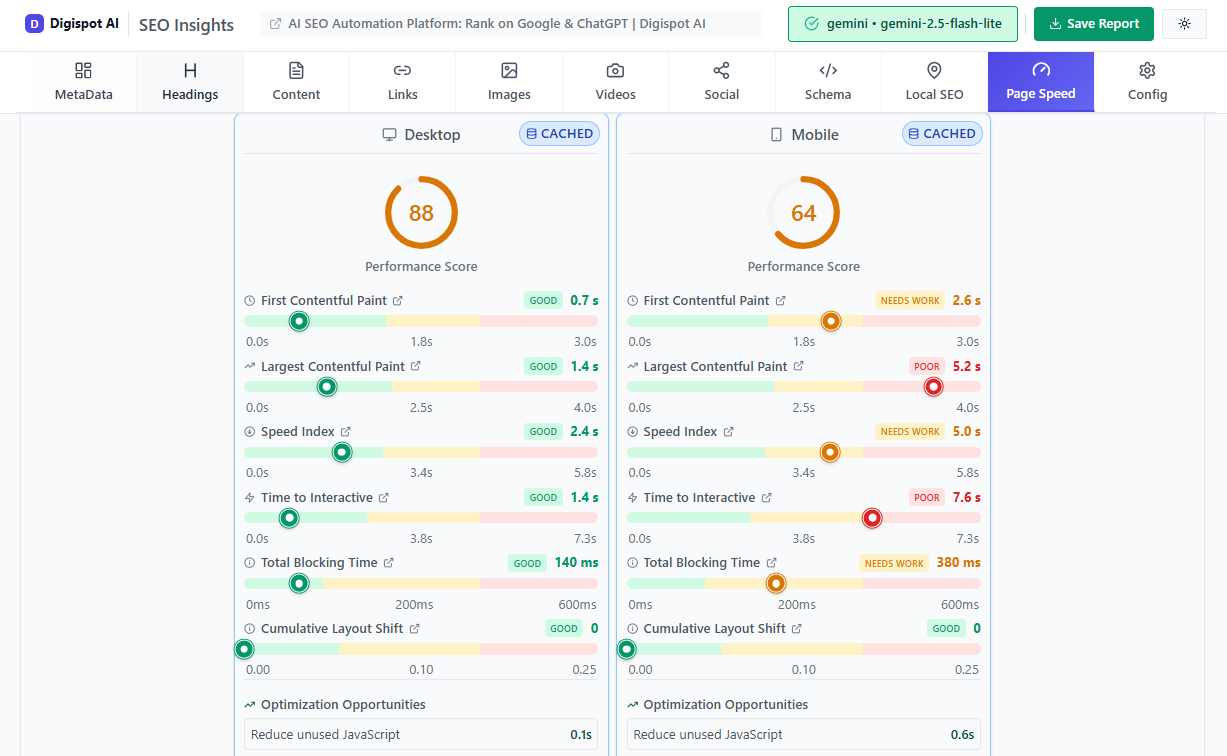
Turn invisible SEO data into clear visuals with our Free Chrome extension
Practical Strategies to Improve Core Web Vitals
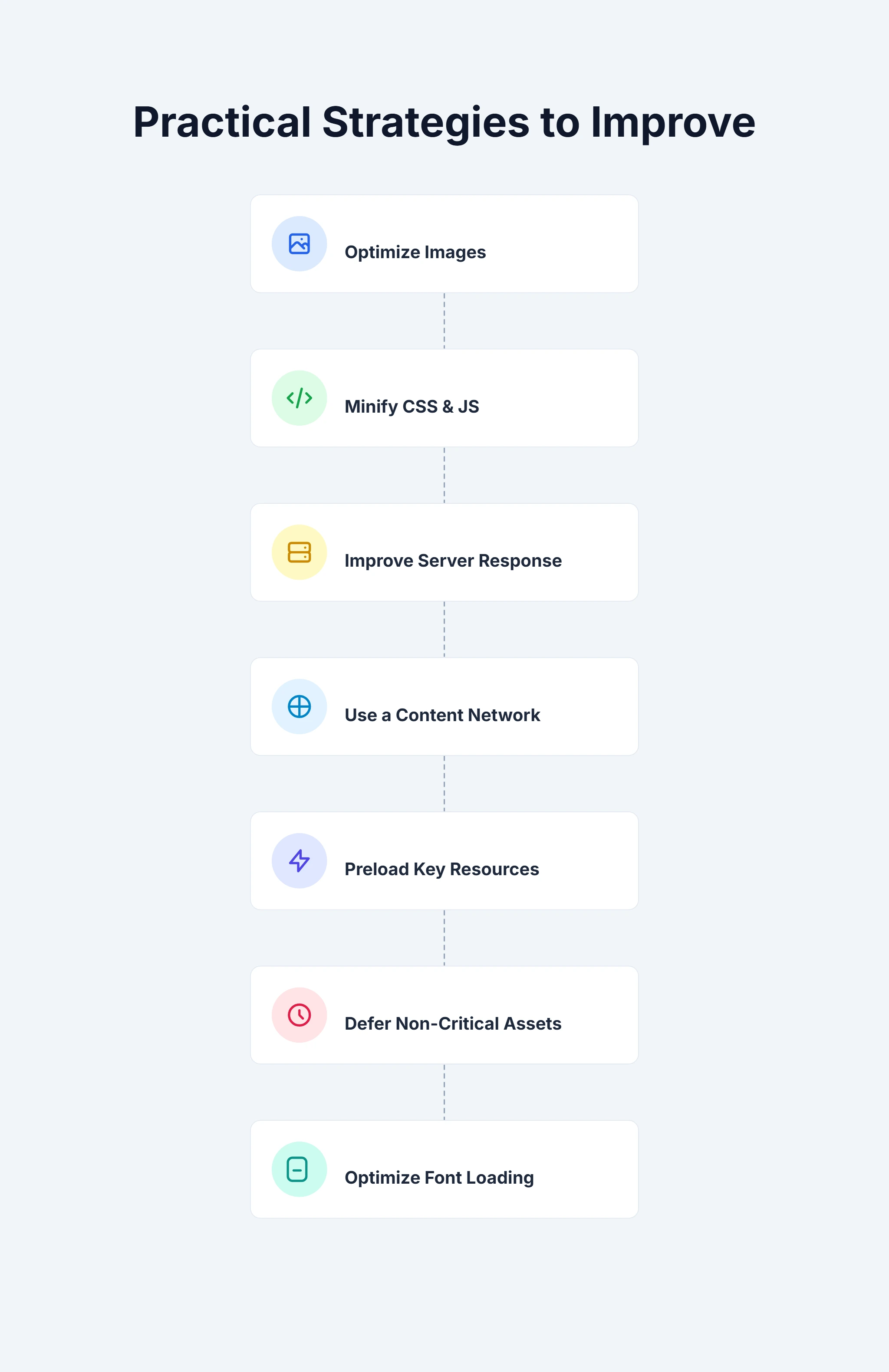
Improving Core Web Vitals requires a systematic, checklist-based approach. Here are the most effective strategies to implement immediately:
-
Optimize Images & Media (LCP Impact):
- Compress: Use tools or plugins to automate compression.
- Modern Formats: Convert standard JPEGs to WebP or AVIF for 30-50% size savings.
- Lazy Load: Apply
loading="lazy"to all images except those above the fold. - Fetch Priority: Apply
fetchpriority="high"to your single most important LCP image.
-
Minimize and Optimize CSS & JavaScript (LCP & INP Impact):
- Minify: Strip whitespace and comments from code.
- Code Splitting: Don't load a 1MB JS bundle for the whole site if the homepage only needs 50KB.
- Defer Non-Critical: Use
deferon scripts that aren't needed for the initial visual paint. - Remove Unused Code: Use the "Coverage" tab in Chrome DevTools to find and remove dead CSS/JS.
-
Improve Server Response Time (LCP Impact):
- Caching: Ensure your HTML is cached at the edge (CDN) whenever possible.
- Database: Optimize slow queries that delay the initial HTML response.
-
Leverage a Content Delivery Network (CDN):
- Serve static assets (images, CSS, JS) from a server geographically close to your user to reduce latency.
-
Preload Critical Resources:
- Use
<link rel="preload">for fonts or critical CSS that determines the layout, ensuring they load before the browser even renders the body.
- Use
-
Eliminate Render-Blocking Resources:
- Review your third-party tags (GTM, Analytics, Facebook Pixel). Are they firing too early? Delay them until after the LCP event if possible.
-
Structure Content to Prevent Layout Shifts (CLS Impact):
- Skeleton Screens: Use skeleton UI placeholders while dynamic content loads so the layout is pre-filled.
- Avoid Top Injection: Never push content down. If you need a banner, overlay it or reserve space for it.
To ensure you aren't missing other critical aspects of optimization, run through a comprehensive SEO audit checklist. This ensures you catch issues like broken links or missing meta tags that Core Web Vitals tools might not flag.
Core Web Vitals: A Pillar in Your SEO Strategy
Core Web Vitals act as the bridge between technical engineering and user satisfaction. They force SEOs, developers, and marketers to speak the same language: the language of user experience.
However, remember that perfect scores are a means to an end, not the goal itself. A site with a score of 95 that answers the user's query perfectly is better than a site with a score of 100 that offers thin, irrelevant content. You must avoid common SEO mistakes like prioritizing speed over relevance.
By focusing on Core Web Vitals, you are building a resilient, user-friendly platform. You are telling Google that you respect your visitors' time and attention.
Optimize Core Web Vitals for SEO Success
Core Web Vitals represent a fundamental shift in how we evaluate website quality. By meticulously optimizing Largest Contentful Paint (LCP), Interaction to Next Paint (INP), and Cumulative Layout Shift (CLS), you do more than just improve a metric—you improve the internet for your users.
The path to optimization can be technical and complex, but you don't have to walk it alone. Automated solutions help you scale these efforts without needing a team of developers on standby. Digispot AI provides the intelligence and automation needed to identify bottlenecks, suggest precise code fixes, and monitor your progress over time.
Ready to improve your SEO and deliver a lightning-fast experience? Start by auditing your current performance. Prioritize your Core Web Vitals today and transform your website into a high-performance engine for growth.
Related deep-dives
Continue with these closely related guides:
- to improve user — How to Improve User Experience for Better SEO
- cookie consent seo — Cookie Consent SEO: Compliance & Visibility
- bounce rate & seo — Bounce Rate & SEO: Keep Visitors Engaged in 2026
- low-code website seo — Low-Code Website SEO: Optimize No-Code Platforms
References
- Core Web Vitals
- Largest Contentful Paint (LCP) - web.dev
- First Input Delay (FID) - web.dev
- Interaction to Next Paint (INP) - web.dev
- Cumulative Layout Shift (CLS) - web.dev
- About PageSpeed Insights | Google for Developers
- Introduction to Lighthouse - Chrome for Developers
- Digispot AI - FREE On Page SEO Audit Tool
- Digispot AI - SEO Insights - Chrome Web Store
Audit any page in seconds
300+ SEO checks including Core Web Vitals, schema markup, meta tags, and AI readiness — trusted by 1000+ SEO experts and marketers.
Frequently Asked Questions
Here are some of our most commonly asked questions. If you need more help, feel free to reach out to us.
Written by
Maya Krishnan
Digital growth expert
Maya is a seasoned expert in web development, SEO, and digital strategy, dedicated to helping businesses achieve sustainable growth online. With a blend of technical expertise and strategic insight, she specializes in creating optimized web solutions, enhancing user experiences, and driving data-driven results. A trusted voice in the industry, Maya simplifies complex digital concepts through her writing, empowering readers with actionable strategies to thrive in the ever-evolving digital landscape.