Cookie Consent SEO: Compliance & Visibility
Learn how cookie consent banners affect SEO and Core Web Vitals. Implement GDPR-compliant privacy solutions without hurting page speed or search rankings.
 Maya Krishnan
You shouldn't have to choose between legal compliance and high search rankings. Yet, many website owners find themselves in exactly this predicament. You install a cookie banner to meet GDPR or CCPA requirements, and suddenly your Core Web Vitals scores drop, or your mobile usability warnings spike in Google Search Console.
Cookie Consent SEO is the strategic practice of implementing privacy controls that satisfy legal regulators without alienating search engines or frustrating users. It extends beyond checking a compliance box; it involves technical precision to ensure your website remains fast, accessible, and visible.
This guide analyzes the mechanical relationship between privacy banners and search performance. We will cover how to prevent layout shifts, maintain data accuracy through Google Consent Mode v2, and use AI-driven tools to audit your implementation.
Key Takeaways
- Cookie banners hurt SEO through side effects, not a direct penalty. The damage comes from layout shift (CLS), blocked rendering (LCP), and intrusive mobile interstitials—all of which are measurable page experience signals.
- Use a bottom-anchored floating overlay, not a top banner that pushes content down. Overlays sit on top of content, so they avoid Cumulative Layout Shift when they load.
- Load consent scripts with
asyncordefer. A synchronous third-party script can block the main thread and delay your hero image, tanking both LCP and INP. - Implement Google Consent Mode v2 to protect your data. When users decline, cookieless pings let Google model lost conversions so your traffic reports stay trustworthy.
- Never hide the banner from Googlebot. Serving a different, banner-free page to the crawler is cloaking; keep your main content visible and crawlable in the default state.
What is Cookie Consent and Why Does It Matter for Your Website's SEO?
Before optimizing technical elements, we need to define the assets we are managing. Cookies are not just legal liabilities; they are the primary mechanism for state management on the stateless web.
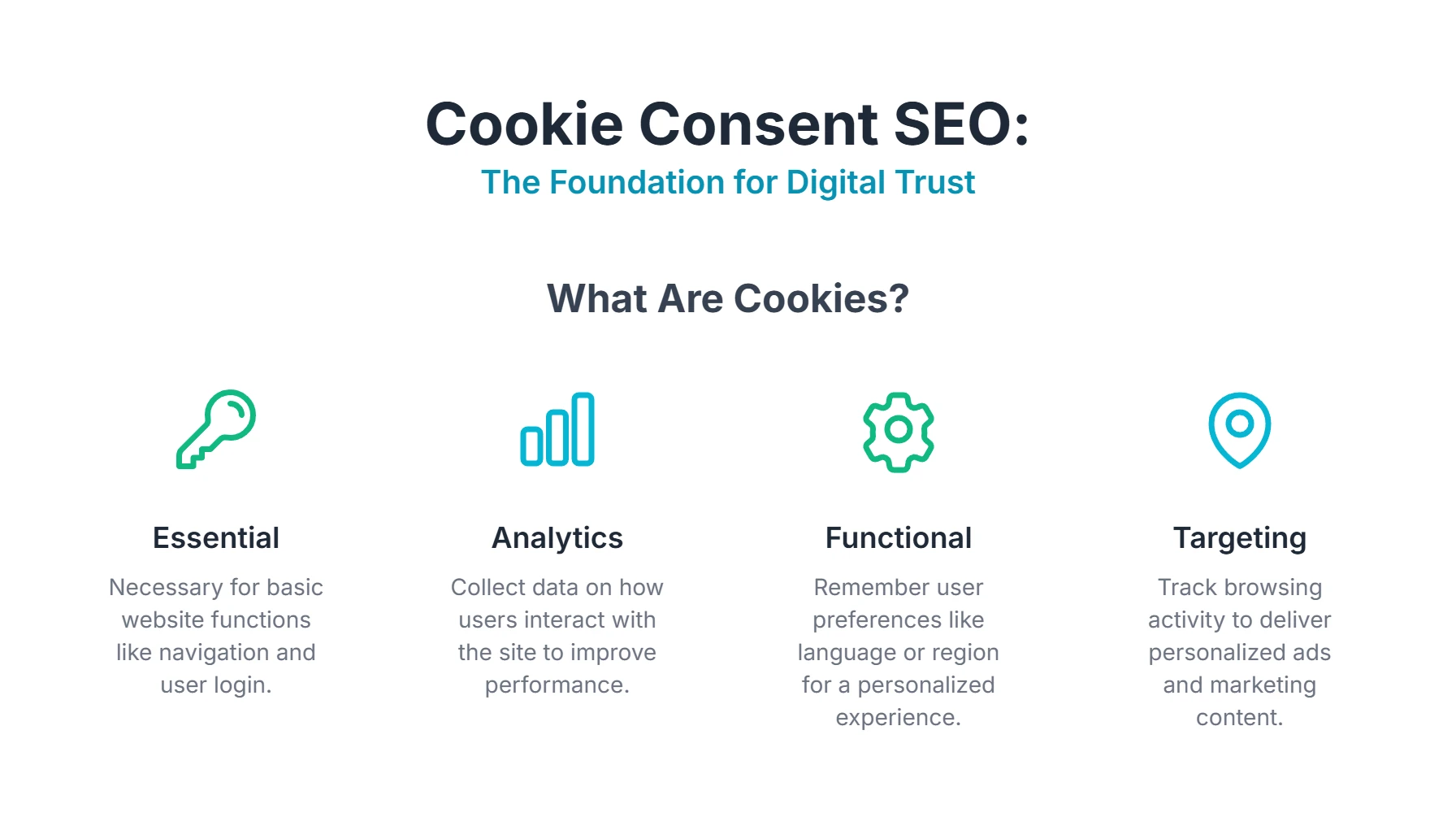
What Exactly Are Cookies?
Cookies are small text files placed on a user's device. While they are often grouped together in privacy discussions, their SEO implications vary significantly by type.
| Cookie Type | Purpose | SEO Relevance |
|---|---|---|
| Essential/Strictly Necessary | Crucial for basic functionality (e.g., preserving cart contents, maintaining login sessions). | Neutral: These do not require consent under most laws (like GDPR) and generally do not impact rendering speed if implemented server-side. |
| Performance/Analytics | Collect pseudonymized data on interaction (e.g., Google Analytics 4, Hotjar). | Critical: This is your feedback loop. If these are blocked without a fallback (like Consent Mode), you fly blind regarding organic traffic performance and audit checklist metrics. |
| Functional | Store user preferences (e.g., language selection, region settings, font size). | Indirect Positive: Enhances UX. If a user has to re-select 'English' on every visit because the cookie failed, dwell time decreases. |
| Targeting/Advertising | Track browsing habits across domains for retargeting and ad personalization. | Indirect: These scripts are often heavy. While they don't boost organic rank, their script weight can slow down the page, hurting Core Web Vitals. |
The Legal Framework: Why You Can't Just Ignore It
Cookie consent refers to the explicit permission a website obtains before storing non-essential data. This is driven by three major frameworks:
- GDPR (General Data Protection Regulation): The European standard. It requires "prior consent," meaning no non-essential cookies can load until the user clicks "Accept." This has the biggest technical impact on First Contentful Paint (FCP).
- CCPA (California Consumer Privacy Act) / CPRA: Focuses more on the "Right to Opt-Out." You can often load cookies by default but must provide a clear mechanism to stop the sale of data.
- ePrivacy Directive: Often called the "Cookie Law," this works alongside GDPR to mandate informed consent for electronic communications tracking.
Why Consent is a Pillar of Modern SEO
Legal compliance prevents fines, but "Ethical SEO" builds sustainable rankings. Google's quality raters guidelines emphasize E-E-A-T (Experience, Expertise, Authoritativeness, and Trustworthiness).
- Trust as a Conversion Driver: Users are increasingly privacy-savvy. A transparent, easily navigable cookie banner signals that you respect their data. This builds the "Trust" component of E-E-A-T, encouraging users to stay longer and interact deeper.
- Data Integrity: If your analytics setup is broken due to poor consent implementation, you might see a 40% drop in reported traffic. You might mistakenly think your SEO strategy is failing when it’s actually a measurement error.
- Brand Perception: Aggressive, non-compliant pop-ups look spammy. Search engines aim to reward high-quality sites; spammy behavior is a negative quality signal.
How Does Cookie Consent Impact Your SEO Performance?
A cookie consent banner is likely the very first HTML element a new user interacts with. Its impact on search performance is immediate and measurable across three vectors: User Experience (UX), Technical Performance, and Data Visibility—all of which fall under the umbrella of technical SEO.
User Experience (UX) and Intrusive Interstitials
Google explicitly penalizes "intrusive interstitials"—pop-ups that cover the main content and make the page inaccessible.
- The Mobile Penalty: On mobile devices, screen real estate is scarce. If your cookie banner covers 50% of the screen or makes the "X" button impossible to tap, Google may devalue the page because the content is not easily accessible.
- Bounce Rate & Pogo-Sticking: If a user lands on your page from Google and is immediately assaulted by a confusing banner, they often hit the "Back" button. This "pogo-sticking" behavior signals to Google that the result was not helpful.
- Accessibility Failures: Search engines favor accessible web design. If your banner cannot be navigated via keyboard or lacks proper ARIA labels, it hurts your accessibility score—a metric that often correlates with overall site quality.
Technical SEO: The Core Web Vitals Connection
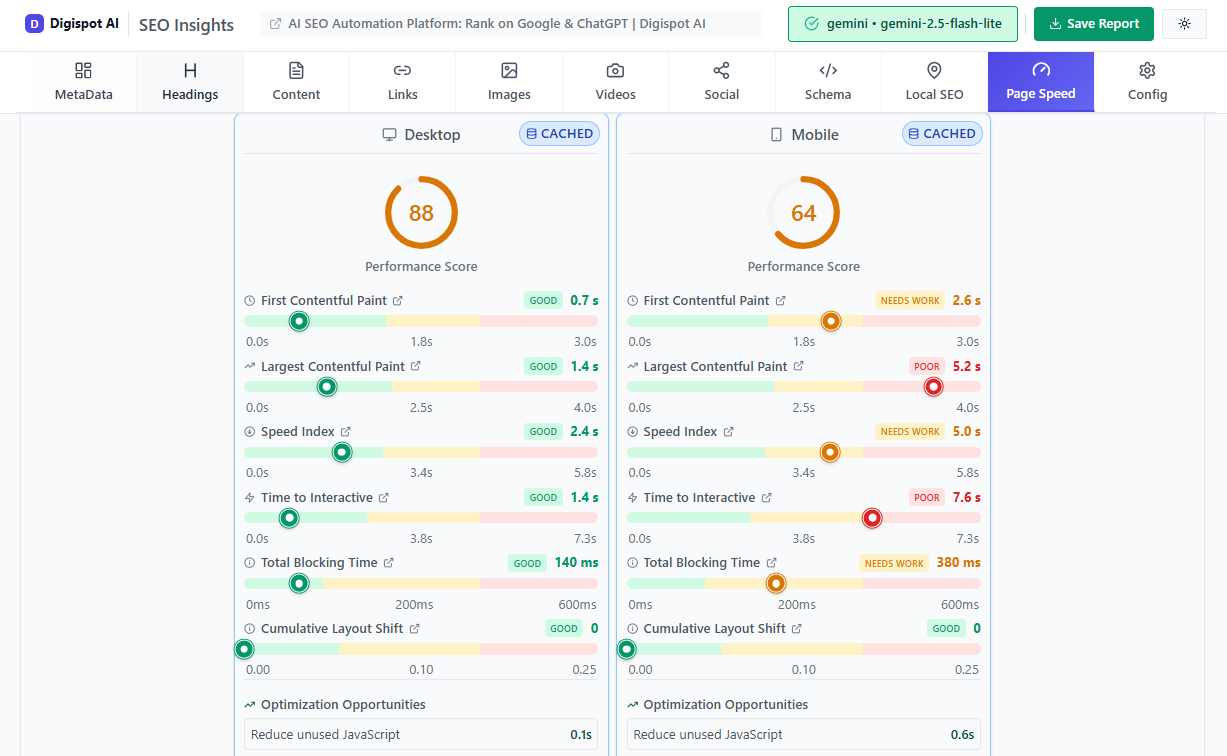
The technical implementation of consent banners is the most common cause of sudden Core Web Vitals drops. Because most CMPs inject their UI and logic client-side, the same JavaScript execution issues that plague heavy scripts apply here too.
- Cumulative Layout Shift (CLS): This is the most frequent offender.
- Scenario: The page loads. Text appears. 500ms later, the cookie banner loads at the top of the page, pushing all the text down by 100 pixels.
- Result: A high CLS score, which is a direct negative ranking factor.
- Largest Contentful Paint (LCP):
- Scenario: Your cookie banner script is hosted on a slow third-party server. The browser pauses rendering the main hero image (the LCP element) until it fetches this script.
- Result: Slow LCP times, putting you in the "Needs Improvement" or "Poor" bucket in GSC.
- Interaction to Next Paint (INP):
- Scenario: The banner uses heavy JavaScript to process location data before showing. When the user tries to click a menu item, the browser is frozen processing the banner script.
- Result: High input latency, frustrating users.
Data Accuracy: The "Blind Spot" Risk
Accurate reporting is the compass of SEO.
- Incomplete Analytics: If a large share of users reject cookies, your traffic reports in GA4 undercount those sessions. You might abandon a successful high-traffic keyword strategy because you simply can't "see" the traffic it's generating. Cross-referencing GA4 against clicks and impressions in your Search Console reports—which are not gated by consent—helps you separate a genuine ranking drop from a measurement gap.
- Attribution Errors: Without cookies, multi-session journeys break. A user might find you via organic search on Monday and buy on Friday via direct traffic. Without a persistent identifier (cookie), this looks like two separate users, undervaluing your top-of-funnel SEO content.
- Skewed Engagement Metrics: When consent blocks the analytics tag from firing on entry, early bounces and short sessions may never be recorded at all, which can make your reported bounce rate and average engagement time look artificially healthy. Treat post-consent metrics as a sample, not the full population, and validate trends against server logs where possible.
The Benefits of a Strategically Optimized Cookie Consent for SEO
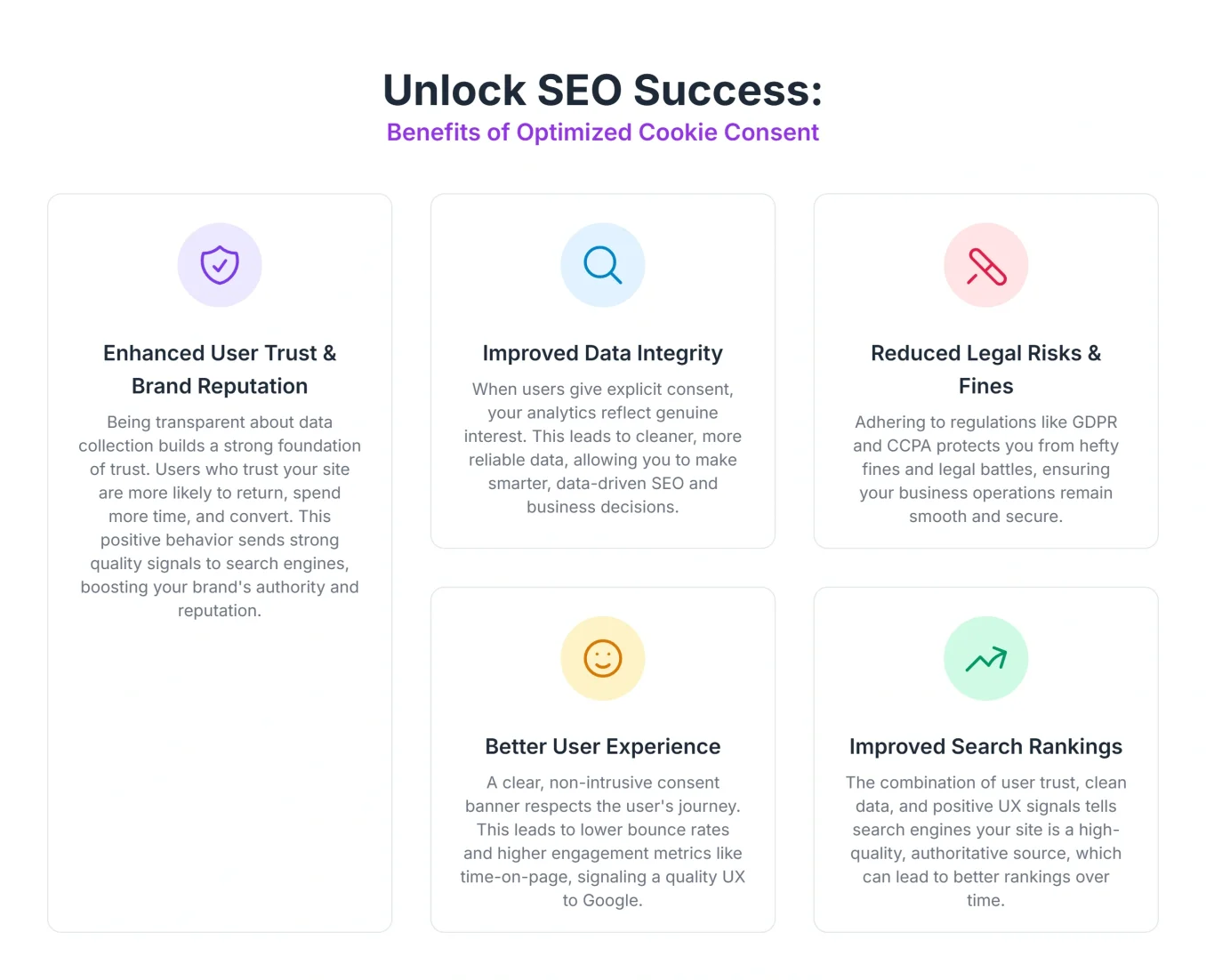
When implemented thoughtfully, a robust cookie consent strategy moves beyond mere compliance, transforming into a powerful asset for your SEO efforts.
| Benefit Area | How Cookie Consent SEO Helps |
|---|---|
| Enhanced User Trust & Brand Reputation | By demonstrating transparency, you build credibility. Users are more likely to engage with brands they trust. High trust correlates with lower bounce rates and higher time-on-page. |
| Preservation of Analytics Data | Using advanced implementation (like Google Consent Mode v2) allows you to recover "lost" data through modeling. You maintain visibility into SEO performance even when users opt out of heavy tracking. |
| Reduced Legal Risks and Fines | Compliance with GDPR and CCPA prevents costly legal battles. Stability is key for SEO; a domain shut down or penalized for legal reasons loses all accumulated link equity. |
| Better Core Web Vitals Scores | A banner optimized for CLS and LCP contributes to a "Good" page experience score in GSC. This is a tie-breaker ranking signal in competitive niches. |
| Crawlability Assurance | Correct implementation ensures that while the banner might be dynamic, the actual page content remains static and fully crawlable by Googlebot, preventing indexing issues. |
How to Implement SEO-Friendly Cookie Consent: Best Practices
Implementing cookie consent effectively requires a blend of legal understanding, user-centric design, and technical proficiency. Here are best practices to ensure your cookie consent strategy protects your rankings.
1. Clarity and Transparency: Simple Language is Key
You should avoid confusing "dark patterns" that trick users. Google's quality teams look for user-hostile designs.
- Plain English: Use simple terms. Instead of "We process PII via tracking technologies," try "We use cookies to improve your experience and analyze traffic."
- Equal Weight Buttons: Do not make the "Accept" button bright green and the "Reject" button a tiny grey link. This is a dark pattern. Give users a clear, balanced choice.
- Direct Links: Include a visible link to your Privacy Policy within the banner itself.
2. Design and Placement: Non-Intrusive and Intuitive
The physical location of the banner dictates its impact on CLS and Mobile Interstitials penalties.
- Floating vs. Inline: Use a "floating" banner at the bottom of the viewport (overlay) rather than an element that inserts itself into the document flow. Overlays sit on top of content, so they don't push content down (causing CLS) when they load.
- The Bottom Bar: This is the safest placement for SEO. It leaves the main navigation and H1 visible.
- Mobile Considerations: On mobile, ensure the banner does not take up more than 20-25% of the screen height.
3. Technical Implementation: Optimize for Performance
This is where most SEOs struggle. You need to instruct your developers or configure your CMP correctly.
- Asynchronous Loading (Async/Defer): Your cookie script tag should have the
asyncordeferattribute. This tells the browser, "Go ahead and build the page visual; download this script in the background." - Reserve Space (If using top banners): If you must use a top banner that pushes content down, you must reserve the space in CSS.
- Example: Set a
min-heighton the banner container div so the browser knows space is needed before the content loads.
- Example: Set a
- Google Consent Mode v2: This is critical for modern SEO.
- How it works: It introduces two new parameters:
ad_user_dataandad_personalization. It allows Google tags to adjust their behavior based on consent status. - The "Ping" Benefit: If a user denies consent, Consent Mode sends a cookieless "ping" to Google servers. This ping contains no personal data but allows Google to model the conversion, recovering lost attribution data for your SEO reports.
- How it works: It introduces two new parameters:
4. Accessibility: Inclusive Design
Accessibility (a11y) overlaps significantly with technical SEO, because an inaccessible banner is also a friction point that damages the user experience signals Google cares about.
- Keyboard Traps: Ensure a user can tab through the banner options and select one using only the keyboard. Every interactive element—Accept, Reject, Manage Preferences, and the policy link—must be reachable with the Tab key and actionable with Enter or Space, and the focus outline must remain visible.
- Focus Management: When the banner appears, focus should optionally move to it (depending on modal style), but it shouldn't trap the user there unless it's a forced-gate (which is risky for SEO). If you do move focus into a modal banner, return focus to the triggering context after the user makes a choice so keyboard navigation isn't left stranded.
- ARIA Labels: Use proper ARIA roles (e.g.,
role="dialog"orrole="alert") so screen readers understand this is a notification, not the main content. Pairrole="dialog"witharia-labelledbypointing at the banner heading andaria-describedbyfor the explanatory text, and give icon-only close buttons a descriptivearia-labelsuch as "Dismiss cookie notice." - Color and Contrast: Consent text and buttons must meet WCAG contrast ratios. Low-contrast "Reject" links are both an accessibility failure and a dark pattern that Google's quality guidelines discourage.
5. Regular Auditing and Updates: Stay Compliant and Optimized
- Simulate Mobile Bot: Use Chrome DevTools to view your site as "Googlebot Smartphone." Does the cookie banner block the H1 or main text? If so, fix it immediately.
- Check for Broken Layouts: Sometimes, a banner works fine on desktop but breaks the layout on an iPhone SE (small screen). On-page SEO best practices dictate testing across multiple viewports.
- Review Third-Party Cookies: Periodically audit what cookies your site is actually setting. Old plugins often drop cookies you aren't aware of, violating your own policy.
Leveraging Advanced Tools for Cookie Consent SEO
Managing cookie consent, especially for large websites or enterprise platforms, can be a complex endeavor. Manual checks are prone to human error. This is where modern AI SEO platforms come into play, offering sophisticated capabilities to streamline compliance and maximize visibility.
Comprehensive Website Auditing for Cookie Consent Impact
Understanding how your cookie consent solution affects your entire website requires scale.
- How AI SEO Platforms Help: Digispot AI audits websites comprehensively, examining over 200 ranking factors including script performance. It simulates user interactions to see if your cookie banner triggers layout shifts (CLS) across thousands of pages.
- Detection and Visualization: The platform can visualize the render path. You can see exactly which JavaScript file initiated the layout shift and how many milliseconds it delayed the main content. This granular data allows developers to refactor code precisely where it matters.
Integrating with Core SEO Data Sources
Effective SEO relies on connecting the dots between consent and traffic.
- How AI SEO Platforms Help: Digispot AI integrates with Google Search Console and Google Analytics. It can correlate a drop in "Time on Page" with the deployment of a new cookie banner. If you see bounce rates spike the day you changed your CMP design, the platform highlights this anomaly, allowing you to revert or A/B test a better design.
Opportunity Finding for Privacy-Related Content
Your privacy policy page itself is a piece of content that should rank for branded queries (e.g., "[Brand Name] privacy policy").
- How AI SEO Platforms Help: The "Opportunity Finder" analyzes search trends. It might reveal that users are searching for "how to delete data from [Your App]." Creating a dedicated, SEO-optimized page answering this query builds immense trust and reduces support tickets.
Generating SEO-Optimized Content with AI
Legal text is often dry and unreadable.
- How AI SEO Platforms Help: A "Content Studio" powered by AI agents can assist in drafting the user-facing text of your banner. It ensures the language is welcoming, clear, and on-brand, rather than terrifying legal jargon. It can also help summarize your complex Privacy Policy into a "Key Takeaways" section for better UX.
Schema Markup for Privacy Policies and Related Content
Structured data helps search engines understand the administrative parts of your site.
- How AI SEO Platforms Help: Use the free Schema Markup Generator to create
WebPageorAboutPageschema for your policy pages. You can use thepublishingPrinciplesproperty to link to your privacy policy within yourOrganizationschema. This explicitly tells Google, "Here is how we handle data," strengthening your knowledge graph entity.
The Power of Automation
The Digispot AI cloud platform brings all these best practices into an automated workflow. You can set up alerts: "Notify me if average CLS exceeds 0.1 on the homepage." This proactive monitoring ensures a code update to your cookie banner never quietly destroys your rankings.
The Digispot AI Free Community Chrome Extension: Your On-the-Go Auditor
For quick insights and immediate checks during development or competitor research, a browser-based tool is indispensable.
- What it is: The Digispot AI Free Community Chrome Extension is a lightweight auditor that lives in your browser.
- How it helps with Cookie Consent SEO:
- Instant Core Web Vitals Check: Open the extension on any page to see real-time LCP and CLS scores. If you toggle your cookie banner and see the CLS score jump, you've found your culprit.
- Script Weight Analysis: The extension identifies which scripts are heavy. You can instantly see if your Consent Management Platform is loading 2MB of JavaScript, which would be a major red flag for mobile speed.
- Schema Validation: Verify that your privacy pages have valid structured data without needing to leave the tab.
- Visual Debugging: It highlights elements on the page that are causing shifts. This visual feedback is often easier for non-developers to understand than a raw code log.
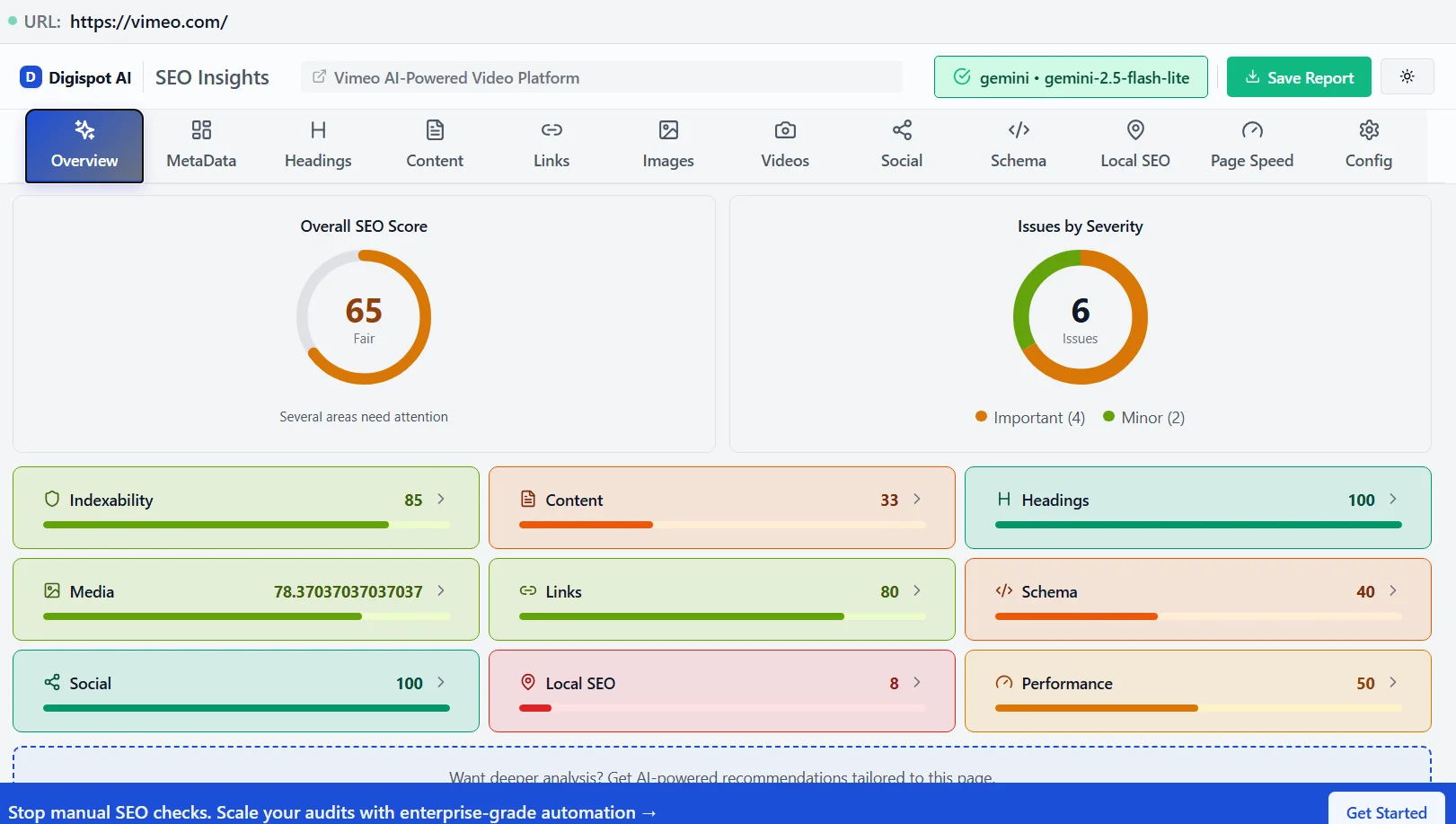
Turn invisible SEO data into clear visuals with our Free Chrome extension
The Broader Impact: Business Outcomes of Smart Cookie Consent SEO
Ultimately, the goal of any SEO effort is to drive tangible business results. A well-executed cookie consent SEO strategy is not just about avoiding trouble; it's about building a better business.
| Business Outcome | How Smart Cookie Consent SEO Contributes |
|---|---|
| Higher Organic Traffic | Sites with "Good" Core Web Vitals rank higher. By preventing banner-induced CLS and speed issues, you secure better positions in SERPs. |
| Increased Conversion Rates | Trust is the precursor to purchase. A transparent, professional consent flow reduces friction. Users who feel safe are more likely to fill out forms and complete checkouts. |
| Accurate ROI Measurement | Implementing Consent Mode v2 ensures you are tracking the true value of your SEO campaigns. You avoid under-investing in high-performing channels due to missing data. |
| Operational Efficiency | Automating audits with Digispot AI saves hours of manual testing. Your team can focus on strategy rather than hunting for layout shifts. |
Common Mistakes to Avoid
Even experienced SEOs make errors with consent banners. Here are a few to watch out for:
- Blocking Googlebot: Never show the banner to users but block it for Googlebot (cloaking). Googlebot must see what the user sees.
- No-Index on Privacy Pages: Do not
noindexyour privacy policy. It needs to be indexed to establish trust and appear in branded searches. - Assuming One Size Fits All: A banner that works on a desktop monitor might cover the entire screen on a mobile device. Always test responsive designs.
- Ignoring "Do Not Track" Signals: While not strictly an SEO factor, ignoring browser privacy signals can lead to user complaints and negative reviews, which eventually hurt local SEO and brand reputation.
Final Thoughts on Compliance and Visibility
Cookie Consent SEO is not a fleeting trend; it is the new standard for the open web. The days of tracking users without permission are ending, but the era of building trust-based relationships is just beginning. By viewing your cookie banner as a UX element rather than a legal annoyance, you align your business with the future of search.
A thoughtful strategy prioritizes the user. It asks for permission respectfully, loads efficiently, and handles data responsibly. In return, search engines reward you with visibility, and users reward you with loyalty.
Ready to audit your site's compliance impact? Start by getting instant insights with our free Chrome extension. For a complete site-wide analysis of how your privacy implementation is affecting your rankings, try Digispot AI today. Ensure your compliance efforts are lifting your SEO up, not dragging it down.
References
- General Data Protection Regulation (GDPR) | European Union
- California Consumer Privacy Act (CCPA) | State of California Department of Justice
- ePrivacy Directive (Cookie Law) | European Commission
- Understand Core Web Vitals | Google Search Central
- Page speed and Core Web Vitals | Google Search Central
- Google Analytics Documentation
- Google Search Console Help
- Schema.org - What is Schema.org?
- Digispot AI - FREE On Page SEO Audit Tool
- Digispot AI - FREE Chrome Extension for SEO Insights
Audit any page in seconds
300+ SEO checks including Core Web Vitals, schema markup, meta tags, and AI readiness — trusted by 1000+ SEO experts and marketers.
Frequently Asked Questions
Here are some of our most commonly asked questions. If you need more help, feel free to reach out to us.
Written by
Maya Krishnan
Digital growth expert
Maya is a seasoned expert in web development, SEO, and digital strategy, dedicated to helping businesses achieve sustainable growth online. With a blend of technical expertise and strategic insight, she specializes in creating optimized web solutions, enhancing user experiences, and driving data-driven results. A trusted voice in the industry, Maya simplifies complex digital concepts through her writing, empowering readers with actionable strategies to thrive in the ever-evolving digital landscape.