SEO Analytics: Track & Improve Website Ranking
Master SEO analytics to measure and improve search performance. Track rankings, analyze traffic patterns, and make data-driven decisions for organic growth.
 Maya Krishnan
Are you publishing content but seeing zero movement in your rankings? You aren't alone. Many site owners fly blind, hoping their articles will naturally find their way to page one. But hope isn't a strategy. SEO analytics holds the key to predictable growth.
By rigorously analyzing traffic patterns, keyword volatility, and backlink quality, you uncover the mechanical reasons why a page succeeds or fails. Tracking these insights moves you from guessing to executing. It helps you refine your strategy, recover from ranking drops, and drive consistent organic revenue. Whether you manage a niche blog or a large enterprise site, mastering SEO analytics is the difference between stagnation and scale.
What is SEO Analytics?
Search Engine Optimization (SEO) analytics is the systematic process of collecting, tracking, and interpreting data to improve visibility on search engines.
It goes beyond simply checking if your traffic went up or down. True SEO analytics involves correlating specific actions—like updating a meta title or building a backlink—with specific outcomes in the Search Engine Results Pages (SERPs).
Modern SEO analytics also encompasses AEO (Answer Engine Optimization). With the rise of AI platforms like ChatGPT, Perplexity, and Google's AI Overviews, you must now track how your brand appears in AI-generated answers, not just traditional blue links.
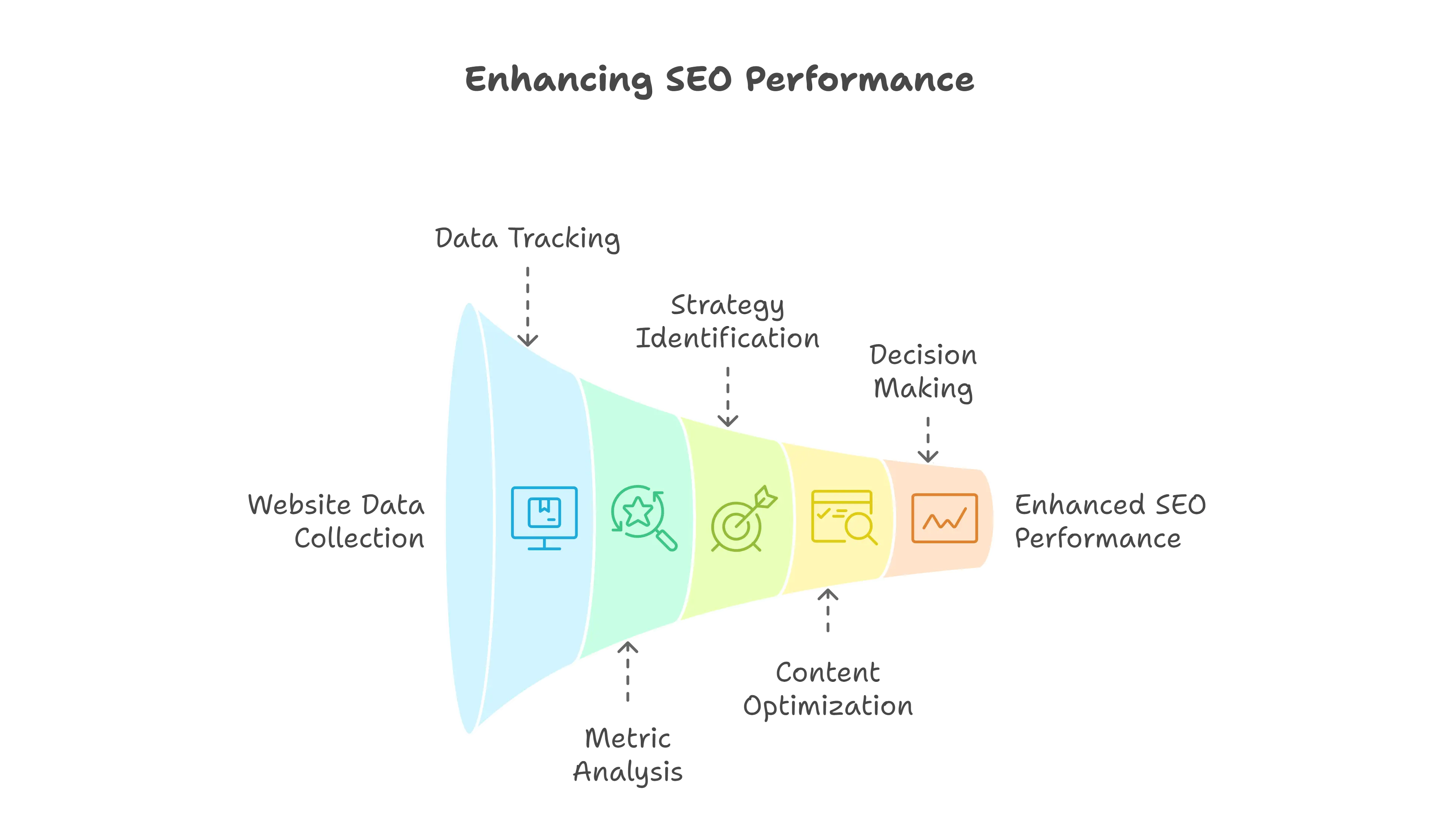
By reviewing metrics such as organic traffic quality, keyword velocity, and engagement time, businesses gain actionable intelligence. This helps in identifying high-impact strategies, effectively prioritizing on-page SEO best practices, and making data-driven decisions to enhance both rankings and user satisfaction.
Why is SEO Analytics Important?
Without analytics, SEO is just guesswork. You might spend months creating content that targets the wrong intent or optimizing for keywords that drive no revenue. SEO analytics provides the feedback loop necessary for efficiency.
Here is why accurate data is non-negotiable:
- Quantify ROI: SEO takes time and resources. Analytics allows you to attribute specific conversions and revenue to your organic search efforts, proving value to stakeholders.
- Diagnose Technical Failures: Ranking drops often stem from invisible technical issues. Analytics helps you detect crawl errors, 404 spikes, or slow load times before they destroy your indexation.
- Sharpen Content Strategy: Discover which topics resonate. You might find that "how-to" guides drive traffic, but product comparison pages drive sales. You can then adjust your resource allocation.
- Understand Search Intent: High bounce rates often indicate a mismatch between what a user searched for and what your page provided. Analytics highlights these gaps.
- Competitor Benchmarking: You don't operate in a vacuum. Analytics reveals where competitors are outpacing you and exposes gaps in their defense that you can exploit.
- Future-Proofing: By tracking trends over time, you can spot algorithm shifts early. If you see a sitewide decline in rich snippet visibility, you know Google has changed how it handles structured data.
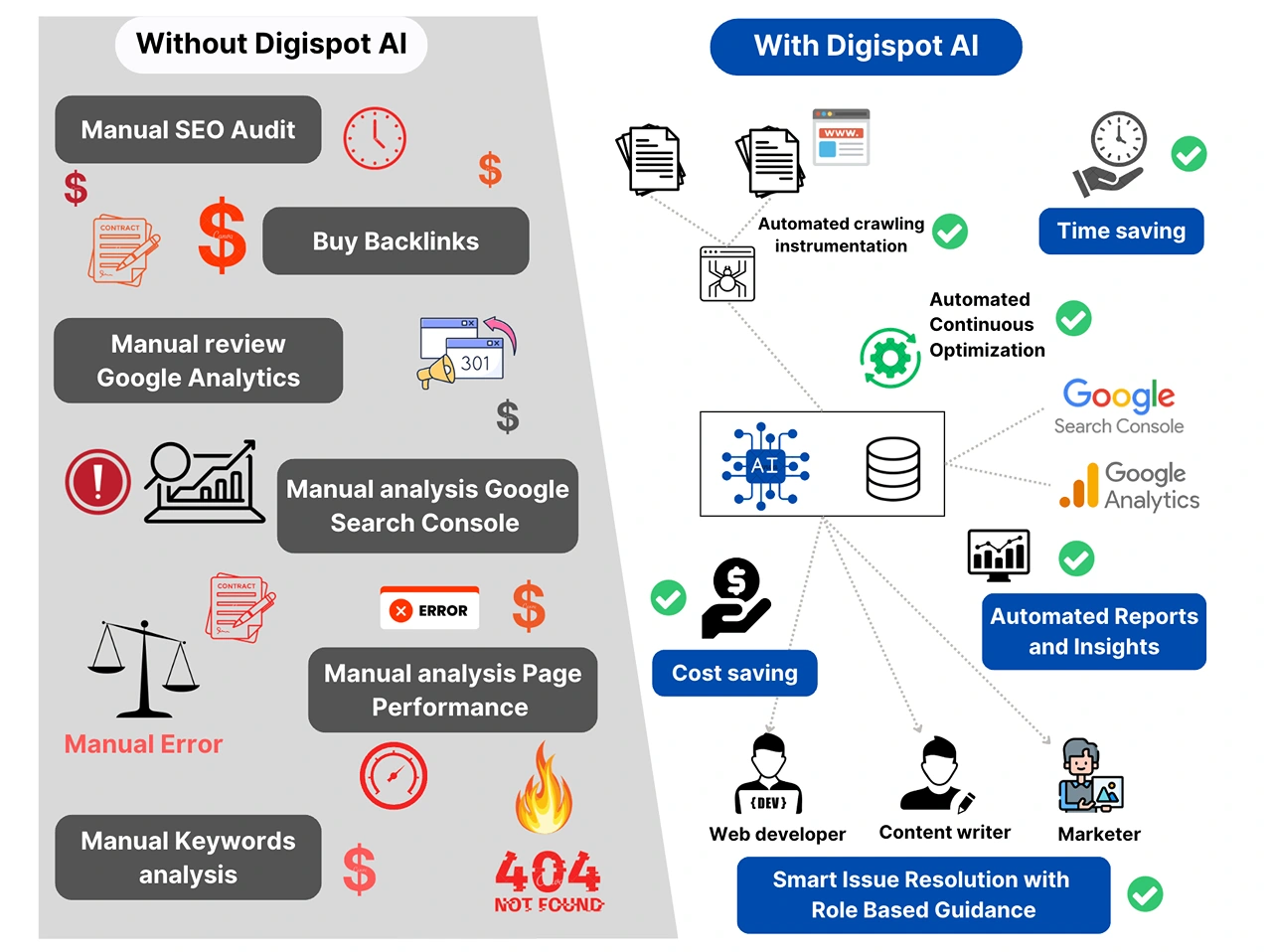
Digispot AI helps you identify these patterns automatically with AI-powered audits that analyze over 200 ranking factors, saving you hours of manual data crunching.
Types of SEO Analytics
SEO is a broad discipline. To manage it effectively, we break analytics down into five distinct categories. Each requires different tools and mindsets.
- On-Page SEO Analytics
On-page analytics focuses on the content and HTML source code of individual pages. This is about relevance. Are you speaking the search engine's language?
You need to analyze keyword density, semantic entity coverage, header hierarchy, and meta tag effectiveness. It also involves tracking internal link distribution to ensure your most important pages receive enough authority. Tools in this category help you spot "thin content" or pages that are cannibalizing each other's rankings.
- Technical SEO Analytics
Technical analytics is the foundation. If search engines cannot crawl or index your site, your content quality doesn't matter.
This involves monitoring server response times, SSL implementation, XML sitemap health, and canonical tags. A critical component here is Core Web Vitals—metrics that measure loading performance, interactivity, and visual stability. Failing these checks can directly penalize your rankings.
For a deeper dive into these specific metrics, read our guide on Core Web Vitals SEO.
- Off-Page SEO Analytics
Off-page analytics measures your website's authority and reputation across the web. It is primarily focused on your backlink profile.
You must track the quantity of backlinks, but more importantly, their quality. Are links coming from relevant, authoritative domains? Are you gaining links naturally or through spammy directories? This analysis also includes tracking brand mentions (unlinked citations) and social signals. A sudden influx of low-quality links can trigger a penalty, so monitoring this is defensive as well as offensive.
Learn how to manage this effectively in our backlink profile improvement guide.
- User Experience (UX) SEO Analytics
Google's RankBrain and other AI algorithms heavily weigh user interaction signals. If users click your result but immediately leave (pogo-sticking), your rankings will drop.
UX analytics tracks "Dwell Time," scroll depth, and interaction events. It answers questions like: Do users click the CTA? do they read to the bottom? Is the mobile layout causing accidental clicks? By refining UX, you directly impact SEO performance.
- Competitor SEO Analytics
This involves reverse-engineering the success of your rivals. You aren't just looking at their keywords; you are analyzing their content velocity, their backlink acquisition rate, and their site structure.
Competitor analytics helps you find "content gaps"—topics your competitors rank for that you haven't covered yet. It also helps you set realistic benchmarks for growth based on the competitive landscape of your industry.
How to begin with SEO Analytics?
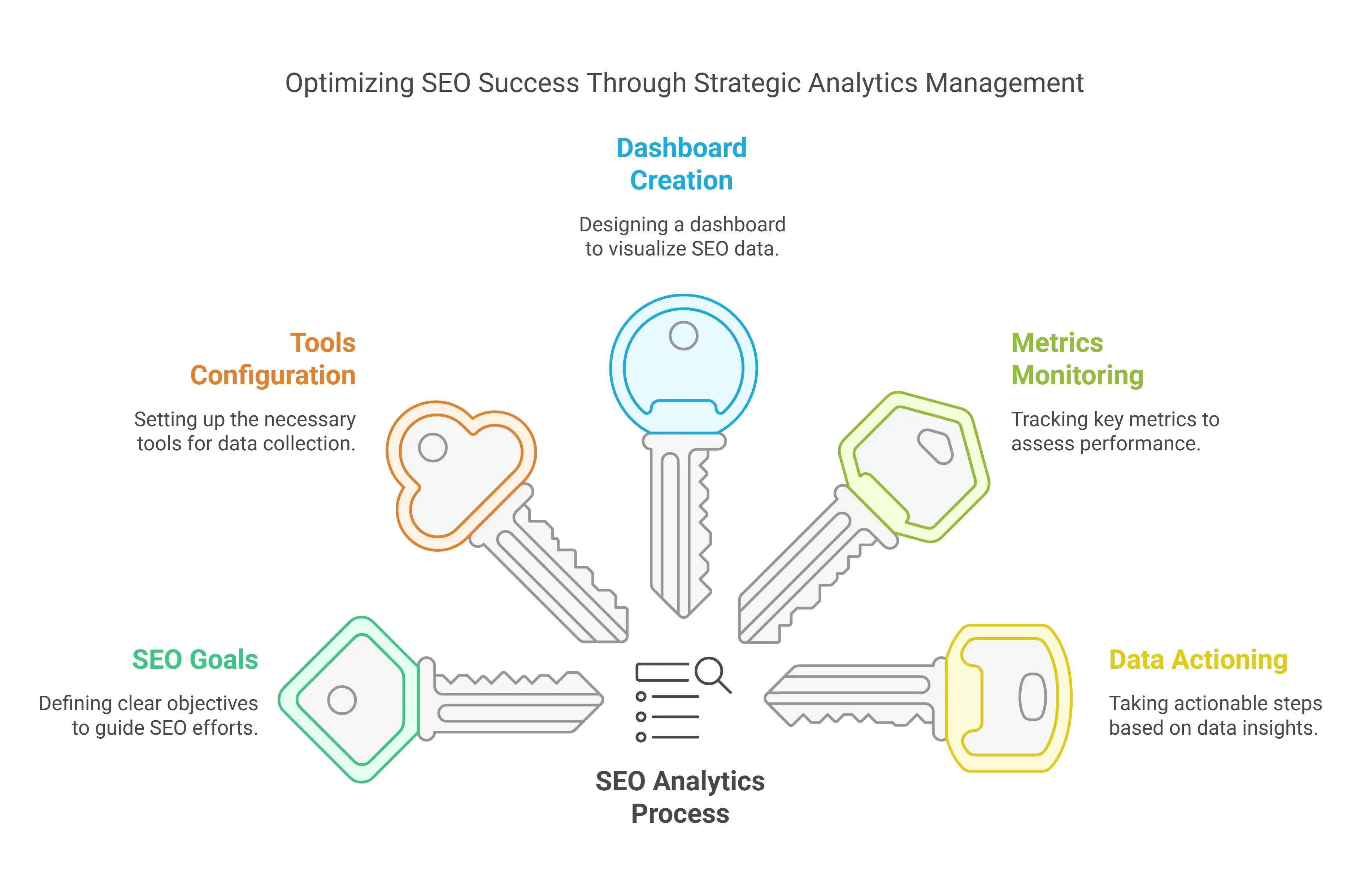
Starting with analytics can feel overwhelming due to the sheer volume of data available. The secret is to start small and scale up. You need a structured process that moves from goal setting to tool configuration and finally to routine reporting.
Follow these essential steps to build a robust analytics engine:
1. Establish Your SEO Analytics Goals
Data without context is noise. Before you install a single tool, define what success looks like for your business. Your goals should be S.M.A.R.T. (Specific, Measurable, Achievable, Relevant, Time-bound).
- Bad Goal: "I want more traffic."
- Good Goal: "Increase organic traffic to product pages by 20% in Q3 to drive 50 qualified leads."
Key Steps to Set Objectives:
- Define KPIs: Are you tracking revenue, leads, or brand awareness? An ecommerce site cares about transactions; a news site cares about ad impressions.
- Assign Ownership: Who is responsible for fixing technical errors? Who owns content updates? Clear roles prevent bottlenecks.
- Determine Cadence: High-traffic sites may need daily monitoring. Smaller B2B sites might only need weekly check-ins.
- Align with Business Logic: Ensure your SEO goals support the broader marketing strategy. If the company is focusing on a new product line, your SEO analytics should focus on keywords related to that product.
2. Configure the Right SEO Analytics Tools
You cannot manage what you cannot measure. The tool stack you choose acts as your eyes and ears. Here is how to configure the essential industry standards:
-
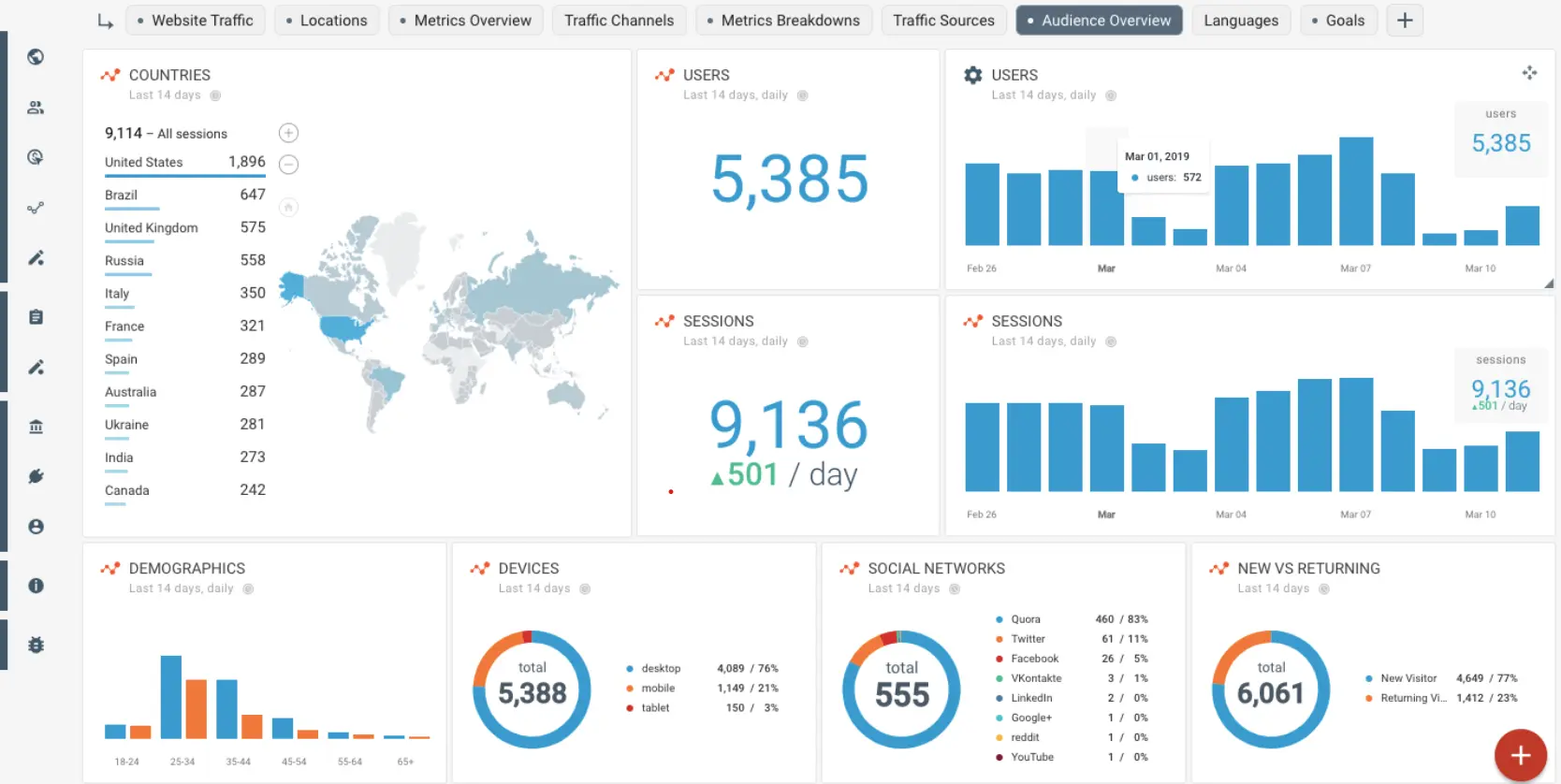
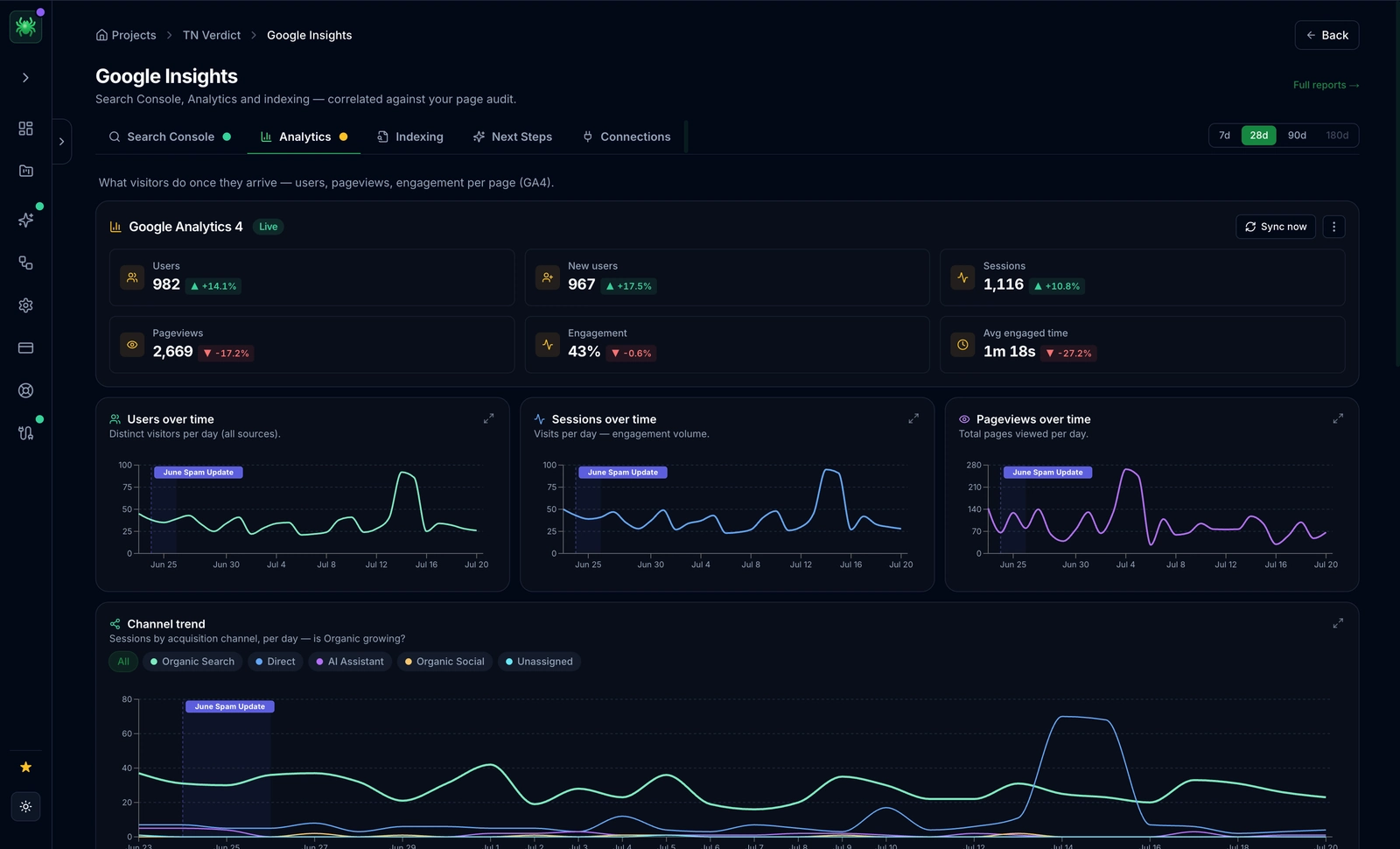
Google Analytics 4 (GA4) – Understand User Behavior
GA4 is the standard for tracking what happens after a user lands on your site. Unlike the old Universal Analytics, GA4 is event-based, giving you granular control over user interactions.
Key Configuration Steps:
- Enhanced Measurement: Enable this in settings to automatically track scrolls, outbound clicks, and video engagement without coding.
- Conversion Events: Mark specific events (like
generate_leadorpurchase) as conversions so you can measure SEO ROI. - Connect GSC: Link your Google Search Console account to GA4 to see query data alongside behavior data.
- Referral Exclusion: Ensure payment gateways or internal subdomains don't skew your traffic sources.
-
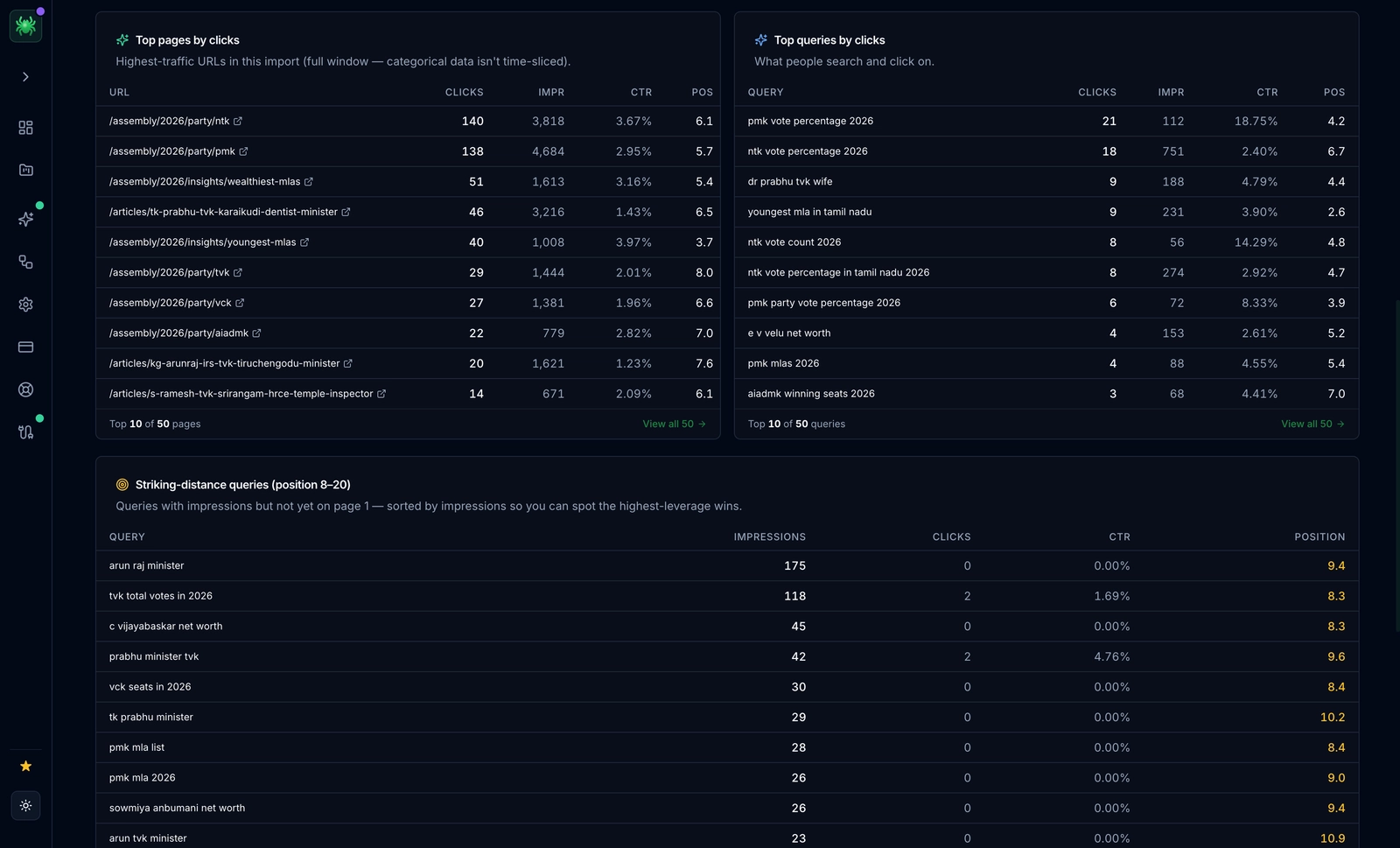
Google Search Console (GSC) – The Source of Truth
GSC is the only tool that gives you data directly from Google. It tells you how the search engine views your site. It is critical for monitoring technical health and keyword performance.
Key Configuration Steps:
- XML Sitemap: Submit your sitemap index immediately so Google knows what to crawl.
- Domain Verification: Use DNS verification (Domain Property) rather than URL prefix to capture data for all subdomains and protocols (http/https).
- Associations: Link GSC to your YouTube channel or mobile app if applicable.
- Email Alerts: Pay attention to automated emails regarding penalty actions or mobile usability issues.
-
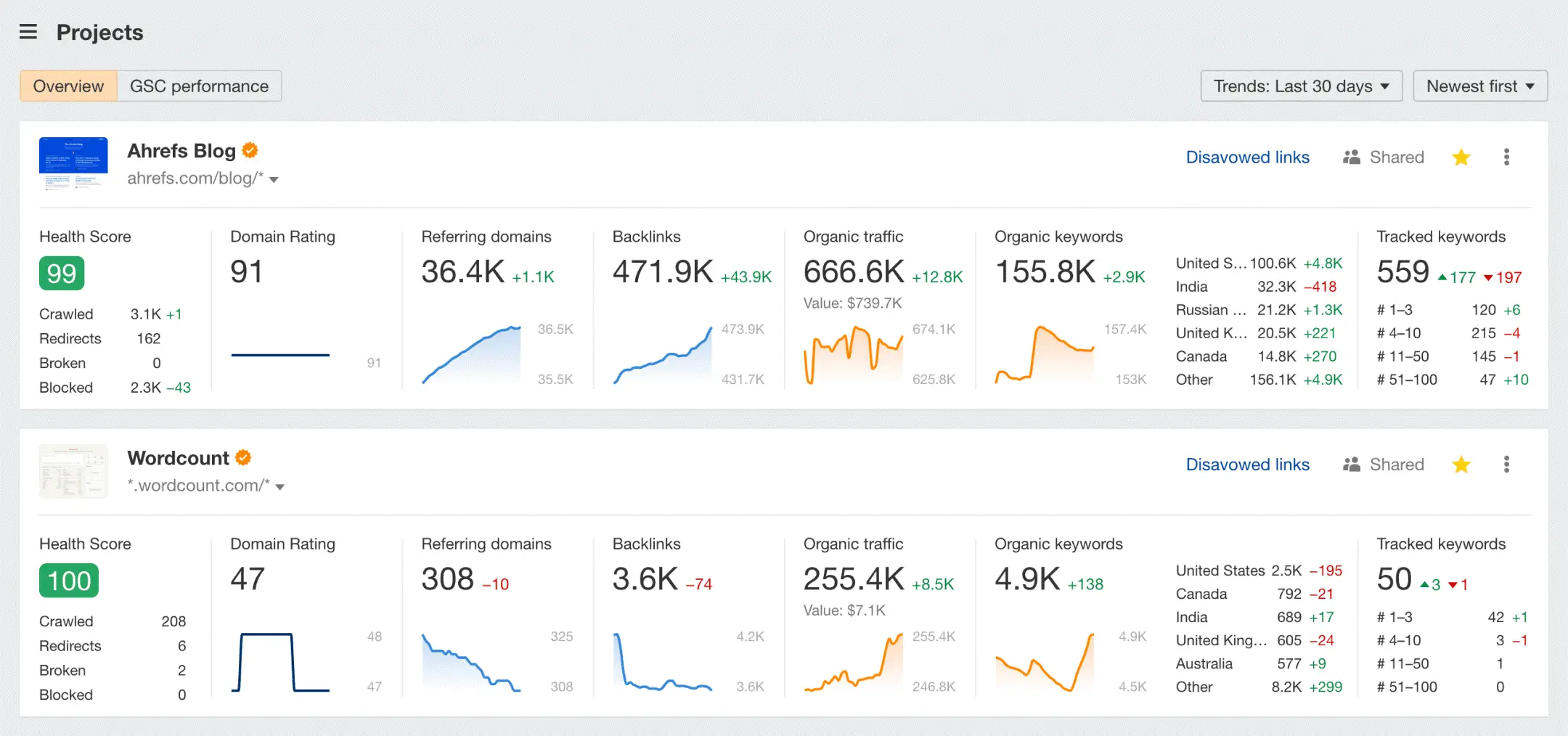
Ahrefs – Authority and Link Intelligence
Ahrefs excels at showing you the web's graph. It is essential for understanding your off-page standing relative to competitors.
Key Configuration Steps:
- Site Audit: Set up a recurring weekly crawl to catch broken links and redirect chains automatically.
- Link Intersect: Use this tool to find sites that link to your competitors but not to you—these are your easiest outreach targets.
- Rank Tracker: Upload your core keywords and tag them by intent (e.g., "informational," "commercial") to track segment performance.
-
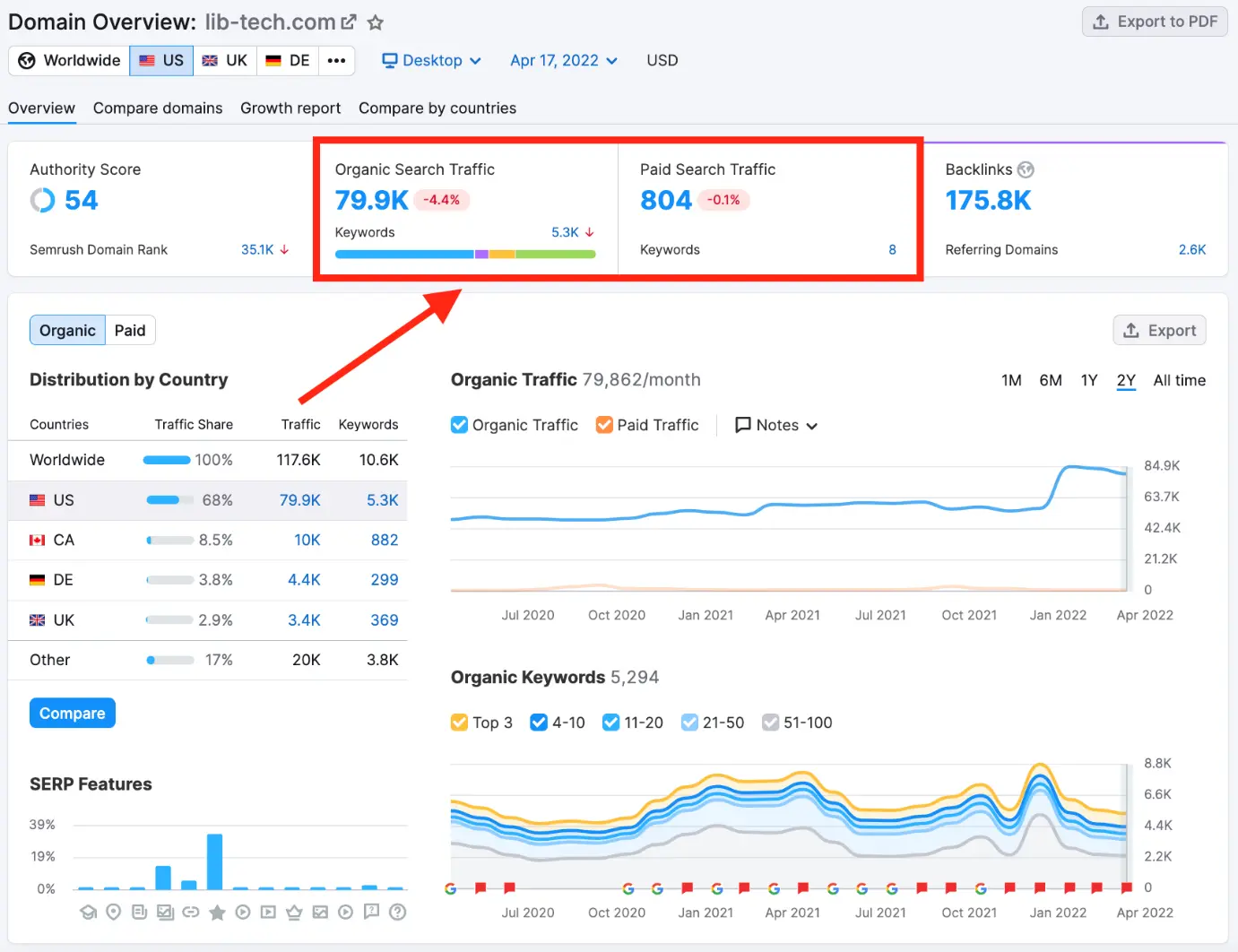
Semrush – Visibility and Keyword Research
Semrush provides a holistic view of search visibility, including paid search overlap. It is particularly strong for content marketing and keyword magic.
Key Configuration Steps:
- Position Tracking: Set up local tracking if you are a local business. Rankings vary significantly by zip code.
- On-Page SEO Checker: innovative tool that compares your pages against the top 10 rivals and suggests semantic improvements.
- Cannibalization Report: Check this regularly to ensure multiple pages aren't fighting for the same keyword.
-
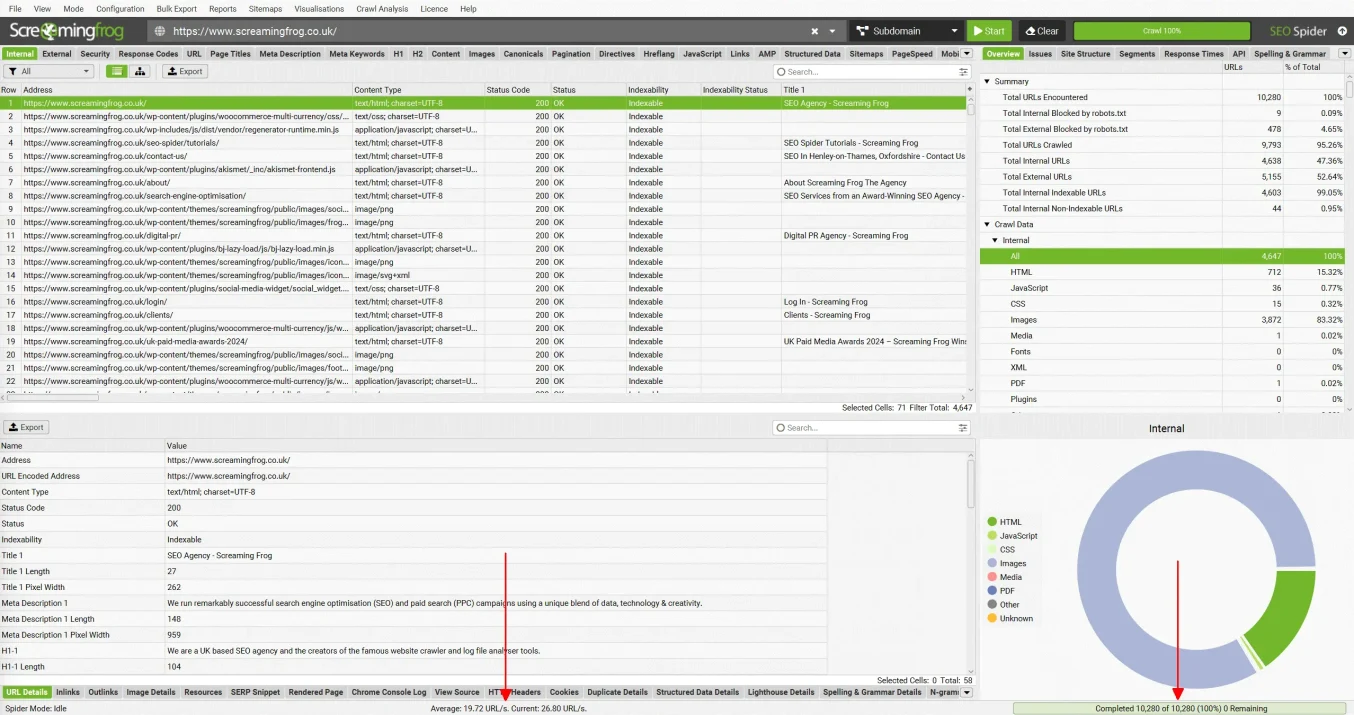
Screaming Frog SEO Spider – Deep Technical Audits
This desktop-based crawler simulates a search engine. It is indispensable for deep technical diagnostics on large sites.
Key Configuration Steps:
- Crawl Mode: Switch between "Spider" (crawl site) and "List" (audit specific URLs).
- API Integration: Connect GA4 and GSC APIs to pull traffic and click data directly into the crawl results. This helps you prioritize fixing pages that actually get traffic.
- JavaScript Rendering: Enable this if your site relies on React or Angular, so the crawler sees what the user sees.
3. Build an SEO Dashboard for Insights
Drowning in data is a common pitfall. You need a dashboard that surfaces the right data at a glance.
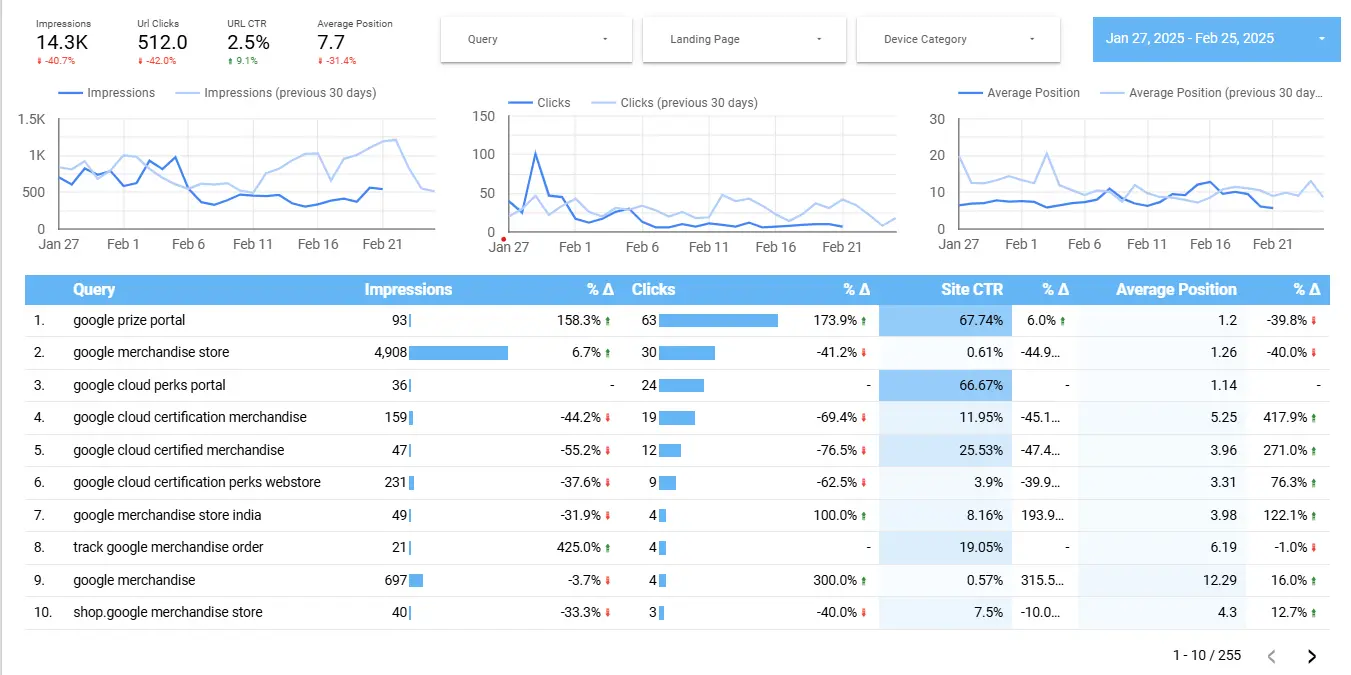
Using Looker Studio (Recommended): Looker Studio (formerly Google Data Studio) allows you to blend data from GSC, GA4, and spreadsheets.
- Executive View: Create a page for high-level metrics (Total Revenue, Organic Sessions, Top 5 Keywords) for stakeholders.
- Practitioner View: Create detailed pages for 404 errors, slow pages, and keyword granular movements.
- Content Performance: Build a table that filters pages by "High Impressions / Low CTR." These are your "low-hanging fruit" for meta tag optimization.
Using Digispot AI Dashboards: For a more integrated approach, Digispot AI dashboards combine traditional metrics with AI visibility scores. We track how your content performs in Large Language Models (LLMs) like Claude and ChatGPT, giving you a futuristic view of search performance that standard tools miss.
4. SEO Reporting – Metrics to Watch
Not all metrics are created equal. "Vanity metrics" (like total impressions) can look good while business performance suffers. Focus on actionable metrics that indicate health and growth.
Here are the 10 metrics that dictate SEO success:
| SEO Metric | Why it Matters |
|---|---|
| Keyword Rankings | Indicates where your site appears on search engine results pages (SERPs) for target keywords, impacting visibility and traffic. |
| Organic Search Traffic | Measures the number of visitors coming from unpaid search results, helping assess the effectiveness of your SEO strategy. |
| Click-Through Rate (CTR) | Shows the percentage of users who click on your website after seeing it in search results. A low CTR suggests your title tags or meta descriptions need rewriting. |
| Organic Conversions | Tracks how many visitors from search engines take desired actions (e.g., making a purchase, signing up). This is the ultimate measure of ROI. |
| Engagement Rate | Replacing "Bounce Rate" in GA4, this measures sessions that lasted 10+ seconds or had a conversion. It indicates true content relevance. |
| Backlinks & Referring Domains | The number and quality of unique domains linking to you. This is a primary trust signal for Google. |
| Page Load Speed (LCP) | Largest Contentful Paint measures how fast the main content loads. Slow LCP hurts rankings and kills conversion rates. |
| Mobile Usability | Ensures your website is optimized for mobile devices. Google uses mobile-first indexing, so mobile errors can de-index your site. |
| Indexed Pages | Shows how many of your website’s pages are actually in Google's database. A gap between "Submitted" and "Indexed" pages in sitemaps signals quality issues. |
| Schema Validation | Tracks the health of your structured data. Valid schema helps you win Rich Snippets (stars, recipes, FAQs) in search results. |
Need help visualizing your data? Try the free On-Page SEO Analysis tool to audit any URL instantly and see where your metrics stand.
5. Monitor SEO Data and Take Action
Reporting without action is wasted effort. The goal of analytics is to create a feedback loop. Here are common scenarios and how to react:
-
Scenario: Traffic Drops but Rankings Stay the Same.
- Diagnosis: This is likely a "Search Demand" issue or a seasonality change. Fewer people are searching for your topic.
- Action: Diversify your content strategy to include trending topics or adjacent niches.
-
Scenario: Rankings Drop for Main Keywords.
- Diagnosis: Check if a competitor published a better guide or if you lost key backlinks.
- Action: Update your content with fresh data, add a video, and launch a link reclamation campaign.
-
Scenario: High Impressions, Low Clicks.
- Diagnosis: Your content ranks, but the snippet isn't compelling, or the SERP features (like ads or AI overviews) are pushing you down.
- Action: Rewrite title tags to be more emotional or benefit-driven. Add Schema markup to stand out visually.
-
Scenario: High Traffic, Low Conversions.
- Diagnosis: You are ranking for "Informational" intent (learning) when you want "Transactional" intent (buying).
- Action: Add clearer Calls-to-Action (CTAs), lead magnets, or optimize the page layout for readability.
-
Scenario: Technical Crawl Errors Spike.
- Diagnosis: A recent server update or plugin change likely broke some URLs.
- Action: Use the free Chrome extension to inspect headers on affected pages immediately.
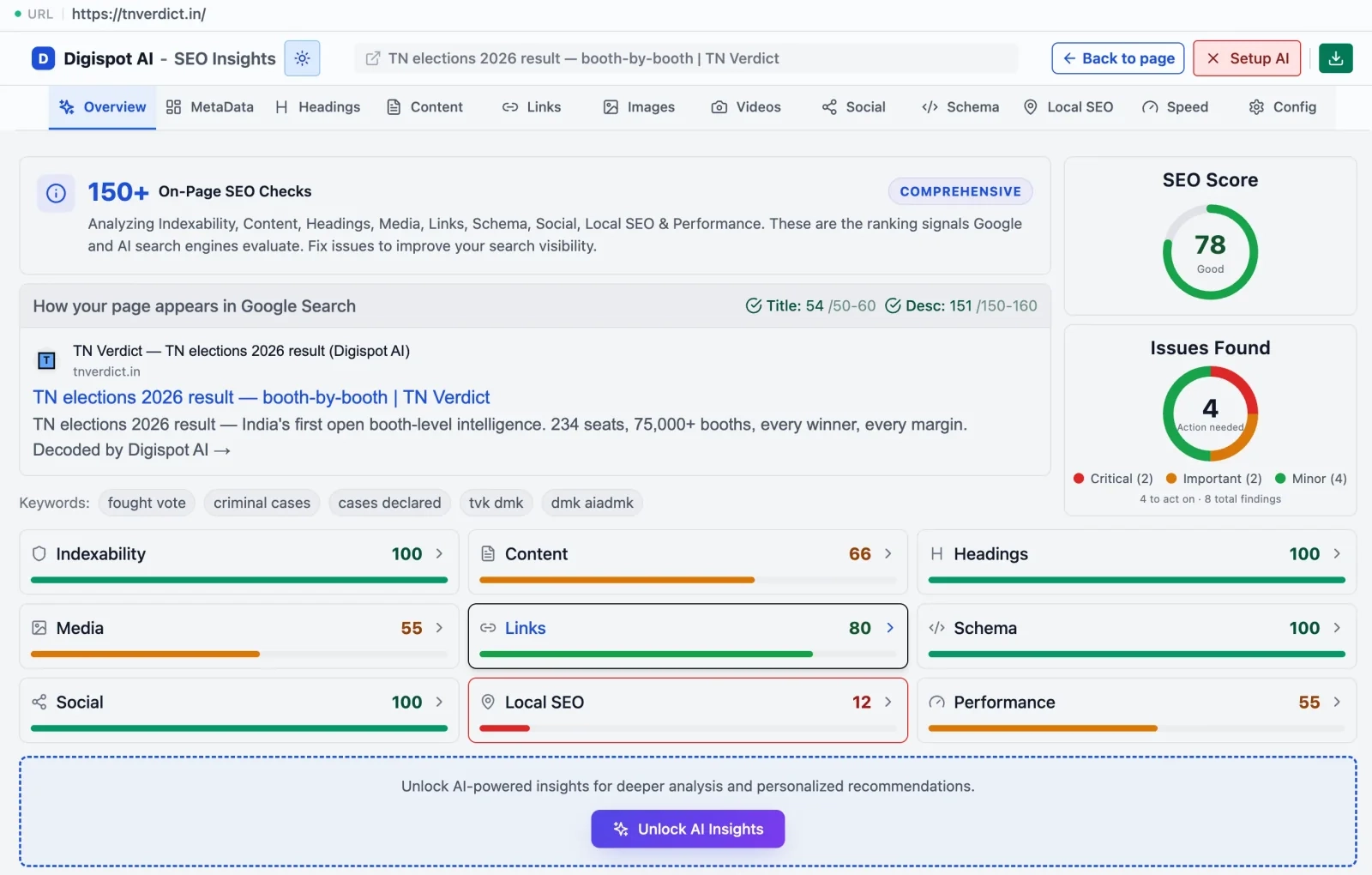
By regularly performing these checks—which you can structure using our SEO audit checklist—you ensure that your website remains resilient against algorithm updates.
Digispot AI Search Engine Optimization Tool - Click Here
Achieving top search rankings isn’t just about optimizing for Google anymore—AI platforms like ChatGPT, Bing Copilot, and Gemini are shaping search visibility. Digispot AI empowers businesses with advanced SEO intelligence to optimize websites, boost rankings, and maximize conversions.
One Platform to Optimize, Monitor, and Dominate Search Rankings
Why Digispot AI ?
AI-Powered SEO Insights Dashboard
- Perform deep SEO audits at site architecture and page levels
- Analyze 300+ ranking factors affecting search and AI visibility
- Simulate Google, Bing & LLM crawlers for precise SEO insights
Actionable SEO Intelligence for Teams
SEO & Marketing Teams
- AI-driven SEO insights for accelerated organic growth
- Real-time SERP monitoring to track and convert high-intent traffic
- Competitor intelligence tracking to refine marketing strategy
- Search & AI-optimized SEO workflows for better lead generation
Content Teams
- AI-powered topic discovery for high-impact content creation
- SEO-driven content briefs with keyword & intent mapping
- Cross-platform content optimization for better reach & engagement
Development Teams
- Automated technical SEO audits to optimize page performance
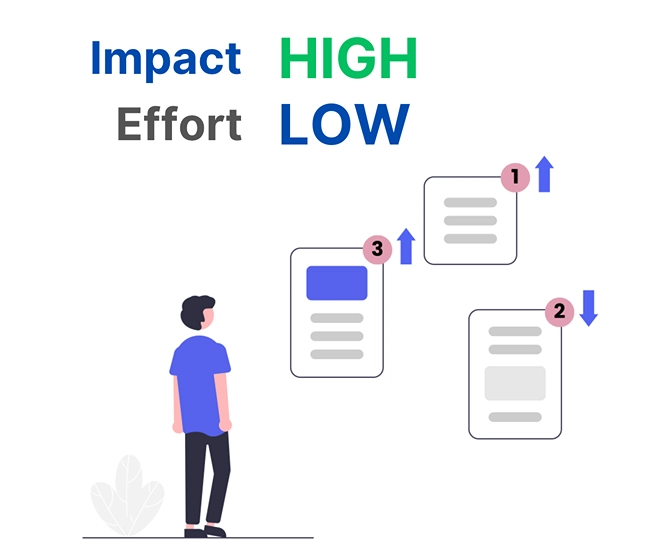
- Impact-effort analysis to prioritize critical fixes
- Core Web Vitals & structured data optimization for better rankings
Business Leaders
- Enterprise-grade SEO Intelligence Dashboard
- Automated ROI tracking & cost optimization
- Strategic insights for competitive positioning & growth
How to Use Digispot AI?
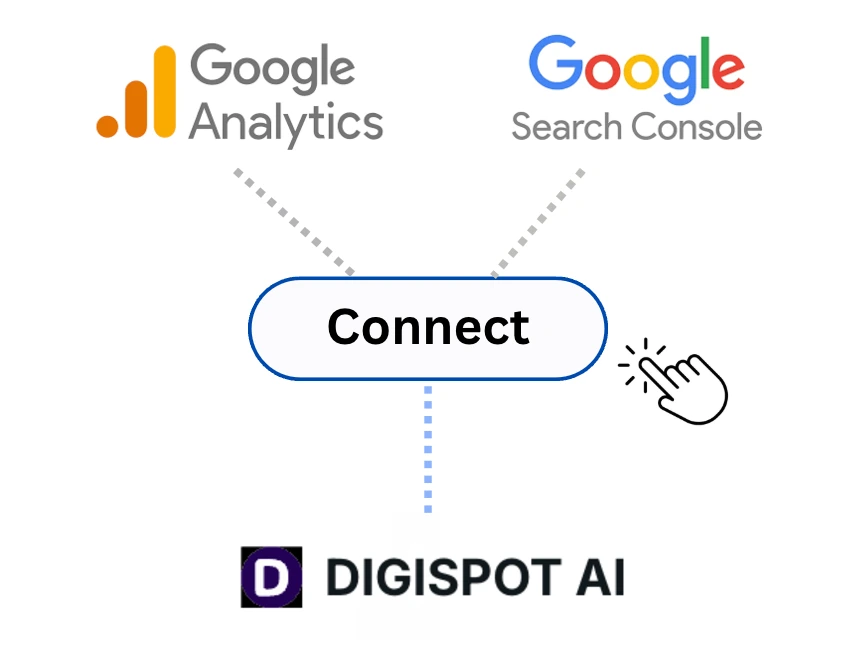
- Step 1 : Link Your Accounts – Connect Google Search Console & Analytics for seamless insights
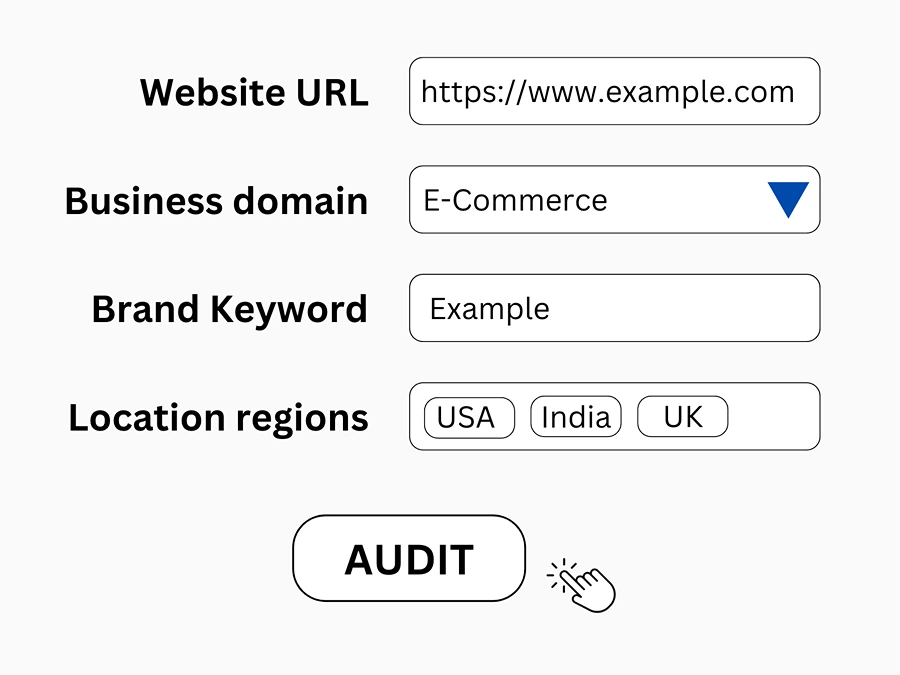
- Step 2 : Submit Your Website – Provide essential details for an AI-powered audit
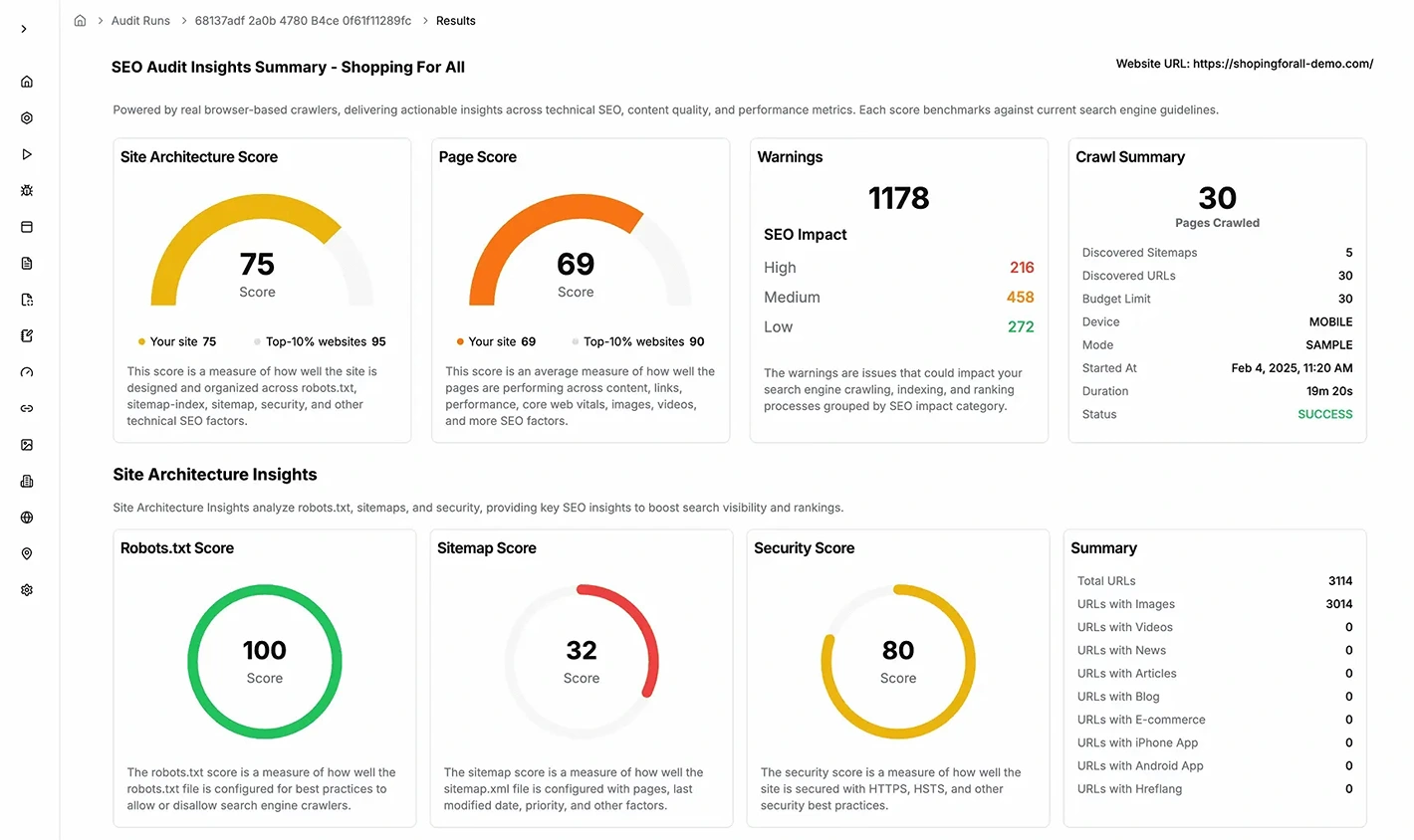
- Step 3 : Get Detailed Reports – Analyze site score, key issues & AI-driven recommendations
- Step 4 : Prioritize SEO Fixes – Get a structured SEO action plan for marketing, content & development teams
What makes Digispot AI SEO Tool Unique?
- Optimized for LLM & Voice Search
- 150+ Automated SEO & Content Checks
- Entity & Domain-Aware SEO Intelligence
- AI-Powered Automation & Competitive Benchmarking
- Persona-Driven Insights & Strategic SEO Recommendations
Best SEO Analytics Tools
Enhancing your website's SEO is essential for better online visibility and search rankings. Below are the top free and paid SEO analytics tools to help you track performance, analyze competitors, and optimize your content effectively.
Top Free SEO Analytics Tools
- Google Analytics 4 (GA4) – The industry standard for tracking website traffic, user behaviour, and conversions. It provides valuable insights into audience demographics and engagement. Best for: Understanding who your visitors are and what they do.
- Google Search Console – Helps you monitor and improve your site's performance in Google Search. It provides insights into search traffic, indexing issues, and keyword rankings. Best for: Communicating directly with Google and checking technical health.
- Google Trends – Analyzes search trends over time, helping you discover popular topics, seasonal keyword variations, and audience interests. Best for: Content planning and spotting seasonality.
- Screaming Frog SEO Spider – A powerful site crawling tool that helps identify broken links, duplicate content, and technical SEO issues. The free version allows crawling up to 500 URLs. Best for: Quick technical spot-checks.
- SEOQuake – A browser extension that provides instant SEO metrics, including keyword density, page audits, and domain comparisons directly on the SERP. Best for: Competitor research on the fly.
Top Paid SEO Analytics Tools
- Ahrefs – A powerful SEO tool for backlink analysis, keyword research, and competitor tracking. It helps improve website rankings by identifying high-performing keywords. Pricing starts at $99/month. Pro Tip: Use their "Content Gap" tool to find immediate keyword wins.
- Semrush – A complete SEO suite offering site audits, keyword tracking, and competitor analysis. It helps businesses optimize their SEO and PPC strategies. Plans start at $129.95/month. Pro Tip: Their "Writing Assistant" is excellent for optimizing content readability and tone.
- SpyFu – Specializes in competitor research, allowing you to see which keywords and ads your competitors are using. Plans start at $39/month. Best for: Budget-conscious teams focused on competitor espionage.
- Moz Pro – Provides SEO tools for keyword research, link building, and site audits to enhance search engine rankings. Subscription starts at $99/month. Best for: Proprietary metrics like "Domain Authority" (DA).
- WooRank – A website optimization tool that provides in-depth SEO analysis, keyword tracking, and performance insights. It also offers personalized recommendations to improve your site’s rankings. Pricing starts at $89.99/month, with a free trial available.
Start Improving Your Search Rankings Today
SEO analytics is not a one-time task; it is a continuous cycle of measurement, hypothesis, and execution. By setting clear goals, configuring the right tools, and monitoring actionable metrics, you transform raw data into a competitive advantage.
Don't let technical errors or content gaps drain your organic traffic. Start by auditing your current performance and fixing the low-hanging fruit.
Ready to improve your search visibility? Try Digispot AI for comprehensive website audits and actionable recommendations that bridge the gap between traditional SEO and the future of AI search.
References
- SEO Analytics: The Simple Step-By-Step Guide: Ahrefs Blog
- How to Perform SEO Analytics: A 3-Step Guide to Success: SEMrush Blog
- SEO Analytics: What, Why, and How Questions Answered in One Handbook: Couplre.io Blog
- SEO Analytics and Reporting: Top Tips and Tools for Startups: Gravitate Design Blog
- How To Make SEO Analytics Your Competitive Advantage: Agency Analytics Blog
- The best SEO analytics tools: Free and paid: Keyword Hero Blog
- 18 Best SEO Analytics Tools in 2025: SEO.com Resources Page
- Digispot AI - FREE Chrome Extension
- Digispot AI - FREE On Page SEO Audit Tool
- Digispot AI - FREE Schema Markup Visualizer
Audit any page in seconds
300+ SEO checks including Core Web Vitals, schema markup, meta tags, and AI readiness — trusted by 1000+ SEO experts and marketers.
Frequently Asked Questions
Here are some of our most commonly asked questions. If you need more help, feel free to reach out to us.
Written by
Maya Krishnan
Digital growth expert
Maya is a seasoned expert in web development, SEO, and digital strategy, dedicated to helping businesses achieve sustainable growth online. With a blend of technical expertise and strategic insight, she specializes in creating optimized web solutions, enhancing user experiences, and driving data-driven results. A trusted voice in the industry, Maya simplifies complex digital concepts through her writing, empowering readers with actionable strategies to thrive in the ever-evolving digital landscape.